This Week's Sponsor:

Cotypist

Smart Autocomplete for Your Whole Mac


iPhone, iPad Rumored to Get NFC Technology, Large Opportunity Awaits

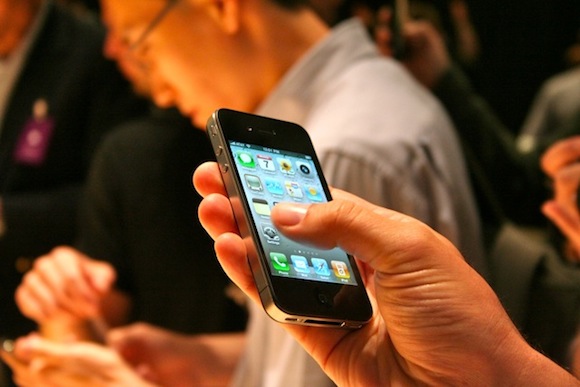
A report by Bloomberg today suggests that Apple’s next iPhone and iPad are likely to feature NFC (Near-Field Communication) technology that would allow various forms of data transfer between the iPhone and another NFC capable device. Richard Doherty of consulting firm Envisioneering Group explains that the technology would be primarily used for making purchases at physical stores, expanding Apple’s reach in commerce beyond just iTunes.

Near-Field Communication is a technology that can send and receive data between two such devices with NFC that are up to 4 inches apart. The technology has gained popularity in recent times, most notably being included in Google’s Nexus S.

By including NFC into the iPhone and iPad, Apple could use it’s existing iTunes accounts and give consumers an alternative to more traditional financial services by Visa, MasterCard and PayPal. Richard Crone, an industry advisor suggests that “It would make a lot of sense for Apple to include NFC functionality in its products.”

Read more


Microsoft Tries to Convince Enterprise that the iPad is Inadequate

So with Microsoft previous attempts at a tablet/slate/UMPC/pad not going so well and with Ballmer unhappy about how successful the iPad has been, Microsoft has started a new strategy. This strategy involves putting together a marketing campaign targeting the enterprise market and claiming the iPad is not secure or flexible enough to be deployed in the enterprise.

Undoubtedly this is an attempt to try and stop or slow the iPad penetration into the enterprise after it was revealed 80% of the Fortune 500 companies were deploying iPads. The 10 page PowerPoint presentation also encourages Microsoft’s partners to position Windows 7 tablets against the iPad.

Read more


BootXChanger Revitalizes Your Mac Boot Screen

Apple’s default boot screen is an admittedly bland and very grey affair, luckily BootXChanger (which has had more than three years of development) offers a simple drag and drop way to add your own image and change the background color.

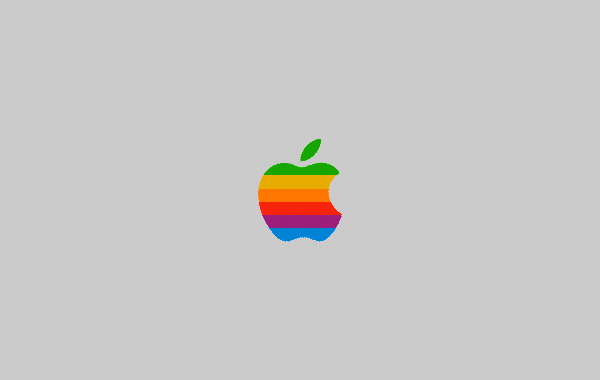
It’s recommended that the image you use to replace the Apple logo should be 90x90 pixels, any larger and depending on your Mac it may be resized or not show up at all. Images can have transparency and this is a good way to ensure the image matches the background. As a nice extra touch, BootXChanger comes with some sample images such as the old rainbow Apple logo and the Finder logo.

Read more


iOS 4.3 Apps Already Being Approved

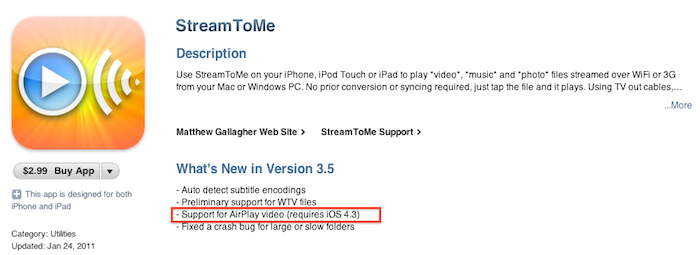
It appears that Apple has started approving applications that use features that will officially be introduced in the upcoming iOS 4.3 software update. StreamToMe, an app we previously reviewed here, has been updated a few hours ago with support for AirPlay video streaming, a functionality that’s not available on the current iOS 4.2. Being the feature exclusive to iOS 4.3, you won’t be able to try it unless you’re a developer. An Apple TV running the latest pre-release software is also required.

Does this mean iOS 4.3 is just around the corner? Beta 2 was shipped last week and we’ll likely see Beta 3 this Wednesday. Apple usually goes into 4-5 betas and a GM seed before public release, so we speculate we might see the final version of iOS 4.3 in late February. But then again, issues may come up in iOS betas at any time.


iPad “Best Thing to Happen to Meetings Since the 1960s”

iPad “Best Thing to Happen to Meetings Since the 1960s”

Ben Brooks is right about the iPad as a device for meetings:

There is an artificial barrier between you and everyone else because of those damned laptop screens.

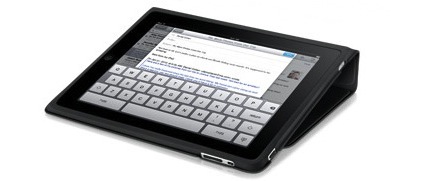
The iPad changes all of this, it can sit slightly angled on the table and not be a a barrier to anyone, or even completely flat on the table mimicking a notepad. Further, because the screen is not staring you in the face, participants get a more open sense about how you are using it — that is people can see what you are doing on it. This is crucial to making the other meeting attendees feel like you are actually paying attention.

The real difference, though, is once again made by apps: easy-to-use yet powerful software like Screens, iFiles, Omnifocus, Dropbox and FileBrowser can turn the tablet into a killer machine for business purposes. “Apps” is where the competitors will need to catch up with.

Permalink

App Store Gets Official Twitter Account

It looks like Apple has just started sharing status updates with an official @AppStore account on Twitter. The account isn’t verified yet but its first tweet has been retweeted by the already verified @iTunesMusic. So why is the App Store on Twitter? Well, according to the first public message:

Welcome to App Store on Twitter! Follow us to discover new apps, get exclusive offers, and share with friends.

It will be interesting to follow the tweets from this account closely and see if they mirror the apps Apple features every Friday on the App Store homepage. This new account expands the set of official Apple services and personalities on Twitter.com: @iTunesMusic and @iTunesTrailers tweet new material from the iTunes Store on a daily basis and @pschiller has been busy sharing Instagram pictures lately. Apple is also active on Facebook and Youtube, where all the commercials and keynotes end up in HD.

On a side note, Scott Forstall hasn’t tweeted yet.

Update: the account is verified now. [Thanks, Florian]


Free “Plus” Widget Turns Dashboard Into A Launchpad

Launchpad is a feature of the upcoming Lion operating system that will allow users to have quick access to all their apps and folders through an iPad-like overlay interface. A few weeks ago, we saw developers already trying to imitate this functionality on Snow Leopard as I covered QuickPick, an app that brings a Launchpad-like UI to OS X 10.6. Plus, a new widget by Junecloud, takes a similar approach to QuickPick but it’s free and works with the system’s Dashboard.

Plus can turn anything into a Dashboard widget. That’s right: a widget to create other widgets; sort of meta, and it works. You can in fact drop multiple instances of Plus on to the Dashboard, and make each one a different shortcut to something else. Like an app, a screenshot, a document, a web address or a folder. Anything that you can drag out of the Finder can be dropped into Plus and become a widget of its own; Plus even lets you decide the size of the item’s preview. With a bit of organization and time, you can thus turn the Dashboard into a grid of most used apps and shortcuts, although you won’t be able to expand folders within the overlay the way we’ve seen in the Launchpad preview.

All things considered, Plus is a cool widget that’s being given away for free and definitely works as expected. Give it a try.