Apple TV 4.2.1 Update Released With Various Fixes

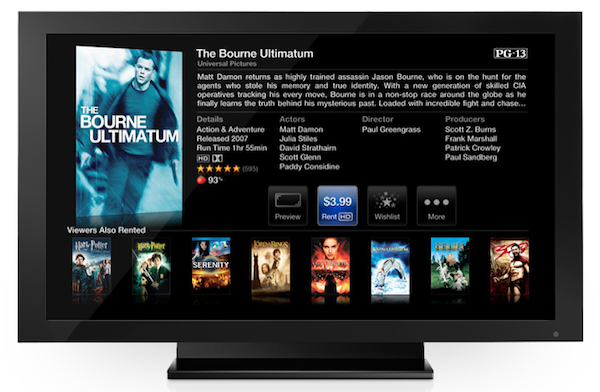
As noted by MacRumors, Apple issued an update for the second-generation Apple TV earlier today bringing a number of fixes and stability improvements. More specifically, the Apple TV 4.2.1 software (based on iOS 4.3) fixes the color and flickering issues reported by many owners of old televisions in the past months and also fixes other problems with audio and “wake from sleep”. The changes are outlined in Apple’s support document for the device.

TV compatibility: Addresses issues that may cause the screen to flicker or display incorrect color on some older TVs.

Wake from sleep: Addresses an issue where Apple TV may not wake up from sleep.

Audio: Addresses an issue where audio may not be heard on some TV models after switching from another input.

Stability and performance: Apple TV Software Update 4.2.1 includes stability and performance fixes for Apple TV

With iOS 4.3, Apple brought NBA League Pass and MLB.tv to the Apple TV, as well as several minor changes to the interface and user experience.


Aperture 3.1.2 Released

Apple released a minor update to Aperture a few minutes ago, improving compatibility with the importing process of iPhoto libraries and a number of reliability improvements for brushes. The new version is labelled 3.1.2; Aperture 3.1.1 was released in December.

More information about the update are available here, full changelog below.

About Aperture 3.1.2

This update improves overall stability and performance, including specific fixes in the following areas:

Importing iPhoto libraries

Reliability and responsiveness when using brushes to apply adjustments

Reconnecting referenced master images

Aperture 3.1.2 is also available in the Mac App Store at $79.99.


Steve Jobs: “We Have No Plans To Kill The iPod Classic”

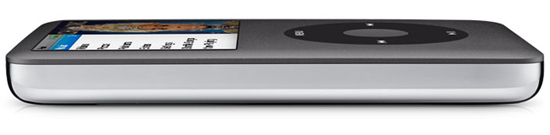
In the past months, several reports suggested Apple was in the process of discontinuing the iPod Classic line, which hasn’t been updated in years, to make room for the latest generation iPod Touches, Nanos and Shuffles. With stock running low in several Apple resellers and a lack of announcements at Apple’s September music event, many thought the iPod Classic was on its way out. The numbers, however, proved that in spite of old hardware, the Classic was the 5th most popular music player in the US in 2010. Rumors of new portable hard drives by Toshiba even suggested Apple might not discontinue the line, but bump its capacity to a whopping 220 GB in the same design. That hasn’t happened yet.

Now it’s Steve Jobs himself, in an email reply to a MacRumors reader, to confirm that Apple isn’t planning to kill the iPod Classic just yet.

Q: Hello, I’ve heard a LOT of speculation that Apple is looking to kill the iPod Classic because it wasn’t updated on Sept. 1st, and that a lot of people would rather Touch. The iPod Classic is probably the best iPod in the line. PLEASE DON’T KILL IT!!!

A: We have no plans to.

Sent from my iPhone

So there you have it. In his usual short-reply fashion, Jobs allegedly reassures a loyal Apple fan that the iPod Classic isn’t going anywhere. Discontinuing the line would indeed be a strange move on Apple’s part, considering how the iPod Classic is the only device that can enable owners of large music collections to carry around their libraries without worrying about space.


The DaisyDisk 2 Developer Giveaway

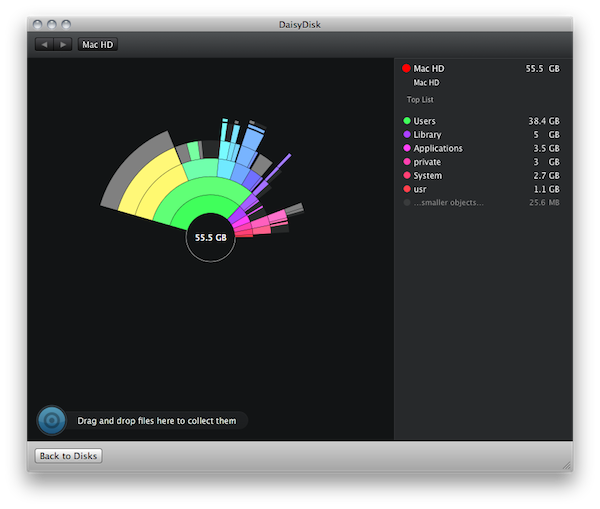
The DaisyDisk Team recently launched DaisyDisk 2, a fantastic visualization tool that’s beautifully designed to help find and free clutter on clogged hard drives. With the UI completely rewritten in Core Animation, tweaks were made and features were installed to turn DaisyDisk from a file scanning machine into a search and destroy monster! Maybe monster isn’t the right word for the kind of elegance DaisyDisk entails, but have you ever seen file scanning as pretty as this? You scan multiple hard disks at once, pinpoint the source of wasted storage space, and remove crud all from the same interface. Managing your filesystem shouldn’t be a priority, but it should be intuitive (and more importantly), useful and fun when it comes to doing the dirty work. The fellas behind this great app sell DaisyDisk for $19.99 with a trail on the web and in the Mac App Store, and you can grab yourself a trial straight from the front page.

So about that giveaway… The DaisyDisk Team wanted to do something very special for our readers consisting of budding developers, designers, and software gurus who aim to create fantastic software for desktops and mobile devices. We’re giving away $500 worth of books open to all of our international readers in the quest for knowledge and further learning.

Read more


Expected iMac Update To Sandy Bridge & Thunderbolt To Occur In 4-6 Weeks?

iMacUpdate

iMacUpdate

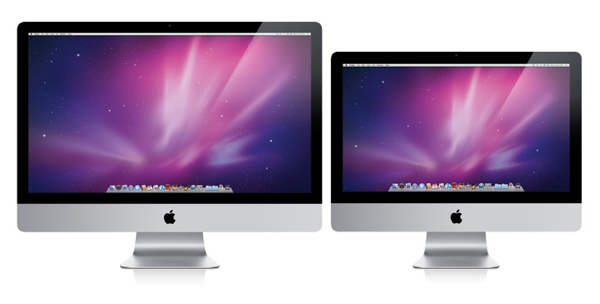
With the MacBook Pro line getting spec bumps to Sandy Bridge processors and Thunderbolt, Apple’s iMac should fall in line in about 4-6 weeks according to Brian Tong from CNET. On Twitter, Brian noted that iMac’s were en route for a late April refresh.

EXCLUSIVE: My Sources: New iMacs en route by ocean to U.S. available end of April or 1st week of May. No major cosmetic changes.

My sources say New iMacs will feature Sandy Bridge and Thunderbolt. No other specifics.

The iMac shouldn’t receive any aesthetic changes in this early 2011 update. CNET has also postulated that the MacBook Air would receive an update to Sandy Bridge in June, replacing the much outdated Core 2 Duo processor in the mobile lineup.

[Brian Tong via MacNews.de via MacRumors]


#MacStoriesDeals - Tuesday

If you didn’t already know, we’ve set up a new twitter account for Deals, it’s @MacStoriesDeals - please follow for Deals-only posts. We’ll tweet the daily deals there as well as exclusive weekend deals too. Help spread the word! Here are today’s deals on iOS, Mac, and Mac App Store apps that are on sale for a limited time, so get ‘em while they’re hot!

Read more


Shazam Adds “Friends” Feature with Facebook Integration

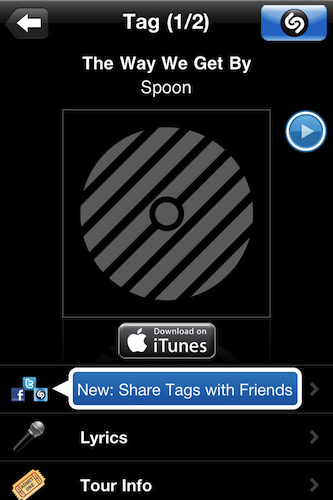
Shazam, the popular music discovery tool for iOS, was updated earlier today to include a new feature that, similarly to Apple’s Ping or the recently reviewed SoundTracking, lets you connect with other people to see what music they’re listening to. The new functionality is called “Friends” and it’s displayed as a new tab in Shazam’s bottom toolbar. To get started with Friends, you’ll have to login through your Facebook account and link the device to your Shazam profile – all the social interaction of Friends happens through Facebook and your friends that are already using the mobile app to tag songs.

Once you have some friends using Shazam (right now, I don’t), the songs they tag will show up in the Friends tab alongside the album artwork, a preview you can listen to and a link to buy the song on iTunes. Tapping on an item brings you to the usual Shazam view where you can share, check lyrics and Youtube videos, get tour info for a specific artist or jump to Last.fm. The Friends functionality is very streamlined and doesn’t provide all the options offered by an app like SoundTracking, but it’s a start and a welcome addition to Shazam.

Shazam Encore is available for $5.99 in the App Store. The free version got updated as well. Read more


Drink Up or Stay Sober with BeerStat for iPhone

BeerStat Banner

BeerStat Banner

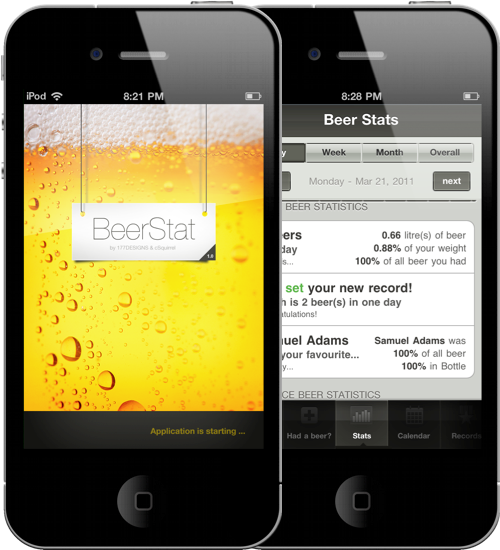
Drinkers of beer tend to settle the evenings in a local pub or in backyards over an open grill and a standing longneck. Quick work is made of the Sam Adams shuffled between the ice cubes in the cooler, and pretty soon you’re two beers in towards your eight beer weekly limit. BeerStat for the iPhone is all about statistics, tracking how much cash you’ve spent, and keeping a long log term log about your total alcohol consumption and previous records. If you ever wanted to know how much of your monthly salary you spend on beer or how how much beer you’ve chugged in body weight, BeerStat keeps those statistics based on your personal profile and beer of choice.

BeerStat is recommended in part because of its lust worthy design, showing off beautiful pixels as the streamlined interface is overlaid with booze-tastic 8-bit icons. Instead of your traditional tabs, you can scrub through the various sections of the app as you dive between records, your calendar, and a way cool section on fun-facts about beer. It’s got everything you beer-drinking hipster-loving designers would want in an iPhone app, but I will complain slightly about adding your favorite beverages. You can add your favorite brand of beer and its various qualities to BeerStat, but I wish there was a simpler way to add common supermarket brands with just a couple of flicks. Beer is individually priced, so you have to divide out the price of a bottle from a six pack. I’d like to see a quick pick implementation in a future update, but as of now you specialty drinking / pint loving fools can brag or keep tabs on just how much beer you actually consume. BeerStat is only a dollar in the App Store, and would look great donning your homescreen next to that Starbucks icon. Check out the video after the break.

And please. Drink responsibly.

Read more


10.6.7 Crashing iTunes For Some MacBook Air Owners

According to a thread on Apple Discussions that received more than 30 replies since yesterday’s release of Mac OS X 10.6.7, the latest software update makes it impossible for some MacBook Air (late 2010) owners to open iTunes. The issue seems to especially affect the new MacBook Airs 13”, and it basically forces iTunes to quit seconds after launch while running 10.6.7.

Before upgrading to a new version of OS X, it’s always a good practice to backup your important files and possibly use Time Machine to save multiple instances of your OS to an external hard drive. When issues pop up, however, there are some tips you can follow to make sure the upgrade process goes as smoothly as Apple (and the user) wants. First off, if Software Update is failing you and you notice issues with some applications, consider running a Combo Update. It’s a bigger download, but in most situations the Combo Update is everything you need to make OS X update to a newer version correctly. You can download the Mac OS X 10.6.7 Combo Update here.

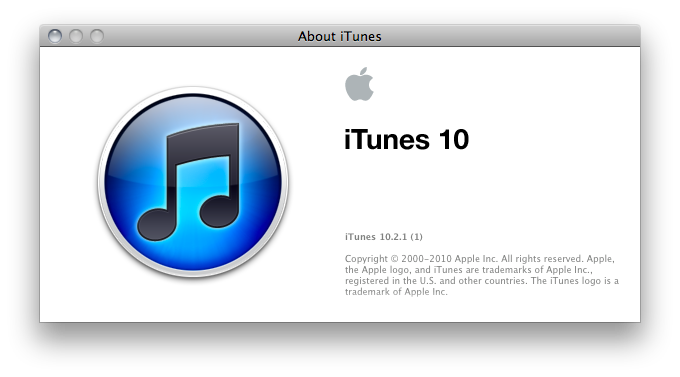
If iTunes 10.2.1 is still crashing after a combo update to 10.6.7 and a manual restart, you can erase your iTunes preferences and Genius database to start fresh with the app on the newly updated OS. Preferences can be found in Users/yourusername/Library/Preferences and they look something like this: “com.apple.itunes”. Delete those files when iTunes is closed and reboot again. The Genius database can be found in Music/iTunes and it’s the file called “itunes library genius.itdb”. The database will be rebuilt on next launch, after you accept the iTunes EULA again.

Of course, you should always backup everything on your Mac – especially the iTunes library that stores your music, apps, movies, books and more. Storing iTunes on Dropbox (which in its Pro plans includes a featured called “Packrat” that you gives unlimited access to all your previously deleted files) is a good plan to get started. If you have a MacBook Air and you found another way to fix iTunes on OS X 10.6.7, please let us know in the comments below.