This Week's Sponsor:

HomeSnap

A Private, Read-Only Window Into Your HomeKit Home


Hack Enables iPhone To Control Multiplayer Kinect Game

Singapore-based developer Rockmoon realized that there was a need for more iOS hacks that interacted with Microsoft’s Kinect controller, and created a game prototype that allows two players to steer a vehicle in a 3D environment on screen, and shoot the vehicle’s gatling gun the same time using a custom iPhone app. As noted by TUAW, the whole game shown in the demo video looks a lot like Sega’s old Sewer Shark, with one player handling the steering wheel with his arms and other movements (such as leaning back and forward) and the other hand taking care of the shooting. The setup looks pretty cool and we’ll never get tired of hacks and applications that enable functionalities and interactions otherwise unsupported by the platform, but really – an iPhone that connects to a Microsoft Kinect is something we won’t officially see anytime soon.

Still, it’s neat and it appears to be working quite smoothly. Check out the video below. Read more


Notificant Now Delivers Beautiful Reminders Across iPhone, Mac and Web

Released back in January on the Mac a few days after the Mac App Store grand opening, Notificant for Mac was a pretty sweet way to create reminders and timed notifications on the desktop, and have them always available thanks to the web app counterpart developers Caramel Cloud built. As the name of the company suggests, Notificant is a heavily cloud-oriented product: the Mac app is simple and unobtrusive in the way it lives in the menubar, but it leverages the power of the cloud and client sync to fire off notifications across computers and web browsers with incredible reliability and speed. And today, with the release of Notificant for iPhone, Caramel Cloud wants to extend the capabilities of the platform to the iPhone, delivering notifications anywhere, at any time.

Notificant for iPhone follows the path traced by the Mac and web apps, offering users a clean and elegant interface to create and manage upcoming notifications. Once you log in with your Caramel Cloud account, you’ll be able to choose a custom sound effect in the settings, as well as decide to show an icon badge on the homescreen. The main screen is organized in two tabs: Archive lets you access past reminders and re-schedule them if you want to create a new notification off an old one, whilst the Upcoming tab lists all the notifications that you set and are about to fire off across the cloud to your registered computers and mobile devices. To add a new notification, you have to tap on the + button in the upper right corner. In this new screen, two other tabs allow you to set a delivery date and time; the text entry box at the top lets you write down details of your reminder, as well as shorten any link you’ve inserted. Similarly to Twitter, Notificant’s reminders have a limit of 160 characters (Twitter’s limit is 140). In my tests, I’ve found Notificant’s reminders created on the iPhone to be as reliable and precise as those added on the Mac and web app – which is great, as it means the system put in place by the developers is working correctly and doing its job throughout the cloud. A welcome addition to the iPhone app would be a refresh button in the main page to quickly remove notifications and check for new ones – of course, it’d also be great to have a native iPad app in the future. I’m sure Caramel Cloud is considering the option.

Notificant for iPhone makes reminders simple, and available anywhere. It’s simple, well-designed, and focused on one feature: enabling you to be notified of the things you care about. Get the app here. Read more


Firemint to be Acquired by EA

All of your favorite titles such as Real Racing and Flight Control are about to be snatched up by EA as independent mobile studio Firemint will be acquired by the game giant within the next four weeks. EA announced this morning that they’ll likely close the deal soon, but aren’t yet releasing any financial details on the acquisition.

“The Firemint team is remarkable for its critical and commercial success,” said Barry Cottle, Executive Vice President and General Manger of EA Interactive. “Having them as part of EAi will accelerate our position as worldwide leader in game development for mobile devices and online gaming platforms.”

The agreement follows EA’s recent acquisition of Mobile Post Production Inc. (MPP), the worldwide leader in high quality cross-platform development and porting of games for smartphones.

Firement recently released Real Racing 2 HD for iPad, delivering a 1080p racing experience straight to your television set via the Digital AV Adapter. Whether the trend of great mobile apps from the Firemint team at EA or elsewhere is unknown, but we sure hope the same great group of game developers can continue to deliver top notch experiences to the iPad outside of EA’s usual slew of cookie-cutter titles.

[via EA]


Fontcase 2.0: Rewriting The Rulebook On Typography

Fresh off the letterpress, Fontcase 2.0 succeeds its previous design with grace and elegance, wowing us like any great font would with a tailored design built for the 22nd century. Re-imaging the font case with the kind of class only a design built for Lion could brag about, comparing fonts underneath the new Fontcase hood embraces a simpler restyling with basic (yet intuitive) drag and drop finesse. Curate your fonts with the font manager that’s re-writing Apple’s Font Book into an interface anyone from the casual web developer to the mindful graphic designer can appreciate: the focus is always on previewing fonts, and never on extraneous UI or flashy features. There are, however, some delightful surprises waiting inside the second generation of this svelte, font briefcase.

Read more


New iMac Notes: Dual External Display Output, OS X on SSD - No Video Input? [Updated]

Following this morning’s refresh of the iMac – you can read more about it here – a few technical tidbits have started popping up on the Internet causing some interest and speculation from Apple fans and bloggers. Among the new features of the updated line – such as improved graphics, and new Intel “Sandy Bridge” processors – support for the Thunderbolt technology on the 27-inch iMacs has been extended, as the bigger models now come with two Thunderbolt ports to use for data transfer, daisy-chaining of external drives and peripherals and, as noticed and confirmed with Apple by GigaOM, dual external display output. Support for dual display out through Thunderbolt means you’ll be able to connect two external monitors to the new 27-inch iMac, and output the computer’s screen to the monitors simultaneously. This is great news for those who like external vertical monitor setups, and it’s now made extremely easy by the Thunderbolt ports located on the back of the iMac.

One of the most exciting things about today’s new iMacs (and the thing that will probably result in me buying one) are the dual Thunderbolt ports on the 27-inch iMac. They’re great in that they provide a lot of potential I/O transfer power, but more importantly because it allows the new iMac to output to two external monitors simultaneously, Apple confirmed to me this morning.

Achieving a similar setup was possible before, but it required users to buy USB or VGA adapters that resulted in loss of quality and poor performances when compared to native, wired Mini DisplayPort connections. Thanks to Thunderbolt’s daisy-chaining functionality, using both Thunderbolt ports for dual display output doesn’t mean you’ll be forced to constantly plug in and disconnect peripherals: if you own a Thunderbolt-based external drive, you’ll be able to connect it to the iMac, and then plug a secondary display into the drive’s Thunderbolt port. This way, Thunderbolt is used at its full capacity and you still retain the possibility to output to two different monitors simultaneously. Read more


Adobe Releases CS5.5 and Updates Photoshop To Support Mobile Apps

Today was a big morning for Adobe, releasing Creative Suite 5.5 and updating Photoshop to version 12.0.4. Whilst normally the Photoshop update wouldn’t be of much interest, this update brings support for Photoshop Touch Mobile Apps.

Adobe will sometime today also release its iPad demo apps, Adobe Color Lava, Adobe Eazel and Adobe Nav, onto the iTunes App Store. The apps, which we previously wrote about, are provided as demonstrations of the power of the Photoshop Touch SDK and vary in price from $1.99 to $4.99.

As for the release of CS5.5, being called a mid-cycle update, a big component is the greater ability for users to author and deliver content and applications for any screen, particularly mobile devices using iOS, Android and BlackBerry through enhanced HTML5 compatibility. New in CS5.5 is Adobe Digital Publishing Suite, which provides a hosting service and viewing technology so that publishers can easily deploy content across the iPad, Android Tablets and the BlackBerry PlayBook.

The last major component of CS5.5 is the beginning of Adobe’s subscription plans for the Creative Suite. Beginning at $19 per month for Dreamweaver, ranging up to $129 per month, users can “pay as you use” rather than paying the large lump cost of the products.

[Via MacNN, 9to5 Mac]


CloudApp 1.5 Released With Lots Of New Features

Popular desktop sharing tool CloudApp – the app that was once teased “every Mac user’s dream” – is receiving a major update today that sees the release of the app in the Mac App Store for the first time since the January 6th grand opening, and the addition of several new features built on top of a complete rewrite aimed at making the app more stable, faster, and better integrated with OS X. CloudApp 1.5, available for download here, is a milestone update that turns a simple utility to share screenshots and files on the Internet into a full-featured “clipboard in the cloud” that now works in real-time, and can plug directly into a Mac’s system clipboard.

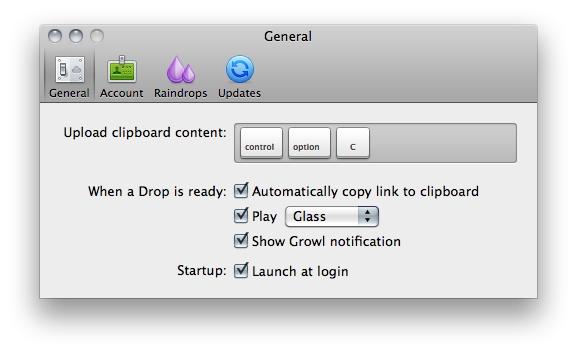
The first version of CloudApp, released last year, allowed users to quickly share almost anything on a Mac (links, images, documents, .zip files) by hitting a hotkey that sent selected items to the cloud, automatically returning a short URL to share with your friends on Twitter, Facebook, or email. What made CloudApp stand out from the crowd of Mac sharing utilities (like Tinygrab or Droplr) – elegance of the design aside – was the powerful Raindrop system that enabled developers to build plugins that connected CloudApp with other third-party applications like Chrome, Aperture, Photoshop and iTunes. With a single desktop shortcut, users could instantly share a .png of the Photoshop project they were working on, post a link of a song playing in Spotify, or shorten the URL of the frontmost browser window. And if you selected multiple files in the Finder and hit the shortcut, CloudApp would upload them simultaneously, too. Not to mention the fact that there was an option to automatically upload any new screenshot taken with the Mac’s Grab utility, and check out most recent files’ view count in the menubar. CloudApp 1.5 still has all these features, only they’re backed by a new Streaming API and a second hotkey that doesn’t require Raindrops, but simply uploads the latest item in your Mac’s clipboard, whatever it is.

As seen in the latest Cloud2go update, the Streaming API means files and shortened URLs pop up everywhere (desktop app, web, mobile clients) as soon as they’re shared, and the view count in the menubar and webapp updates in real-time as well. The app is constantly communicating with its servers to push recent items and display how many users have clicked on your links. Alongside bug fixes, however, the biggest new feature is the separation of the Raindrops’ keyboard shortcut and system hotkey: whatever you copy with the standard CMD+C action can be accessed and uploaded by CloudApp using a second shortcut that gets the latest entry directly from your Mac’s clipboard. This is incredibly handy in my opinion as you don’t have to rely on app-specific raindrops and conditions – you just copy something like you normally do and hit a shortcut to upload. It works everywhere, and it’s fast. The Raindrops are still there, though: they’ve been improved with an official SDK and update notifications, and I’m told new raindrops to upload new files from a specific Finder folder and QuickTime recordings will be released soon.

Overall, CloudApp 1.5 is a solid update that dramatically enhances the functionalities of the app. While retaining the simplicity that made the app popular in the first place, CloudApp 1.5 adds a series of new features that extend the app’s capabilities to a whole new level, making it extremely integrated with Mac OS X. Get it here.



Apple Introduces New iMacs with Thunderbolt and New Quad-Core Processors

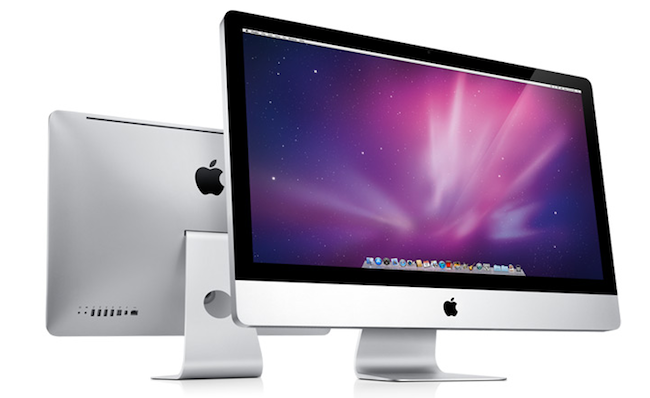
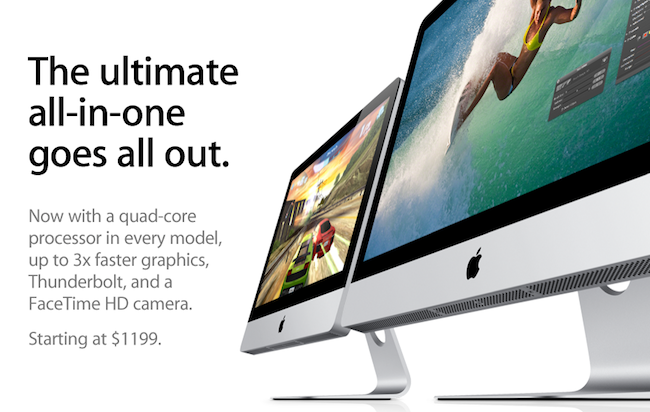
Right on cue, Apple has just introduced an updated line of iMacs on its online store, which notably feature the Thunderbolt technology and come with the new quad-core processors from Intel. The refresh brings the iMacs in line with the MacBook Pros that received an update in February, which also added Thunderbolt and “Sandy Bridge” processors, as well as a general speed bump. The new iMacs also feature a FaceTime HD camera and new AMD Radeon HD graphics for better gaming performances, photo editing and video processing; the 27-inch models come with two Thunderbolt ports for greater expansion with future Thunderbolt-enabled peripherals.  The new iMacs feature quad-core Intel Core i5 “Sandy Bridge” processors, but customers have an option to order a Core i7 in the configuration page (only for high-end 21.5-inch and 27-inch models, base models don’t support Core i7).

With next generation quad-core processors, powerful new graphics, Thunderbolt technology and a FaceTime HD camera, we’ve made the world’s best desktop even better.”
“Our customers love the iMac’s aluminum enclosure, gorgeous display and all-in-one design,” said Philip Schiller, Apple’s senior vice president of Worldwide Product Marketing. “With next generation quad-core processors, powerful new graphics, Thunderbolt technology and a FaceTime HD camera, we’ve made the world’s best desktop even better.”

The new iMac features quad-core Intel Core i5 processors with an option for customers to choose Core i7 processors up to 3.4 GHz. These next generation processors feature an integrated memory controller for an amazingly responsive experience and a powerful new media engine for high-performance video encoding and decoding. With new AMD Radeon HD graphics processors, the new iMac has the most powerful graphics ever in an all-in-one desktop.

Press release is available here and embedded below. The official iMac page on Apple.com has just been updated with a detailed explanation of all the new specs.

As for other specs:

Graphics:

  • 21.5-inch iMac base model: AMD Radeon HD 6750M graphics processor with 512MB of GDDR5 memory
  • 21.5-inch iMac: AMD Radeon HD 6770M graphics processor with 512MB of GDDR5 memory
  • 27-inch iMac base model: AMD Radeon HD 6770M graphics processor with 512MB of GDDR5 memory
  • 27-inch iMac: AMD Radeon HD 6970M graphics processor with 1GB of GDDR5 memory (Configurable to AMD Radeon HD 6970M with 2GB GDDR5, only at the Apple Online Store.)


Video support and Camera:

  • FaceTime HD camera
  • Simultaneously supports full native resolution on the built-in display and up to a 30-inch display (2560 by 1600 pixels) on an external display
  • Support for extended desktop and video mirroring modes

Connections:

  • One Thunderbolt port on 21.5-inch iMac
  • Two Thunderbolt ports on 27-inch iMac
  • Mini DisplayPort output with support for DVI, VGA, and dual-link DVI (adapters sold separately)
  • One FireWire 800 port; 7 watts
  • Four USB 2.0 ports
  • SDXC card slot
  • Slot-loading 8x SuperDrive with 4x double-layer burning (DVD±R DL/DVD±RW/CD-RW)
  • Audio in/out
  • 10/100/1000BASE-T Gigabit Ethernet (RJ-45 connector)
  • IR receiver

Read more


iPad 2 Too Popular In South Korea? Carriers Suspend Online Sales

Apple may still be facing problems with tight supplies for the iPad 2 as South Korea’s two major carriers, SK Telecom and KT Corp, announced that they were forced to suspend online sales of the iPad 2 due to “depleted inventory.” According to Reuters, Korean operators are heavily betting on iPad 2 that went on sale in South Korea last week, as well as smartphones and tablets in general – seen as an incredibly profitable source of income due to data expansion and mobile Internet traffic.

Our iPad 2 inventory has been depleted and we apologize for failing to provide enough supplies due to the product’s global supply shortages,” SK Telecom said in a posting on its website.

The companies declined to reveal sales.

The release of the iPad 2 in additional Asian countries (including Hong Kong and Singapore) was originally announced in March. Recently, Apple has been reportedly facing supply issues with key iPad 2 components due to Japan’s earthquake and tsunami that affected many manufacturers and facilities the company relies on, although at the Q2 2011 earnings call Apple COO Tim Cook confirmed that pre-payment deals and outstanding teamwork from Apple will ensure a steady flow of supplies and iPad 2 shipments throughout the quarter. The iPad 2 still reports waiting times of 1-2 weeks in most Apple online stores (including South Korea), but it’s the first time we hear a carrier had to suspend online sales due to high demand and tight supplies.