This Week's Sponsor:

SoundSource

New Year, New Audio Setup: SoundSource 6 from Rogue Amoeba


Remess Visualizes Your Life in Texts

Text messages are a chronicle of our lives. But by the same token, those conversations remain locked away in Messages. The app’s search has improved with macOS Tahoe, which I appreciate, but finding past snippets of a chat log doesn’t allow you to understand the full arc of conversations across your entire family and friend group.

That’s where Remess by Fahmi Omer comes in. It’s a Mac app that accesses your Messages and Contacts databases locally to paint a picture of your life in text messages.

To run Remess, which is an open source project that you can inspect on GitHub, you need to run a Terminal command that bypasses Apple’s Gatekeeper protection and give it both full disk access and access to your contacts. The developer says the app only accesses your information locally, but there’s an element of trust there that’s worth considering before you take the plunge. That said, if you go for it like I did, Remess is a lot of fun.

Let’s take a look.

The app starts out very high level with the total number of messages sent and received:

Then, it digs into the details. This is what writing at MacStories for nearly a decade looks like:

From all-time numbers, Remess digs into what a typical day of texting looks like for you:

The app also calculates the year you sent the most messages and how many people you’ve exchanged texts. After this brief tour of your life in texts, Remess lands on a dashboard with additional data, a graph of your texting totals, a word cloud of most frequently-used words, and a ranking of your contacts and groups ranked by texting totals.

You can filter texting totals by year, too, which is an interesting way to spot patterns in your messaging habits.

The word cloud should probably filter out common words, but the rest is about what you'd expect from me: Mac, app, shortcuts.

The word cloud should probably filter out common words, but the rest is about what you’d expect from me: Mac, app, shortcuts.

I’m not sure I learned anything about my texting habits from Remess that I didn’t already have a sense of based on my day-to-day messaging. Still, it’s interesting and fun to see the magnitude of the number of texts and the way they’ve accumulated over time.

Remess is available as a free download directly from its developer.


M5 iPad Pro Review: An AI and Gaming Upgrade for AI and Games That Aren’t There Yet

The M5 iPad Pro.

The M5 iPad Pro.

How do you review an iPad Pro that’s visually identical to its predecessor and marginally improves upon its performance with a spec bump and some new wireless radios?

Let me try:

I’ve been testing the new M5 iPad Pro since last Thursday. If you’re a happy owner of an M4 iPad Pro that you purchased last year, stay like that; there is virtually no reason for you to sell your old model and get an M5-upgraded edition. That’s especially true if you purchased a high-end configuration of the M4 iPad Pro last year with 16 GB of RAM, since upgrading to another high-end M5 iPad Pro model will get you…16 GB of RAM again.

The story is slightly different for users coming from older iPad Pro models and those on lower-end configurations, but barely. Starting this year, the two base-storage models of the iPad Pro are jumping from 8 GB of RAM to 12 GB, which helps make iPadOS 26 multitasking smoother, but it’s not a dramatic improvement, either.

Apple pitches the M5 chip as a “leap” for local AI tasks and gaming, and to an extent, that is true. However, it is mostly true on the Mac, where – for a variety of reasons I’ll cover below – there are more ways to take advantage of what the M5 can offer.

In many ways, the M5 iPad Pro is reminiscent of the M2 iPad Pro, which I reviewed in October 2022: it’s a minor revision to an excellent iPad Pro redesign that launched the previous year, which set a new bar for what we should expect from a modern tablet and hybrid computer – the kind that only Apple makes these days.

For all these reasons, the M5 iPad Pro is not a very exciting iPad Pro to review, and I would only recommend this upgrade to heavy iPad Pro users who don’t already have the (still remarkable) M4 iPad Pro. But there are a couple of narratives worth exploring about the M5 chip on the iPad Pro, which is what I’m going to focus on for this review.

Read more


Notify: Monitor Websites and RSS Feeds. Private. Simple. No Servers Required. [Sponsor]

Get Notify for instant alerts when any website changes, RSS feed updates, your scripts or devices need your attention – right from your iPhone or iPad. No accounts, servers, or technical setup needed.

Start Monitoring in Seconds

Add any website or RSS feed with a tap. Send notifications from any script or web app with a simple webhook. Your device does all the work – complete privacy, zero dependencies.

Stay Informed, Your Way

  • Visual Change Detection – See exactly what changed with side-by-side comparisons.
  • RSS Feed Monitoring – Never miss updates from your favorite sources.
  • Custom Notifications – Send alerts from any web app or script via simple webhook.
  • Device Groups – Send one notification to all your devices at once.
  • Home Screen Widgets – Monitor status at a glance.
  • Complete History – Track all changes with detailed timelines.
  • Device Notifications – Have notifications sent based on iOS shortcut automations.

Simple for Everyone

No coding required for website and RSS monitoring. Developers can send custom notifications with a single webhook call. Dark mode, light mode, and intuitive design make monitoring effortless.

Powerful for Pros

Advanced users can extend with:

  • API for push notifications from your scripts
  • ChangeDetection.io integration
  • Zapier/Make/IFTTT automation (1000+ apps)
  • Apple Shortcuts compatibility
  • Custom webhook triggers

Your Privacy, Your Choice

  • Local Mode: Everything runs on-device. Complete privacy, no external connections.
  • Cloud Enhanced: Optionally connect services for cross-device sync and advanced filtering.
  • MDM Enabled: Use Notify to alert your teams for any MDM enabled device.

Why Choose Notify?

Traditional monitoring requires servers, hosting, and complex setup. Notify works instantly – whether tracking prices, monitoring news, or receiving alerts from your own apps and scripts. Start simple, expand when ready.

Key Features

  • Add monitors instantly
  • Webhook notifications
  • Visual diff comparisons
  • Device backup
  • No account required
  • Optional cloud integrations
  • Device group notifications
  • Dark/light mode support
  • Direct links to Zapier/Make/IFTTT

Perfect for anyone wanting powerful monitoring without the complexity. Download Notify from the App Store and start monitoring in seconds, or visit Notify’s website to learn more.


Apple’s Intelligence Quest: Beyond Smart Siri

This week, Federico and John discuss what might be next for Apple Intelligence and how it fits into the broader AI market.

On AppStories+, Federico and John cover the fallout from the Sora app and why AI can’t replace human creativity.


We deliver AppStories+ to subscribers with bonus content, ad-free, and at a high bitrate early every week.

To learn more about an AppStories+ subscription, visit our Plans page, or read the AppStories+ FAQ.


AppStories+ Deeper into the world of apps

AppStories Episode 457 - Apple’s Intelligence Quest: Beyond Smart Siri

0:00
36:30

AppStories+ Deeper into the world of apps

This episode is sponsored by:

  • Claude: Get 50% off Claude Pro, including access to Claude Code.

Read more


Hands-On with the Kuxiu X40 Turbo Qi 2.2 3-in-1 Travel Charger

Wireless charging is great, but historically it’s been slow. That’s starting to change for the iPhone with Qi 2.2, the latest wireless charging standard that the iPhone 16 and 17 series phones support. With Qi 2.2, a compatible iPhone charges wirelessly at 25W. By comparison Qi 1 charged at 5–7.5W and Qi 2.0 and the original MagSafe charged at 15W.

So far, though, there have been precious few chargers, besides Apple’s MagSafe puck charger, that support Qi 2.2’s faster charging, which is why I was interested in trying the Kuxiu X40 Turbo, when Kuxiu offered to send me a review unit. As advertised, the compact 3-in-1 charger delivers the fastest wireless iPhone charging around, but that’s not its only selling point.

In addition to fast charging an iPhone 16 or 17 series phone at 25W, the X40 Turbo, which retails for around $80, charges AirPods and an Apple Watch at 5W. However, what I wasn’t expecting was just how small the X40 Turbo is when folded for travel. The entire package is about twice as thick as an iPhone 17 Pro Max and fits neatly into the palm of your hand. At the same time, though, the X40 Turbo feels sturdy. It’s made of metal with soft-touch pads to avoid scratching your devices or tabletop. Here’s a closer look at what Kuxiu sent me:

When it’s time to charge your iPhone, AirPods, and Apple Watch, the X40 Turbo unfolds into a z-shaped configuration from which the Watch pad flips down horizontally. So far, I’ve used the X40 Turbo on my nightstand and at my desk, where it takes up minimal space. I also plan to take the X40 Turbo on my next trip because it takes so little room in my bag.

Kuxiu isn’t the first company to make a charger in this form factor, but the X40 Turbo is one of the best built that I’ve tried, and as one of the first Qi 2.2 models, it’s notable, and a great upgrade to your charging setup.

The Kuxiu X40 Turbo is available directly from Kuxiu and Amazon.


Podcast Rewind: Bricking Your Phone and Robot Dreams

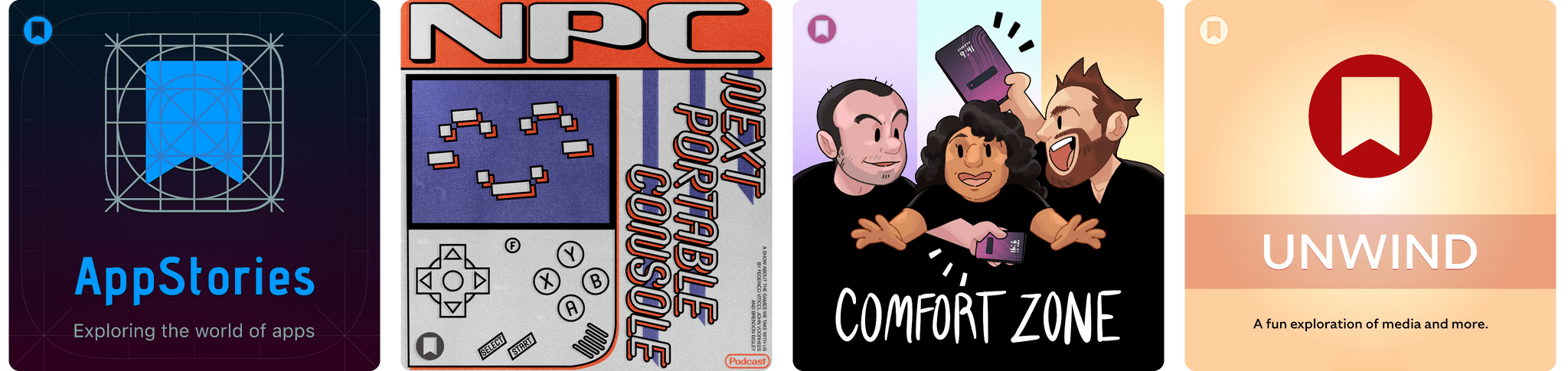
Enjoy the latest episodes from MacStories’ family of podcasts:

Comfort Zone

With Matt on Safari, Chris brings a brick, Niléane does an AMA, and the two have a listening party with some groovy tunes.

In the Cozy Zone, Matt and Chris quiz Niléane on U.S. geography.


MacStories Unwind

This week, weekend outings and the chores we wish robots could do for us, plus Federico shares an anti-pick, and John is hooked on a gritty crime drama.

Read more


Apple Strikes Broadcast Deal with F1

Apple announced today that it will be the exclusive U.S. broadcaster for Formula 1 racing. The five-year deal begins next year and will also include integrations with Apple News, Maps, Music, and Fitness+.

Eddy Cue, Apple’s senior vice president of Services, said of the deal:

We’re thrilled to expand our relationship with Formula 1 and offer Apple TV subscribers in the U.S. front-row access to one of the most exciting and fastest-growing sports on the planet. 2026 marks a transformative new era for Formula 1, from new teams to new regulations and cars with the best drivers in the world, and we look forward to delivering premium and innovative fan-first coverage to our customers in a way that only Apple can.

Apple says that its streaming subscribers will have access to all practice, qualifying, Sprint sessions, and Grands Prix and that certain races and practice sessions will be available for free in the TV app. Apple TV subscribers will also have exclusive access to F1 TV Premium, F1’s premium content service, at no extra cost. Apple says it will release more information about F1 product integrations in the coming months.

This deal has been rumored for a long time and makes a lot of sense for Apple, which has been working to add internationally popular sports to its lineup for some time. Along with MLS and select weekly baseball games, the company has a much more robust sports package than ever before, which should make Apple TV attractive to a broader audience.


Anthropic Releases Haiku 4.5: Sonnet 4 Performance, Twice as Fast

Earlier today, Anthropic released Haiku 4.5, a new version of their “small and fast” model that matches Sonnet 4 performance from five months ago at a fraction of the cost and twice the speed. From their announcement:

What was recently at the frontier is now cheaper and faster. Five months ago, Claude Sonnet 4 was a state-of-the-art model. Today, Claude Haiku 4.5 gives you similar levels of coding performance but at one-third the cost and more than twice the speed.

And:

Claude Sonnet 4.5, released two weeks ago, remains our frontier model and the best coding model in the world. Claude Haiku 4.5 gives users a new option for when they want near-frontier performance with much greater cost-efficiency. It also opens up new ways of using our models together. For example, Sonnet 4.5 can break down a complex problem into multi-step plans, then orchestrate a team of multiple Haiku 4.5s to complete subtasks in parallel.

I’m not a programmer, so I’m not particularly interested in benchmarks for coding tasks and Claude Code integrations. However, as I explained in this Plus segment of AppStories for members, I’m very keen to play around with fast models that considerably reduce inference times to allow for quicker back and forth in conversations. As I detailed on AppStories, I’ve had a solid experience with Cerebras and Bolt for Mac to generate responses at over 1,000 tokens per second.

I have a personal test that I like to try with all modern LLMs that support MCP: how quickly they can append the word “Test” to my daily note in Notion. Based on a few experiments I ran earlier today, Haiku 4.5 seems to be the new state of the art for both following instructions and speed in this simple test.

I ran my tests with LLMs that support MCP-based connectors: Claude and Mistral. Both were given system-level instructions on how to access my daily notes: Claude had the details in its profile personalization screen; in Mistral, I created a dedicated agent with Notion instructions. So, all things being equal, here’s how long it took three different, non-thinking models to run my command:

  • Mistral: 37 seconds
  • Claude Sonnet 4.5: 47 seconds
  • Claude Haiku 4.5: 18 seconds

That is a drastic latency reduction compared to Sonnet 4.5, and it’s especially impressive when we consider how Mistral is using Flash Answers, which is fast inference powered by Cerebras. As I shared on AppStories, it seems to confirm that it’s possible to have speed and reliability for agentic tool-calling without having to use a large model.

I ran other tests with Haiku 4.5 and the Todoist MCP and, similarly, I was able to mark tasks as completed and reschedule them in seconds, with none of the latency I previously observed in Sonnet 4.5 and Opus 4.1. As it stands now, if you’re interested in using LLMs with apps and connectors without having to wait around too long for responses and actions, Haiku 4.5 is the model to try.