This week on Ruminate, snack follow up, a WeblogPoMo progress update, the 100 best albums, and AI on iOS.






Links and Show Notes
- Snacks
- WeblogPoMo
- Apple’s 100 Best Albums list
- App Store

A Private, Read-Only Window Into Your HomeKit Home
This week on Ruminate, snack follow up, a WeblogPoMo progress update, the 100 best albums, and AI on iOS.
There are so many parts of Steve’s iPad Pro manifesto I would quote here on MacStories, but I’m going to limit myself to just a couple of excerpts.
What I like about this story is that it’s a balanced take on the limitations of iPadOS from the perspective of a developer, laid out in a comprehensive roundup. It serves as a great companion piece to my story, but from a more technical angle.
Here, for instance, is a well-reasoned assessment of why Stage Manager isn’t ideal for developers of iPad apps:
Stage Manager was such a missed opportunity: it tried to bolt-on a windowing model onto iPadOS without providing developers any way to optimize for it, and has had virtually no meaningful improvements in two years. What I really want to see are APIs. APIs to know when an app is running in Stage Manager and give it an opportunity to enable extra functionality to accommodate that — like having an ‘open in New Window’ context menu option that it would otherwise hide. APIs to set window size/shape, minimum and maximum size. APIs to open a window in split view if possible, with a preferred screen side. APIs to drag a window on mouse-down. Auxiliary views or inspector panels that can be floated on/near a primary window, like visionOS’ ornaments.
Many of these features are available as APIs to apps using the iOS SDK… on macOS and visionOS. Which is why it boggles the mind that iPad’s own Stage Manager spec completely shunned them, and ignored the explicit intent provided by developers as to how they want their apps to work. Stage Manager wasn’t provided as an opportunity to make our apps better, it was inflicted on developers in a way that harmed the developer, and user, experience. Which is why today you can very quickly stumble upon apps that don’t quite resize correctly, or have important parts of the UI covered by the virtual keyboard, or toolbars floating in strange places.
To this day, developers have no way to fine-tune their apps so that they behave differently (and better!) when Stage Manager is active. This part about JIT is also worth calling out:
Just-in-time compilation is essential to power things like web browsers, console and PC emulators, and language-based virtual machines. It is used by Apple’s own apps, like Playgrounds, to empower key functionality that no third party app can match. And it is provided in a very limited way (with a ton of asterisks) to Alternative Web Browsers in the EU under the DMA, so they can implement their own JavaScript engines. The DolphiniOS project, which emulates Nintendo’s GameCube, recently posted a video that perfectly encapsulates the problem and demonstrates why emulators for newer consoles just can’t come to iPadOS. Other app stores, like Microsoft’s Windows Store, offer a JIT entitlement as standard, and I think Apple should, too.
It’s not like JIT cannot exist on iPadOS; it’s that Apple has chosen not to offer it as an entitlement for third-party developers.
I also want to point out two more aspects of Steve’s manifesto. It’s almost a 1:1 match of a story he wrote for us in 2019, which is quite sad as it tells you a lot about iPadOS’ state of affairs. Five years later, and we’re still asking for the same changes. Additionally, it should be noted that Steve is not asking for Apple to call it a day and put macOS on iPad. Claiming that someone who criticizes iPadOS does so because “they just want the iPad to turn into a Mac” has become the de rigueur dismissal for some reply guys these days, and it completely misses the point.
I highly recommend reading Steve’s full story here.
Late yesterday, iPad Air and Pro reviews were published, and I spent the evening reading and watching many of them, so I thought I’d share some highlights.
At Six Colors, Jason Snell, who has used and reviewed iPads for years, brings an excellent perspective to Apple’s latest iPad Pro. Like Federico, Jason is impressed with the iPad Pro’s hardware but frustrated by iPadOS:
This all leaves 2024’s modern iPad Pro in a very familiar place: It is a remarkable piece of hardware that can handle pretty much any task it’s capable of executing without breaking a sweat, and thanks to its new display, it’ll look great doing it. But it’s let down by iPadOS limitations (and more than a decade of slow-paced iPad development) that preclude it from being the shining star of Apple’s productivity line-up that it should probably be.
Also, like other reviewers, the iPad Pro’s new OLED screen was a highlight for Jason:
As a longtime user of the 12.9-inch iPad Pro, I’ve been spoiled the last few years by its Liquid Retina XDR display. It was good, but it added weight and thickness, and even its 2500 individual dimming zones couldn’t match the precision that an OLED display can bring. Apple has outdone itself with the new Ultra Retina XDR display, powered by a tandem OLED panel that offers dramatic contrasts and bright colors.
David Pierce strikes a similar note at The Verge:
This new iPad Pro feels, in many ways, like the finale of the 14-year history of the iPad, all the pieces finally in place. It also feels, as ever, like a futuristic device plagued by software stuck firmly in the past, one I’m not sure I’d recommend to most people.
I do love it, though.
Let me cut to the chase: sadly, I don’t have a new iPad Pro to review today on MacStories.
I was able to try one in London last week, and, as I wrote, I came away impressed with the hardware. However, I didn’t get a chance to use a new iPad Pro over the past six days ahead of today’s review embargo.
I know that many of you were expecting a deeper look at the iPad Pro on MacStories this week, but that will have to come later. I still plan on upgrading to a 13” iPad Pro myself; I’ve decided I want to return to the larger size after a few months with the 11” iPad Pro. If you’re interested in checking out reviews of the new iPad Pros from heavy iPad users like yours truly right now, I highly recommend reading and watching what my friends Jason Snell and Chris Lawley have prepared.
Still, as I was thinking about my usage of the iPad and why I enjoy using the device so much despite its limitations, I realized that I have never actually written about all of those “limitations” in a single, comprehensive article. In our community, we often hear about the issues of iPadOS and the obstacles people like me run into when working on the platform, but I’ve been guilty in the past of taking context for granted and assuming that you, dear reader, also know precisely what I’m talking about.
Today, I will rectify that. Instead of reviewing the new iPad Pro, I took the time to put together a list of all the common problems I’ve run into over the past…checks notes…12 years of working on the iPad, before its operating system was even called iPadOS.
My goal with this story was threefold. First, as I’ve said multiple times, I love my iPad and want the platform to get better. If you care about something or someone, sometimes you have to tell them what’s wrong in order to improve and find a new path forward. I hope this story can serve as a reference for those with the power to steer iPadOS in a different direction in the future.
Second, lately I’ve seen some people argue on Mastodon and Threads that folks who criticize iPadOS do so because their ultimate goal is to have macOS on iPads, and I wanted to clarify this misunderstanding. While I’m on the record as thinking that a hybrid macOS/iPadOS environment would be terrific (I know, because I use it), that is not the point. The reality is that, regardless of whether macOS runs on iPads or not, iPadOS is the ideal OS for touch interactions. But it still gets many basic computing features wrong, and there is plenty of low-hanging fruit for Apple to pick. We don’t need to talk about macOS to cover these issues.
Lastly, I wanted to provide readers with the necessary context to understand what I mean when I mention the limitations of iPadOS. My iPad setup and workflow have changed enough times over the years that I think some of you may have lost track of the issues I (and others) have been experiencing. This article is a chance to collect them all in one place.
Let’s dive in.
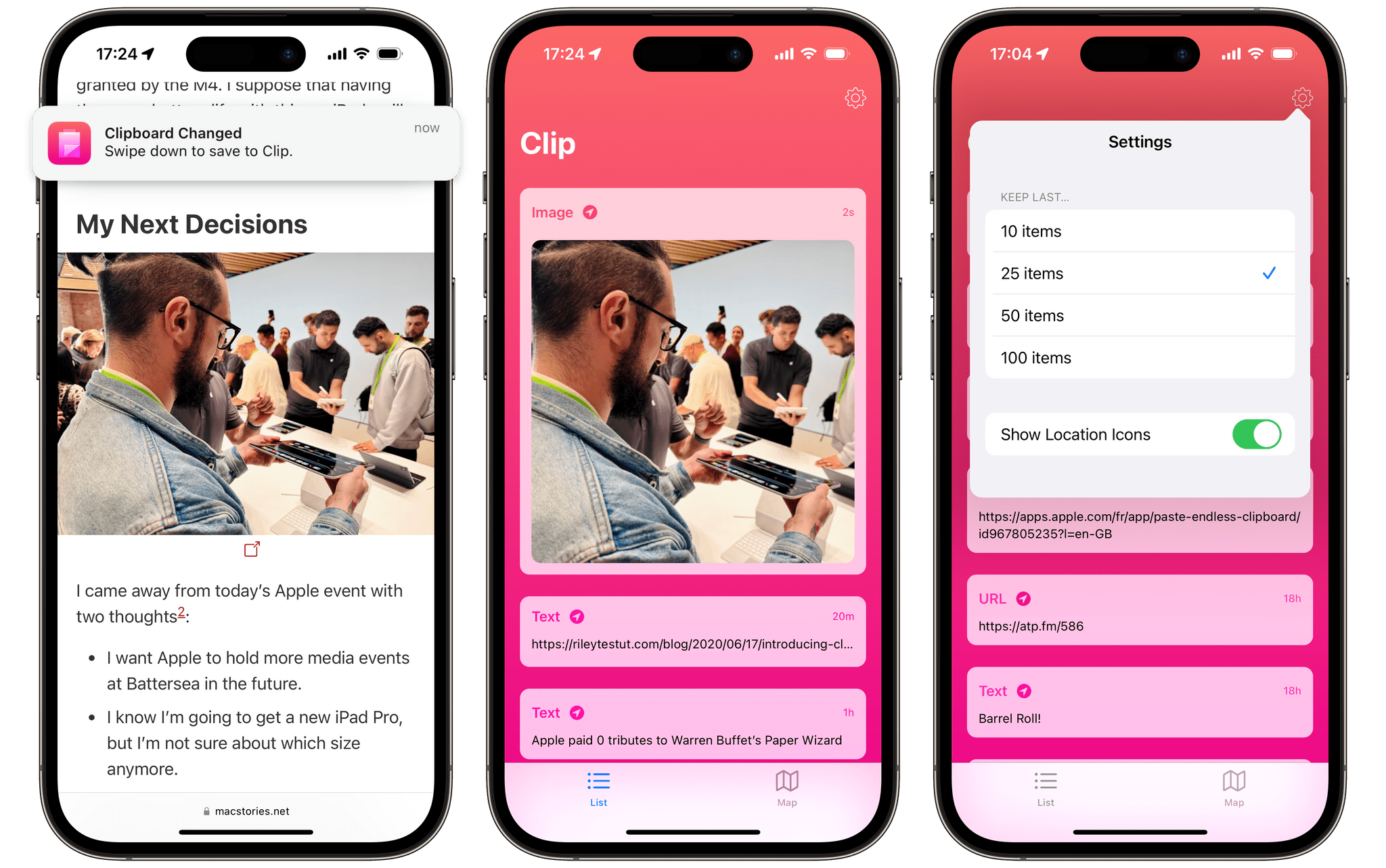
Last month, AltStore was finally made available on iOS for everyone living in the European Union. Not only does the first alternative app marketplace on iOS ship with the great Delta videogame emulator, but it also lets you install Clip, a clipboard manager unlike any other on the iPhone.
The app’s uniqueness resides in the sole fact that it’s the first ever clipboard manager on the iPhone that can actually run in the background and continuously monitor your clipboard, regardless of the app you’re in. And despite the fact that the app is pretty bare-bones right now, this core ability alone makes a huge difference in usage, enough to crown Clip the best clipboard manager to ever ship on iOS.
Let’s check it out.
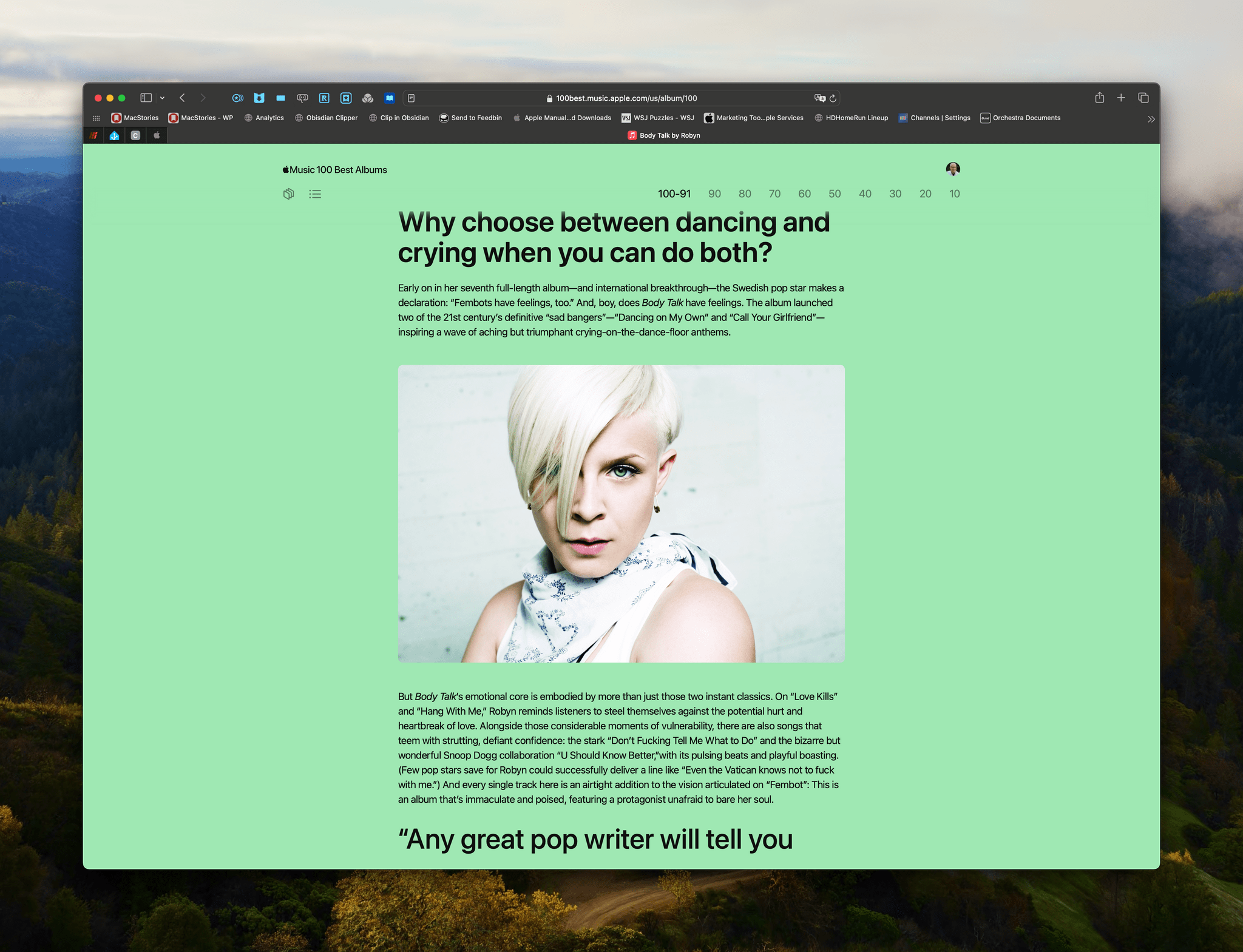
Apple Music kicked off a 10-day event today celebrating its newly-compiled list of the 100 Best Albums of all time. Apple’s press release explains that the list was created by:
Apple Music’s team of experts alongside a select group of artists, including Maren Morris, Pharrell Williams, J Balvin, Charli XCX, Mark Hoppus, Honey Dijon, and Nia Archives, as well as songwriters, producers, and industry professionals.
Apple also clarifies that its 100 Best Albums list is an editorially-created list that isn’t based on streaming statistics.
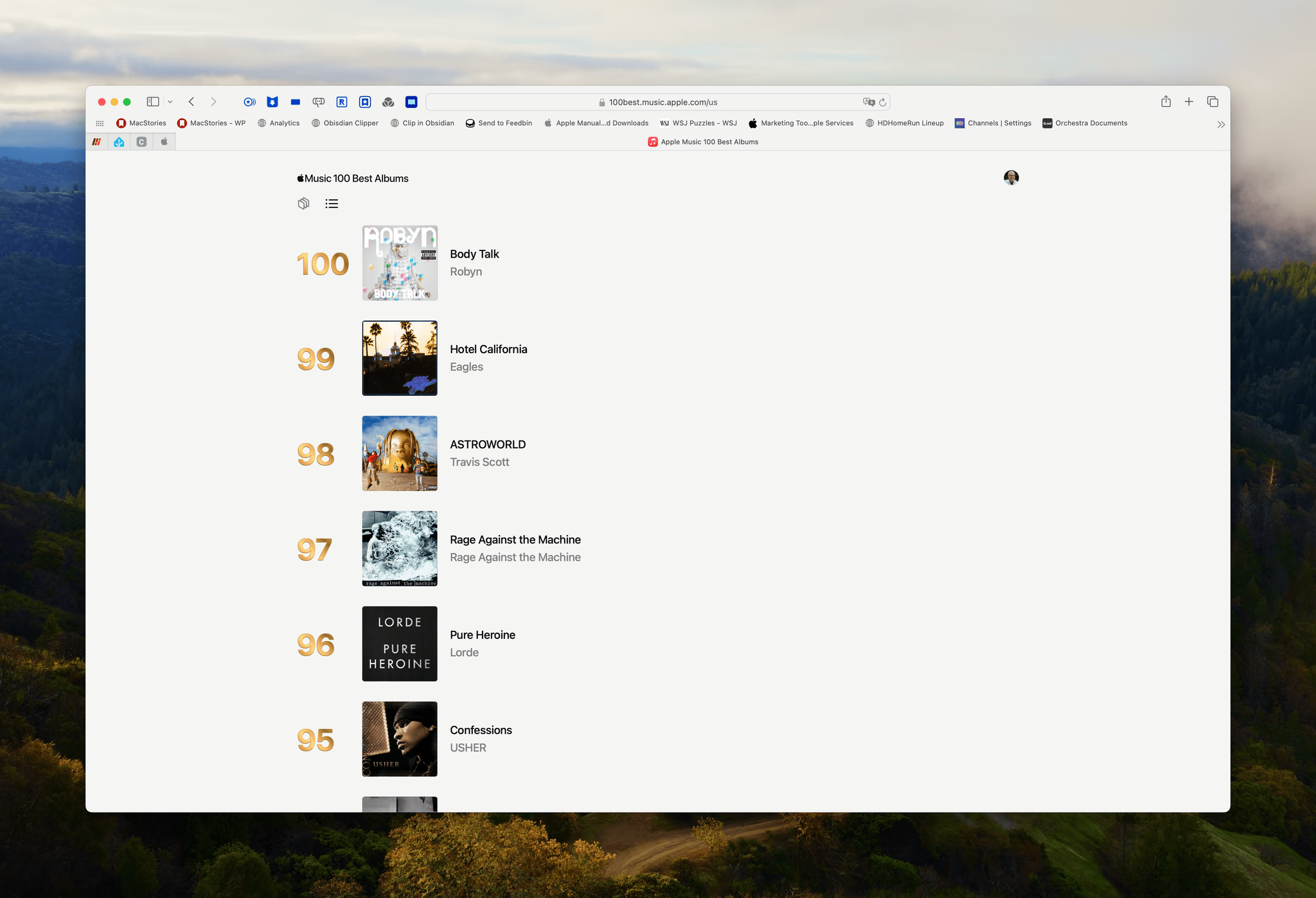
Each day, Apple Music is revealing 10 new albums, starting with albums 91-100, which are:
Rachel Newman, Apple Music’s senior director of content and editorial, had this to say about the list:
100 Best brings together all the things that make Apple Music the ultimate service for music lovers — human curation at its peak, an appreciation for the art of storytelling, and unparalleled knowledge of music and an even deeper love for it. We have been working on this for a very long time, and it’s something we are all incredibly proud of and excited to share with the world.
The 100 Best Albums list can be accessed at 100best.music.apple.com. From there, you can listen on the web, add an album to your library, share it, or stream it with the Music app. Each album has its own page including written material that puts the album into context and lists each track, too.
Apple is also celebrating the 100 Best Albums list on Apple Radio and giving the creators of each album an award:
All 100 Best Albums recipients will be given an award comprised of blasted anodized aluminum, sourced entirely from recycled Apple products, in a unique polished PVD gold. The design on the back of the award takes its cues from a vinyl LP record and is inscribed with the artist’s name, the album title, and the album’s year of release.
I’ve enjoyed browsing through the first ten albums in this collection and appreciate that it’s being rolled out in stages, allowing listeners to explore a manageable number of albums each day. This will be a nice treat to look forward to for the next nine days.
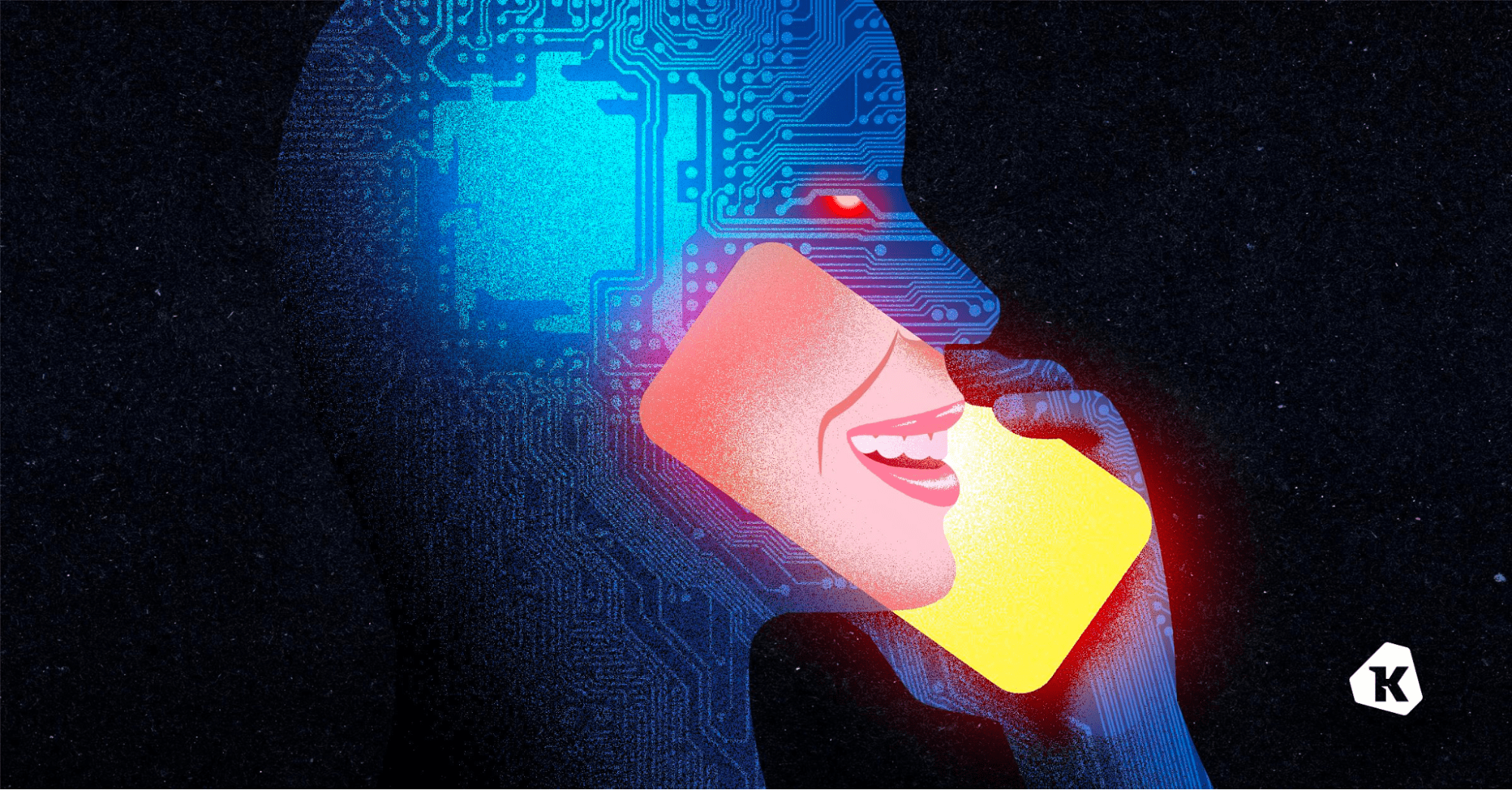
Now, don’t get offended, but – you aren’t as good at clocking deepfakes as you think you are.
And it’s not just you–nobody’s that good at it. Not your mom, or your boss, or anyone in your IT department.
To make matters worse, you probably think you can spot a fake. After all, you see weird AI-generated videos of celebrities on social media and they give you that uncanny valley tingle. But it’s a different ballgame when all you’ve got to go on is a voice.
In real life, people only catch voice clones about 50% of the time. You might as well flip a coin.
And that makes us extremely vulnerable to attacks.
In the “classic” voice clone scam, the caller is after an immediate payout (“Hi it’s me, your boss. Wire a bunch of company money to this account ASAP”). Then there are the more complex social engineering attacks, where a phone call is just the entryway to break into a company’s systems and steal data or plant malware (that’s what happened in the MGM attack, albeit without the use of AI).
As more and more hackers use voice cloning in social engineering attacks, deepfakes are becoming such a hot-button issue that it’s hard to tell the fear-mongering (for instance, it definitely takes more than three seconds of audio to clone a voice) from the actual risk.
To disentangle the true risks from the exaggerations, we need to answer some basic questions:
Like a lot of modern technologies, deepfake attacks actually exploit some deep-seated fears. Fears like, “your boss is mad at you.” These anxieties have been used by social engineers since the dawn of the scam, and voice clones add a shiny new boost to their tactics.
But the good news is that we can be trained to look past those fears and recognize a suspicious phone call–even if the voice sounds just like someone we trust.
If you want to learn more about our findings, read our piece on the Kolide blog. It’s a frank and thorough exploration of what we should be worried about when it comes to audio deepfakes.**
Our thanks to Kolide for sponsoring MacStories this week.
 MacStories Weekly: Issue 417
 This week on MacStories Unwind, Federico and I discuss how Apple crushed it at its iPad event, and Federico lets loose in London.
We deliver MacStories Unwind+ to Club MacStories subscribers ad-free and early with high bitrate audio every week.
To learn more about the benefits of a Club MacStories subscription, visit our Plans page.