The Glif For iPhone 5 Now Available

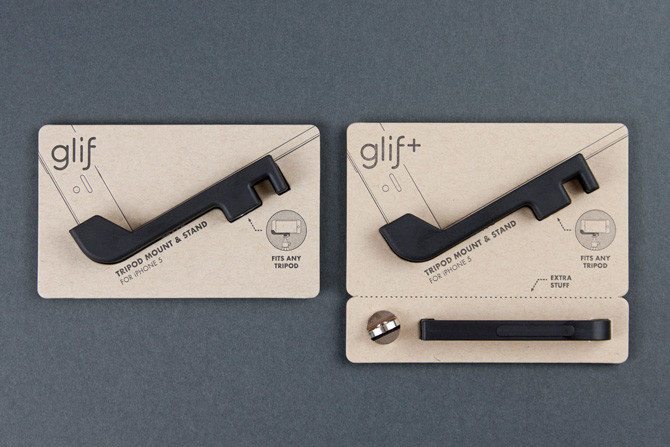
In an email to customers, Studio Neat has announced that the Glif is now available for the iPhone 5 on their online store and will start shipping next week. The standard Glif for iPhone 5 is available for $20, whilst the Glif+ which includes the ‘Serif’ (further secures your iPhone) and ‘Ligature’ (attatches the Glif to your keychain) is available for $30. Originally launched in late 2010, the Glif is quite an ingenious tripod mount and stand for the iPhone and was one of the first Kickstarter success stories.

We are happy to announce that the new Glif and Glif+ for iPhone 5 are on their way to the warehouse and will begin shipping early next week! The new Glif is like the previous version you know and love, just… 5-ier.

Studio Neat has since brought out The Cosmonaut (an stylus for capacitive touch screen devices such as the iPad and iPhone) and Frameographer (an iOS app to make time-lapse and stop motion movies). The duo behind Studio Neat, Tom Gerhardt and Dan Provost also wrote about their experiences launching these products in a book called It Will Be Exhilihariting earlier this year.


Quickly Create Pythonista Shortcuts with Custom Icons

Quickly Create Pythonista Shortcuts with Custom Icons

Interesting set of scripts posted on the Pythonista Community Forums (which, by the way, are becoming a daily appointment for me as Pythonista users are coming up with all sorts of tricks). Using Pythonista as a web server and Safari, you can create local (and unsigned) .mobileconfig files to automate the installation of Pythonista webclip icons. As I explained in my review, Pythonista can launch specific scripts using webclips created from a special webpage:

Upon tapping, a Pythonista Home screen bookmark will briefly open a blank page and then immediately redirect to the script you’ve configured in the Pythonista app. I’m fairly certain there’s no way to avoid showing a blank page for a second before redirecting to Pythonista; fortunately, it’s really just the fraction of a second, as the redirecting process is instantaneous both on my iPad 3 and iPhone 5.

Using the scripts linked in the forums, I easily managed to create a custom icon for my Markdown-Poster workflow that uses Poster’s icon instead of the default Pythonista one. To extract and convert iOS icons for personal use, I recommend Crunch, which I’ve also previously reviewed. I was intrigued by how forum user pudquick figured out the installation of provisioning profiles from Pythonista:

When you run the code, it starts a web server in Pythonista - and copies the URL for the generated .mobileconfig file to the clipboard. When you switch to Safari and attempt to load the URL, the socket connects - but it’s waiting for communication from the web server in Pythonista (which is paused, since it’s in the background).

As soon as you switch back to Pythonista, this un-pauses the web server fast enough to cause Safari to finish loading the .mobileconfig file while it’s swapping to the background, which then triggers the installation screen!

Combining the script with this other one to easily generate base64 images, I suggest replacing Image.BILINEAR on line 20 with Image.ANTIALIAS for slower but better results in the overall crispness of the icon (I also changed the size to 114x114 for my Retina iPad).

Looking forward to improvements for Pythonista shortcuts (as mentioned by developer Ole Zorn in the thread), this is a nice stopgap solution to use scripts with custom shortcut icons in the Home screen.

Permalink

Apple’s Black Friday Sale Now Live in Australia, New Zealand

As announced earlier this week, Apple has now launched the One-Day Shopping Event with discounts on iOS devices, Macs, and accessories. The event will propagate on Apple’s online stores across the world according to different time zones; right now, it is available on Apple’s Australian and New Zealand stores with a dedicated webpage.

Apple reports some important details on its website:

Enjoy special pricing on all the great gifts below. Buy online and get fast, free shipping. Or shop at your favourite Apple Retail Store, where you’ll enjoy faster checkout with Express Shopping.

Shopping event prices are solely available on 23 November, 2012, from 2:01 a.m. to 24 November, 2012, 1:59 a.m. in AEDT, are subject to change, and include GST. Promotional pricing cannot be combined with any other offers. Not all sale products are available in all Apple Retail Stores.

Starting with the iPad 2 and Retina iPad at the top of the list, the exclusive offer doesn’t include the iPad mini. Notably, for Macs, only portables are included, but there are accessories that are usually meant for desktop computers such as Magic Mouse, Magic Trackpad, and Apple’s Wireless Keyboard.

The official One-Day Shopping Event webpage is available here for Australian users. We’ll update this post with links to EU and US pricing as soon as they become available. Note only the base model prices are listed below.

  • iPad: A$498 - save A$41
  • iPad 2: A$398 - save A$31
  • iPod touch (5th gen): A$298 - save A$31
  • iPod touch (4th gen): A$194 - save A$25
  • iPod nano: A$158 - save A$11
  • MacBook Pro (13” Retina): A$1,794 - save A$105
  • MacBook Pro: A$1,244 - save A$105
  • MacBook Air: A$994 - save A$105
  • AirPort Express Base Station: A$108 - save A$11
  • AirPort Extreme Base Station: A$178 - save A$21
  • Time Capsule: A$298 - save A$21
  • Apple Magic Mouse: A$64 - save A$11
  • Magic Trackpad: A$64 - save A$11
  • Apple Wireless Keyboard: A$64 - save A$11
  • iPad Smart Case: A$44 - save A$15
  • iPad Smart Cover (Polyurethane): A$34 - save A$11
  • iPad Smart Cover (Leather): A$58 - save A$21
  • Apple In-Ear Headphones: A$88 - save A$11
  • Apple EarPods: A$28 - save A$7

Grand Theft Auto: Vice City For iOS Release Date Set For December 6th

Rockstar has announced that the 10th Anniversary Edition of Grand Theft Auto: Vice City will arrive on iOS and Android on December 6th. Previously announced in late October, the Anniversary Edition will cost $4.99 and feature “native high-resolution graphics” with support for Retina display devices.

The game will also include “updated character models and lighting effects, new and more precise firing and targeting options and a fully customizable control layout”. It’ll be able to run on all iPads, iPhone 4 and newer, and the 4th and 5th generations of the iPod touch.

[Rockstar via Eurogamer]


FTP Support, Short URLs, And Other Features Coming Back To Skitch

FTP Support, Short URLs, And Other Features Coming Back To Skitch

In a post published on the Evernote blog, Skitch co-founder Keith Lang has shared a bit of backstory regarding Evernote’s acquisition of the product and confirmed many old features of Skitch will be coming back “soon”.

I am really excited about the newest release of Skitch for Mac, but troubled by some of the negative reaction from some of our oldest and most loyal users. After thinking about this for the past few weeks, I’ve come to the realization that we’ve underestimated how deeply ingrained Skitch had become in many people’s daily workflows and how disruptive changes to the product could be. I’d like you to know that we’re going to fix it.

Skitch, an image annotation tool, was released as version 2.0 with deep Evernote integration earlier this year. The new version included an updated UI, new sync, and many simplified and/or removed options that weren’t met with excitement by the app’s existing userbase. Namely, users weren’t thrilled with Evernote’s decision to build every single Skitch sharing feature into Evernote, thus removing functionalities to upload images via FTP, directly link to them, and share them in multiple ways. The new Skitch also didn’t come with proper keyboard and menubar support, and, generally, it left much to be desired for those that were used to the old feature set and who had become dependent on the app for their workflows.

Evernote quickly went back to the drawing board and re-added a menubar icon and background options. In the blog post published today, Evernote confirms support for FTP/sFTP, image deep linking, and short URLs for shared images will come back to Skitch soon. Options for multiple fonts and custom colors, streamlined cropping and resizing, and automatic type tool selection will also be added to Skitch in future updates.

Of course we’ll be doing a lot more than just putting improved 1.x features back into the new Skitch. We’re working on some really amazing stuff that should appeal to our most loyal users as well as bring in many millions of new fans. Imagine being able to Skitch on top of different document types, communicate complex ideas via email without typing a single line of text, and going on a manned mission to Mars.

Read the Evernote blog post for all the details.

Permalink


Apple Airs New iPhone 5 Commercials: “Turkey” and “Orchestra”

Just in time for Thanksgiving, Apple aired two new iPhone 5 commercials today. Both commercials feature voiceover by Jeff Daniels as in the first run of iPhone 5 commercials aired after the device’s launch.

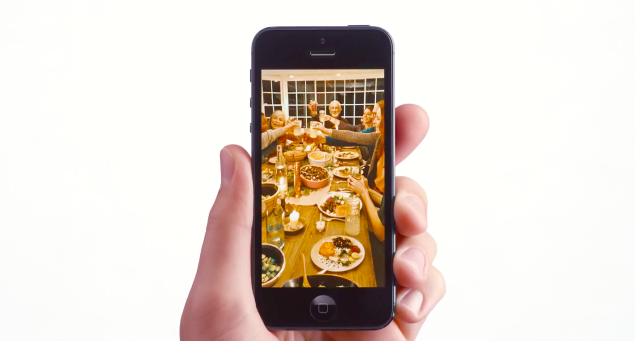
The first ad, aptly named “Turkey” focuses on Photo Stream. Using Thanksgiving as a background theme for taking family photos with an iPhone, the ad explains how Photo Stream lets you share the photos you want, with just the people you want. Jeff Daniels also shows his appreciation for pie at the end of the ad.

Orchestra is a little more peculiar. Apple wants to explain the iPhone’s background noise cancellation, which is made possible by an improved microphone design and audio system. The voice asks the director of an orchestra to lower the volume, which is similar to what happens to background noise when you make a phone call with the iPhone 5. It’s a clever and funny comparison.

Excuse me maestro? Bring it down please. Better. That’s what happens to background noise when you’re making a call on this. This microphone here picks up the sounds around you and helps turn them down. So when the world gets noisy, calls sound better.

Both ads are now available on Apple’s YouTube channel, and we’ve embedded them below. Read more


Tokens: Easy Promo Code Generation For Developers

I often hear from my developer friends that generating promo codes for iOS and Mac apps is a tedious and annoying chore. From what I’m told, you have to log into iTunes Connect – which hasn’t the most pleasant interface Apple ever made – and generate these codes that you have to manually copy somewhere to share them via email, Twitter, or other systems. It’s a slow process, and iTunes Connect forces developers to “submit requests” for how many codes they need without offering any sort of social integration.

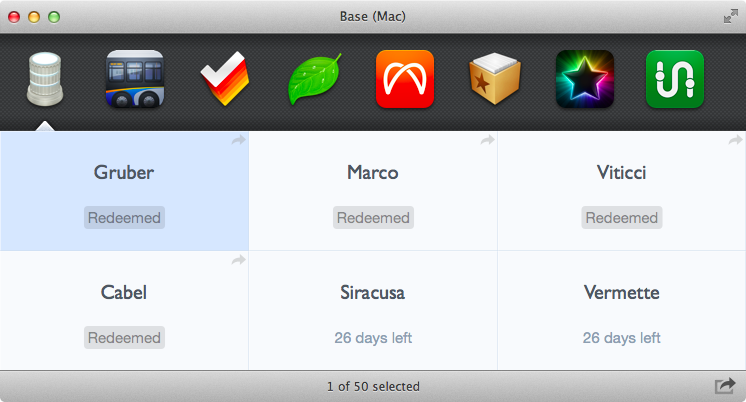
Enter Tokens. Developed by Padraig Kennedy and Oisin Prendiville, Tokens is an automated promo code generator for Mac that makes it super simple to generate and share promo codes for apps available in iTunes Connect. Tokens couldn’t be approved in the Mac App Store because it uses HTML scraping to interact with iTunes Connect remotely; the developers offer a FAQ to understand how Tokens works, for which kind of apps, and why it’s built for OS X 10.8. Read more


ScriptKit - Drag and Drop Programming for iPad

ScriptKit - Drag and Drop Programming for iPad

Mark Wilson profiles Scriptkit by Kyle Buza, a new “touchable programming” app for iPad.

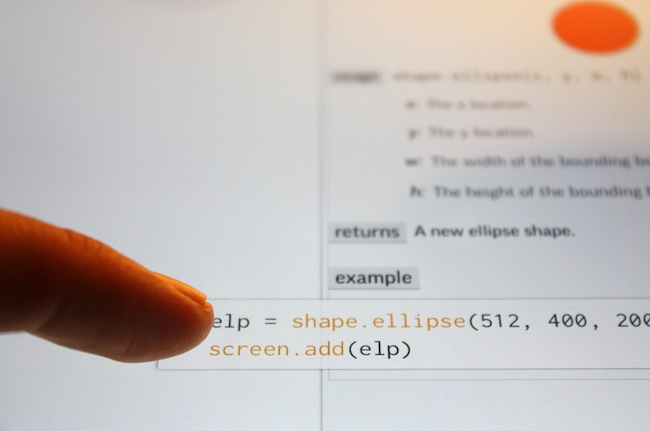
The app I’m using is Scriptkit, by Kyle Buza, and it allows you to drag and drop snippets of code from a library of well-annotated APIs. The goal? Rapidly prototype your app ideas on the very device you’re looking to run them on. Sure, you’ll still get your hands dirty on the iPad keyboard from time to time, tweaking the X/Y values determining size and shape of a button, for instance, but building a functional app really isn’t much harder than a few taps and a few drags–especially if you already know what you’re doing (which I don’t).

Only last week, I wrote:

I believe that, going forward, Pythonista and other similar apps will show a new kind of “scripting” and task automation built around the core strenghts of iOS.

I had no idea ScriptKit existed, but this is exactly what I was referring to in my Pythonista article. Yes, ScriptKit is limited, it’s confined in its own sandbox, and its initial set of APIs could use some additions. But look at what ScriptKit already enables: a touchable programming interface for building prototypes that use real data (Facebook photos, Dropbox files, etc) with real iOS core elements such as Camera and Location Services. Developers can use ScriptKit to build quick working prototypes; users with an interest in scripting like me can learn a basic syntax to build scripts and app demoes that may lead to bigger interests in other areas of iOS and languages. All within a touch-based interface, with real APIs, on an iPad.

Codea, Pythonista, ScriptKit – the future of iOS couldn’t be more exciting to me.

Permalink