Feedly and Digg Reader For Most People

If I had to choose two alternatives to Google Reader, I’d pick Feedly or Digg Reader for most people. Moving to either service takes seconds since you sign into these services with your existing Google account credentials, after which they import your existing feeds with little fuss. Neither Feedly or Digg Reader require you to pay a subscription fee, making them good choices for casual readers and those who won’t get the value out of an alternative with pro features.

Google Reader will no longer be active after July 1st, and you’ll have until July 15th to export your existing feeds. I recommend following this guide by Katie Floyd if you want to back up your current subscriptions.

Why Feedly
Feedly is my reader of choice. Feedly has a solid web app that works in all major browsers from Google Chrome to Opera, plus they have great Android and iOS apps, making it one of the few alternatives that’s already available on most devices. It’s integrated with IFTTT, and there’s an open API so you can still use your favorite apps like Reeder. There will be a subscription for people who want more features down the road.

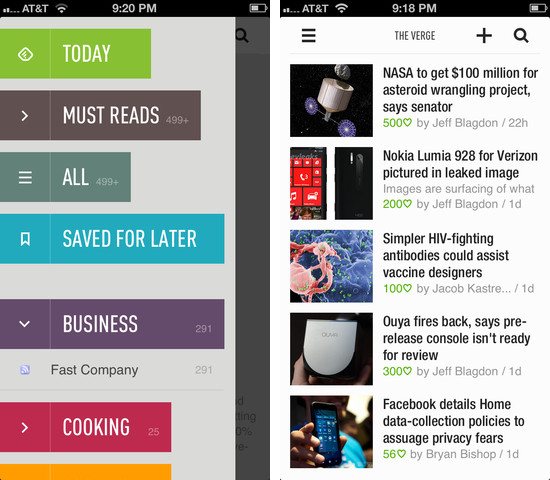
Feedly’s mobile apps are put together like a magazine, but they’re not as deliberate as an app like Flipboard. Folders are eschewed for colorful headers, and the endless feed of articles is replaced by covers and article groupings that can be flicked away like turning a page. It’s an app made for skimming, for picking and choosing, and the result is something that feels fresh and not boring.

You can share articles to Pocket or Instapaper, to Twitter or Facebook or Google+, to Buffer or your device’s clipboard so you can paste a link into a chat app like I sometimes do. There’s a section that only shows you the most popular stuff from your feeds for the day, and then there’s a section for browsing everything all at once. You can search for sites you like and subscribe to them, or browse general categories for things like technology and games to discover something new. There’s lots of swooshing and swiping gestures throughout the app; when browsing articles, swiping left and right advances to the next or previous article, and pulling up closes them so you can continue perusing. If you’re reading in the dark, you can change the theme from white to black.

My favorite feature is the giant button at the end of each section that lets you mark everything as read. It’s super clever.

You can download Feedly for iOS here.

Why Digg Reader
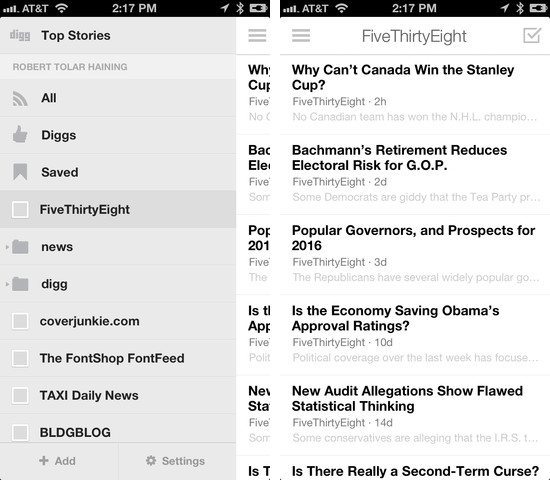
Digg Reader is a new feed reader that closely resembles Google Reader. There’s no Android app right now, but there is an iOS app. You won’t be able to plug Digg Reader into your favorite apps just yet, but an API is planned.

Betaworks, the company behind Digg Reader, has a history of working with products that track things on the web or help you discover the most popular stories. Bit.ly is a company of betaworks, as is recently acquired Instapaper. Betaworks created News.me, an iOS app that highlighted the best articles and videos your friends shared on Twitter. Today, News.me has stuck around as a service that delivers the day’s best stuff to your inbox. Betaworks also revived Digg, turning it into a handcrafted site that presents the web’s top stories.

Digg Reader is a modern take on Google Reader, integrating betaworks’ intimate knowledge of what’s popular from Digg into its core. Thus, the best feature is the popular view, which presents a list of the most popular unread articles from your feeds. The layout is very clean and simple, the reading experience being a prime focus for both the web and mobile apps. Digg Reader is much friendlier to look at and use on a daily basis than other alternatives.

The web app is currently the most robust and is very friendly to those who are accustomed to Google Reader’s keyboard shortcuts. You can share articles to Facebook or Twitter, and choose to save articles to apps like Instapaper, Pocket, and Readability. The things you Digg can also be publicly shared through a user specific URL. Like Feedly, Digg Reader lets you search for sites and discover something new in a variety of categories. The iOS app currently lacks the popular view, but it does have a darker theme for evening reading.

I recommend Digg Reader over Feedly if you read on your computer more often than your tablet or phone.

Digg on iOS has Digg Reader built-in. Download it here.
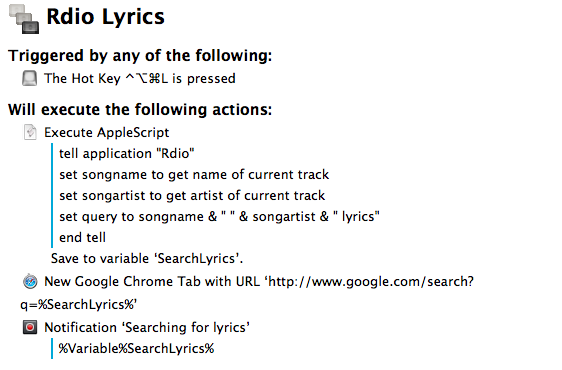

Search For Rdio Lyrics with Keyboard Maestro

Macro

Macro

In spite of the existence of various Mac apps to display lyrics of a song that’s currently playing in iTunes or Rdio, I often find myself having to manually look them up through a web browser. It’s not uncommon to see a dedicated lyrics app being unable to fetch lyrics for a certain song, and, unsurprisingly, that always seems to happen when I’m in the mood for learning new lyrics. Having to Google lyrics and type a song’s name is a tedious process that ought to be automated, so that’s what I did. Read more


Change

Matt Alexander has a good piece on the hypocrisy behind some people’s reactions to iOS 7:

One of the most trite and oft-spoken philosophies in the technology world — originating from hockey’s Wayne Gretzky and popularized in our community by Steve Jobs in 2007 — is that companies ought not to skate to wear the puck is, but where it will be. That is what both Apple and Microsoft have sought to do in recent weeks.

We responded, however, with premature dismissals and cries that our technology is changing.

It’s embarrassing.

And Harry Marks has some solid counterarguments, but especially this bit:

Apple may or may not pay attention to the complaining about the icons in the beta. It may or may not read all the scathing editorials about how Helvetica Nueue Light was the wrong font choice because something something zzzzzz…sorry, I dozed off for a second. What it will do is make iOS better. It will change the way we use our phones and tablets whether we like it or not.

So, you can either upload your alternate stock icon designs to Dribbble, or you can adapt your app to better suit the coming change. Which will it be?

Permalink


Quickly Append Browser URLs To Evernote with Keyboard Maestro

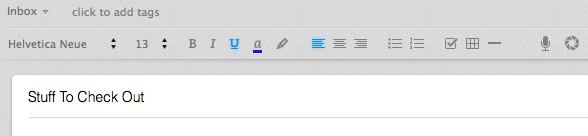
I often come across webpages and interesting links that I can’t check out right away, but that I also don’t want to send to Instapaper, Pinboard, or my OmniFocus inbox. They are, put simply, “stuff to check out”; I append these URLs to an Evernote note carrying the same name:

Macro

Macro

As I detailed in my review of Drafts 3.0 for iOS, appending text from an iPhone or iPad is easy with Agile Tortoise’s app and a combination of Evernote actions and browser bookmarklets, but I had to think of an equally straightforward workflow for the Mac. Unfortunately, the lack of a Drafts app for OS X forced me to resort to AppleScript to achieve the same kind of functionality, but the deal was (partially) sweetened by the new features introduced in Keyboard Maestro 6.0, released back in May.

Read more


Feed Wrangler’s Smart Streams

Shawn Blanc:

Anyone who has been subscribing to RSS feeds for longer than a few months will know your subscription list regularly needs pruning and adjusting. Well, I want my RSS reader to help me with that task. Smart Streams can help by making it easier to wrangle my feeds based on more than just which website they came from. I expect in the long run that they will prove very accommodating and useful as my interests change and as my attention ebbs and flows.

A good overview of Feed Wrangler’s best feature. I’ve been using Feed Wrangler since April and I’m very happy with it.

Permalink

ReadKit and Slow Feeds Updated with Feed Wrangler Support

ReadKit

ReadKit

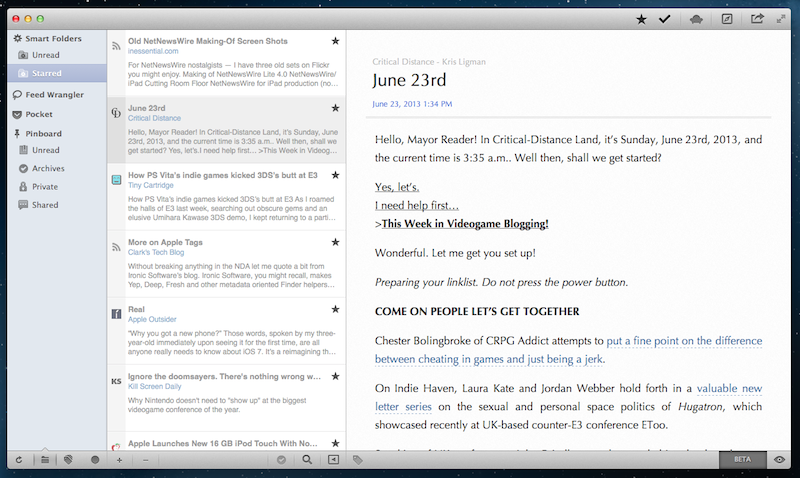
As I noted yesterday with Mr. Reader’s update, the upcoming shutdown of Google Reader has resulted in a fast uptake of third-party RSS services by existing clients for iOS and OS X, leading to a more variegate, rich ecosystem of apps that sync to different web services that aim at replacing Google Reader. Among the new contenders for the RSS throne there’s David Smith’s Feed Wrangler, which has become my favorite alternative to Google Reader and that, after Mr. Reader and the upcoming Reeder for iPhone update, is now supported by Slow Feeds and ReadKit. Read more


Indiegogo: Kreyos Meteor - A Voice and Gesture Enabled Smartwatch

The Kreyos Meteor is the latest wearable gadget to make its appearance on a crowd-funding platform, this time on Indiegogo. Claiming to be the only smartwatch with both voice and gesture controls, the Kreyos Meteor connects over Bluetooth to your iPhone, Android, or Windows 8 phone. With an iPhone, you can engage Siri through the watch, or use motion-based gestures like a wave of the hand to skip tracks, answer calls, or to have the watch read you a text message without pressing a button. The watch will even help you locate your misplaced phone.

More impressive are the litany of features that are built in for monitoring personal health. The watch could replace devices like the Fitbit or Jawbone UP, tracking overall activity and more with built-in heart rate and cycling monitors. And the Kreyos Meteor isn’t just limited to being a watch - it can be taken out of its watchband to fit into a lanyard or belt clip. It’s also waterproof, making it a great choice for swimmers who want to analyze their performance or for trail runners exposed to the elements.

Targeted at people who want a better way to receive notifications and individuals who are looking for an all in one sensor to track their performance, the Kreyos Meteor wants to keep the phone in your pocket. Just like the Pebble, the Kreyos Meteor will also give developers an opportunity to create new apps and gestures. Already exceeding its goal of $100,000, a contribution of $119 lets you pre-order you the watch in black, expected to ship this November. For an additional $10 you can pick your own color. You can learn more fund the campaign here.