Apple Posts September 10 Keynote Video

Apple has now posted the video of its keynote held earlier today in Cupertino. The video can be streamed here, and a higher quality version should be made available in a few hours through iTunes (on the Apple Keynotes podcast). To avoid streaming errors, Safari is recommended for the best viewing experience.

Our iPhone 5s and 5c overviews are available here and here, respectively.

Update 10:50 PM EDT: Today’s keynote video can now be downloaded in standard definition through the Apple Keynotes podcast on iTunes. 720p and 1080p versions will likely be released tomorrow.

For more coverage, check out our September 10 news hub and follow @macstoriesnet on Twitter.

Permalink

iPhone 5s: Our Complete Overview

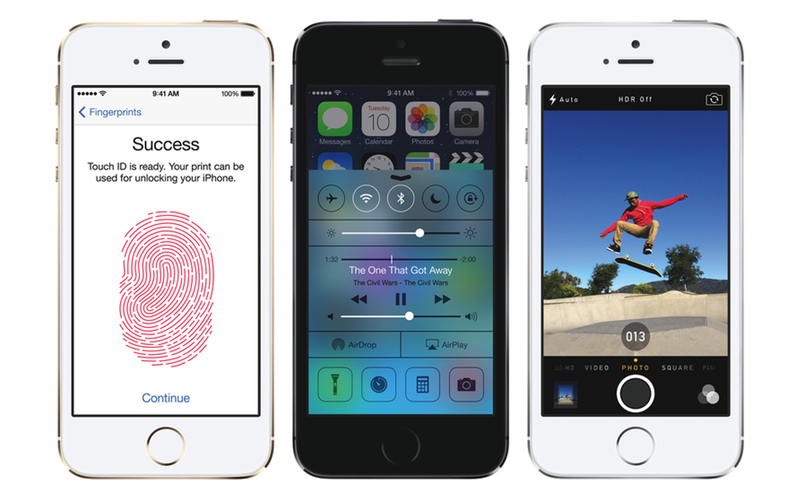
At a keynote held today in Cupertino, Apple’s Senior Vice President of Worldwide Marketing Phil Schiller officially introduced the iPhone 5s, the successor to last year’s iPhone 5 and the major new entry in the iPhone line-up. Schiller referred to it as the “most forward-thinking phone anyone has ever made”.

As widely expected, the iPhone 5s has the same industrial design of the iPhone 5, with an anodized aluminum back and diamond cut chamfered edges and glass inlays, 4-inch Retina display, and Lightning connector. However, the iPhone 5s comes with a visible change in the Home button: through a brand new system called Touch ID, a sensor available under the Home button will allow iOS to recognize a user’s fingerprint for authorization and security purposes. Read more


iPhone 5c: Everything You Need to Know

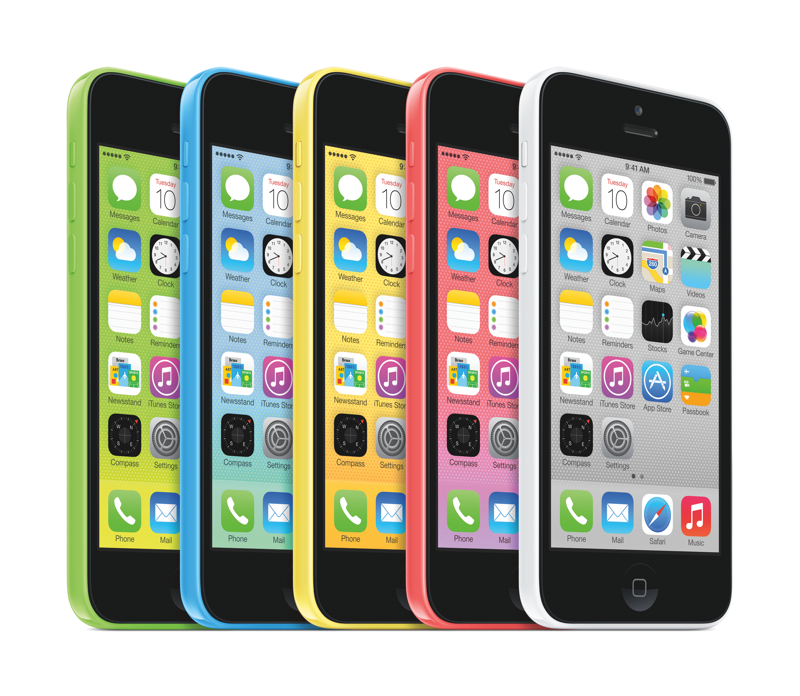
During today’s media event at the Apple Campus in Cupertino, California, Apple’s senior vice president of Worldwide Marketing, Phil Schiller, took the stage to announce the iPhone 5c. The iPhone 5c is Apple’s first plastic-bodied phone with a 4-inch screen, is shaped like the iPod touch, and is also Apple’s first iPhone that’s available in an array of bright colors. The 16 GB iPhone 5c starts at $99 on contract.

Read more


Apple Announces iOS 7 Coming On September 18

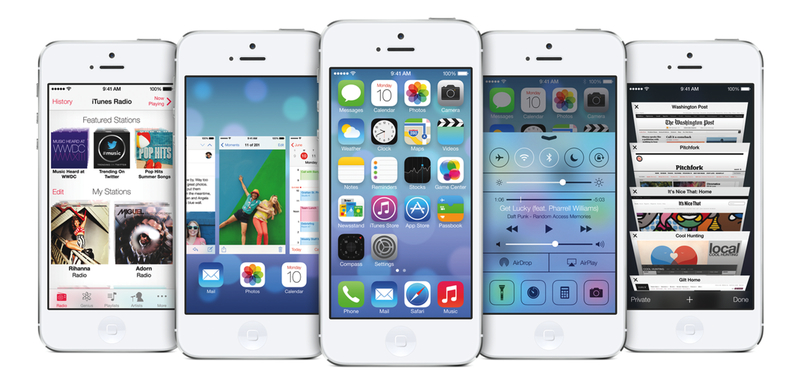
As widely expected, Apple has today confirmed the official release date of iOS 7 at a media event held on the company’s campus in Cupertino. iOS 7 will be released on Wednesday, September 18th, for the iPhone, iPad, and iPod touch.

iOS 7 is a major rethinking of Apple’s mobile operating system that sports a redesigned user interface with a focus on clarity and deference, and new features such as Control Center, new Multitasking, improved Notification Center and Siri, iTunes Radio, AirDrop, and more. iOS 7 was first announced at Apple’s WWDC earlier this year, where Apple also confirmed that the update would include over 1500 new APIs for developers to create apps with.

Apple hasn’t announced a Golden Master seed of iOS 7 yet, but it will presumably be released to developers today. Typically the last developer release before a public launch, the GM seed will allow developers to make final preparations to their iOS 7-ready apps and submit them to the App Store.

For more coverage, check out our September 10 news hub and follow @macstoriesnet on Twitter.


Sponsor: Smile

Our thanks to Smile for sponsoring MacStories with PDFpen for iPad.

PDFpen is the goto solution for signing and editing documents from your iPad or iPad mini. Correct typos, highlight and add notes, and annotate documents with simple taps. Because PDFpen works with iCloud and Dropbox, you can be sure that your documents are conveniently available at your Mac. And because sharing those documents is just as important as making changes, PDFpen lets you send documents to services like Evernote, Google Drive, and Box. The next time you receive an email with that all important document, sign it with your finger, correct glaring typos, and send it back in just a few moments. It’s fast, easy, and powerful.

PDFpen for the iPad is only $14.99. You can learn more and watch a product demonstration on Smile’s product page, or download it from the App Store. In addition, don’t forget to check out PDFpen for the Mac, the perfect companion for getting things done when you’re at your desk.


GIF Brewery 2.3

GIF Brewery, developed by Patrick Rogers, is my favorite app to create animated GIFs (with a hard G) on OS X. Every time I need to show an app’s particular animation or effect, I mirror my iOS device’s screen to my Mac with Reflector, capture a video, and turn a specific portion into a GIF.

The latest update, released last week, contains a new preference to automatically snap text overlays to horizontal center and, even better, settings to control fade-in/out times for overlays. These two minor additions make dealing with text overlays in GIF Brewery much easier, leading to better results.

GIF Brewery is $4.99 on the Mac App Store and I can’t recommend it enough.

Permalink


Ohio Man Sues Apple Over Breaking Bad Season Pass

Jeff John Roberts:

An Ohio man has filed a lawsuit against Apple, claiming the company owes him and other Breaking Bad fans $22.99 for not including all 16 episodes in a “Season Pass” to the show’s final season, which was split into two parts.

In a class action suit filed in San Jose, California, Noam Lazebnik says Apple engaged in false advertising by providing only 8 episodes to consumers even though its “Season Pass” page explains that viewers will get “every episode in that season.”

Better call Saul?

Permalink

Droplr Draw Adds Lightweight Annotation Features To Droplr for Mac

Skitch is my favorite image annotation tool on the desktop and Marco Arment’s Bugshot is on my iOS Home screen, so when I saw the announcement of Droplr Draw last week I knew that it was something I needed to check out. Even if I’m a big fan of Skitch’s feature set on OS X – unlike some, I do like the Evernote integration – the app doesn’t provide the fastest way to capture, annotate, and share a screenshot, and Droplr Draw seemed promising.

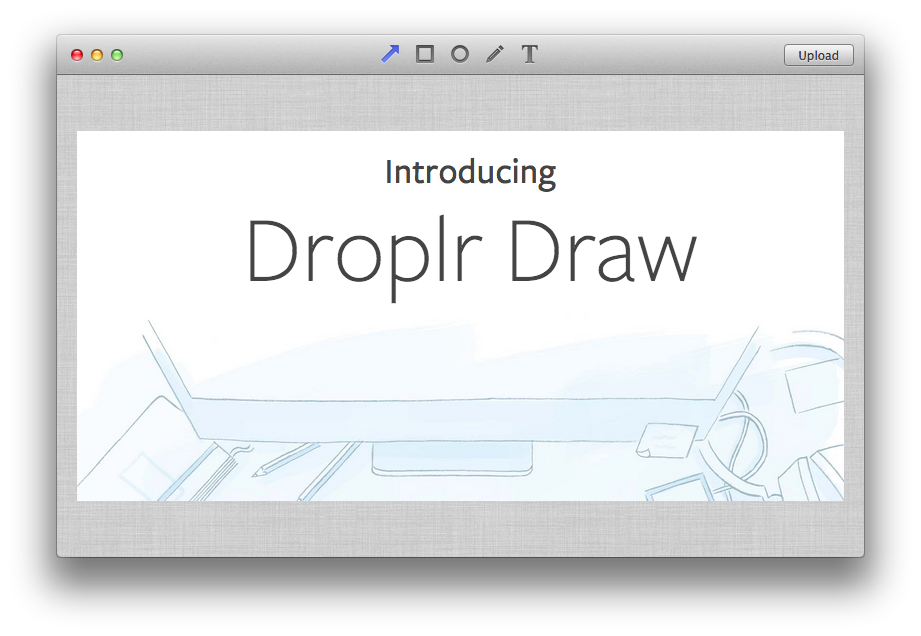
Droplr Draw isn’t a separate app: it’s a feature of the Droplr for Mac app for existing Droplr Pro subscribers. Droplr Draw lets you a take a screenshot as you normally would with Droplr, add some annotations to it, upload it, and share it to Droplr. It’s essentially an extra layer between the Finder and Droplr’s cloud that instead of taking a file and returning its public URL opens an editing window first.

Droplr’s Draw view is extremely simple. There are four tools (arrow, rectangle, oval, free form) and a Text button to add annotations to an image with only one color (light blue). Annotations can be moved and resized on the canvas, but there are no settings for thickness, additional shapes, colors, or strokes. Once you’re done adding text or shapes, you can hit the Upload button, and Droplr will upload your file and copy the resulting URL in your clipboard.

The decision to launch Droplr Draw as a feature of the existing Droplr was a good call because Draw isn’t advanced enough to justify a standalone app. As I mentioned above, the app lacks any sort of settings or annotation options, making it an inferior solution to Skitch or even Apple’s Preview.

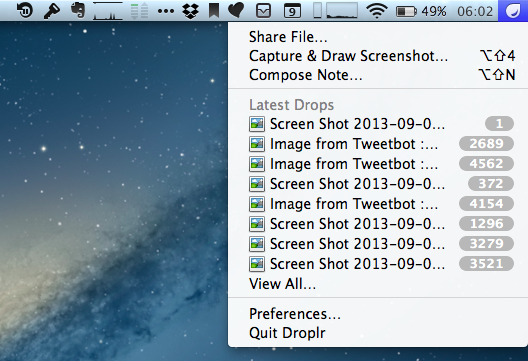
In my workflow, I have tried to annotate screenshots, coming to realization, on a couple of occasions, that I needed to adjust colors and thickness and that Droplr Draw couldn’t allow me to do that. More importantly, you can’t add images to Droplr Draw as the only available trigger is “Capture and Draw” from the menubar; if I receive a screenshot via email and I need to send it back with annotations, I’d need to take a screenshot of the screenshot if I wanted to use Droplr Draw to annotate it.

Droplr Draw isn’t a Skitch competitor, but it’s a nice addition to Droplr Pro for simple and quick annotations. It doesn’t break any new ground, but it’s a good feature to have in a screenshot sharing service. I’m looking forward to an iOS version.