This Week's Sponsor:

BetterTouchTool

Now with a Powerful Launcher for Your Mac


Nintendo Vs. Apple Pundits

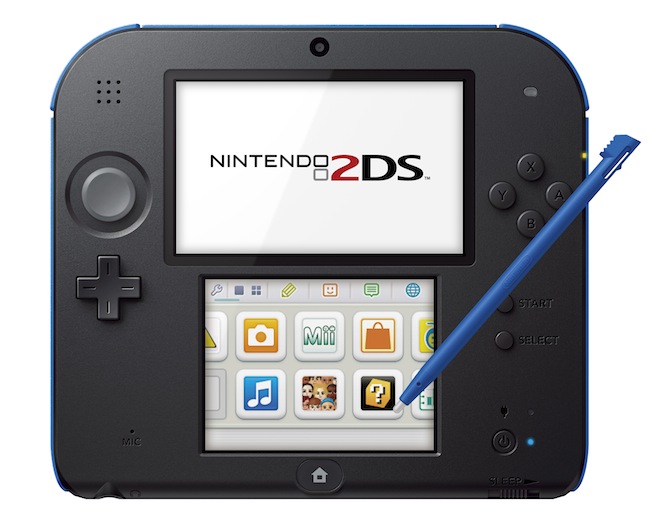
Yesterday, Nintendo announced a new portable console to play 3DS games that doesn’t actually support the 3DS’ 3D effect, a price cut for the Wii U, and various release dates for its upcoming holiday line-up. Unsurprisingly, several Apple-focused writers and bloggers suggested – again – that Nintendo is doomed; that they should start making games for iOS; and that Apple should just outright buy Nintendo.

I believe this notion – that in order to survive, Nintendo has to start making games for the App Store – shows a profound misunderstanding of how Nintendo works, operates, and, generally, plans its long-term future. I have discussed the topic with Myke last night on The Prompt.

Lukas Mathis has published an excellent post that aptly sums up what is wrong with the new “default narrative” about Nintendo:

Mac users should be familiar with the argument against this reasoning. Fantastic games like Super Mario 3DS Land can only exist because Nintendo makes both the hardware and the software. That game simply could not exist on an iPhone.

But there’s an additional problem with this argument: the premise is completely wrong. Nintendo is actually not doing poorly in the portable market. iPhones have not destroyed the market for portable gaming devices. The 3DS is, in fact, doing very well.

Nintendo and Apple may share some similarities (namely, tight integration of hardware and software), but their execution is profoundly different. Following Nintendo’s history and patterns through the years and just looking at the company’s numbers reveals a different approach and strategy.

Again, from Mathis’ piece:

The hypothesis that Nintendo needs to abandon the hardware market because the iPhone destroyed the market for portable gaming just isn’t consistent with reality.

The idea that Nintendo should make games for iOS is fascinating, easy to grasp and follow, but flawed. Nintendo doesn’t work like Apple. And, more importantly, Nintendo can’t – and doesn’t want to – be Apple. Nintendo is a mix of a toy company and a game company: consoles exist to support Nintendo’s crown jewels – the games and first-party franchises.

Nobody is denying that the Wii U is doing poorly: the console needs more quality first and third-party games, a better marketing message (same for the upcoming 2DS), and a clearer position in the market. But the overall numbers paint a different picture than what some Apple pundits are claiming: the Wii U is only slightly behind the point where the GameCube was at the same point in the console’s lifespan – and Nintendo did manage to turn a profit on the GameCube. The Wii remains the top-selling console of the current generation. The first 130 weeks of sales of the 3DS – as Mathis also notes – are comparable to those of the Nintendo DS – the second (soon first?) best-selling console of all time. Again, to understand this all you need to do is look at Nintendo’s numbers.

Mobile “casual” games are selling millions of copies (in many cases, in-app purchases) today, and Nintendo’s portable game sales are healthy, too. Here’s just one data point: Animal Crossing sold 1.54 million copies in the last quarter (a month ago, it was up to 4.5 million copies sold since its original release). Assuming that Nintendo makes around $30 in average revenue on first-party games, that would make for $46 million in revenue, in a single quarter, on a single game. Want more examples? As of March 2013, Luigi’s Mansion sold 1.22 million copies; Super Mario 3D Land moved 8.19 million copies; Monster Hunter 3 – a third-party, four-year old game – sold 2.10 million copies; also as of March 2013, Mario Kart 7 sold 8.08 million copies. Here’s what Nintendo’s upcoming line-up looks like, and add Pokémon X & Y to that (the series’ DS games, Black & White 1/2, sold 23.05 copies combined as of January-March 2013).

The 2DS is controversial and it may seem to lack any sort of practical sense, but it’s actually basic Nintendo 101 (do these other revisions ring a bell?). Except that, this time, the 2DS is aimed at addressing concerns of 3D games for children and the whole point is to sell the 2DS to kids for the holiday season, possibly alongside a copy of Pokémon.

Nintendo’s strength right now is that, once again, they can revolve around the fulcrum of portable hardware and game sales to sustain their operation, turn a profit, and buy more time to fix the mess that was the Wii U launch. Saying that Nintendo should shut everything down, go home, and start making games for iOS is an easy but flawed solution that just isn’t supported by the facts.

Soulver for iPhone Updated with iCloud Syncing, URL Scheme

Soulver, my favorite iOS calculator app that isn’t really a calculator (I like another app for that), was updated today on the iPhone to support iCloud syncing, sub-folders, and a URL scheme. iCloud syncing was first brought to Soulver for Mac in December 2012, and now the iPhone app (Soulver for iPad hasn’t been updated yet) should be capable of syncing named documents with its Mac counterpart. If you trust iCloud with your Soulver documents, I guess that this will be a handy addition.

The URL scheme is much more interesting for my workflow. According to the release notes on iTunes, there’s now a URL scheme to launch Soulver, create a new document with text, or even to append text to an existing document. I am already thinking about the possibilities opened up by this feature for integration with apps like Launch Center Pro and Drafts – but I can’t find documentation anywhere. The app does support a soulver:// URL scheme, and hopefully more information will soon be posted on Acqualia’s website.

I’m looking forward to playing with Soulver’s URL scheme and updated preferences (not so much with iCloud sync). Soulver for iPhone is $2.99 on the App Store.

Update 9/1: The guys at Acqualia have posted a URL scheme documentation here. I have already set up a Drafts URL action that lets me quickly type a calculation in Drafts – which is my go-to text capturing tool – and append it as a new line to a specific Soulver document I have called “Calculations”. From Drafts:

soulver://new?text=[[draft]]&title=Calculations

I’m already using this action all the time to launch quick currency conversions in Soulver. Open Drafts, type “2 usd in eur”, and boom – Soulver opens, displaying the result. It’s a nice URL scheme.

Permalink

The Omni Group Releases OmniKeyMaster Mac App Store License Tool

From The Omni Group’s blog:

OmniKeyMaster is a simple app that finds App Store copies of Omni apps installed on your Mac, then generates equivalent licenses from our store - for free. This gives Mac App Store customers access to discounted pricing when upgrading from the Standard edition to Professional, or when upgrading from one major version to the next. Another benefit: since they don’t have to wait in an approval queue, our direct releases sometimes get earlier access to new features and bug fixes. OmniKeyMaster lets App Store customers access those builds, as well.

Tools like OmniKeyMaster have become quite common lately, as developers of third-party Mac apps keep struggling with the limitations imposed by Apple on the Mac App Store. Having new versions of apps every time a major upgrade is released isn’t an option for many developers, and they are resorting to workarounds like this to have the best of both worlds: the Mac App Store’s purchase system and the control on your own website and app updates. It’s a trade-off, and, in most cases, the process is quite convoluted.

In The Omni Group’s defense, their Mac App Store license tool seems easy to use and clever in how it finds all App Store copies of Omni apps on a Mac. Apple may not be interested in offering upgrade pricing on the Mac App Store, but developers find a way…or at least a viable workaround.

Permalink

Twelve South Introduces the GhostStand, A Clear Elevated Stand for Your MacBook

Twelve South has been busy this year. Their latest new product, following HiRise, is a brand new laptop stand made out of lucite. From the product page:

GhostStand is a transparent, ultra-modern platform– and a brilliant work of art– that elevates MacBook to a more comfortable viewing height. Pair your MacBook with a full-size keyboard and mouse, then set it on GhostStand to enjoy desktop style comfort at home or work. While GhostStand makes it look like your MacBook is floating in midair, two sets of soft silicone rails keep your Mac safely grounded to this affordable lucite stand.

It’s also $34.99, and can alternatively be purchased from the Apple Store online. It would pair well with a lot of Mac accessories, including those famous Harman Kardon SoundSticks. I was under the impression that the interlocking pieces of glass could be separated, making the stand portable, but that doesn’t seem to be the case. This is very much a stationary piece for your desk, designed to look beautiful and give the appearance that your Mac is floating on air.

Permalink

Apple TV Gets Vevo, Disney Channel, and The Weather Channel in Latest Update

Eric Slivka from MacRumors writes:

Apple today added several new apps to the Apple TV, including the previously reported Vevo music video channel. Other new additions include a dedicated app for The Weather Channel, an app for the Smithsonian Channel, as well as two Disney television apps: Disney Channel and Disney XD.

Vevo’s library of 75,000 HD music video should keep the kids busy for a while.

Permalink


Radium for iOS: Internet Radio and Sirius XM in Your Pocket

Perhaps uniquely to me, radio is a social gathering, since the radio and not the television is the thing my family and I always convene around instead of the television. We’ll listen to terrible singles and complain through them, and we’ll joke about how every artist feels like they have to fill in dead air by shouting a repetitive string of “yeahs” or “oohs” or other provocative exclamations. Then the next night there’ll be a string of great songs, and maybe it’ll get a little quieter at the table as we listen in.

As a consequence I’m used to radio becoming the thing I have on in the background. You get to know all the songs, the loops they run on, the voices of the DJs and reporters, and it just becomes this sort of comforting noise machine. Why go to Starbucks and soak in the ambient noise[1] when you can turn on the radio?

Sometime in college, I happened across Radium, and I had this instantaneous attraction to it. Imagine my excitement when I discovered I could actually bring that comforting noise machine to my desktop! At the time it didn’t play what was locally airing over FM, but it did bring Internet radio to the desktop through a simple search bar and drop down menu. What made it stick for me was that instead of browsing by station, Radium let you browse by what you were into. It surfaced relevant stations that fit any number of queries from “90’s acoustic” or “covers.” And you’d actually find stations that fit those descriptions.

By the time I got an iPhone, I figured Radium would have made it onto iOS with a big shiny yellow icon, matching the style that pervaded it on the desktop. Not yet.

That was a couple years ago. Today, Radium has arrived on iOS, not with the classic radio I imagined it would be identified by, but by a chocolate drop that’s become Radium’s unusual characteristic since the launch of their updated Mac app earlier this year.

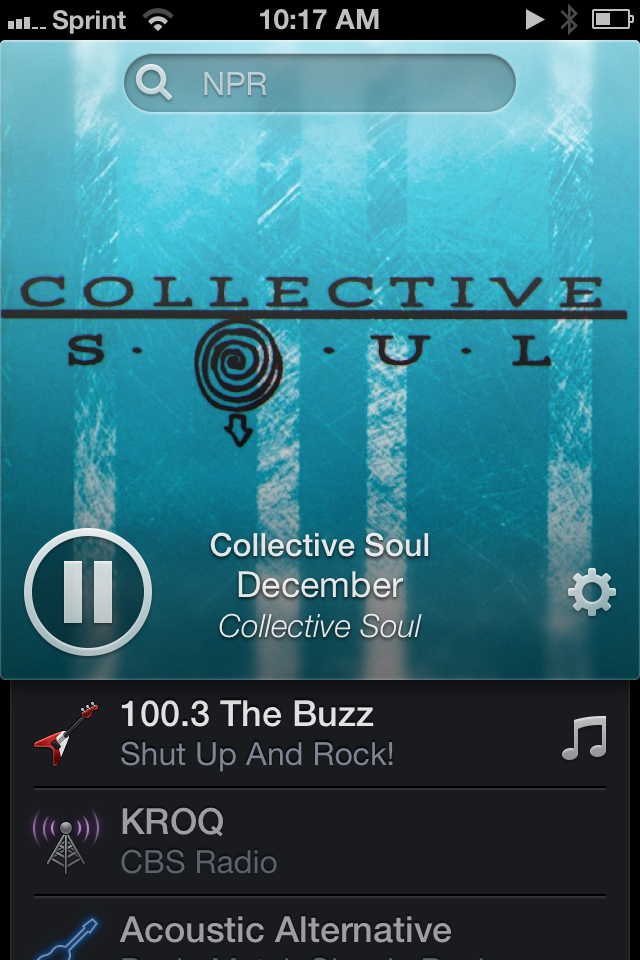
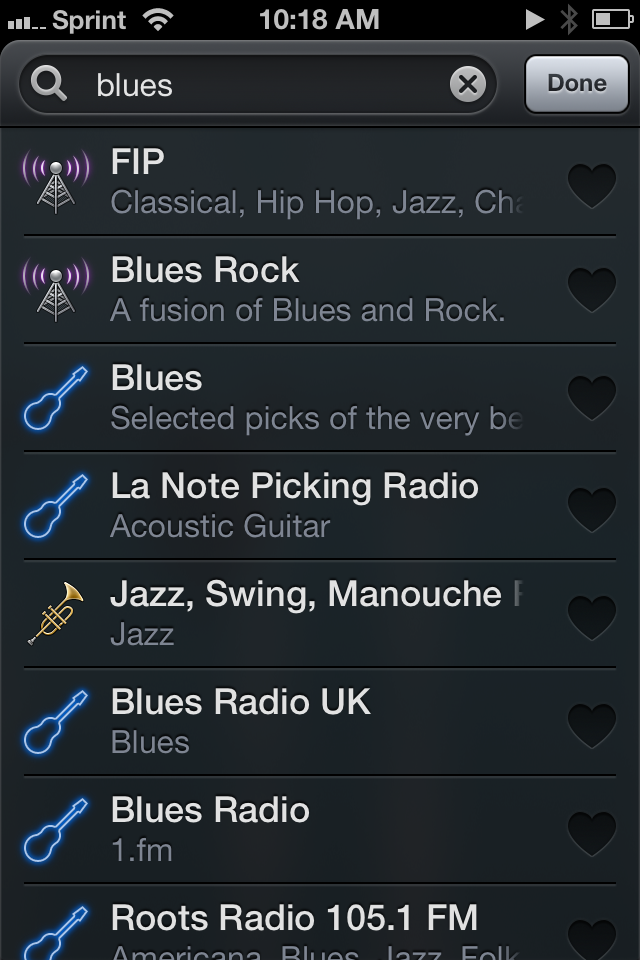
One might wonder how a menu bar app dependent on search would translate to the iPhone, yet CatPig Studios have pulled it off, drawing your attention to all the right places and making what should feel like a sparse list of radio stations feel like a traditional music player, alive and full of personality. It becomes immediately obvious that you should play something, with instructions limited to a lack of artwork and example queries that flash in the search bar. As you begin to search, cover art falls away, and the app searches and updates stations in realtime as you enter your query.

What you can listen to is virtually unlimited as far as Internet radio goes. Radium claims to support over 8,000 stations, which includes NPR and BBC radio. It supports ClearChannel stations, meaning that I can conveniently listen to a local radio stream without having to go through a Flash player on the web or download the iHeartRadio[2] app. If you’re a Sirius XM listener, you can plug in your account info and stream satellite radio straight to your iPhone over an Internet connection. The app also supports other providers such as CalmRadio for classical music and Digitally Imported for electronic music. It’s absolutely convenient and a hallmark of what made Radium such a great app on the Mac.

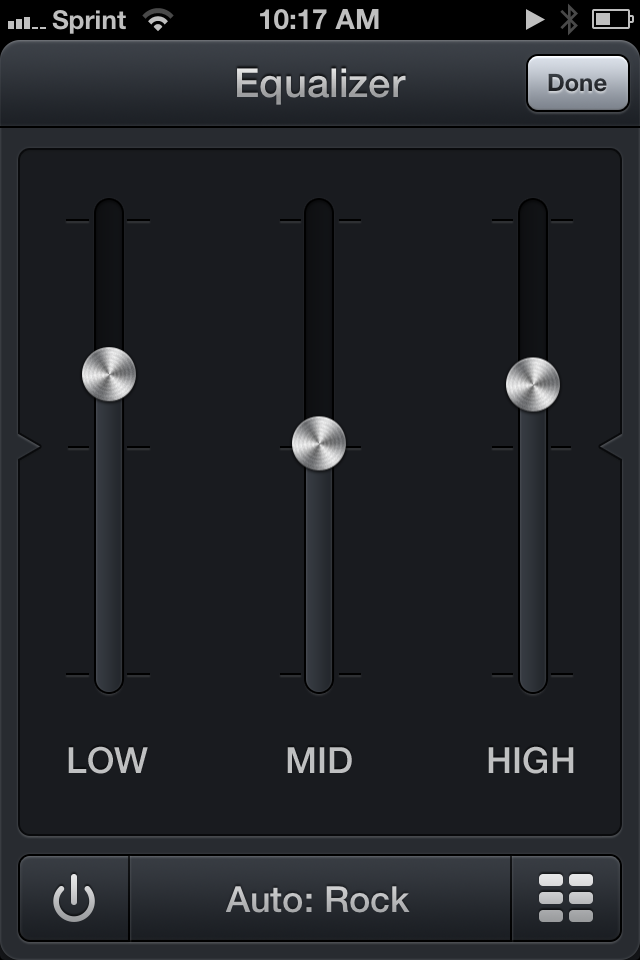
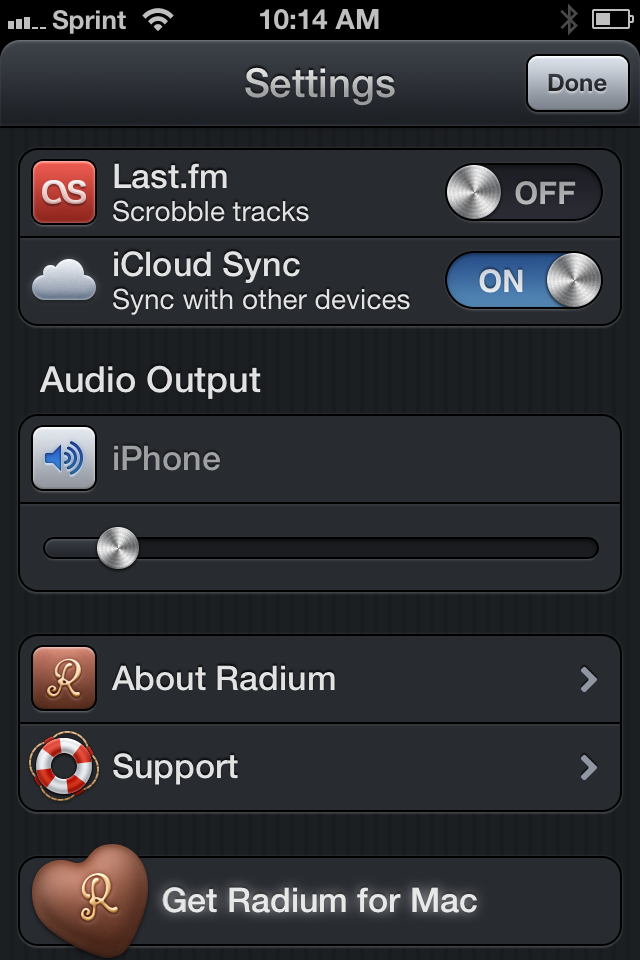
All of the great features that are found in the Mac app can also be found in the iOS app. Tapping on album artwork, provided there’s song data, lets you add the song to a wish list or view it on iTunes to purchase. There’s also a sharing button for copying track data or the station link so others can listen-in. And if you have a Last.fm account, you can plug in your account so you can scrobble and love tracks as you play them. The equalizer is also present, automatically choosing a preset based on what’s currently playing, which you can turn on or off by pressing the inconspicuous power button. Each station is accompanied by a glyph describing what kind of music it plays, and you can change that by tapping on the icon in your list.

Swiping on stations lets you love it so you can quickly find it later. If iCloud sync is turned on, those stations are also shared with Radium on the Mac so you can quickly tune-in from your desktop later.

The big difference between the iOS and Mac apps is that the iOS app is even more delicious.

There’s something gratifying about tugging at the artwork, pulling it down towards the bottom of the display and watching it snap back into place. On cue, the pause button quietly reappears with artist and track info, unwilling to wait for the animation to complete its preprogrammed bounces. Then you’ll flick the other direction and watch the artwork similarly bounce into place above the station listing, the pause button becoming the deciding anchor for the height of the now playing information at the top of the display. It’s possibly rubber band scrolling at its finest and it’s a detail only an app on the iPhone could pull off.

With iOS 7 on the horizon, one might wonder whether Radium is relevant given iTunes Radio, and the possible but unconfirmed inclusion of traditional Internet radio stations currently found in iTunes’ directory. My gut feeling says that Radium and iTunes aren’t competing on the same turf, with Radium’s obvious advantage being the Sirius XM and the ability to play back radio stations traditionally locked to particular content providers or apps. CatPig Studios are in the business of letting you tune-in to the rest of the world, while iTunes and others are in the business of generating personalized playlists labeled as radio.

Radium has been one of the apps I’ve always thought would be a good fit for the iPhone, and it’s finally here. It’s the same Radium you know and love, adapted to iOS and imbued with charming details that make themselves evident as you scroll, flick, and swipe across the interface. It’s Internet radio in your pocket, and it’s impressively inexpensive, regularly costing only $3.99 on the App Store. Until September 3rd, however, you can pick up the app for only $1.99 as part of an introductory promotion.


  1. I don’t have to share a table and I’ve got my own outlet! Two even!  ↩
  2. There’s nothing wrong with the iHeartRadio app, but I just don’t want to be asked to sign in with a Facebook account every time I want to listen to live radio.  ↩


AgileBits Teases 1Password 4 For Mac

Dan Moren, in his preview of 1Password 4 for Mac:

Several of the newest capabilities originated in 1Password 4 for iOS, including the ability to mark your frequently used items as Favorites, support for multiple logins on the same site, and the ability to sync via iCloud. You’ll also find new types of items to supplement existing options, such as driver licenses and reward programs, and you can add custom fields to most items, to store any other information you want. And if you want to share a specific item between the Mac and iOS apps, you can do so by sending it via encrypted iMessage or email.

1Password for Mac received its last big update in 2009 with version 3, and, following the launch of 1Password 4 for iOS, a revamp of the desktop client is long overdue. I’m particularly excited about the Back to the Mac approach – 1Password 4 is one of my favorite and most used iOS apps, and the upcoming Mac app seems to retain much of the mobile counterpart’s functionality, enhancing it with features that make sense on OS X (such as the new browser extension).

Apple will provide its own password generation and sync solution with iCloud Keychain, and that’s great news because it’ll help users have safer logins with minimal effort. However, I want more from my password manager, and I’m looking forward to trying 1Password 4.0.

Permalink