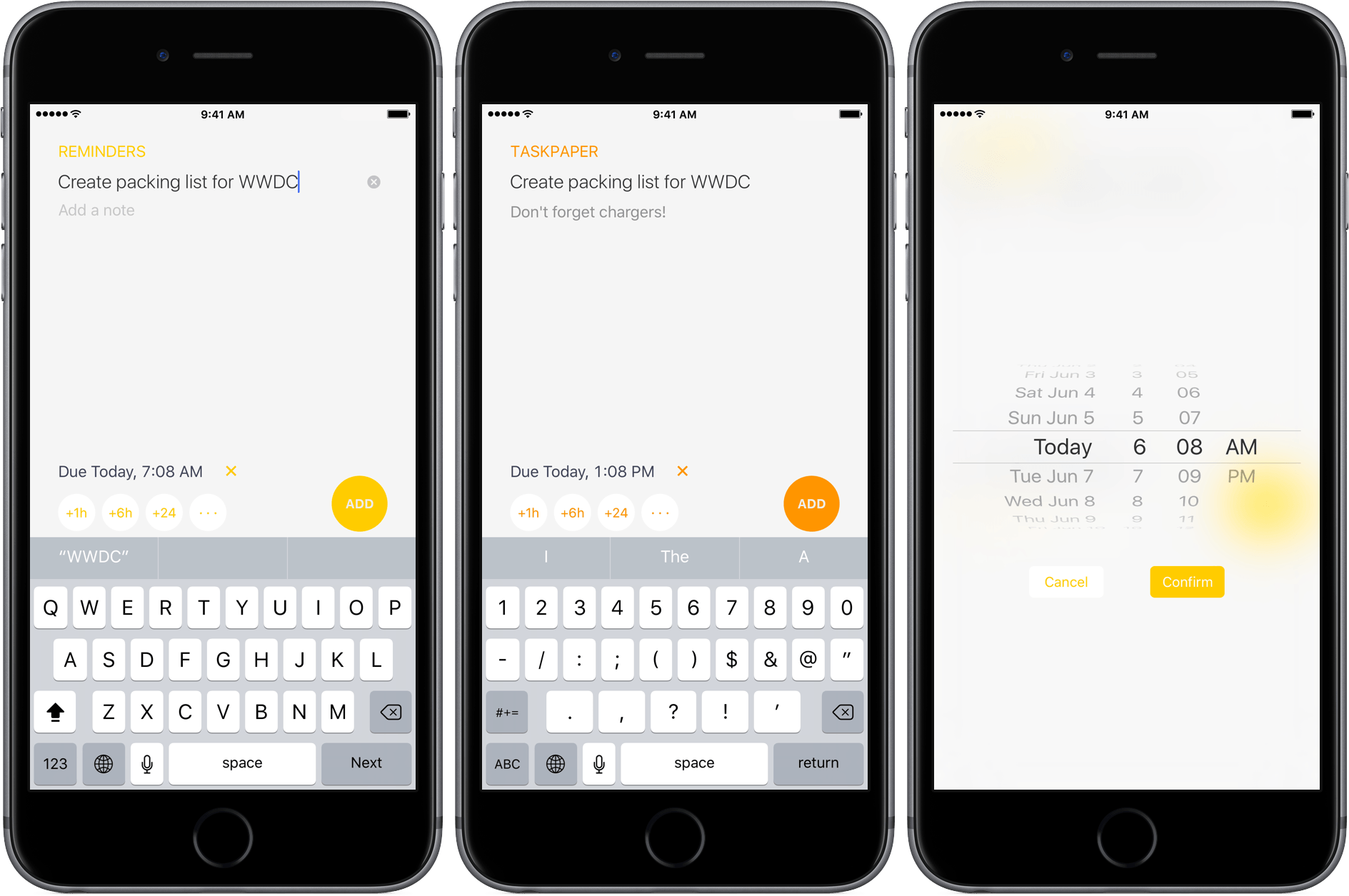
Remind Me by Nick Leith is one of those apps borne out of frustration with a stock Apple app – in this case, Reminders. Reminders has some compelling features like iCloud syncing between iOS devices and with Macs, shared reminder lists, and the ability of some third-party apps like OmniFocus and 2Do to import reminders. Yet despite these benefits, Reminders can be tedious and frustrating when you want to enter a reminder with a due date. Remind Me is a handy lightweight iPhone utility dedicated to fast Reminders task entry.
Posts in reviews
Remind Me Makes Quick Work of Reminders Task Entry
Swysh Review: Control Your Music with Gestures
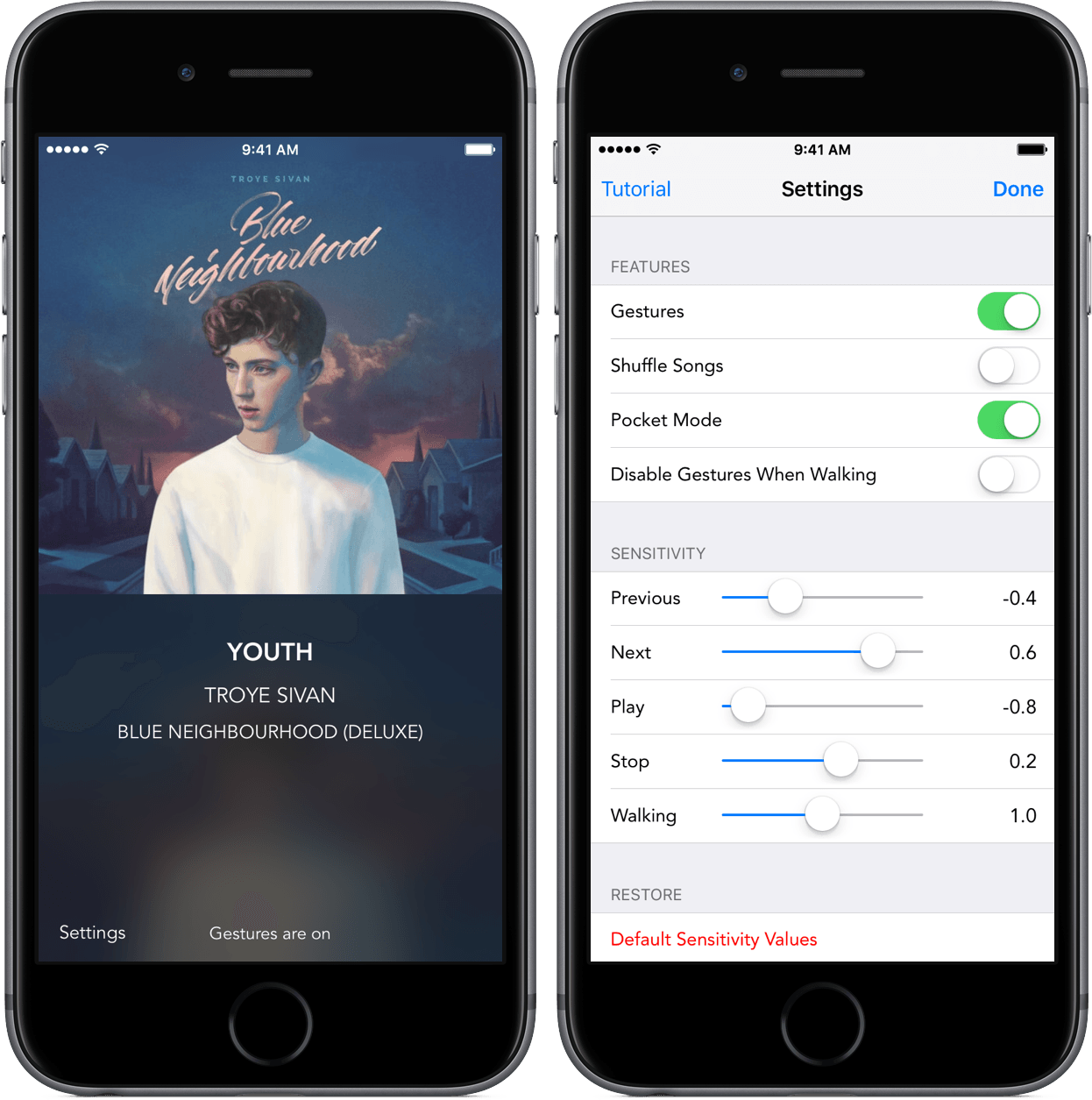
My phone sat locked when “Clarity” by Zedd played through my headphones. But like on so many other occasions, I decided that I was done listening to the song far before its end. I picked up my phone and, with a quick flick to the right, moved to the next song.
The functionality comes from Swysh, a $0.99 app to completely alter the way you interact with your music. I’ve been listening to my music with Swysh for the past week, and what I’ve found leaves me satisfied, albeit with some caveats.
Workflow 1.5: App Store Automation, Trello and Ulysses Actions, Audio Metadata, Safari View Controller, and More
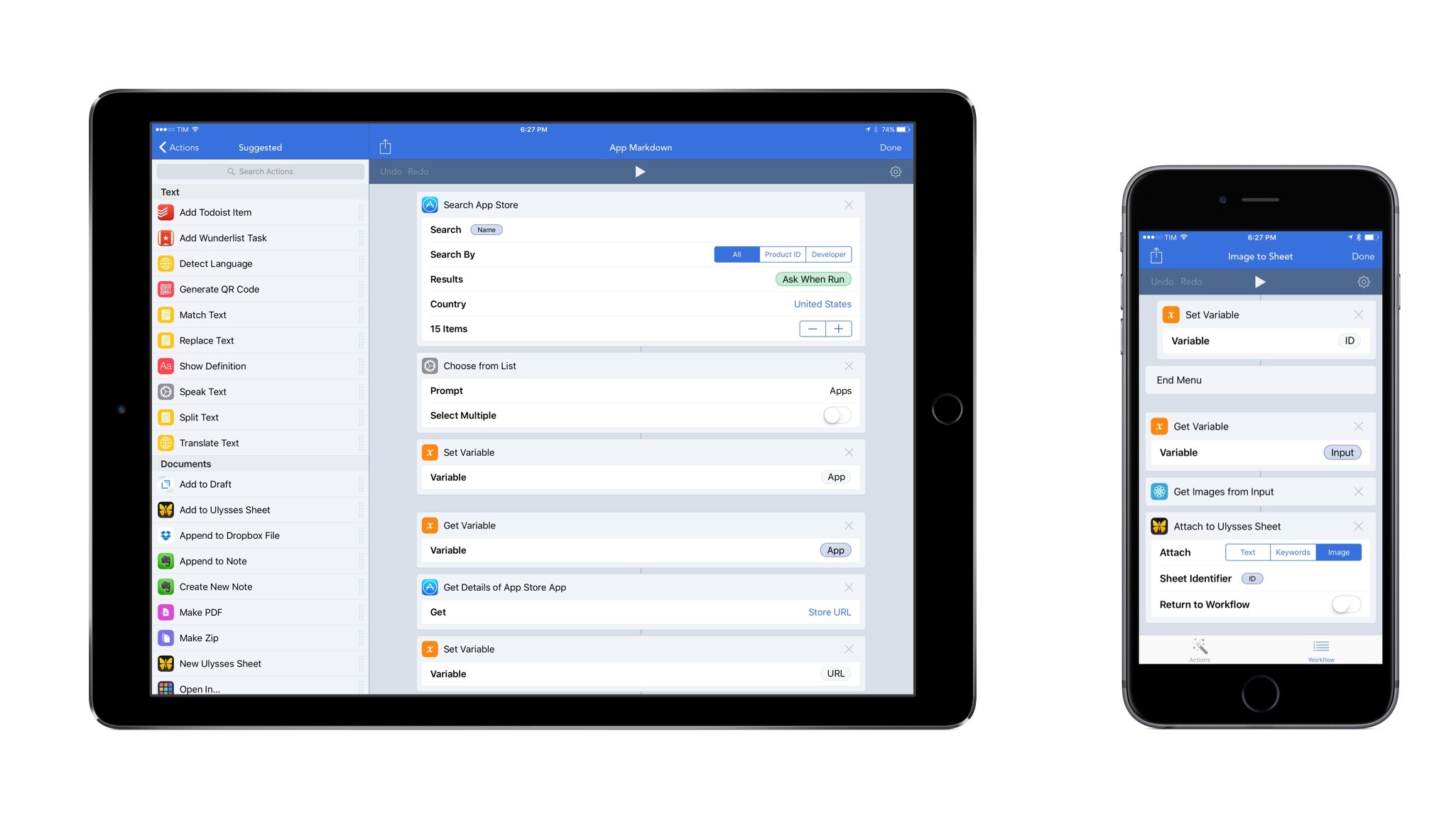
In seven years of MacStories, few iOS apps fundamentally changed how I get work done as much as Workflow. Pythonista, Editorial, and Tweetbot are in that list, but Workflow, with its ongoing improvements and deep iOS integrations, continuously makes me question how I can optimize my setup further.
Nearly two years (and an Apple Design Award) later, Workflow is reaching version 1.5 today, an important milestone towards the road to 2.0. Unsurprisingly for the Workflow team, this release adds over 20 new actions and dozens of improvements. Some of them are new app actions based on URL schemes, while others introduce brand new system integrations (such as iTunes Store, App Store, and Safari View Controller) and web actions for the popular Trello team collaboration service. Workflow 1.5 is a packed release that is going to save heavy Workflow users a lot of time.
After testing and playing with Workflow 1.5 for the past month, I’ve been able to streamline key aspects of writing for MacStories and managing Club MacStories. With a bigger team and more Club responsibilities, we’ve been thinking about how to improve our shared tasks and creative process; Workflow 1.5 has played an essential role in it.
Airmail 3 Review
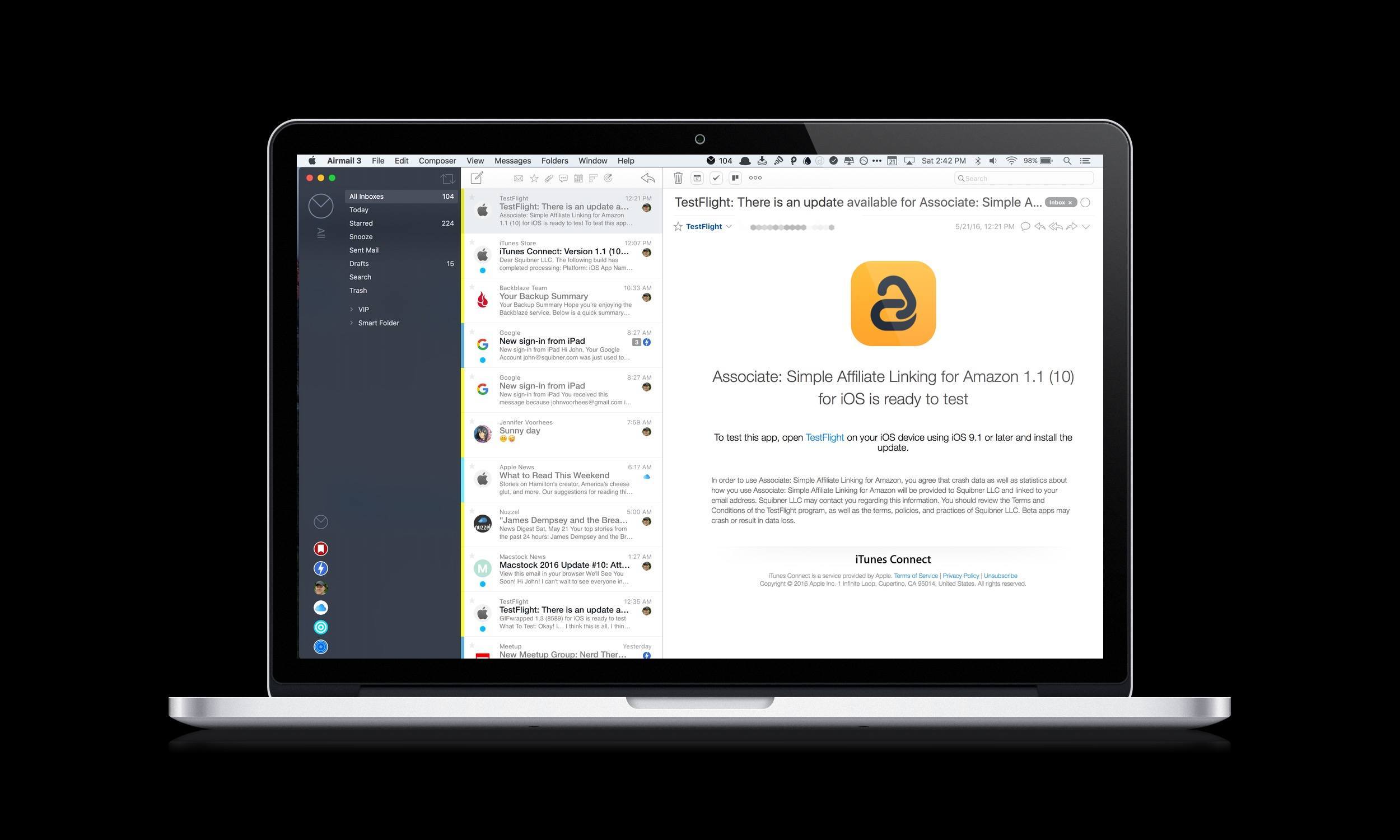
When Federico reviewed Airmail 1.1 last month, I liked what I saw. I downloaded Airmail and started playing with it. I appreciated the ability to customize nearly every aspect of the app, but it wasn’t sticking because I couldn’t do the same on the Mac.
Like a text editor, my email client is the kind of app for which I prefer a consistent feature set and setup on iOS and OS X. While I was tempted to go all-in with Airmail, the very advancements that made it so attractive on iOS held me back because most of them were unavailable on the Mac.
This changes today with Bloop’s release of Airmail 3 for Mac, which brings Airmail’s best iOS features to the Mac. If you work on both platforms regularly, deal with a lot of email or email accounts, and want to customize your email client to match the way you work, the combination of Airmail 3 for Mac and Airmail 1.1 for iOS is a terrific choice and one to which I am now fully committed.
Communicate Your Battery Life with Battery Share
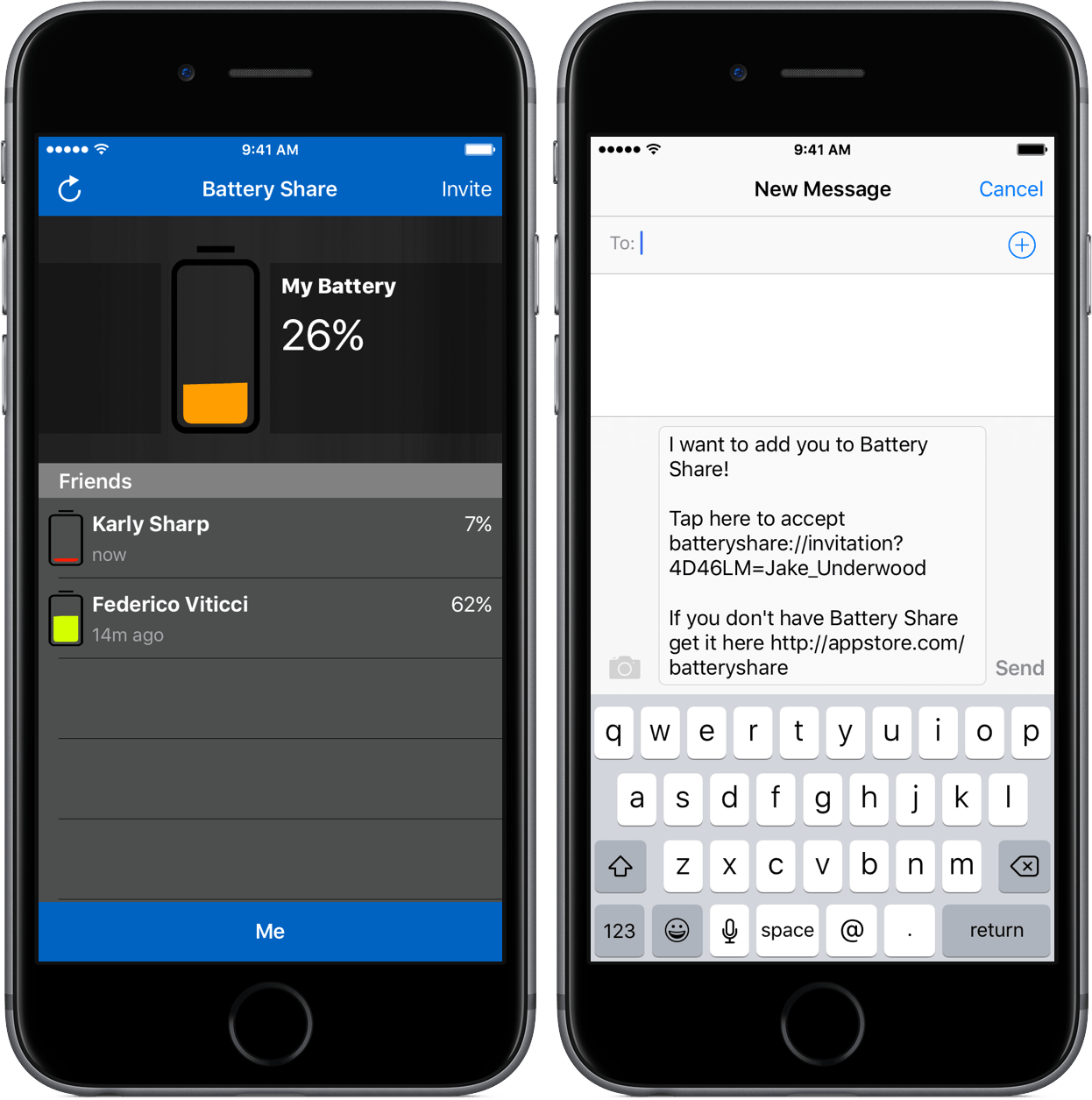
We’ve all been there – a dead phone and an expectant person wondering why we haven’t responded. Without any battery, there’s not really a solution to the problem, as the most common communication apps people use are inaccessible.
Battery Share from developer Terry Demco makes this issue one of the past by introducing a simple way to communicate battery life between friends. Although it takes some effort to set up, the results are well worth both the app’s $0.99 price and the setup time needed.
Gemini 2 Trims More Fat from Your Mac Than Ever Before
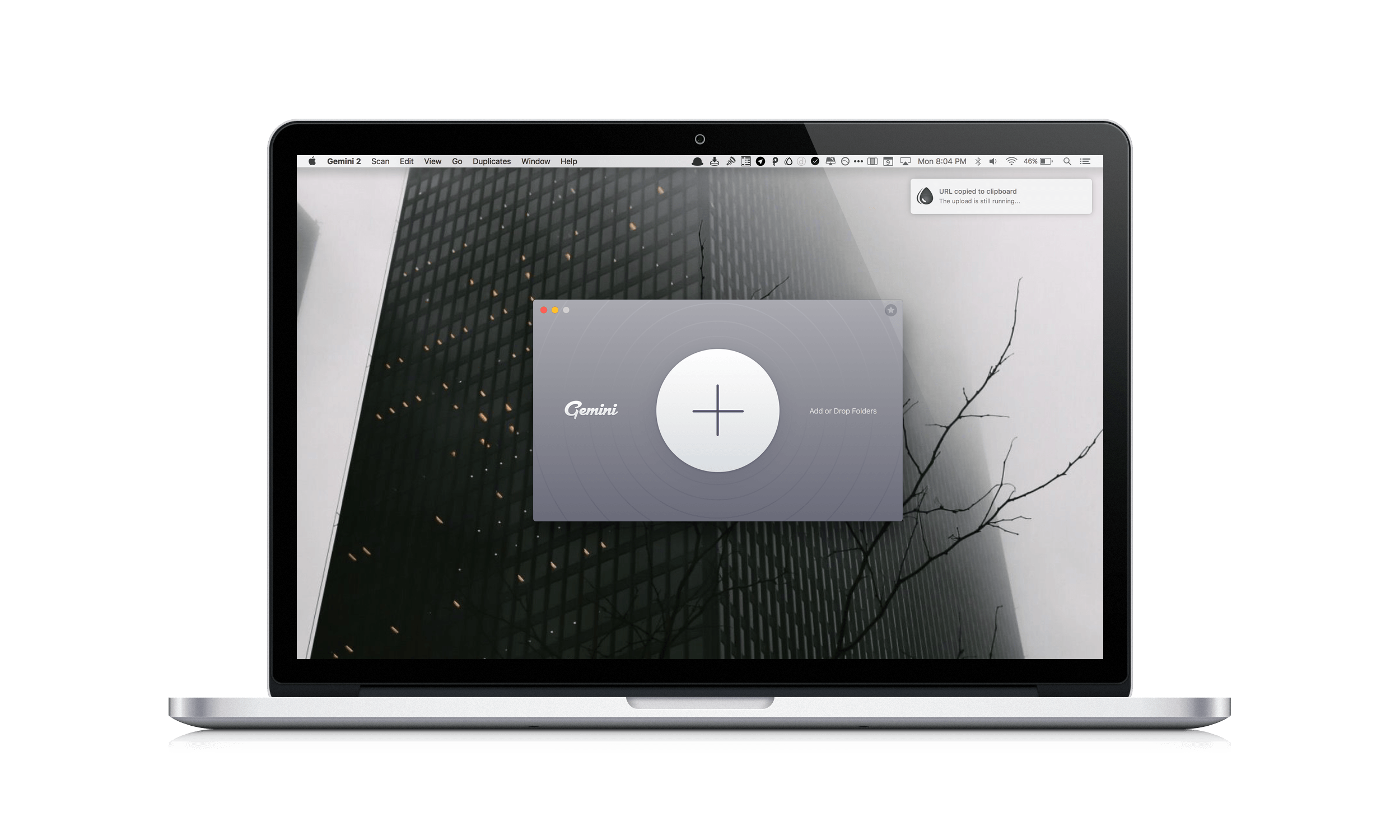
Just as hard drives seemed to get so big that you couldn’t possibly fill one, laptops and many desktops switched to SSD storage, which is fast, but comes in much smaller capacities. Suddenly, storage seemed to fill up faster than ever and file management was important again.
One way I’ve dealt with the new reality of SSD storage is by running Gemini, a Mac utility from MacPaw that helps you reclaim precious storage on your Mac by detecting duplicate files. Today, MacPaw released Gemini 2, which introduces a cleaner, more modern design that no longer mimics an outdated version of iTunes. But the changes to Gemini are more than skin deep. MacPaw also extended Gemini’s functionality by adding the ability to detect similar files, which you may want to discard to save even more space on your Mac.
With a name like Gemini, I figured, what better way to put it through its paces than to run both versions side by side to see what each could find in my 176 GB Dropbox folder. The results were impressive. Gemini 2 beat its predecessor by finding 1.23 GB of duplicates to Gemini’s 555 MB. Gemini 2 also found an additional 1.24 GB of similar files – a clear win for Gemini 2. To get a better idea of how Gemini 2 found potential storage savings almost five times greater its predecessor, I dug deeper into the results.
INKS Review: Painting with Pinball
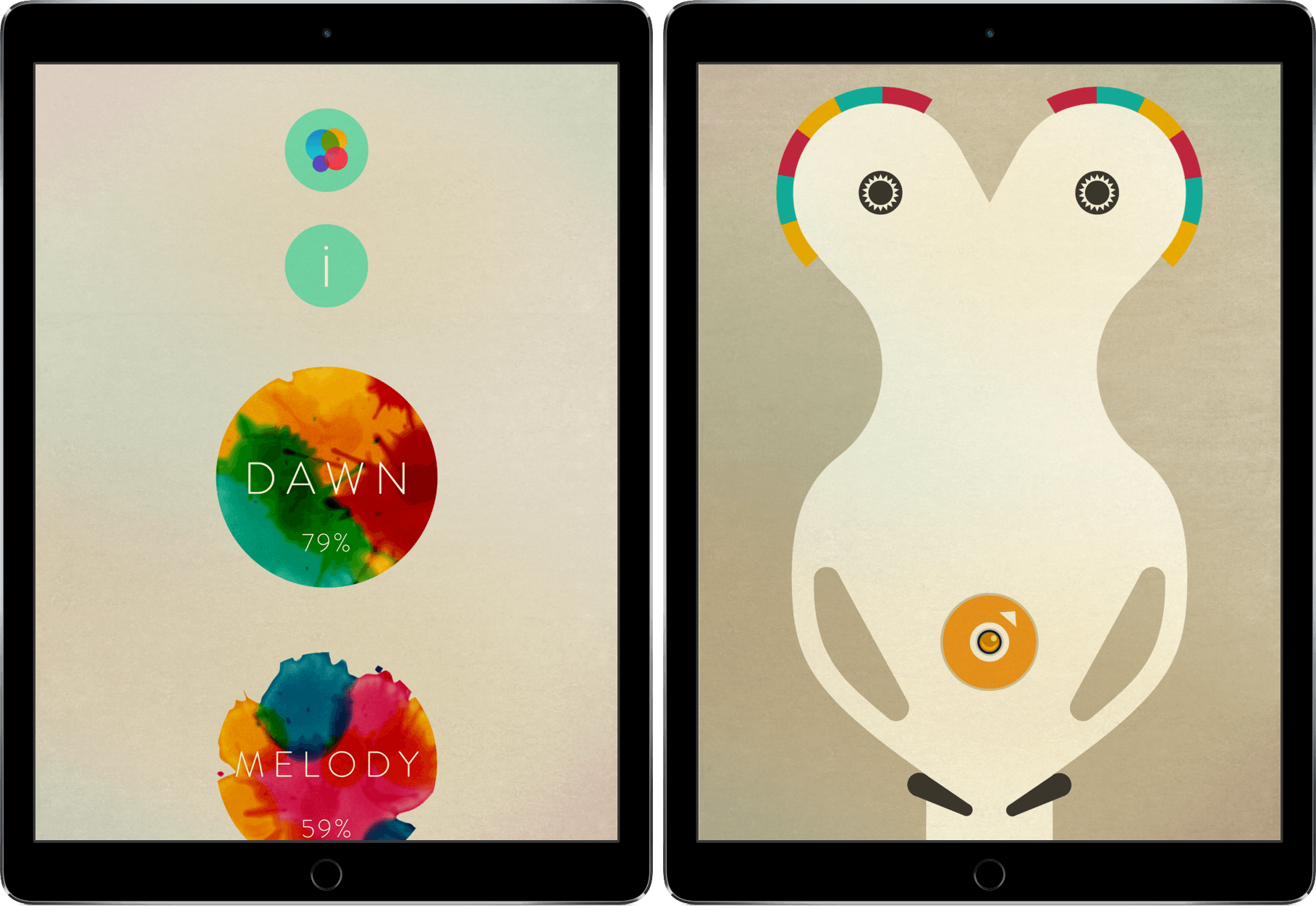
For a game to improve on its predecessors, it has to do something that none have done before it. This can be a tricky task, however – adding or eliminating one thing can be cause for uproar.
INKS is a game of pinball, but in a way that completely breaks the mold. Its improvement on the classic pinball game genre is evident and revolutionary enough to demand attention.
Tweetbot 4.3 Introduces ‘Topics’ for Easier Tweetstorm Creation
Picture this: it’s WWDC keynote day and you’re following the event. You want to live tweet as the event unfolds. What do you do?
The answer is that, so far, Twitter the company has mostly failed to provide users with ways to rapidly tweet commentary and have tweets intelligently grouped together once an event is over. Sure, you could append the same hashtag to every tweet, “tagging it” for context, but that wouldn’t fix the underlying problem of a bunch of messages related to the same event and yet treated as atomic units with no relationship between them.
Thus Twitter the community came up with the idea of the tweetstorm, a clever workaround based on how Twitter threads work. If you want to post multiple tweets in a row and establish a thread between them from start to finish, reply to your own tweet, removing your username at the beginning of the message, and you’ll “fake” a series of topical tweets which Twitter sees as part of a conversation…with yourself. It’s not the most elegant solution, and it doesn’t work well for rapid fire live tweeting, but it sort of works and a lot of people use it by now.
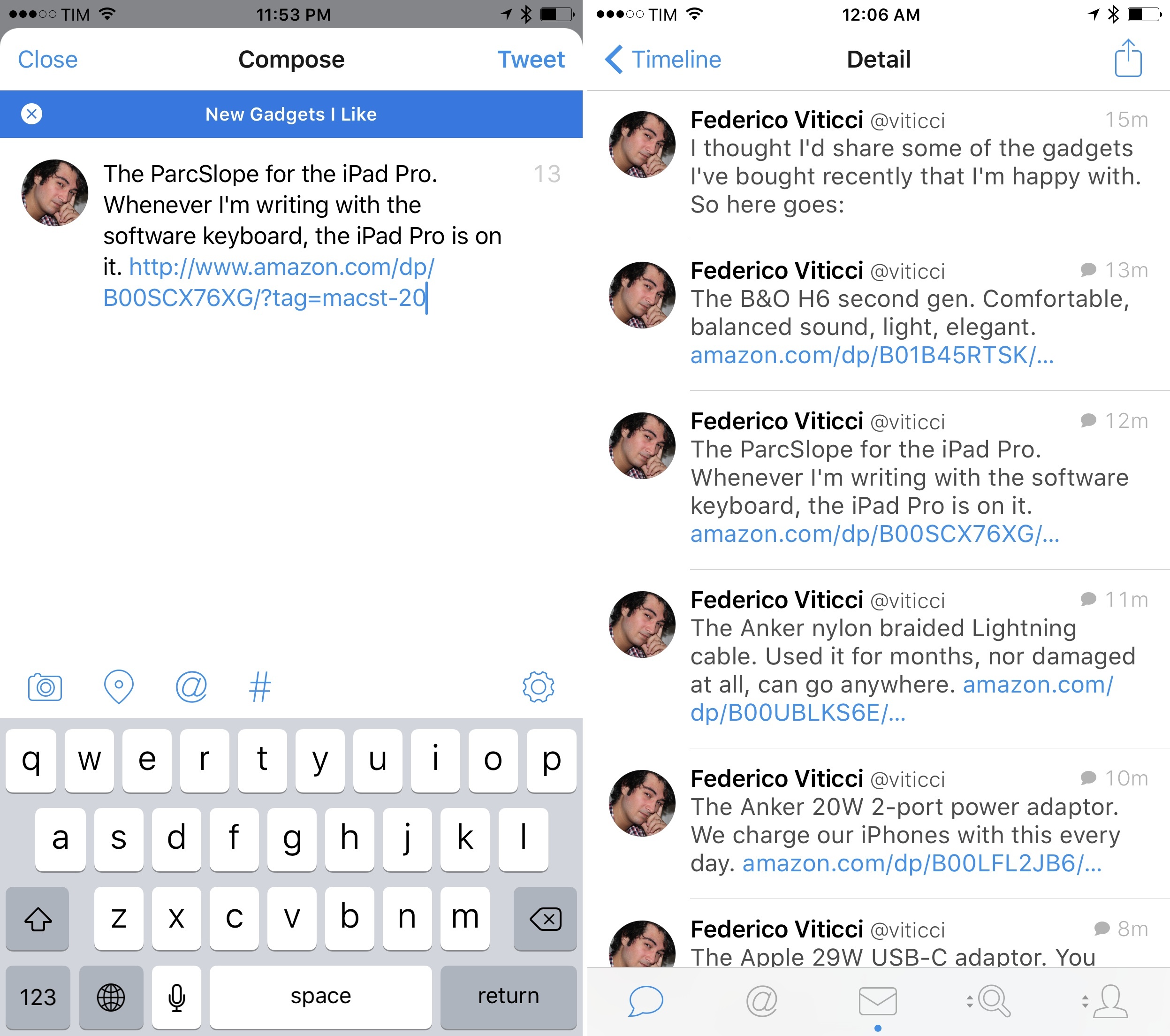
Tweetbot, the excellent Twitter client developed by Tapbots which relaunched with version 4.0 in October, is introducing an update today that fully embraces the concept of tweetstorms with a feature called “topics”.
Topics simplify the process of chaining tweets together with an intuitive interface that makes it look like Twitter rolled out support for topics. Under the hood, Tapbots is still leveraging the aforementioned @reply workaround, but they’ve been clever enough to completely abstract that from the UI, building what is, quite possibly, one of the most ingenious Tweetbot features to date.
Annotable Is the Most Versatile Image Annotation Tool for iOS Yet
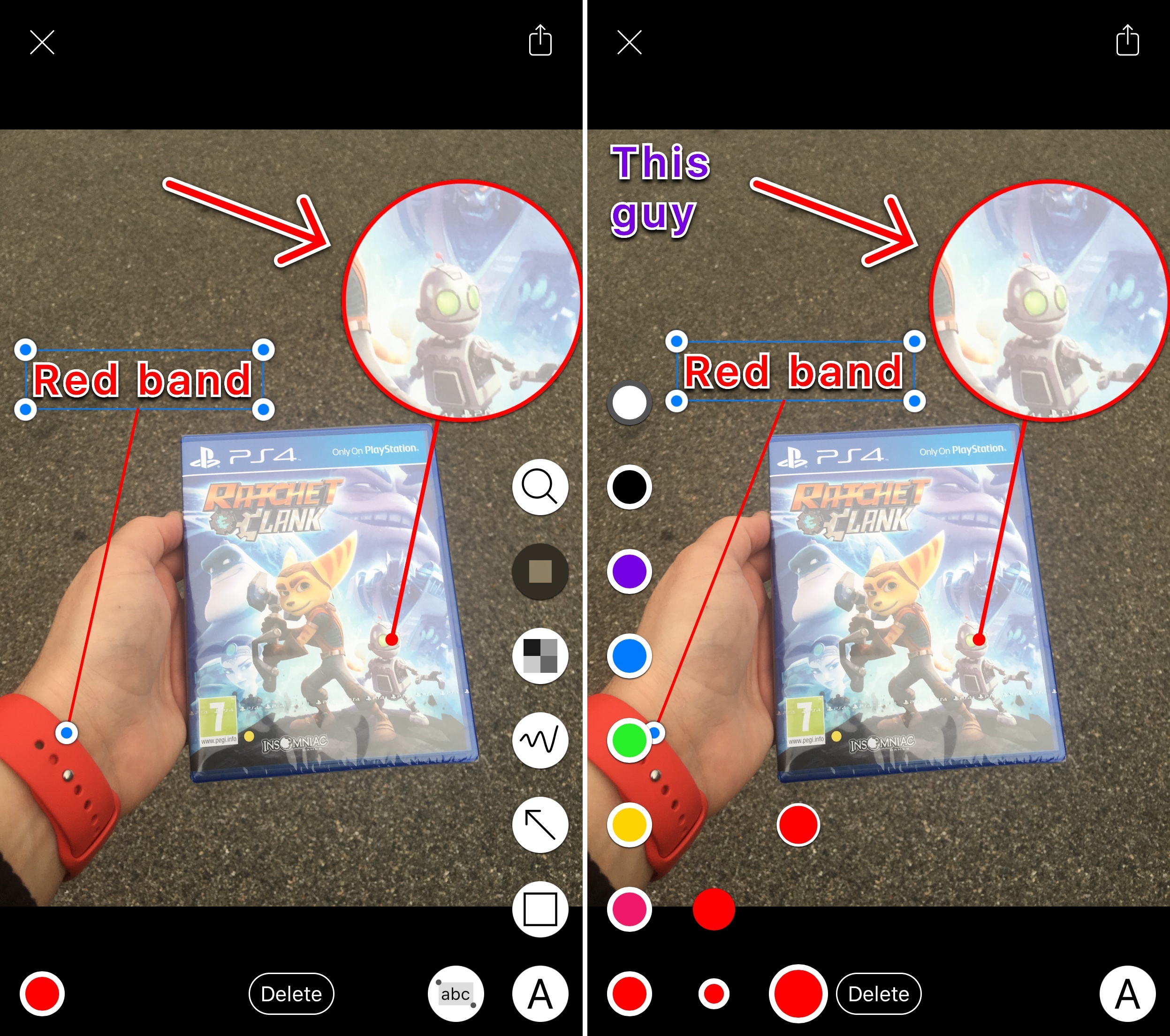
Over the years of writing at MacStories, I’ve covered a fair share of image annotation apps. As reviewing apps is part of what I do for a living, I end up taking a lot of screenshots of software on a daily basis, and, often, those screenshots need to be annotated.
I’ve tried them all – Skitch (let’s pour one out), Pinpoint (née Bugshot), PointOut, image annotations in Workflow, and others. A problem persisted: I couldn’t find an image annotation tool that would pack the simplicity of Pinpoint and Skitch and the variety of tools I’d expect from a Mac app. Every app ended up missing one or two functionalities I needed, which resulted – and if you work on iOS, you’ve likely been in this situation, too – in having to keep a folder of multiple annotation apps, each serving a different purpose.
This changes today with Annotable, a new app for the iPhone and iPad created by developer Ling Wang. Annotable builds on the foundation of Skitch – with a layout heavily reminiscent of Evernote’s product – and adds annotation features seen in Pinpoint, PointOut, and various Mac apps to provide a powerful annotation environment with support for screenshots and photos.