Posts in reviews

Shutter Remote Review: Photography with Alexa

It was the day of my sister’s high school graduation and my mom, being the opportunist she is, wanted to make sure we got a family photo before taking off for the ceremony. One problem was quickly apparent, though – there was no one around to take the photo of my entire family. In a public location, a couple minutes of a stranger’s time eliminates the problem; at my house, however, it was impossible to get someone to hold the phone, pose my family, and snap the shot.

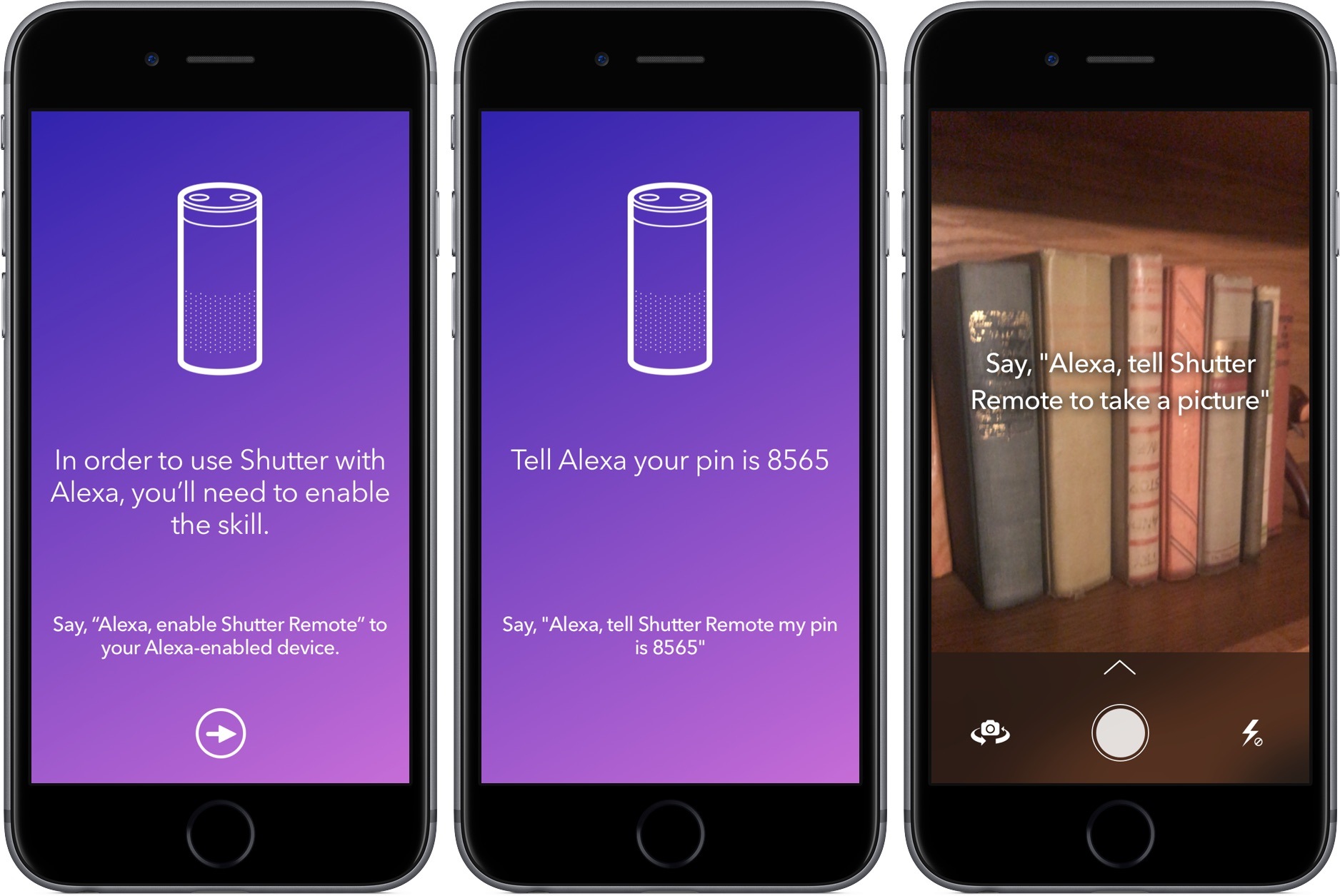
Shutter Remote provides one of the most unique solutions to this issue: asking Alexa to take a photo using your iPhone’s camera.

To start, download the app on the App Store, launch it, and follow the on-screen instructions. Throughout the process, you’ll tell your Echo to add the Shutter Remote skill, provide it a PIN, and get the two devices synced up. Once these steps are complete, Shutter Remote on the iPhone will let you know the exact phrase to shout at Alexa and you’re on your way to taking photos by voice.

When I put it to the test, Shutter Remote did exactly what it advertised – and quickly. Almost immediately after I told Alexa to take a photo using Shutter Remote, it snapped the picture and dropped it into Photos. It felt like magic, especially considering the setup was painless.

Shutter Remote’s uses are limited, but the times you’ll invoke it will make picking it up for $0.99 worth it. If you having a family gathering coming up or want to take a daily selfie, give Shutter Remote a try.

Access Extra Content and Perks

Founded in 2015, Club MacStories has delivered exclusive content every week for nearly a decade.

What started with weekly and monthly email newsletters has blossomed into a family of memberships designed for every MacStories fan.

Learn more here and from our Club FAQs.

Club MacStories: Weekly and monthly newsletters via email and the web that are brimming with apps, tips, automation workflows, longform writing, early access to the MacStories Unwind podcast, periodic giveaways, and more;

Club MacStories+: Everything that Club MacStories offers, plus an active Discord community, advanced search and custom RSS features for exploring the Club’s entire back catalog, bonus columns, and dozens of app discounts;

Club Premier: All of the above and AppStories+, an extended version of our flagship podcast that’s delivered early, ad-free, and in high-bitrate audio.

Learn more here and from our Club FAQs.


Game Day: Framed 2

In 2014, Melbourne-based Loveshack released Framed, a comic book-style puzzle game that requires manipulation of panels to guide the main character through a noir spy story. The game struck a chord for its novel combination of puzzles, narrative, and hip, silhouetted spy style. This week, Loveshack released Framed 2, an excellent prequel to Framed that delivers more of what made the original version a hit, but as part of a deeper and more refined experience.

Read more

Access Extra Content and Perks

Founded in 2015, Club MacStories has delivered exclusive content every week for nearly a decade.

What started with weekly and monthly email newsletters has blossomed into a family of memberships designed for every MacStories fan.

Learn more here and from our Club FAQs.

Club MacStories: Weekly and monthly newsletters via email and the web that are brimming with apps, tips, automation workflows, longform writing, early access to the MacStories Unwind podcast, periodic giveaways, and more;

Club MacStories+: Everything that Club MacStories offers, plus an active Discord community, advanced search and custom RSS features for exploring the Club’s entire back catalog, bonus columns, and dozens of app discounts;

Club Premier: All of the above and AppStories+, an extended version of our flagship podcast that’s delivered early, ad-free, and in high-bitrate audio.

Learn more here and from our Club FAQs.


Koogeek HomeKit-Enabled Smart Plug and Light Socket Review

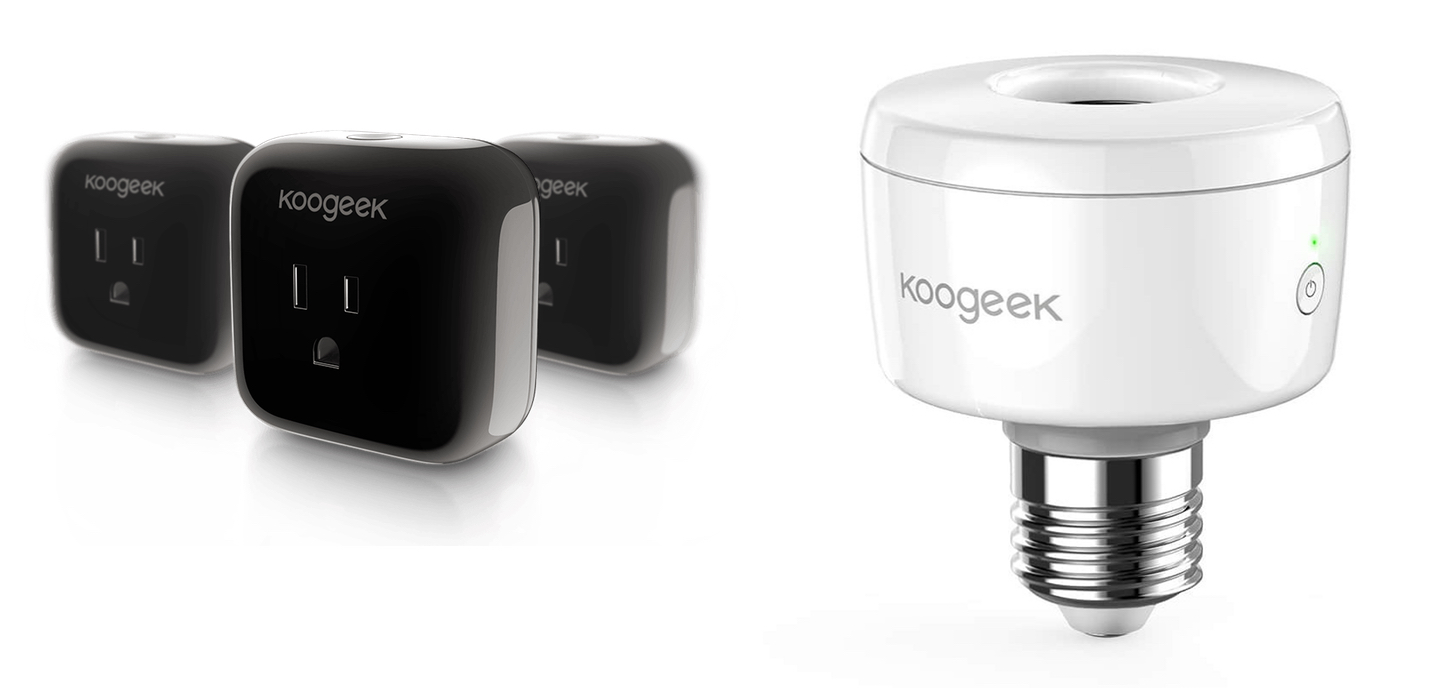
Koogeek may not be a name brand that jumps to mind when you think about home automation, but the company has built a substantial lineup of HomeKit-enabled devices. I’ve had a Koogeek smart plug for about a year and recently received a Koogeek lightbulb socket for review. I’m fairly new to home automation and have found both products to be a good way to dip your toe into home automation despite some limitations.

Read more

Access Extra Content and Perks

Founded in 2015, Club MacStories has delivered exclusive content every week for nearly a decade.

What started with weekly and monthly email newsletters has blossomed into a family of memberships designed for every MacStories fan.

Learn more here and from our Club FAQs.

Club MacStories: Weekly and monthly newsletters via email and the web that are brimming with apps, tips, automation workflows, longform writing, early access to the MacStories Unwind podcast, periodic giveaways, and more;

Club MacStories+: Everything that Club MacStories offers, plus an active Discord community, advanced search and custom RSS features for exploring the Club’s entire back catalog, bonus columns, and dozens of app discounts;

Club Premier: All of the above and AppStories+, an extended version of our flagship podcast that’s delivered early, ad-free, and in high-bitrate audio.

Learn more here and from our Club FAQs.


NotePlan Calendar + Markdown + Notes Comes to iOS

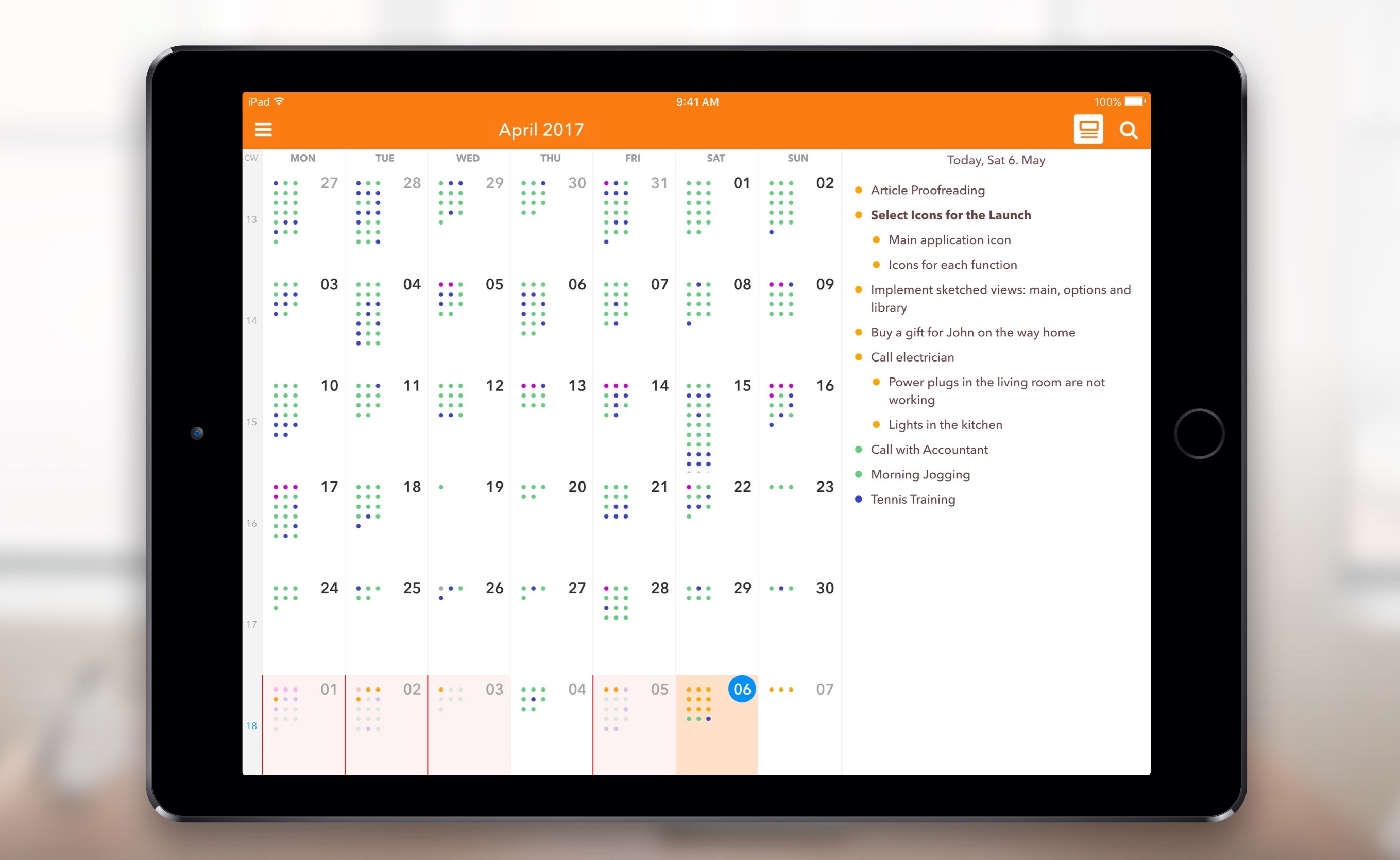
When I first heard about NotePlan, I was intrigued. It was a Mac app that used a text format (Markdown) as a calendar-based system, a note for each day, allowing you to easily create tasks and take notes, then see it all in an organized calendar. NotePlan for iOS was released today, and it’s enough to sell me on the idea.

I have a lot of side projects (I suppose my whole life is side projects these days), and organizing todo lists is vital. I love using the TaskPaper format, with TaskPaper on Mac and Taskmator on iOS, to track action items for individual projects. I also have a calendar, and a bucket of notes. Combining all of this in one place is appealing to me, and being able to use it on both Mac and iOS makes it truly useful.

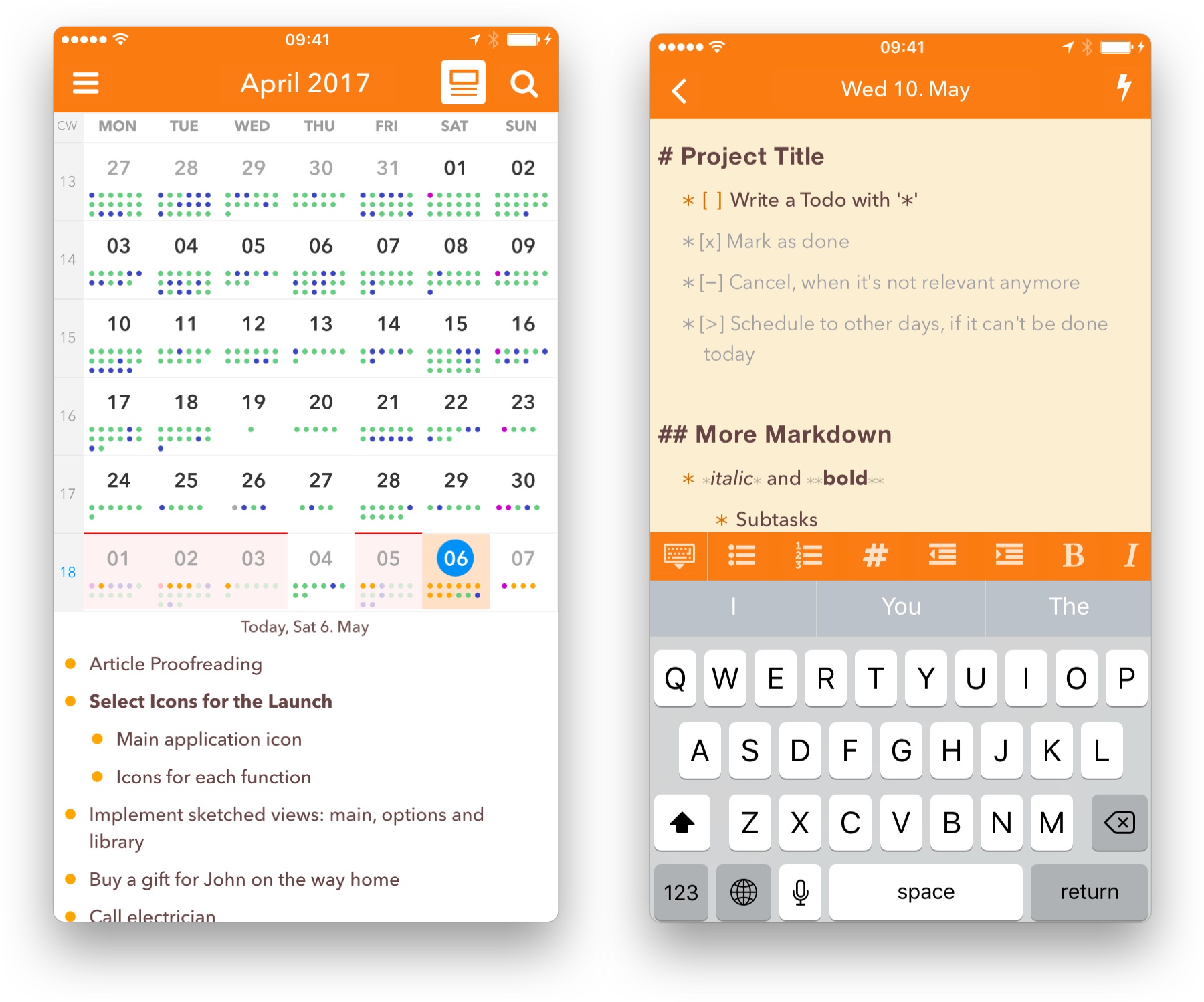
In NotePlan, tasks are created as Markdown lists. You can have it recognize any list item as a task, or tell it that only lines with a checkbox (- [ ] Thing to do) are action items. There’s an extra keyboard row available when editing that makes it easy to create items, complete or cancel them, or even schedule them for a future date.

Tasks can sync to Reminders lists as well, so it can incorporate into other workflows (and even shared lists). In the calendar view you can tap a day to see the note and associated task lists for that date.

Each day on the calendar gets a note, and you can add freeform notes in the All Notes area. A note can be bits of information, its own action list, or both. You can use #tags anywhere in the notes to organize, and wiki style links ([[title]] or [[YYYY-MM-DD]]) to reference other notes. Tasks added to freeform notes can be scheduled to the calendar with a tap, so you can use notes as a central project repository and schedule out the day’s (or week’s) tasks as you’re ready to tackle them.

NotePlan on iPhone

NotePlan on iPhone

On the new iOS version, you can drag and drop tasks around by pressing a text block until it turns blue and sliding it into place. You can also press and hold until it turns blue, then release and press another one to expand the selection between them, at which point NotePlan will offer you a toolbar to allow batch completion, rescheduling, etc.

I’d label NotePlan as a day planner, not a task manager like OmniFocus or Things. It’s ideal for planning out your day, Bullet Journal style. You won’t find extensive project management features or perspective overviews, but the combination of scheduling, tagging, and (plain text, portable) notes in one place makes it a true productivity tool.

If words like productivity, GTD, Markdown, TaskPaper and Bullet Journal cause a stirring within you, you’re probably the right audience for this one. Check out NotePlan for iOS, and then try out the Mac version for fully-synced productivity. Today and tomorrow, NotePlan for iOS is $11.99. After that, the price will be $14.99. NotePlan for Mac is $16.99.

Access Extra Content and Perks

Founded in 2015, Club MacStories has delivered exclusive content every week for nearly a decade.

What started with weekly and monthly email newsletters has blossomed into a family of memberships designed for every MacStories fan.

Learn more here and from our Club FAQs.

Club MacStories: Weekly and monthly newsletters via email and the web that are brimming with apps, tips, automation workflows, longform writing, early access to the MacStories Unwind podcast, periodic giveaways, and more;

Club MacStories+: Everything that Club MacStories offers, plus an active Discord community, advanced search and custom RSS features for exploring the Club’s entire back catalog, bonus columns, and dozens of app discounts;

Club Premier: All of the above and AppStories+, an extended version of our flagship podcast that’s delivered early, ad-free, and in high-bitrate audio.

Learn more here and from our Club FAQs.


Game Day: No Stick Shooter

I’ve been on a little bit of a retro arcade shooter binge lately. I’m not sure how this started, but sometimes you just want to shoot lasers at something. No Stick Shooter delivers with an intense, frenetic game that’s like Missile Command turned up to 11.

Read more

Access Extra Content and Perks

Founded in 2015, Club MacStories has delivered exclusive content every week for nearly a decade.

What started with weekly and monthly email newsletters has blossomed into a family of memberships designed for every MacStories fan.

Learn more here and from our Club FAQs.

Club MacStories: Weekly and monthly newsletters via email and the web that are brimming with apps, tips, automation workflows, longform writing, early access to the MacStories Unwind podcast, periodic giveaways, and more;

Club MacStories+: Everything that Club MacStories offers, plus an active Discord community, advanced search and custom RSS features for exploring the Club’s entire back catalog, bonus columns, and dozens of app discounts;

Club Premier: All of the above and AppStories+, an extended version of our flagship podcast that’s delivered early, ad-free, and in high-bitrate audio.

Learn more here and from our Club FAQs.


PiPifier for iPad Expands Picture in Picture Support to More Safari Videos

An excellent new utility called PiPifier was just launched by developer Arno Appenzeller. PiPifier may sound familiar, as it was originally released as a macOS app on the Mac App Store. But now the app had made its way to the iPad.

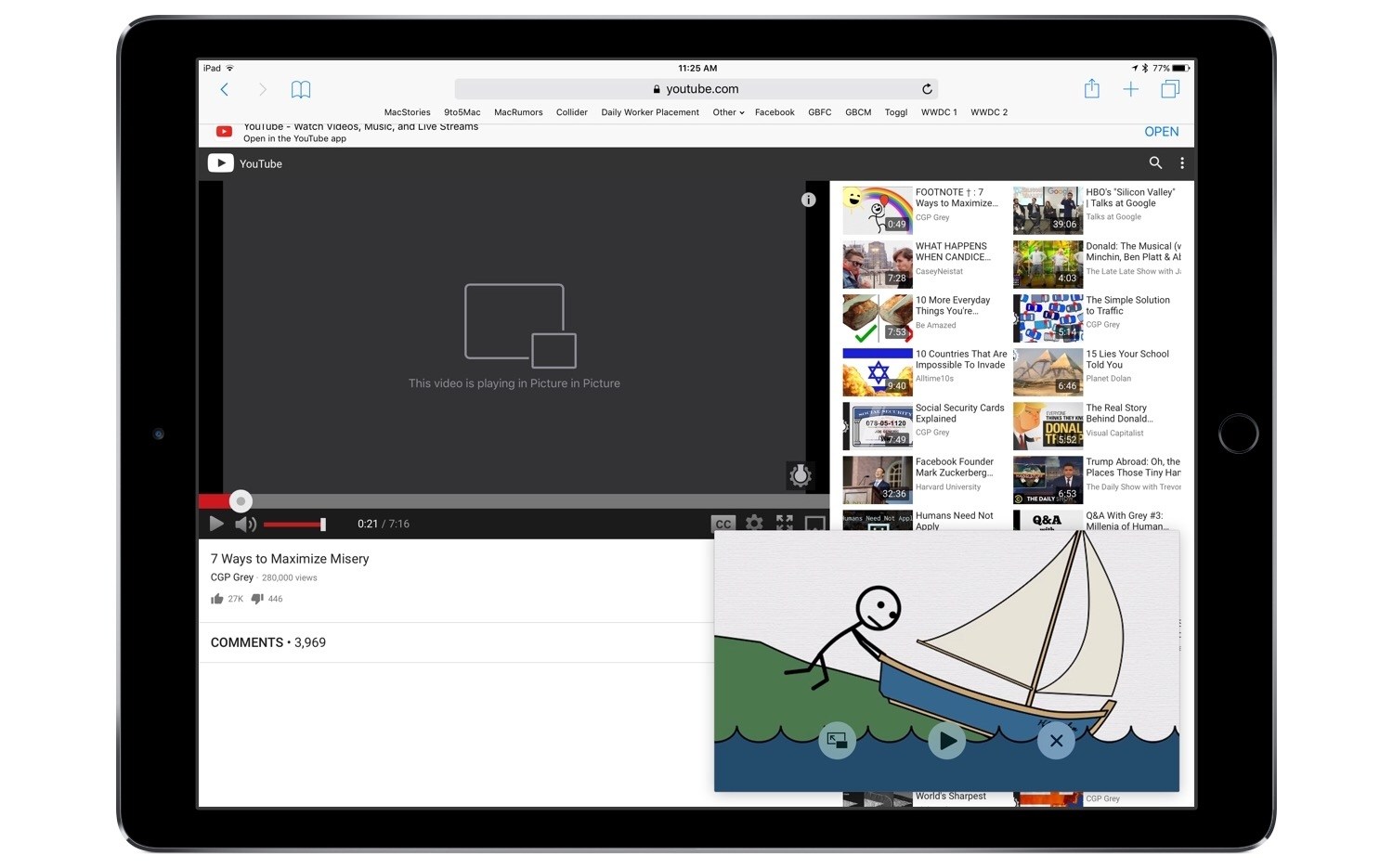
PiPifier is a tool that enables viewing any HTML5 video using the iPad’s Picture in Picture feature. It works as an action extension from the share sheet that you run within Safari. Simply load a site containing a video, then run the PiPifier action extension, and the video will instantly enter Picture in Picture mode. This is tremendously useful on sites like YouTube that do not support Picture in Picture by default, and in my testing has worked perfectly.

PiPifier is a free download on the App Store.

Access Extra Content and Perks

Founded in 2015, Club MacStories has delivered exclusive content every week for nearly a decade.

What started with weekly and monthly email newsletters has blossomed into a family of memberships designed for every MacStories fan.

Learn more here and from our Club FAQs.

Club MacStories: Weekly and monthly newsletters via email and the web that are brimming with apps, tips, automation workflows, longform writing, early access to the MacStories Unwind podcast, periodic giveaways, and more;

Club MacStories+: Everything that Club MacStories offers, plus an active Discord community, advanced search and custom RSS features for exploring the Club’s entire back catalog, bonus columns, and dozens of app discounts;

Club Premier: All of the above and AppStories+, an extended version of our flagship podcast that’s delivered early, ad-free, and in high-bitrate audio.

Learn more here and from our Club FAQs.


Funnel Brings News Updates to Your Ears

I don’t need to tell you how crazy the news cycle is. Between world and tech news, I’m often drowning in a sea of headlines and big stories, confused about what’s really important. The result is a time consuming attempt at finding the best information that ends up being more of a hassle than its worth.

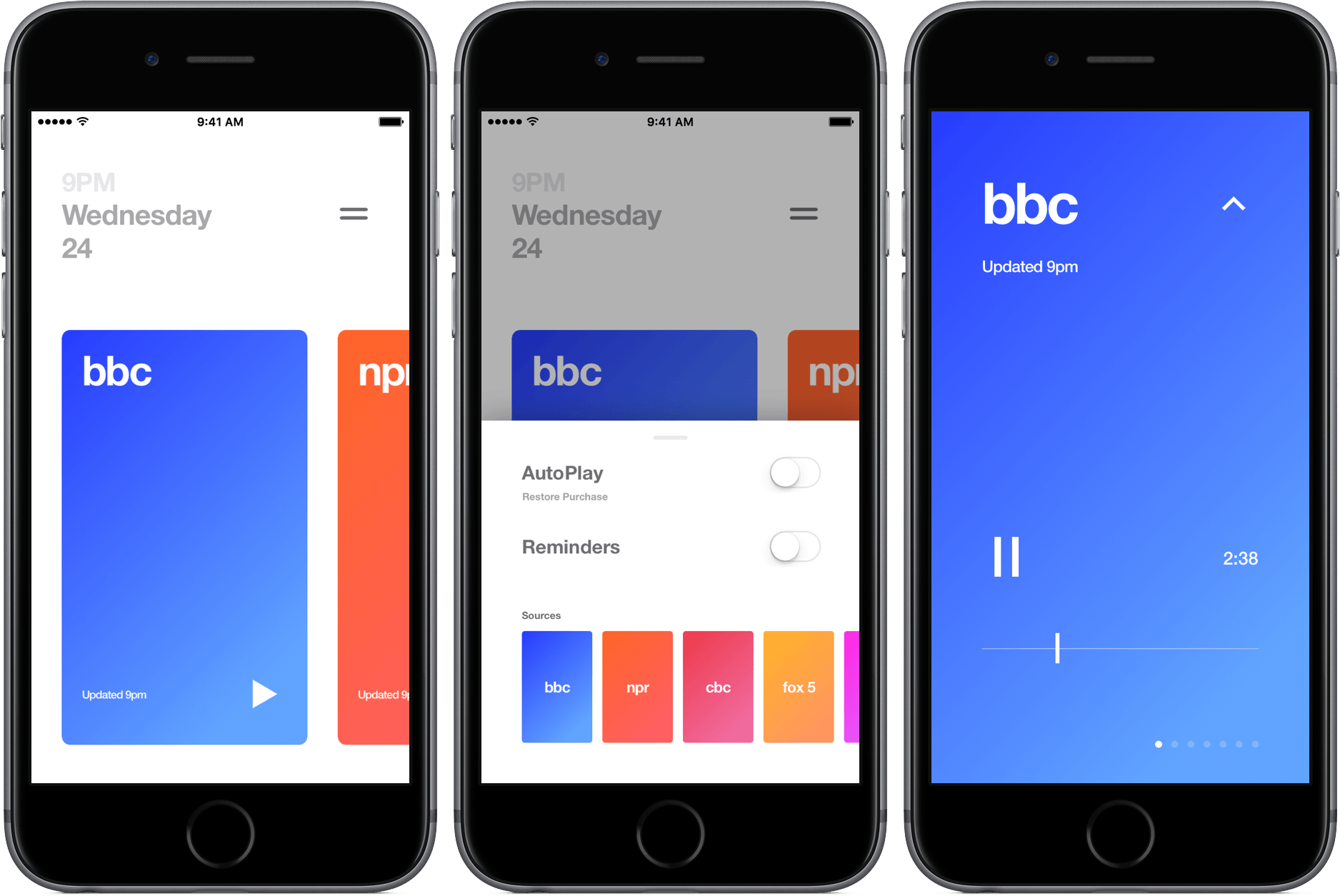
Funnel aims to cut through the chaos and bring you the most recent news through audio segments that are only a couple of minutes long. The app includes seven news outlets that refresh at the top of the hour so they’re always up-to-date.

Read more

Access Extra Content and Perks

Founded in 2015, Club MacStories has delivered exclusive content every week for nearly a decade.

What started with weekly and monthly email newsletters has blossomed into a family of memberships designed for every MacStories fan.

Learn more here and from our Club FAQs.

Club MacStories: Weekly and monthly newsletters via email and the web that are brimming with apps, tips, automation workflows, longform writing, early access to the MacStories Unwind podcast, periodic giveaways, and more;

Club MacStories+: Everything that Club MacStories offers, plus an active Discord community, advanced search and custom RSS features for exploring the Club’s entire back catalog, bonus columns, and dozens of app discounts;

Club Premier: All of the above and AppStories+, an extended version of our flagship podcast that’s delivered early, ad-free, and in high-bitrate audio.

Learn more here and from our Club FAQs.


Game Day: Steredenn

I live near a huge arcade called the Galloping Ghost that’s packed with classic arcade games. I visit once or twice a year and am always struck by how hard some of the early space shooters, like Defender, are. I got the same feeling the moment I launched Steredenn, a fast-paced, insanely difficult space shooter from French indie game studio Pixelnest that is equal parts addictive and fun.

Read more

Access Extra Content and Perks

Founded in 2015, Club MacStories has delivered exclusive content every week for nearly a decade.

What started with weekly and monthly email newsletters has blossomed into a family of memberships designed for every MacStories fan.

Learn more here and from our Club FAQs.

Club MacStories: Weekly and monthly newsletters via email and the web that are brimming with apps, tips, automation workflows, longform writing, early access to the MacStories Unwind podcast, periodic giveaways, and more;

Club MacStories+: Everything that Club MacStories offers, plus an active Discord community, advanced search and custom RSS features for exploring the Club’s entire back catalog, bonus columns, and dozens of app discounts;

Club Premier: All of the above and AppStories+, an extended version of our flagship podcast that’s delivered early, ad-free, and in high-bitrate audio.

Learn more here and from our Club FAQs.


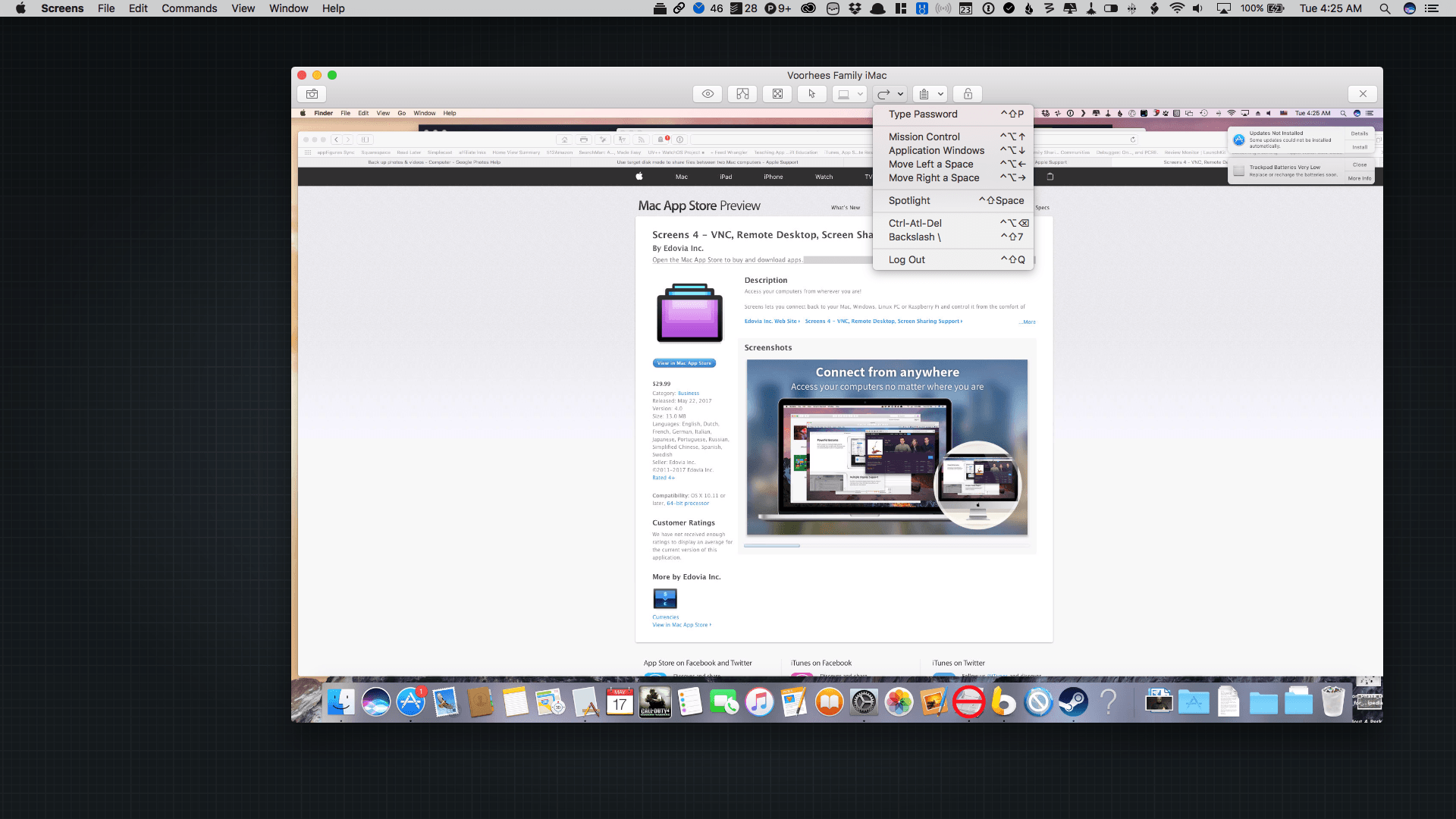
Screens 4.0 for macOS Adds Curtain Mode, Drag-And-Drop File Transfers, Touch Bar Support, and More

Screens 4.0, which was released today, is a complete rewrite of the screen sharing app from the ground up that adds features previously available only in the iOS version as well as some exclusive macOS-only features. What’s made Screens my favorite way to connect to a remote Mac is that it has managed to abstract away the complexity that accompanies many VNC apps. That hasn’t changed with Screens 4.0, which is even easier to use and more versatile than before.

Read more

Access Extra Content and Perks

Founded in 2015, Club MacStories has delivered exclusive content every week for nearly a decade.

What started with weekly and monthly email newsletters has blossomed into a family of memberships designed for every MacStories fan.

Learn more here and from our Club FAQs.

Club MacStories: Weekly and monthly newsletters via email and the web that are brimming with apps, tips, automation workflows, longform writing, early access to the MacStories Unwind podcast, periodic giveaways, and more;

Club MacStories+: Everything that Club MacStories offers, plus an active Discord community, advanced search and custom RSS features for exploring the Club’s entire back catalog, bonus columns, and dozens of app discounts;

Club Premier: All of the above and AppStories+, an extended version of our flagship podcast that’s delivered early, ad-free, and in high-bitrate audio.

Learn more here and from our Club FAQs.