This Week's Sponsor:

SoundSource

New Year, New Audio Setup: SoundSource 6 from Rogue Amoeba


Posts in reviews

Game Day: Swim Out

As the summer draws to a close, take one last dip into the pool with Swim Out, a stylish and challenging puzzle game from Lozange Lab that’s available on the iPhone, iPad, and Apple TV.

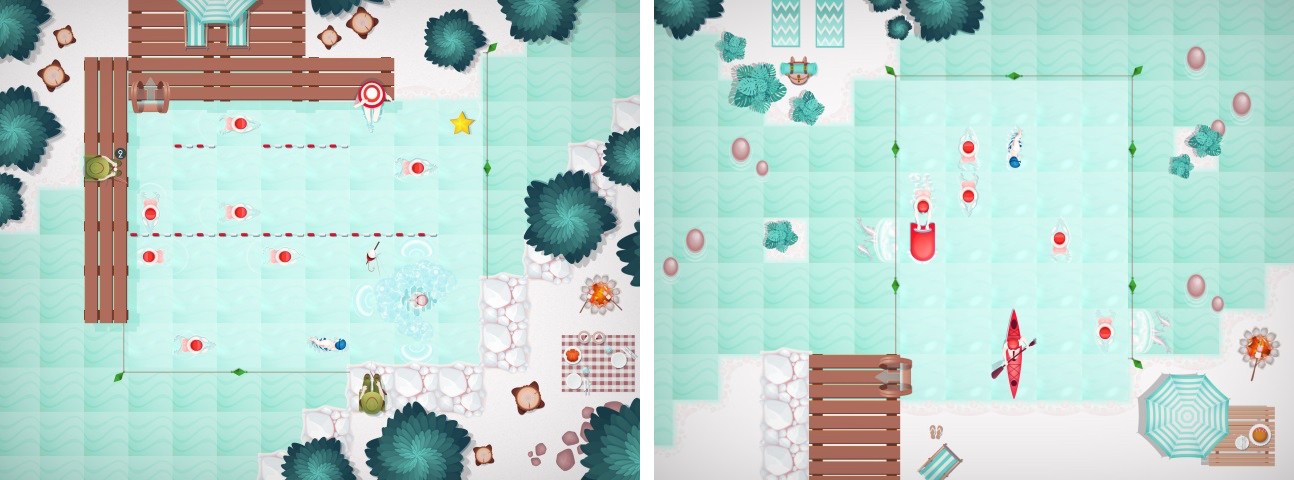
Swim Out is a turn-based puzzle game that requires you to make your way across a swimming pool to a ladder that takes you to the next puzzle. The playing area is a traditional grid viewed from a top-down perspective, dressed up like a swimming pool, which is a clever touch that gives Swim Out a unique personality. The other design choice I noticed immediately and like a lot is the sounds of people at the pool and the water. The artwork is also excellent with summery blues and reds dominating the puzzles.

The game starts off simply to ease you into the mechanics. Your goal is to maneuver your blue swimmer to the exit ladder without colliding with the red swimmers and other obstacles. As you progress, the obstacles become more complex. Multiple swimmers, people sitting at the edge of the pool, and other hazards appear and get in your way. Run into an obstacle, and you have to start the puzzle over.

As you progress through Swim Out’s 100 levels, objects that help you along the way also appear. For instance, if you grab a beach ball, you can throw it at a red swimmer and freeze them in place for a certain number of turns to allow you to pass by.

Swim Out is a perfect summertime game. It’s easy to learn, you can play for short periods of time, and it’s relaxing to play, while also being challenging. The game does a fantastic job of staying engaging throughout by throwing lots of different obstacles and tools at you, which makes Swim Out an excellent companion for your last few trips to the local pool or beach.

Swim Out is available on the App Store.


Taps Review: A Game of Numbers

Lately, I’ve been on a puzzle kick, and I recently found my next game to play too much: Taps.

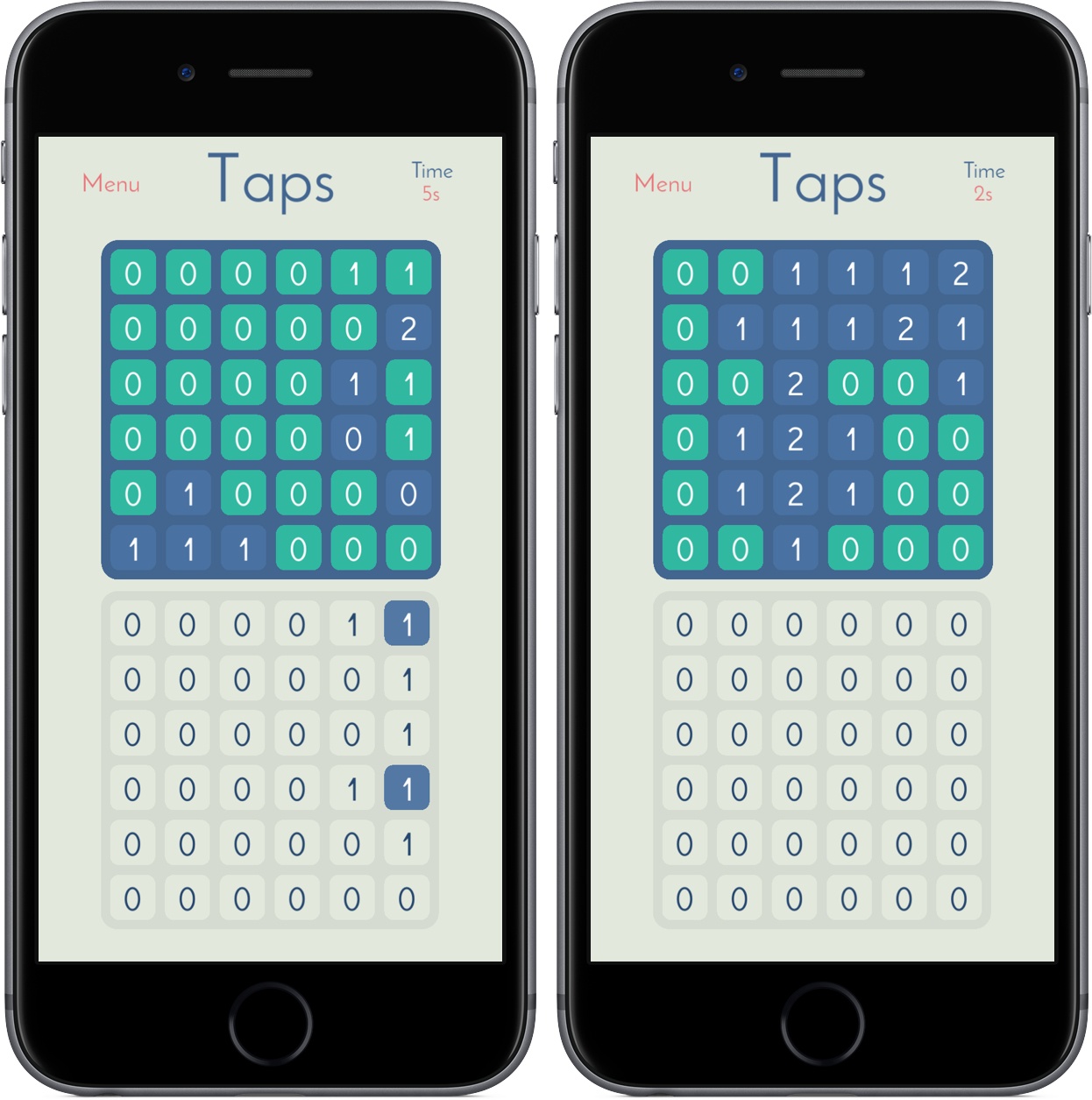
In Taps you’re tasked with transforming a grid of 0s into 1s, 2s, 3s, and so on. Of course, you’ll do so through taps, changing tiles in your 6x6 grid to match the one placed above you. Every tile you tap increases its value by one while also increasing the number of the tiles adjacent to it – if you tap a tile in the bottom right corner, it’ll change from 0 to 1, as will the ones above and to the left of it. Below is a demonstration of what this looks like in practice:

Early in the game, you’ll be matching 0s and 1s, but Taps gets tougher as you work your way through its 200 levels. I’ve found that the longer I play, the more time I’ve needed to build out a meaningful strategy before I start attacking my board; too often during the levels, I’ve had to walk back almost all my decisions to make sure I get a 2 in the right place.

Taps is reminiscent of a modern-day Minesweeper, and it’s just as addicting – watching the top board change color as you match its patterns is so satisfying, and the gameplay makes it easy to work through a couple of levels in no time. With standard, advanced, and custom levels to explore, Taps won’t feel completed for many, many hours. And with a timer tracking how long it takes you to complete levels, you can always race yourself to find a faster solution.

Taps came out just a month ago, but I’m surprised it slipped by me for this long. I’ve had a lot of fun playing it in the couple days I’ve had it on both iPad and iPhone, and I’m looking forward to investing more hours over the long weekend.

You can pick up Taps in the App Store for iPad and iPhone for $1.99.


Weather Atlas: Weather Mapping for a Modern Day

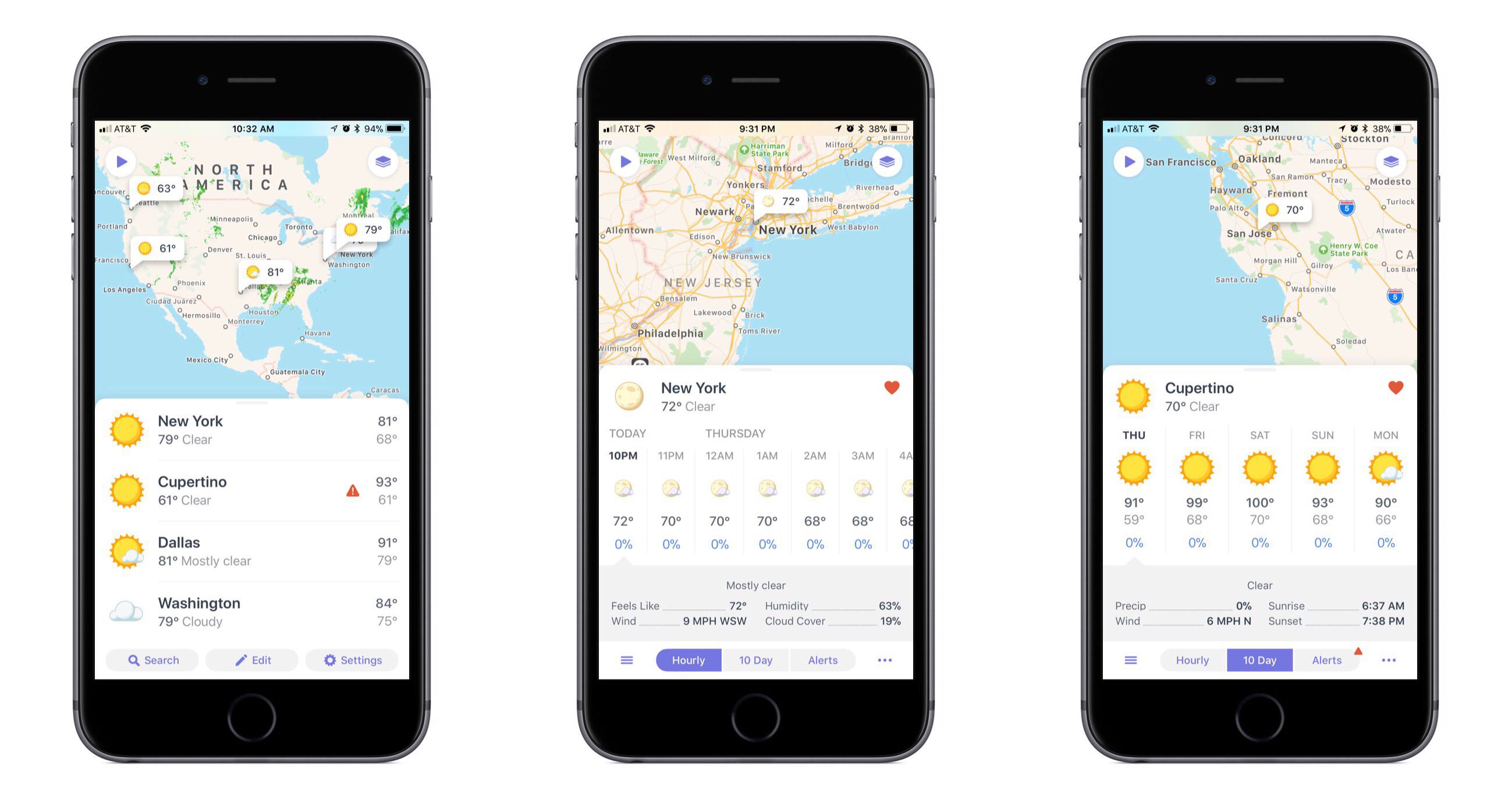
One of the app categories that’s always receiving new entries – and that I’m always pleased to try a new take on – is weather. Often weather apps share the same data sources, but their design and customization options make them stand out. The developers at Contrast are no strangers to the crowded weather app market, as creators of the now-retired Perfect Weather. But with the help of developer Greg Pierce, Contrast is introducing a fresh take on the modern weather app with Weather Atlas.

Read more


ETA Update Automatically Calculates Calendar Event Travel Times

In the past, I rarely added locations to my calendar events unless I was going someplace I’d never been, but that’s changed since I started testing the update to ETA that was released today. The reason for the switch is a powerful new feature available as an In-App Purchase in ETA, which uses locations associated with events in your calendar to tell you when to leave for an appointment and how long it will take to get there.

Read more


Pedometer++ Updated With Achievements and a Redesigned Widget

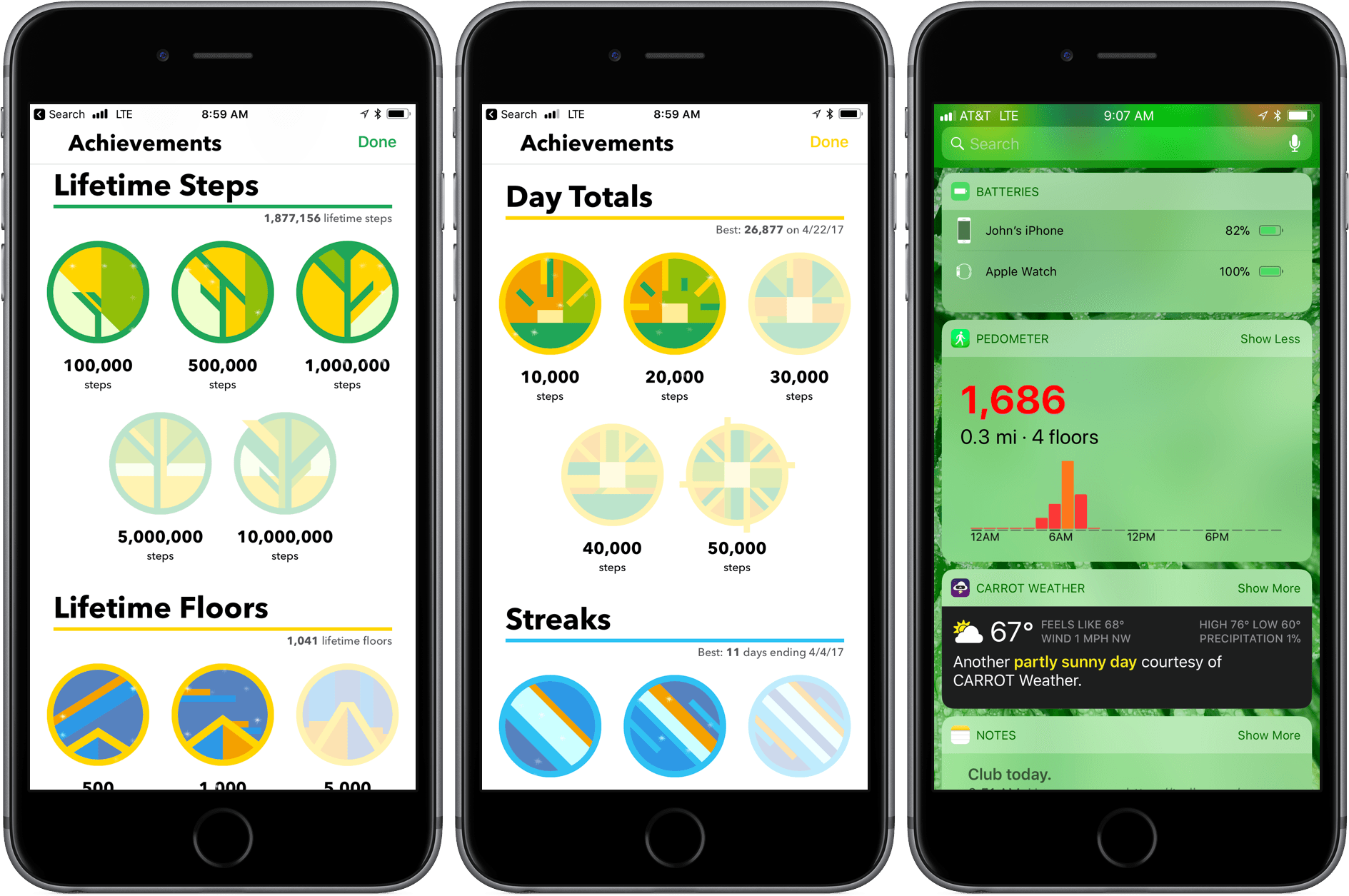
Pedometer++ 3.0 is here with new ways to motivate you to get moving and view your step counts. David Smith’s step counting app has been on the App Store since the introduction in 2013 of the iPhone’s M7 chip that collects motion data. Since then, Smith has continuously refined the app by enhancing visualizations of your step counts, adopting new technologies like the Apple Watch, and adding ways to motivate users like the delightful confetti that’s launched when you reach your step goal.

Read more


Run Jump Die Review: A Better One-Handed Platformer

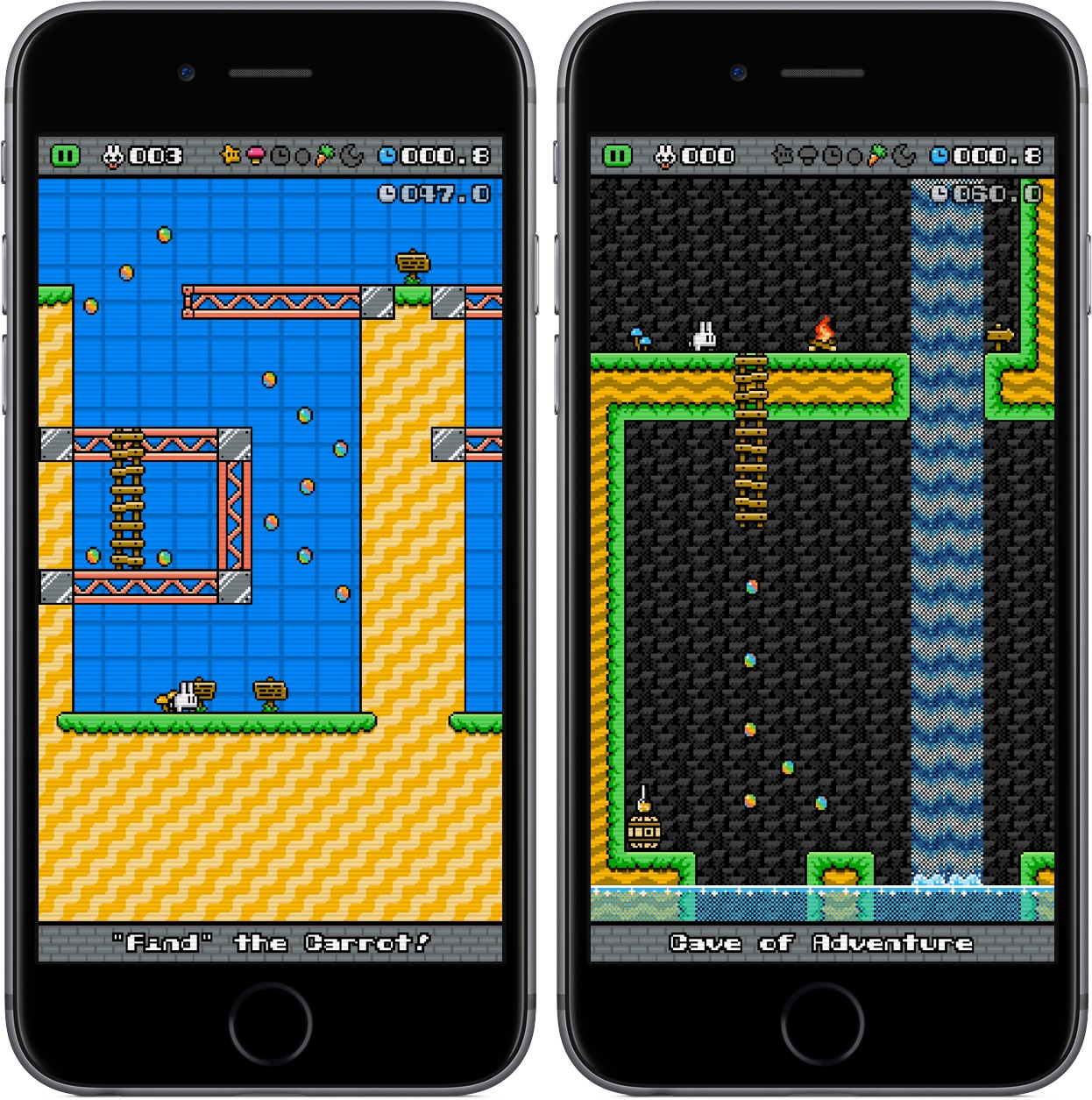
When platformers make their way to the App Store, they have a big question to answer: how will the user control the character? Some titles, like Nintendo’s Super Mario Run, offer tap-and-hold controls that assign a single task to the user; others, including the popular port Downwell, elect for software buttons simulating a console-type experience. The vast majority of platformers fall into one of these two categories, either limiting the control of the user or giving up simplicity in favor of pressing the screen in just the right place.

Run Jump Die is the best of both worlds, featuring one-touch controls that are intuitive and smart. It’s a platformer in the vein of retro classics, but with mobile and modern updates that make it feel like it belongs in 2017. The overall game, anchored by the unique control scheme, is a joy to play, showcasing just the right combination of challenge, exploration, and satisfaction.

Read more


Metapho 3.0 Adds Video Support and More

Metapho is a powerful utility for accessing, editing, and removing metadata from photos and videos. When I reviewed Metapho 2.0, I was impressed with how easy it was to access and edit image metadata. With version 3, Metapho has been extended into new areas without sacrificing the ease of use of prior versions.

Perhaps the biggest change is that Metapho now supports video. Earlier versions of the app could only handle still photos, so it’s nice to see video added to the mix. The process works the same way as with photos. Access a video using Metapho’s action extension from the Photos app or from within the Metapho app itself. Metapho displays the video’s metadata, which can be edited or stripped.

One of Metapho’s strengths is its design. Whether you start in the app itself or its extension Metapho displays the metadata for images in a clear and concise manner. Today’s update changes the layout by adding cropped versions of the photos or videos you are working on at the top of the page, so you know which image you are working on without it taking up an unnecessary amount of vertical space on your iPhone.

Metapho’s extension also got a refresh with version 3. For the first time, you can select multiple photos to edit. It’s a small change, but one that should speed up the editing process for anyone working with several images or videos.

Metapho is not a utility that I use often, but I keep it tucked away in a folder because when I need it, there’s no better way to edit photo and video metadata. It’s a great example of a thoughtfully designed app, so I’m glad to see its functionality expanded without compromising its utility.

Metapho is available on the App Store.


Game Day: Pigeon Wings

Pigeon Wings is a hyper-fast, racing game with shoot ‘em up elements and a lot of personality. You play as Pigeon, a pigeon-pilot tasked with saving Megalopolis from the evil Duke Dexter. The backstory immediately sets a light-hearted, humorous tone for the game that doesn’t get bogged down in long cut scenes explaining what’s happening. What sets Pigeon Wings apart though, is its tilt control steering system. The controls work flawlessly becoming second nature so quickly that they fade into the background making it easy to get lost in the game’s short races.

Read more