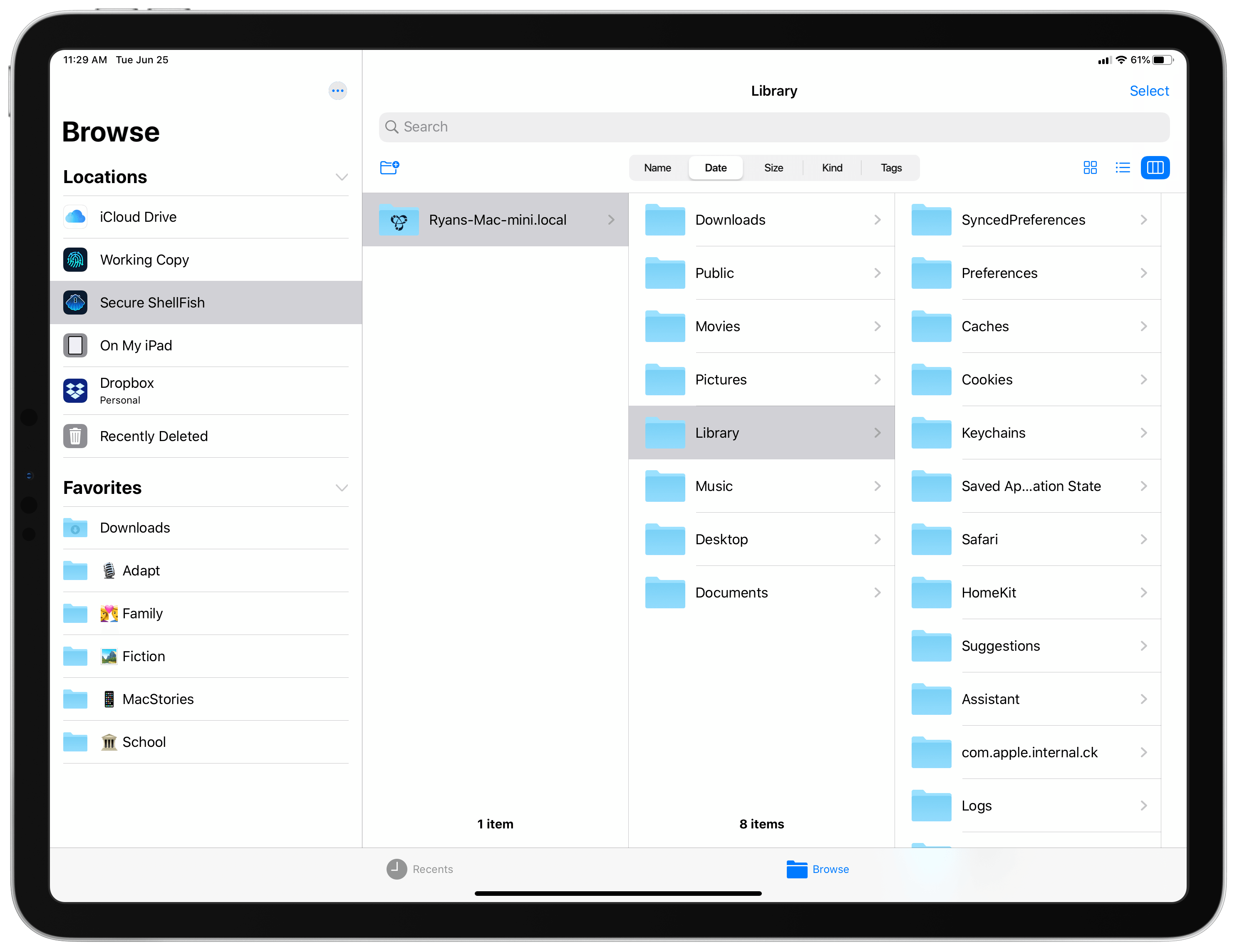
All my cards on the table: until I tried Anders Borum’s new app, Secure ShellFish, I had no idea what an SSH or SFTP server even was. I’ve never had the need for a file server, and have thus considered it one of those technical computing concepts that’s over my head and exists only for a certain type of user. My guess is that many other people feel the same way, not just because of the concept of servers itself, but also because the tools available for configuring and accessing servers can tend to be overly complex. Secure ShellFish, on both iPad and iPhone, aims to be the opposite: it makes configuring servers easy, and accessing them even easier because it’s built around integration with Apple’s Files app.
Posts in reviews
Secure ShellFish Review: Adding Your Mac, or Another SSH or SFTP Server, to Apple’s Files App
Hey Siri, Open the Garage

Last weekend, I dove into my first HomeKit project in a while, installing two Insignia Wi-Fi Garage Door Controllers. That’s quite a mouthful, so I’m just going to call it the Insignia Controller.
I sat on this project for months before getting started. I love playing with new gadgets and setting up automations using HomeKit, but the reality is that I live in a home with other people who aren’t as enthusiastic about my HomeKit projects. Not all of my projects have turned out well either, which has left me cautious.
Soulver 3 for Mac: The MacStories Review

The strength of Soulver lies in its flexibility. Full-fledged spreadsheet apps like Numbers and Excel have their place. However, day-to-day life requires calculations that don’t demand that level of horsepower and benefit from contextualizing numbers with text. It’s the kind of math that happens in notebooks and on the back of envelopes. By combining elements of a text editor, spreadsheet, and plain English syntax, Soulver commits those easily-lost notebook scribblings to a format that allows for greater experimentation and easier sharing.
During WWDC last week, Acqualia Software released a major update to the app. Soulver 3 for Mac features an updated design and substantial new functionality that I love. The app has never been easier to use, and its implementation of a sidebar to corral sheets is fantastic.
However, unlike its predecessor, version 3‘s file format is incompatible with the iOS version of the app and earlier Mac versions. Soulver also saves its data as a single ‘sheetbook’ file now, which means it can no longer save or manage sheets as individual files saved to arbitrary locations on your Mac. Both changes will be problematic for some users who may want to wait for future updates that the app’s developer has said are in the works.
Twitterrific 6 Brings Media Enhancements, New Themes and Display Customizations, and More
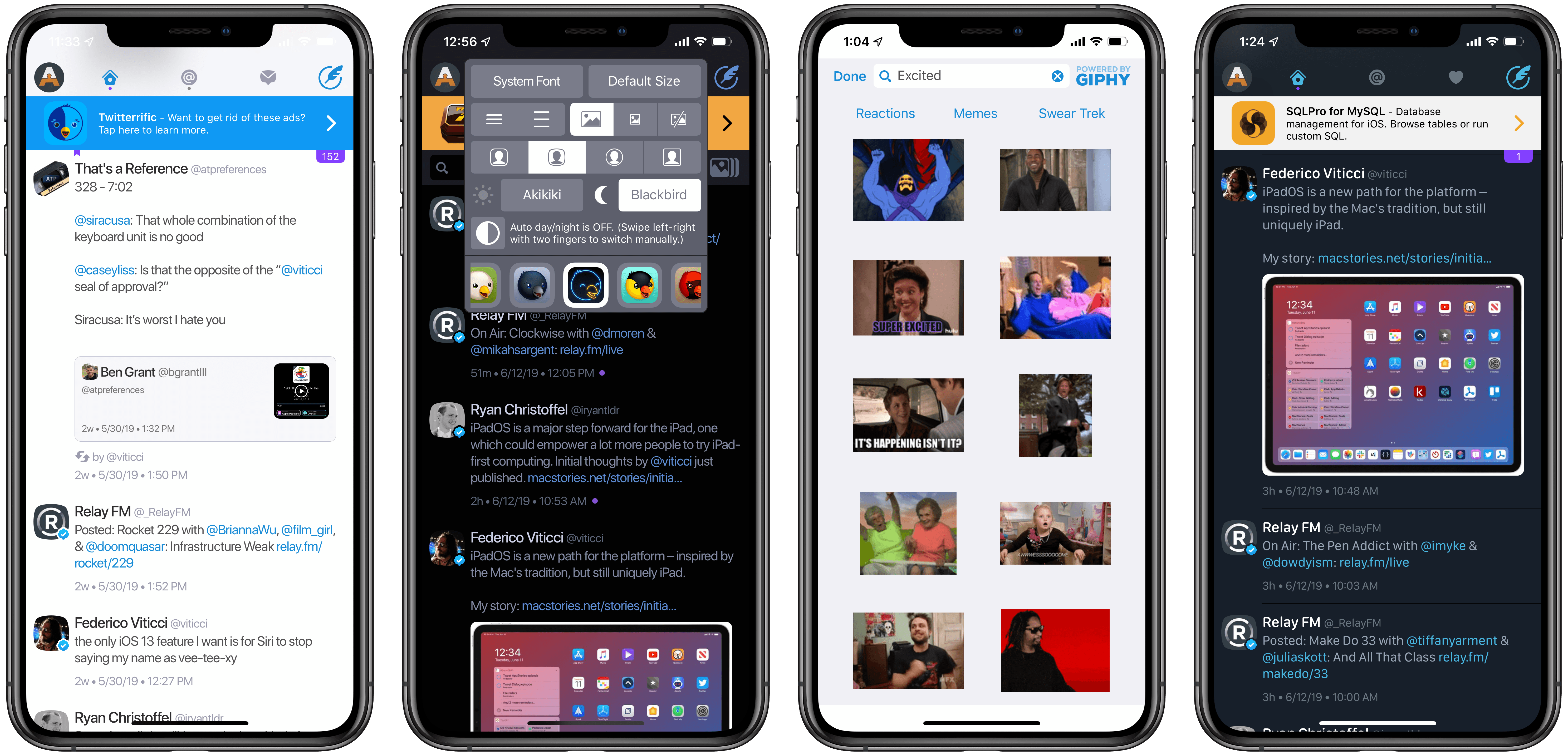
It’s been nearly seven years since Twitterrific 5 launched on the App Store, and so much about Twitter has changed since then. One major shift is the seismic increase in media shared on the platform; as our devices and data speeds have gotten faster, so too have the amount of GIFs, images, and videos we share online grown. While Twitterrific has certainly done its fair share of adapting for the times in previous updates, adding improved media controls and the like, today Twitterrific 6 introduces the most significant updates for the app’s media experience to date. There’s a new GIPHY integration, autoplaying videos and GIFs in the timeline, and a lot more. Added to that, users can now customize their Twitterrific experience in fresh ways thanks to additional themes, icons, and a new font.
OmniFocus for Web Review: Access Your Tasks Everywhere

The best task manager you can have is the one that’s always with you, no matter which device you’re using. Many people started with paper notebooks or index cards, and nowadays we have iPhones and iPads that can go with us everywhere, and even Apple Watches that can be independent devices if we need them to be.
The web is a ubiquitous platform – it’s everywhere, the framework behind much of what we interact with, and something we nearly always have access to. OmniFocus for the Web is a brand new product that makes the most of the web platform to allow you to manage your tasks on any computer – be that Windows, Linux, or a Mac.
OmniFocus for the Web is intended as a companion product; you need either the Mac or iOS version of OmniFocus 3 in order to use it. You can either pay for access to the web component separately, or if you don’t own OmniFocus on another platform you might choose to go with the complete subscription package, which includes the iOS, Mac, and web applications for the length of your subscription. Sign up is done through the iOS or Mac applications - which means payment runs through Apple’s subscription service.
Ulysses 16 Adds Powerful Split View Editing on iPad, Plus Ghost Publishing
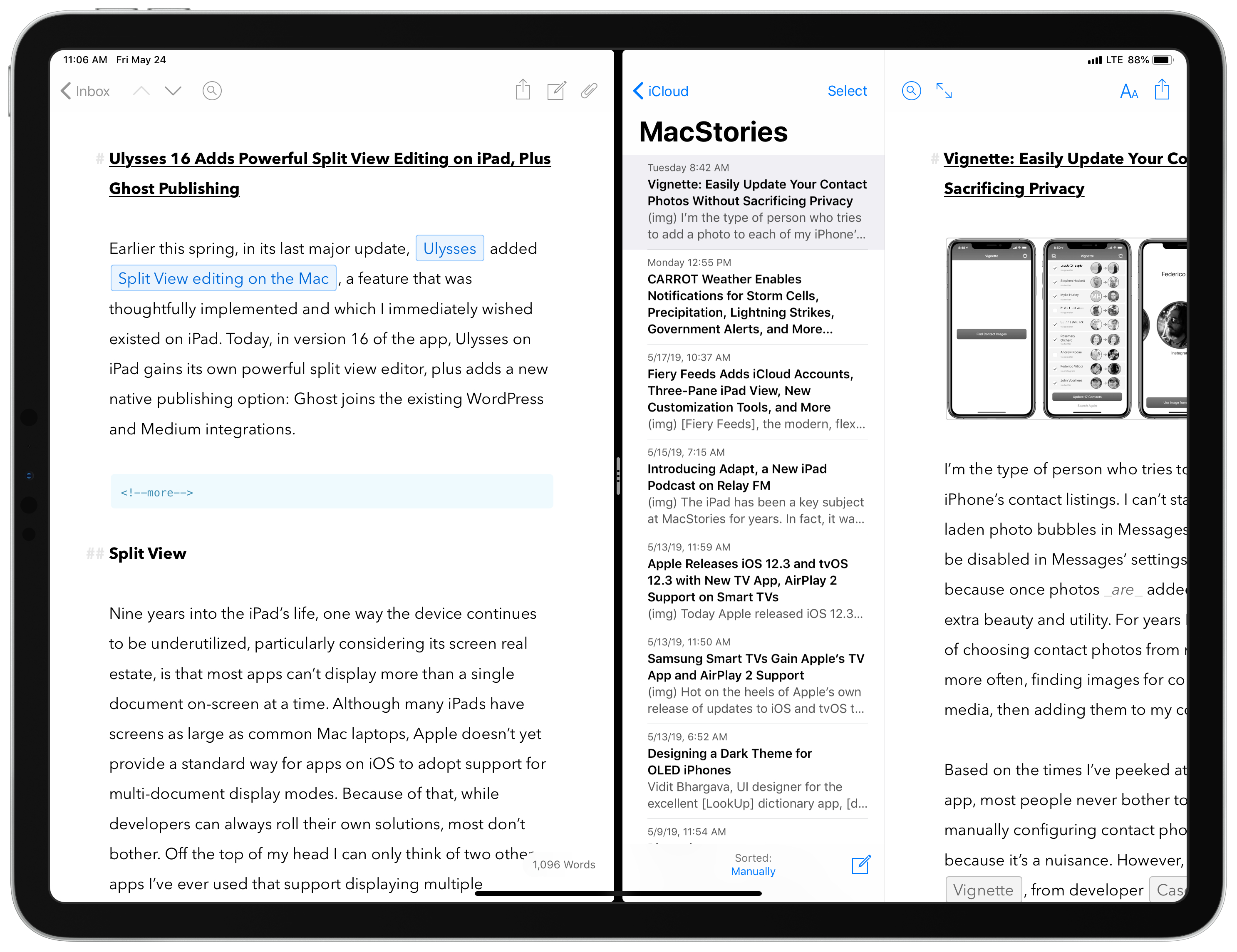
Earlier this spring, in its last major update, Ulysses added Split View editing on the Mac, a feature that was thoughtfully implemented and which I immediately wished existed on iPad. Today, in version 16 of the app, Ulysses on iPad gains its own powerful split view editor, plus adds a new native publishing option: Ghost joins the existing WordPress and Medium integrations.
GIFwrapped 2 Offers Redesigned, Streamlined GIF Management with Universal Search and iCloud Drive
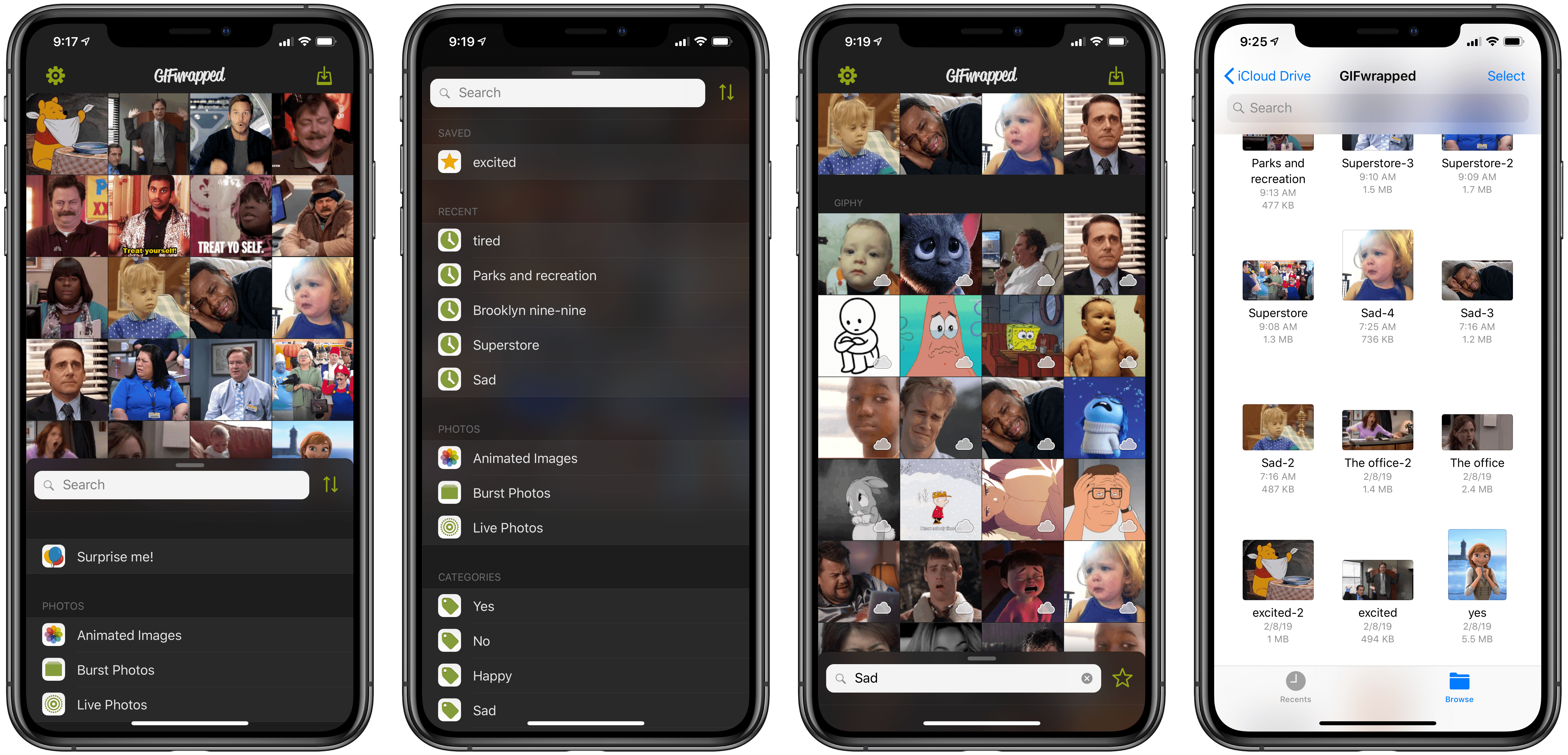
GIFwrapped has long been one of the best ways to store and access your GIF collection on iOS. Five years after our initial review of the app, developer Daniel Farrelly’s GIF utility has received a big update today: version 2.0. GIFwrapped 2 completely rethinks the app’s UI, streamlining it from tab-based to panel-based, while also adding support for two key new features: universal search and iCloud sync.
Vignette: Easily Update Your Contact Photos Without Sacrificing Privacy

I’m the type of person who tries to add a photo to each of my iPhone’s contact listings. I can’t stand having grey, initial-laden photo bubbles in Messages; while contact photos can be disabled in Messages’ settings, I’ve never done that because once photos are added, it gives the app so much extra beauty and utility. For years I’ve done the manual work of choosing contact photos from my own photo library or, more often, finding images for contacts online via social media, then adding them to my contacts from there.
Based on the times I’ve peeked at someone else’s Messages app, most people never bother to go through the trouble of manually configuring contact photos; I don’t blame them, because it’s a nuisance. However, a new app called Vignette, from developer Casey Liss, aims to eliminate the pain of adding contact images by sourcing the web and social media for you, and updating your contacts’ photos accordingly – all in a privacy-conscious way.
CARROT Weather Enables Notifications for Storm Cells, Precipitation, Lightning Strikes, Government Alerts, and More
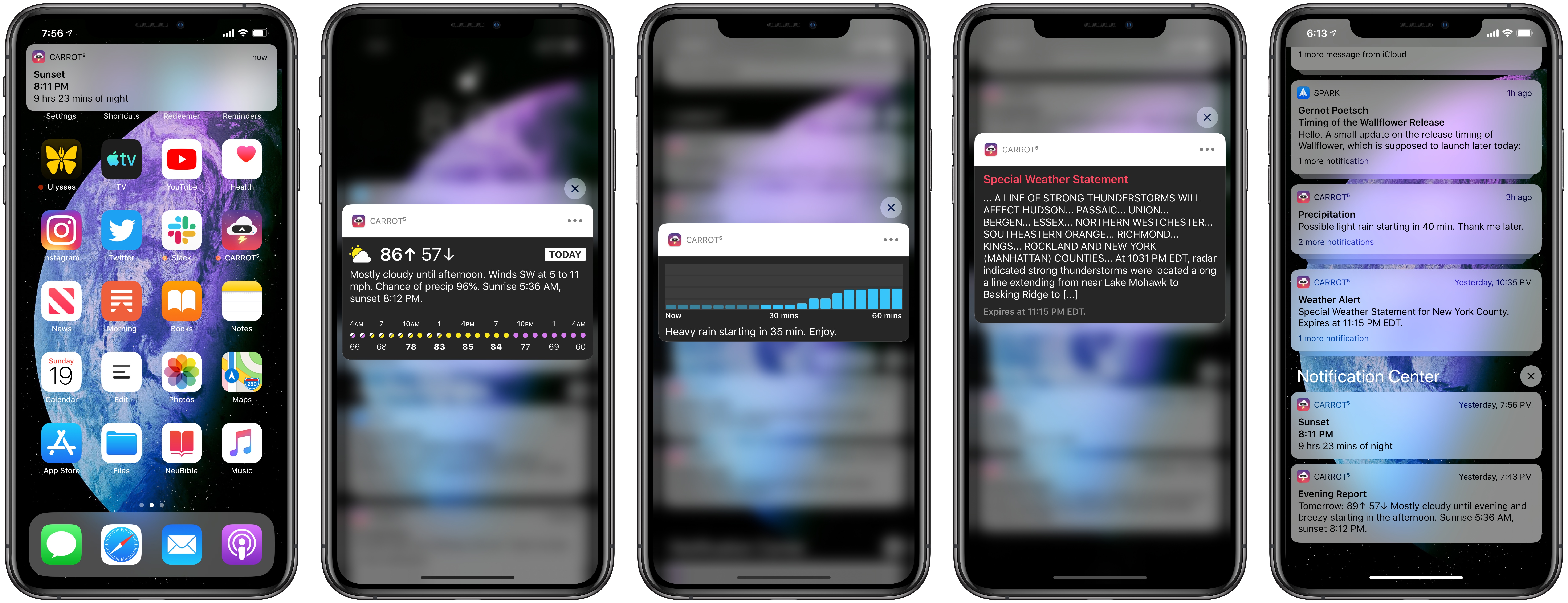
The latest update to CARROT Weather was released today, version 4.11, which is centered entirely around notifications. Though the types of notifications available depend on your subscription plan due to the different costs associated with each data source, in total there are a ton of options available to satisfy anyone’s needs. Whether you simply want to avoid getting caught in the rain without an umbrella, or finding yourself outdoors when a storm hits, or one of many other weather situations, CARROT Weather can now keep you informed with timely notifications for a variety of weather events.