This Week's Sponsor:

HomeSnap

A Private, Read-Only Window Into Your HomeKit Home


Posts in news

iPhone App with Face Tracking Technology Lets You Try Virtual Glasses

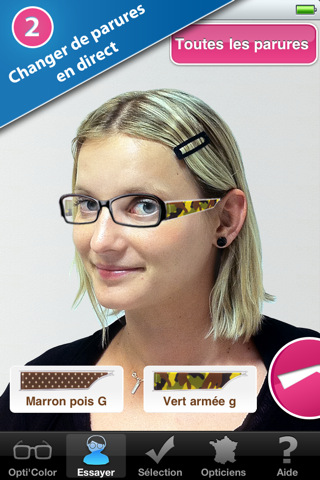
The Total Immersion developers released a free iPhone app in the App Store a few days ago that uses augmented reality face-tracking technologies to let you try virtual glasses and see how they fit. The app – Atol les opticiens – was commissioned by French optician and eyeglasses retailer Atol and, apparently, it’s the first of its kind to land in the App Store that relies on this kind of face recognition to allow you to try various models of glasses. Unfortunately, the app is in French so if you want to try it prepare to see a lot of “telecharger” and “Oui”.

The developers write:

This is the most fully realized mobile commerce application ever to use augmented reality, and the first  AR app in the m-commerce space featuring face- tracking technology, newly available on mobile,” said Bruno Uzzan, co-founder and CEO, Total Immersion.  “Face tracking is ideally suited to purchases like eyeglass frames, where it’s essential to try before you buy.  In this environment, the m-commerce experience is both more convenient and more satisfying for consumers and merchants alike.  Product selection is virtually unlimited – and those with corrective lenses can keep them on through the AR fitting.

I tried the app and, after a few calibrations, it works pretty well. Check out the video below, and go download here. Read more



MyGreatFest - The World’s First Jailbreak Convention


The MyGreatFest event is going to be “the worlds first iCommunity and Jailbreak convention ever held.” It’s being organized by Craig Fox, founder of MyGreatFest, and he has assembled a diverse, dedicated, and knowledgeable group. Not to name drop but Jay Freeman, aka saurik, will be in attendance along with many other popular names in the jailbreak community. The event on September 17, 2011 at The Old Truman Brewery on Brick Lane, in London, UK. Ticket information is below.

MyGreatFest team video after the break. Read more


Duplifinder Gets Update, Highlights Duplicates & Better iPhoto Deletion

Duplifinder is growing up fast! We checked out the iPhoto duplicate remover last week, and the developer has already launched a big update. Not only are duplicates now highlighted with the grew squares you see above, but you can double click a photo to immediately reveal it in iPhoto, and pressing the delete key will now delete those duplicates from iPhoto effortlessly. As you can see, our product review pictures get duplicated quite a bit between camera imports, and it’s become an essential tool to help clean out my Mac after an afternoon of product shoots. Ready to jump on board with Duplifinder 2? Download it here!


Tweeple Tap: iPhone Game to Recognize People By Their Tweets

Here’s a neat iPhone game for today while you’re waiting for more Apple news to come in and get you all excited about the event on March 2: Tweeple Tap, a free app by Puntrix, is all about the people you follow on Twitter, and how well you think you know them. In this game, in fact, you’ll have to recognize people by their tweets, which are displayed one after another as you select the correct Twitter user and keep on accumulating points.

There’s nothing else to do, just prove your skills in knowing the people you follow. You can get hints by tapping on a link on a tweet, or just go ahead and try to guess who tweeted what without even looking. Ok, maybe not that one.

Still: go download, it’s free.


The Daily Set To Head To Android Tablets This Spring

Sources have told AllThingsD that News Corp’s The Daily, which is currently an iPad exclusive daily newspaper, will be heading to Android in the coming three months. Whilst it was always planned for The Daily to head to the Google operating system and propagate onto as many tablets as possible it wasn’t expected to happen at this rapid rate.

The News Corp team got some extensive help from Apple in regards to technical details and was also the pioneering app to use Apple’s new subscription service. The event in which The Daily was launched was not only supposed to include Steve Jobs, but Rupert Murdoch, News Corp CEO said at the event that “we think last year, this year, and next year will belong to the iPad.”

Read more


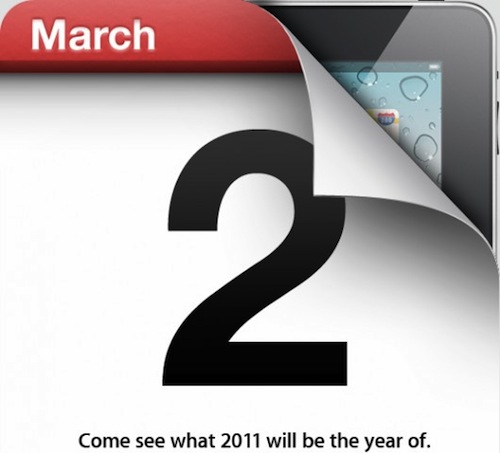
Apple Confirms: iPad 2 Event on March 2

According to The Loop, Apple just sent out the invitations for the previously reported media event on March 2 – where the company is expected to announce a new iPad.

Apple on Wednesday sent an invitation to media inviting them to a special event on March 2 in San Francisco, Calif.

According to the invitation received by The Loop, the event will be held at the Yerba Buena Center for the Arts at 10:00 am. This is the same venue Apple has used to introduce a number of products in recent years.

For a summary of the iPad 2 rumors surfaced on the Internet from September until today, check out our iPad 2 rumors timeline. The event will take place at 10 AM Pacific Time, and you’ll find our meta-liveblog coverage on MacStories, as well as posts as iPad 2 details will start coming in. The new iPad – dubbed “iPad 2” so far – is widely believed to introduce a front-facing camera for FaceTime, a thinner and lighter design, an updated version of iOS 4.3 with Photo Booth capabilities. It’s still unclear whether or not Apple will also include a rear camera and a USB / Light Peak port on the device.

Looking at the invitation, it appears that Apple is kind of putting a reference to other tablets from competitors in there: it says “Come see what 2011 will be the year of”. That’s a nice tagline. Does this mean we’ll only see an iPad 2 in 2011, and not an iPad 3?

Tune in at 9.30 AM Pacific Time on Wednesday for our live coverage of Apple’s iPad 2 event.


SyncMate 3 Syncs Androids To Mac Over WiFi, Bluetooth, & USB

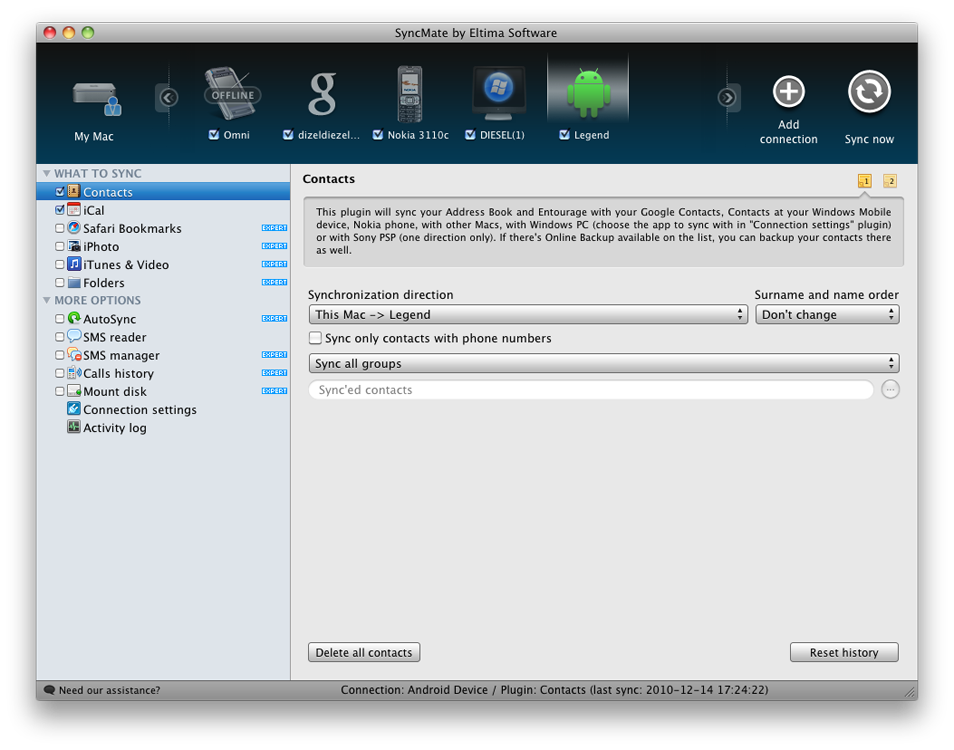
Why are we talking about Androids? Let’s just say our little green friends need some love too, and there’s nothing like a quick trip down syncing lane to remind us that manually inserting tunes onto your SDCard is definitely a lot more painful than iTunes. Without bloated music software, how can you manage your Droid or Nexus One? Eltima Software has the answer with their launch of SyncMate 3, which is a well rounded information manager I reviewed not too long ago. If you sport the latest in Google technology, SyncMate’s latest update can mount your Android phone wirelessly or by cable, and sync contact information like music, images, and video straight to the device.

One of my complaints was SyncMate was its interface, but the latest rendition is much improved to fit our sometimes picky standards. Plus, I quite like having a portrait of Andy giving me a quick link to my Motorola Droid when it’s time to load a podcast or two. If you’re still syncing with those Windows PCs, SyncMate also gives you more control over which accounts you want to pull information from.

If you have Android phone and use a Mac (don’t forget SyncMate is on the PC too), you’ll want to check out the latest update at Eltima Software. SyncMate Expert includes all the features described above (including the ability to manage SMS which is neat), and costs only $39.95 for a personal license (good for two Macs).


Wunderlist HD For iPad Goes Live

Last night, Wunderlist HD launched on the iTunes App Store with thunderous applause (I figured that fit the theme for this morning). And I’m not exaggerating: the Wunderlist HD update was well received on the local Twitter channels, and team deserves a fine pat on the back for bringing their desktop task-manager into the frame of the iPad.

You’ll notice that Wunderlist HD keeps its charm in this latest iteration, despite the disorienting placement of the sidebar on the right-hand side (on the desktop it’s on the left). Connecting to your Wunderlist account, Wunderlist HD delivers all the same collaboration features and still free note syncing that makes the service so valuable to many. Using the filter controls at the bottom of the sidebar, you can view all of your tasks, starred tasks, tasks due now, overdue tasks, and you can bring up other filters that allow you to prioritize for the future. Lists can be created with a tap of the add button at the top, and as always you have your choice of beautiful backgrounds.

Download it free right now from the iTunes App Store.


Image Editing and Photo Booth for iOS Surface in Apple Patent

A few days after Apple released the first beta of iOS 4.3, several developers and bloggers did a little bit of digging into the SDK and new firmware file to find out whether Apple had  managed to hide references to new hardware and features into iOS 4.3. iPad camera files aside, icons for FaceTime and Photo Booth surfaced, as well as strings in the code that pointed to new camera effects finding their way to iOS. These effects looked very similar to the ones used by Apple in the iPod nano fifth generation: X-Ray, thermal, light tunnel, kaleidoscope, and so forth.

A new patent design uncovered by Patently Apple today confirms that engineers and designers at Cupertino have been studying the implementation of Photo Booth with image effects for iPhones and iPads, but the most interesting part is perhaps the adoption of image editing features system-wide, configurable in the settings, that users will also be able to manipulate with sound, motion, GPS and touch. Read more