Posts in news

Yes, The iPad 2 Is Carrier Unlocked

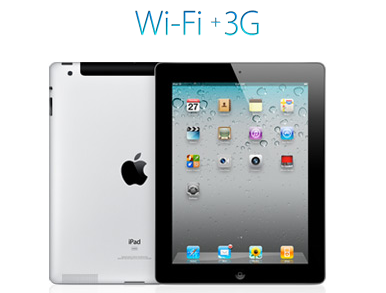
Over the weekend there were some reports that WiFi+3G iPad 2’s would be locked to a specific carrier after people read on the Canadian Apple site that “the iPad model you purchase is specially configured to work with either Bell, Rogers, or Telus.” It turns out that this wordage, whilst technically correct, is very confusing in that whilst the iPad is initially configured to work with a specific carrier, it can be reconfigured to work with other carriers at any stage.

This has been confirmed by a number of people from iPadinCanada to TUAW that have all confirmed from a variety of sources including Rogers Wireless, Apple Experts and Apple Support that you can swap SIMs and carriers with the iPad 2. The only issue (a very minor one) is that the iPad will need to connect to iTunes after the SIM has been swapped to download the new carrier settings, which is required for the 3G service to be usable.

So to be totally clear to all those interested, the iPad 2 is not carrier locked, rather Apple has just over-simplified the information it provided, because you can indeed reconfigure the iPad to work with another carrier with a simple SIM swap and iTunes sync. The one caveat to all this is of course the Verizon (CDMA) iPad 2 which will not be able to switch to any carrier using a GSM network because it does not contain a 3G chipset compatible with GSM networks.

[Via TUAW]
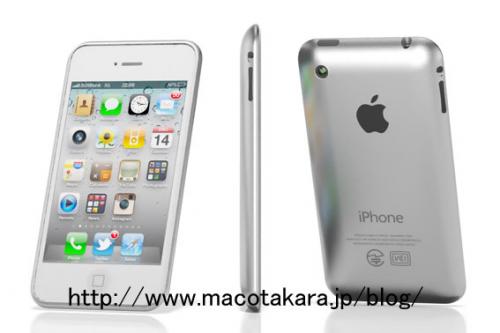

iPhone 5 To Revert Back To Aluminum Back And Internal Antenna?

A Chinese source has told Economic Daily News (translated by Macotakara) that Apple is abandoning the glass backing of the iPhone 4 in favor of an aluminum casing as well as ditching the external antenna design. According to the source the;

Decision to design similar to iPod touch instead of using glass is supposed that Apple seems to stop problems which are told widely damages from scratching, difficulties of painting white and weight of glass.

The source also reported that Apple is abandoning the current external antenna design that was plagued with controversy over the “death-grip” signal loss and attenuation issue. Although unclear, it seems that the translation implies that the “antenna will be designed to penetrate cellular and Wi-Fi waves via resin made Apple logo” which Apple actually does have a patent for.

Finally the source noted that Apple will include the new A5 processor in the fifth iteration of the iPhone, the same processor in the new iPad 2. As with all Apple rumors, including those regarding the iPhone 5, take them with a grain of salt. In particular when the source has a shaky record in previously predicting a 7-inch iPad by Christmas 2010.

[Via MacRumors]


Test Shows iPad 2 with iOS 4.3 Is Incredibly Faster Than iPad 1

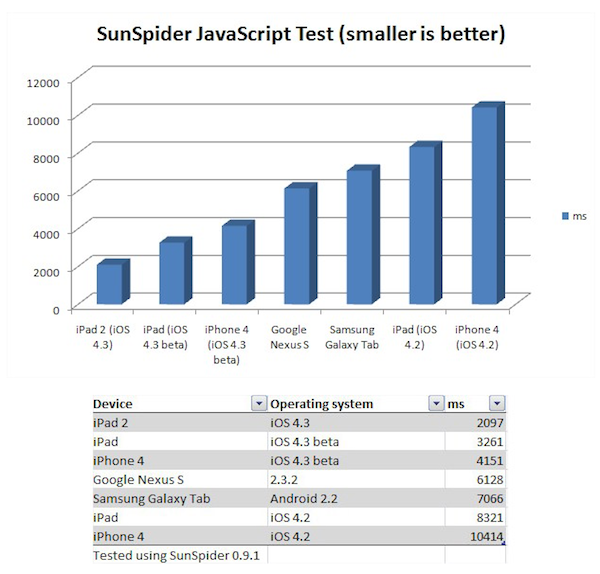
Surprise: the iPad 2 running iOS 4.3 is faster than the original iPad running iOS 4.2. According to CNET UK, which had the chance to run a JavaScript SunSpider benchmark test on the iPad 2 during a brief demo at San Francisco, the iPad 2 will outperform the competition and even other Apple’s devices when it comes to web browsing experience and overall snappiness of the browser application. The SunSpider test is usually a good test of how a browser will perform with “heavy” webpages with lots of content and functionalities such as Facebook.

Indeed, Apple itself promotes the new Nitro JavaScript engine that powers Safari on iOS 4.3 as “twice as fast” than its predecessor on iOS 4.2. The original iPad, however, also comes with a slower and non-dual core processor (Apple A4), whilst the iPad 2 will get a dual-core A5 and likely more RAM. These hardware features, together with the iOS 4.3, should make the device a lot faster than iPad 1, iPhone 4 and several Android tablets out in the market or coming soon.

Back to the SunSpider JavaScript test, CNET writes:

Incidentally, when you compare the iPad to the other devices we tested, Android phones and tablets don’t come out particularly well. The Galaxy Tab is more than 3x slower than the iPad 2 in this test, and about 2x slower than the original iPad with the new software. The Google Nexus S smart phone doesn’t fare too well either, at nearly 3x slower than the iPad 2. There’s really good news for iPhone 4 owners out there: when it arrives, iOS 4.3 will deliver a 2.5x speed increase in this test.

The one device we’d like to test, but can’t, is the Motorola Xoom. This tablet has a dual-core processor and runs the latest version of Android, 3.0 Honeycomb.

We will get our iPad 2’s next week and we’ll make sure to run some tests as well to see how the new tablet is really faster than other devices with iOS 4.3 and the iPad 1.


Vodafone Issues Carrier Update and (Finally) Activates FaceTime in Egypt

Back in October of last year, it was reported that several countries in Africa and the Middle East were excluded from Apple’s list of supported countries for FaceTime on the iPhone, iPod touch and Mac. Not only did Apple mysteriously remove mentions of FaceTime from Saudi Arabia’s website, they later confirmed through an official document that carriers were blocking video calling on the iPhone and even went ahead to restrict FaceTime for Mac (which doesn’t rely on any mobile carrier – well, unless you tether your Mac to an iPhone) to specific countries in the application’s preferences. After months of discussions and hacks to enable FaceTime on African and Middle Eastern handsets, the takeaway was that carriers were definitely putting a lot of pressure on Apple for some reason.

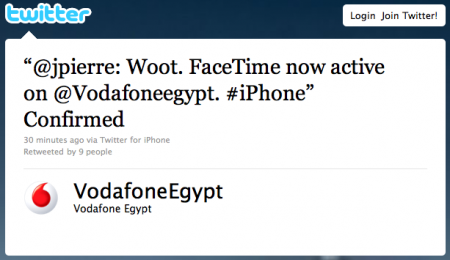
The first step towards FaceTime availability in these countries has finally been taken by Vodafone, which has enabled FaceTime in Egypt with a carrier software update for iPhone. As noted by SaudiMac, the update simply adds a boolean string to the iPhone’s configuration file with video calling set to “yes”. This leads us to think that carriers can restrict and restore FaceTime at any time with software updates – something Apple can’t apparently control.

Egypt is still included in the countries with blocked FaceTime, but we guess it will updated soon with possibly more countries receiving carrier updates. [via SaudiMac]


New µTorrent Beta for Mac Adds Remote Web Access, Scheduler

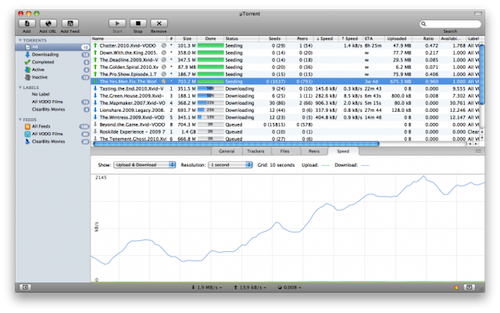
Popular BitTorrent client µTorrent was updated in its beta version for Mac last night adding support for a series of features that have made the app a must-have among Windows users. Namely, the latest beta for Mac adds the ability to control torrents remotely from any desktop or mobile browser, without having to mess with complicated network and firewall settings. It’s quite handy if you’re that kind of user who likes checking on his torrents on the go and wouldn’t mind adding new ones as well. Everything happens with a Web interface that’s completely accessible from anywhere. Together with the web UI, the application’s design has been improved as well.

Other important features in the 1.5 beta include feeds and the scheduler. While the second option is pretty obvious as it lets you schedule start and stop times for µTorrent (so your internet service provider will be happy), the RSS support is interesting. It allows you to subscribe to torrents’ feeds to automatically download them as new ones become available.

µTorrent is a free download for Mac, and the beta version is available here. [via Cult of Mac]


Personal Hotspot Limited To 3 Devices on AT&T?

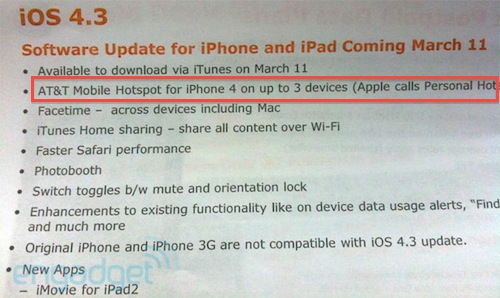
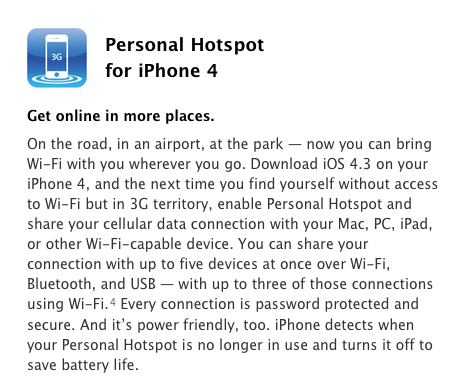
AT&T has confirmed it will offer the Personal Hotspot functionality starting March 11 with the release of iOS 4.3, but it looks like the functionality will be modified to work only with connections up to 3 devices. By default, Apple’s Personal Hotspot allows up to 5 devices to connect to a single iPhone sharing its 3G connection. A picture of an internal AT&T document posted by Engadget in fact suggests the carrier is going to restrict the usage of Personal Hotspot to only 3 incoming connections.

While it’s highly unlikely that you’ll end up letting 5 people connect to your iPhone on a daily basis, it’s still interesting to study the possibility of AT&T limiting a feature so heavily promoted by Apple. Guess carriers do have some kind of control on the iPhone, after all. (Personally, I’m just happy 3 Italia is going to keep Personal Hotspot free to use for every iPhone owner)

Update: the image shared by Engadget doesn’t specify whether or not AT&T is simply following Apple’s implementation of Personal Hotspot, which allows 3 devices to connect using WiFi. It’s not clear from the leaked photo if AT&T didn’t mention the additional Bluetooth and USB connections, or is really enforcing Personal Hotspot on 3 devices simultaneously.

From Apple’s website:

You can share your connection with up to five devices at once over Wi-Fi, Bluetooth, and USB — with up to three of those connections using Wi-Fi.4 Every connection is password protected and secure. And it’s power friendly, too. iPhone detects when your Personal Hotspot is no longer in use and turns it off to save battery life.


Here, File File! Updated with Retina Graphics, Background Audio

Here, File File! is an iPhone app we reviewed a year ago that eventually disappeared from our radar. The app, mixing a beautiful interface design with a weird and funny name, allowed you to browse the contents of your Mac (read: file system) from a native iPhone UI. You only needed to install a desktop server app in order to connect from the iPhone both through WiFi and 3G. In Here, File File! you could browser and open folders, preview images and documents, play music and video and even search with Spotlight from the iPhone itself. It was a gem.

The iPhone 4 came out last summer and an update to Here, File File! to support iOS 4 and the new device was nowhere to be seen. Not to mention the iPad, which would be perfect for an app like HFF.

This silence has been interrupted today with the release of version 1.2 that brings Retina Display graphics for iPhone 4, bug fixes, background audio support and several enhancements. An iPad app is in the works too, and beta testing should start soon after today’s release of HFF for iPhone. So how’s the update? The app looks beautiful on the iPhone 4 display and much more responsive than before. I also tweaked the desktop application to work with a global DNS hostname so I can access my files from anywhere. Background audio works as expected and you get a nice HFF icon in the multitasking tray to send music across your room to AirPlay speakers. These music files are on your Mac.

Here, File File! is the same great app as before, only it looks beautiful on the iPhone 4. While waiting for the iPad app to come out, go check out the iPhone version here. More screenshots below. Read more


They’re Back: Banned iPad 2 Promo Video

Last year, a US-based agency known as jLE made the rounds of the Internet with a series of fake “banned promo videos” for Apple products. They did videos for the white iPhone 4, the iPad, and even the iPhone 4 Antennagate. They were hilarious and spot-on, and now they’re back to their usual game with a banned iPad 2 promo video.

Once again, it’s funny. The “only Apple black employee” complains and jokes about the availability of a white iPad 2 at launch, other fake Apple executives comment on the two cameras they managed to put in the iPad 2, or the Photo Booth app that allows you to take “silly pictures with two heads”. There’s even a Charlie Sheen joke in there.

Check it out below. Once again, we love it. Read more


Personal Hotspot Lets Another iPhone Connect and Use FaceTime Over 3G

Here’s an interesting feature we didn’t know had been implemented on iOS 4.3 that has been brought to our attention this morning by German blog Macerkopf.de [Google Translation]: on the iOS 4.3 GM (released last night) you can start Personal Hotspot and let a second iPhone connect to use FaceTime over 3G.

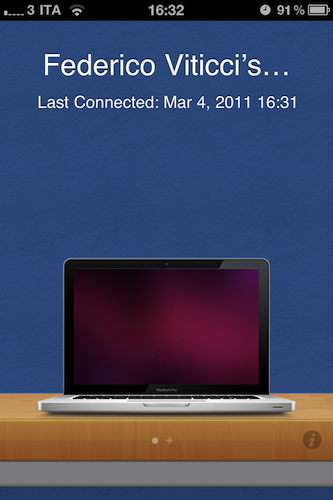
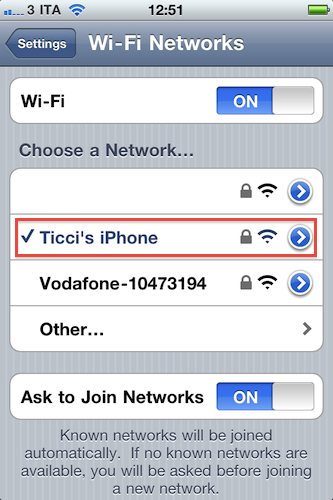
Personal Hotspot creates a WiFi connection, but we know that’s actually a shared 3G one. Starting with an active 3G connection on the first iPhone running iOS 4.3, up to 5 other devices can connect to the Personal Hotspot, which is recognized in the Settings as a WiFi network. Macerkopf speculates that the fact that iPhones can connect to Personal Hotspot and use FaceTime is new to the 4.3 GM build seeded to developers yesterday.

I’ve tested this with my two iPhone 4s and a Mac running FaceTime, and it works. With the first iPhone, I made sure I had 3G active and created a WiFi network with Personal Hotspot. With the second iPhone 4, I connected to Personal Hotspot and called my Mac using FaceTime. It worked the other way around as well. Video quality and sound weren’t excellent (like I said, it’s a 3G connection) but definitely acceptable.

This is an interesting little detail because Apple doesn’t want you to use FaceTime over 3G. A number of Cydia tweaks surfaced in the past to overcome Apple’s restrictions, like Facebreak and My3G. But if you happen to have two iPhones (say, your wife’s) and you really need to use FaceTime on the go to call someone, Personal Hotspot will let you do that. Even if it’s actually a 3G connection, it appears that as long as the iPhone “sees” the network as a WiFi one, it’s fine. Clearly the second iPhone isn’t able to tell whether the connection comes from 3G or not.

We don’t know if this was possible on the previous betas of iOS 4.3, so if you’re still running one of those and the method works, please let us know in the comments below.