This Week's Sponsor:

HomeSnap

A Private, Read-Only Window Into Your HomeKit Home


Posts in news

Will The iPad 1 Keyboard Dock Work With The iPad 2? [Update: Yes]

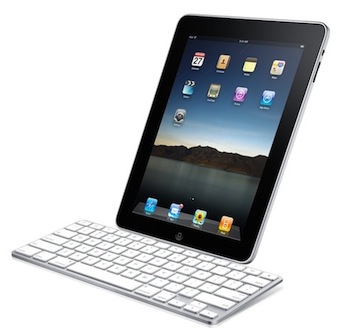
A notable lack on Apple’s accessory page for the iPad 2 is the Keyboard Dock the company used to sell last year for the original iPad which allowed you to dock the device, charge it, and type with a physical keyboard at the same time. I own a 2010 Keyboard Dock and, in spite of its portrait-only functionality, it is a well-made piece of tech that I used a lot last summer when I needed to write my articles on the go.

Keyboard Dock is no more. Apple isn’t selling such an accessory for the iPad 2 (they only have a new dock for sale), and AppAdvice reports the dock you bought last year won’t work with the iPad 2: it doesn’t fit well and doesn’t charge the device.

The decision doesn’t come as a surprise considering Apple’s rapid move to touch interfaces instead of physical keyboard input. Clearly, Apple thinks the iPad’s virtual keyboard is great for most of the typing you’ll need to do, and if you really want a physical keyboard you can still get one of the third-party ones that will come out in the next weeks – or just buy an Apple Bluetooth wireless keyboard that works perfectly with the iPad. But that is, no native option for the iPad 2.

Update: we’re hearing from some of our readers that the Keyboard Dock typing works, but the iPad 2 doesn’t indeed fit very well and charging is rather random. Works for some, doesn’t do anything for others. We’ll look into this. Read more

Video Comparison Shows Safari on iPad 2 Is Incredibly Fast

When Apple announced the iPad 2 would get a new dual-core processor with improved performances, we all guessed that the device would also get at least double the RAM for much better app management and fast switching. In the days following the announcement and after the plethora of hands-on videos that were uploaded from San Francisco, it was still unclear whether or not the iPad 2’s Safari browser (undoubtedly one of the most-used apps by iPad owners) would be faster and snappier than its iPad 1 counterpart. Many had the feeling that, combining the improved iOS 4.3 with a new processor and more RAM, Safari would highly benefit to reach great performances and stability. This, however, remained a theory even after the reviews posted last week that failed at really showcasing the capabilities of the new Safari.

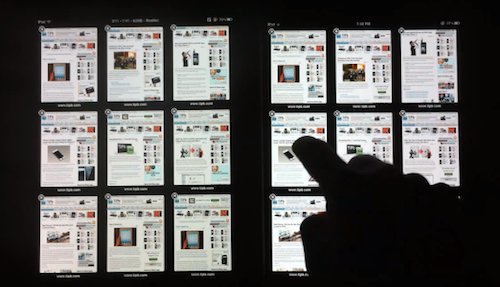
With the iPad 2 now out and available for everyone, the guys at TiPB posted a video last night a few hours after they got their iPad 2 to (finally) compare Safari on the iPad 2 with Safari on the original iPad. The results are impressive: with 9 tabs loaded and open on each browser, not only does the iPad 2 keep every tab loaded in memory, it also doesn’t display any “checkerboard effect” when scrolling. A major annoyance on Safari for iPad 1, in fact, was that with multiple tabs open the browser was usually forced to reload a tab when you switched to it because it didn’t have enough memory to keep it in a live, fully loaded state. This changes with the iPad 2 as you can see in the video below.

Scrolling in Safari is smooth as butter, and gone are the days when switching between tabs meant loading the entire page from scratch.

The difference in performance is quite clear, and browsing on the iPad 2 is definitely a step up from the original iPad in every way.

We’ll follow up later today with other videos showing the improved performances of the iPad 2 over the original iPad. Check out the video below. Read more


QuickShot: The First iPad 2 Camera App with Dropbox Uploading

If you just got a shiny new iPad 2 at your local Apple Store and you’d like to try out the cameras as proper photographic tools, take a look at the latest QuickShot update. We’ve already reviewed QuickShot here and it was a great and simple iPhone app that mimicked the default iOS camera app, but had Dropbox integration built-in to instantly upload photos to Dropbox.

The new version of the app comes with full iPad 2 support and we believe it’s the first iOS application to have Dropbox camera uploading for the new device.

Get the app here.


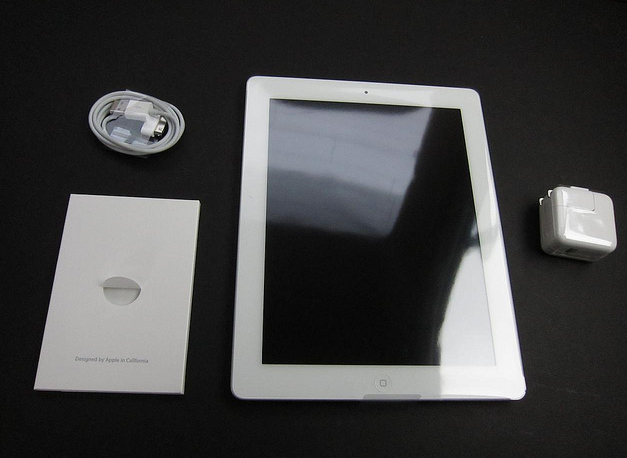
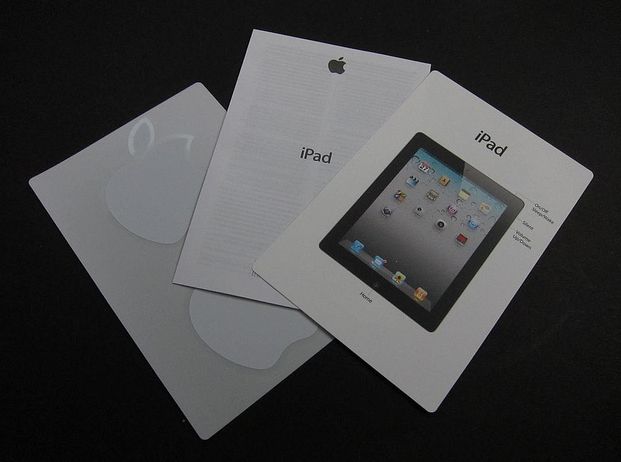
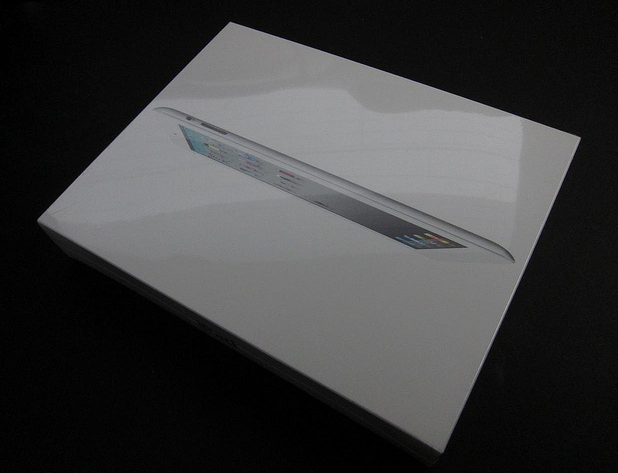
First iPad 2 Unboxing Photos and Videos

The lucky folks in the US have started getting their hands on the iPad 2 after some impressive lines we’ve tweeted all day (our editor @codyfink is currently inside the Apple Store to get our iPads) and here are coming the first unboxing photos and videos.

iPad 2 line at Apple Store at the Mall of Louisiana in Baton Rouge, LA. Wrapped around the entire courtyard. [Thanks, Brittany]

iLounge has posted a gallery full of photos of the retail box, and what’s inside.

Read more


Instagram 1.5 Released: Tilt-Shift Effect, News Feed

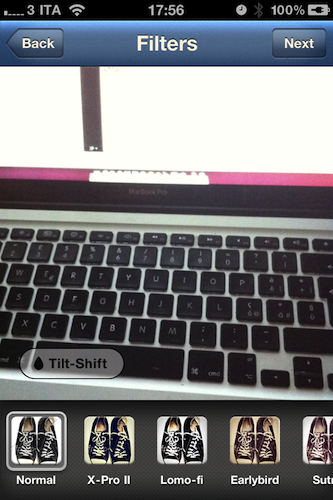
Image sharing service Instagram, very popular thanks to its 2 million users but still available as an iPhone-only app, has released a new update today bringing the application to version 1.5. The new Instagram introduces a new effect, performance improvements for previous ones, a completely revamped news feed and the possibility to share photos via email.

The new filter, Tilt-Shift, comes after several requests from users that were forced to apply this specific effect in other iPhone apps like Tiltshift Gen; now Instagram integrates the possibility to blur a portion of an image with a slider directly into its interface without leaving the app. All you have to do is pinch to adjust the orientation of the blur and focus area. Other filters got a speed bost as well and now feel much more responsive, especially on iOS 4.3.

The major new feature, however, is the News Feed that’s been redesign to include more activity from your friends. Together with follow and comment notifications, you can now see what your friends are doing, the comments they post, the photos they like and the people they start following, too. I’m not sure I like this News Feed as it brings a lot more social information into the stream and it might get annoying over time, but we’ll see. For now, it’s clear that Instagram is moving towards a more social approach besides the “simple app that takes photos” concept.

Upon taking a picture, you can also share it via email to your friends and family. I’m pretty sure this sharing option should also allow you to drop pictures onto your Dropbox using this service, and I’ll make sure to try it later. This is a welcome addition to the app. Last, you can tap & hold a username to initiate a reply – I don’t use Instagram much to reply to people but I guess the heavy Instagrammers out there will insanely love this option.

Instagram 1.5 is propagating now in the App Store; it’s available for free here. Check it out, it’s a nice update. More screenshots below.

Update: Associating a Send To Dropbox email address to Instagram won’t let you automatically save photos into your Dropbox. Just a text file with the email you shared.

Read more


Apple Could Sell 600,000 iPad 2’s This Weekend, Double The Original’s Launch Sales

Speaking with several industry analysts, Bloomberg has reported that Apple could sell 600,000 units as it debuts this weekend. One such analyst, Brian Marshall from Gleacher & Co predicts more than 500,000 sales which would be close to double the original iPad’s 300,000 sales in 24 hours. Apple released its iPad 2 for purchase on its online store in the early hours of today and already orders are backlogged for 2-3 weeks, whilst Apple’s 236 US retail stores and select others will also offer the iPad 2 from 5PM today. Meanwhile many other countries will get the iPad 2 later this month on March 25th.

The original iPad had massive success in sales, becoming the fastest selling product by revenue, reaping in $2 billion within three months, a feat that took the iPhone more than a year to achieve. Tim Bajarin said that “Apple has such a huge lead, competitors are going to be chasing Apple for many years” referring also to the fact that Apple’s competitors are only now releasing their first generation tablets in the coming months.

[Via Bloomberg]


iPad 2 Shipping Times Now Over 2-3 Weeks

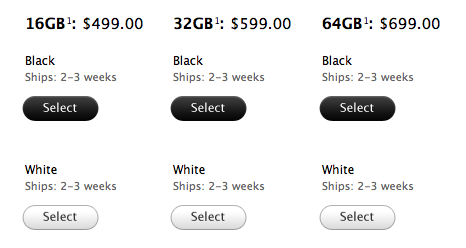
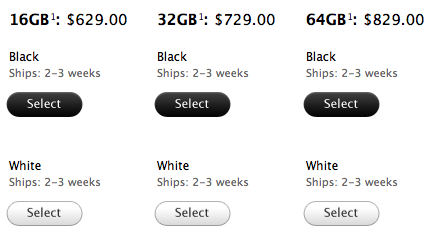
The iPad 2 went on sale through the Apple online store almost 5 hours ago and the shipping times have rapidly changed as people clicked the buy button to purchase the new device. Up to 5-7 business days from the initial 3-5 business days in less than 3 hours, the Apple Store now reports shipping times of 2-3 weeks.

Same applies for the WiFi + 3G models:

Are you getting an iPad 2 at your local Apple retail store today? Standing in line already? Send us pics: tips[at]macstories.net


Infinity Blade, Dead Space, Real Racing 2 HD: Now With iPad 2 Support

Just in time for the iPad 2 fever that has begun a few hours ago, three of the most popular iOS games have been updated to include optimizations and new features meant specifically for the iPad 2.

First off, Real Racing 2 HD: not an update, but a brand new version of Real Racing HD from Firemint that follows the steps of Real Racing 2 for iPhone to offer 30 licensed cars, career mode, local or online multiplayer. Most of all, Real Racing 2 HD comes with full iPad 2 support out of the box with enhanced graphics and gyroscope integration. You can find it here at $9.99. Read more