Posts in news

Phil Schiller: White iPhone This Spring

The elusive white iPhone 4 has become one kind of a myth among tech bloggers following Apple news and fans willing to get their hands on a different colored model of the popular device. Initially announced in June 2010 at the WWDC then delayed multiple times due to alleged manufacturing issues (light leaks, color paint, picture quality have been mentioned in the rumors), a series of DIY replacements have surfaced in the past months, but none of them quite managed to win the hearts of consumers that, at the same time, kept hearing about this white unit finally becoming available in Spring 2011.

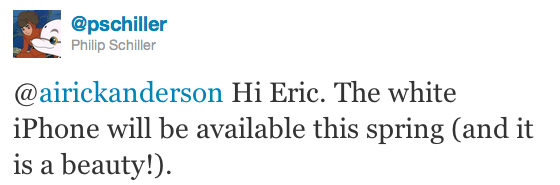
Now it is Apple’s Phil Schiller to confirm the news officially through his verified Twitter account: the white iPhone is coming this Spring. In a reply to a customer, he says the white iPhone is a “beauty”. We have no doubts about it – well, at least basing on what we saw back in June 2010.

A number of reports in the past weeks suggested Apple had fixed the production issues with the device and it is now ready to ship it in volume. It’s also worth noting that Schiller didn’t mention the “iPhone 4” in his tweet, but we think it’s pretty clear that we’re not talking about an iPhone 5 available in Spring. It’s unclear whether Apple will release only a GSM version of the device, or both GSM and CDMA for Verizon. [via Engadget]
Donate To Red Cross for Japan Through iTunes

As noted by 9to5mac, Apple has enabled an option in the iTunes Store to donate to the American Red Cross for the Japan relief fund. If you want to make your donation to the earthquake and tsunami victims in Japan, you can by visiting this page and choosing to donate $5, $10, $25, $50, $100 or $200. Everything happens through the iTunes account you already have – a clever move to make donations easy and just a click away for iTunes users.

100% of your donation will go to the American Red Cross, which is set to provide food, shelter and assistance to the victims of the earthquake and tsunami.


Latest Reeder for iPhone Update Now Sends To Readability

If you take pride in supporting the writers and content creators that add thoughtful and insightful information about the topics you read about daily, you may already be a subscriber of Readability. Readability support was added in January, but now Reeder allows you to send articles to your read later queue so may share your public articles with followers or to read them in the new web app. Reeder has also addressed bugs and usability issues, fixing shared articles that didn’t sync, eliminating crashes, and overall improving the syncing experience. You can download the latest update for Reeder in iTunes, through the App Store app, or by visiting this link (App Store link).


Will The iPad 1 Keyboard Dock Work With The iPad 2? [Update: Yes]

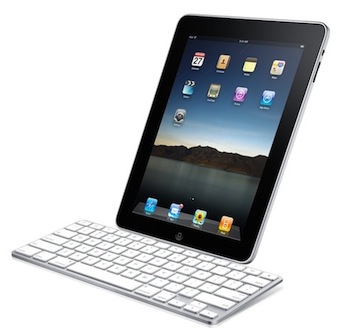
A notable lack on Apple’s accessory page for the iPad 2 is the Keyboard Dock the company used to sell last year for the original iPad which allowed you to dock the device, charge it, and type with a physical keyboard at the same time. I own a 2010 Keyboard Dock and, in spite of its portrait-only functionality, it is a well-made piece of tech that I used a lot last summer when I needed to write my articles on the go.

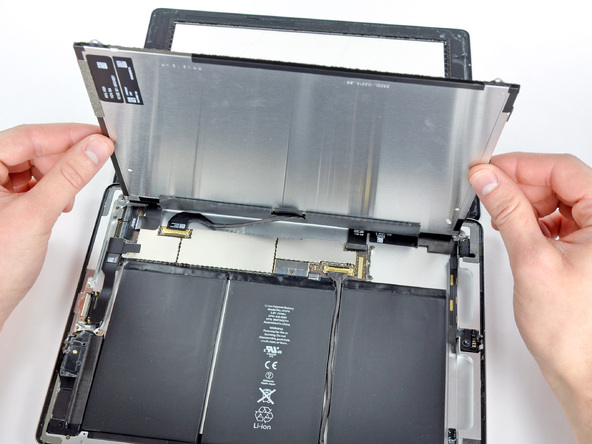
Keyboard Dock is no more. Apple isn’t selling such an accessory for the iPad 2 (they only have a new dock for sale), and AppAdvice reports the dock you bought last year won’t work with the iPad 2: it doesn’t fit well and doesn’t charge the device.

The decision doesn’t come as a surprise considering Apple’s rapid move to touch interfaces instead of physical keyboard input. Clearly, Apple thinks the iPad’s virtual keyboard is great for most of the typing you’ll need to do, and if you really want a physical keyboard you can still get one of the third-party ones that will come out in the next weeks – or just buy an Apple Bluetooth wireless keyboard that works perfectly with the iPad. But that is, no native option for the iPad 2.

Update: we’re hearing from some of our readers that the Keyboard Dock typing works, but the iPad 2 doesn’t indeed fit very well and charging is rather random. Works for some, doesn’t do anything for others. We’ll look into this. Read more


Video Comparison Shows Safari on iPad 2 Is Incredibly Fast

When Apple announced the iPad 2 would get a new dual-core processor with improved performances, we all guessed that the device would also get at least double the RAM for much better app management and fast switching. In the days following the announcement and after the plethora of hands-on videos that were uploaded from San Francisco, it was still unclear whether or not the iPad 2’s Safari browser (undoubtedly one of the most-used apps by iPad owners) would be faster and snappier than its iPad 1 counterpart. Many had the feeling that, combining the improved iOS 4.3 with a new processor and more RAM, Safari would highly benefit to reach great performances and stability. This, however, remained a theory even after the reviews posted last week that failed at really showcasing the capabilities of the new Safari.

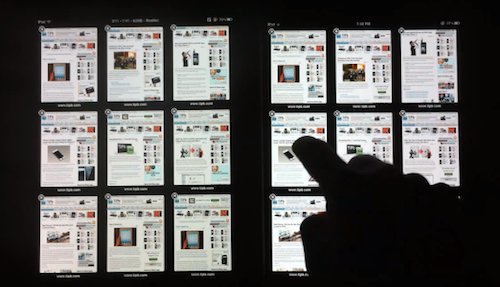
With the iPad 2 now out and available for everyone, the guys at TiPB posted a video last night a few hours after they got their iPad 2 to (finally) compare Safari on the iPad 2 with Safari on the original iPad. The results are impressive: with 9 tabs loaded and open on each browser, not only does the iPad 2 keep every tab loaded in memory, it also doesn’t display any “checkerboard effect” when scrolling. A major annoyance on Safari for iPad 1, in fact, was that with multiple tabs open the browser was usually forced to reload a tab when you switched to it because it didn’t have enough memory to keep it in a live, fully loaded state. This changes with the iPad 2 as you can see in the video below.

Scrolling in Safari is smooth as butter, and gone are the days when switching between tabs meant loading the entire page from scratch.

The difference in performance is quite clear, and browsing on the iPad 2 is definitely a step up from the original iPad in every way.

We’ll follow up later today with other videos showing the improved performances of the iPad 2 over the original iPad. Check out the video below. Read more


QuickShot: The First iPad 2 Camera App with Dropbox Uploading

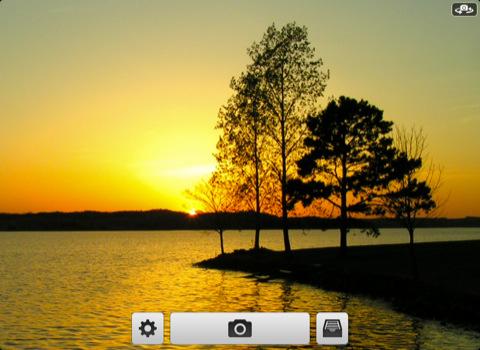
If you just got a shiny new iPad 2 at your local Apple Store and you’d like to try out the cameras as proper photographic tools, take a look at the latest QuickShot update. We’ve already reviewed QuickShot here and it was a great and simple iPhone app that mimicked the default iOS camera app, but had Dropbox integration built-in to instantly upload photos to Dropbox.

The new version of the app comes with full iPad 2 support and we believe it’s the first iOS application to have Dropbox camera uploading for the new device.

Get the app here.


First iPad 2 Unboxing Photos and Videos

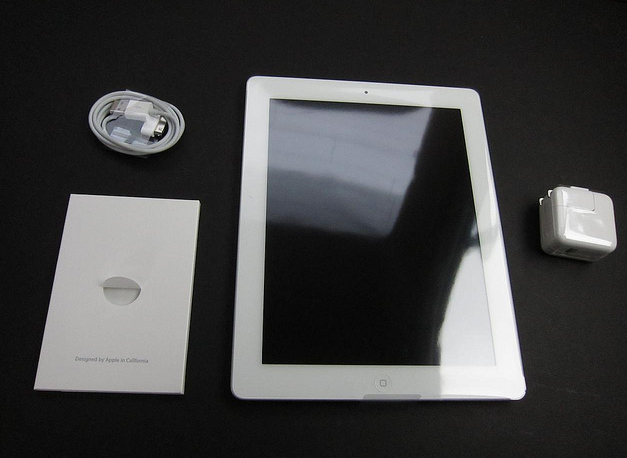
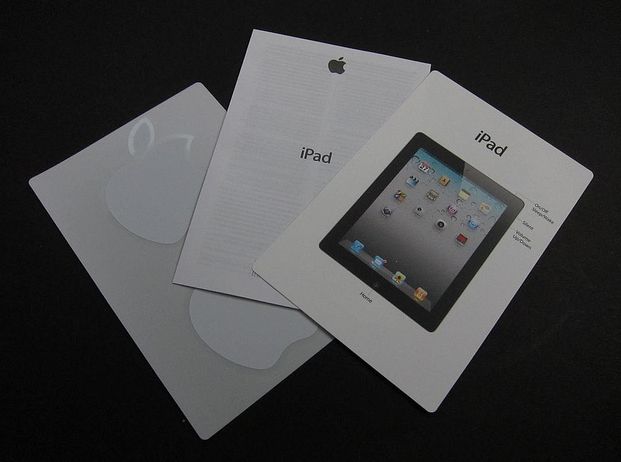
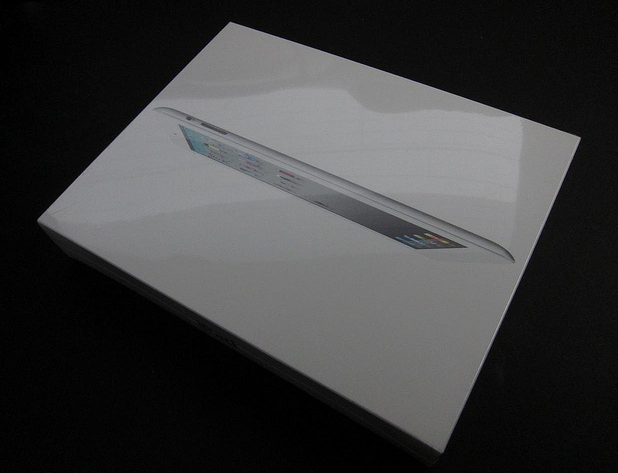
The lucky folks in the US have started getting their hands on the iPad 2 after some impressive lines we’ve tweeted all day (our editor @codyfink is currently inside the Apple Store to get our iPads) and here are coming the first unboxing photos and videos.

iPad 2 line at Apple Store at the Mall of Louisiana in Baton Rouge, LA. Wrapped around the entire courtyard. [Thanks, Brittany]

iLounge has posted a gallery full of photos of the retail box, and what’s inside.

Read more


Instagram 1.5 Released: Tilt-Shift Effect, News Feed

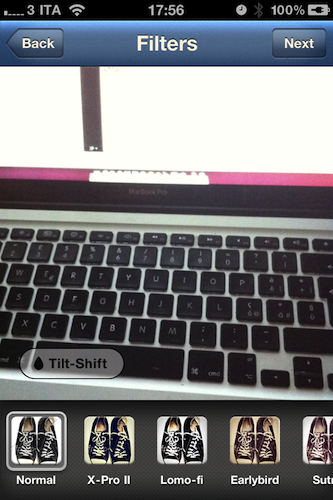
Image sharing service Instagram, very popular thanks to its 2 million users but still available as an iPhone-only app, has released a new update today bringing the application to version 1.5. The new Instagram introduces a new effect, performance improvements for previous ones, a completely revamped news feed and the possibility to share photos via email.

The new filter, Tilt-Shift, comes after several requests from users that were forced to apply this specific effect in other iPhone apps like Tiltshift Gen; now Instagram integrates the possibility to blur a portion of an image with a slider directly into its interface without leaving the app. All you have to do is pinch to adjust the orientation of the blur and focus area. Other filters got a speed bost as well and now feel much more responsive, especially on iOS 4.3.

The major new feature, however, is the News Feed that’s been redesign to include more activity from your friends. Together with follow and comment notifications, you can now see what your friends are doing, the comments they post, the photos they like and the people they start following, too. I’m not sure I like this News Feed as it brings a lot more social information into the stream and it might get annoying over time, but we’ll see. For now, it’s clear that Instagram is moving towards a more social approach besides the “simple app that takes photos” concept.

Upon taking a picture, you can also share it via email to your friends and family. I’m pretty sure this sharing option should also allow you to drop pictures onto your Dropbox using this service, and I’ll make sure to try it later. This is a welcome addition to the app. Last, you can tap & hold a username to initiate a reply – I don’t use Instagram much to reply to people but I guess the heavy Instagrammers out there will insanely love this option.

Instagram 1.5 is propagating now in the App Store; it’s available for free here. Check it out, it’s a nice update. More screenshots below.

Update: Associating a Send To Dropbox email address to Instagram won’t let you automatically save photos into your Dropbox. Just a text file with the email you shared.

Read more