Posts in news

Wife Said No But Apple Says Yes And Gives Guy Free iPad 2

In what is quite an amusing tale, one of the iPad 2’s returned last week was owned by a guy who was unfortunately told to return it by his wife. Because Apple had been troubleshooting returned iPad 2’s his iPad was discovered with a post-it note reading “Wife said no.” According to MacRumors, this was escalated up the Apple hierarchy as somewhat of joke, eventually reaching two VPs.

Those VPs decided it was only fair to send the guy an iPad 2 and add a note that said “Apple said yes.”

Genius.

[Via MacRumors]


Steve Jobs Ordered By Court To Answer Questions In Class-Action Lawsuit

Steve Jobs has been ordered by a US Magistrate to answer questions in court in relation to a class-action lawsuit regarding the iTunes Music Store and monopolistic behavior by Apple. Bloomberg is reporting that yesterday US Magistrate Judge Howard R. Lloyd authorized lawyers representing consumers in the complaint to engage in limited questioning of Jobs.

The limited questioning is quantified as two hours of questions and only on the topic of changes that Apple made to their iPod software in October of 2004 that disrupted RealNetworks’ Harmony software. Harmony enabled users to transfer songs purchased from the RealNetworks store, to the iPod. When it was released the software caused considerable controversy and Apple quickly accused RealNetworks of using “the tactics and ethics of a hacker” and in a subsequent iPod update Apple stopped the Harmony software from working with iPods.

The class-action lawsuit was filed by Thomas Slattery in 2005 and alleged that by requiring customers use an iPod to listen to music purchased from the iTunes store, Apple had violated federal antitrust laws as well as California’s unfair competition regulations. David Kiernan, who is representing Apple, said that “any deposition of Mr.Jobs would be repetitive, at best.”

[Via AppleInsider]


Angry Birds Rio Flies Into The App Store

Angry Birds Rio, the collaboration app between Rovio and 20th Century Fox as part of the marketing of the new movie ‘Rio’ has just been released today. In principle this new foray in the Angry Birds series of apps is the same as before but with a different story based on the premise of the movie. The app also features new achievements, ‘special hidden fruit’ and a total of 60 levels across two episodes but with more promised to arrive over 2011.

What happens when everybody’s favourite fierce fowl get caged and shipped to Rio? They get very angry!

In Angry Birds Rio, the original Angry Birds are kidnapped and taken to the magical city of Rio de Janeiro, where they eventually escape their captors and set out to to save their friends, Blu and Jewel – two rare macaws and the stars of the upcoming Fox motion picture, Rio. Angry Birds Rio will pair the physics-based gameplay of the original game with unique twists based on the film.

Angry Birds Rio is available on the iPhone and iPod Touch for $0.99, on the iPad for $3.99 and on the Mac App Store for $4.99


Google Latitude for iPhone Gains Check-In Capabilities

With an official announcement on the company’s blog, Google unveiled a few minutes ago a new version of Latitude for iPhone. Google Latitude, also available for Android devices, uses the iPhone’s GPS functionality to display your current location on a map and allows you to see what your friends are up to. The new 2.1 version, available here, lets you “check in” places and automatically be checked out if Latitude is set to update your location in the background. In this way, your friends will not only see your location, but know exactly what you’re doing – say drinking coffee at a nearby Starbucks. A huge Check In button in the app makes the process easy, and privacy settings let you share the check in with everyone, your friends only, or make it entirely private.

Tap the “Check in” button to start checking in at nearby places. Keep checking in every time you visit your favorite places to start gaining special status there. You’ll not only progress to become a Regular, VIP, and then Guru at your favorite places, but if you’re near Austin, Texas, gaining status lets you unlock check-in offers at over 60 places.

Just like with sharing your location, you can control your Latitude check-in privacy. Checking in is 100% opt-in, and you can choose to share any check-in with your friends on Latitude, publicly on the web and your Google profile, or just yourself.

With this update Google is clearly trying to create an alternative to popular check-in services like Facebook Places and Foursquare, which have become the de-facto standards for sharing your location and earn points or badges. We don’t know whether the new Google Latitude will take off or not, but you can check out the app here and tell us what you think. It’s a free download.


Mac OS X 10.6.7 Now Available [Direct Links]

Apple just released Mac OS X 10.6.7. The new version is available now in Software Update (or through the direct links below) and weighs at around 300 MB. The new build includes a series of fixes for Back to my Mac, SMB servers and the new MacBook Pros.

The 10.6.7 Update is recommended for all users running Mac OS X Snow Leopard and includes general operating system fixes that enhance the stability, compatibility, and security of your Mac, including fixes that:

Improve the reliability of Back to My Mac

Resolve an issue when transferring files to certain SMB servers

Address various minor Mac App Store bugs

For detailed information on this update, please visit this website: http://support.apple.com/kb/HT4472.

For information on the security content of this update, please visit: http://support.apple.com/kb/HT1222.

We also appreciate this very specific Mac App Store fix:

Resolves an issue in which clicking the Updates tab in the Mac App Store could cause the Mac App Store to become unresponsive.

Additional improvements after the break. Download links:

Read more


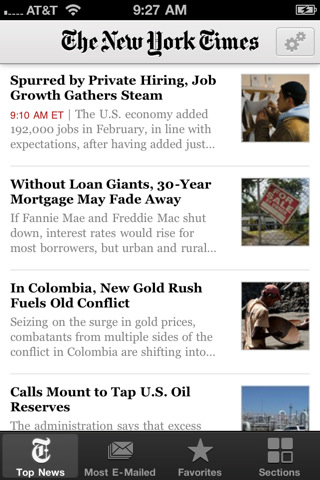
New York Times: A Future iPhone Will Include NFC, Perhaps Not The iPhone 5

After all the recent rumors and speculation about Apple willing to implement Near Field Communication (NFC) technology into the next-generation iPhone, The New York Times weighed in earlier today to confirm that according to “two people with knowledge of the inner workings of a coming iteration of the Apple iPhone” a future version of the device will indeed include NFC.

The NYT report is rather curious as they’re not sure whether or not Apple will deploy this feature in the iPhone 5, set to debut this summer:

According to two people with knowledge of the inner workings of a coming iteration of the Apple iPhone — although not necessarily the next one — a chip made by Qualcomm for the phone’s processor will also include near-field communication technology, known as N.F.C. This technology enables short-range wireless communications between the phone and an N.F.C reader, and can be used to make mobile payments. It is unclear which version of an iPhone this technology would be built into.

The New York Times also claims that according to another person familiar with Apple’s plans the iPhone will use NFC to enable mobile payments tied to users’ iTunes credit – something that was also reported in the past months, although some people speculated Apple could also consider providing an option for billing users through their carrier, rather than iTunes. At this point, however, it seems very clear that Apple will strongly invest in the iTunes payment option to give users the possibility to “keep it all together” in iTunes. Currently Apple has more than 200 million active accounts in iTunes with credit card information stored on their servers.

In the past months, rumors suggested Apple could also rely on NFC and MobileMe to enable remote computing and usage of App Store apps. Several reports pointed to the iPhone 5 featuring / not featuring NFC, and others also reported such a feature was being considered for the iPad. An e-Wallet application for iOS also made an appearance in a patent design published last year.


Prevent Accidental Quit In Google Chrome

In my typical work day, I keep a lot of browser tabs open in the background. MacStories articles, links from Google Reader, Twitter, Reddit and many others are always sitting there in the browser, which is an essential tool in my workflow. Perhaps the most important one. So when I accidentally hit CMD+Q instead of CMD+W and I lose the contents of an article I’m writing in my online visual editor, I usually would like to smash my computer’s keyboard. It actually never happened (otherwise I wouldn’t be here typing on this keyboard), and luckily for me it looks like such a situation won’t ever take place thanks to a subtle, yet life-saving feature implemented in the Dev version of Google Chrome: quit warning.

Enabled by default in the early dev versions (latest one is 11.0.696.14) and now available as an option in Chrome’s settings, the quit warning works a little bit different from what you’d expect: instead of putting a dialogue box up on the screen that asks you “if you really want to quit”, Google thought that it’d be best to implement a system that would prevent accidental clicking of CMD+Q. So instead of just hitting the shortcut to quit Chrome, you have to click & hold CMD+Q for a few seconds. Pure genius: this way, if I accidentally hit “Q” instead of “W”, my browser won’t quit.

To enable the feature, type “about:flags” (without quotes) in the Chrome Omnibox and activate “Confirm to Quit. Enjoy. [Mac OS X Hints]


How To Use A Smart Cover With The iPad 1

The Smart Cover is undoubtedly one of the reasons why people will consider upgrading to the iPad 2: it’s lightweight, it’s got magnets, it automatically attaches to the device to cover its screen and also happens to have a microfiber cloth for cleaning purposes. It doubles as a stand to prop your iPad for typing or movie watching, and thanks to the hardware implemented by Apple it can wake or put the iPad’s display to sleep. It’s genius.

Those people who don’t want to upgrade to the iPad 2 just yet, however, might be out of luck when trying to “retrofit” the Smart Cover for the iPad 1. The original iPad doesn’t have magnets, nor does it come with a system to automatically recognize whether or not a cover is lifted off the screen. Plus, it’s slightly heavier and it’s got a different design lacking tapered edges. Many thought it would be impossible to use a Smart Cover with the iPad 1.

It turns out though, with a bit of hacking and custom magnets it is possible to “install” the Smart Cover on the iPad 1. By placing a series of magnets on the iPad 1’s flat side so the Smart Cover’s hinge can fit, the guys at The Russians Used A Pencil managed to make it all work together. Sure, the iPad doesn’t automatically wake from sleep and the stand functionality is a little bit off because of the old design, but it works.

To place the magnets, I stuck them first to the magnetized hinge of the Smart Cover. I slid them around until they became locked into a position. This ended being asymmetrical, but I didn’t mind. I then lined up the cover with the iPad and used masking tape to mark where the magnets should be placed. I wanted this to be a somewhat permanent solution, so I used super glue to affix the magnets to the iPad. If you are not so daring, or want to test it out to make sure you like it, just use transparent tape. Even though the super glue keeps the magnets secure and in place, they are actually pretty easy to remove by just “chipping” them off with a flathead screwdriver and a very light tap of the hammer.

You’ll need glue to attach the magnets to the iPad, and I’m pretty sure the whole “automatic aligning process” isn’t as magical as Apple’s implementation in the iPad 2. Still, check out the video below if you, too, want to have a Smart Cover on your original 2010 iPad. [via The Brooks Review]
Read more


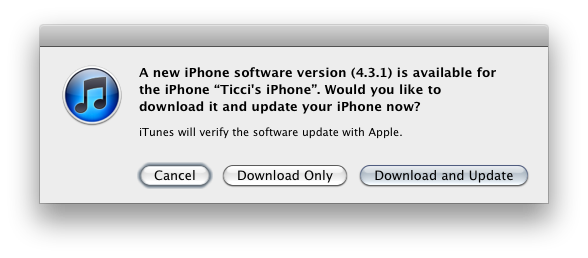
iOS 4.3.1 Coming Within Two Weeks with iPad 2 Jailbreak Fix?

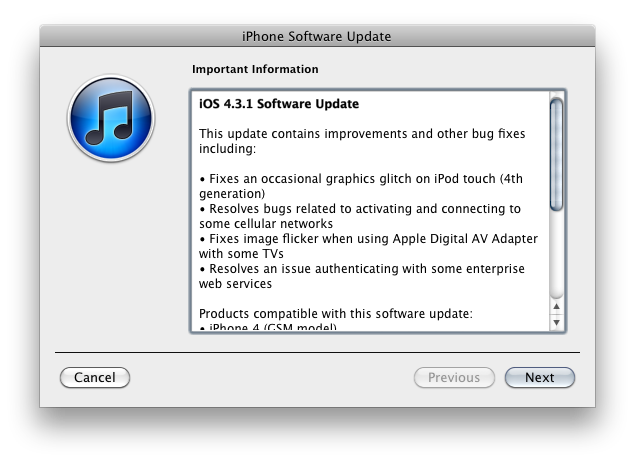
According to BGR – who has a good track record on iOS releases and rumors – Apple is preparing to launch a new version of iOS, 4.3.1, “within one to two weeks”. The release, a minor one as usual following the “point upgrade”, will contain a series of fixes for the baseband and will also patch a vulnerability in the iPad 2 that enabled hackers to jailbreak the device.

BGR reports:

  • Baseband updates for the 3GS and iPad (original)
  • Fixed memory hang that results in memory corruption when reading large files from USIM filesystem
  • Fixed problem with NTLM authentication in apps and on websites
  • Fixed issue with the Springboard and 3rd party apps not recognizing the gyroscope on the iPad 2
  • Fixed iPad 2 jailbreak vulnerability

iOS 4.3 was released on March 9th ahead of the iPad 2 launch.