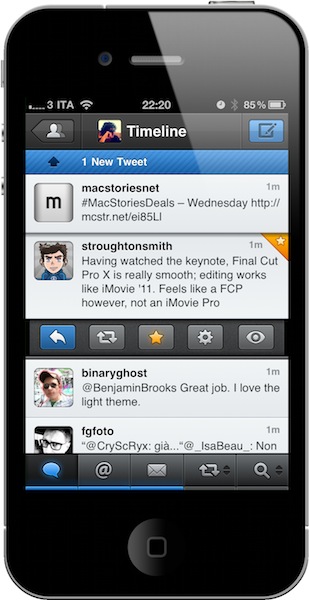
I remember when I bought my first iPhone, Twittelator was the first Twitter client I downloaded from the App Store. Back then I wasn’t writing for MacStories, and I didn’t know about Loren Brichter’s Tweetie. I used Twittelator for months: it was a great app that had everything I needed. I saw no point in switching to another application, let alone start browsing the App Store looking for alternatives. Twitter was a young platform in the middle of expansion with lots of downtime issues, there were no lists or location features and the concept of “retweets” was just taking off thanks to the initiative of some users not affiliated with Twitter at all. For what I had to do, Twittelator was fine. Then I started MacStories, and the hunt for more compelling, alternative, different Twitter apps began.
Twitterrific came after Twittelator for me. I used it for a couple of months and then finally purchased Tweetie – which had seen a terrific rise in popularity thanks to an elegant UI design, a fast engine and a simple, yet powerful set of features. I fell in love with Tweetie: it was stable, fast, intuitive, continually updated. It received the support of the entire Apple community, and it quickly became a standard among iPhone geeks to have Tweetie on a device’s homescreen. The rest is history: Tweetie 2 shipped and revolutionized the ecosystem with pull to refresh, gestures, a refreshed interface and, overall, the richest feature set available on the market. In the meantime, Twitter as a platform was growing to accommodate more users, more servers and – as a side effect to media starting to use the service to deliver news – more responsibilities. Without going back through all the changes that happened at Twitter HQ between 2009 and 2010, you might remember when the company announced they were buying Loren Brichter’s Tweetie and putting him in the position of lead mobile developer. Twitter rebranded the app as “Twitter for iPhone”, Tweetie 2 for Mac disappeared from our radars to eventually come back as Twitter for Mac. Twitter as a company has changed (so much that they don’t even want too many unofficial clients anymore), but the core concept of the service stays the same: it’s all about sharing content in real time. That hasn’t changed at all. If anything, it got better. Read more