Posts in news

Apple Leases New Office Campus To Handle Employee Growth

Early last month Steve Jobs unveiled the new “spaceship” campus that Apple hopes to build in Cupertino by 2015. The main reason for it, as Jobs noted in his presentation to the city council, is because “Apple is going through remarkable growth”. That growth has already started so as a result Apple has felt the need to lease out some other buildings in Cupertino for the period between now and when the new campus is complete. A report today in The San Jose Mercury News claims that Apple has struck a deal to lease a big office campus in Cupertino, located near the De Anza College.

The office campus they have leased is the old Measurex campus, which is now known as the Results Way Corporate Center and occupies roughly 373,000 square feet. Based on parking ratios supplied by the City of Cupertino, Mercury News believes up to 1,300 people could work in the new temporary Apple campus.

The campus consists of nine buildings and has been marketed by a commercial brokerage firm. Mercury News got the confirmation that Apple has leased the buildings from Kelly Kline the City of Cupertino’s economic development manager. She said to Mercury News that “this is all good news for the city, Apple is the premier corporation in Cupertino”. Kline also noted that she expected Apple to do some renovation work before they move in to the temporary campus.

[Via Mercury News, Image by MacRumors]

Apple’s B2B App Store Launches

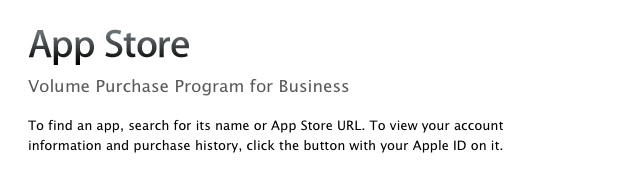
As noted by The Loop, Apple launched its B2B App Store today, allowing business customers enrolled in the Volume Purchase Program to buy apps from iOS developers. The new Volume Purchase Program for business was first unveiled last week, when Apple announced the Volume Purchasing for Business would be available “soon”.

Streamline your purchasing process and put more power and productivity in the hands of your workforce. Every paid app in the App Store is available for businesses to buy in volume through the program website. Simply search for the apps you need, enter the quantity you want to buy, and complete the transaction with your corporate credit card. Apps are available for purchase at the same price listed in the App Store.

Custom B2B apps are built just for you by third-party developers and business partners to address a specific business process, integrate with a unique back-office environment, or deliver a custom interface for your users. Using the Volume Purchase Program, you can securely and privately purchase custom B2B apps for iPhone and iPad that make your business even more effective.

If you are a developer who is enrolled in the iOS Developer program you can create custom B2B apps for sale to your customers enrolled in the Volume Purchase Program.

Apple noted how B2B apps could address specific solutions and needs of business customers such as:

  • A customized user interface including company logo or branding Unique features or capabilities specific to a business process or workflow
  • Extra privacy protection to handle sensitive data
  • A specific configuration to meet the customer’s server/back-office environment or IT environment
  • Features targeted to a limited audience, such as a business partner, dealer, or franchise

To enroll in the program, business customers will need:

  • Basic contact information to verify your business
  • Dun & Bradstreet number (D-U-N-S) number
  • Corporate credit card or PCard to purchase apps

A guide to the Volume Purchasing Program is available as .PDF here. According to Apple, any business in the US can partecipate to the Volume Purchasing program. Details on requirements and how to enroll can be viewed in our previous coverage, and the B2B App Store is accessible now at vpp.itunes.apple.com/us/store.


Lion Internet Recovery: In Case of Emergency

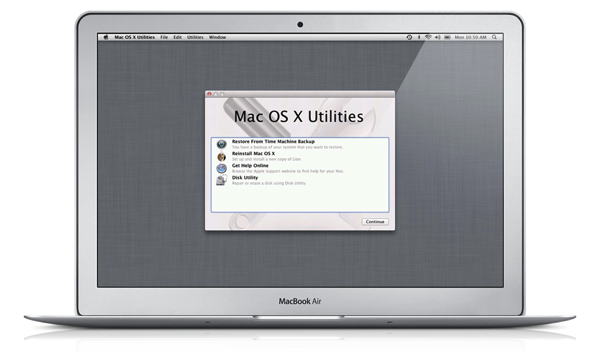
Lion doesn’t come on optical disc. Your Mac’s hard disk drive — fragile and vulnerable in your MacBook’s chassis — is a ticking time bomb. Components fail, and hard drives are more often than not the first things to go. Rigorous backups can archive your data offsite, but what happens when the MacBook you have isn’t serviceable? If you have the ability to replace the hard drive, how will you reinstall Lion if an Internet Connection and Snow Leopard is required to re-download Lion from the Mac App Store? These have been burning questions pertaining to routine maintenance and repair, and Apple’s answer is Lion Internet Recovery.

Quite simply, it’s ‘Internet Recovery’ that’s going to be built into new machines starting with today’s MacBook Air and Mac Mini. If the hard drive dies or you have to replace your HDD/SSD, your Mac can connect to the Internet and download the OS in case of a failure where a Wi-Fi connection is present. On Wi-Fi, WEP and WPA-Enterprise secured networks aren’t supported: WPA or WP2 are the only network protocols Lion Internet Recovery will work with. I point this out since I know many of you are irresponsibly still on WEP (at least all of my neighbors are). A Recovery HD image is downloaded, and your hard drive and memory are quickly scanned for hardware issues while your Mac does its thing.

(If Recovery HD can’t be downloaded, Apple does provide a support document that details how you can download the tools onto an external drive.)

For a generic reinstall of Lion, holding Command-R at boot will launch Recovery HD, which contains a set of basic utilities (such as Disk Utility) that can be used to troubleshoot your Mac and its hardware. A Safari browser is also provided in case you need to visit Apple’s support pages for various documentation. The Recovery HD utilities will allow you to reinstall Lion, but an active ethernet or Wi-Fi connection is required. Recovery HD should work with your home network regardless of the wireless security protocol set.

As an absolute last resort, Apple recommends that you call AppleCare so they can take care of you, briefly mentioning that they’ll “send you everything you need to to help restore your Mac.”


Apple Updates Remote Desktop with Per-User Remote Control

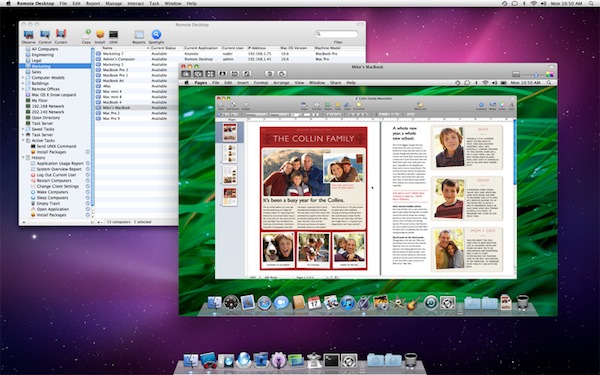
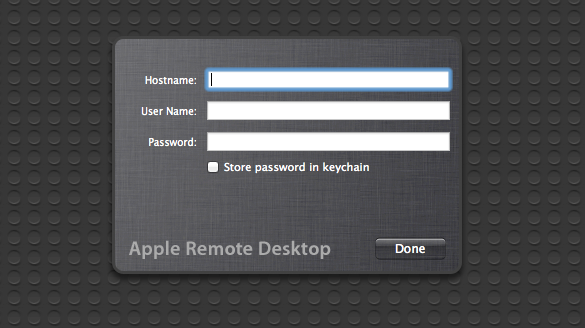
As part of the ongoing series of software updates that Apple is releasing today following the big debut of OS X Lion on the Mac App Store, Apple’s professional tool to access and manage computers on a network, Apple Remote Desktop, was updated as well to incorporate some of the new functionalities baked into Lion. The new version of OS X, in fact, allows users to log into a remote machine (or one on a local network) using a different account than the one currently in use by the second computer; so say your co-worker is logged into his personal account, you can still remotely access his Mac and log into, for instance, a shared work account. This is one of the big new features of Lion that was unveiled with the developer previews, and which works in conjunction with the possibility of remotely logging into a computer using an Apple ID.

The new Apple Remote Desktop isn’t exclusive to Lion (requirements accept OS X 10.6), but it includes Lion’s per-user remote control. Apple writes in the changelog:

You can remotely log in to a Mac with any user account on that computer and control it, without interrupting someone else who might be using the computer under a different login.

You can read more about all the features offered by Remote Desktop here, and buy the app from the Mac App Store. For those who didn’t purchase Remote Desktop on the Store, there are some updates available on Apple’s website as well:


Lion App Updates: GrowlMail, Pixelmator, Plex, Backblaze

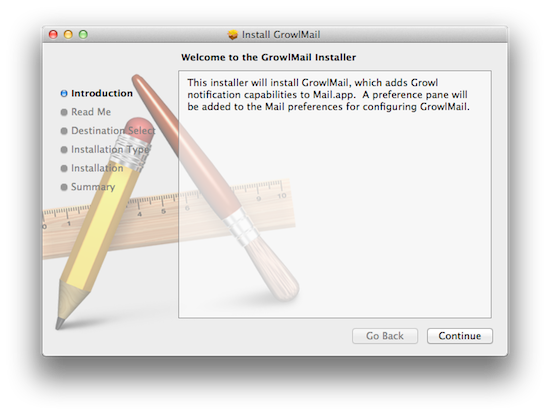
Earlier today, Apple released new hardware, OS X Lion, and a series of software updates to bring new OS compatibility to apps such as the iWork suite, Cocoa enhancements to iTunes, and new features to Safari. Apple also released several minor updates on its Support website, which we outlined in a separate Lion article here. But on the other hand, developers of third-party apps for the Mac haven’t missed the opportunity to update their software following the release of Lion, which is likely being installed and tested for the first time by hundreds of thousands of Mac users as we speak. In the past few hours, we’ve collected the most interesting app updates released today, so check them out after the break. Read more


Bought a Mac Recently? Don’t Forget You can Download Lion for Free!

If you’ve purchased a Mac between June 6th and July 20th, or you’re buying a new Mac that doesn’t come with Lion preinstalled as of today (July 21st), you can redeem a free copy of Lion from the Apple Online Store! Downloads are good for both Lion and Lion Server on qualifying new or refurbished machines. You’ll need to enter receipt information such as date of purchase, place of purchase, and from your Mac the serial number in order to get the redemption. Alternatively, Apple gives you the opportunity to scan a proof of purchase. Most likely the Up -To-Date Program will pertain to Mac users who’ve purchased their machines in the past weeks — I bet many college students would be happy that their $100 credit will continue to go towards apps, and not an OS upgrade.

You can find all the details about the program on Apple’s Up-To-Date landing page.


Lion Launch Notes: What You Might Have Missed

It’s not just your normal Wednesday morning folks. Nope — coinciding with the launch of Lion that was only confirmed yesterday during Apple’s Q3 conference call, Apple has released a handful of new products including updated MacBook Airs, updated Mac Minis, and new Apple Thunderbolt Displays (a step up from the Apple Cinema Displays). In the chaos of four press releases and an updating Apple Store, there’s lots of new items to note alongside our major morning launches, so let’s run through the list!

Read more


Xcode 4.1 for Lion Released, Free On Mac App Store

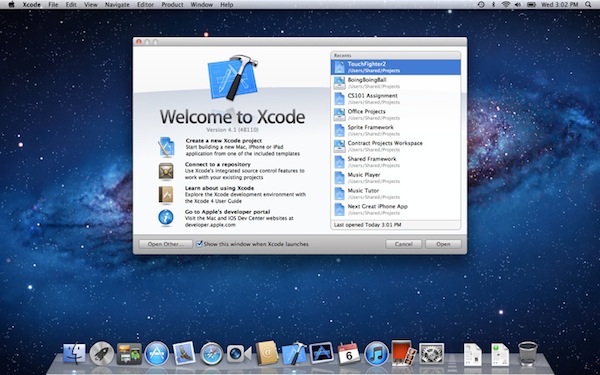
Among all the various software updates released today, Apple also just flipped the switch on a new version of Xcode. Xcode 4.1, after several developer previews, is now available for free on the Mac App Store. From the changelog:

  • Includes SDKs for OS X Lion and iOS 4.3
  • Interface Builder support for Auto Layout and new Aqua controls such as NSPopover
  • Full screen support in workspace, project, and organizer windows
  • Project modernization to identify and resolve out of date build settings
  • Behaviors can be customized and assigned to unique key bindings
  • Source control enhancements to pushing, pulling, and management of remote servers
  • Assistant editor support for display of generated assembly and preprocessed output
  • Additional bug fixes and stability improvements

Mac OS X Lion is a requirement to download this new version of Xcode. The new 4.1 version, however, shows up as free on older Snow Leopard machines as well. Download here.


Apple Releases iTunes 10.4: Full 64-bit Cocoa On OS X Lion


Apple just released an update for iTunes, which reaches version 10.4 and adds a number of important improvements in OS X Lion. The new iTunes does in fact support full-screen mode, but more importantly is a full 64-bit Cocoa application on OS X Lion. This should enable for speedier performances and a more stable app, though we haven’t been able to test it just yet. iTunes 10.4 comes ahead of iTunes 10.5, which has already been seeded to developers and will likely debut this Fall alongside iOS 5 and iCloud. The new iCloud-based features such as automatic downloads and iTunes in the Cloud, however, are available to iTunes 10.3, and now iTunes 10.4, users as well, without needing to get the developer preview.

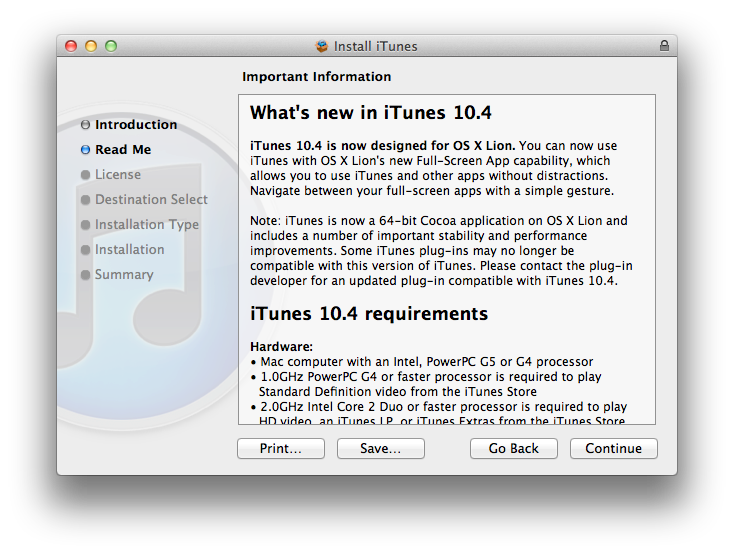
iTunes 10.4 is now designed for OS X Lion. You can now use iTunes with OS X Lion’s new Full-Screen App capability, which allows you to use iTunes and other without distractions. Navigate between your full-screen apps with a simple gesture.

iTunes is now a 64-bit Cocoa application on OS X Lion and includes a number of important stability and performance improvements. Some iTunes plug-ins may no longer be compatible with this version of iTunes. Please contact the plug-in developer for an updated plug-in compatible with iTunes 10.4.

To enjoy the latest Cocoa enhancements and 64-bit support, you’ll need to have Lion installed on your machine. You can download iTunes 10.4 from Apple’s site or Software Update now.

Update: As far as performances go, if iTunes 10.5 beta is of any indication on my late-2008 MacBook Pro with SSD, the application does seem a little snappier and generally more responsive than older iTunes versions, though it’s not an immediately visible change. The trained eyes of developers will notice the performance improvements and technical changes, but to the average user it’s just the same iTunes, only slightly faster.