Posts in news

Google Launches Complete Redesign of Search iPhone App

Today, Google launched a major redesign of its official Search app for iPhone, which reaches version 2.0 and is now available on the App Store.

Inspired by the iPad update that was released last year, the new Google Search app for iPhone brings a completely redesigned start screen with options to sign in, search, and access Google apps. A shortcut for settings is available at the top alongside an icon to switch between search results and the search field at any time.

Searches can be performed by typing, or through two new shortcuts for voice and Goggles. These functionalities were already in place, but Google says they are now faster and more accessible thanks to the new interface. Similarly, the standard search results have gone through a major overhaul as well: as you scroll, controls are hidden and results are displayed in full-screen; like on the iPad, results open in a separate panel that you can dismiss at any time with a a single swipe. You can share results via email, open a webpage in Safari, and even search for specific text inside a page. Along the bottom, new tabs for Images, Places, News, and more allow you to easily switch between different types of Google results.

Furthermore, Google has redesigned image results to be displayed in full-screen, and a new Apps tab in the main screen allows you to load Google apps “on the web” or “from your iPhone”. As a side note, the app has also received a slightly redesigned icon, and both the iPhone and iPad version of Search can now save images to the Camera Roll.

Google Search 2.0 is now available on the App Store.


Drafts 1.2 Saves Quick Notes To Evernote, Facebook

Drafts 1.2 Saves Quick Notes To Evernote, Facebook

Agile Tortoise released version 1.2 of its “quick note-taking” app Drafts today, adding support for Facebook and Evernote. As an Evernote user, the addition is more than welcome, as I now have the possibility of quickly saving a time-stamped note into my account in seconds. Previously, I used FastEver for this functionality. I don’t post to Facebook much, but the integration sounds handy as well:

Like Drafts’ existing twitter features, this update adds the option to post drafts to Facebook. The first time you post you will have to go through an authorization process, allowing Drafts access to your wall – from then on out it’s a simple tap. Those of you that use the Facebook app know, launching it and waiting for it to load to post an update is cumbersome – now you have a quick alternative.

Other improvements in Drafts 1.2 include a new “new draft after success” setting, support for calendar event creation, and integration with OmniFocus notes and Due. These add to the new icon, fixes, and Dropbox support that came in Drafts 1.1.

Drafts is available at $0.99 on the App Store.

Permalink

Powered By Readability, Readlists Creates eBooks For Collections Of Links

In my original review of Readability for iOS, I praised the app’s focus on clean design, beautiful typography, and focus on building a different system to support web publishers as unique aspects of what could have been easily dismissed as “yet another read later” app. In particular, I wrote how, ultimately, “it comes down to habits, curiosity, and willingness to try out a new service that offers a slightly different take on saving web articles for later”.

Ever since my review, I have switched to Pocket as my personal go-to read later web service and app on iOS, as I thoroughly enjoy Pocket’s wide-ranging approach to saving everything for later, rather than just articles. Today, however, Readability is announcing a new service called Readlists, which might give many a reason to use multiple “read-later” services in tandem – and that’s because Readlists leverages Readability’s existing platform and engine to target a different segment of web reading: collecting multiple links together. Read more


Kickstarter: The playGo AP1 AirPlay and DLNA Wireless Receiver

If you want an AirPlay receiver on the cheap, you can’t go wrong with Apple’s AirPort Express, a $99 dollar portable wireless access point (great for an apartment or traveling business person) that has a 3.5mm minijack for an audio or optical connection to a pair of speakers or your home receiver. For another hundred bucks (as a part of being an early adopter), you could fair even better with playGo’s audio-centric playGo AP1: an AirPlay and DLNA receiver that can output lossless audio through analog RCA outputs, a 3.5mm minijack, or TOSLINK to your preferred thumpers of choice.
Read more


Apple Confirms Sandboxing Deadline For Mac App Store Apps on June 1

In an email sent to registered Mac developers earlier today, Apple has confirmed it will begin enforcing a deadline on Sandboxing for Mac App Store apps on June 1, 2012.

As a reminder, the deadline for sandboxing your apps on the Mac App Store is June 1. We’ve made the process easier with new sandboxing entitlements and APIs now available in OS X 10.7.3 or later and Xcode 4.3.2.

If you have an existing app on the Mac App Store that is not sandboxed, you may still submit bug fix updates after June 1. If you have technical issues that prevent you from sandboxing your app by June 1, let us know.

Previously pushed back from November 2011 to March 2012, and then again from March to June 1, 2012, sandboxing is a new technology aimed at limiting an application’s access to certain areas of OS X through a system based on entitlements. As we wrote in February:

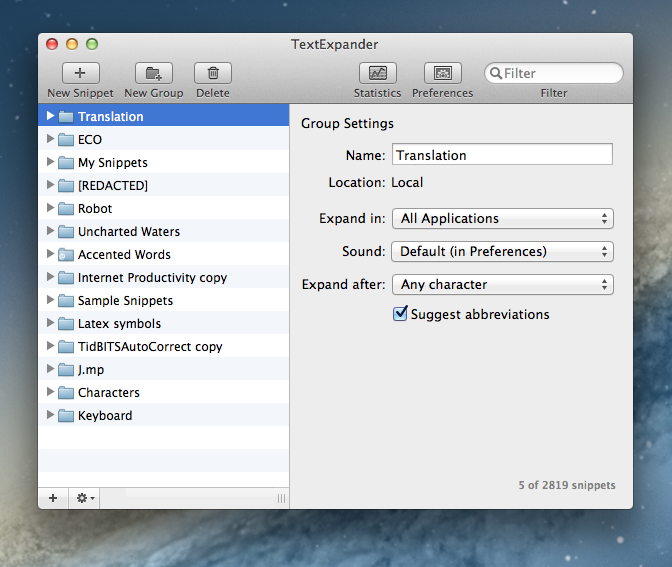
Sandboxing is a new technology in OS X Lion that limits the functionalities of Mac App Store applications to a list of “entitlements” that cover various areas of the operating system an app can access, such as networking, printing, or a user’s files. A sandboxed application would be unable to harm the system outside of its operational scope (managed by the entitlements), and this has caused some concerns as apps would lose access to the Mac’s entire filesystem, which is required by some functionalities of certain applications that aren’t necessary malicious or “compromised”. Similarly, inter-app communication would be a technical issue with sandboxing, as apps like TextExpander, Keyboard Maestro and CoverSutra — utilities that perform actions in the background without asking for user’s interaction in some cases (user-initiated actions can override the sandbox) — couldn’t get past the sandboxing requirement for the Mac App Store.

With today’s reminder, Apple has confirmed that new apps submitted to the Mac App Store after June 1 must adopt sandboxing, whilst existing apps that are not sandboxed will still be available to receive bug fix updates. Earlier this week, a report suggested that, in relation to the upcoming sandboxing deadline, Apple was also looking into “banning” new apps with “hotkey” functionality, though it appears that such policy won’t take effect, according to several sources. Recently, several OS X developers expressed their wish for Apple to further delay the sandboxing deadline to the end of June in order to better explain the ramifications of the technology at the upcoming WWDC. Unfortunately for those developers who were hoping for a revised deadline for apps that have proven to be incompatible with sandboxing, WWDC kicks off on June 11 – 10 days after the sandboxing deadline.

A number of Mac applications using Sandboxing are already available on the Mac App Store. Most notably, 1Password by AgileBits implemented the technology back in September 2011, and others like Edovia’s Screens for Mac and, recently, Pixelmator were updated with support for sandboxing as well.


Jack White, Norah Jones, and Usher to Perform at Apple’s iTunes Festival 2012 in September

Last July, Apple’s annual iTunes Festival for 2011 rocked London with top-notch performances by bands like Linkin Park, Coldplay, and Foo Fighters — this year’s follow-up slated for September will bring Jack White, Norah Jones, Usher and more to the Roundhouse in London. The festival schedule for this year’s iTunes Festival isn’t complete, but you’ll find this year’s must-see headliners already scheduled for the following dates:

  • Usher, September 1st
  • Emeli Sandé, September 5th
  • Jack White, September 8th
  • Norah Jones, September 10th
  • One Direction, September 20th

Live concerts will be streamed to viewers worldwide through iTunes or the iTunes Festival app for iOS devices. Last year, the iTunes Festival app made available the schedule, live concert streams, photo galleries, concert replays, and performance highlights (availability depending on the band and when you saw them). From your iPhone or iPad, you’ll also have the option to stream the concert to your television through the Apple TV. Shortly after a performance, you can typically find live highlights through EPs released through the iTunes Store.

If you live in the United Kingdom, Ireland, the Netherlands, France, or Germany, you have a chance to win a pair of tickets to see your favorite artist. The rest of the world can tune in to watch the live streams online or through Apple’s application. Throughout September, Apple will be streaming live, must see performances of your favorites artists. You can sign up for updates through the iTunes Festival page on iTunes or follow @itunesfestival on Twitter.

[via MacRumors]


Everyme Launches Web App for Group Messaging, Improves iPhone App

Released in April exclusively on the iPhone, Everyme offered a new take on private messaging with groups by combining a clean design with a featured called “Magic Stories”, which allowed the app to automatically fetch important updates from other social networks, and bring them into Everyme. From my review:

Everyme is a private “network” of people, organized in circles, connected to other services. The distinction between “communication” and “sharing” will also define Everyme as a private network, or a messaging service going forward. Unlike most messaging solutions, Everyme could improve its “magic” aggregation and cross-service data collection to simplify organization for its users; unlike most social networks, Everyme could, say, think of something like Xobni’s contact history to provide better, more informative stats about the people you care about. It is an interesting scenario, and I look forward to Everyme’s next steps; today, I don’t think Everyme can be compared to Path — as some are already doing — as the focus is clearly on group messaging, whereas Path has taken a more elegant, Facebook-like approach with its digital journal.

Today, Everyme begins its expansion onto other platforms and connected services by releasing an Android app, web access, and an improved iPhone app with support for Instagram, better communication within groups, and more. I have been able to test the new Everyme for iPhone, and while I am still looking forward to a native iPad version (most of my iMessages these days are sent from the iPad), I have enjoyed the changes brought to version 1.5.

The most visible change in Everyme 1.5 is support for photo uploads with Instagram-like filters. Similarly to how Path for iPhone lets you preview filtered photos as you take them, Everyme 1.5 puts a filter bar at the top of the screen, enabling you to see how a picture will look like with Vintage, Hipster, Pro, Adams, or Sepia effects applied. I didn’t find Everyme’s filters to be as attractive and fun to use as Instagram’s, but I do think they are better than Path’s somewhat curious choices. Photo uploads are generally faster in Everyme 1.5, and because not everyone will want to add yet another filter-based photo sharing tool to their workflows, the team added support for Instagram into the app. With an additional login option in the Settings, Everyme can now look for activity in your Instagram account, and populate your Circles with Magic Stories coming from Instagram as well.

Other minor, yet welcome improvements have found their way into Everyme 1.5. When you share links, for instance, the app now embeds summaries inline to give others an idea of what they are about to click on (Everyme features a built-in browser for webpages); users can now create and edit their own bios, and comments are displayed inline within the news feed. Comments can be deleted with a swipe, and, speaking of gestures, Everyme 1.5 also comes with pull-to-refresh to update circles and stories. Overall, Everyme 1.5 appeared to be faster than version 1.0 in my tests, and I was happy to see a new “export data” option to request an export of all your data you shared on Everyme, and get it delivered via email.

Today, Everyme is also launching a web app to communicate with your Circles. Sporting a clean design similar to the iPhone app, the web app features a sidebar on the left listing all your circles, with unobtrusive notification badges for unread stories and messages; you can manage your profile and your Circles, share stories and upload pictures from your computer, and, overall, enjoy the basic Everyme experience from any modern web browser, which should come in handy for those times when an iPhone isn’t available, or to sift through multiple conversations at once with the convenience of a larger display. I haven’t been able to test the web app on the iPad’s Mobile Safari yet, but I assume it makes for a decent temporary solution until the Everyme team comes out with a native tablet client.

Everyme 1.5 is available for free on the App Store.


Apple To Reject Mac Apps With “Hotkey Functionality” Starting June 1? [Updated]

According to TUAW, Apple will start rejecting Mac apps with “hotkey functionality” starting June 1, when the deadline for Sandboxing will become active for Mac App Store developers.

Apparently, Apple will allow hotkey apps that are already in the Mac App Store before June to offer only bug fixes. New apps and any apps that add features (i.e. non-bugfix releases) will not be allowed to support hotkeys.

TUAW has been told that Apple will be rejecting all apps with hotkey functionality starting June 1, regardless of whether the new features are hotkey related or not. Basically, if you’re developing one of those apps, an app that assumes you can still add hotkeys, don’t bother submitting it to the Mac App Store.

While TUAW doesn’t specifically mention any Mac app that would be subject to this new restriction, it is safe to assume that by “hotkey functionality” they mean desktop applications that allow users to set up keyboard shortcuts to activate other apps or system locations (such as Apptivate), or an app’s specific functionality (such as Alfred’s hotkey to show a search box, or OmniFocus’ hotkey-based Quick Entry panel).

I spoke to various developers of Mac apps with system-wide hotkey functionality, and they were unaware of the changes that Apple may begin to enforce on June 1. Currently, there is no mention of such specific change in the Mac App Store Review Guidelines (or Sandboxing FAQs), and the APIs used by the developers I contacted aren’t deprecated in the latest Mountain Lion Developer Preview, updated yesterday. Some developers told me Apple may have rejected some apps that registered hotkeys without a user’s explicit consent, but according to TUAW the issue is different, and related to the kind of control and experience that Apple wants on the Mac App Store, rather than technical limitations or APIs.

Initially pushed back from November 2011 to March 2012, and then again to June 1, 2012, Sandboxing for Mac apps has found a considerable amount of skepticism in the Apple developer community, as it would pose a threat to existing Mac apps that would have to rework their functionalities around the limitations of sandboxing.

As I wrote in February:

Sandboxing is a new technology in OS X Lion that limits the functionalities of Mac App Store applications to a list of “entitlements” that cover various areas of the operating system an app can access, such as networking, printing, or a user’s files. A sandboxed application would be unable to harm the system outside of its operational scope (managed by the entitlements), and this has caused some concerns as apps would lose access to the Mac’s entire filesystem, which is required by some functionalities of certain applications that aren’t necessary malicious or “compromised”. Similarly, inter-app communication would be a technical issue with sandboxing, as apps like TextExpander, Keyboard Maestro and CoverSutra — utilities that perform actions in the background without asking for user’s interaction in some cases (user-initiated actions can override the sandbox) — couldn’t get past the sandboxing requirement for the Mac App Store.

In the past months, a number of notable Mac developers have voiced their concerns in regards to sandboxing: Daniel Jalkut of Red Sweater Software wrote that “to increase adoption, Apple should expand the current list of entitlements until it covers every reasonable behavior that users expect from Mac apps”; following his decision to stop selling Clipstart on the Mac App Store, Riverfold’s Manton Reece noted how, rather than playing “catch-up” with Apple to work around the list of entitlements for sandboxed apps, he’d prefer to keep selling his apps on his own website – something that the upcoming Mountain Lion will keep supporting thanks to GateKeeper.

Over at TUAW, Erica Sadun says we should say goodbye to “hotkeys, macro programs, end-user customization”. While I can’t confirm the kind of apps and “hotkey functionalities” that Apple has apparently already rejected or will start rejecting in two weeks (I’ve only seen some discussions about clipboard managers and keyboard shortcuts on the Mac Dev Forums), it would surely be unfortunate to lose software like Alfred, Apptivate, or Keyboard Maestro (just to name a few) to an updated Mac App Store policy. Erica Sadun refers to these hotkey-enabled apps as ”all those great little hotkey shortcuts that used to let us bring an app to the forefront and do something”.

That sandboxing would be a technical issue for apps based on AppleScript technologies is nothing new; however, Apple also specifically asked developers to get in touch with the company if technical issues were preventing them from sandboxing an app, suggesting that the company was actively working on getting developers of existing great Mac software on board with sandboxing, without limitations. This week, the Pixelmator team updated their application with support for sandboxing; other developers of “power-user” applications like Keyboard Maestro, however, still haven’t found a proper way to work around sandboxing entitlements, going as far as writing “Keyboard Maestro requires access to other applications to perform your macros and so is not, and cannot, be sandboxed” on the app’s Mac App Store page.

According to Apple’s notice from February, developers of existing apps on the Mac App Store that are not sandboxed may still submit bug fix updates without sandboxing their apps. In theory, this should mean that apps like Alfred or Shortcuts (with hotkey functionality) or Keyboard Maestro (for general incompatibility) should stay on the Mac App Store as long as their developers don’t include new features, but only bug fixes for existing customers. But what’s going to happen when developers of hotkey-enabled apps or already-approved macro programs like KM will decide to update their apps with new features?

Just like in February, the future of sandboxing and Mac App Store apps is uncertain, but it’s looking worse if Apple really has decided to ban hotkey functionality – a common trait of keyboard-based software, such as Mac apps – from the Mac App Store. With the WWDC ‘12 scheduled to kick off 10 days after the proposed sandboxing deadline, here’s to hoping Apple will, once again, be more flexible, and offer third-party developers new ways to work around sandboxing – the Mac App Store deserves all kinds of OS X software, from simple single-purpose utilities, to more complex, power user-oriented applications.

Update: Throughout the day, several developers I spoke to confirmed my earlier reports that the APIs to implement global hotkeys and keyboard shortcuts haven’t been deprecated (not even in Mountain Lion), and aren’t going away any time soon. Two developers I spoke to, in particular, confirmed that recent updates to their Mac apps with “hotkey functionality” were approved without issues by Apple.

Furthermore, developers confirmed they couldn’t find any new mention of hotkey-related entitlements in today’s updated documentation for Gatekeeper and Sandboxing. So while more “complex” utilities like Keyboard Maestro and TextExpander may still have to find a way to work around Sandboxing, other apps that incorporate hotkey functionality – like OmniFocus, Alfred, or just about any app that offers a systemwide shortcut – should still be fine for the Mac App Store.

Lex Friedman at Macworld confirmed with his own sources that a ban for general “hotkey functionality” isn’t coming to the Mac App Store, writing that “so long as developers use Apple’s officially supported APIs to register systemwide global hotkeys, their apps will remain eligible for inclusion in the Mac App Store”.


Sparrow 1.6 for Mac Now Available, Adds POP Support, “True Unified Inbox”

The Sparrow team has been busy rolling out updates for its iPhone app, but a new version of their popular Mac email client is available today on the Mac App Store, and it adds a series of long-requested features and fixes. If you’re still running a POP account, for instance, Sparrow 1.6 will finally let you configure it – this is a functionality “Sparrow switchers” have been asking since day one, but it took the team a while to properly implement it alongside support for Gmail and regular IMAP. If you’re still rocking a Hotmail account via POP and have been looking for ways to get those emails into Sparrow, now’s the time to update.

Version 1.6, however, comes with other improvements and fixes to enhance the performances and overall stability of the app, as well as usability in some areas. A minor yet welcome change in my Sparrow workflow, for instance, is the new “Empty Spam” button that allows me to flush undesired messages with a single click.

Another small change, but a new “Inbox Zero” message now greets you when nothing else is awaiting reply in your inbox. It’s the little things.

Also in Sparrow 1.6, there is a “true unified inbox” that lets you navigate all your drafts, starred messages, and sent emails directly from your unified account. Among the other changes, the tab key in the composer view now lets you toggle down from ‘To’, ‘Subject’ to ‘From’; hitting Esc on Quick Reply will save a draft; and a new Shift-cmd-option-M shortcut toggles the Extended Sidebar (so you can easily switch to a Twitter-like layout with profile pictures and icons instead of labels).

Make sure to check out the Sparrow blog for a full list of fixes and improvements in 1.6. Sparrow for Mac continues to be a staff favorite here at MacStories for its clever combination of social features, intuitive gestures, and customization options, and for this update, the Sparrow team kindly donated 20 promo codes to MacStories readers. You can get Sparrow for Mac at $9.99 on the Mac App Store, or you can enter our giveaway and try to win one of the 20 copies up for grabs. Details below.

Sparrow for Mac Giveaway

To enter the giveaway, tweet the following message before 11.59 AM PDT (May  18th, tomorrow):

Win a copy of Sparrow for Mac on MacStories: http://mcstr.net/Jktamq

We will search Twitter.com for tweets and retweets and randomly pick up the winners. Make sure to follow @macstoriesnet on Twitter so we can get in touch with you once the giveaway is over. If you want to increase your odds of winning, you can also leave a comment to this post.

Winners will be announced on Saturday (May 19th). Good luck!