Posts in news

Google+ Coming to iPad Soon

Google+ Coming to iPad Soon

Drew Olanoff writing for The Next Web:

The app is absolutely gorgeous, and it definitely takes some cues from Flipboard’s approach to content display and digesting. I found that after using the app for a few minutes, navigating your way through all of Google+’s features was simple, and more importantly, natural. It’s a hybrid of Flipboard and Apple’s coverflow.

I’m not a Google+ user, but the new social features found in the Android and iPad versions look to imaginative, and in some cases, quite clever. Google+ Hangouts is built in, so you can chat with groups of family and friends — similar to FaceTime. Commenting looks easy, pictures are laid out like magazine images, and Google has seems to have managed to retain a modern and friendly interface that doesn’t feel abstract or robotic. You’ll want to check out The Next Web for more images and hands-on with the tablet app.

Read more


Apple Wins Preliminary Injunction Against Samsung’s Galaxy Tab 10.1 In The US

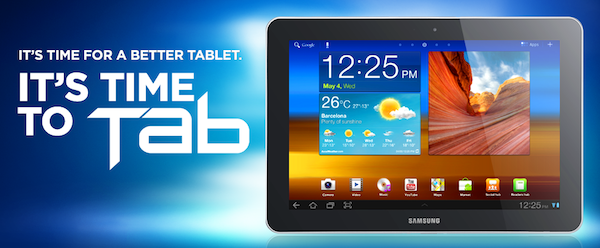
Apple has today won a preliminary injunction against Samsung’s Galaxy Tab 10.1 in the US, just a day before Google’s I/O conference begins. Issued by US Disctrict Judge Lucy Koh, it means that Samsung can no longer sell their tablet in the United States.

Although Samsung has a right to compete, it does not have a right to compete unfairly, by flooding the market with infringing products. While Samsung will certainly suffer lost sales from the issuance of an injunction, the hardship to Apple of having to directly compete with Samsung’s infringing products outweighs Samsung’s harm in light of the previous findings by the Court.

The judgment from Judge Koh also came before Friday’s hearing that was meant to cover the preliminary injunction. She said in her order that the strength of Apple’s case left her no choice but to grant the injunction, deciding she didn’t need to hear further arguments on the issue in Friday’s hearing. As noted by AllThingsD, she had previously denied a preliminary injunction request against the Galaxy Tab 10.1 by Apple back in December.

Once Apple fronts up with a $2.6 million bond (for Samsung if it is later ruled the injunction should not have been granted), the order will become effective. Speaking to an Apple representative, AllThingsD got a familiar statement on the matter:

“It’s no coincidence that Samsung’s latest products look a lot like the iPhone and iPad, from the shape of the hardware to the user interface and even the packaging

[via AllThingsD]


Apple Launches Podcasts App for iOS 5.1 and Later

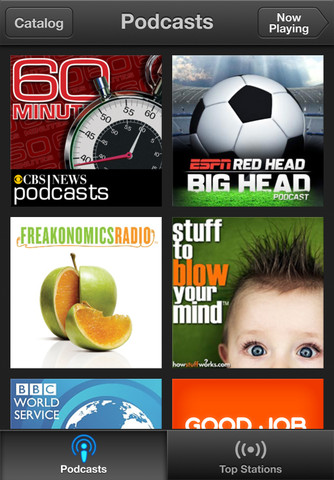
When Peter Kafka at AllThingsD hinted at an upcoming Podcasts app for iOS, we didn’t expect to see it until this Fall. Some early tells clued us in that Apple was working on something, and today our best guesses and inside sources held up: Apple has launched their forecasted Podcasts app, and you can download it right now from the App Store.

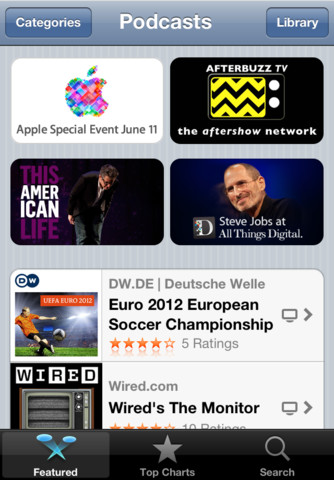
Wearing Apple’s iconic purple colors in its icon, Apple podcasts app centralizes the podcast player and podcast section of the iTunes Store in a standalone application. Able to playback audio and video podcasts, Podcasts continues the retro-styled playback controls first seen in the updated Music app on the iPad, and shares the the catalogue views from the updated App Store and iTunes Store on iOS 6. At first glance, Apple’s Podcasts podcatcher appears to be a rather basic player, leaving room for power-listeners to continue using their favorite apps like Downcast and Instacast.

With Apple’s standalone podcast player breaking away from the Music player, you’ll want to check out all of the new features below:

• Enjoy all of your audio and video podcasts in a single app
• Explore hundreds of thousands of podcasts including shows in over 40 languages
• Try the innovative new Top Stations feature to find new podcast series in a variety of topics, including arts, business, comedy, music, news, sports, and more.
• Browse by Audio or Video podcasts, or see what’s most popular in Top Charts
• Tap subscribe for your favorites and automatically receive new episodes for free as they become available
• Stream episodes or download to listen while offline
• Skip forward and back using simple playback controls
• Turn on Sleep Timer to automatically stop playing a podcast while listening in bed
• Share your favorite episodes with friends using Twitter, Messages and Mail
• Optionally sync your favorite episodes from iTunes on your Mac or PC
• Sync your episode playback for seamless transition between devices

Podcasts required iOS 5.1 and iTunes 10.6.3 for optionally syncing episodes. Download Podcasts (a universal app) from the App Store.


Brightcove Gives Developers A Tool To Create Dual Screen Apps With AirPlay

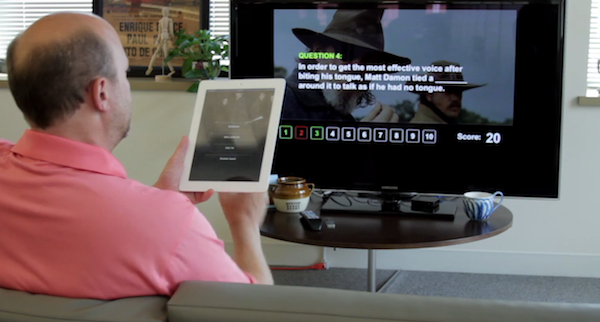
Brightcove today unveiled their ‘App Cloud Dual-Screen Solution for Apple TV’ which is effectively a development kit that allows developers and media publishers to easily create “dual-screen” apps that utilise AirPlay. It enables an Apple TV to effectively become a second screen in which different content can be showed, but synchronised to what is shown on the iPad or iPhone. As highlighted in the demonstration video below, this tool could be used to create interactive quiz games or perhaps an app that plays a video on a TV and display additional information on the iPad or iPhone.
Read more


Instagram 2.5 is All About the Users

Previous versions of Instagram improved performance, added filters, and made taking pictures and sharing photos with your phone’s camera faster than ever. Instagram is still the cool place to hang out if you want to snap pictures quickly and add a little flair, and today’s update shows it’s not always about just the things you take photos of.

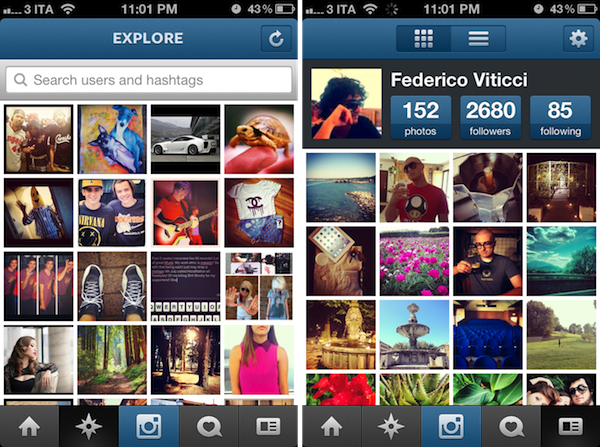
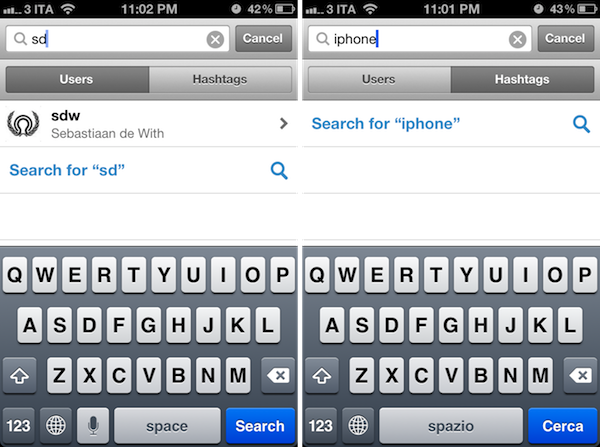
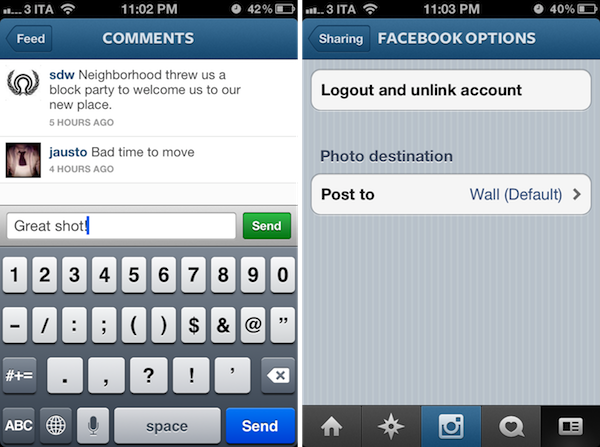
Using Instagram and interacting with people is just as important as being able to take and edit a photograph. Instagram’s 2.5 update isn’t about adding filters to your images — it’s about the people you want to interact and share moments with. Thanks in part to a revamped profile tab, improved search, improved commenting, auto complete, and integration with Facebook. Instagram’s latest update brings to the forefront some aesthetic, usability, and performance changes that should make the overall experience smoother.

The update makes Instagram feel much more interactive, and brings about features I enjoy using in my Twitter apps (a la autocomplete). Instagram is a free download from the App Store.


Gmail for iOS Update Adds Notification Support

When Gmail first launched on iOS, we lamented at two things: the lack of support for multiple addresses and notifications. While Gmail on the iPhone is still a web app at heart, it has gotten better as the app gained support for signatures, a vacation responder, and nested labels. If you’ve thought Gmail has been forgotten and left behind, today’s update brings some much desired requests into the application.

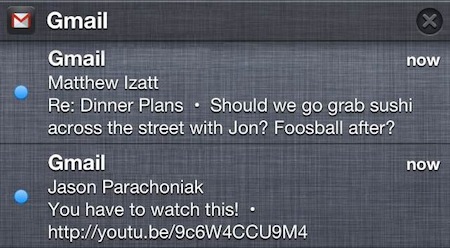
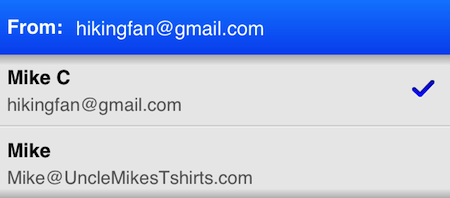
First up, Gmail for iOS now brings support for proper notifications on iOS. Instead of hearing just the chime, you’ll get banner notifications and will be able to see a history of recent emails in the Notification Center. Secondly, you’ll now be able to send a message from an alternate email address. This can be configured in the app’s settings. If you have other email accounts that forward their messages to your Gmail inbox, you can reply to those messages as the other address. Lastly, you don’t have to worry about signing back into Gmail every time you leave. Gmail will save your login information and keep you logged in unless you sign-out yourself.

If you need Gmail on your iPhone with proper notifications, today’s update might just win you over. It’s a free download from the App Store.

[via the Official Gmail Blog, Gizmodo | Images via the Official Gmail Blog]


Kickstarter: TAKTIK - A Premium Protection System for the iPhone

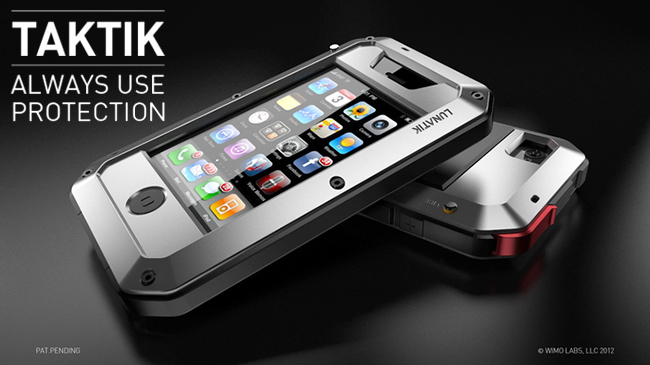
Many people take their iPhone protection very seriously. With cases like OtterBox and Griffin’s Armored case, there are some nice options available. LUNATIK, the makers of the TikTok+LunaTik watch, have started a new Kickstarter campaign to target these users with a new case called TAKTIK.

The design of the TAKTIK was injected from the TikTok+LunaTik and the LUNATIK Touch Pen with its hard lines and tactical feel. To take the rigidness of the case to the extreme, they have also included a Gorilla Glass lens (for an extra $25) for ultimate screen protection. The case itself has a shockproof suspension system with great iconic aesthetics. The TAKTIK also has GORE acoustic port covers to protect your iPhone from liquids, sand, dirt, etc. It has a nifty little patent-pending Silence Switch that only requires one fingertip to activate; there’s even a lanyard loop to fasten your iPhone safely to you. Videos after the break. Read more


App Store “Game Collections” Gathers All Previous Game Bundles

In our story about the first four years of App Store, we noted how Apple had been collecting apps and games in custom “sections” that, unfortunately, are often rarely updated and hard to find in the App Store once they are removed from the homepage.

For years now, Apple has been refreshing the App Store on a weekly basis to include custom “sections” showcasing hand-picked apps and games. These sections typically come with rotating banners and smaller “mini-banners” on the App Store’s homepage, and are later grouped into an “App Store Essentials” macro-section that includes several of past sections and recommendations.

Custom sections provide a decent solution to browse titles Apple has previously “curated”; however, these sections aren’t usually updated as often as they are created — N.O.V.A. 3, a new shooter game by Gameloft, still isn’t listed under Benchmark Games: Stunning Graphics, whilst the majority of reviewers and publications have outlined the game’s remarkable graphic capabilities.

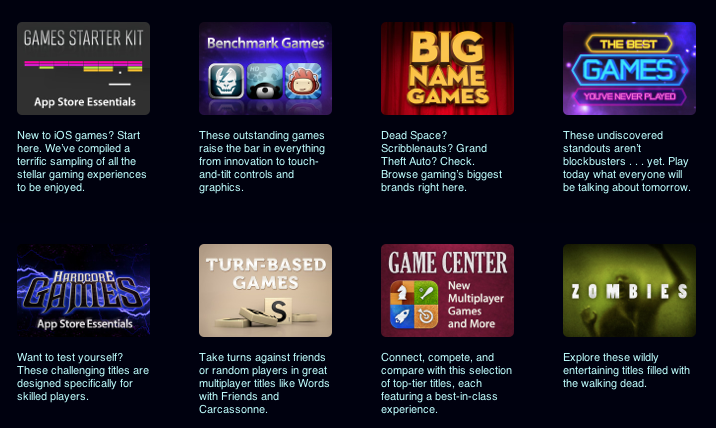
With today’s weekly refresh of the App Store’s homepage, it appears Apple has started taking some first steps into a new direction – grouping all previous game bundles into a bigger “collection”. Aptly named Game Collections and linked from the App Store’s homepage, the section offers a roundup of every selection Apple offered to date.

Game Collections includes:

Previously only available through the App Store’s homepage or partially through the dedicated Games category page, the new Game Collections feature brings some much needed organization to the custom sections Apple has been “curating” over the years. They are now accessible from a single place, and Apple notes how they will be “updated on a regular basis”.

As of today, “regular” apps still aren’t being organized into a unified collection. Right now, the App Store Essentials page is the best way to browse previously featured selections, but it also still mixes games and apps, and doesn’t provide the same elegant and simple layout of Game Collections. Hopefully Apple will provide an “App Collections” page as well, bringing past handpicked app selections and features in a single page.

Apple has been making a series of improvements to the App Store’s navigation lately. Aside from the complete App Store revamp coming in iOS 6, Apple redesigned the App of the Week section and renamed it to Editor’s Choice, leaving the former “App of the Week” to free app promotions.

App Store navigation and curation has long been an issue for third-party developers, with Apple’s Phil Schiller recently weighing in, too, noting how ”you can still get discovered and get a hit overnight”.


Launch Center Pro Review

Launch Center Pro has become my second SpringBoard. I have been testing the app for the past month, and it’s a fantastic upgrade over Launch Center, which we have covered on multiple occasions on MacStories. If you were a Launch Center user before, you’ll most definitely want to check out the new, separate Pro version.

For many, it’s difficult to see the appeal of software like Launch Center. Originally conceived as a Notification Center-based launcher for common actions such as toggling Bluetooth settings and custom URLs supported by third-party apps, Launch Center turned into a powerful hub to collect shortcuts for system actions and app-specific URLs. The discontinuation of Settings shortcuts in iOS 5.1 didn’t diminish Launch Center’s functionality, which gained support for several third-party applications and a nicer interface with support for icons and even more actions.

What started as an interesting hack to put shortcuts in Notification Center eventually became a utility that, in its niche, is redefining the concept of “launching actions”, rather than apps. This goes back to a fundamental issue behind the nature of the iOS Home screen – as I have previously written – and Launch Center Pro, while retaining the basic functionality of Launch Center, doubles down on this very distinction between finding apps and launching actions.

Read more