Posts in news

Evernote 5 Public Beta Now Available

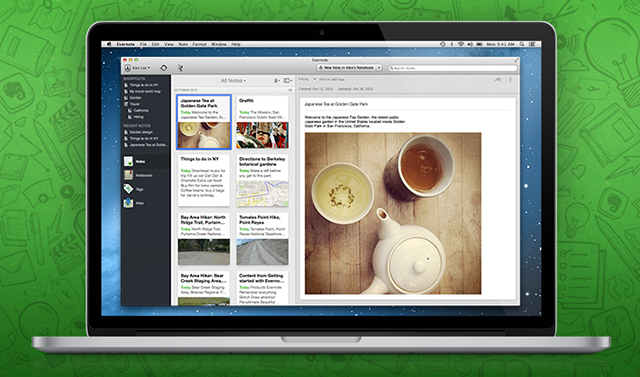
Announced last week, Evernote has today released version 5.0 of its Mac client as a public beta. Sporting a redesigned interface and over 100 new features, Evernote 5.0 is a complete rethinking of the desktop experience, built with easier access to most used notebooks and notes in mind. As I wrote last week:

Evernote 5 will primarily focus on improving the way users manage and access their notes, tags, and notebooks. With a new sidebar, users can drag items into the Shortcuts area; user shortcuts are accessible using CMD+1/9 keyboard shortcuts – just like bookmarks in Safari. Advanced users will still be able to “show lists” in the sidebar, but, overall, according to Evernote, the redesign will be focused on making the sidebar more visual, compact, and easier to use. In fact, the new sidebar will also list the five most recent notes for quick access. Evernote says there are over 100 new features in v5.0. These include a new iPad-like Cards view for notes, improved sharing, a new look for the notes editor, more keyboard shortcuts, new views for tags and notebooks, and more.

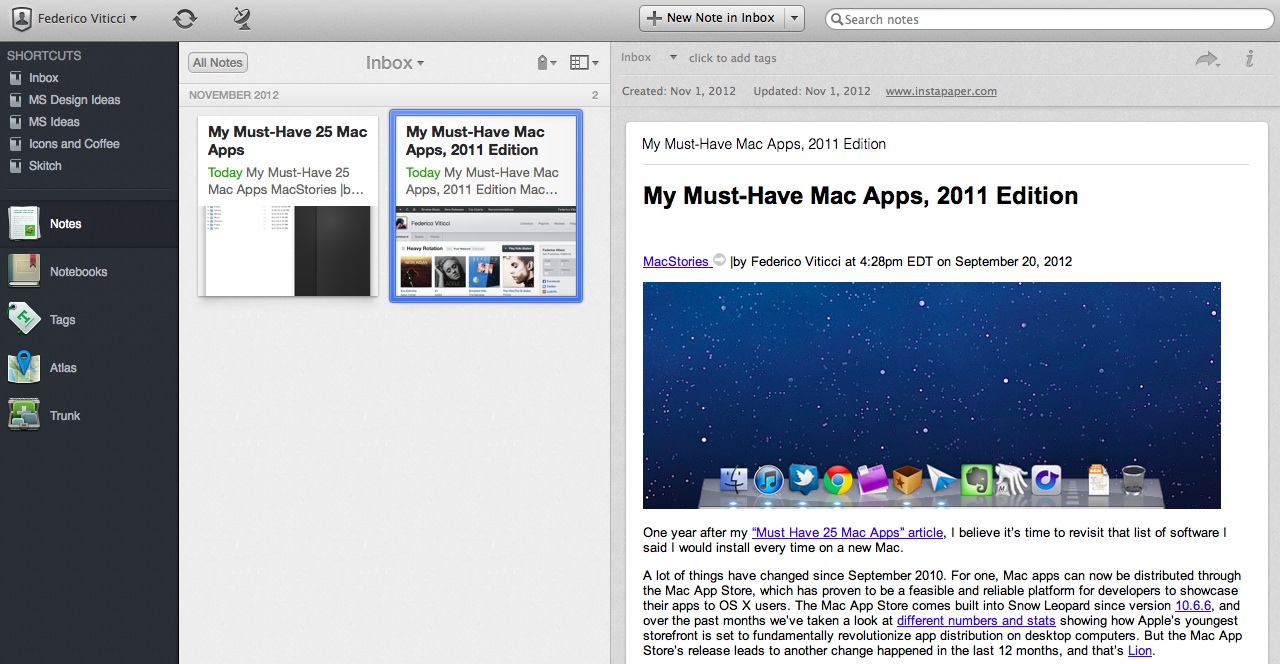
The new interface is primarily based on the new sidebar, which lists all the “shortcuts” created by the user. A shortcut can be a notebook, a tag, a note – anything that can be selected and dragged in the app can be manually placed in the Shortcuts area. Read more


October 2012 In Review

We’re back again with another month in review, and what a month October has been. On the news front there was, of course, the October 23rd Apple event which saw the launch of the iPad mini, fourth generation iPad,  13” MacBook with Retina Display, new Mac mini and iMac. Apple also had their fourth quarter earnings call and remembered the first year anniversary since the passing of Steve Jobs.

October was also chock full of new apps and big app updates. Tapbots in particular had a big month with the launch of Netbot and Tweetbot for Mac, Marco Arment launched The Magazine, Loren Brichter made his comeback with Letterpress, Pocket released a Mac app, and iPad drawing app Paper got a big update.

On the stories front, Federico has had a lot of fun putting together a number of guides and tutorials this month and we’ve collected them all together below. Federico also interviewed Loren Brichter for the launch of his new Letterpress app, talked about the leadership changes at Apple and I mapped out the entertainment ecosystems of Apple, Google, Microsoft and Amazon.

Be sure to check out our previous Month in Review posts here

Read more


Apple Releases iOS 6.0.1 [Direct Links]

Apple just released iOS 6.0.1. The software update has hit Apple’s servers and is propagating now; iOS 6.0.1 is a bug fix release, which improves reliability of the iPhone 5 and iPod touch 5th gen on WiFi networks with WPA2 encryption, fixes the widely-reported issue of horizontal lines showing up on the software keyboard, and improves the behavior of the Camera flash.

iOS 6.0.1 changelog

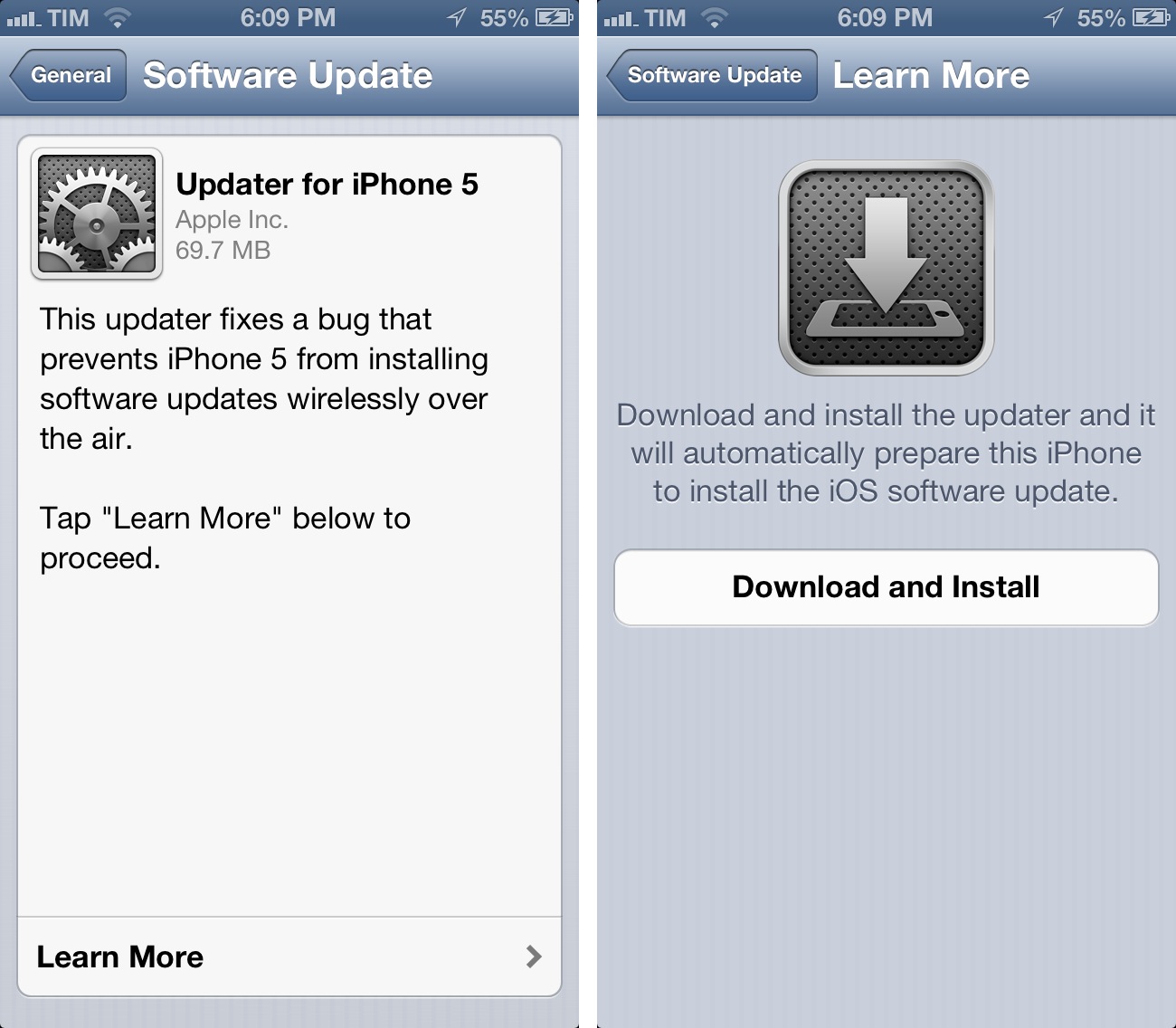
  • Fixes a bug that prevents iPhone 5 from installing software updates wirelessly over the air
  • Fixes a bug where horizontal lines may be displayed across the keyboard
  • Fixes an issue that could cause camera flash to not go off
  • Improves reliability of iPhone 5 and iPod touch (5th generation) when connected to encrypted WPA2 Wi-Fi networks
  • Resolves an issue that prevents iPhone from using the cellular network in some instances
  • Consolidated the Use Cellular Data switch for iTunes Match
  • Fixes a Passcode Lock bug which sometimes allowed access to Passbook pass details from lock screen
  • Fixes a bug affecting Exchange meetings

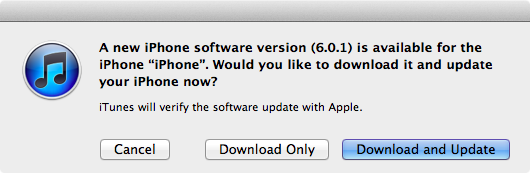
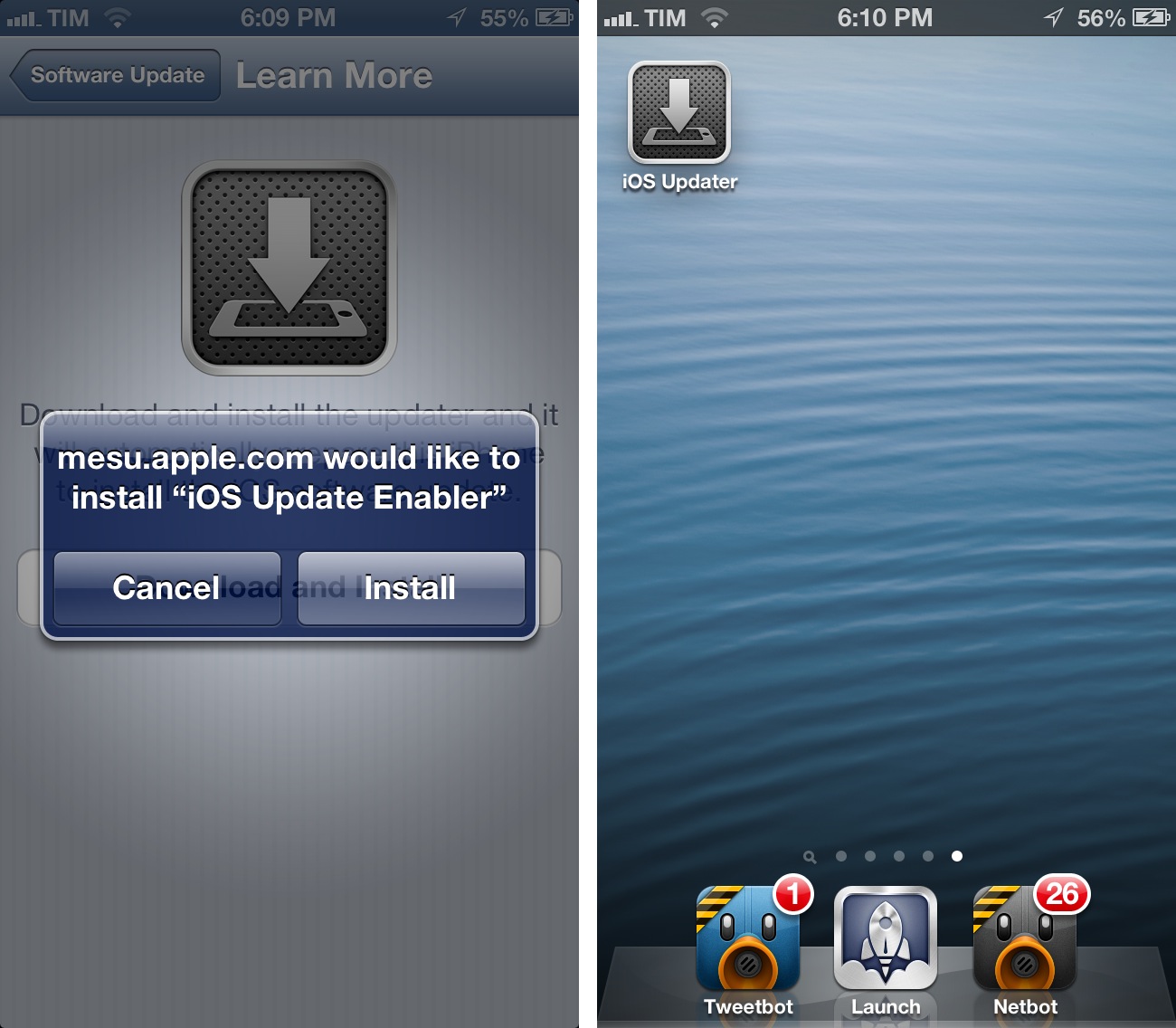
For over-the-air updates, iPhone 5 users will have to install an iOS Updater utility first, which requires a full reboot of the device before installing iOS 6.0.1. After the restart, the Software Update panel in settings will allow you to download iOS 6.0.1.

iOS 6.0.1 direct download links below (build number 9B206).


Paper for iPad Adds a Color Mixer, Custom Palettes, and Support for Pressure Input with Pogo Connect

Paper

Paper

I think the incredible thing about an app like Paper is that it allows someone like me to feel like an artist, even though I’m clearly not. It’s an app that brings out childlike joy and creativity in people who’d otherwise say they have no ability to draw or paint well. Paper is probably one of the most interesting apps on the iPad to look at for this reason; it manages to capture the essence of what makes doodling something on paper so fun, without making you feel inadequate thanks to its decidedly simple presentation and a carefully chosen color palette (originally: black, gray, white, orange, yellow, blue, green, and violet). Paper launched with just nine colors and five basic tools.

Paper’s next major update addressed a popular feature request; Version 1.1 introduced several new organizational features such as rearranging pages between journals and duplicating pages. Ink itself became more fluid, more closely matching finger and stylus input thanks to improvements to FiftyThree’s Expressive Ink Engine.

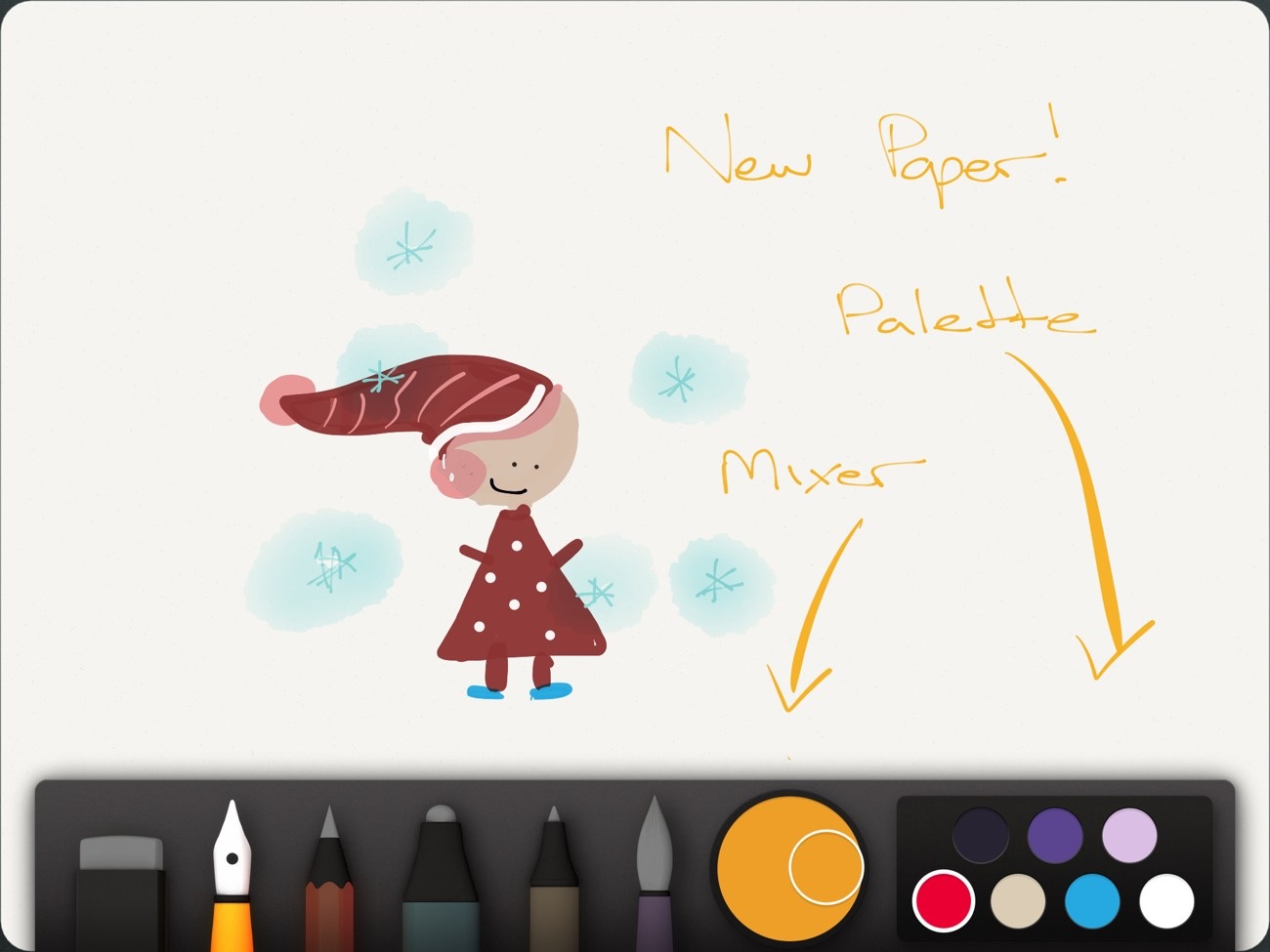
Today’s update further addresses another common feature request. While people have submitted some really amazing things to Made With Paper, I’d expect to see even more spectacular drawings thanks to the addition of the Mixer, Palettes, and support for the Pogo Connect. Not only have FiftyThree added more colors, they’ve added all of the colors.

Read more


Clear For Mac Coming Next Week with iCloud Sync, Updated iPhone App

Todo app Clear, developed by Impending, Helftone, and Realmac Software, has been one of the most successful and discussed iOS releases of the year. With a simple and clever user interface design, Impending and Realmac made Clear distinctive in its looks and purpose: it’s a todo app, without the fiddling required to get a personalized setup and workflow in most todo apps. With its focus on simplicty, gestures, and delightful interaction, Clear was refreshingly honest.

In our original review, Cody mentioned how Clear, unlike other apps, took a different approach in regards to displaying tasks and navigation:

I mention color and sound as a replacement for time and due dates because there’s a distinct tradeoff in emotional impact. Setting duration and due dates can bring about feelings of anxiety. What I think Clear tries to do is reward its users for recognizing the need to successfully complete tasks. Colors play a distinct role in being both fun and tailored to the user’s personality (there are multiple themes to choose from). Sounds are rewarding and deliver a pleasant symphony of chimes when completing tasks. The combination of the two in addition to gestures make Clear engaging to use and solidifies the experience.

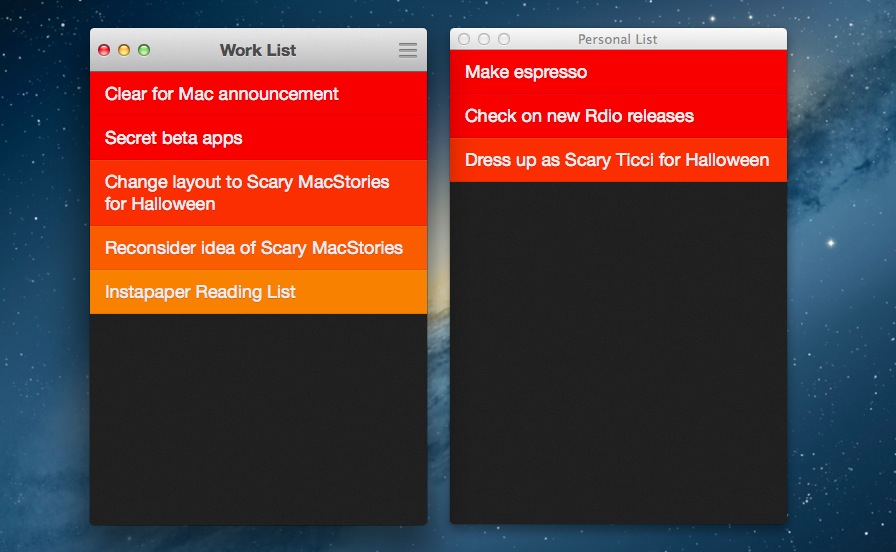
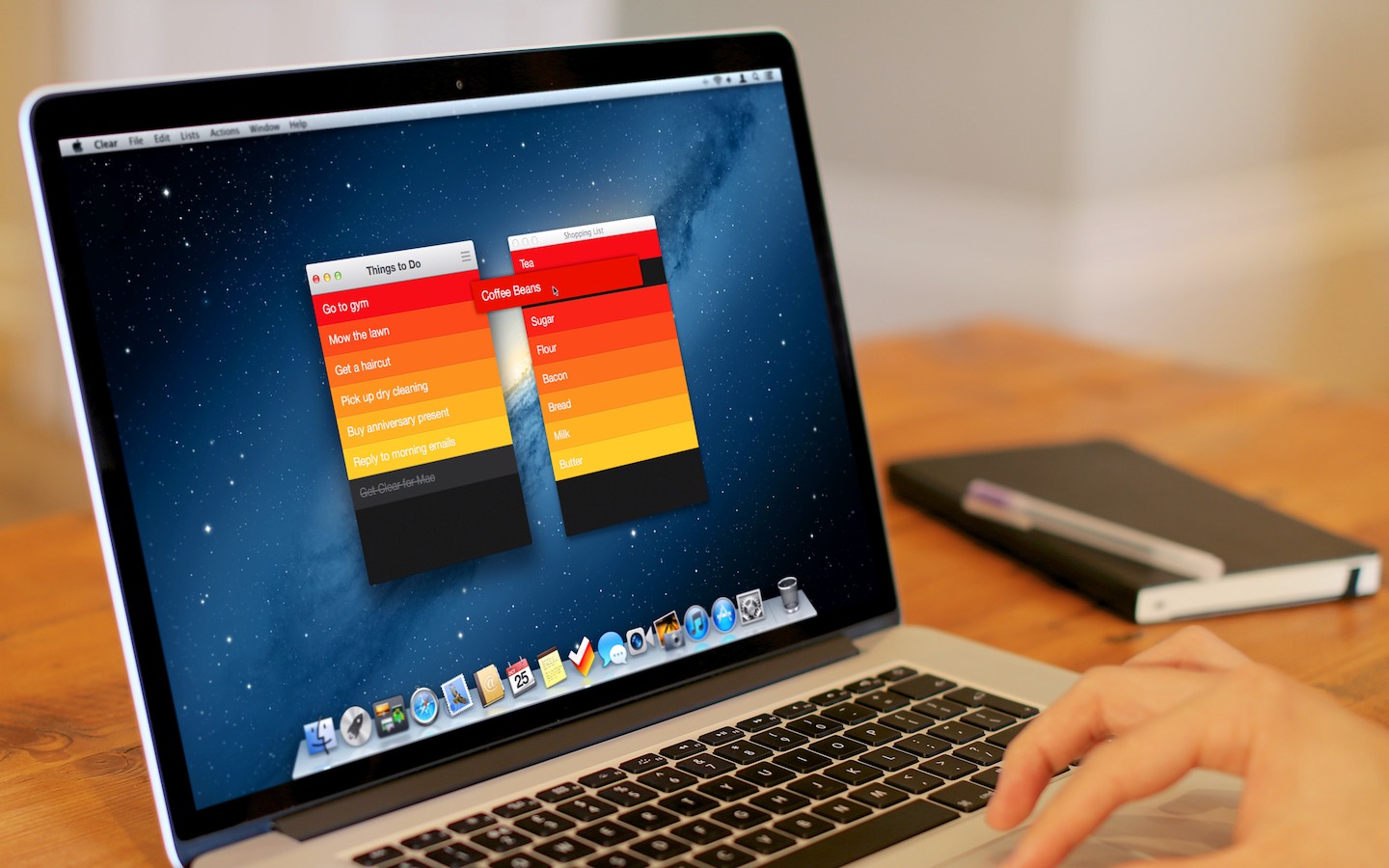
Today, Realmac and Impending are announcing Clear for Mac, an obvious next step for the app. While the new version isn’t available today, I’ve been able to test a beta of the app, and I can confirm that the essence of Clear’s experience has been ported to the Mac without making it feel extraneous to OS X. I’ll elaborate further on this thought in my future review.

Clear for Mac works like Clear for iPhone: you can create lists, and tasks inside lists. Tasks are color-coded (according to the theme you’re using) to show a darker tone if they’re at the top of a list, and thus have higher priority. Gestures play an important role in Clear for Mac: you can swipe with two fingers to complete or delete a task, swipe up or down to move between “levels” of the interface, pinch to go back, and so forth. From what you can see in the first promo video (embedded below), almost everything that made Clear for iPhone simple and great has been ported to the Mac version, including sounds.

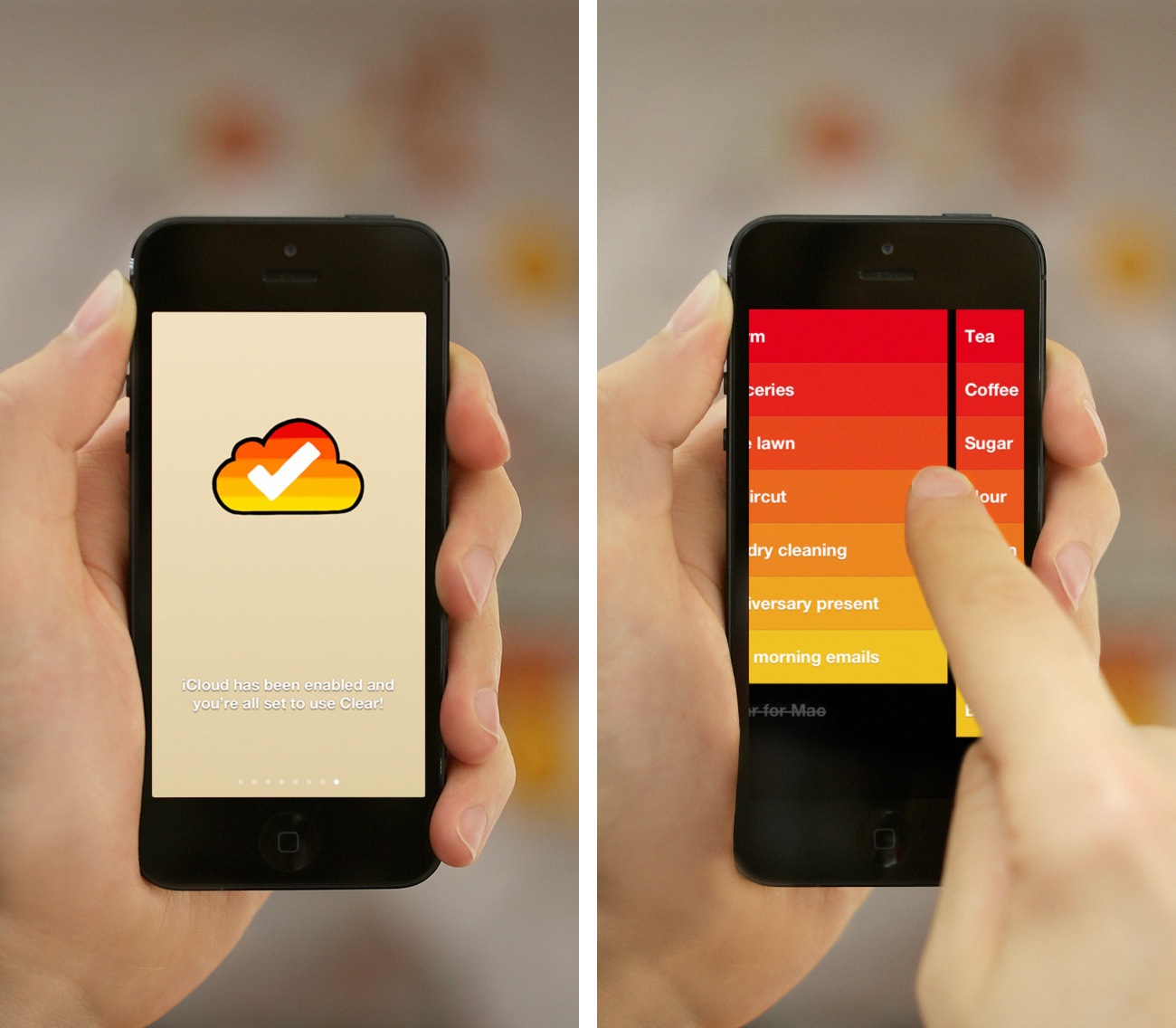
There’s some new stuff, too. There’s iCloud sync, for instance, which will make Clear Mountain Lion-only. iCloud sync will require the 1.2 version of Clear for iPhone, which isn’t out yet and will require iOS 6. For the Mac version, Realmac and Impending also worked on features that leverage the OS X platform, such as keyboard shortcuts; on the other hand, Clear for iPhone 1.2 is gaining a new gesture to quickly move between lists, and a new way to paste items from other apps into a list.

Overall, Clear feels at home as a Mac app, but I’ll save my thoughts for a proper review next week.

Clear for Mac will launch at $14.99 on November 8th alongside Clear for iPhone 1.2. Check out the official promo video after the break. Read more


iTunes 11 Delayed To November

iTunes 11 Delayed To November


As reported by AllThingsD, an Apple spokesperson has confirmed iTunes 11, expected by the end of October, has been delayed until November.

The new iTunes is taking longer than expected and we wanted to take a little extra time to get it right. We look forward to releasing this new version of iTunes with its dramatically simpler and cleaner interface, and seamless integration with iCloud before the end of November.

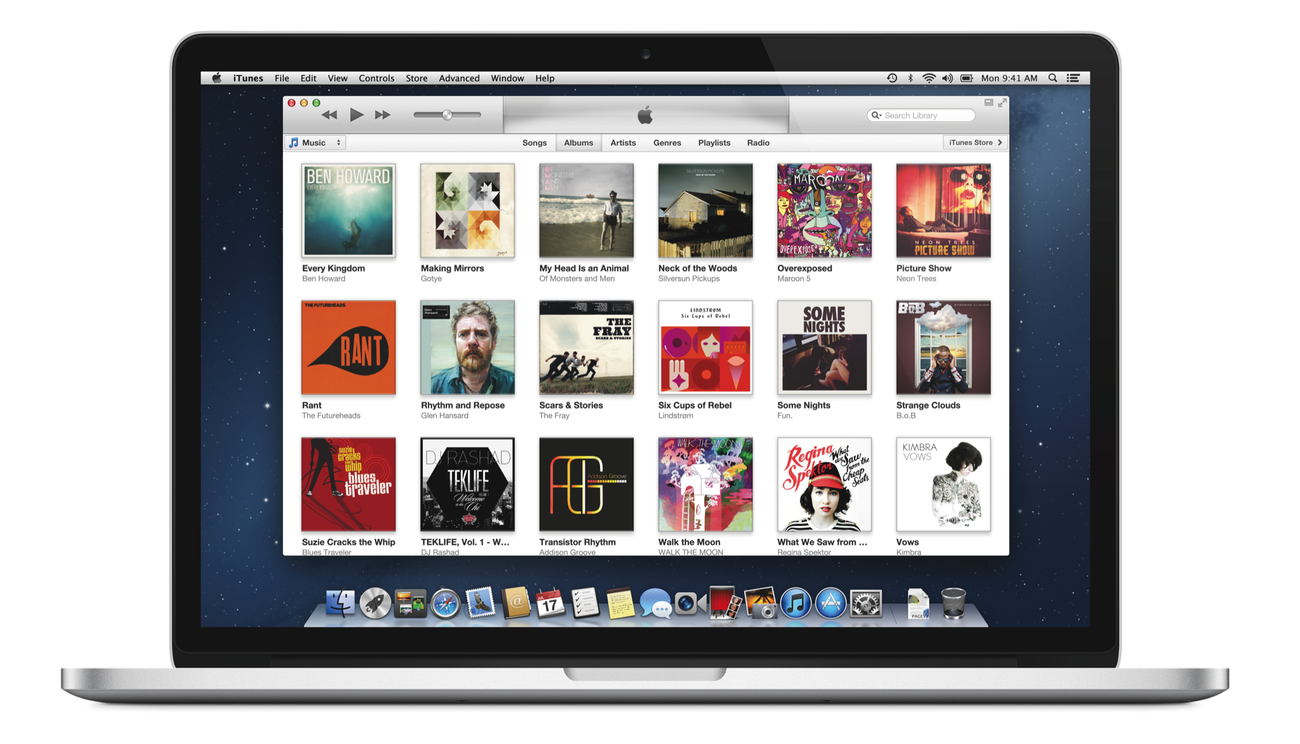
Originally announced at the iPhone 5 event on September 12, the new iTunes features a new edge-to-edge design that is reminiscent of the Music app for iPad. iTunes 11 also brings popovers that present a drop down of upcoming songs, and improved search results as you filter through music in your library. One of the big new features is expanded view, which lets users see all the songs of an album in place without opening a different view. The background of an album in expanded view is automatically generated by iTunes based on the item’s artwork.

iTunes 11 will also add iCloud integration, a new Up Next feature, a redesigned MiniPlayer, and more. In a preview available online, Apple is showcasing some of the new design choices and functionalities of iTunes 11, but it’s still unclear how the app will handle other media such as apps, books, or podcasts.

Check out Apple’s official preview of Tunes 11 here.

Permalink

Major Changes at Apple: Scott Forstall Leaving, Jony Ive To Lead Human Interface Across Company

With a press release published a few minutes ago, Apple announced major changes in the structure of the company. The big news is that SVP of iOS Software Scott Forstall will be leaving Apple in 2013, with SVP of Industrial Design Jony Ive taking over to “provide leadership and direction for Human Interface (HI) across the company”. Forstall will stay on as an “advisor” to CEO Tim Cook in the meantime; Forstall joined Apple in 1997 coming from NeXT, and he was later promoted to Senior Vice President in 2003.

Jony Ive will provide leadership and direction for Human Interface (HI) across the company in addition to his role as the leader of Industrial Design. His incredible design aesthetic has been the driving force behind the look and feel of Apple’s products for more than a decade.

But there’s a lot more in Apple’s official statement: essentially, in the coming months Apple will undergo major changes in several aspects of its internal structure, both in terms of executive leadership and teams. Bob Mansfield, who announced his retirement earlier this year but then decided to stay at Apple, will lead a new Technologies group:

Bob Mansfield will lead a new group, Technologies, which combines all of Apple’s wireless teams across the company in one organization, fostering innovation in this area at an even higher level. This organization will also include the semiconductor teams, who have ambitious plans for the future.

Craig Federighi, recently promoted to SVP of Mac Software Engineering, will go on to lead both the iOS and OS X groups:

Craig Federighi will lead both iOS and OS X. Apple has the most advanced mobile and desktop operating systems, and this move brings together the OS teams to make it even easier to deliver the best technology and user experience innovations to both platforms.

Additionally, head of Services Eddy Cue will take over responsibilities for Maps and Siri, and John Browett, Apple’s head of Retail, will be leaving the company as well. Notably, Browett was hired only ten months ago, but he’s been criticized for many of his recent decisions in Apple’s retail operations.

CEO Tim Cook was quotes in the press release:

The amazing products that we’ve introduced in September and October, iPhone 5, iOS 6, iPad mini, iPad, iMac, MacBook Pro, iPod touch, iPod nano and many of our applications, could only have been created at Apple and are the direct result of our relentless focus on tightly integrating world-class hardware, software and services

The focus of the statement is, in fact, a tighter integration of hardware, software, and services. Read more


Netbot 1.1 Adds Push Notifications, Search

Netbot, Tapbots’ iOS client for App.net, has been updated today to version 1.1, which adds two of the most requested features from the app’s userbase: push notifications and search.

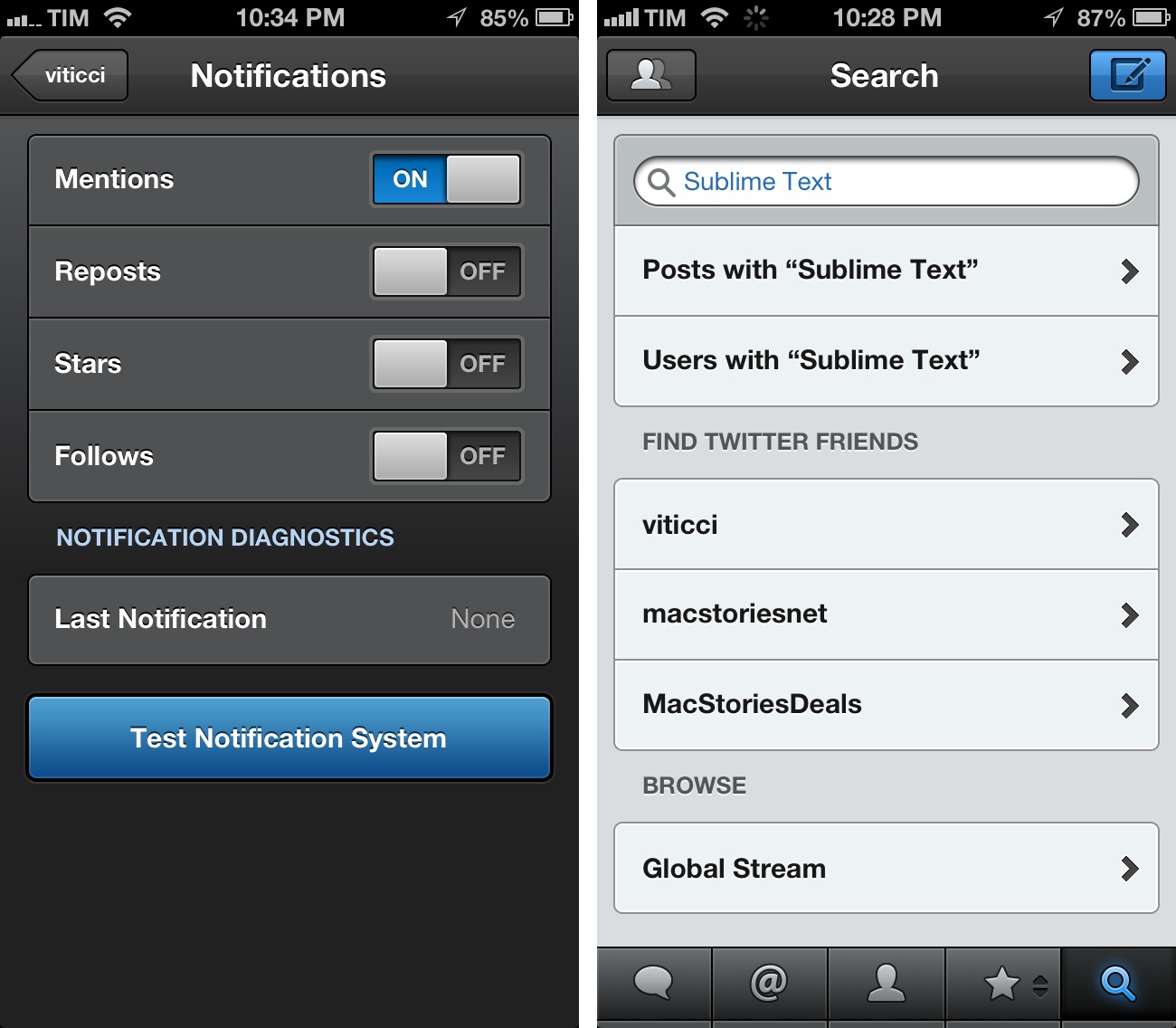
Both features have been created by Tapbots’ developer Paul Haddad on top of App.net’s streaming component of the API. This means that, while Netbot isn’t streaming timelines like Tweetbot yet, it’ll be able to send you notifications for Mentions, Reposts, Stars, and new Follows. Once again, this works just like Tweetbot: head over your account’s Settings and select Notifications to choose which kind of information you’d like to receive. In my tests, Netbot’s push notifications were reliable and fast. Read more


Evernote Teases Major 5.0 Redesign of Mac App

“Remember Everything” platform Evernote has today announced the next version of their Mac client: Evernote 5. With an extensive preview on Evernote’s website, the company has revealed some of the features and design choices behind the complete redesign of the desktop app.

Evernote 5 will primarily focus on improving the way users manage and access their notes, tags, and notebooks. With a new sidebar, users can drag items into the Shortcuts area; user shortcuts are accessible using CMD+1/9 keyboard shortcuts – just like bookmarks in Safari. Advanced users will still be able to “show lists” in the sidebar, but, overall, according to Evernote, the redesign will be focused on making the sidebar more visual, compact, and easier to use. In fact, the new sidebar will also list the five most recent notes for quick access.

Evernote says there are over 100 new features in v5.0. These include a new iPad-like Cards view for notes, improved sharing, a new look for the notes editor, more keyboard shortcuts, new views for tags and notebooks, and more.

Evernote highlights Atlas, a completely new feature to browse notes by location on a visual map.

Atlas is a brand new way to visually explore your notes in Evernote. Evernote helps you remember where you were when you took notes to help you have richer, more vibrant memories. Evernote Atlas reads the location where your notes were created and intelligently presents them to you on Place Cards based upon their proximity to each other.

Evernote 5 will undoubtedly be a major upgrade; hopefully the company won’t take away features from power users in its focus to make the app more accessible for everyone. Furthermore, Evernote says Atlas will work with notes created by Food and Hello, but it’s not clear if and how Evernote plans to better integrate version 5.0 with its ecosystem of apps – namely Skitch and Penultimate, acquired in the past year.

A beta of Evernote 5.0 will be available next week. Check out the feature list over at Evernote’s website, and a first teaser video below. Read more