Posts in news

Transmission Infected with KeRanger Ransomware

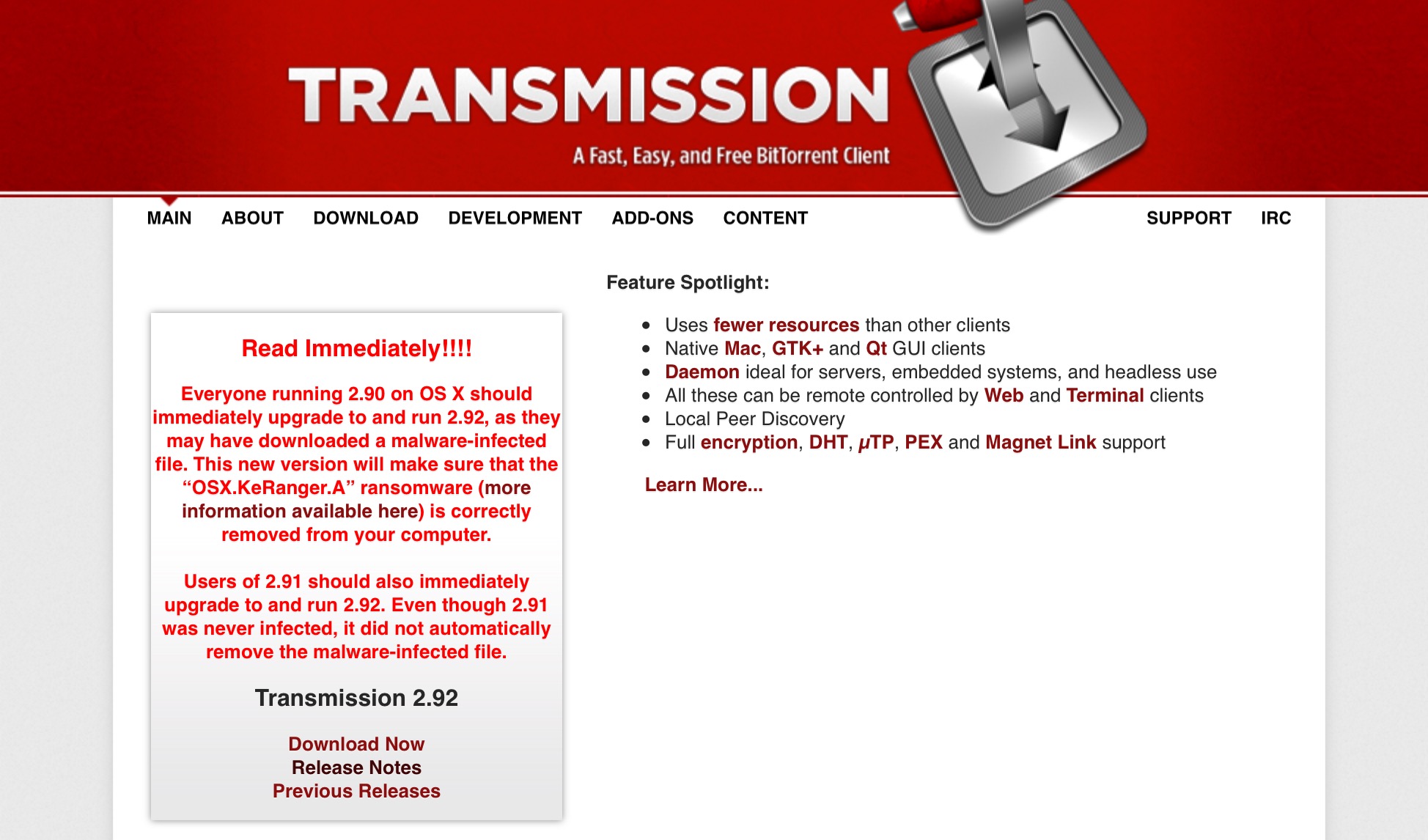
It was discovered this weekend that popular BitTorrent client Transmission was infected with what is believed to be the first fully functional ransomware on OS X. Palo Alto Networks discovered the infection and report that attackers infected two installers of version 2.90 of Transmission’s Mac app with the ransomware, dubbed KeRanger, on March 4. The ransomware works by encrypting all files in the “/Users” and “/Volumes” directories and then demands payment of 1 Bitcoin (~US$400) from victims in order to decrypt and retrieve their files.

It is not yet known how the Transmission installers were infected. Palo Alto Networks promptly disclosed the ransomware to the Transmission Project and Apple, and both have taken swift action. Transmission has since been updated to 2.9.1 (removing the ransomware from the installer) and 2.9.2 (automatically removing KeRanger if it had been installed on a user’s system). Whilst Apple has revoked the certificate used to install KeRanger, updated Gatekeeper to block the malicious installer, and updated its XProtect (Apple’s built-in anti-malware software) signatures.

How to Protect Yourself

The following is excerpted from Palo Alto Networks’ report on KeRanger. We recommend you read their full report if you would like further, and more detailed, information.

Users who have directly downloaded Transmission installer from official website after 11:00am PST, March 4, 2016 and before 7:00pm PST, March 5, 2016, may be been infected by KeRanger. If the Transmission installer was downloaded earlier or downloaded from any third party websites, we also suggest users perform the following security checks. Users of older versions of Transmission do not appear to be affected as of now.

[via MacRumors, Palo Alto Networks]

Apple Launches @AppleSupport Account on Twitter

As first reported by MacRumors, Apple has today launched @AppleSupport, a support account on Twitter:

Apple today created an official Twitter support account to provide customers with tips, tricks, and tutorials about the company’s product and services. One of the account’s first tweets provides users with step-by-step instructions on how to turn lists into checklists in the stock Notes app on iPhone.

Apple’s presence on social media is slowly but surely expanding. This is now the second support account that Apple runs on Twitter, following last October’s launch of @AppleMusicHelp which provides help and tips relating to Apple Music.

Permalink

Drafts 4.6 Has Nice Refinements and a Few Treats for Power Users

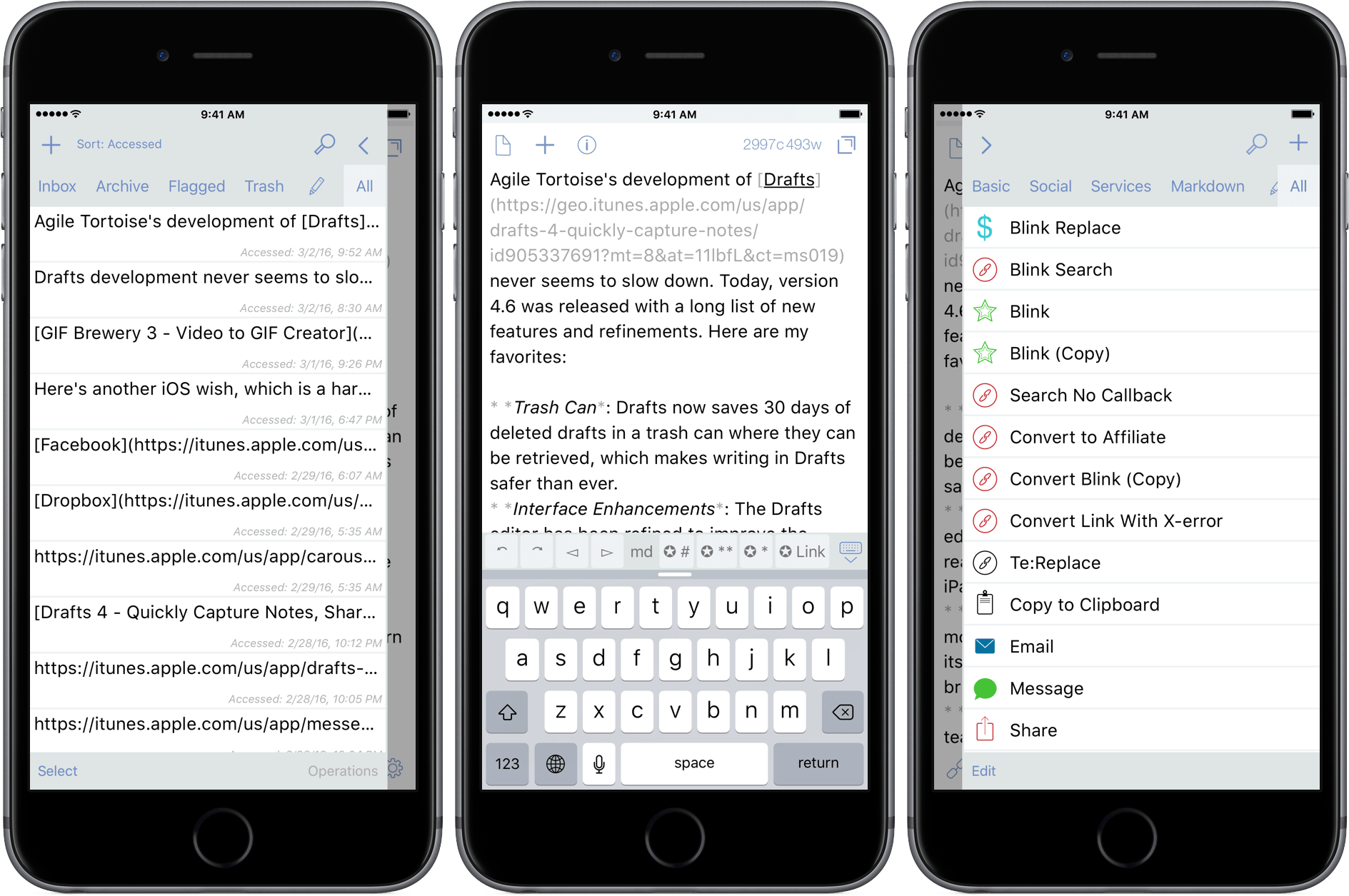
Agile Tortoise’s development of Drafts never seems to slow down. Today, version 4.6 was released with a long list of new features and refinements. Here are my favorites:

  • Trash Can: Drafts now saves 30 days of deleted drafts in a trash can from which they can be restored, which makes writing in Drafts safer than ever.
  • Interface Enhancements: The Drafts editor has been refined to improve the readability of your drafts, especially on the iPad.
  • Automatic Dark Mode: Drafts can now monitor the ambient light in a room, and turn its dark mode on and off according to a brightness threshold that you select.
  • Box Support: Last year the MacStories team started using Box as part of our document collaboration workflow, which makes Box support especially welcome. Much like Drafts’ Dropbox and Google Drive support, you can now create files in Box, and append and prepend to existing Box files.
  • Today Widget: Drafts 4.6 debuts a redesigned Today Widget with a streamlined look.
  • Icons: Drafts has added many action icons, which I like because it makes it even easier to identify my Drafts actions.

There are also some treats in Drafts 4.6 for power users too:

  • Open in Drafts: Instead of opening Safari, you can set a URL action to open URLs in Safari View Controller, which keeps you inside Drafts. The Agile Tortoise blog includes a couple good examples of this that search Google and DuckDuckGo.
  • ‘replaceRange’ URL Scheme Action: When used with an x-success callback parameter in a URL scheme action, ‘replaceRange’ can replace selected text in a draft with the results of a URL scheme call to another app. This is powerful stuff, and means you can do things like send selected text to Agile Tortoise’s dictionary app, Terminology, to look up a synonym, select it, and return it to Drafts, replacing the originally selected text. A similar action works with my app, Blink, where the selected text kicks off a search. After you select an item from the results, Blink sends an affiliate link back to Drafts, replacing the selected text with the link. I have more detail, and a demonstration of the Blink action on squibner.com. Both of these actions work on any iOS device, but the first time I saw them in action with both apps running in Split View on an iPad Pro, I was blown away. Writers will love these actions.
  • Include Action: You can now incorporate one action into another by reference, which makes building actions more modular.

With version 4.6, Drafts continues its steady pace of innovation by continuing to redefine what a text editor can be, which is why it has been one of my go-to text editors for many years now.

Drafts 4.6 is a free update for existing customers, and $9.99 for new users.


Apple, FBI, and iPhone Security: A Roundup of News and Links

Apple made headlines around the world last week when Tim Cook announced, in an open letter to their customers, that Apple would oppose a court order requiring it to circumvent iOS security features. Since then, new developments in the story have broken and many have contributed with explanations of why the outcome of this battle between Apple and the FBI is significant.

Our relative silence on this topic at MacStories is not because we don’t think this story is important. To the contrary, we believe it is incredibly important and we applaud the principled stand that Cook’s Apple has decided to make. But we are hesitant to wade into this important debate, which can be incredibly technical, when there are far smarter minds out there who better deserve your time and attention.

To that end, we’ve compiled a list of useful news articles, opinion pieces, and other resources that we believe are worth a few minutes of your time.

Read more


Apple Pay Launches in China

Apple Pay today launched in China, where Apple has partnered with China UnionPay which operates the Chinese inter-bank network (in a role analogous to that of Visa and Mastercard). Jennifer Bailey, vice president of Apple Pay, told Reuters that Apple Pay supports 19 of China’s biggest lenders, which means that 80 percent China’s credit and debit cards are eligible for Apple Pay at launch. Bailey also noted that Apple Pay is currently accepted at about one-third of all locations that accept the supported cards.

Unsurprisingly, Bailey thinks that “China could be our largest Apple Pay market”. That is no surprise, in the other Apple Pay markets there is either a shortage of locations which support Apple Pay (United States) or shortage of financial institutions which support Apple Pay (Australia, Canada). The UK is the only country that has a high level of retail location acceptance and financial institution support – but the population of China far exceeds that of the UK.

Apple’s approach is to not compete with banks and UnionPay, said Bailey.

“China UnionPay and our Apple Pay solution has a huge advantage, given the footprint of China UnionPay,” she said. “Its merchant acceptance network far exceeds what any of the other mobile platforms have today.”

For a full list of the supported financial institutions in China, view this page on Apple’s website. Apple Pay is available in China at retail locations, as well as in iOS apps.

[via MacRumors]


Apple Posts New iPhone 6s Ads Focusing on 3D Touch and Live Photos

Apple yesterday published two new iPhone 6s commercials, this time focusing on two features that are available exclusively on the new iPhone 6s; Live Photos and 3D Touch.

You can watch the videos below break, and we have also included a transcription of the two commercials.

Previous iPhone 6s adverts have included ‘Ridiculously Powerful’, ‘Prince Oseph’, ‘Hey Siri’, ‘Flip a Coin’, ‘Crush’, and ‘The Camera’.

Read more


Tim Cook: Apple Will Oppose Court Order to Circumvent iOS Security Features

A Californian court yesterday ordered Apple to provide the FBI with a custom version of iOS that would circumvent security measures and allow the FBI to unlock the iPhone of one of the San Bernardino shooters.

Just a short time ago, Apple CEO Tim Cook published an open letter on Apple’s website. In his letter to customers, Cook explains why Apple opposes the order and warns of the implications should Apple be forced to do what has been ordered. Cook calls for “public discussion” of the issue and notes that “we want our customers and people around the country to understand what is at stake”.

Specifically, the FBI wants us to make a new version of the iPhone operating system, circumventing several important security features, and install it on an iPhone recovered during the investigation. In the wrong hands, this software — which does not exist today — would have the potential to unlock any iPhone in someone’s physical possession.

The FBI may use different words to describe this tool, but make no mistake: Building a version of iOS that bypasses security in this way would undeniably create a backdoor. And while the government may argue that its use would be limited to this case, there is no way to guarantee such control.

This is Apple at its best. Using its stature to cogently make the case for better public policy – in this case the need for encryption and standing strong against any attempt to undermine it. I would highly encourage you to read Cook’s entire letter.

The government is asking Apple to hack our own users and undermine decades of security advancements that protect our customers — including tens of millions of American citizens — from sophisticated hackers and cybercriminals. The same engineers who built strong encryption into the iPhone to protect our users would, ironically, be ordered to weaken those protections and make our users less safe.

We can find no precedent for an American company being forced to expose its customers to a greater risk of attack. For years, cryptologists and national security experts have been warning against weakening encryption. Doing so would hurt only the well-meaning and law-abiding citizens who rely on companies like Apple to protect their data. Criminals and bad actors will still encrypt, using tools that are readily available to them.

Permalink

Igloo: An Intranet You’ll Actually Like [Sponsor]

We all struggle with productivity. We are constantly pressured to accomplish more, and to do it quicker. There is no one definitive way to accomplish that, and we have all devised our own little method to make things work.

At Igloo, they think your way is the best way, they just want to support you, and make your way better.

Work has evolved and your tools should too. Never email yourself a file again. Bring your company into the 21st century - send your IT guy to try Igloo Software for free.

Igloo is an intranet you’ll actually like.

Our thanks to Igloo for sponsoring MacStories this week.


Bound is a Dropbox-Connected Audiobook Player

Audiobooks occupy a weird backwater on iOS. Long tucked away in Apple’s Music app behind a ‘More’ button, audiobooks were kicked out of Music with iOS 8.4 and now live alongside eBooks in iBooks. Audiobooks are also one of the most restrictive types of media you can purchase on iTunes. Once downloaded to a device, an audiobook cannot be re-downloaded. Download an audiobook to an iOS device that isn’t backed up and if your iPhone or iPad dies, your audiobook dies with it. iTunes audiobooks are, to borrow a Steve Jobs’ complaint about Blu-ray disks, “a big bag of hurt.”

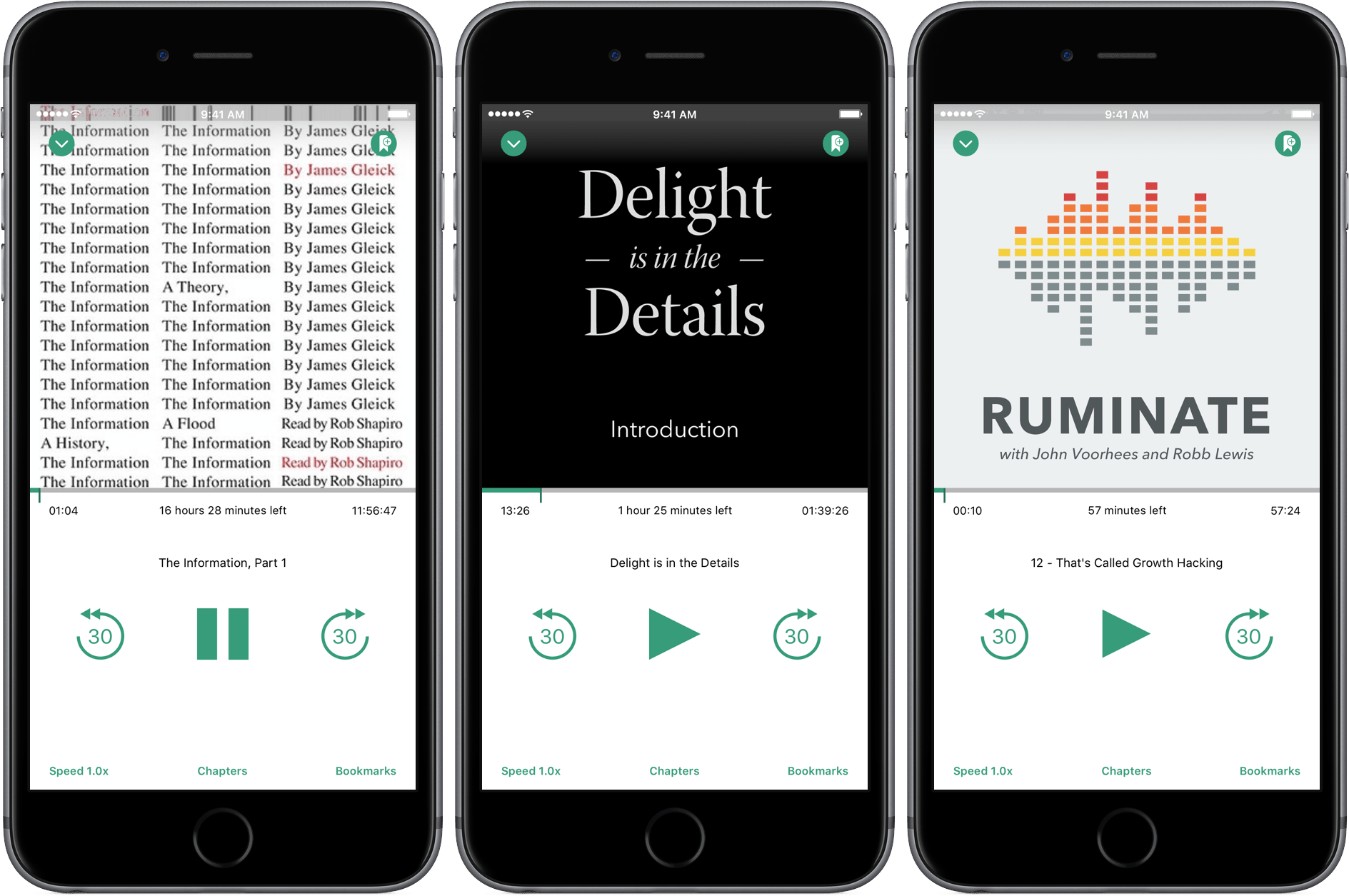
iTunes is not, however, the only game in town. Services like Audible let you re-download books, and there are plenty DRM-free audiobooks available. But Audible is its own proprietary system and even DRM-free audiobooks cannot sync to iBooks on an iOS device without using a Mac and a cable. Pain points like these are what create opportunities for third party developers like Tim Bueno who has taken the pain out of getting DRM-free audiobooks onto your iPhone with a promising, although imperfect, Dropbox-connected audiobook player called Bound.

Read more