This Week's Sponsor:

Dropzone 5

Improve your Drag-and-Drop Workflow


Posts in news

Instagram Launches IGTV Video App Featuring Longer-Form Video

Instagram announced a video service today that is available as a standalone app called IGTV. The new service will be available soon from a button in the top right-hand corner of the Instagram app’s main screen too.

IGTV features vertical video that is longer than is available in Instagram’s Stories feature. Currently, channels created by new accounts and ones with fewer followers are limited to uploading videos that are 15 seconds to 10 minutes long, but TechCrunch reports that eventually all accounts will be able to upload videos up to one hour long.

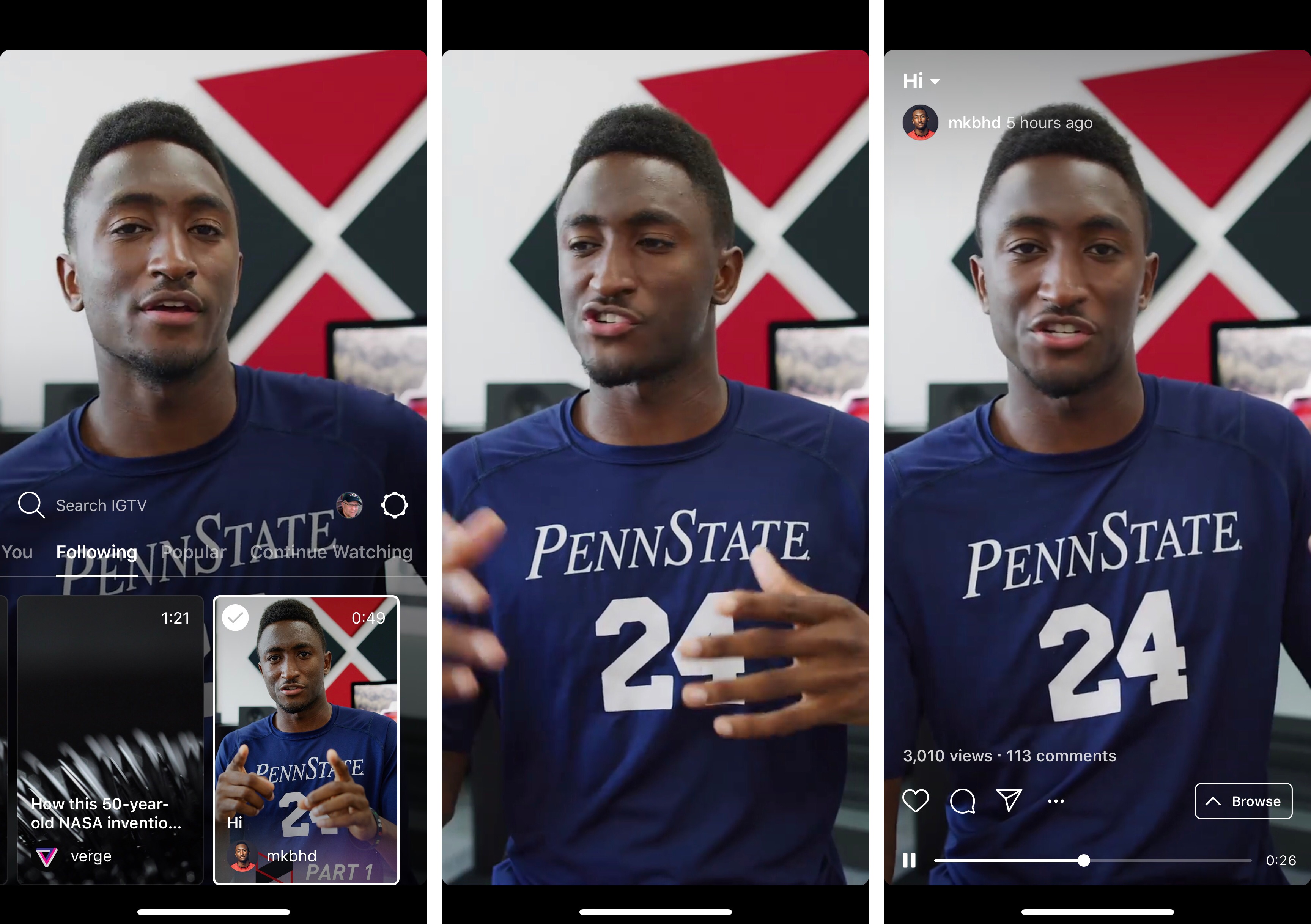
When you first open the app, it opens to a ‘For You’ section of videos from people you follow on Instagram along with a selection of popular content. The currently-selected video dominates the top two-thirds of the screen. The bottom third of the screen is a horizontally-scrolling, tabbed thumbnail interface for picking other videos. The included tabs are ‘For You,’ ‘Following,’ ‘Popular,’ and ‘Continue Watching,’ which are self-explanatory. You can also swipe between videos in a tab the same way you would in Instagram Stories.
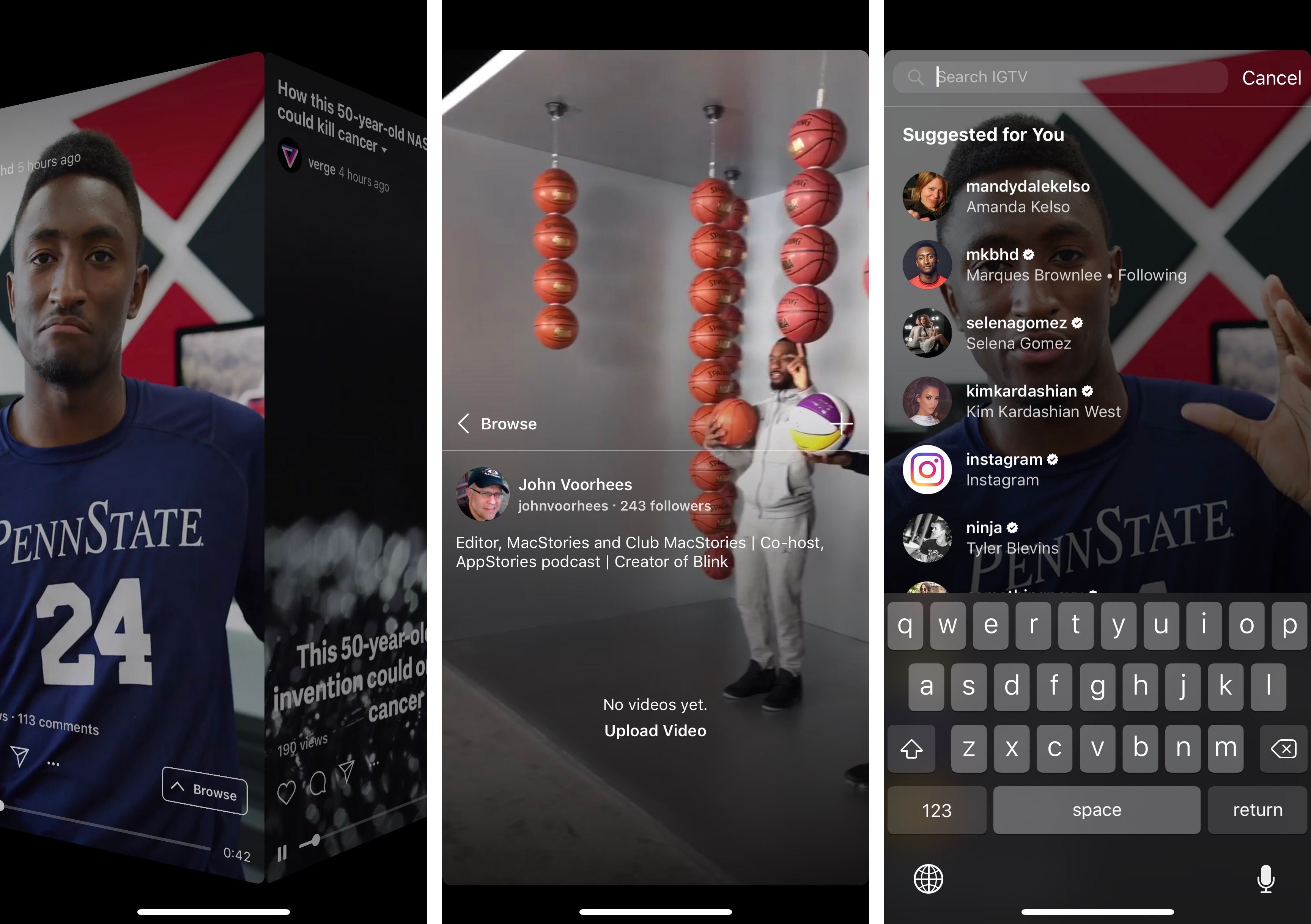
Swiping down dismisses the thumbnails and other UI, so the video dominates the screen. A tap on the video reveals play/pause controls, a scrubber to advance or rewind the video, and buttons to mark videos as favorites, comment, share it with other Instagram contacts, copy a link to the video, report it, or hide it. Tapping the title of the video displays its description, which can include URLs that open in Safari View Controller. TechCrunch says users will be able to subscribe to channels, though that doesn’t seem to be implemented in this initial release.

Although there is currently no advertising in the app, that is coming based on Instagram CEO Kevin Systrom’s comments during the event today. According to the TechCrunch report on the event:

“There’s no ads in IGTV today,” says Systrom, but he says it’s “obviously a very reasonable place [for ads] to end up.” He explained that since creators are investing a lot of time into IGTV videos, he wants to make that sustainable by offering them a way to monetize in the future.

Overall, I like what I’ve seen in the short time I’ve been using IGTV. Only a couple of the accounts I follow have posted videos so far, but I expect that will change as creators experiment with this new outlet. One big disappointment from a design standpoint though, is that the app does not support full-screen iPhone X video.


IGTV is available on the App Store as a free download.


iOS 12 Will Add New Emergency Calling Feature

Apple has announced a new emergency calling feature for iOS 12, which wasn’t revealed at WWDC two weeks ago. The new functionality will provide automatic, precise location information to first responders when iOS 12 users call 911 in the United States. According to Apple’s press release:

Approximately 80 percent of 911 calls today come from mobile devices, but outdated, landline-era infrastructure often makes it difficult for 911 centers to quickly and accurately obtain a mobile caller’s location. To address this challenge, Apple launched HELO (Hybridized Emergency Location) in 2015, which estimates a mobile 911 caller’s location using cell towers and on-device data sources like GPS and WiFi Access Points.

Apple today announced it will also use emergency technology company RapidSOS’s Internet Protocol-based data pipeline to quickly and securely share HELO location data with 911 centers, improving response time when lives and property are at risk. RapidSOS’s system will deliver the emergency location data of iOS users by integrating with many 911 centers’ existing software, which rely on industry-standard protocols.

The FCC has mandated that mobile phone carriers locate callers within 50 meters 80% of the time by 2021. According to Apple’s press release, Apple’s HELO technology is capable of meeting and exceeding those standards today, and with the adoption of RapidSOS’s protocol this fall in iOS 12, those benefits will be enjoyed by 911 call centers too.


Apple Announces Video Deal with Oprah Winfrey

In a brief press release today, Apple announced a multi-year deal with Oprah Winfrey to produce original video content. From the press release:

Together, Winfrey and Apple will create original programs that embrace her incomparable ability to connect with audiences around the world.

The project joins more than a dozen others that have been signed by Apple for video content in the past year or so. There is no word yet on when the programming might be released, but CNN Money reports that Oprah is expected to have an onscreen role as a host and interviewer.

Competition among Apple, Netflix, and Amazon for original video content continues to heat up. Against the backdrop of consolidation among traditional media companies and telecommunications companies like the recently-closed AT&T/Time Warner merger, the stage seems set for major shifts in the video entertainment industry.


Behind the Mac: A Video Series Profiling How Creators Use the Mac

Apple has debuted a series of four videos on its YouTube channel called Behind the Mac that focus on the Mac as a tool to unleash creativity.

Three of the videos profile individuals. Recording artist Grimes is interviewed about how she uses a MacBook to create music, Peter Kariuki explains how he built an app to monitor driver safety in Africa, and Bruce Hall, a legally blind photographer, shows how he uses a Mac to process his photographs.

The fourth video is an montage that includes clips of each of the creators along with other people using Macs to make art. Interestingly, the spot includes a wide range of Mac laptops ranging from the white polycarbonate MacBook to current MacBook Pros. Each of the videos closes with the prompt ‘Make something wonderful.’

What I like best about these videos is their focus on the work of each creator. Like many users, I’ve been frustrated by the lack of updates to parts of Apple’s Mac lineup and issues with its laptops’ keyboards, but I still enjoy seeing what even older-model Macs can help people create. I expect we’ll see more of these videos debut in the coming weeks.


Twitter Announces News Features, Opt-Out Push Notifications, and Redesigned Moments

Twitter has begun introducing a series of features aimed at highlighting the news and events of the day. The company has also updated how Moments are displayed in the official Twitter app. According to Twitter, the goal of the changes is to make it easier for users to follow the news without having to know which accounts, hashtags, and Moments to follow.

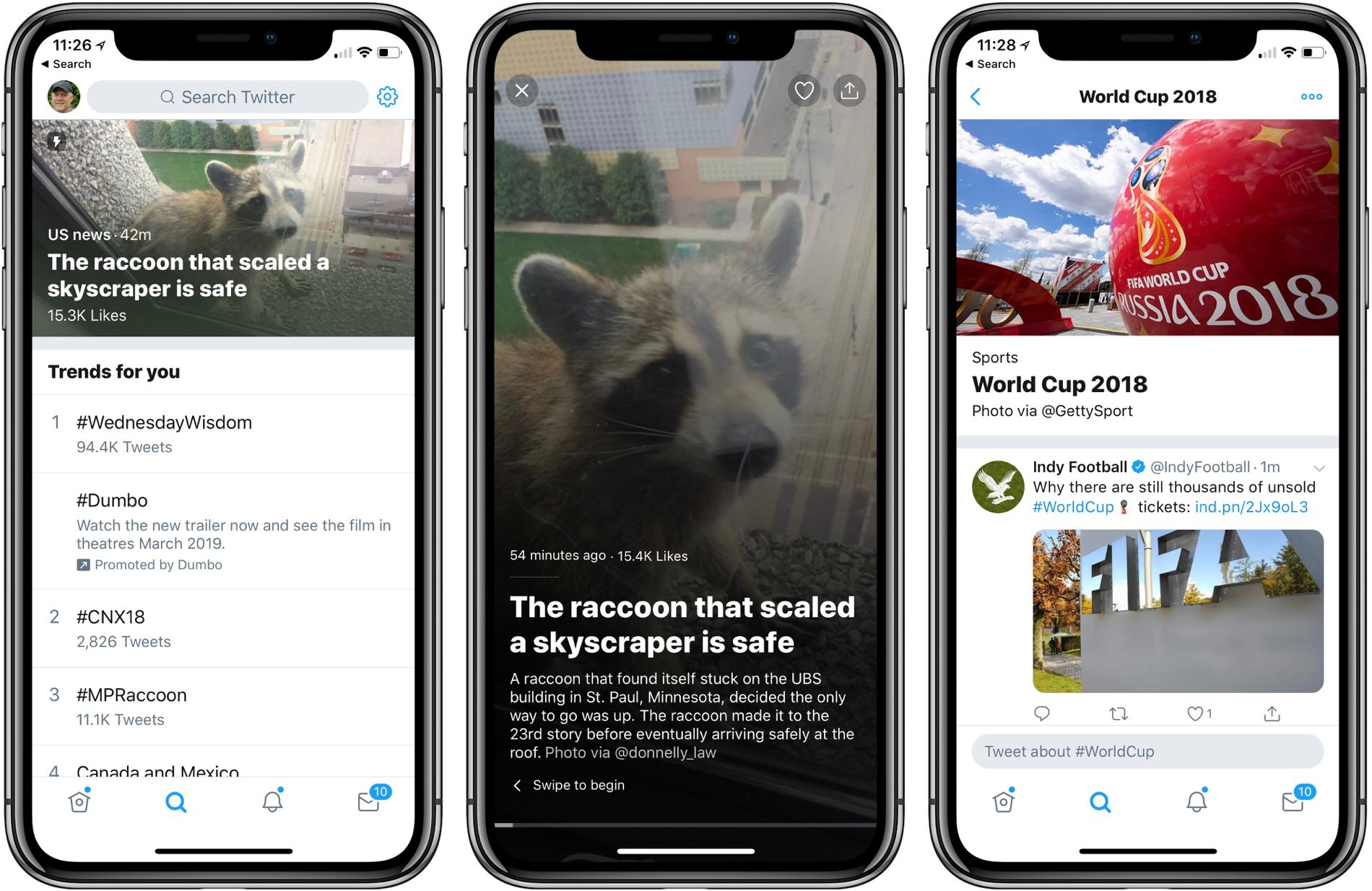
Current events is the primary focus of the new Twitter features, many of which will not be rolled out for weeks or months according to a Twitter blog post. The Explore tab now includes breaking news stories displayed as captioned image banners across the top of the section. Tapping into a story opens a collection of images, video, and tweets in a horizontally scrolling narrative.

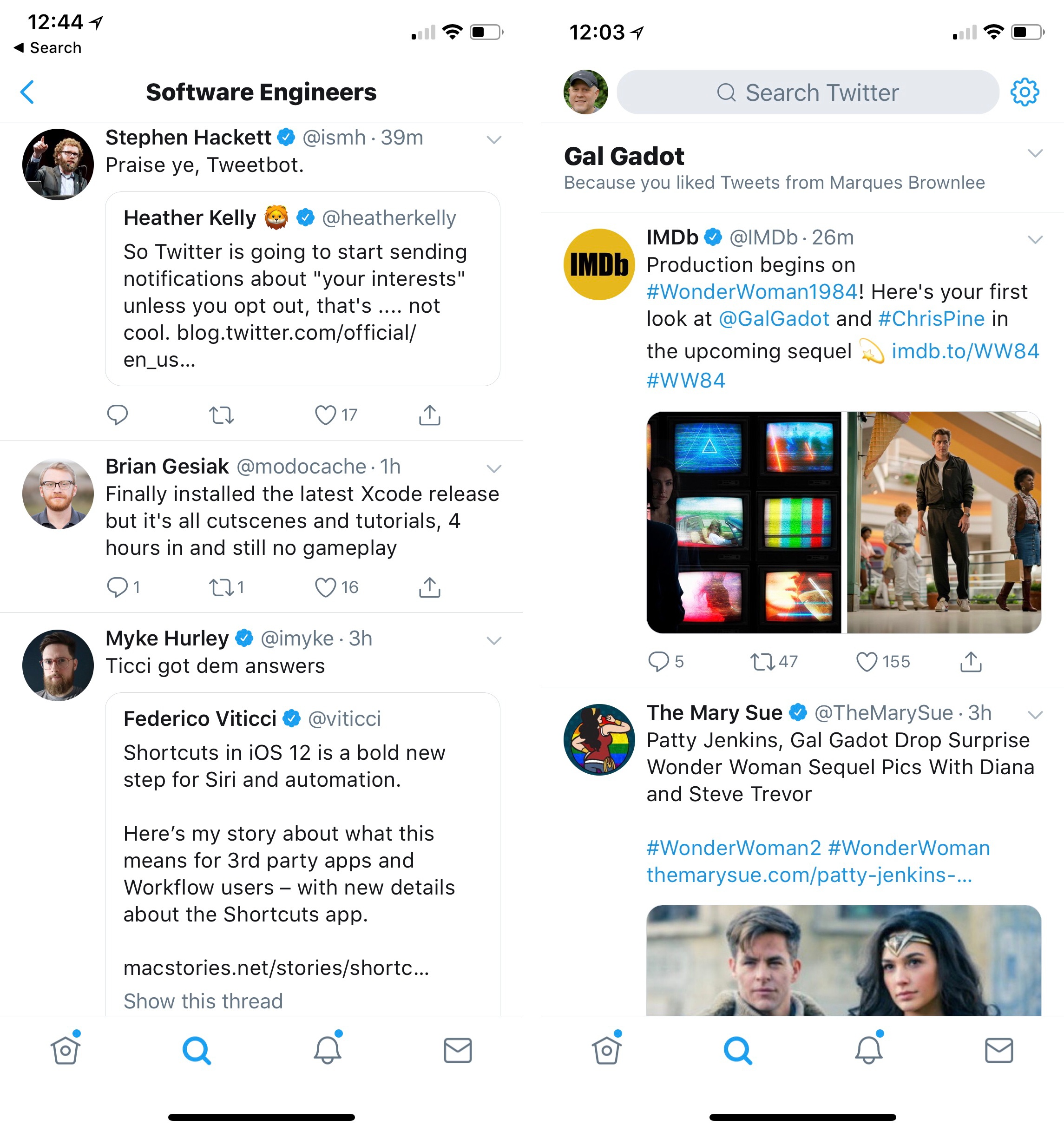
Below the highlighted story, Explore is divided into separate sections according to topic. My sections include ‘Trends for you,’ and ‘Today’s Moments’ followed by topical tabs like Software Engineers, Gal Godot, Technology Journalists, and Indie Game Developers. The quality of the content of each section is hit or miss. As you can see from the screenshot below, Twitter’s definition of ‘Software Engineer’ is loose and I got a section full of tweets about Gal Godot because, as Twitter helpfully explains, I liked an MKBHD tweet that mentioned her.

Twitter could use some help figuring out who is a software engineer, and adding a section dedicated to Gal Godot after I liked one MKBHD tweet mentioning her is a bit of a stretch.

Twitter could use some help figuring out who is a software engineer, and adding a section dedicated to Gal Godot after I liked one MKBHD tweet mentioning her is a bit of a stretch.

In the coming months, Twitter plans to add breaking and personalized news at the top of users’ feeds similar to the sports news feature that the company introduced in 2017. Twitter has said that it plans to start sending users push notifications based on their interests in the coming weeks too. From Twitter’s blog post, it appears these will be turned on by default requiring anyone who doesn’t want to see the notifications to turn them off:

Now we’re experimenting with sending notifications to you based on your interests (like who you follow and what you Tweet about), so you won’t miss a beat. You can always turn off these notifications by going to your recommendations settings and toggling to not see news.

Twitter is also changing Moments to scroll vertically like your timeline and adding a dedicated World Cup page.

None of these changes has a meaningful impact on my Twitter use because I use a third-party client, but they still bother me. I prefer to manage what I see on Twitter myself. Twitter may think it knows what I want to see, but judging from the suggestions in my Explore tab today, it’s ability to do that is questionable. Also, the addition of notifications that will be turned on by default strikes me as tone deaf considering current efforts of companies like Google and Apple to help users better manage notifications.

For now, the changes are contained mainly in the Explore tab. It will be interesting to see how users react when the changes spread to targeted news in their timelines and they begin receiving push notifications about raccoons climbing skyscrapers.


Apple Highlights World Cup Coverage Across a Variety of Apps and Services

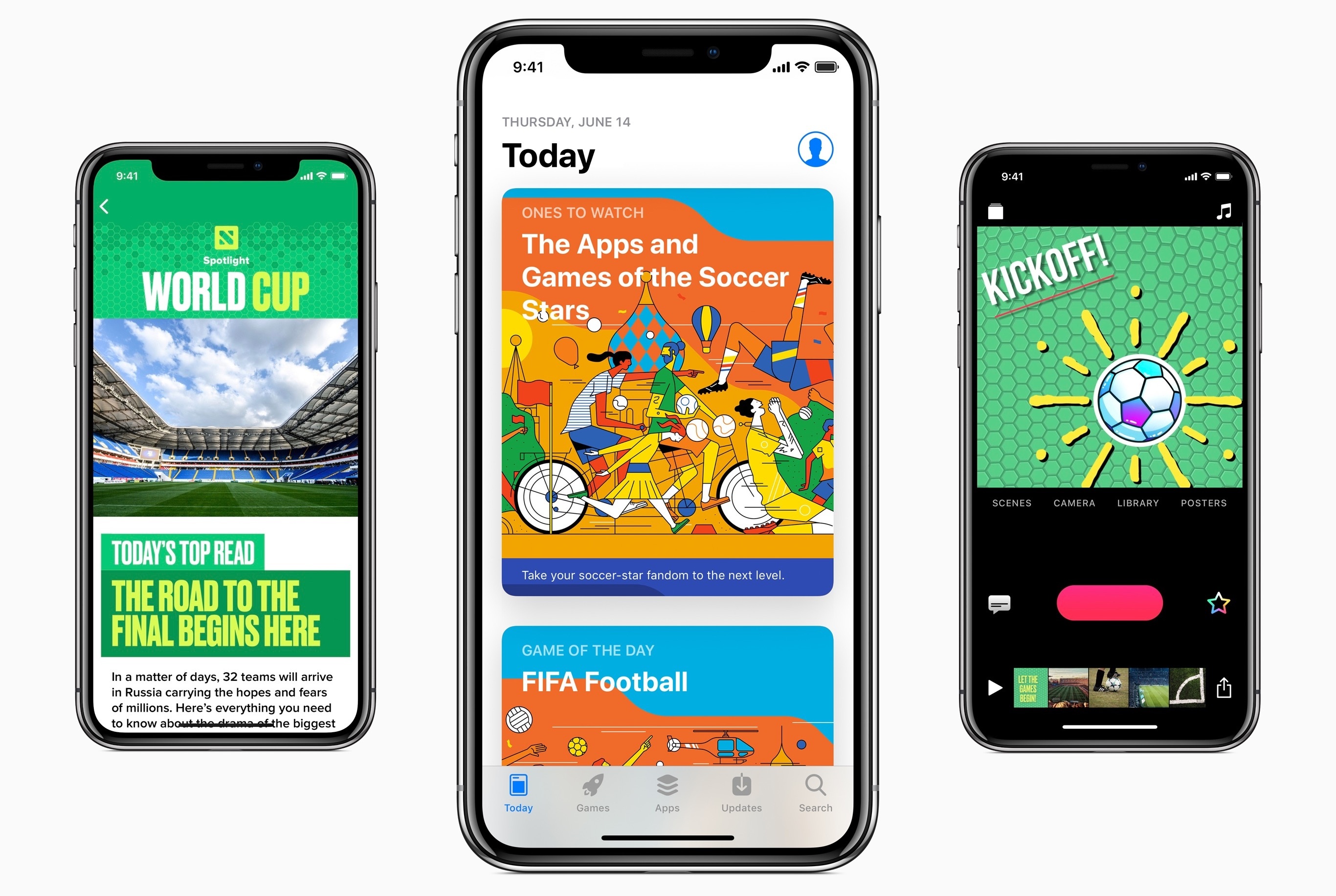
Football fans know that the World Cup kicks off later this week, and ahead of that event Apple today shared a press release highlighting how it plans to cover the event using a host of its services and apps. World Cup support will include the following:

  • Siri knowledge of football-related queries is expanding to nine new countries: Brazil, Russia, Denmark, Finland, Malaysia, Turkey, Thailand, Saudi Arabia and Israel.
  • The App Store’s Today tab will see special stories over the next month related to the World Cup, featuring apps from football stars and more.
  • The TV app can be used to not only watch the games, but also track them easily from the Sports tab.
  • Apple News will feature special coverage to keep users up-to-date on the latest World Cup stories.
  • Each of the 32 nations represented in the World Cup will have its own special playlist in Apple Music, highlighting artists from each respective country.
  • Apple Podcasts and iBooks will each showcase a new ‘The Beautiful Game’ collection, with shows and books all about football.
  • Finally, Apple’s video app Clips will get in on the action too, thanks to a recent update that added football-themed content.

While I’m not a football fan (unless we’re talking American football), Apple’s World Cup coverage is exciting to me simply because it shows the potential for future integrated efforts around topics I do care about.

As Apple moves deeper into focusing not just on tech, but on media as well, it will have an increasing number of opportunities to use its apps and services to supplement a user’s experience of big events, such as other major sporting events, election seasons, and more. Applying the Apple ecosystem’s unified media and editorial services to the area of pop culture may seem like a small move, but it could become a product differentiator that users grow to love.


macOS Mojave: A Roundup of All the Little Things

Now that people have had a chance to dig deeper into macOS Mojave, a number of smaller features have been discovered that didn’t get mentioned during the keynote on Monday and weren’t included in our initial overview of the updated OS that will be released in the fall. Here are a few of our favorite discoveries:

macOS Updates in System Preferences. What Apple didn’t explain when it updated the Mac App Store is that macOS updates have been moved from the Mac App Store to System Preferences.

HomeKit Support for Siri. Among the iOS apps ported to macOS as part of the upcoming release of Mojave is Home. The app does not currently support AirPlay 2, but control of HomeKit devices is not limited to the Home app itself; Siri can also be used to control devices.

System-Wide Twitter and Facebook Support Removed. In High Sierra, users could log into Twitter and Facebook from the Internet Accounts section of System Preferences and share content using the share button in apps like Safari. Like iOS did in iOS 11, the Mojave beta has removed system-level support for sharing content via Twitter and Facebook.

The Final Version to Support 32-Bit Apps. During the State of the Union presentation, Apple confirmed that Mojave will be the last version of macOS to support 32-bit apps. When a user tries to open a 32-bit app, Mojave currently displays a one-time warning that the app will not work in future versions of macOS.

Favicon Support in Safari Tabs. Unlike Google’s Chrome browser, macOS doesn’t currently support favicons in Safari tabs. According to an article by John Gruber last summer, that led a significant number of people to use Chrome and third-party solutions like Faviconographer, which overlaid favicons on Safari’s tabs. When Mojave ships, Safari will add support for tab favicons, which are coming to iOS too.

Apple Mail Stationary Removed. According to the release notes for the macOS Mojave beta, Stationary, the HTML email feature that allowed users to choose from pre-built email templates, has been removed from the app.


You can also follow all of our WWDC coverage through our WWDC 2018 hub, or subscribe to the dedicated WWDC 2018 RSS feed.