This Week's Sponsor:

Dropzone 5

Improve your Drag-and-Drop Workflow


Posts in news

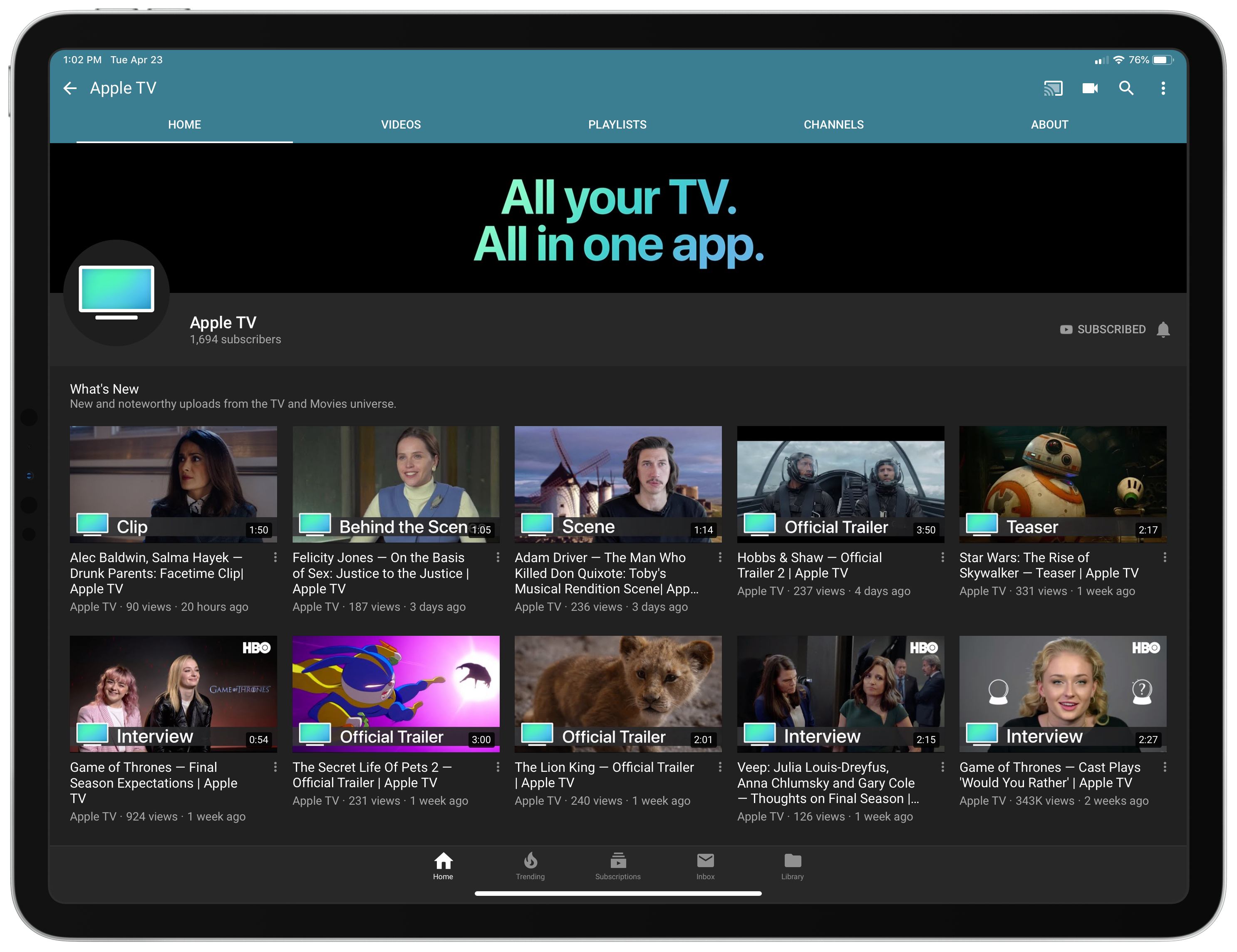
Apple Launches Dedicated YouTube Channel for Apple TV

Over the last few weeks Apple has quietly debuted a new YouTube channel dedicated to one of its services: Apple TV. The Apple TV channel is home to a variety of videos, like trailers for upcoming films and TV shows, exclusive behind the scenes clips and interviews tied to popular shows and movies, and, of course, videos highlighting Apple’s own original content efforts, like an Apple TV+ trailer and Carpool Karaoke previews.

Every video on the channel appears to be ad-free, which could offer a compelling reason to watch trailers for upcoming films, such as Star Wars: The Rise of Skywalker, through the Apple TV channel rather than a competing channel where ads are commonplace.

The launch of an Apple TV channel on YouTube is no big surprise, particularly as Apple moves further into the video and entertainment space. However, the channel does have an odd, yet interesting relationship with Apple’s own TV app. While the channel serves to promote the Apple TV service, its videos by and large aren’t available on that service’s app. The behind the scenes clips and interviews found on this new channel are not currently available in the Apple TV app, only on YouTube – though it’s certainly possible that will change in the future. Similarly, most of the trailers on YouTube are unavailable in the TV app, since unreleased films and shows don’t exist in TV’s content database.

Trailers for unreleased films have historically been served through Apple’s iTunes Trailers platform, which is still alive though somewhat stagnant – the iOS app hasn’t been updated for a year and carries many dated design conventions. However, the launch of an Apple TV YouTube channel may indicate Apple’s plans to slowly shutter that service.

As Apple’s redesigned TV app launches next month as part of tvOS 12.3 and iOS 12.3, and we draw nearer to the launch of Apple TV+ this fall, it will be interesting to see what kind of content Apple funnels through this new YouTube channel rather than the TV app itself. Will most videos continue to be YouTube-exclusive, simply serving to promote films and shows that can be watched in the TV app? Or will the TV app eventually house all of this content as well, with YouTube merely serving as a means of greater exposure for Apple’s TV efforts? We shouldn’t have to wait long to find out.


New Club MacStories Perk: 6 Months of 1Password Families Free for New Subscribers

It’s been a special week for us. In reflecting on the first decade of MacStories, two things have stood out to me as being crucial elements’ of the site’s continued flourishing: an enthusiastic, supportive base of readers, and a steady stream of great apps to cover. It was those two things that led to the formation of Club MacStories, where we get to highlight even more of the best apps the App Store has to offer, for a base of readers who value getting more out of MacStories.

As part of our anniversary week celebrations, we’ve teamed up with 1Password for a special perk for Club members: 6 free months of 1Password Families for first-time 1Password customers. Details on eligibility and how to sign up will be in this Friday’s MacStories Weekly newsletter.

Longtime MacStories readers will know that 1Password has consistently been one of our favorite and most trusted utilities (the app even has its own site tag). A few years back 1Password transitioned from a paid up front business model to that of subscriptions, with various plans and tiers available. The Families plan includes full access to 1Password apps across all platforms (iOS, Mac, and even Windows, Android, and the web) for up to five family members, plus 1GB of secure document storage for the family. We’re grateful that the team at 1Password has made this special offer available.

If you’re not a Club MacStories member, you can join the Club today to score this special offer on Friday, as well as gain instant access to our members-only MacStories Unplugged podcast, the full back catalogue of over 200 previous newsletters, and other perks. Membership is $5/month or $50/year and directly contributes to helping us continue doing what we love.


Apple Marks Earth Day with Expanded Recycling Programs and an Apple Watch Challenge

With Earth Day just around the corner, Apple has issued a press release announcing the expansion of its existing iPhone recycling program, an Apple Watch fitness challenge and more.

Last year for Earth Day, Apple took the wraps off of Daisy, a recycling robot that replaced Liam, an iPhone disassembly robot first introduced to the world in 2016. Daisy can take apart 15 different models of iPhones for a total of 1.2 million devices every year. The recycling process allows Apple to recover materials like cobalt from batteries, tin from logic boards, and aluminum, which is being remelted into cases for Mac minis and now, MacBook Airs.

This year Apple has announced that it is expanding its recycling program to include iPhone returned to Best Buy stores in the US and KPN stores in the Netherlands. Previously, iPhones could only be returned to an Apple Store as part of the company’s Trade In program. Apple says this will quadruple the number of locations where customers can return iPhones in the US. The company also announced the opening of a 9,000 square foot Material Recovery Lab in Austin, Texas.

Lisa Jackson, Apple’s vice president of Environment, Policy and Social Initiatives said:

“Advanced recycling must become an important part of the electronics supply chain, and Apple is pioneering a new path to help push our industry forward. “We work hard to design products that our customers can rely on for a long time. When it comes time to recycle them, we hope that the convenience and benefit of our programs will encourage everyone to bring in their old devices.”

Additional information is about Apple’s environmental efforts are available in its 2019 Environment report.

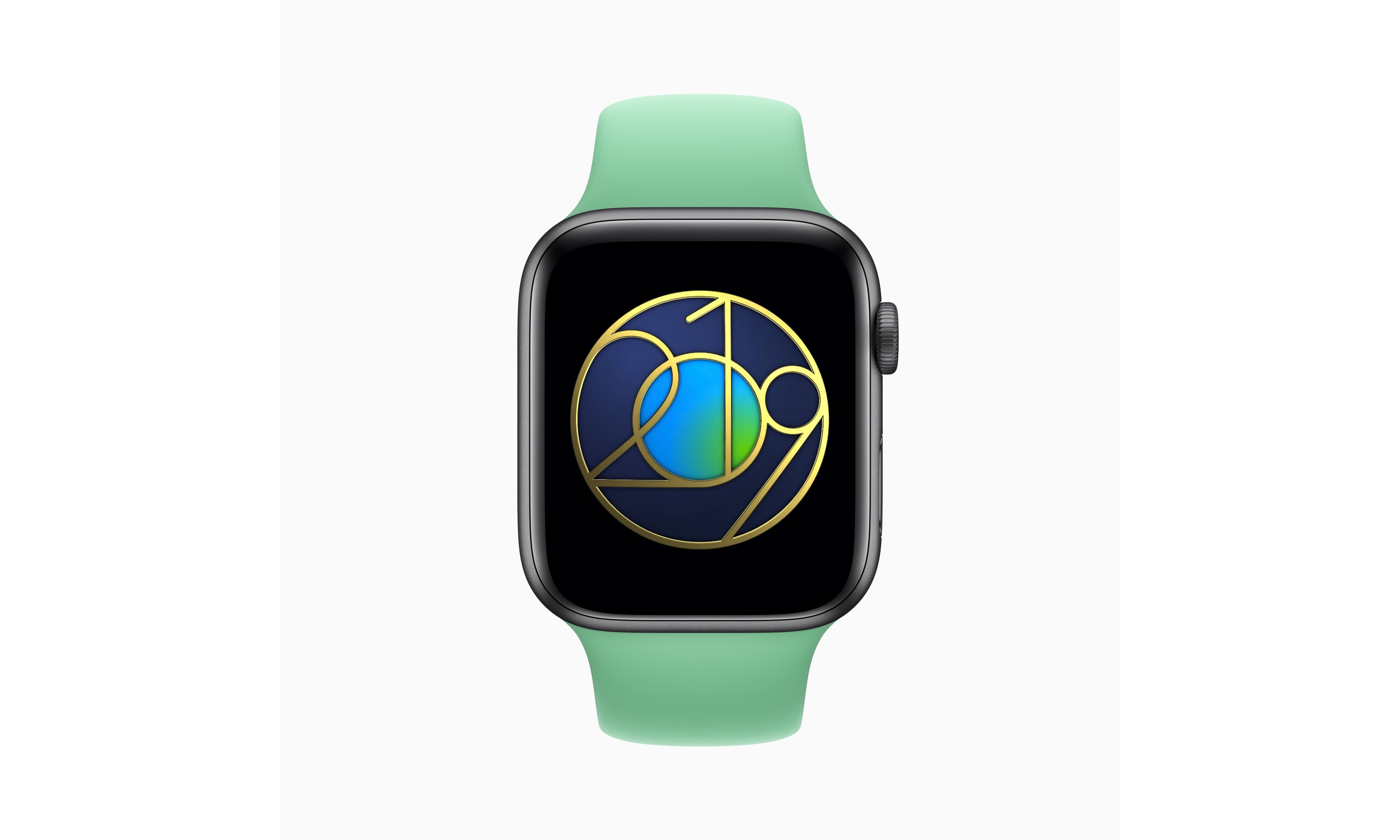
Finally, Apple is celebrating Earth Day, which is next Monday, April 22nd, with an Apple Watch Earth Day Challenge. Apple Watch users who complete a 30-minute outdoor workout on April 22nd will receive a special Earth Day award and stickers for Messages. The company will also be conducting special Earth Day-themed Today at Apple sessions in its retail stores.

I just finished Leander Kahney’s book about Tim Cook, which does an excellent job chronicling Apple’s environmental programs over the years, and it’s interesting to see the steady march of progress as Apple recovers more and more of the materials used to build iPhones. The addition of retailers like Best Buy to the recycling program is just as significant a step forward though because it makes those programs more accessible for the first time to iPhone owners who don’t have an Apple Store near their homes.


Introducing MacStories Unplugged

Every fall, Federico and I put our heads together to come up with new and exciting perks for Club MacStories members to mark the Club’s anniversary. In 2017 we were less than six months into AppStories, and although we love talking about apps every week, we were frustrated that the show’s topic and length precluded us from covering a lot of what goes on at MacStories. I suggested doing a free-form, casual show as an exclusive Club members-only version of AppStories. Federico agreed and in the middle of a chaotic September, we recorded the first episode of AppStories Unplugged.

We decided to dispense with the episode length guidelines that constrain AppStories and expand coverage to include a behind-the-scenes look at what goes on at MacStories. Because listeners already knew Federico and me as a pair from AppStories, we stuck with that as part of the show’s name. We added ‘Unplugged’ because we’re big fans of acoustic music and MTV’s Unplugged series, and it felt right for a more casual, less structured version of AppStories.

To date, we’ve done four episodes of AppStories Unplugged for Club members, and they’re some of my favorite episodes Federico and I have recorded because they’re so much like the conversations (and arguments) we have when we get together. As we talked about the future of Unplugged earlier this year, both Federico and I felt it was time to expand the show and do more for Club members. So, for the 10th anniversary of MacStories, we’ve decided to relaunch AppStories Unplugged as MacStories Unplugged. The idea behind the show is the same, with a few exciting additions – a remix, to stretch the music metaphor further than I probably should.

The first difference is reflected in the new name. MacStories Unplugged will draw on the entire MacStories team. You probably won’t hear all of us on every episode, but with so many interesting and talented people at MacStories, we want Club members to have the chance to get to know everyone.

We’ve also decided to make MacStories Unplugged a monthly show. At the time Federico and I launched AppStories Unplugged, neither of us was interested in adding another commitment to our schedules, but that has changed with the entire team involved in the show and other adjustments we’ve made.

Finally, we’ve rebranded Unplugged with all-new artwork by MacStories’ own Silvia Gatta who has done an amazing job. Silvia’s rough-sketch version of the MacStories logo and typography is the perfect complement to the style of the show.

What hasn’t changed is that MacStories Unplugged remains a Club MacStories exclusive. You won’t find it in iTunes or any other podcast directory. Members will receive details about how to access Unplugged in this week’s issue of MacStories Weekly, the newsletter we send them every Friday.

If you haven’t considered joining the Club before, now is a great time to take a look. Each year, the MacStories team delivers roughly 60 weekly and monthly newsletters to members that are packed with app coverage, editorial content, shortcuts, tips, interviews, and a whole lot more. Members also enjoy perks throughout the year like app discounts, giveaways, a complimentary ebook version of Federico’s iOS review, and a lot more.

We have another big Club announcement coming later this week and more planned throughout 2019, so check out the details and please consider joining. We’d love to have you.


Latest iPad Pro Ads Highlight the Device’s Versatility

Today Apple published six new videos that focus on the iPad Pro. Five of them are continuations of the ‘A New Way’ series that debuted in January, highlighting the device’s versatility in tasks like video creation, wedding planning, and serving as the perfect travel companion. The final video, titled ‘Life on iPad,’ follows a man around town as he uses the iPad Pro during what’s presented as an average day – he uses the device to make a Group FaceTime call, do illustrative work while connected to an external monitor, email a file, and draft a document during a flight.

All five ‘A New Way’ videos do a great job showcasing real-life tasks being tackled on the iPad. Most are focused on getting things done, but the video about travel also highlights the iPad’s strengths as a video player and even coloring book. The task-focused videos offer step-by-step examples of workflows that can be helpful to users aiming to stretch their use of the iPad Pro.


As with the prior round of ‘A New Way’ ads, these all end by highlighting how they were filmed, edited, designed, and made entirely on iPad Pro, no doubt with similar workflows to the ones Apple previously documented.

Read more


Announcing the MacStories 10th Anniversary T-shirt and Pin

We’re very fortunate at MacStories to have a terrific group of loyal readers. As MacStories turns 10 and has become known not just for the site, but also Club MacStories and AppStories, it felt like the perfect time to celebrate with MacStories’ very first official merchandise, which is available from macstoriesmerch.com, a Cotton Bureau storefront that we’ve set up for this and any future sales. I can already sense a few of you typing ‘finally’ into your Twitter clients, but as the saying goes, ‘good things come to those who wait,’ and I think you’ll like what we’ve got for you.

The MacStories 10th Anniversary T-shirt

The first item is the MacStories 10th Anniversary T-shirt, which features the site’s classic bookmark logo and distinctive typography. The shirt, offered through our friends at Cotton Bureau, comes in three styles: Vintage Black Tri-Blend, Black 100% Cotton, and Light Blue 100% Cotton in both men’s and women’s cuts and a wide range of sizes for $30.

The MacStories 10th Anniversary Enamel Pin

The second item is the MacStories 10th Anniversary Enamel Pin. The pin features MacStories’ iconic bookmark logo in the perfect shade of MacStories red for $15.

The shirts will be available to order for two weeks and the pins will be for sale until supplies run out, so don’t wait. Two weeks is not long and we expect the pins to sell out fast.

If you have any questions about shipping, orders, payments and the like, please visit Cotton Bureau’s FAQ for more details.

We’d like to expand what we offer in the future, but that depends entirely on demand and interest from you. So let us know what you think on Twitter (@MacStoriesNet) and send us pictures of your new MacStories shirts and pins in the wild when they arrive. We’re excited to get them in your hands soon.


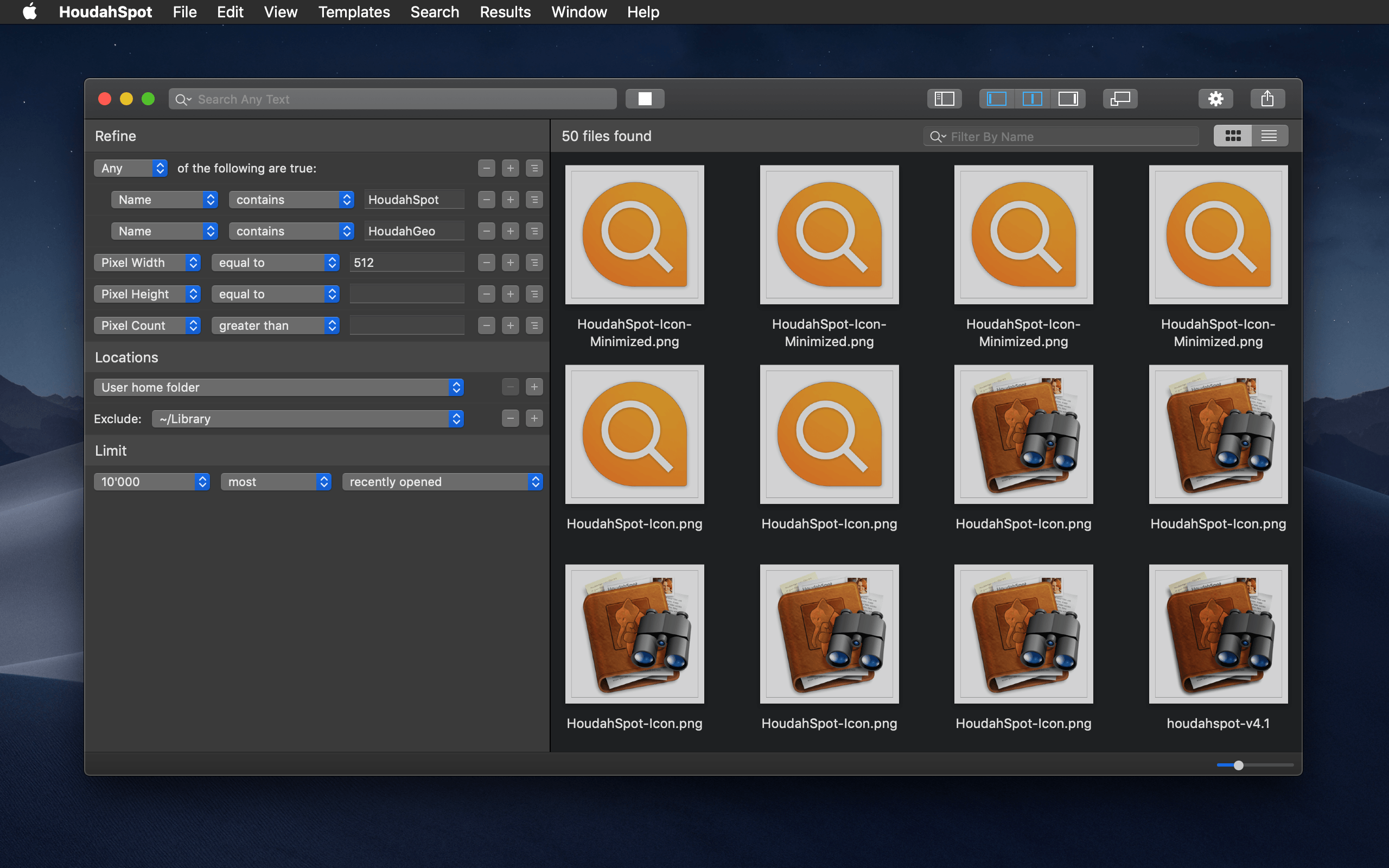
HoudahSpot 5 Review: Advanced File Search and Filtering on the Mac

There’s a lot of power lurking under the hood of the Mac’s Spotlight search index, but that’s also the trouble. To make Spotlight accessible to more users, many of the feature’s most useful tools are hidden behind menus and special search syntax.

HoudahSpot takes a different approach that makes it easier to access the power of Spotlight. The app surfaces Spotlight’s advanced file search functionality and couples it with its own layer of tools to extend what Spotlight can do. With version 5, the app has been reexamined from top to bottom adding new features and refining the entire experience. The result is a terrific update that maintains HoudahSpot’s position as one of the premier pro utilities on the Mac.

Read more


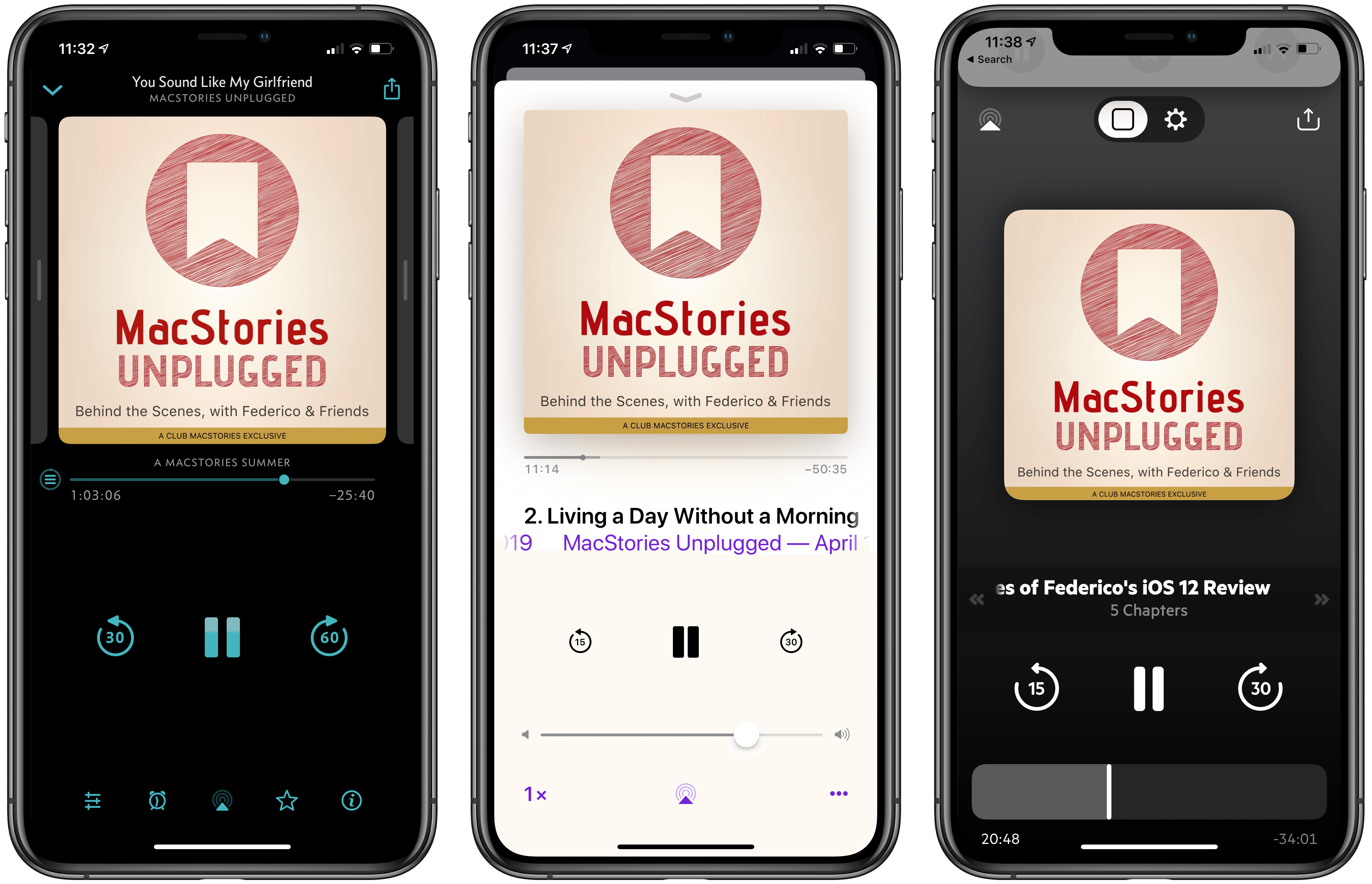
Castro Launches Top Picks Feature for Intelligent Episode Recommendations

In an update arriving today, Castro is introducing a new Top Picks feature designed to make managing a large number of podcast subscriptions easier than ever.

One of Castro’s most defining traits is its triage system: the app by default stores new episodes of shows you’re subscribed to in a New section, not in your playback queue, and inside New you can send the episodes you care about to your queue, while archiving anything that doesn’t interest you. If you subscribe to a wide array of shows, Castro’s New section is great; however, one drawback is that it previously lacked any sort of priority or hierarchy. Though Castro offers the option of having certain shows go straight to your queue, that requires manual configuration, and it’s really only ideal for shows that you want to listen to every single episode of. In most cases, the majority of shows will land in New, and Castro previously had no way of knowing which of those episodes you were more likely to care about. That’s why Top Picks was created.

Top Picks is an addition to the New tab which highlights episodes from your subscriptions that Castro thinks you’ll want to listen to. You can still access your full subscription roster at any time, but Top Picks will serve as a curated subset of episodes that’s easier to sort through.

Shows are surfaced in Top Picks based on your listening history, which the app analyzes on-device using only local data, so it remains private. If you’re new to Castro, this means it may take a little time to get the best Top Picks suggestions, but the good news is that training the system merely requires listening to the shows you care about. As you make decisions about what to listen to, Castro learns from those choices and uses that data to inform what does and doesn’t get sent to Top Picks.

If you only listen to a handful of podcasts, Top Picks likely isn’t for you because it addresses a problem you don’t have. But for users whose subscriptions can be a lot to keep up with, the feature simplifies the act of triage and, in the process, makes Castro an even better tool for enjoying the ever-growing world of podcasts.


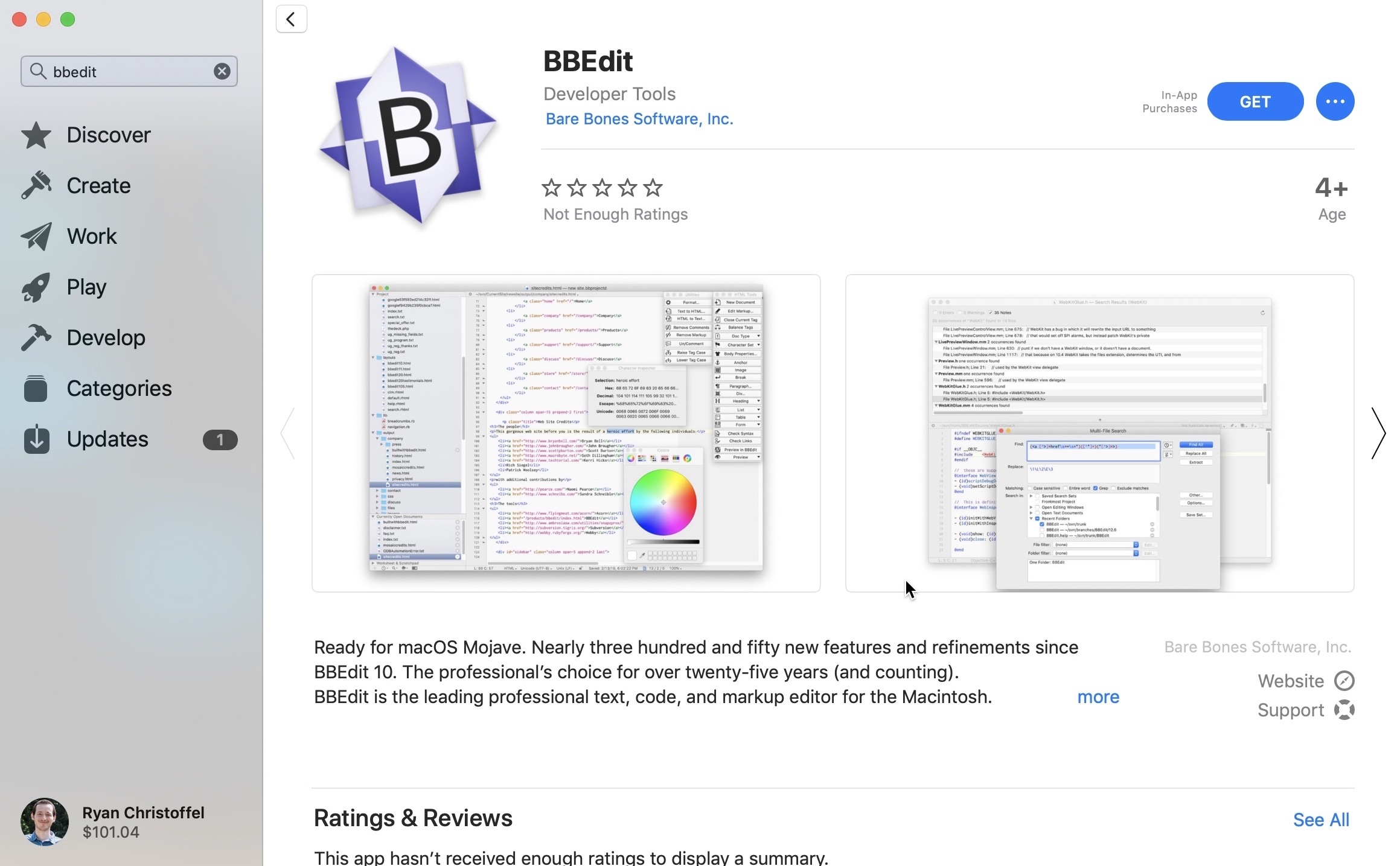
BBEdit Returns to the Mac App Store After 4+ Year Absence

Beginning today, BBEdit 12 is available for download through the Mac App Store. BBEdit was previously listed for purchase through the Mac App Store, but famously left the store in October 2014. Last year, however, Apple announced on-stage at WWDC that BBEdit would be returning to the new Mac App Store in the near future, and that day has finally arrived. From the developers’ press release:

“We are delighted to be offering BBEdit in the Mac App Store again,” said Rich Siegel, founder and CEO of Bare Bones Software, Inc. “Since the release of macOS Mojave, the Mac App Store provides a beautiful new look; unique editorial content; and an emphasis on human curation, while offering a trusted and secure source for macOS software. In addition, the new Mac App Store makes it possible for us to offer our customers the option of a subscription-based pricing model.”

BBEdit 12, the latest version of the popular writing app for macOS, features more than three hundred new features and refinements since the app was last available on the Mac App Store. It also introduces a new pricing model: unlike direct purchases from Bare Bones Software, where an app license can (still) be purchased for a one-time $49.99 cost, on the Mac App Store BBEdit is available only as a subscription.

For those who wish to get BBEdit from the Mac App Store, the app is a free download, and you can use it in full up to 30 days at no cost, after which a subscription will be required to unlock its web authoring tools and a variety of other pro features; basic editing functionality will continue to work without a subscription, however.

Subscriptions are available at $3.99/month or $39.99/year. One advantage of the subscription option is that it will always provide access to the latest version of the app, whereas purchasing the app directly from Bare Bones will earn you the current version of the app only – if you want major new versions as they’re released, you’ll need to purchase upgrade licenses.

When Apple unveiled the new Mac App Store last year, it promised that not only would the app itself be modernized, but the store would be ripe with major app additions as well. Following Microsoft Office and Panic’s Transmit, BBEdit’s arrival today helps make good on that promise. This time last year some of the Mac’s best, most popular software wasn’t available in the Mac App Store; it’s good to see that begin to change.