This Week's Sponsor:

Dropzone 5

Improve your Drag-and-Drop Workflow


Posts in news

Billie Eilish and Apple Music Promote Spatial Audio with Short Film

Apple and Billie Eilish have collaborated on a video visualizing Spatial Audio, the Dolby Atmos-powered audio technology designed to create an immersive listening experience for music fans. Eilish recently released her album Happier Than Ever, which is available on Apple Music in Spatial Audio and Lossless.

The video begins with Eilish singing Getting Older a cappella in front of a vanity mirror, transitions into a performance of GOLDWING. As Eilish sings, mirrors multiply her reflection, creating a visual metaphor for Spatial Audio.

An audio feature like Spatial Audio isn’t an easy thing to illustrate with video. However, Eilish’s short film hits the nail on the head by capturing the feel of the feature in a beautifully cinematic way that isn’t technical. As a fan of Eilish’s work, I also love her short but captivating performance.

Access Extra Content and Perks

Founded in 2015, Club MacStories has delivered exclusive content every week for nearly a decade.

What started with weekly and monthly email newsletters has blossomed into a family of memberships designed for every MacStories fan.

Learn more here and from our Club FAQs.

Club MacStories: Weekly and monthly newsletters via email and the web that are brimming with apps, tips, automation workflows, longform writing, early access to the MacStories Unwind podcast, periodic giveaways, and more;

Club MacStories+: Everything that Club MacStories offers, plus an active Discord community, advanced search and custom RSS features for exploring the Club’s entire back catalog, bonus columns, and dozens of app discounts;

Club Premier: All of the above and AppStories+, an extended version of our flagship podcast that’s delivered early, ad-free, and in high-bitrate audio.

Learn more here and from our Club FAQs.


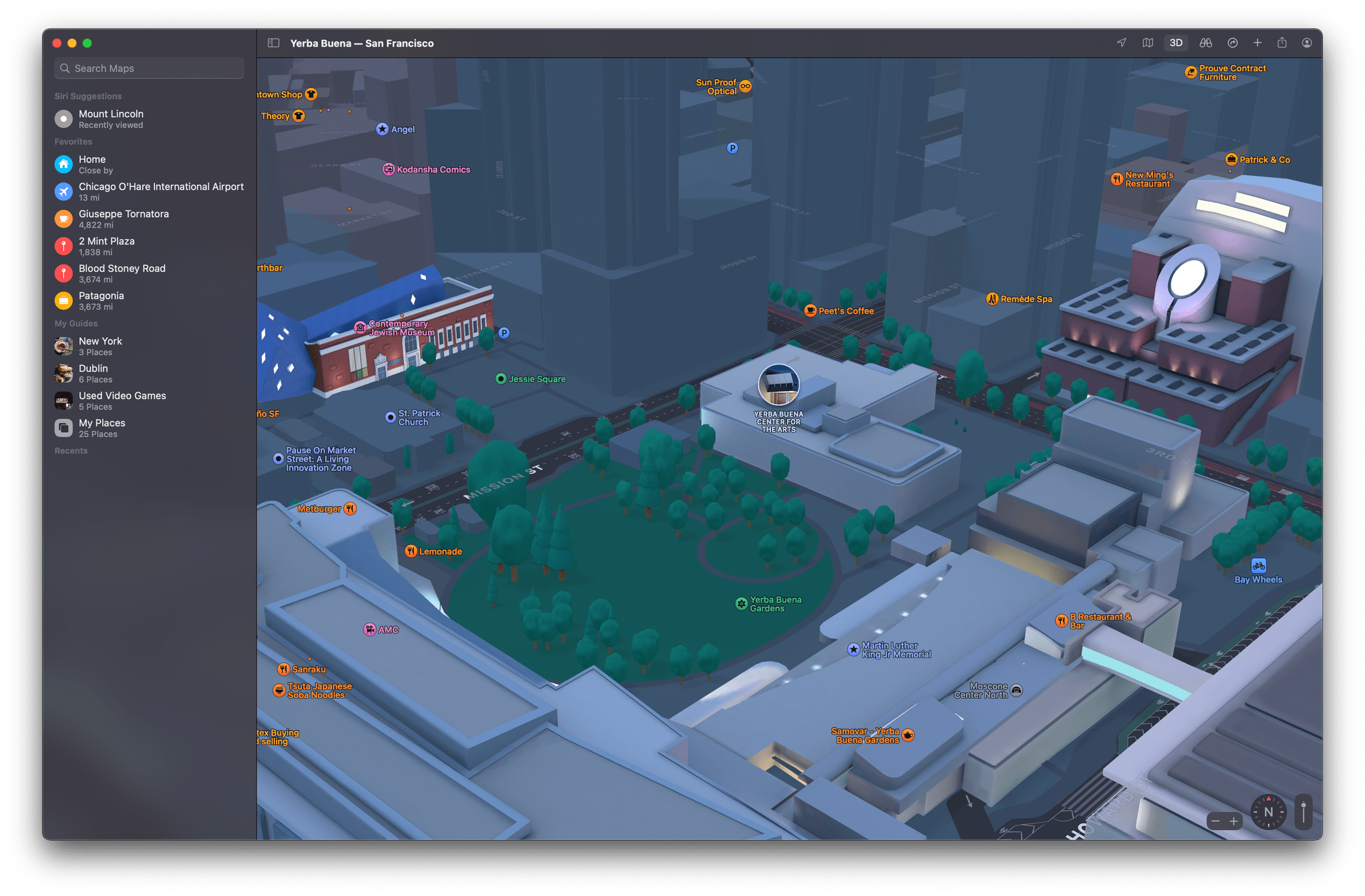
Apple Maps for iOS and iPadOS 15 and macOS Monterey: The MacStories Overview

Maps is unique among Apple system apps. Most system apps, like Notes or Reminders, are only updated at the same time that major revisions of the company’s underlying operating systems are released. Tweaks are sometimes made with OS point releases but never separate from the OS updates themselves.

Maps is different because so much of the experience is tied to the data that the app delivers. That allows Apple to add mid-cycle updates that aren’t tied to an OS release. There are many recent examples, like the addition of COVID-19 travel guidance for airports, vaccination site locations, and places offering volunteer opportunities. At the same time, the company continues to expand and enhance the accuracy and detail offered by Maps at a deeper level with its ongoing initiative to rebuild the app’s underlying maps worldwide.

Apple has been at it, improving Maps since iOS 6, and it’s a task that by definition will never truly be finished. However, the introduction of new features in recent years and broader expansion of its effort to deliver rebuilt maps to more of the world has allowed Apple to refine the app across the board. Using the latest map data the company has collected has enabled it to redesign the Maps experience, providing more relevant information to users, and expanding its view of the world around us.

Read more

Access Extra Content and Perks

Founded in 2015, Club MacStories has delivered exclusive content every week for nearly a decade.

What started with weekly and monthly email newsletters has blossomed into a family of memberships designed for every MacStories fan.

Learn more here and from our Club FAQs.

Club MacStories: Weekly and monthly newsletters via email and the web that are brimming with apps, tips, automation workflows, longform writing, early access to the MacStories Unwind podcast, periodic giveaways, and more;

Club MacStories+: Everything that Club MacStories offers, plus an active Discord community, advanced search and custom RSS features for exploring the Club’s entire back catalog, bonus columns, and dozens of app discounts;

Club Premier: All of the above and AppStories+, an extended version of our flagship podcast that’s delivered early, ad-free, and in high-bitrate audio.

Learn more here and from our Club FAQs.


AppStories, Episode 235 – An Interview with Malin Sundberg

This week on AppStories, we continue the Summer OS Preview Series with special guest Malin Sundberg, the creator of time tracking and invoicing app Orbit, for a chat about the development of Orbit, SwiftUI, Shortcuts for Mac, SharePlay, and more.

Sponsored by:

  • Concepts – Sketch, Note, Draw
  • Instabug – Ship Quality Apps with Real-Time Contextual Insights
  • Technology Untangled – Join Michael Bird as he untangles innovation through a series of interviews, stories, and analyses with some of the industry’s brightest brains

Permalink

MacStories Unwind: A Tech Confession, Quick Note, Keyboards, TV, and a Podcast

AppStories+ Deeper into the world of apps
0:00
22:38

AppStories+ Deeper into the world of apps


Sponsored by: FitnessView – All-in-One Health & Fitness Dashboard

This week on MacStories Unwind:

MacStories

Club MacStories

  • MacStories Weekly
    • Part 3 of Federico’s Obsidian Setup Series covering his Dashboard note and the plugins and shortcuts he uses to manage it
    • An interview with Shahid Ahmad about the Playdate
    • John on when it’s best to not automate something

AppStories

Unwind

Access Extra Content and Perks

Founded in 2015, Club MacStories has delivered exclusive content every week for nearly a decade.

What started with weekly and monthly email newsletters has blossomed into a family of memberships designed for every MacStories fan.

Learn more here and from our Club FAQs.

Club MacStories: Weekly and monthly newsletters via email and the web that are brimming with apps, tips, automation workflows, longform writing, early access to the MacStories Unwind podcast, periodic giveaways, and more;

Club MacStories+: Everything that Club MacStories offers, plus an active Discord community, advanced search and custom RSS features for exploring the Club’s entire back catalog, bonus columns, and dozens of app discounts;

Club Premier: All of the above and AppStories+, an extended version of our flagship podcast that’s delivered early, ad-free, and in high-bitrate audio.

Learn more here and from our Club FAQs.


Apple Announces Child Safety Features Coming This Fall

Today, Apple announced three new child safety features for its operating systems that will launch when its operating systems are updated in the fall. The implementation details of the features are technically complex, which makes reading the full documentation worthwhile if you are concerned about how they are accomplished.

The first feature is a tool for parents that will be built into Messages. According to Apple:

The Messages app will use on-device machine learning to warn about sensitive content, while keeping private communications unreadable by Apple.

The opt-in tool will “warn children and their parents when receiving or sending sexually explicit photos.”

The second feature applies to photos stored online in users’ iCloud Photos library. Apple says:

iOS and iPadOS will use new applications of cryptography to help limit the spread of CSAM online, while designing for user privacy. CSAM detection will help Apple provide valuable information to law enforcement on collections of CSAM in iCloud Photos.

The screening of iCloud Photos images happens on-device using cryptographic hashes of known CSAM content and has to pass a human review process after passing certain thresholds before an account is disabled, and a report is made to the National Center for Missing and Exploited Children. The feature will be US-only at first.

Finally, Apple announced that:

[it] is also expanding guidance in Siri and Search by providing additional resources to help children and parents stay safe online and get help with unsafe situations. For example, users who ask Siri how they can report CSAM or child exploitation will be pointed to resources for where and how to file a report.

Siri and Search will also intervene when CSAM-related search requests are made.

To understand better how these features are being implemented by Apple, it’s worth visiting its new child safety webpage. At the bottom of the page are links to additional resources that explain the technology underlying the features.

Access Extra Content and Perks

Founded in 2015, Club MacStories has delivered exclusive content every week for nearly a decade.

What started with weekly and monthly email newsletters has blossomed into a family of memberships designed for every MacStories fan.

Learn more here and from our Club FAQs.

Club MacStories: Weekly and monthly newsletters via email and the web that are brimming with apps, tips, automation workflows, longform writing, early access to the MacStories Unwind podcast, periodic giveaways, and more;

Club MacStories+: Everything that Club MacStories offers, plus an active Discord community, advanced search and custom RSS features for exploring the Club’s entire back catalog, bonus columns, and dozens of app discounts;

Club Premier: All of the above and AppStories+, an extended version of our flagship podcast that’s delivered early, ad-free, and in high-bitrate audio.

Learn more here and from our Club FAQs.


Apple Releases New Mac Keyboards and Pointing Devices

Apple has updated its online store with new accessories that first debuted with the M1 iMac. The updated accessories were spotted by Rene Ritchie, who tweeted about them:

https://twitter.com/reneritchie/status/1422531729894613017?s=21

Among the items listed, which each come with a woven USB-C to Lightning cable and come in white and silver only, are:

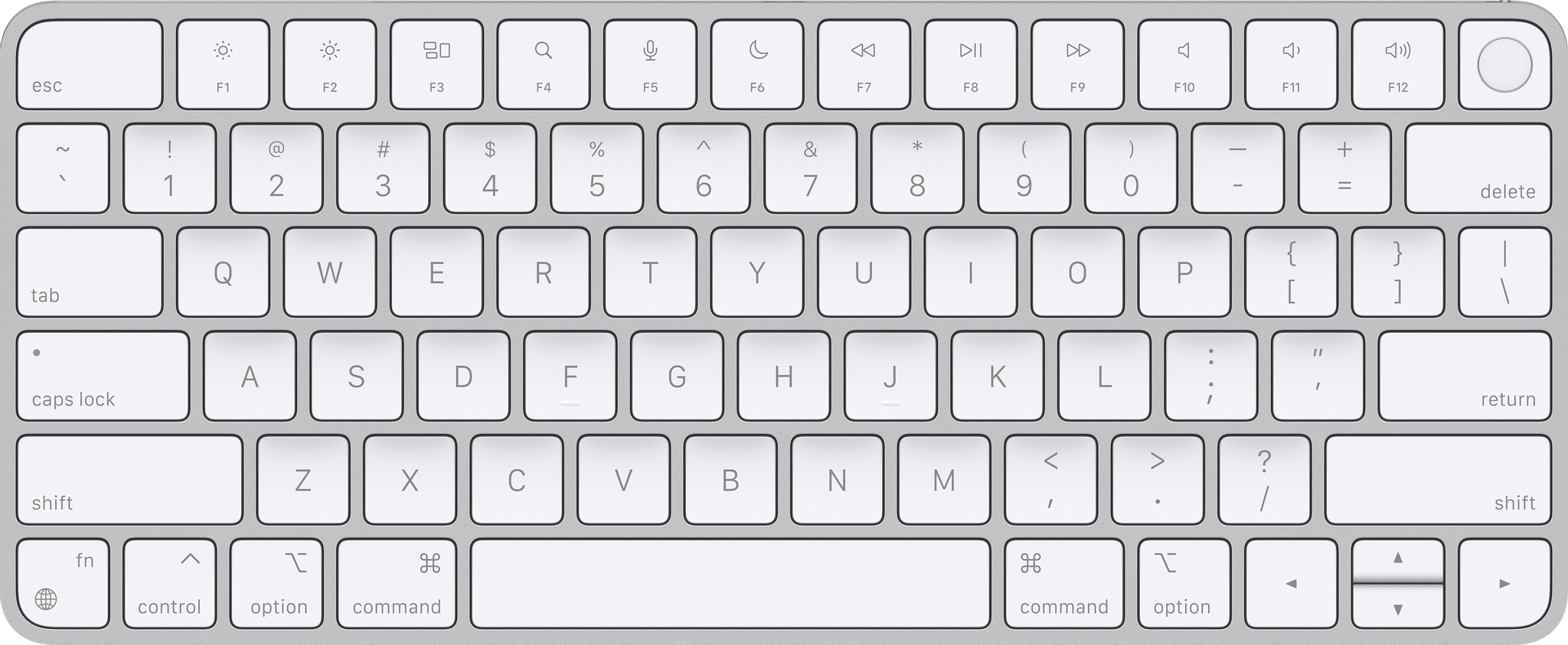
  • Magic Keyboard ($99). The Magic Keyboard features rounded corners and some changes to its keys, including a dedicated Globe/Fn key and Spotlight, Dictation, and Do Not Disturb functionality mapped to the F4 - F6 keys.
  • Magic Keyboard with Touch ID ($149). Along with the design and key changes of the Magic Keyboard, this model includes Touch ID, which works with M1 Macs only.
  • Magic Keyboard with Touch ID and Numeric Keypad ($179)
  • Magic Trackpad ($129). The corners of the new Magic Trackpad are more rounded than before, but it’s functionally the same as prior models.
  • Magic Mouse ($79). The Magic Mouse is listed as new, too, although apart from the woven USB-C to Lightning cable in the box, there don’t appear to be any other differences between this model and the prior model.

I’ve been using the Magic Keyboard with Touch ID, Magic Trackpad, and Magic Mouse for a couple of months with an M1 iMac. Based on my experience, the trackpad and mouse haven’t changed enough to warrant purchasing one unless you need one anyway. However, if you’ve got an M1 Mac mini or M1 laptop that you run in clamshell mode, the Magic Keyboard with Touch ID is a nice addition to any setup. Having Touch ID always available is fantastic, and I’ve grown used to using the Do Not Disturb button along with the Globe + Q keyboard shortcut for Quick Note, the new Notes feature coming to macOS Monterey this fall, which is the same when using an iPad running the iPadOS 15 beta with a Magic Keyboard attached.

Access Extra Content and Perks

Founded in 2015, Club MacStories has delivered exclusive content every week for nearly a decade.

What started with weekly and monthly email newsletters has blossomed into a family of memberships designed for every MacStories fan.

Learn more here and from our Club FAQs.

Club MacStories: Weekly and monthly newsletters via email and the web that are brimming with apps, tips, automation workflows, longform writing, early access to the MacStories Unwind podcast, periodic giveaways, and more;

Club MacStories+: Everything that Club MacStories offers, plus an active Discord community, advanced search and custom RSS features for exploring the Club’s entire back catalog, bonus columns, and dozens of app discounts;

Club Premier: All of the above and AppStories+, an extended version of our flagship podcast that’s delivered early, ad-free, and in high-bitrate audio.

Learn more here and from our Club FAQs.


MacStories Unwind: Doppler for Mac, Sofa 3.0, GarageBand, Earnings and a Big Album Drops

AppStories+ Deeper into the world of apps
0:00
24:21

AppStories+ Deeper into the world of apps


Sponsored by: Honeybadger – Your Secret Weapon for Exception, Uptime, and Cron Monitoring

This week on MacStories Unwind:

MacStories

Club MacStories

  • Monthly Log
    • Federico on managing his music collection on an Intel NUC using his iPad
    • John on his note-taking philosophy and why you should delete and archive more notes
  • MacStories Weekly
    • Federico recommends Roon, the client app for the music server running on the Intel NUC he wrote about in the Monthly Log
    • John shares a shortcut for converting podcast audio clips to text and saving them in Obsidian alongside the embedded audio file
    • Christopher Lawley shares his iPad Home Screens
  • MacStories Unplugged
    • Panic’s Playdate
    • A conversation about 4th of July parades and real estate open houses leads to Italian private investigators and American personal injury lawyers
    • Federico invites members to play a guessing game

AppStories

Unwind

Access Extra Content and Perks

Founded in 2015, Club MacStories has delivered exclusive content every week for nearly a decade.

What started with weekly and monthly email newsletters has blossomed into a family of memberships designed for every MacStories fan.

Learn more here and from our Club FAQs.

Club MacStories: Weekly and monthly newsletters via email and the web that are brimming with apps, tips, automation workflows, longform writing, early access to the MacStories Unwind podcast, periodic giveaways, and more;

Club MacStories+: Everything that Club MacStories offers, plus an active Discord community, advanced search and custom RSS features for exploring the Club’s entire back catalog, bonus columns, and dozens of app discounts;

Club Premier: All of the above and AppStories+, an extended version of our flagship podcast that’s delivered early, ad-free, and in high-bitrate audio.

Learn more here and from our Club FAQs.


Apple Releases Remix Sessions, Sound Packs, and Producer Packs for GarageBand on the iPhone and iPad

Source: Apple.

Source: Apple.

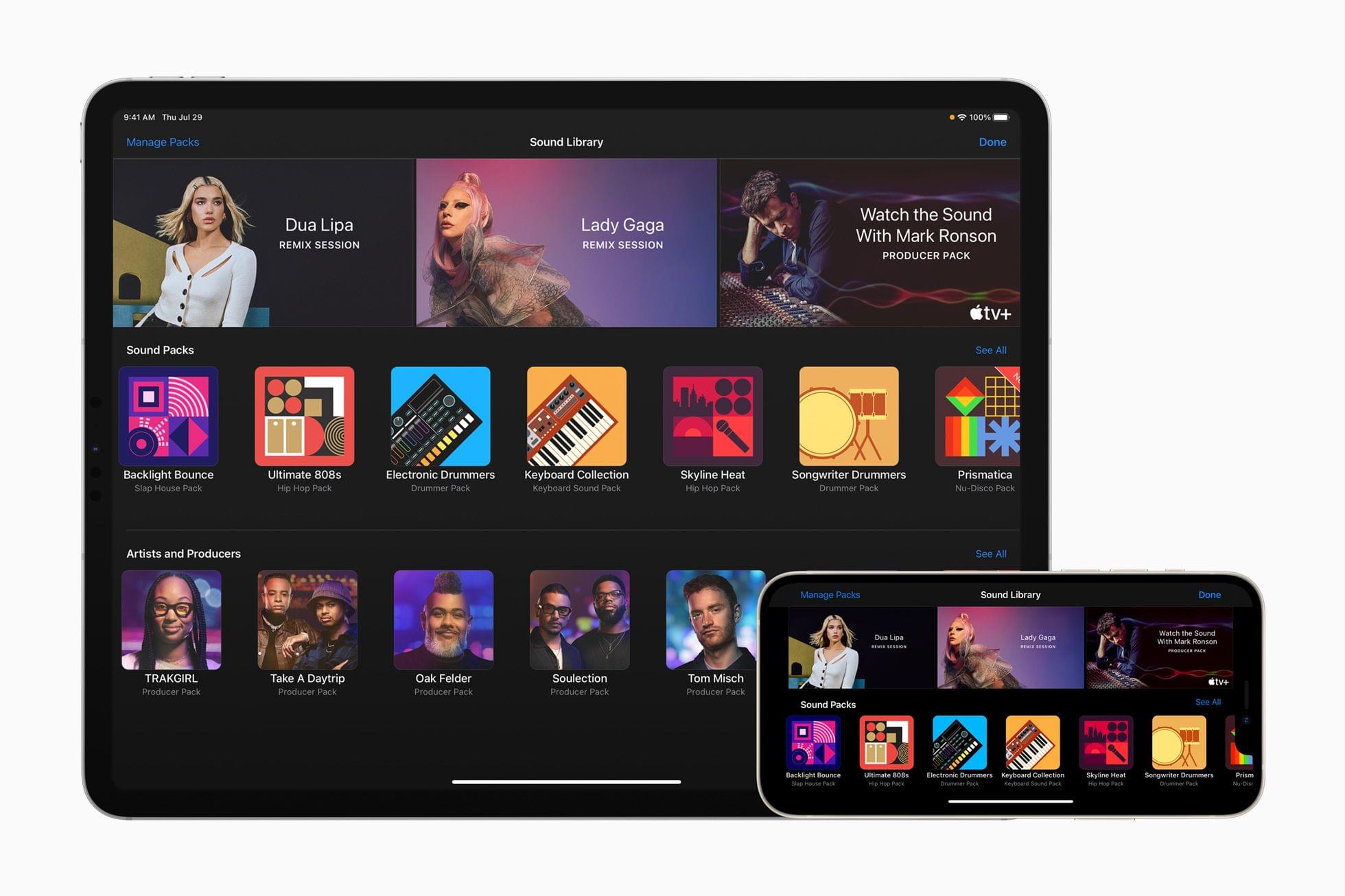
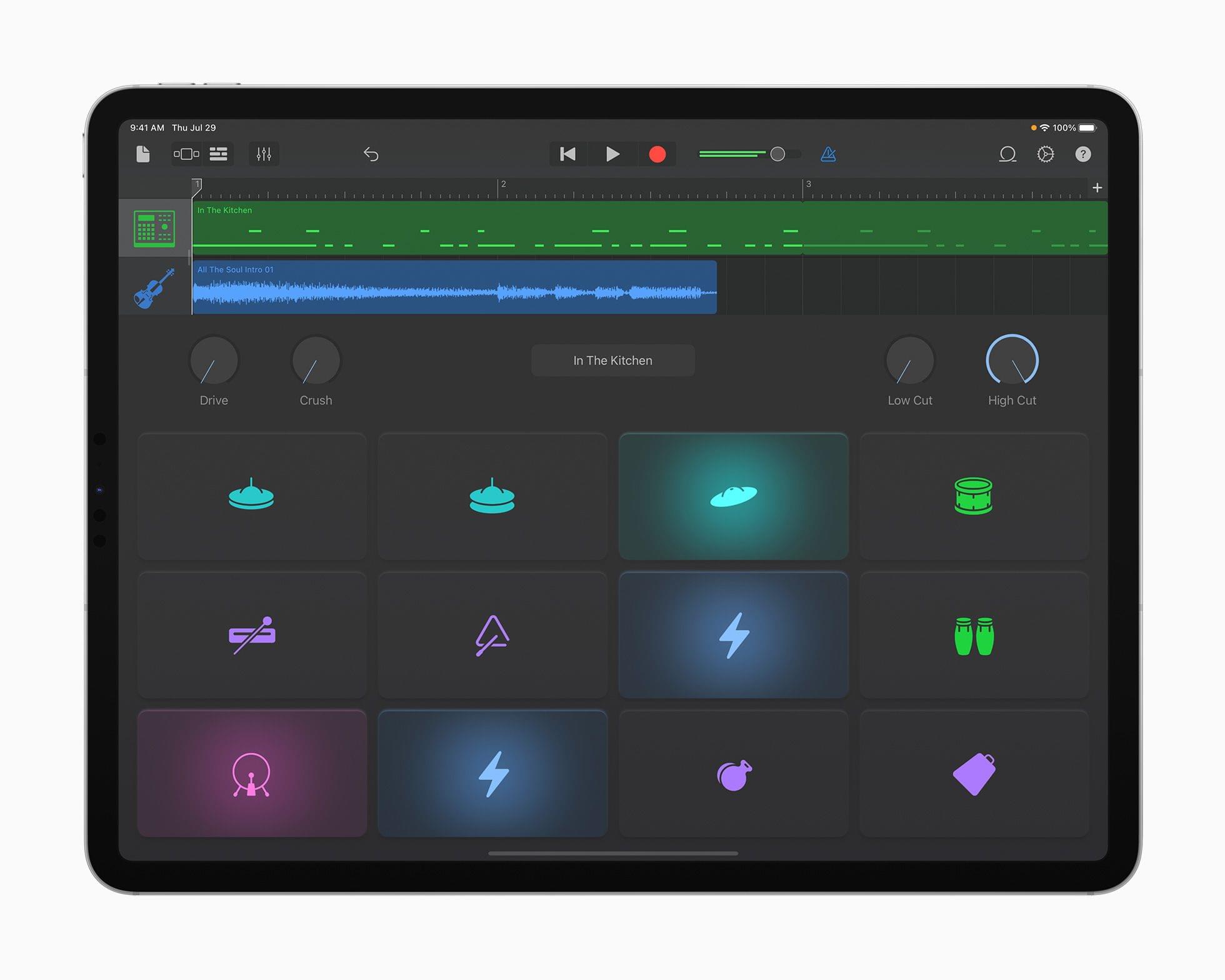
Today, Apple announced Sound Packs for GarageBand for iOS and iPadOS from artists and producers that allow users to remix hit tracks from Dua Lipa and Lady Gaga and create their own music, using hundreds of loops and sounds from producers that include Boys Noize, Mark Lettieri, Oak Felder, Soulection, Take A Daytrip, Tom Misch, and TRAKGIRL.

Apple VP of Worldwide Product Marketing Bob Borchers explained that:

GarageBand continues to be a catalyst for music creation — making it easy for novices to get started and for seasoned pros to develop their ideas on the go. For this update, we’ve collaborated with an incredible group of artists and producers to give musicians an amazing collection of new sounds to play with, and we hope even more people will be inspired to tap into their creativity and start making music in GarageBand.

Source: Apple.

Source: Apple.

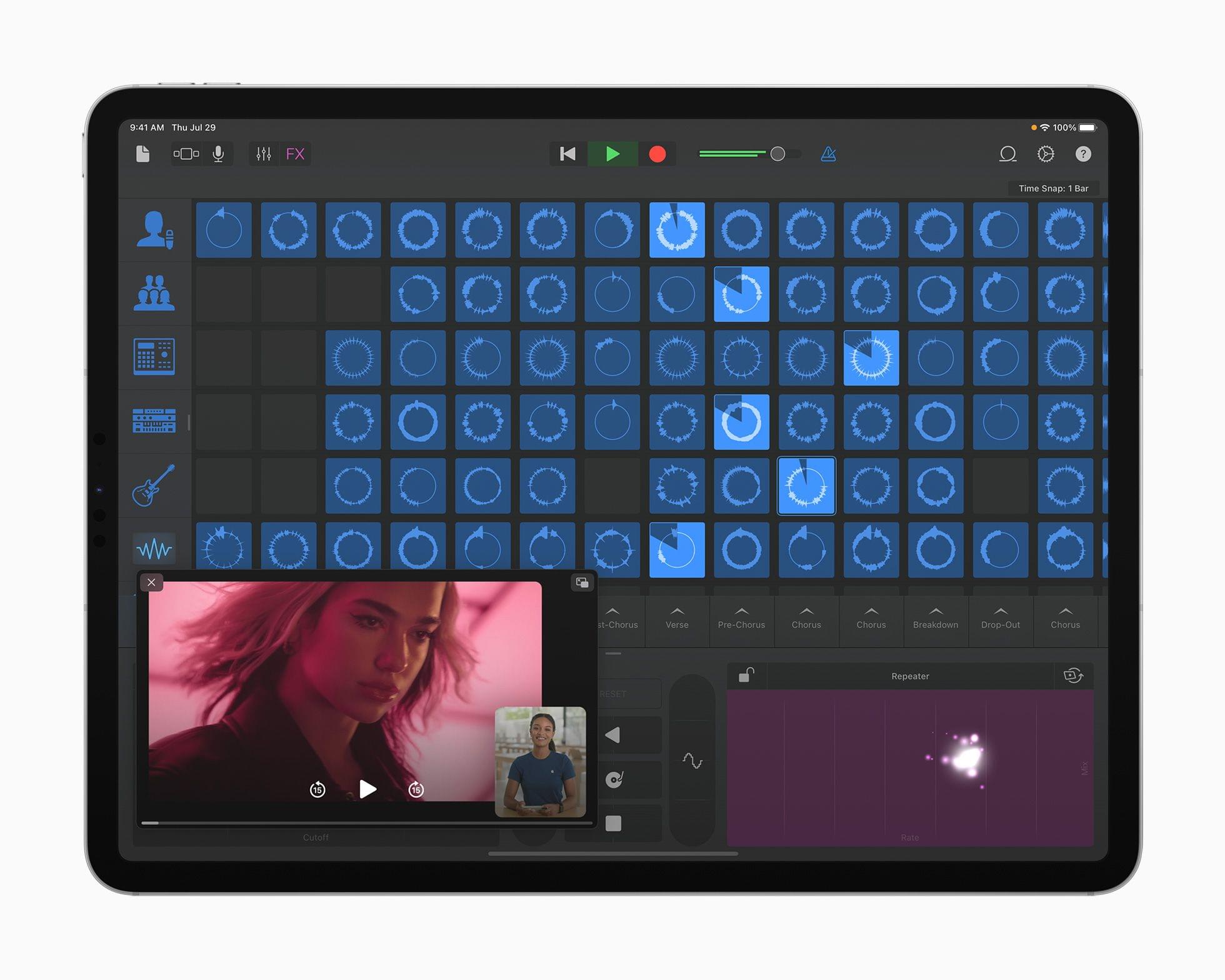
The Remix Sessions feature Break My Heart by Dua Lipa and Free Woman by Lady Gaga and allow users to remix the tracks using GarageBand’s built-in tools. Apple is also releasing seven Producer Packs from big names in music production. According to Apple’s press release:

Each Producer Pack is bursting with hundreds of royalty-free loops, beats, instruments, drum kits, synth patches, and samples that embody the sound and vibe of each producer. And in-app videos feature each producer offering words of encouragement to beginners, as well as insights into their creative process.

Source: Apple.

Source: Apple.

One of the Producer Packs will serve as a companion piece to an upcoming docuseries with producer Mark Ronson called “Watch the Sound With Mark Ronson.” The TV+ series, which Apple says “explores and celebrates the intersection of music and technology,” will let GarageBand users create music using sounds inspired by the series.

I’m a little surprised that the Mac version of GarageBand isn’t part of Apple’s announcement today, but I love these sorts of add-ons to apps like GarageBand. This content allows fans of artists and producers to work with the same raw materials they do to come up with remixes and original music that express their personal tastes using a tool that is very approachable and fun.

Access Extra Content and Perks

Founded in 2015, Club MacStories has delivered exclusive content every week for nearly a decade.

What started with weekly and monthly email newsletters has blossomed into a family of memberships designed for every MacStories fan.

Learn more here and from our Club FAQs.

Club MacStories: Weekly and monthly newsletters via email and the web that are brimming with apps, tips, automation workflows, longform writing, early access to the MacStories Unwind podcast, periodic giveaways, and more;

Club MacStories+: Everything that Club MacStories offers, plus an active Discord community, advanced search and custom RSS features for exploring the Club’s entire back catalog, bonus columns, and dozens of app discounts;

Club Premier: All of the above and AppStories+, an extended version of our flagship podcast that’s delivered early, ad-free, and in high-bitrate audio.

Learn more here and from our Club FAQs.