This Week's Sponsor:

Dropzone 5

Improve your Drag-and-Drop Workflow


Posts in mac

Fair Warning: OS X Lion Will No Longer Support Rosetta Based Apps

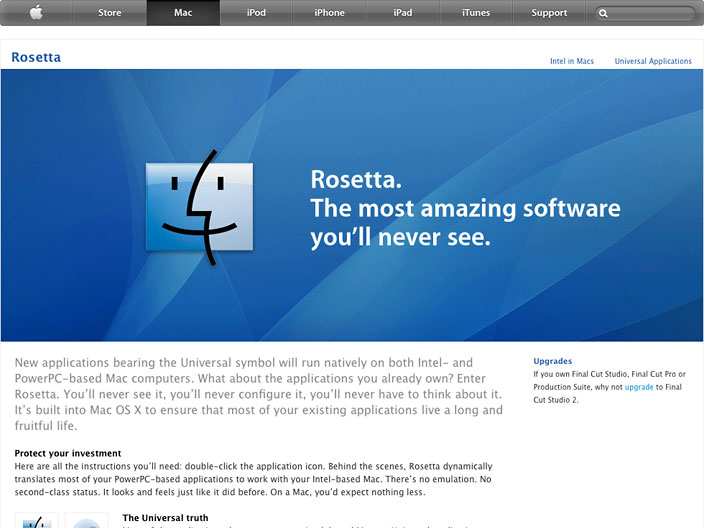
If you’re still running Mac apps that leverage Rosetta, prepare to lose that functionality when you install Lion. A main concern that TidBits recently expressed, is that the loss of Rosetta (which helped switch users from PowerPC to Intel based machines) would eliminate still perhaps frequently used software.

“Now, two major versions of Mac OS X later, it appears that Rosetta is going away. And if it does, it will be accompanied by a number of applications that I use frequently. Quicken 2007. Photoshop CS1. FileMaker Pro 8. Microsoft Word 2004. Among many others.”

Rosetta is a subject that often evades us since it’s optionally installed on Snow Leopard by apps that really need it. If you’ve recently purchased a Mac or only have purchased apps on the Mac App Store, you’ll never have to install Rosetta to use the most up-to-date applications. But for those still utilizing PowerPC compatible applications, it might be required that you simply don’t upgrade to Lion, or install it on a separate partition so you can continue using Snow Leopard’s provided functionality. MacRumors reminds us of this change today via a forum post at Macworld, where a user expressed worry over retaining a soon to be outdated version of Quicken. Macworld responded:

Broadly, you have a couple of options. One is to create a dual-boot Mac – one that can boot from two volumes. One volume contains Lion and another runs an older version of the Mac OS. When you need to spend some quality Rosetta time, you boot into the older OS. And yes, this is a pain.

The other option is to simply not update to Lion. Your Mac will continue to work just as well as it does today. How acceptable this is to you depends on how desperate you are for Lion’s features and iCloud (some of iCloud’s features will require Lion).

The changes in Lion will even affect current universal applications. From Charles Moore of Low End Mac:

There is an interesting element to Lion, such as “autosave”, which will only work on new programs coded for Lion, but won’t work on earlier Intel/Universal coded programs. It indicates to me that Apple will eventually run only post-Lion programs on their computers.

Apple doesn’t hesitate to cut old features. With the system requirements for Lion requiring the latest hardware, those who have older Macs will not only lose out on software they use, but will have to upgrade to a new machine as well. In our audience, how many of you still run Rosetta-based apps? Leave a comment below letting us know what the Lion upgrade means to you.

[Sources: MacRumors, Macworld, Low End Mac, TidBits]

image via Low End Mac



The MacBook Air is Apple’s New Crown Jewel

Everywhere you look on Apple’s new Lion page, the MacBook Air is decisively front and center. From the gestures video to screenshots detailing the new features in Apple’s upcoming OS, Steve Jobs and company are decidedly proud of their thinnest Mac yet. AppleInsider reported that Apple would build 400k revitalized MacBook Airs this month (stuffed with Sandy-Bridge processors) after 1 million of them shipped in the first quarter; Phill Schiller at last Monday’s WWDC 2011 keynote went so far as to cite the MacBook Air for Apple’s continuing success. ”It’s beautiful, it’s thin, it’s light, it’s fast… The whole PC industry wants to copy it.”

According to AppleInsider, Wall Street analyst Chris Whitmore of Deutsche Bank predicts that if 1.5 million MacBook Airs were shipped per quarter based on current estimates, that the MacBook Air would make up half of Apple’s notebook business. He predicts that many new customers are waiting for the latest technology such as Thunderbolt, Sandy-Bridge processors, and Lion to hit the laptops before consumers upgrade from their current setups.

Darrell Etherington from GigaOM wrote a piece on Lion’s hardware requirements, suggesting that the animation heavy interface would require the latest technology such as an SSD, core i-series processor, and lots of RAM to use comfortably. With Lion taking advantage of gestures on newer trackpads, and requiring the latest technology to use comfortably, he makes the case that the MacBook Air, boasting at an affordable price point, beautiful design, and fast tech, is the perfect candidate for consumers as they purchase new machines.

The MacBook represents Apple’s past; it’s a well-designed traditional notebook that provides users looking for an alternative to Windows laptops with a solid, high-quality, OS X-based alternative. But the MacBook Air represents Apple’s future. It’s a slim, lightweight device with a futuristic design aesthetic, but more importantly, it’s a perfect partner for OS X Lion and iCloud, and like Apple said at its WWDC keynote, iCloud is the new center of the Apple universe.

New MacBook Airs could be coming as soon as Wednesday as Apple’s back to school promotions kick off, but that rumor was later redacted as part numbers matched a series of unlocked iPhones instead of the new laptops. A June or July release is still predicted as MacBook Air supplies dwindle, and there even might be a Mac Mini and Mac Pro refresh to accompany the updated laptops.

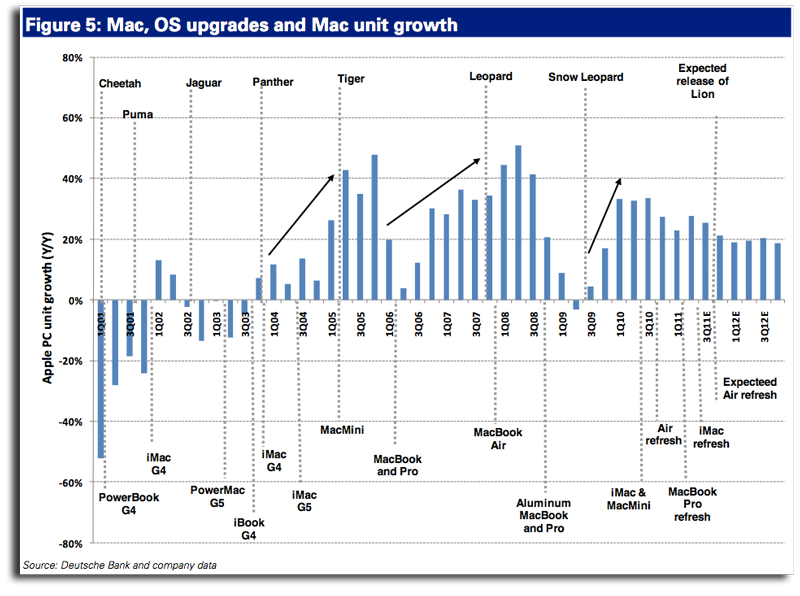
Whitmore writes that Mac sales generally spike after a new OS update, and in combination with refreshed MacBook Airs, could fuel a very good summer for Apple. At its heart, however, Apple sees the MacBook Air as the driver of innovation - it is no longer the MacBook Pro or the iMac Apple wants you to think of, but their tapered and lightweight notebooks.

“In two years time, if not less, when you think ‘Mac,’ you’ll think about the MacBook Air first and foremost. And that’s by design, as Apple continues to have outsized influence in the changing definition of personal computing.” I tend to agree with Etherington. Today, the future of the MacBook starts with the MacBook Air.

[Sources: GigaOM, AppleInsider]


Screeny: Simple Screen Recording for the Mac

In the world of screen recording apps for Mac there are many options, but most are complex and expensive. What if you could have a great screen recording app that was easy to use, had a great UI and was under $20 US? Well, browse no further my friends.

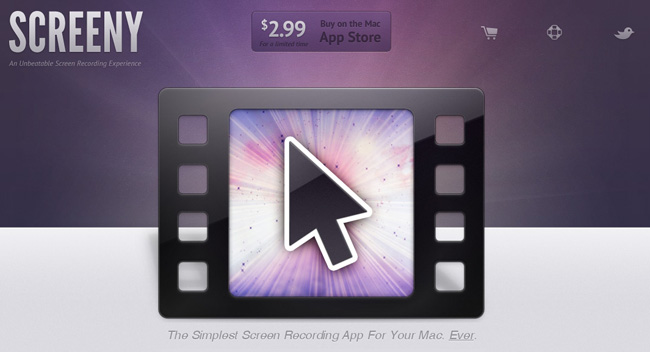
Drew Wilson, the designer developer behind dialoggs, Pictos and Valio, has just released a screen recording application for the Mac called Screeny.

Screeny is an “unbeatable screen recording experience” and could be the easiest one you have ever used as well. Before we go into details, here’s how it works: Launch the app - it lives in your menu bar. Set the capture area. Use the floating control panel, the menu bar shortcut or set a key command to record and boom, you’re done. Read more


Munster’s WWDC 2011 Survey: Developers Choose iOS and Android Before Mac

Among the 5000 developers crowding Apple’s WWDC 2011 this year, Piper Jaffray’s Gene Munster was on the scene, surveying a small pool developers on platform related questions. Munster’s sample of 45 participants consisted of only iOS developers, who’d naturally favor Apple’s development platforms over Microsoft or RIM. The results of the survey were published in a note to clients that compared these 45 responses to 20 he gathered in 2008, when the iPad and Android markets were non-existant. Of the developers sampled, Munster found that the pool of iOS developers typically favored smartphone development over desktop development, and that iOS was best for monetization. Philip Elmer-DeWitt highlights some of the findings:

  • Only 7% are also developing apps for the Mac, down from 50% in 2008.
  • Nearly half (47%) write apps for Android, 36% for Research in Motion’s (RIMM) BlackBerry, 13% for Microsoft (MSFT) Windows Phone 7 and 7% for Hewlett-Packard’s (HPQ) WebOS.
  • Asked which platform had the highest potential for future growth, none mentioned the BlackBerry, WebOS or Nokia’s (NOK) Symbian.
  • Although 100% preferred iOS for ease of development and monetization, they did have some complaints, chief among them Apple’s “strict limitations” (38%) and the App Store approval process (11%).

Lion, iOS 5, and Apple’s iCloud were hot topics of WWDC 2011 this year, and while Munster only surveyed a handful of developers, there’s a lot to be excited about for both Mac and iPhone development. Scott Forstall announced on stage that iOS development in particular is still a hot market with over 200 million iOS devices sold. iOS’ installed base is leading the market at 44%, compared to 28% for Android and 19% for RIM. Total, Apple has paid developers $2.5 million dollars for apps marketed in the App Store.

Desktop development is still strong, as showcased in Apple’s Design Awards this year, featuring amazing apps like Pixelmator and Capo. Many developers are going to be updating or releasing new versions of theirs apps for Lion through the Mac App Store, and if Reeder is any indication, I have a feeling Mac development is as strong as it’s ever been. Survey results have been posted after the break.

[via Fortune Tech]

image via Aaron Ash

Read more


Stay on Top of Retweets, Faves, and Follows from your Menubar with Bird Bell: Review and Giveaway!

If you’ve wanted to stay on top of your Twitter status in real time, many Twitter clients won’t show you whether that last tweet caused a few unfollows or if it was fave’d by a few of your fans. For those obsessed with getting realtime feedback, Bird Bell is an excellent companion app to any Twitter client you have on the Mac, integrating with Growl and displaying real time feedback on retweets, follows, unfollows, favorites, and lists you’re added to. Bird Bell integrates with both Twitter and Favstar, and can be customized to a wide extent in revealing growl or menubar notifications per account. With the official Twitter app for the Mac (which offers live streaming), Bird Bell can give you a bird’s eye view on just how responsive your audience is to what you’ve tweeted as soon as you’ve hit the return key. Bird Bell works in the background, and only notifies you based on your interests: I personally don’t care about follows and unfollows, and choose to see favorites and retweets instead.

Twitter junkies who want to revel in their tweets can purchase Bird Bell on the Mac App Store for $1.99 — it’s a great utility that works alongside your favorite Twitter clients. We’re also giving away five copies of Bird Bell, and you can click past the break for your chance to win.

Read more