Posts in news

Last Week, on Club MacStories: Apple Frames 3.1.1, Ascend, Focus Modes, Personal Automations, and a Cross-Platform Scratchpad

Because Club MacStories now encompasses more than just newsletters, we’ve created a guide to the past week’s happenings:

MacStories Weekly: Issue 358

Ascend

Ascend

The Monthly Log: February 2023


MacStories Unwind: A Ted Lasso Rewatch and The Reluctant Traveler

0:00
21:45

Sponsored by: Kolide – Ensures only secure devices can access your cloud apps. It’s Zero Trust tailor-made for Okta. Book a demo today.


This week on MacStories Unwind, rewatches Ted Lasso in preparation for season 3 and John binges his way through Eugene Levy’s new travel series, The Reluctant Traveler.

Federico’s Pick:

John’s Pick:


Last Week, on Club MacStories: A Lighter Approach to Focus Modes and the Apple Watch Ultra, an iPhone Home Screen, and Glass Onion

Because Club MacStories now encompasses more than just newsletters, we’ve created a guide to the past week’s happenings:

MacStories Weekly: Issue 357

Club MacStories+ AV Club Town Hall

  • This month’s AV Club Town Hall in the Club MacStories+ Discord community featured the movie Glass Onion, directed by Rian Johnson.
  • Club MacStories+ and Club Premier members can listen to the event in the Town Hall podcast feed.

MacStories Unwind: Nope and GeForce NOW Paired with the Razer Kishi Controller

0:00
21:39

Sponsored By SaneBox – Clean up your inbox today and keep it that way forever with SaneBox


John loves the horror/sci-fi movie Nope from Jordan Peele, and Federico discovers the joys of videogame streaming service GeForce NOW paired with the Razer Kishi iPhone controller.

John’s Pick:

Federico’s Pick:


Fitness App Gentler Streak Adds Wellness Tracking

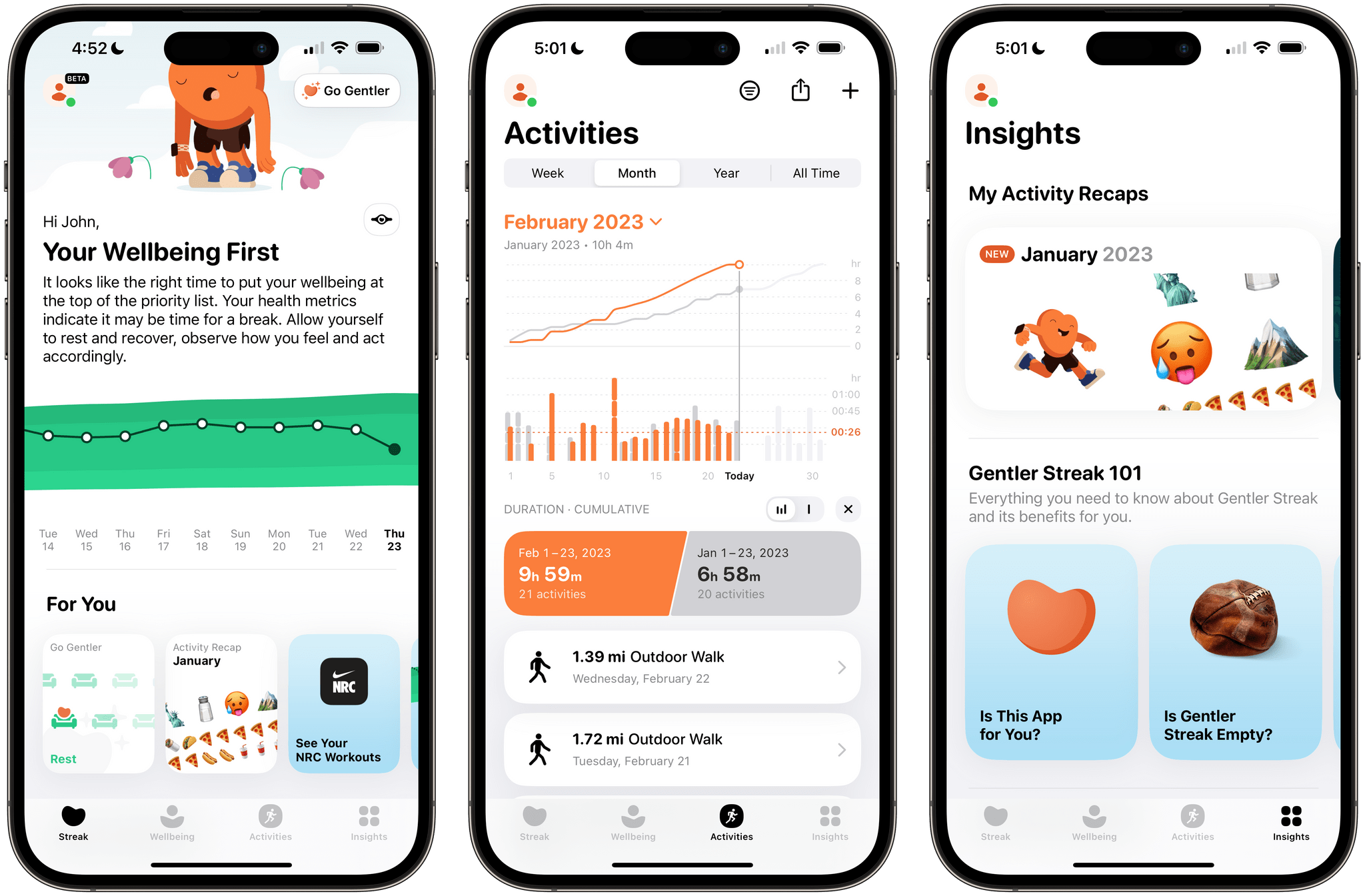
Gentler Streak, the fitness app for the Apple Watch and iPhone that takes a holistic approach to training and recovery, has been updated to version 3.0 to incorporate additional health metrics, so users can get a broader picture of their overall wellbeing. I’ve had less than a day to test-drive the new features, but what I’ve seen so far looks promising.

Gentler Streak uses trend analysis to help guide your workouts. Your daily and 10-day activity trends are plotted within a band of intensity to help guide whether you should work harder or rest. The app also tracks individual workouts, your activity over time compared to previous periods, and includes insights and tips for maintaining a healthy life.

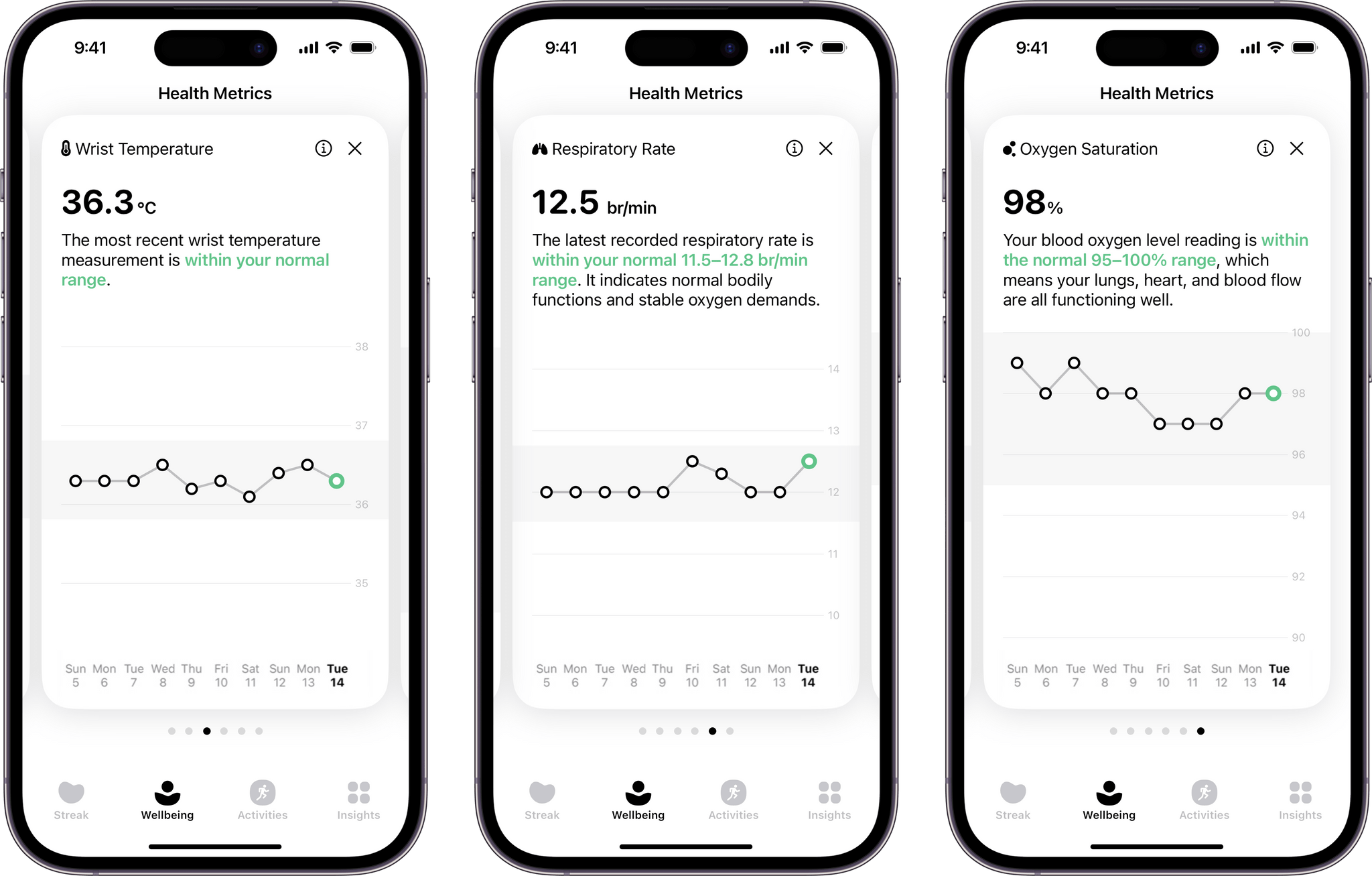
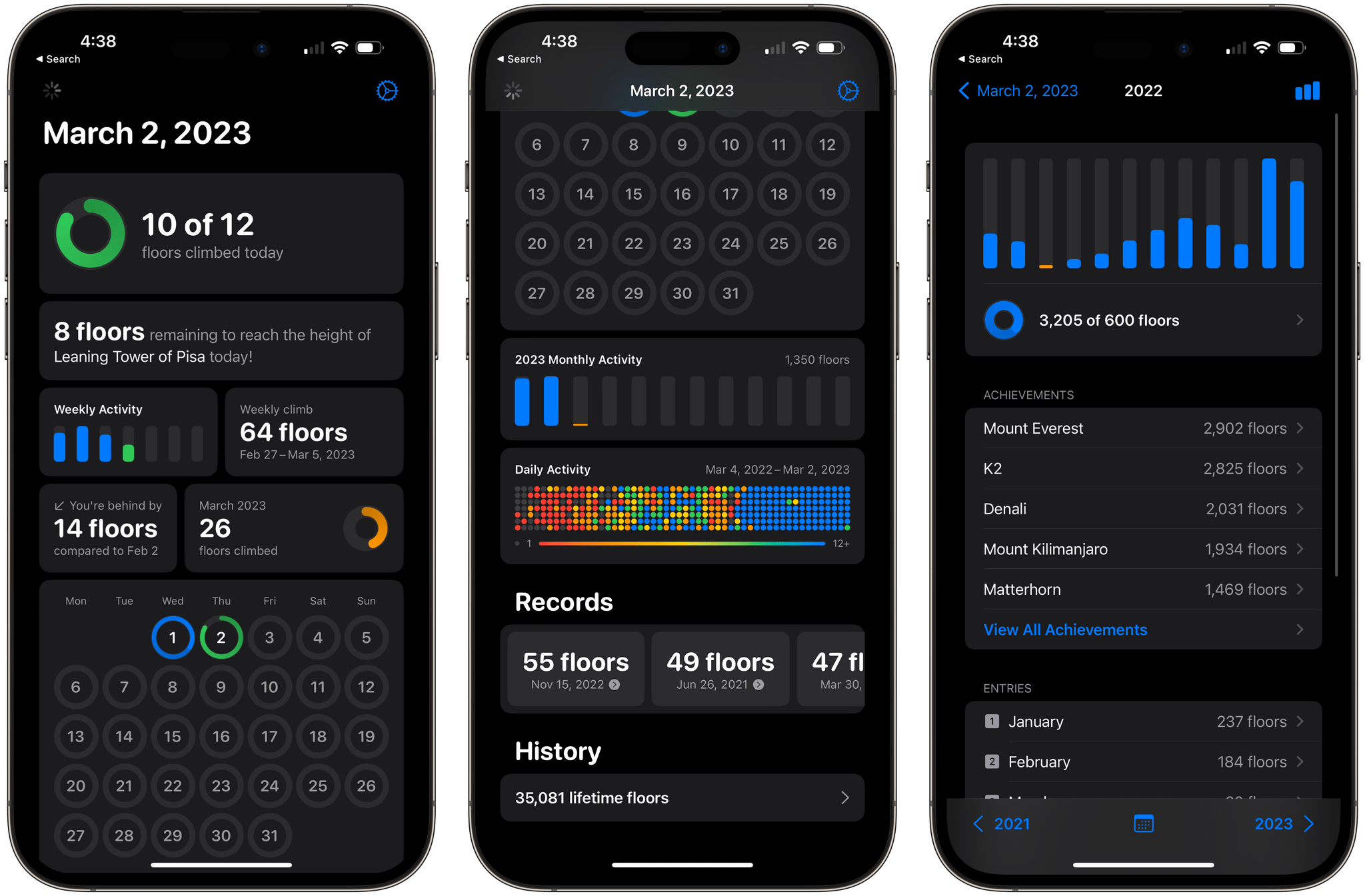
Gentler Streak tracks seven statistics drawn from Apple's Health app.

Gentler Streak tracks seven statistics drawn from Apple’s Health app.

With today’s update, Gentler Streak is adding a new tab to the iPhone that tracks seven health metrics: sleeping heart rate or resting heart rate when SHR is unavailable, sleep duration, heart rate variability, respiratory rate, oxygen saturation, and wrist temperature. The app then uses that data to help guide your workout plans. For example, I didn’t get as much sleep as usual last night, so Gentler Streak suggested I take a break from working out today.

Each statistic in the Wellbeing tab is presented as a card-like widget that includes the current data, a 10-day trendline, and an indicator of whether the measurement is within normal ranges. Tapping on a card expands it for a bigger view that offers more information about what’s being measured and your results.

I’ve been using Gentler Streak for about a month and have found that its approach has kept me more motivated than closing my Fitness app Activity rings has. I still track those, too, but Gentler Streak is where I go to ensure I’m on track with my fitness goals while remembering to give myself a break now and then. It’s too soon to say what the Wellbeing tab will mean to my overall experience with the app, but I like what I’ve seen so far and plan to write more about Gentler Streak soon.

Gentler Streak is free to download from the App Store but requires a subscription to unlock some features.


Rovio Announces It’s Pulling Angry Birds Classic From Sale on Android and Hiding the Game on iOS

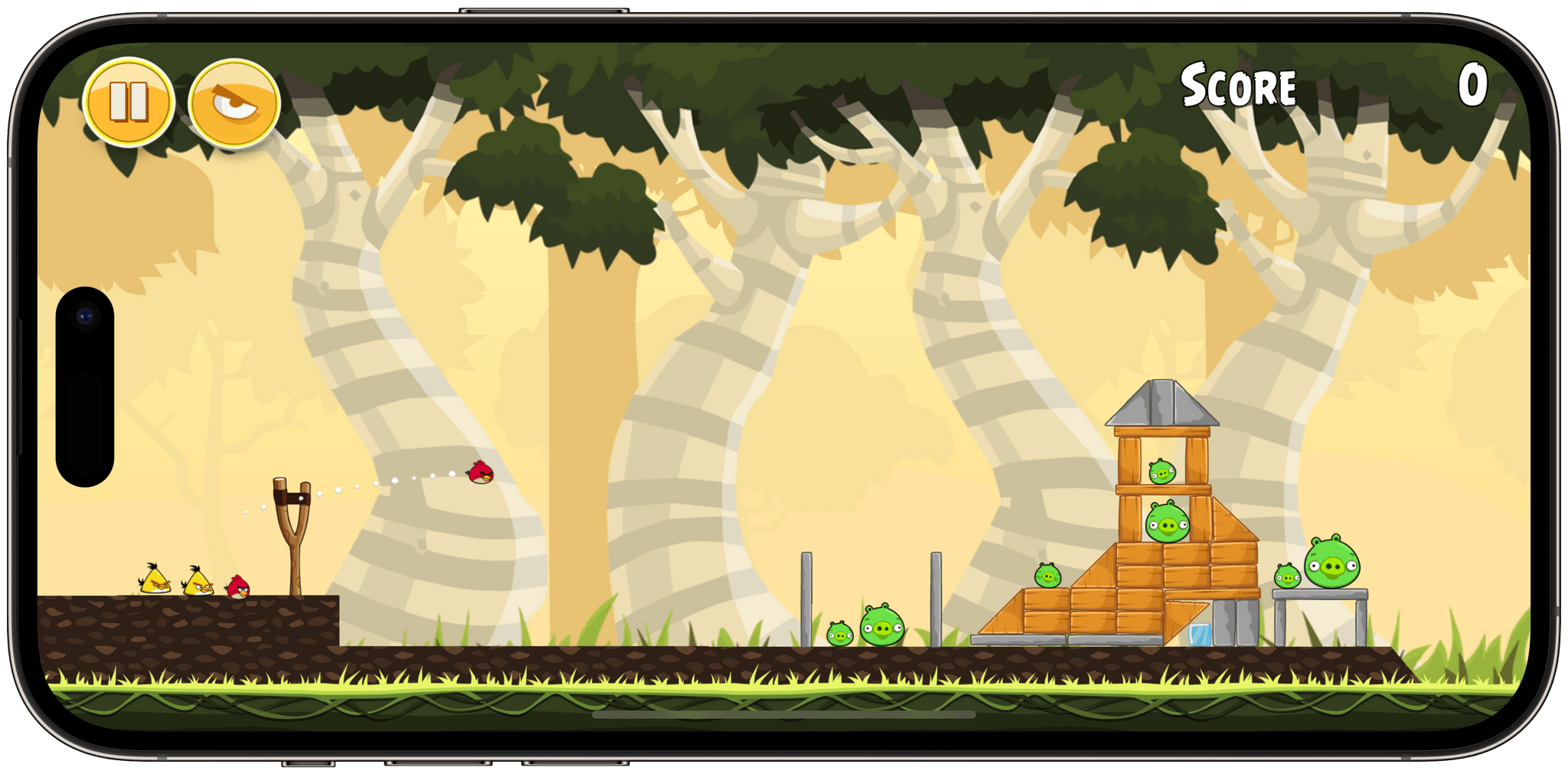
Angry Birds was a defining game of the first decade of the App Store, so fans and game preservationists applauded Rovio in 2021 when it announced that it was rebuilding the 2012 version of the game and relaunching it on the App Store and Android as Angry Birds Classic.

The game was relaunched last spring, after a three-year absence from the App Store with an emphasis on the game preservation angle:

“While we were rebuilding Angry Birds, we took great care to preserve the feeling of the original Angry Birds game,” says executive producer, Sami Ronkainen. “We know our fans are a discerning bunch and will be able to pick out even small differences. Matching the gameplay, and appearance of the game next to the original was crucial.”

Now less than a year later, it’s hard to read that as anything more than empty marketing copy in light of Rovio’s tweeted announcement yesterday in which it said:

We have reviewed the business case of Rovio Classics: Angry Birds, and due to the game’s impact on our wider games portfolio, we have decided that Rovio Classics: Angry Birds will be unlisted from the Google Play Store on Thursday, February 23. Additionally, the game will be renamed to Red’s First Flight in the App Store pending further review. Rovio Classics: Angry Birds will remain playable on devices on which the game has been downloaded, even after it has been unlisted.

We understand that this is sad news for many fans, as well as the team that has worked hard to make Rovio Classics: Angry Birds a reality. We are extremely grateful to the Angry Birds fans who have shown their love of the brand and this game from the beginning. We hope those fans can continue to bring that passion to our live Angry Birds slingshot games such as Angry Birds 2, Angry Birds Friends, and Angry Birds Journey, where our goal every day is to craft the best possible experience for players.

It’s not clear what Rovio means by Angry Birds Classic’s impact on its other platforms. If I had to guess, though, I’d bet that the $0.99 price of Classic was cannibalizing sales of more recent versions built around In-App Purchases. But why not pull the iOS version completely instead of changing its name? By removing ‘Angry Birds’ from the name of the game, it will be harder to find on the App Store but remains available, which may have been deemed necessary politically given Rovio’s involvement with Apple Arcade. Speculation aside, though, it’s a shame to see a culturally important mobile game pulled from one platform and hidden on the other.


Last Week, on Club MacStories: HomeKit Apps, Turning Twitter Searches into RSS Feeds, a Sofa Giveaway, and MacStories Unplugged

Because Club MacStories now encompasses more than just newsletters, we’ve created a guide to the past week’s happenings:

MacStories Weekly: Issue 356

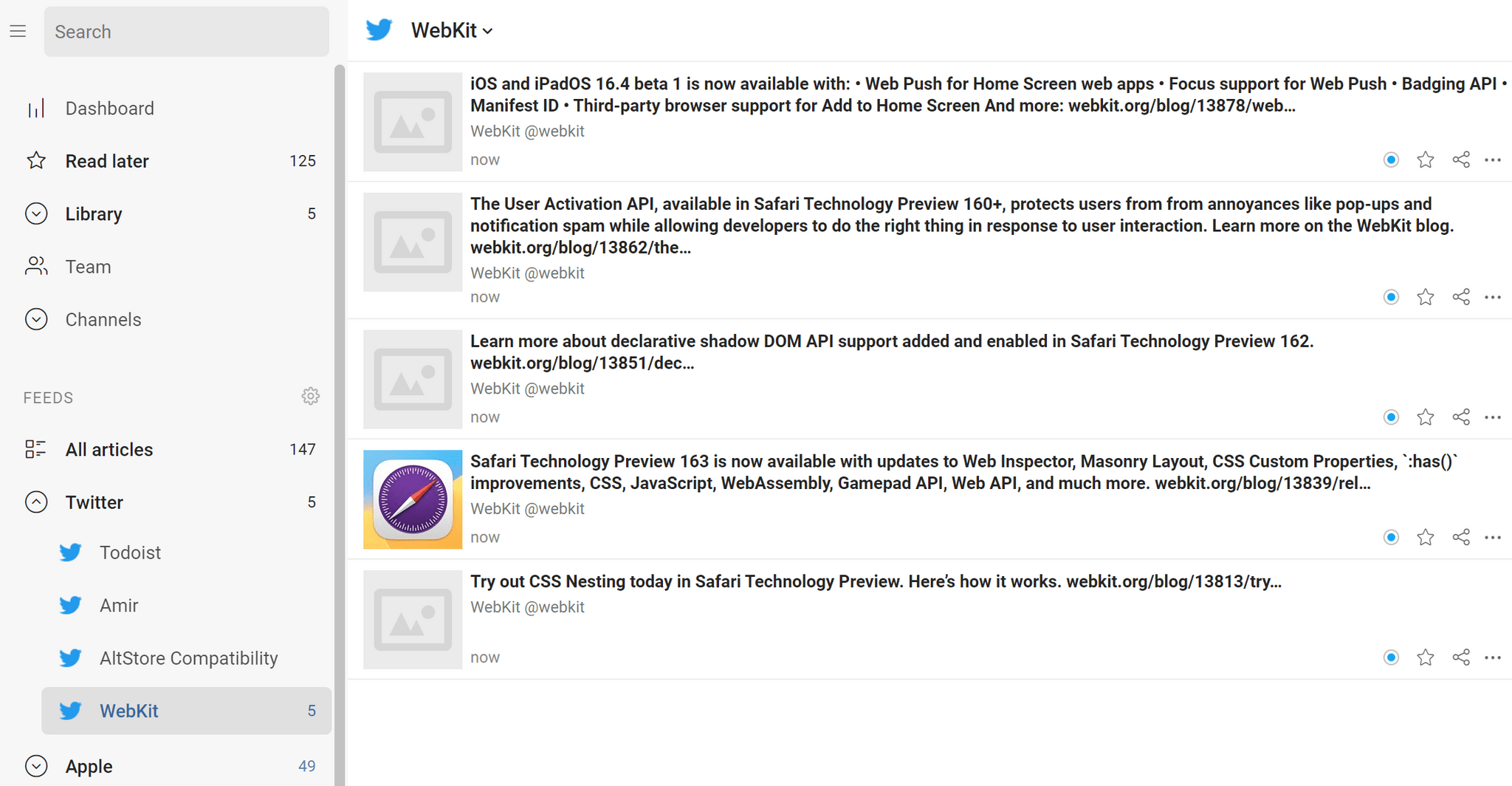
A Twitter advanced search converted to an RSS feed.

A Twitter advanced search converted to an RSS feed.

Up Next

Tomorrow at 11:30 am Eastern US time, we’ll be hosting a live audio Town Hall in the Club MacStories+ Discord community to discuss the movie, Glass Onion. If you can’t join us live, you can catch up later with the podcast version of the event.


iOS and iPadOS 16.4 Betas Are Out with New Emoji, Loads of Safari Updates, Apple Podcasts Enhancements, Shortcuts Actions, and More

Source: Apple.

Source: Apple.

Apple has released betas of iOS and iPadOS 16.4 with new features and its version of new emoji approved by the Unicode Consortium last summer.

Some of the biggest changes coming to iOS and iPadOS later this spring will be to Safari. Many of the biggest user-facing features relate to web apps. Apple has supported saving web apps to the iPhone and iPad’s Home Screen since the earliest days of those devices, but today’s announcements put web apps on a more even footing with native apps than before.

According to a post by Brady Eidson and Jen Simmons on WebKit.org:

  • Safari will support Web Push with iOS and iPadOS 16.4, which will work like other notifications on the system. Once a user authorizes a web app to send notifications, they will be sent and managed just like notifications from native apps.
  • Users will be able to associate notifications from web apps with Focus modes, too, allowing or filtering them out based on the options picked when setting up a Focus mode.
  • Web app icons on your Home Screen will gain the ability to display badges.
  • Third-party browsers will be able to add web apps to the Home Screen for the first time from the share sheet.
  • Multiple web apps can be added to the Home Screen and renamed by users allowing them to be part of different Focus filters.

There are many other interesting additions and changes to the WebKit framework for developers that they can check out on the WebKit site.

Last summer, the Unicode Consortium announced its draft candidates for new emoji. The betas of iOS and iPadOS 16.4 include Apple’s renderings of those emoji, a handful of which are in the image at the beginning of this story. Included among the new emoji are a shaking face, three new colors of hearts, left and right pushing hands in multiple skin tones, a moose, a donkey, a blackbird, a goose, ginger, a hair pick, a flute, peas, and more.

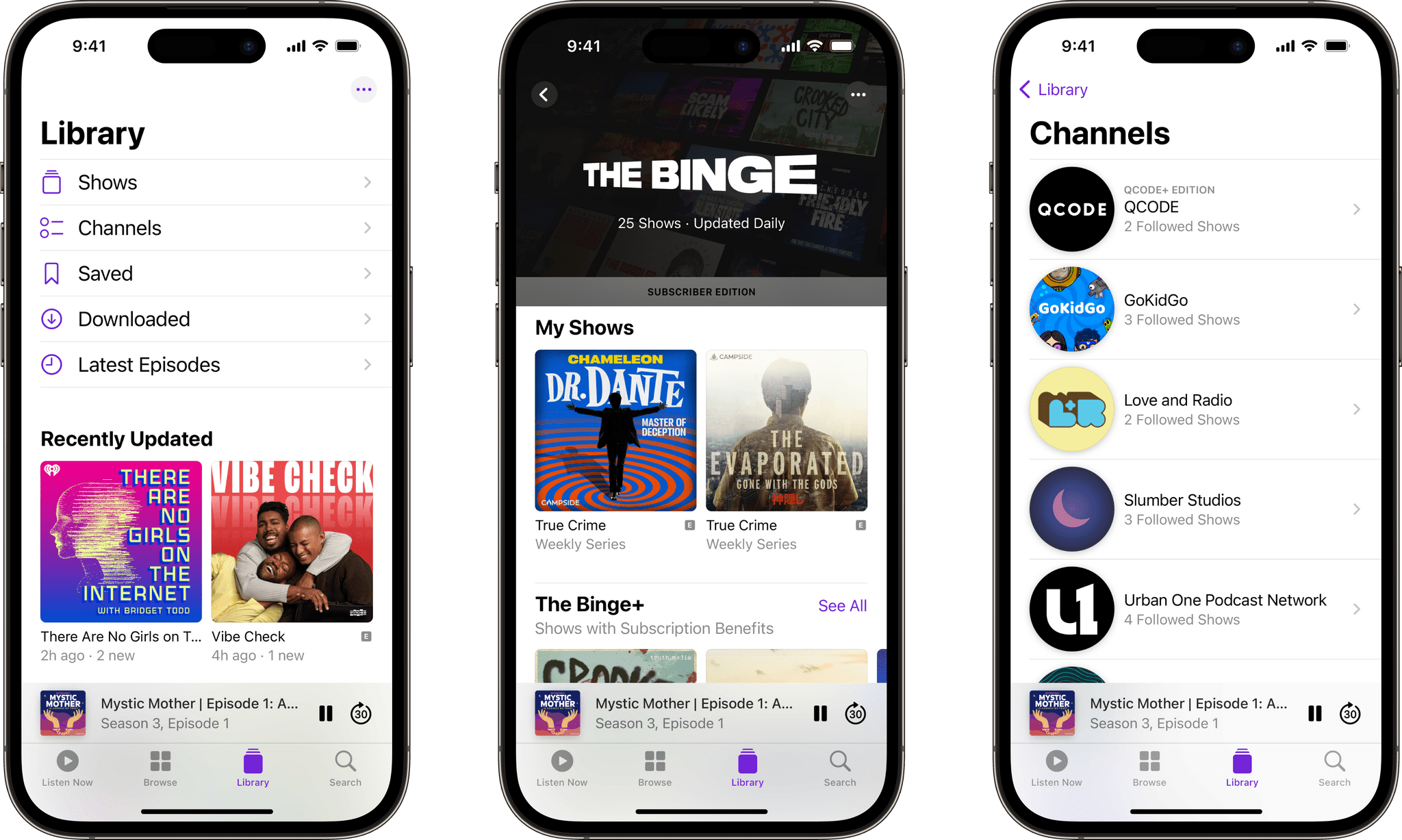
Apple Podcasts includes changes in the betas too. Channels are Apple Podcasts’ collections of shows from a single publisher. In iOS and iPadOS 16.4, Channels will be included in the library, allowing users to access the ones they follow and subscribe to more easily. Up Next is adding the ability to resume episodes, start saved episodes, and remove any you want to skip. Plus, episodes you’re listening to in the app that you don’t follow or subscribe to will live in Up Next until you finish or remove them. Users will also be able to access their Up Next and Recently Played queues from CarPlay, which should add a lot more flexibility than before. For more detail on these changes, which are also coming to the Mac, check out Apple’s post on the Apple Podcasts for Creators website.

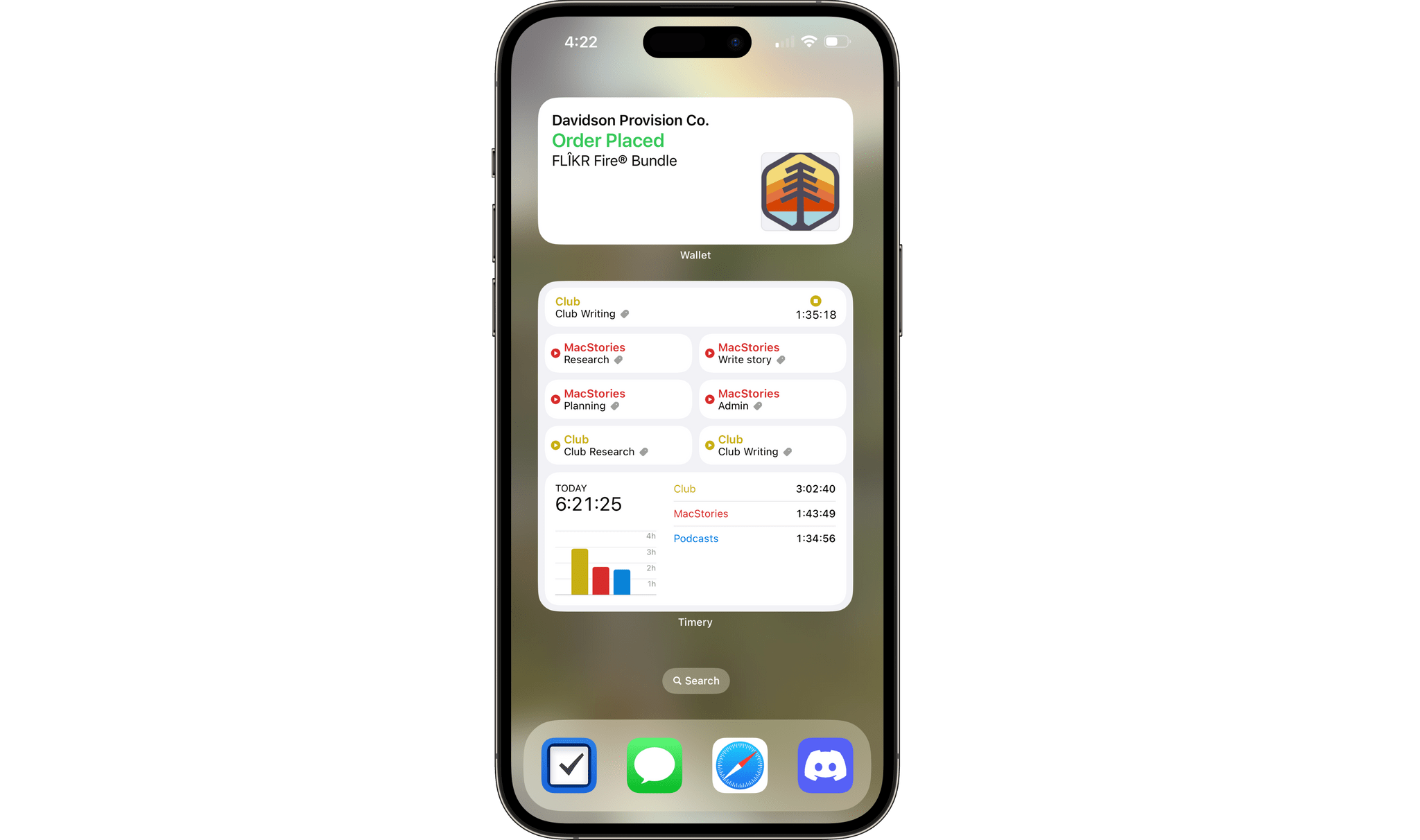
Wallet's new package tracking widget.

Wallet’s new package tracking widget.

There are a bunch of other smaller changes coming too: