Posts in news

Daily Dictionary’s New Watch App Showcases the Latest watchOS Capabilities

Developer Benjamin Mayo released an update this week to his new word of the day app, Daily Dictionary. Version 1.2 adds an Apple Watch app, making it easy and convenient to view each day’s featured word from your wrist.

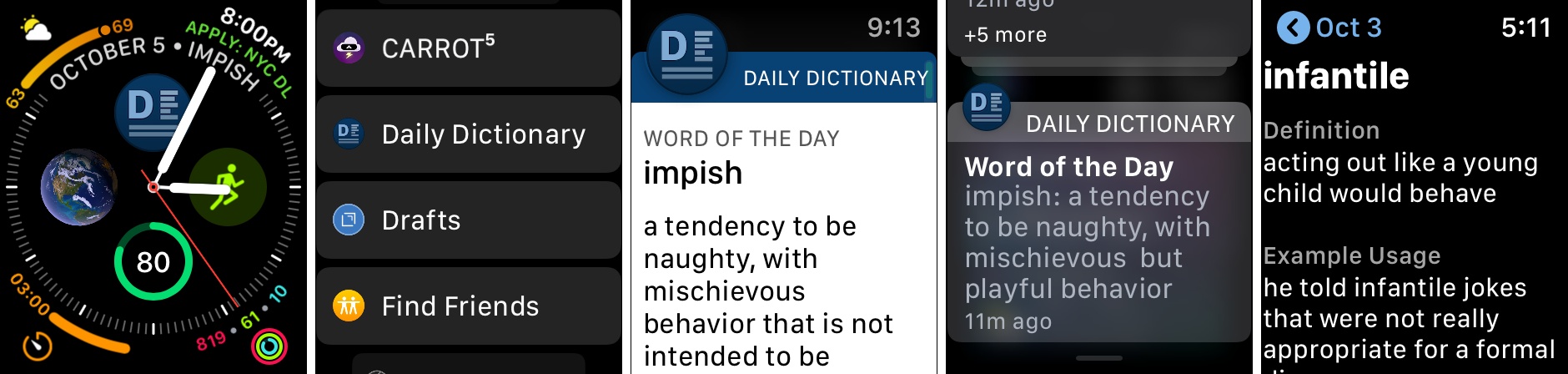
Daily Dictionary’s Watch app is particularly noteworthy due to its complications for the Series 4’s Infograph faces, and its custom UI for notifications. For complications, you can use a smaller option containing the app’s logo which serves as a launcher, or you can select a larger complication that includes the logo alongside the word of the day itself. If you’d like it to, the larger complication can also display the current date, saving you the need for a separate date complication elsewhere on the face.

One of the ways Daily Dictionary can provide its featured word each day is through a push notification, and if you have the new Watch app installed, you’ll get to see a custom notification UI that reflects the design of the full iOS app. Watch developers can take advantage of APIs that enable crafting more customizable notification interfaces, and Daily Dictionary is a great example of that. Now that the Apple Watch is becoming a more mainstream product, and since one of the Watch’s chief strengths is as a notification conduit, I hope we see lots of apps follow Daily Dictionary’s example in providing more creative Watch notifications.

Daily Dictionary is available on the App Store.

Apple Strongly Refutes Bloomberg Report That Its Servers Were Compromised by Malicious Chips

Earlier today, Bloomberg published a story claiming that Apple and Amazon discovered tiny, malicious chips on Elemental network servers built by Super Micro. According to the story, the chips were the work of Chinese spies and designed to infiltrate the tech companies’ networks. Shortly after publication, Apple responded in an email statement strongly refuting Bloomberg’s account.

Amazon’s chief information security officer similarly discredited the claims saying in part:

There are so many inaccuracies in this article as it relates to Amazon that they’re hard to count.

A short time ago, Apple elaborated on its initial statement to Bloomberg on its Newsroom website:

In response to Bloomberg’s latest version of the narrative, we present the following facts: Siri and Topsy never shared servers; Siri has never been deployed on servers sold to us by Super Micro; and Topsy data was limited to approximately 2,000 Super Micro servers, not 7,000. None of those servers have ever been found to hold malicious chips.

Topsy is a startup that Apple acquired in 2013.

For over 12 months, Apple says it repeatedly told Bloomberg reporters and editors that they and their sources were incorrect.

We are deeply disappointed that in their dealings with us, Bloomberg’s reporters have not been open to the possibility that they or their sources might be wrong or misinformed. Our best guess is that they are confusing their story with a previously-reported 2016 incident in which we discovered an infected driver on a single Super Micro server in one of our labs. That one-time event was determined to be accidental and not a targeted attack against Apple.

Security and privacy are cornerstones of Apple’s business that it uses to differentiate the company’s products from competitors’, so the fact that the company takes this sort of claim seriously isn’t unusual. This also isn’t the first time Apple has taken Bloomberg to task on the veracity of its reporting. However, the forcefulness of the responses from Apple and Amazon, followed by Apple’s press release on its Newsroom site is something that is unprecedented. It will be interesting to see whether Bloomberg responds.


Philips Hue App Adds Siri Shortcuts Support

Promised earlier this year, the Philips Hue app now supports Siri Shortcuts allowing users to trigger scenes created in the app.

The Hue app received a major update earlier this year, which significantly improved the creation of scenes. Users can pick from pre-built scenes created by designers to evoke a particular mood or create their own using photos or a color picker to control the color and brightness of a group of Hue bulbs.

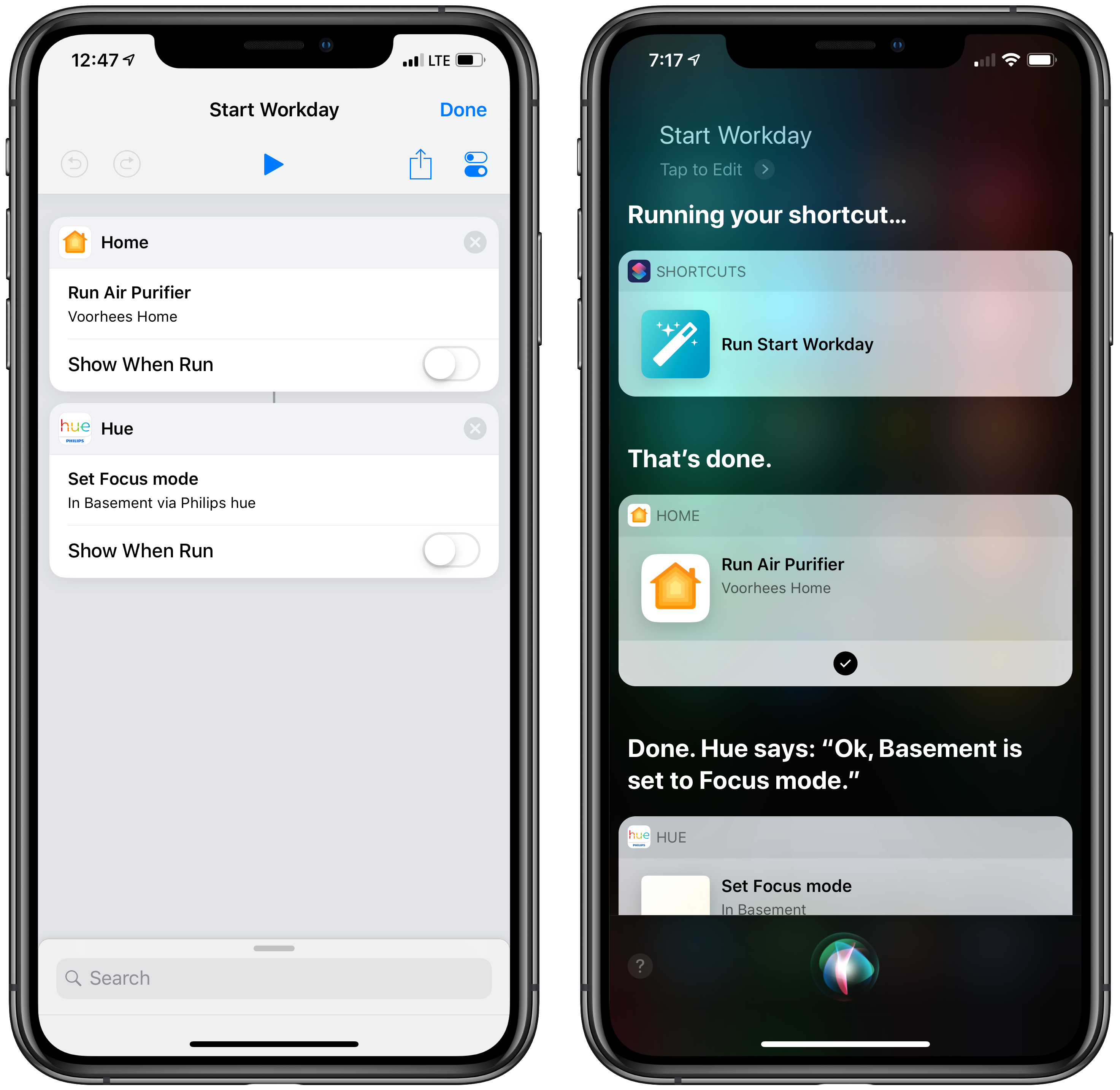
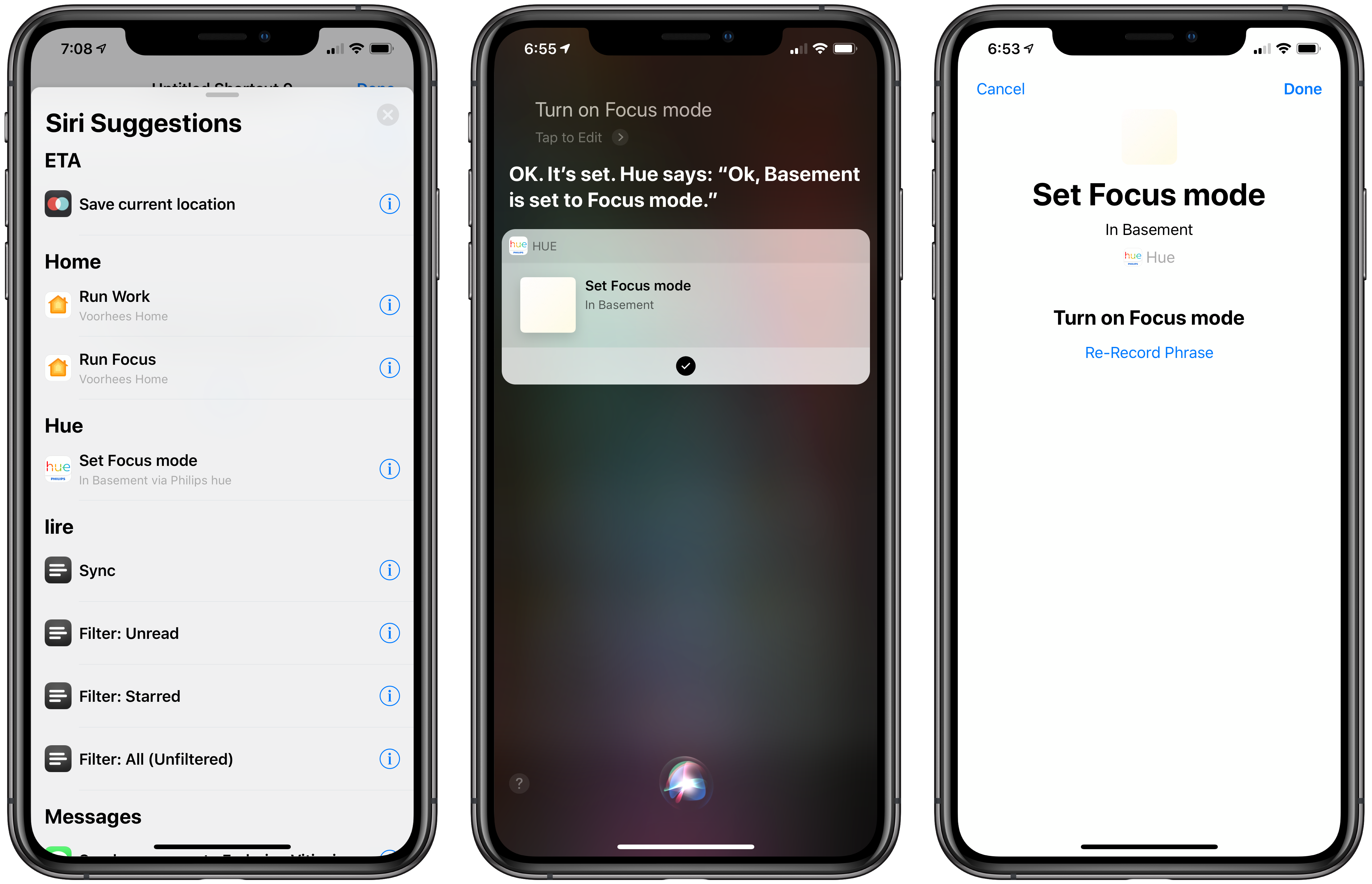
With the new Siri Shortcut support, those scenes can be triggered using Siri and incorporated as actions in custom shortcuts using Apple’s Shortcuts app. I have several Hue bulbs in my studio. They aren’t the kind that supports a wide range of colors, but I can adjust the brightness and warmth of each bulb. To test the Hue’s new shortcut functionality, I created a scene called Focus Mode that turns the brightness up to 100% with a cool blue cast.

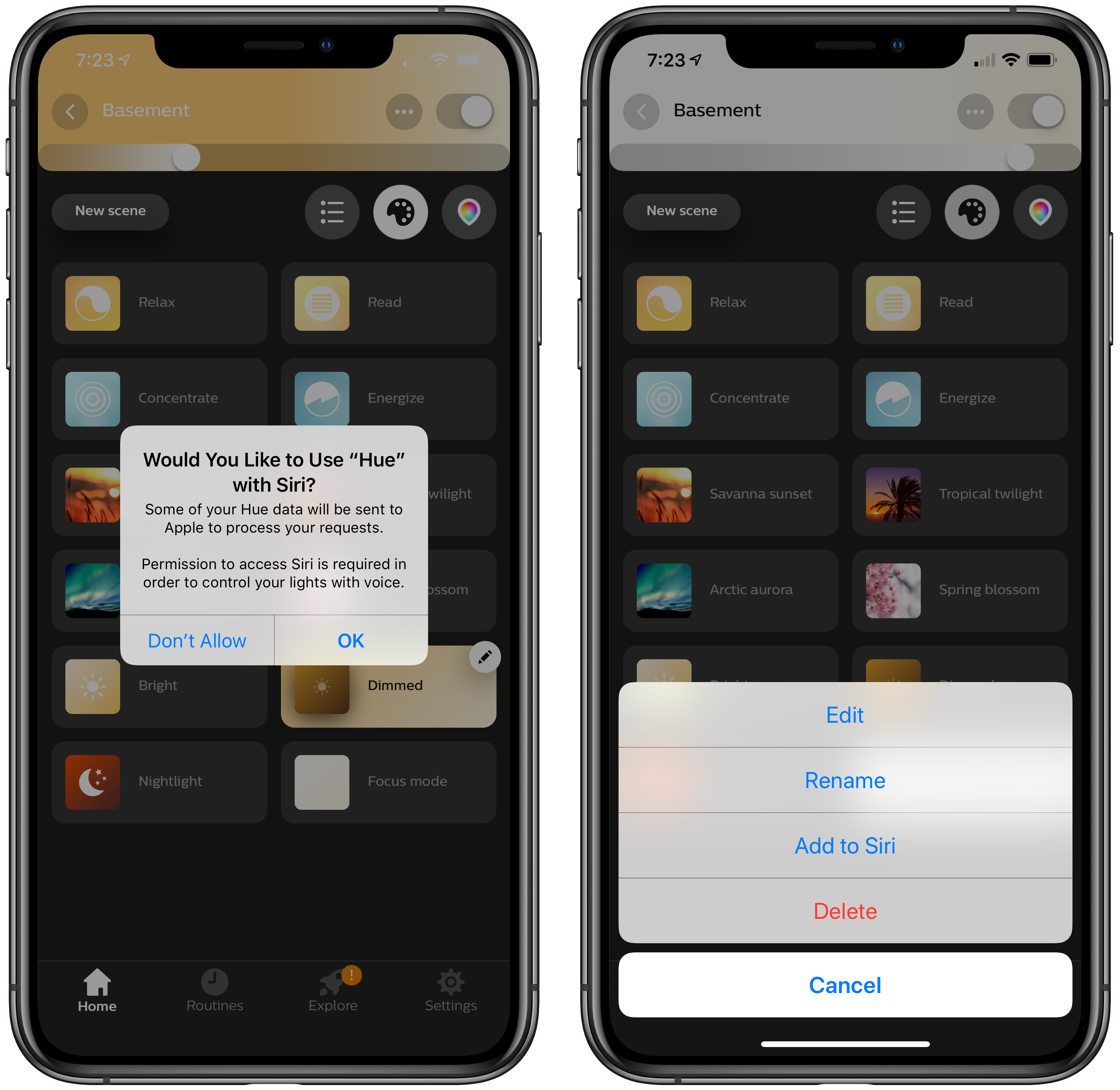
After using the scene, the Siri & Search section of the Settings app suggested I add my new scene as a Siri shortcut, which is how many apps approach Siri shortcuts. Frequently-used scenes will also be suggested on the lock screen, Siri watch face, and search.

There’s an alternate, better route to setting up a Hue shortcut though. Inside the app, if you tap on a scene, a pencil icon appears in the corner. Tapping on it gives you the option to add the scene to Siri, as well as edit, rename, or delete it. Other developers have added the ability to add Siri shortcuts in their app’s settings, but I especially like Hue’s approach. If you’re in the Hue app creating a scene, that’s the natural spot to add it as a Siri shortcut too.

With a Hue Siri shortcut in place, you can also use it as an action in custom shortcuts you create in Apple’s Shortcuts app. I set up a simple shortcut that turns on the lights in my studio and enables a smart electrical outlet that controls an air filter. Now, as I finish my morning coffee, I can say ‘Hey Siri, start Workday’ and the lights and filter come on as I head downstairs. The same sort of shortcut can be created to control lights using Shortcuts’ HomeKit support added with iOS 12, but having similar functionality built into the Hue app is a useful alternative if that’s where you’ve set up your scenes.

The Hue app is available as a free download on the App Store.


Apple Releases Materials for the Everyone Can Create Curriculum

Last March, Apple held an education event in Chicago where it unveiled a 9.7-inch iPad with Apple Pencil support and a new curriculum called Everyone Can Create. Since then, Apple says over 350 schools worldwide have begun working with the program. A complement to its Everyone Can Code initiative, Everyone Can Create is designed to help teachers and students use iPads in creative pursuits such as drawing, music, photography, and filmmaking.

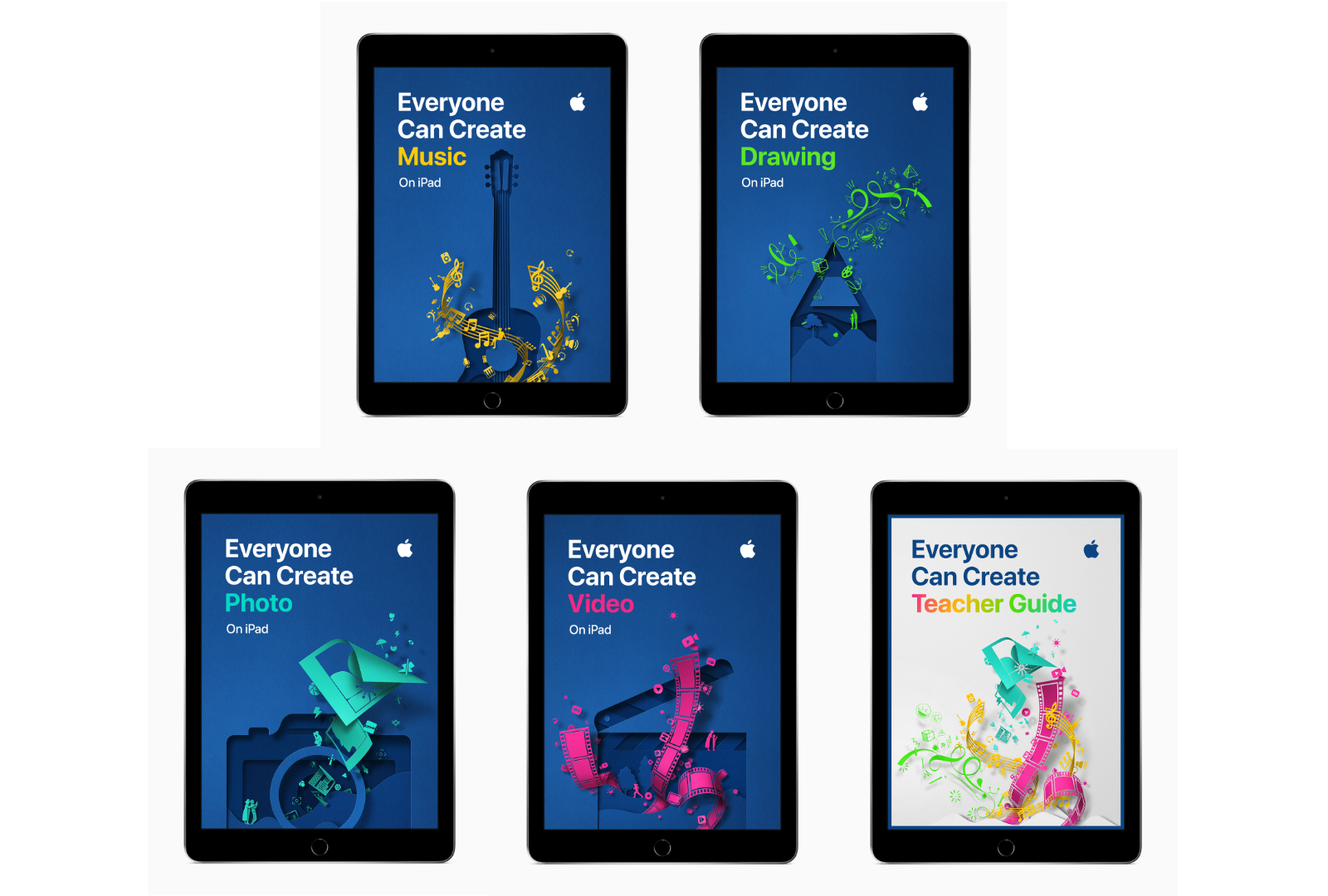
Today, Apple announced that as part of the Everyone Can Create initiative, it has released four student guides and a teacher guide that are available in Apple’s Books app.

“We believe Apple technology can help unleash every child’s creative genius,” said Philip Schiller, Apple’s senior vice president of Worldwide Marketing. “Working closely with teachers, we have built the Everyone Can Create curriculum to help bring creative expression and the arts into the classroom, and to help students stay engaged through creativity and ultimately be more successful.”

Each student guide, which is free to download in the Books app, includes projects designed to help students learn new creative skills progressively. There is also a teacher guide with over 300 lesson ideas that can be used in a variety of subjects.

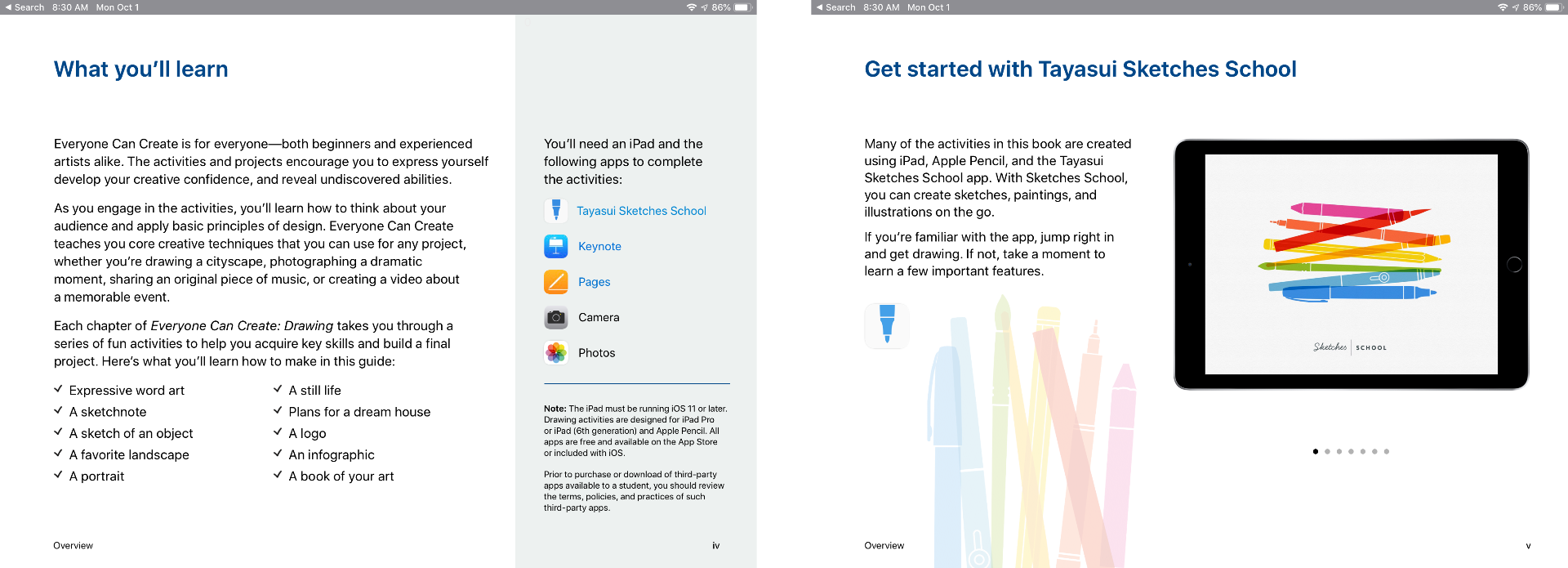
The curriculum includes projects that use third-party apps like Tayasui Sketches School as well as Apple’s apps too.

Although the Everyone Can Create guides are being released after many students are already back in school, teachers have had preview materials since the summer, which should help them incorporate the new materials into their lessons if they’d like. Everyone Can Create extends Apple’s curriculum offerings beyond coding, which I like because it should reach a broader group of students. It’s also designed to fit with existing subjects taught in schools, which I expect will make the iPad more valuable to schools that have adopted them.

The Everyone Can Create books are available as free downloads in Apple’s Books app.


Google Maps Adds Commuting Features

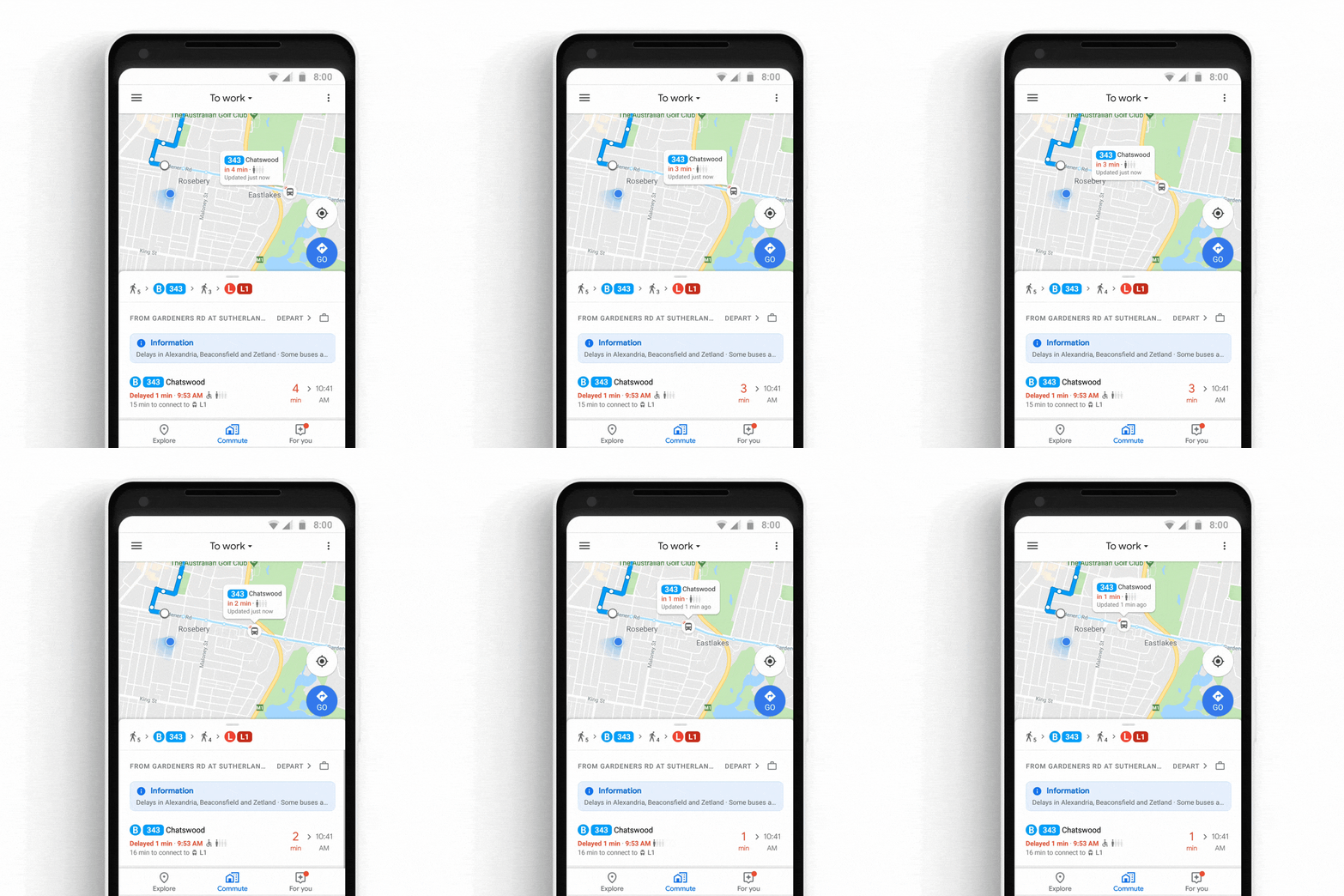
Google has announced that later this week, it will add several new features to its Maps app for iOS and Android commuters. The update includes live, personalized traffic data, support for ‘mixed-mode’ commutes, real-time bus and train tracking, and integration with Apple Music, Google Play Music, and Spotify.

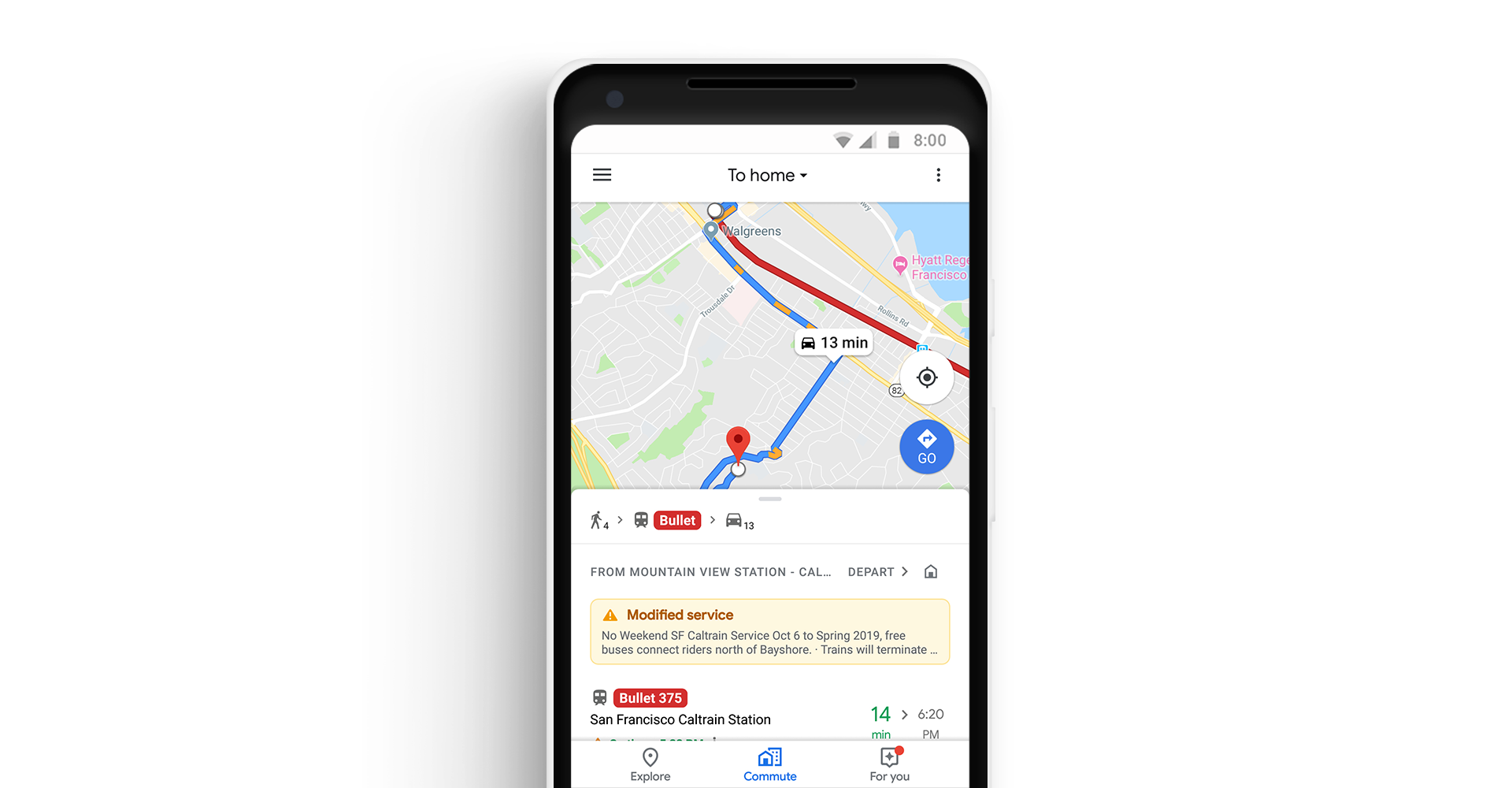
The update will include a dedicated ‘Commute’ tab in the Maps app. After users identify their commute, Google Maps will provide live traffic data about the route. The Android app will also include notifications about delays as they happen so you can adjust your trip.

Google Maps will also support mixed-mode commutes. That means, for example, commuters who travel by car, train, and on foot will see commute information relevant to each leg of their journey. Real-time bus and train tracking is being added in 80 cities worldwide too.

Playback controls for Apple Music, Spotify, and Google Play Music is coming to Google Maps. Spotify users on Android will also be able to browse and select content from inside the app.

As someone who used to commute by train every day, I particularly appreciate the focus on public transportation. Google hasn’t said, but hopefully, these new features are included as part of Google Maps’ CarPlay integration too.

Google Maps is available as a free download on the App Store.


Waze Adds CarPlay Support

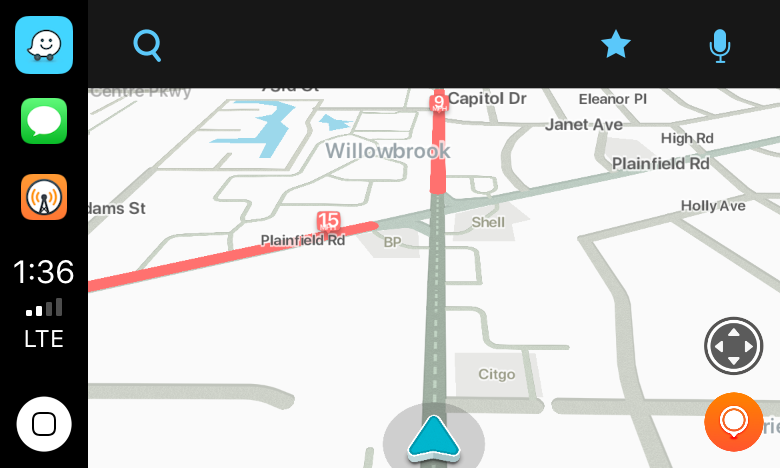
Today, Waze, which is owned by Google, updated its iOS app with CarPlay support, which Google Maps received last week. I took Waze out for a few errands over lunch and in my limited testing was impressed.

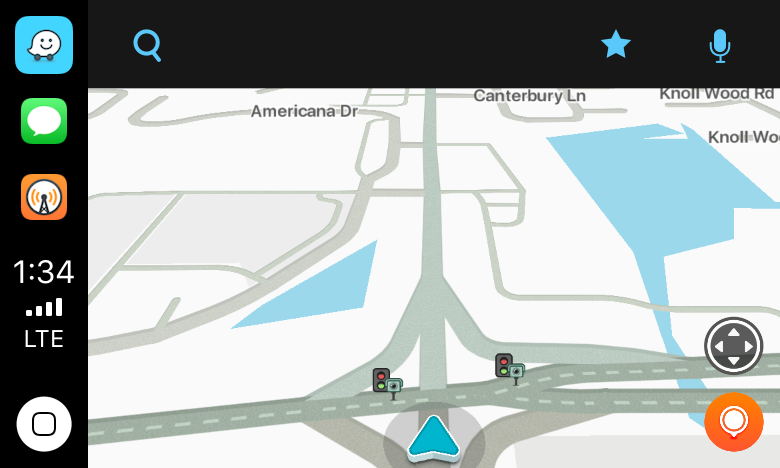
Waze immediately identified nearby stoplight cameras.

Waze immediately identified nearby stoplight cameras.

The first stop was the bank to pick up some cash. As I passed through a busy intersection, Waze warned me that there were stoplight cameras ahead, which I knew about, but it was good to see Waze did too.

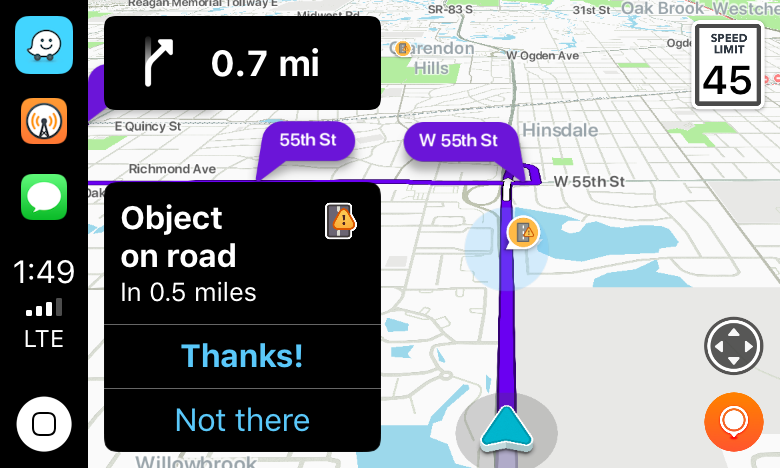
I'm glad I missed that sheet of plywood in the road.

I’m glad I missed that sheet of plywood in the road.

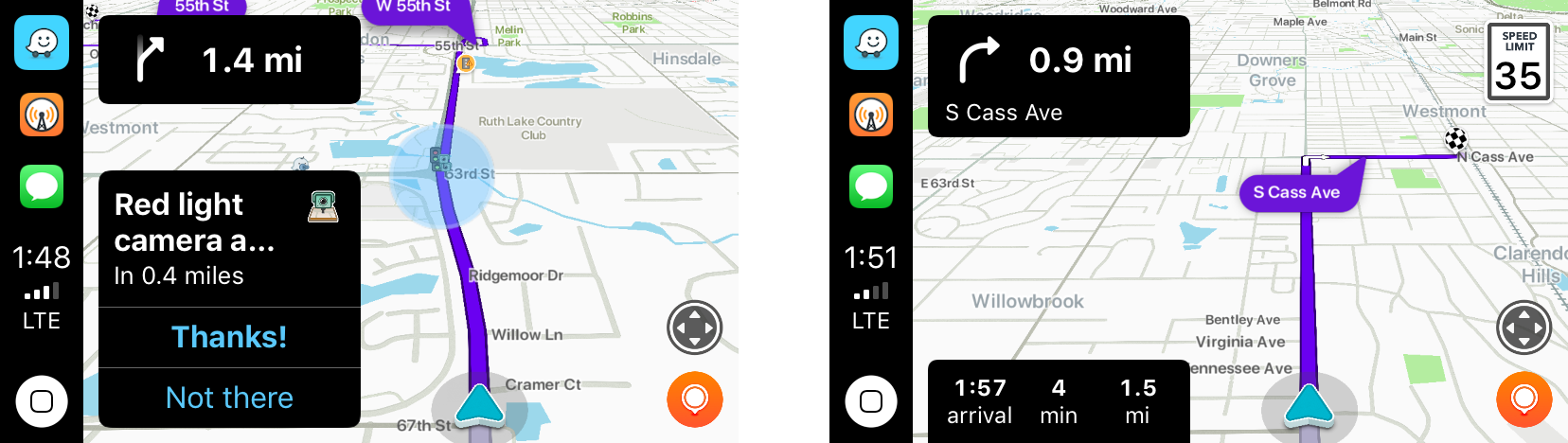
Next, it was off for some steak tacos to celebrate finally finishing my Mojave review. On the way, Waze said there was an object in the road. Sure enough, there was a piece of plywood straddling two lanes not too far ahead. Waze also alerted me to heavy traffic just ahead of my turnoff.

Waze alerted me to local road work.

Waze alerted me to local road work.

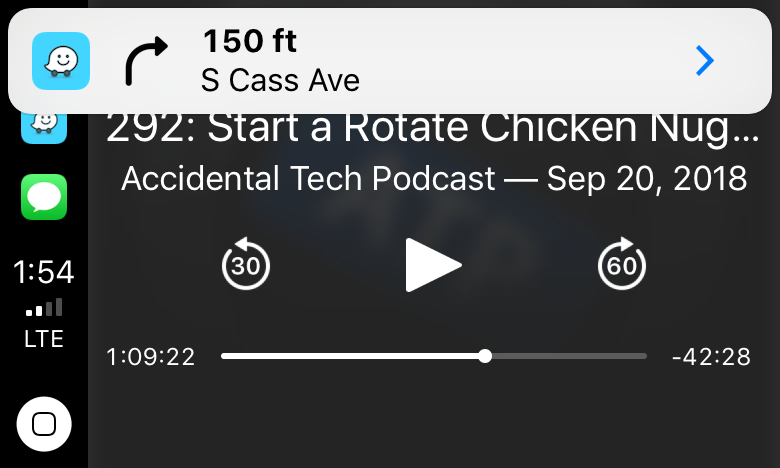
With each alert, the CarPlay UI displayed a notification with two choices: ‘Thanks!” and ‘Not there,’ with big buttons to allow me to help train the Waze database. I flipped back to Overcast, and as I approached my next turn, Waze announced it, momentarily pausing the audio, and displayed a notification that I could tap to return to the map of my route.

Tapping the Waze notification takes you back to the map view.

Tapping the Waze notification takes you back to the map view.

For people who use Waze regularly, those sorts of alerts and notifications will be familiar. Apple Maps still has the advantage of Siri integration with the hardware buttons on my steering wheel because like Google Maps, Waze can’t access Siri. That’s a shame because it’s easier to press a dedicated steering wheel button than it is to poke at a CarPlay screen in the center of your dashboard to do a voice search, but from a parked position in a bank parking lot the voice command I gave it was recognized immediately and I was on my way to the correct location.

I’ve only used Waze for this one trip, but my first impression was that the app is solid and should be well-received by its users. Especially for commuters that want traffic and other real-time, crowd-sourced data, Waze is a great option.

Waze is available as a free download on the App Store.


Daily Dictionary: A New Word of the Day App

Today developer and writer Benjamin Mayo launched his latest iPhone app on the App Store: Daily Dictionary. From the app’s website:

One word every day. Words that you have known but long forgotten. And some that are entirely new.

Daily Dictionary is written by real people, not machines. No technical jargon or esoteric science terms. Just words you can use to improve your writing and expand your speaking vocabulary.

Get a word of the day with a push notification, lock screen widget, or ask Siri using iOS 12 Siri Shortcuts.

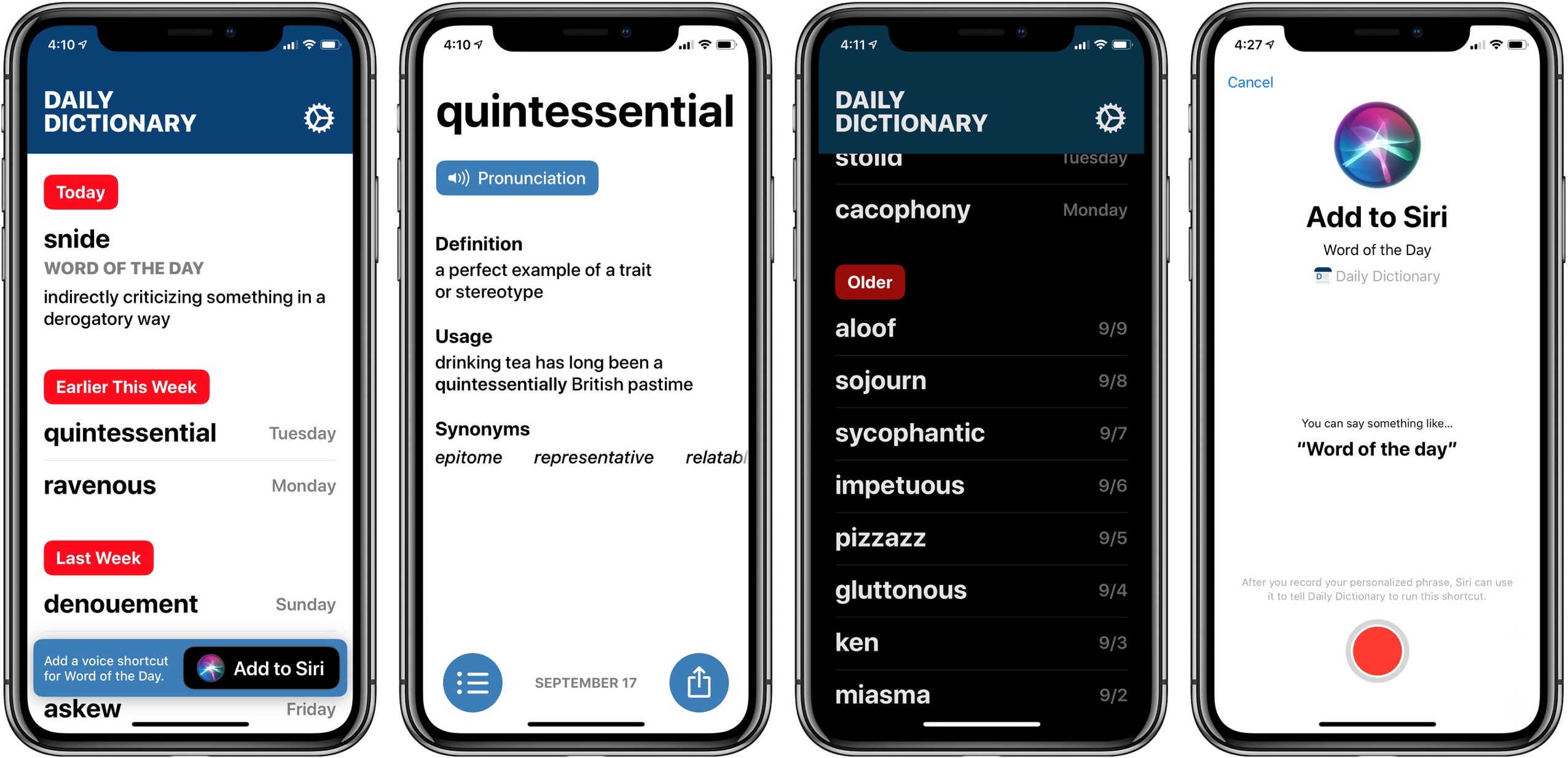
I’ve been testing Daily Dictionary over the last month, and it’s a beautiful app with a design language that feels like a preview in some ways of where Apple could take iOS in the future. There’s lots of big text, buttons that are easy to press, and gestural navigation of the app which works great one-handed. These things are all perfect fits for increasingly larger iPhones.

Regarding the app’s functionality, all it really does is provide a different interesting word each day, including pronunciation, definition, example sentence, and list of synonyms. But it does offer that word through a variety of means, which I appreciate: Siri shortcuts, notifications, or the app’s widget can all feed you each day’s word.

In many ways Daily Dictionary reminds me of ‘sodes, the podcast client by Jared Sinclair that I wrote about earlier this year. It’s light on features compared to competing apps, but its interface is a delight to use. And sometimes, a simple app that puts a smile on your face is all you need.

Daily Dictionary is available on the App Store.

Google Maps Adds CarPlay Support

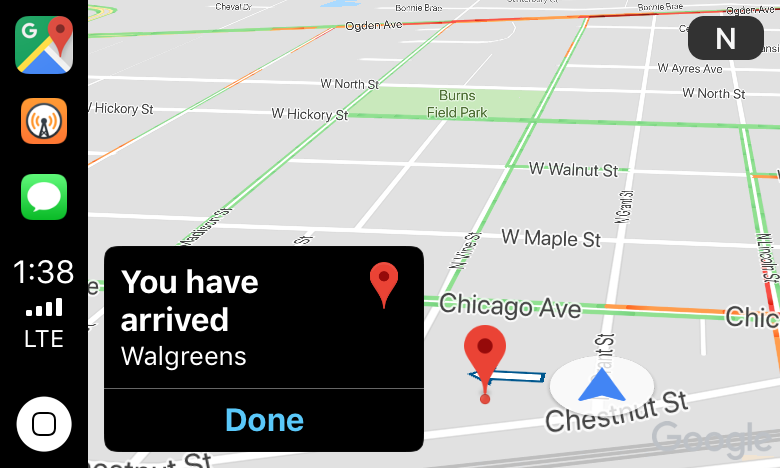
I just got home from a trip to my local drugstore using Google Maps’ new CarPlay integration. Once I had a destination selected and was on my way, the experience was fine, as long as I didn’t stray from the path. Overall though, from my very preliminary, single test drive, I wasn’t left wanting to switch away from Apple Maps.

Read more