

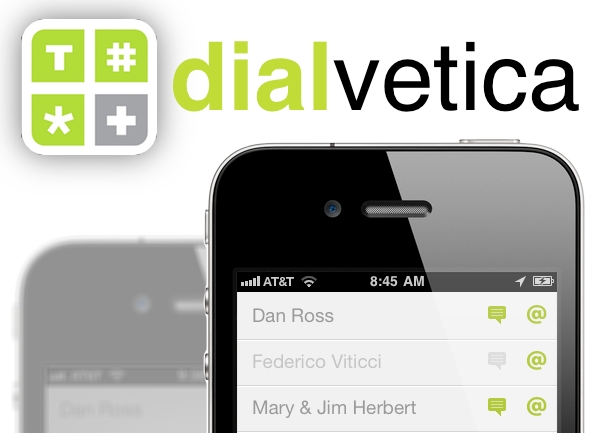
Mysterious Trousers, the makers of Calvetica, released a new pair of pants last week called Dialvetica, an app for quickly accessing contacts. It lets you call, text or email someone in just two quick taps. “This is not a contact manager, it is a contact contacter.” Let me explain exactly what they mean.
Posts in iPhone
Dialvetica - Call, Text or Email in Two Taps
Pull To Refresh for Mail Is A Dream Come True | Cydia
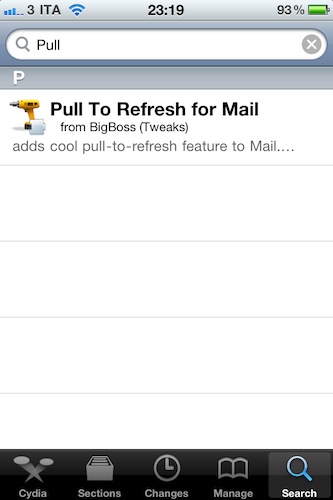
Since Loren Brichter first implemented the popular “pull to refresh” functionality in Tweetie 2 for iPhone, lots of other developers were inspired by him to do the same in their apps. Hundreds of other Twitter clients can do “pull to refresh”. Even the official Facebook app has pull to refresh. Now Apple’s Mail app for iPhone can, too. Read more
Preview: Arloy, New App By Command Guru
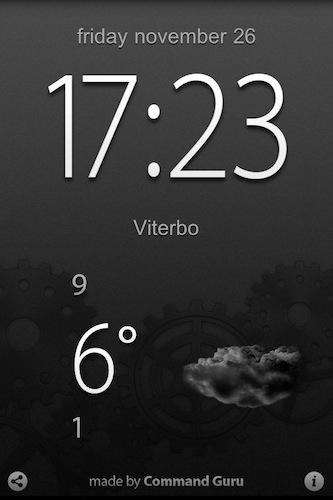
A few days ago we had the chance to interview Command Guru CEO, who told us the team has expanded and it’s about to come back in the App Store with new iPhone and iPad apps, not to mention future plans for the Mac.
Today we can give you a brief sneak peek at their upcoming iPhone app, Arloy. Read more
This Is How An Apple Fanboy And An Android Fanboy Give Thanks To Each Other
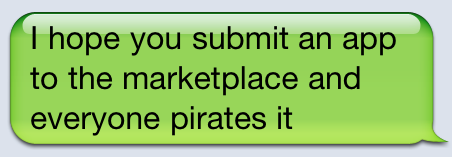
Notable mentions:
“I hope you submit an app to the App Store and it gets rejected”
“I hope you lose your SD card”
Full image below, via @jtaby. Happy Thanksgiving, iOS and Android users.
UberTwitter For iPhone Reminds Us Why We Didn’t Pick A BlackBerry In The First Place
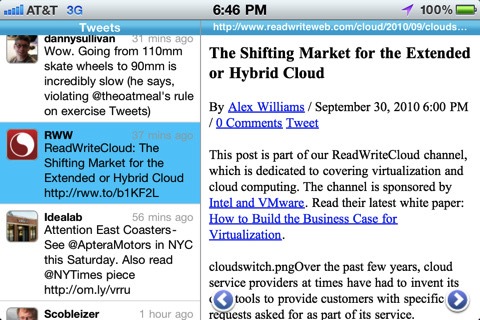
Every day, 10 million tweets are sent using UberTwitter for BlackBerry handsets. Enterprise folks tweet with it (but please remind me why the business dudes tweet, I think I’m missing something here), celebrities tweet with it, the developers were so happy with the popularity of UberTwitter for BlackBerry that they decided to port it to the iPhone.
Now, I’m not usually huge on app portings from one platform to another. I don’t like developers who are successful on the iPhone and convert an app to Android without considering Android’s nature, and I had the same feeling when I heard of UberTwitter for iPhone this morning.
Indeed my feeling was correct. The app is simply ugly, and doesn’t feel right on the iPhone. It tries to be an iPhone app, but I stopped caring the moment I saw floating controls above a web view and a split view badly squeezed on the iPhone’s screen. It feels wrong most of the times.
UberTwitter for iPhone might be huge brand-wise, but it’s not really a great app at all. If you feel like trying something new this morning though, or you simply want to be reminded why you switched from BlackBerry last year, the app is available here. Press release embedded below. Read more
The Coolest Thing You’ll See Today: iPhone Seen Through Oil & Water
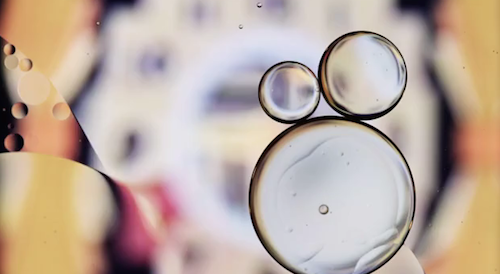
We have seen many videos about the iPhone screen in the past: some of them focused on the magic of the Retina Display, some of them aimed at capturing pixels on our old 3GS. The same pixels we didn’t think were so important before we got our hands on the iPhone 4.
Today’s video is about the iPhone’s screen, as seen through a Canon EOS 5D looking down a piece of glass with oil & water on it. Jesse Zanzinger, the photographer who realized the video, set the maximum level of iPhone brightness, placed a piece a glass with oil and water above the iPhone and looked down with his camera to capture both science’s best enemies and the screen in a single shoot.
The result is kind of surprising. Check it out below, but don’t this at home kids. I don’t want oil to end up all over your iPhones. [Vimeo] Read more
Due 1.2 Alerts You It’s The Best Reminder App for iPhone
Back in September I reviewed Due, an interesting new app to quickly create reminders and set up timers on your iPhone. The first version of the app featured a cool UI and a good set of functionalities, allowing you to easily switch between the reminder and timer window. Most of all, the best thing about Due was that it looked great and enabled you to just forget about the app once reminders were set.
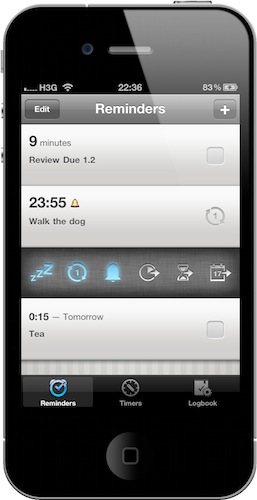
It’s really simple: once you enter a new item you can choose a due date & time, but there are some handy shortcuts in the same screen. If you find yourself constantly using some reminders as countdowns, you can create a timer. That’s it. The interface is clean and polished, and the app doesn’t even need an internet connection to work as it’s based on iOS 4′s local notification system.
The new 1.2 version, which was approved yesterday and I have been beta testing for a while, adds terrific new features to an already great package. If you tap on a reminder in the main screen, for instance, you’ll be presented a bar containing shortcuts to turn snooze on and off, set the reminder as repeating, reschedule the whole thing to 10 minutes, 1 hour or 1 day later. Useful. The developer added reminder management (something many fans hoped they would not, in order to keep the app simple) but by stuffing it in a bar you’ll only see after a tap, they didn’t clutter anything. It feels good.
Due for iPhone is available at $2.99 in the App Store. Check out the huge changelog with all the new features and more screenshots below. Read more
iPad Drawings on Display in Paris
The iPad drawings of David Hockney are being displayed at the Pierre Bergé in Paris. The Yves Saint Laurent Foundation dedicated its 14th exhibition to over 200 of Hockney’s iPhone and iPad drawings. It’s showing now thru January 30th, 2011. If I lived there, this would be so cool to go see. If you’re close, check it out!
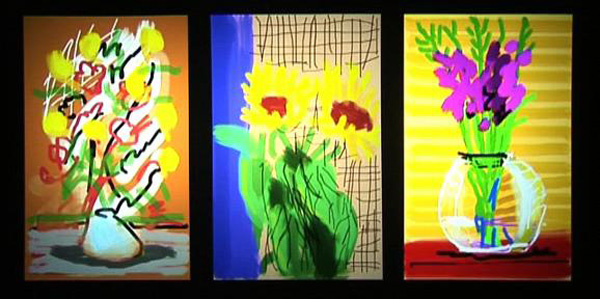
Hockney used the Brushes.app to create these digital paintings and the way he carried his iPad around was very original - custom pockets in his suits, which you can read more about here. His jacket pocket has a deep inside pocket that the iPad, or as he calls it ‘sketchbook’, fits snugly into.
Another cool thing about the exhibition is that it is being presented on iPhones and iPads; the brightness and vibrant color originally intended by the artist are respected. To see a video from the exhibition, click here. This is just another example of what a great product Apple’s iDevices are, they can be used in so many ways and people keep coming up with great ideas to use it for.
[via kottke.org via Fondation Pierre Bergé]
SBSettings Now iOS 4.2.1-Ready | Cydia
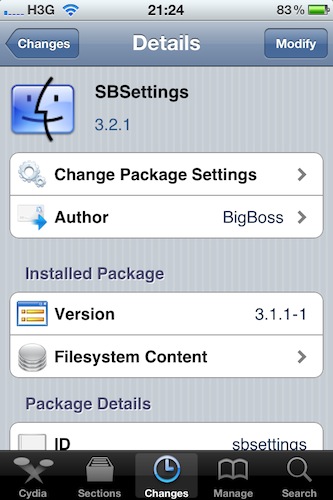
Good news keep coming for early iOS 4.2.1 jailbreakers: if you installed Cydia on your newly updated device this morning using redsn0w, you might want to fire up Cydia again and check for updates. SBSettings, the popular utility to access iPhone and iPad functionalities such as respring, reboot and a variety of shortcuts, is now fully compatible with iOS 4.2.1.
The new 3.2.1 update fixes a statusbar free memory issue, the date display on iOS 4.2.1 and permissions on SBSettings data storage folder. It’s available now in Cydia.