
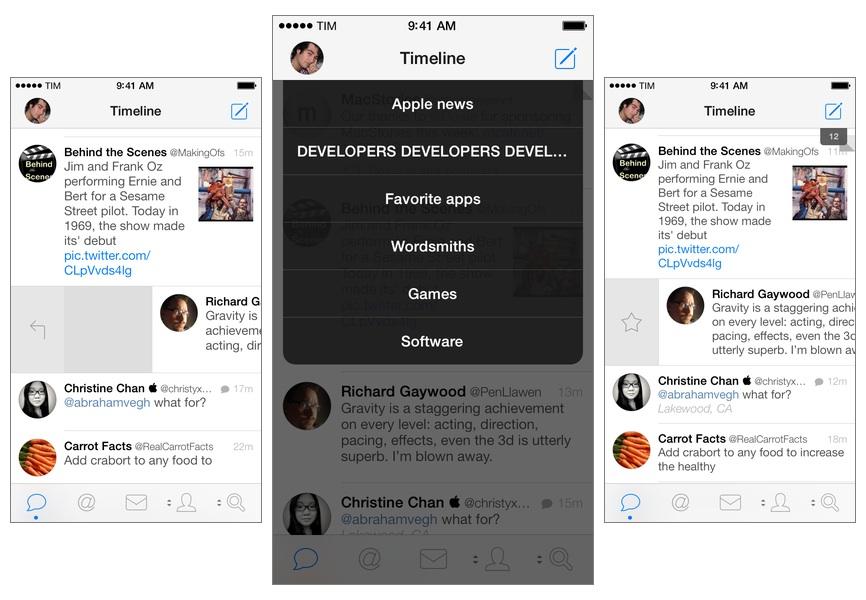
Tweetbot for iPhone may have grown up, but it hasn’t forgotten about the features and design decisions that made it a powerful and popular Twitter client among iOS users for the past two years. Tweetbot 3.1, available today on the App Store, improves upon last month’s major release by bringing back some old features of Tweetbot 2.x and introducing new ones, always taking advantage of iOS 7’s design and structure in interesting ways. Read more
Posts in Featured
Tweetbot 3.1 Brings Text Size Controls, Timeline Switcher, Quick Actions

Access Extra Content and Perks
Founded in 2015, Club MacStories has delivered exclusive content every week for nearly a decade.
What started with weekly and monthly email newsletters has blossomed into a family of memberships designed for every MacStories fan.
Club MacStories: Weekly and monthly newsletters via email and the web that are brimming with apps, tips, automation workflows, longform writing, early access to the MacStories Unwind podcast, periodic giveaways, and more;
Club MacStories+: Everything that Club MacStories offers, plus an active Discord community, advanced search and custom RSS features for exploring the Club’s entire back catalog, bonus columns, and dozens of app discounts;
Club Premier: All of the above and AppStories+, an extended version of our flagship podcast that’s delivered early, ad-free, and in high-bitrate audio.
A List of New iOS 7 Keyboard Shortcuts
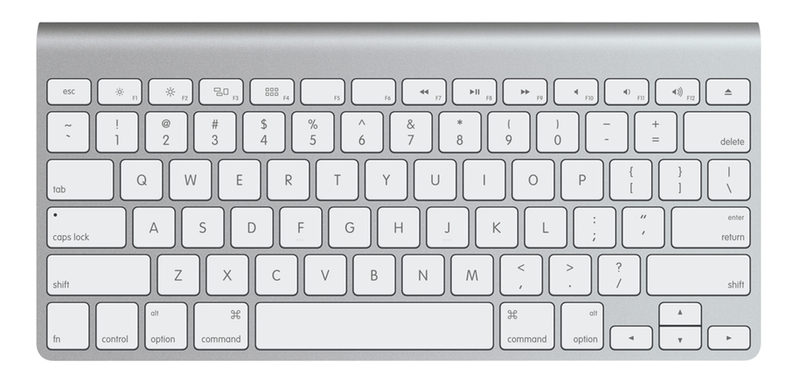
With iOS 7, Apple has introduced the possibility for third-party developers to support custom shortcuts with external (Bluetooth) keyboards in their apps. Keyboard shortcuts, longtime favorites of OS X power users, can now be enabled in iOS apps and, in the past few months, we’ve seen some notable examples such as OmniOutliner by The Omni Group adding support for this feature.1
Apple itself has been experimenting with keyboard shortcuts in built-in iOS 7 apps, and I thought I’d provide a list of the ones that I’ve found to be working on iOS 7.0.3 with my iPad mini and a Logitech tablet keyboard due to the lack of official documentation. This list was inspired by Rui Carmo, who first found out about keyboard shortcuts in Safari for iOS 7. Since Rui’s post (and my link to it), the issues with the Logitech keyboard that he described have been fixed (the Spotlight key works on iOS 7.0.3) and I’ve collected some new shortcuts.
Right now, new keyboard shortcuts have only been added to Safari, Mail, and Pages in a very limited fashion. While they are consistent with their OS X counterparts, Apple has only brought a few of the Mac’s shortcuts to its iOS 7 apps, leaving other apps like Messages or Reminders without shortcut support. It’s likely that, with time, Apple will bring more shortcuts to Safari, Mail, and other stock apps. I couldn’t find official documentation on Apple’s website and I’ve tested every possible shortcut with a simple trial and error procedure on my iPad.
I will update this list regularly as Apple adds more keyboard shortcuts to its iOS apps. If you have discovered other keyboard shortcuts that are new to iOS 7 and haven’t been mentioned here, please ping me on Twitter or send me an email.
Update 11/11: New shortcuts added thanks to Steven Troughton-Smith.
Access Extra Content and Perks
Founded in 2015, Club MacStories has delivered exclusive content every week for nearly a decade.
What started with weekly and monthly email newsletters has blossomed into a family of memberships designed for every MacStories fan.
Club MacStories: Weekly and monthly newsletters via email and the web that are brimming with apps, tips, automation workflows, longform writing, early access to the MacStories Unwind podcast, periodic giveaways, and more;
Club MacStories+: Everything that Club MacStories offers, plus an active Discord community, advanced search and custom RSS features for exploring the Club’s entire back catalog, bonus columns, and dozens of app discounts;
Club Premier: All of the above and AppStories+, an extended version of our flagship podcast that’s delivered early, ad-free, and in high-bitrate audio.
Fantastical 2 Review
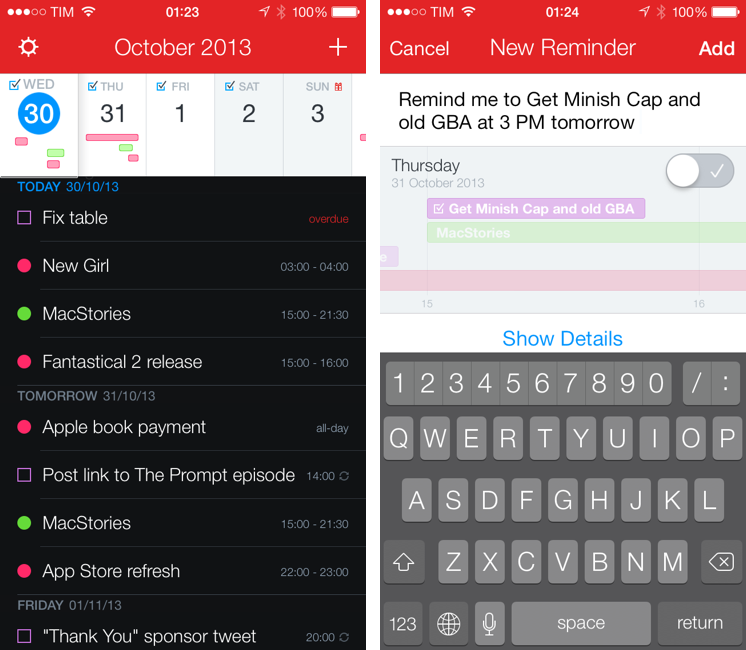
Last month, I was discussing my schedule for this Fall’s check-ups with my oncologist. During our conversation, she asked me if I had a list of all the appointments and todos that I had saved for the next weeks because she couldn’t find the department’s calendar and she doesn’t save patients’ information in her personal one.
I know that my doctor has an iPhone, and I know that she uses Apple’s Calendar and Reminders apps to manage her own schedule, so I showed her the beta of Fantastical 2 that I had on my iPhone.[1] “You can search for events and reminders that match a keyword or location and get a single list showing all results”. She was intrigued. “For my appointments here, I save them with the hospital’s name, so I can just look for that if I want to see them all at once”. At that point, I’m pretty sure she was sold on the app. “But you can’t buy it yet”, I added with a subtle smirk.
Fantastical 2 for iPhone, released today on the App Store and on sale at $2.99 for a limited time, is one of the best iOS 7 apps I’ve tried so far and the best calendar and reminder client for iPhone, period. It improves upon several aspects of the original app and it introduces powerful new features while sporting a complete redesign that makes the app feel at home on iOS 7 without compromising its identity.
Fantastical 2 is, for my workflow, better than Apple’s built-in apps, and it builds upon the solid foundation of the original Fantastical to offer new functionalities and more flexibility. Read more
Access Extra Content and Perks
Founded in 2015, Club MacStories has delivered exclusive content every week for nearly a decade.
What started with weekly and monthly email newsletters has blossomed into a family of memberships designed for every MacStories fan.
Club MacStories: Weekly and monthly newsletters via email and the web that are brimming with apps, tips, automation workflows, longform writing, early access to the MacStories Unwind podcast, periodic giveaways, and more;
Club MacStories+: Everything that Club MacStories offers, plus an active Discord community, advanced search and custom RSS features for exploring the Club’s entire back catalog, bonus columns, and dozens of app discounts;
Club Premier: All of the above and AppStories+, an extended version of our flagship podcast that’s delivered early, ad-free, and in high-bitrate audio.
iPad mini For Content Creation
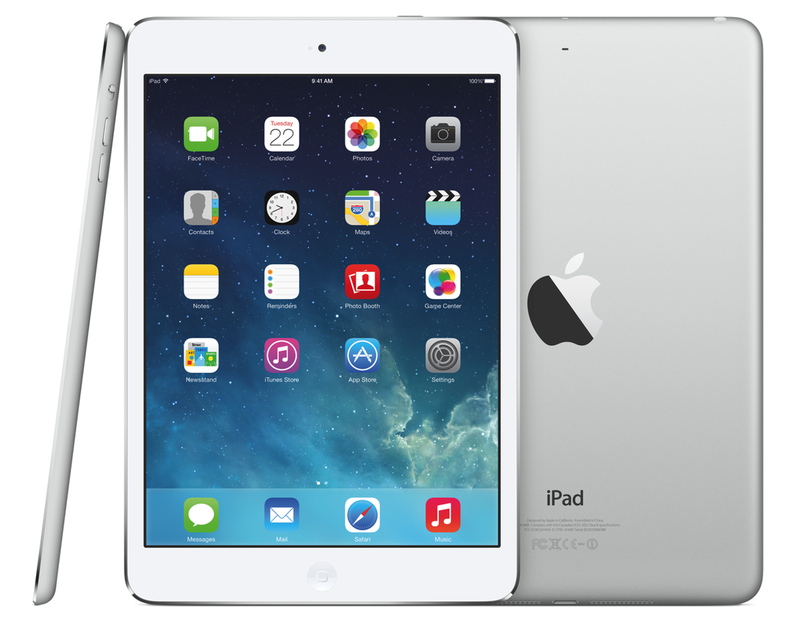
I’ve seen an argument being made in the past week: that the iPad mini is for “consumption”, whereas the iPad Air is for “creation”. This idea has been reinforced by Apple’s announcements: with both iPads now carrying the same hardware, the difference between the mini and the Air comes down to the fact that one is for consuming media and the other for creating content. I disagree. Read more
Access Extra Content and Perks
Founded in 2015, Club MacStories has delivered exclusive content every week for nearly a decade.
What started with weekly and monthly email newsletters has blossomed into a family of memberships designed for every MacStories fan.
Club MacStories: Weekly and monthly newsletters via email and the web that are brimming with apps, tips, automation workflows, longform writing, early access to the MacStories Unwind podcast, periodic giveaways, and more;
Club MacStories+: Everything that Club MacStories offers, plus an active Discord community, advanced search and custom RSS features for exploring the Club’s entire back catalog, bonus columns, and dozens of app discounts;
Club Premier: All of the above and AppStories+, an extended version of our flagship podcast that’s delivered early, ad-free, and in high-bitrate audio.
Tweetbot 3 Review: Human After All
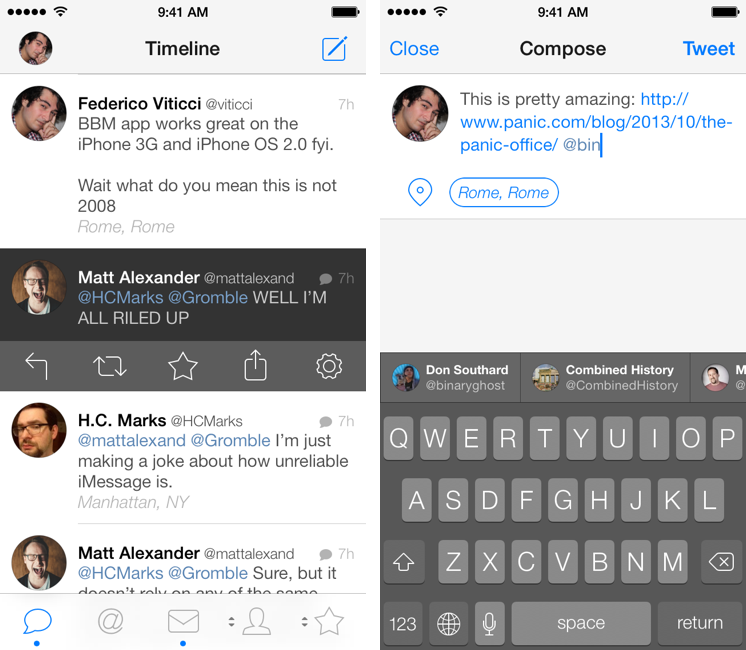
Tweetbot is, by far, the iPhone app that I use the most on a daily basis. It’s not just that I keep Twitter open essentially all day to check for news, talk to friends, or post GIFs: since I got the first beta of the original Tweetbot three years ago, the app has become so ingrained in my workflow that I wouldn’t be able to switch back to any other client that doesn’t have the same capabilities. What started as a moderately advanced take on Twitter clients by Tapbots has evolved with time into a powerful app that spans three platforms and that comes with dozens of unique features and a solid engine that, for me, has no equal. I don’t say it lightly: because of Tweetbot’s feature set, I have been able to reliably communicate with other people (via DM or Mentions), reference tweets for articles, or build complex workflows that have allowed me to be more efficient, faster, and generally happier with Twitter.
That’s why I take major changes to Tweetbot’s overall structure and design, such as Tweetbot 3 for iOS 7, very seriously. Tweetbot 3, released today as a new app sold at $2.99 on the App Store (launch sale), is many things at once: it’s Tapbots’ first foray into the iOS 7 design aesthetic, which marks a radical departure from the small studio’s former visual style; it’s a profound reimagination of Tweetbot’s looks, animations, and sounds, which had gone largely unchanged since 2011; and it’s a confirmation of Tweetbot’s existing feature set with changes aimed at further enhancing the app’s functionality and making room for future additions. It’s iPhone-only, with a new version for iPad coming next.
I have been using Tweetbot 3 every day on my iPhone 5 for the past couple of months. I think that I have a good understanding of the decisions behind the app’s redesign, feature changes, and complete embrace of iOS 7’s visual and hierarchical approach to building interfaces. With version 3.0, Tweetbot, the robotic toy for your Twitter stream, eschews its mechanical roots and graduates to a modern, fluid, and fun assistant that, in the process, is still Tweetbot. I wouldn’t be able to go back to the old Tweetbot now, but I also think that getting used to the new app will take some time. Read more
Access Extra Content and Perks
Founded in 2015, Club MacStories has delivered exclusive content every week for nearly a decade.
What started with weekly and monthly email newsletters has blossomed into a family of memberships designed for every MacStories fan.
Club MacStories: Weekly and monthly newsletters via email and the web that are brimming with apps, tips, automation workflows, longform writing, early access to the MacStories Unwind podcast, periodic giveaways, and more;
Club MacStories+: Everything that Club MacStories offers, plus an active Discord community, advanced search and custom RSS features for exploring the Club’s entire back catalog, bonus columns, and dozens of app discounts;
Club Premier: All of the above and AppStories+, an extended version of our flagship podcast that’s delivered early, ad-free, and in high-bitrate audio.
Working with Mavericks After A Year of iPad
I don’t need my Mac as much as I used to.
When I started MacStories in April 2009, I had a late–2008 MacBook Pro and an original iPhone I had bought from the United States and unlocked to make it work in Italy. From 2008 and until the better part of 2012, my MacBook Pro (and then the Air) was my primary computer: it was the device I used to write, browse the web for research and leisure, respond to emails, and do all the other tasks to get work done on a daily basis. Because my Mac was also the only device that could allow me to manage MacStories, I had to bring it with me on trips or longer vacations.
I’ve always been the kind of Mac user who likes to enhance his OS X experience with little scripts, shortcuts, and automation tools to save a few minutes every day and speed up tedious work tasks. I have Keyboard Maestro macros to automatically resize and generate screenshots for my reviews; I have assigned hotkeys to actions that I run frequently; if necessary, I can trigger a Python script or AppleScript-based workflow and have OS X take care of a complex task for me. I fall into the category of OS X power users and I’m fond of the apps and utilities I rely upon. But, in the past year, I’ve found myself using them less and less because I enjoy working from iOS more.
Most of my work activities are related to writing: whether it’s an article, a quick research note, an email, or chatting with my co-workers, I spend a lot of time typing and assembling words in a way that (I hope) makes sense to my readers and colleagues. In the past year – as people who have been following this site know – I have realized that I can be as efficient on my iPhone and iPad as I am on my Mac. I was initially forced into my new iPad-first workflow by frequent hospitalizations and a general inability to use my MacBook Air for long writing sessions; after the initial “What do I do now” moment and annoyances, I’ve come to like iOS – and the iPad – more and more.
I haven’t listened to people who told me I couldn’t work from my iPad. Read more
Access Extra Content and Perks
Founded in 2015, Club MacStories has delivered exclusive content every week for nearly a decade.
What started with weekly and monthly email newsletters has blossomed into a family of memberships designed for every MacStories fan.
Club MacStories: Weekly and monthly newsletters via email and the web that are brimming with apps, tips, automation workflows, longform writing, early access to the MacStories Unwind podcast, periodic giveaways, and more;
Club MacStories+: Everything that Club MacStories offers, plus an active Discord community, advanced search and custom RSS features for exploring the Club’s entire back catalog, bonus columns, and dozens of app discounts;
Club Premier: All of the above and AppStories+, an extended version of our flagship podcast that’s delivered early, ad-free, and in high-bitrate audio.
Overview: Apple Updates iLife and iWork Apps, Makes Them Free for New Customers
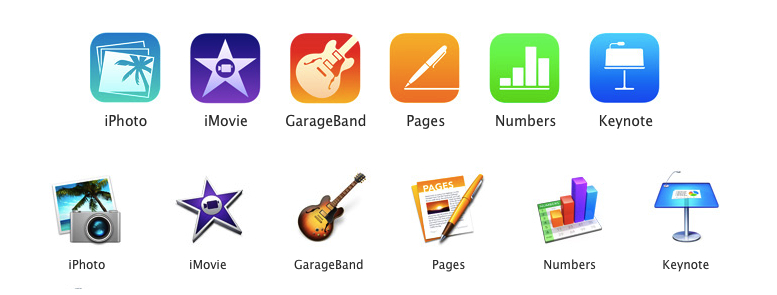
Perhaps today’s most interesting announcements weren’t new iPads or Macs, but Apple’s range of software. It’s been a while since the iWork suite of apps have received updates on the desktop, and iLife apps such as iPhoto, iMovie, and GarageBand looked outdated as soon as iOS 7 arrived on iOS devices in September. You’re probably wonder what the skinny is around all the new apps and whether you qualify to get those apps for free. This won’t be an exhaustive overview, but ask and you shall receive.
Access Extra Content and Perks
Founded in 2015, Club MacStories has delivered exclusive content every week for nearly a decade.
What started with weekly and monthly email newsletters has blossomed into a family of memberships designed for every MacStories fan.
Club MacStories: Weekly and monthly newsletters via email and the web that are brimming with apps, tips, automation workflows, longform writing, early access to the MacStories Unwind podcast, periodic giveaways, and more;
Club MacStories+: Everything that Club MacStories offers, plus an active Discord community, advanced search and custom RSS features for exploring the Club’s entire back catalog, bonus columns, and dozens of app discounts;
Club Premier: All of the above and AppStories+, an extended version of our flagship podcast that’s delivered early, ad-free, and in high-bitrate audio.
iPad Air and Retina iPad mini: Our Complete Overview
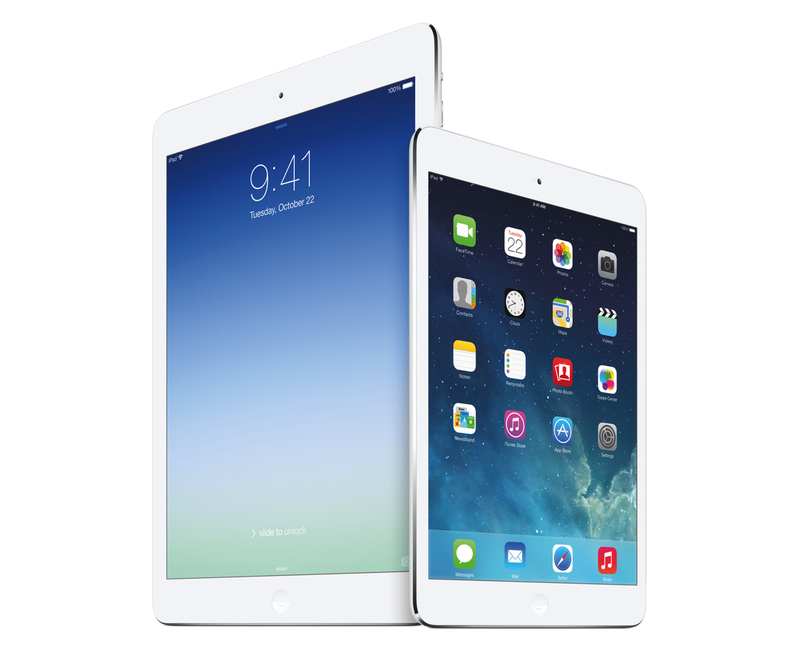
Phil Schiller took the stage today at Apple’s media event at the Yerba Buena Center for the Arts in San Francisco to officially unveil the iPad mini with Retina Display – the long-rumored successor to last year’s iPad mini – and the iPad Air, Apple’s new full-size iPad that replaces the old 4th generation iPad. Read more
Access Extra Content and Perks
Founded in 2015, Club MacStories has delivered exclusive content every week for nearly a decade.
What started with weekly and monthly email newsletters has blossomed into a family of memberships designed for every MacStories fan.
Club MacStories: Weekly and monthly newsletters via email and the web that are brimming with apps, tips, automation workflows, longform writing, early access to the MacStories Unwind podcast, periodic giveaways, and more;
Club MacStories+: Everything that Club MacStories offers, plus an active Discord community, advanced search and custom RSS features for exploring the Club’s entire back catalog, bonus columns, and dozens of app discounts;
Club Premier: All of the above and AppStories+, an extended version of our flagship podcast that’s delivered early, ad-free, and in high-bitrate audio.
Apple Releases iOS 7.0.3 with Updated Reduce Motion Setting, Spotlight Improvements, iCloud Keychain, and More
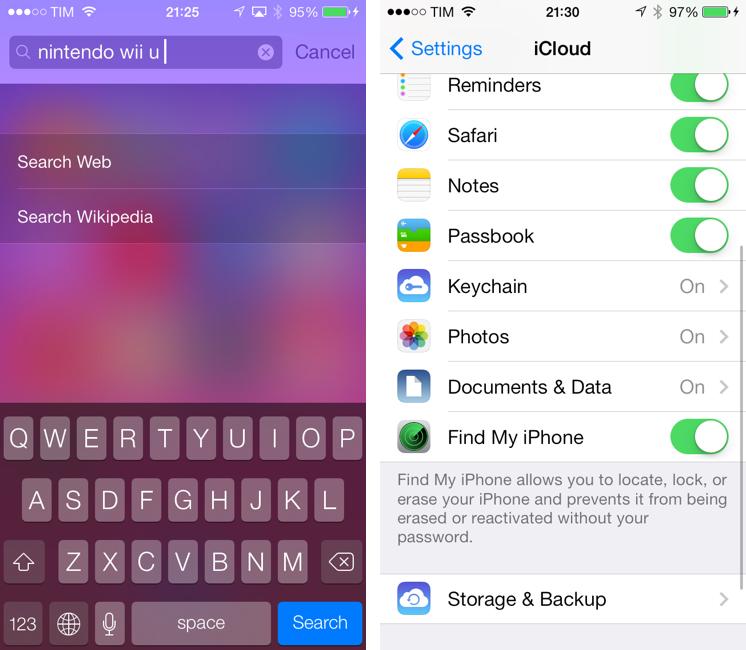
Apple has today released iOS 7.0.3, bringing several bug fixes and enhancements as well as some new and tweaked features to the OS that was released last month.
On the feature side, iOS 7.0.3 introduces support for iCloud Keychain, which allows you to keep Safari passwords and credit card information in sync across your iPhone, iPad, and Mac running the just-released OS X Mavericks. Once enabled, iCloud Keychain will be available in Settings > iCloud, encrypting information as you use Safari.
Second, iOS 7.0.3 brings back the ability to search Google and Wikipedia from Spotlight. The feature had been removed from the first release of iOS 7, but it’s now back in the new Spotlight, which is always available in any Home screen page just by swiping down. Read more
Access Extra Content and Perks
Founded in 2015, Club MacStories has delivered exclusive content every week for nearly a decade.
What started with weekly and monthly email newsletters has blossomed into a family of memberships designed for every MacStories fan.
Club MacStories: Weekly and monthly newsletters via email and the web that are brimming with apps, tips, automation workflows, longform writing, early access to the MacStories Unwind podcast, periodic giveaways, and more;
Club MacStories+: Everything that Club MacStories offers, plus an active Discord community, advanced search and custom RSS features for exploring the Club’s entire back catalog, bonus columns, and dozens of app discounts;
Club Premier: All of the above and AppStories+, an extended version of our flagship podcast that’s delivered early, ad-free, and in high-bitrate audio.