

Here are today’s @MacStoriesDeals on hardware, iOS, and Mac apps that are on sale for a limited time, so get them before they end!
Read more
Posts in Featured
#MacStoriesDeals - Wednesday

Access Extra Content and Perks
Founded in 2015, Club MacStories has delivered exclusive content every week for nearly a decade.
What started with weekly and monthly email newsletters has blossomed into a family of memberships designed for every MacStories fan.
Club MacStories: Weekly and monthly newsletters via email and the web that are brimming with apps, tips, automation workflows, longform writing, early access to the MacStories Unwind podcast, periodic giveaways, and more;
Club MacStories+: Everything that Club MacStories offers, plus an active Discord community, advanced search and custom RSS features for exploring the Club’s entire back catalog, bonus columns, and dozens of app discounts;
Club Premier: All of the above and AppStories+, an extended version of our flagship podcast that’s delivered early, ad-free, and in high-bitrate audio.
Clear For Mac Coming Next Week with iCloud Sync, Updated iPhone App
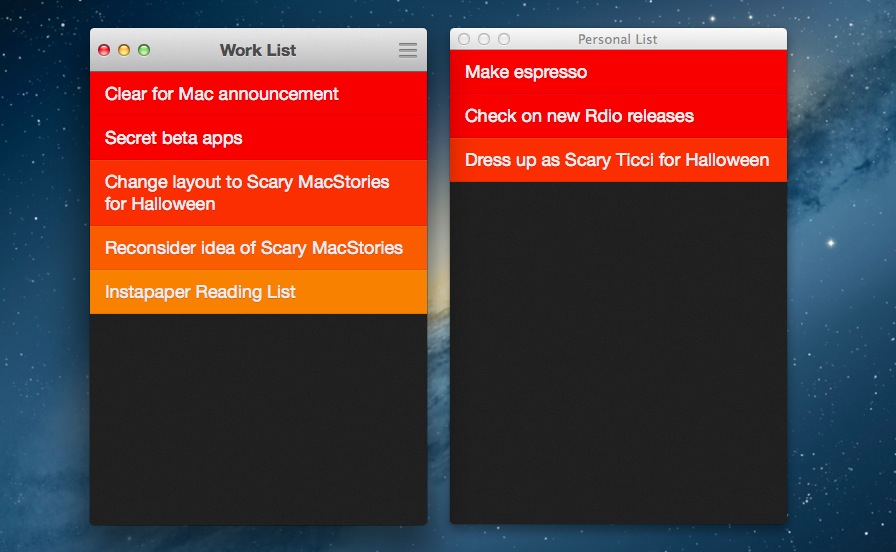
Todo app Clear, developed by Impending, Helftone, and Realmac Software, has been one of the most successful and discussed iOS releases of the year. With a simple and clever user interface design, Impending and Realmac made Clear distinctive in its looks and purpose: it’s a todo app, without the fiddling required to get a personalized setup and workflow in most todo apps. With its focus on simplicty, gestures, and delightful interaction, Clear was refreshingly honest.
In our original review, Cody mentioned how Clear, unlike other apps, took a different approach in regards to displaying tasks and navigation:
I mention color and sound as a replacement for time and due dates because there’s a distinct tradeoff in emotional impact. Setting duration and due dates can bring about feelings of anxiety. What I think Clear tries to do is reward its users for recognizing the need to successfully complete tasks. Colors play a distinct role in being both fun and tailored to the user’s personality (there are multiple themes to choose from). Sounds are rewarding and deliver a pleasant symphony of chimes when completing tasks. The combination of the two in addition to gestures make Clear engaging to use and solidifies the experience.
Today, Realmac and Impending are announcing Clear for Mac, an obvious next step for the app. While the new version isn’t available today, I’ve been able to test a beta of the app, and I can confirm that the essence of Clear’s experience has been ported to the Mac without making it feel extraneous to OS X. I’ll elaborate further on this thought in my future review.
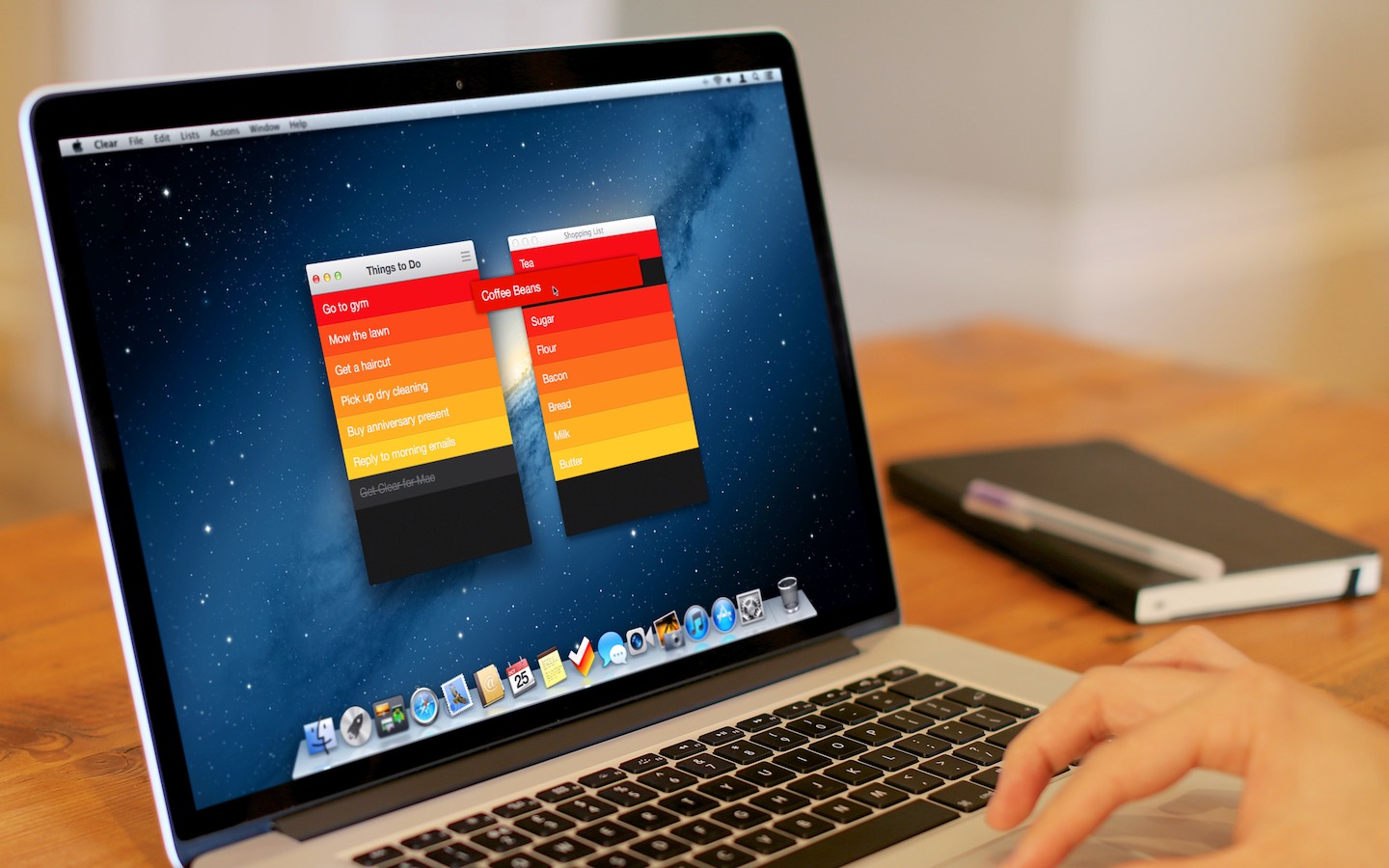
Clear for Mac works like Clear for iPhone: you can create lists, and tasks inside lists. Tasks are color-coded (according to the theme you’re using) to show a darker tone if they’re at the top of a list, and thus have higher priority. Gestures play an important role in Clear for Mac: you can swipe with two fingers to complete or delete a task, swipe up or down to move between “levels” of the interface, pinch to go back, and so forth. From what you can see in the first promo video (embedded below), almost everything that made Clear for iPhone simple and great has been ported to the Mac version, including sounds.
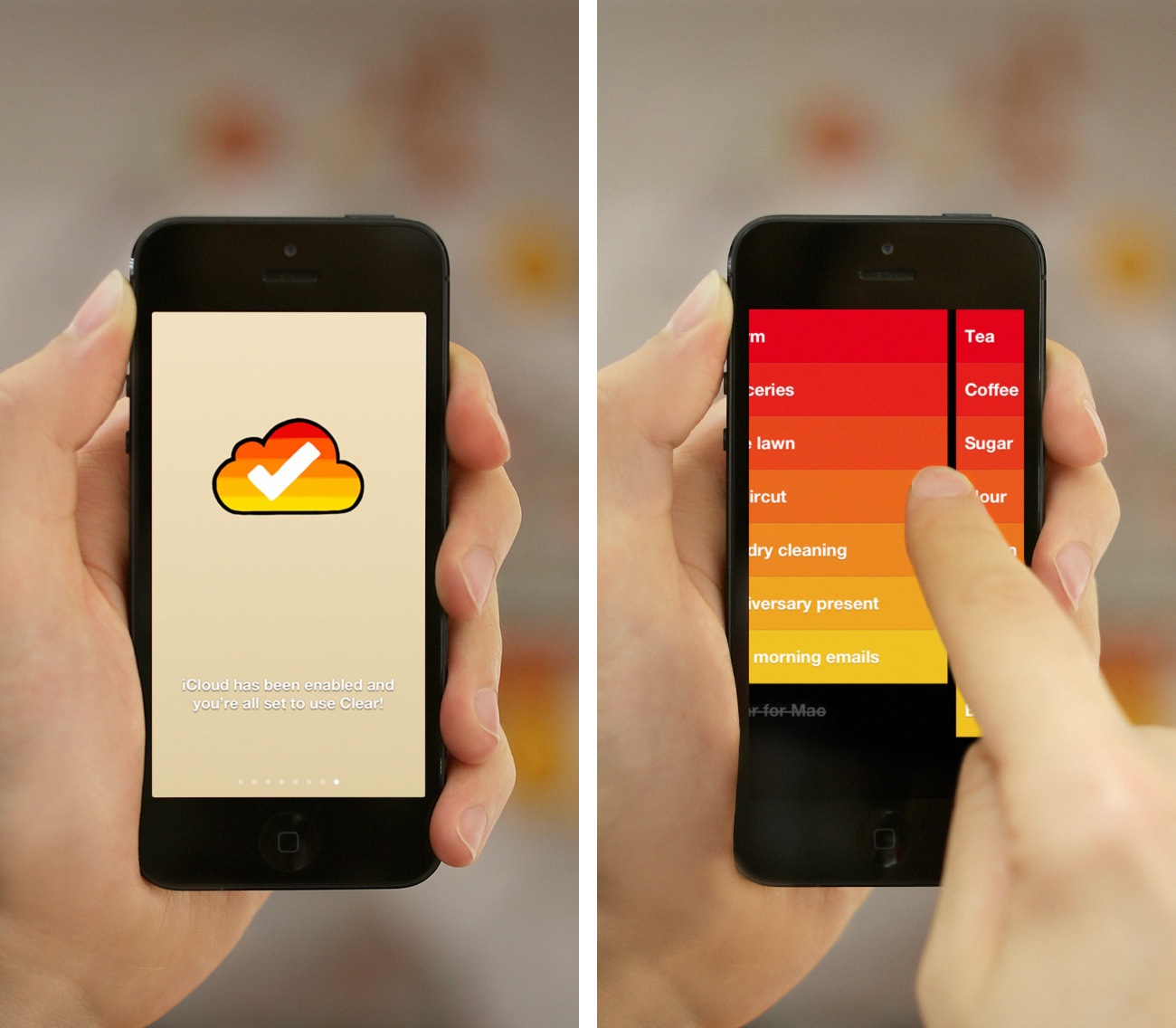
There’s some new stuff, too. There’s iCloud sync, for instance, which will make Clear Mountain Lion-only. iCloud sync will require the 1.2 version of Clear for iPhone, which isn’t out yet and will require iOS 6. For the Mac version, Realmac and Impending also worked on features that leverage the OS X platform, such as keyboard shortcuts; on the other hand, Clear for iPhone 1.2 is gaining a new gesture to quickly move between lists, and a new way to paste items from other apps into a list.
Overall, Clear feels at home as a Mac app, but I’ll save my thoughts for a proper review next week.
Clear for Mac will launch at $14.99 on November 8th alongside Clear for iPhone 1.2. Check out the official promo video after the break. Read more
Access Extra Content and Perks
Founded in 2015, Club MacStories has delivered exclusive content every week for nearly a decade.
What started with weekly and monthly email newsletters has blossomed into a family of memberships designed for every MacStories fan.
Club MacStories: Weekly and monthly newsletters via email and the web that are brimming with apps, tips, automation workflows, longform writing, early access to the MacStories Unwind podcast, periodic giveaways, and more;
Club MacStories+: Everything that Club MacStories offers, plus an active Discord community, advanced search and custom RSS features for exploring the Club’s entire back catalog, bonus columns, and dozens of app discounts;
Club Premier: All of the above and AppStories+, an extended version of our flagship podcast that’s delivered early, ad-free, and in high-bitrate audio.
Google Voice Search for iOS: Not A Siri Competitor, Still A Solid App
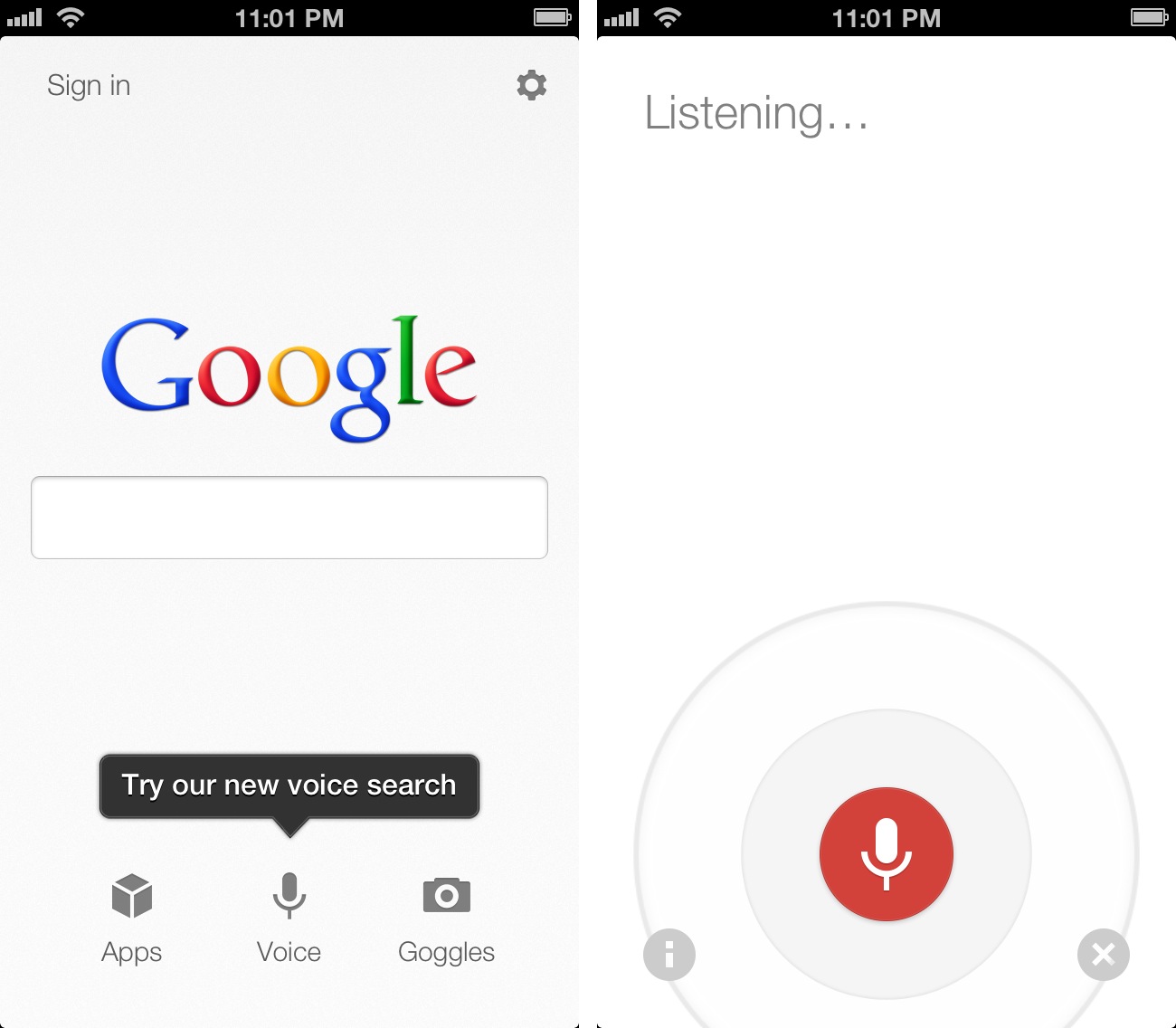
Earlier today, Google released an update to its Search app for iOS (a longtime favorite of mine both on the iPhone and iPad) to include an “Improved Voice Search” experience. Apparently, the app had been submitted a while ago, but Apple approved it this week.
The new Voice Search of the app may seem Siri-like in terms of overall concept. Essentially, it allows you to ask questions in natural language without typing, and get results back. I took some time to test the app, and, in actual usage, the scope is considerably different from Apple’s Siri, at least for now. And, at the same time, the technology behind it is much different. Read more
Access Extra Content and Perks
Founded in 2015, Club MacStories has delivered exclusive content every week for nearly a decade.
What started with weekly and monthly email newsletters has blossomed into a family of memberships designed for every MacStories fan.
Club MacStories: Weekly and monthly newsletters via email and the web that are brimming with apps, tips, automation workflows, longform writing, early access to the MacStories Unwind podcast, periodic giveaways, and more;
Club MacStories+: Everything that Club MacStories offers, plus an active Discord community, advanced search and custom RSS features for exploring the Club’s entire back catalog, bonus columns, and dozens of app discounts;
Club Premier: All of the above and AppStories+, an extended version of our flagship podcast that’s delivered early, ad-free, and in high-bitrate audio.
Major Changes at Apple: Scott Forstall Leaving, Jony Ive To Lead Human Interface Across Company
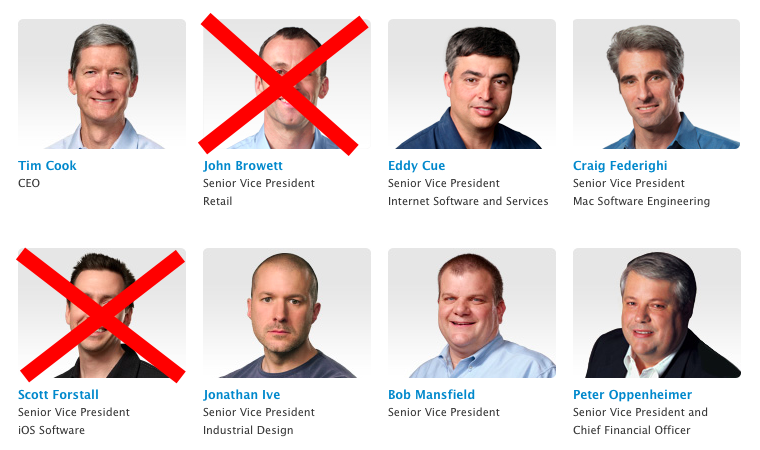
With a press release published a few minutes ago, Apple announced major changes in the structure of the company. The big news is that SVP of iOS Software Scott Forstall will be leaving Apple in 2013, with SVP of Industrial Design Jony Ive taking over to “provide leadership and direction for Human Interface (HI) across the company”. Forstall will stay on as an “advisor” to CEO Tim Cook in the meantime; Forstall joined Apple in 1997 coming from NeXT, and he was later promoted to Senior Vice President in 2003.
Jony Ive will provide leadership and direction for Human Interface (HI) across the company in addition to his role as the leader of Industrial Design. His incredible design aesthetic has been the driving force behind the look and feel of Apple’s products for more than a decade.
But there’s a lot more in Apple’s official statement: essentially, in the coming months Apple will undergo major changes in several aspects of its internal structure, both in terms of executive leadership and teams. Bob Mansfield, who announced his retirement earlier this year but then decided to stay at Apple, will lead a new Technologies group:
Bob Mansfield will lead a new group, Technologies, which combines all of Apple’s wireless teams across the company in one organization, fostering innovation in this area at an even higher level. This organization will also include the semiconductor teams, who have ambitious plans for the future.
Craig Federighi, recently promoted to SVP of Mac Software Engineering, will go on to lead both the iOS and OS X groups:
Craig Federighi will lead both iOS and OS X. Apple has the most advanced mobile and desktop operating systems, and this move brings together the OS teams to make it even easier to deliver the best technology and user experience innovations to both platforms.
Additionally, head of Services Eddy Cue will take over responsibilities for Maps and Siri, and John Browett, Apple’s head of Retail, will be leaving the company as well. Notably, Browett was hired only ten months ago, but he’s been criticized for many of his recent decisions in Apple’s retail operations.
CEO Tim Cook was quotes in the press release:
The amazing products that we’ve introduced in September and October, iPhone 5, iOS 6, iPad mini, iPad, iMac, MacBook Pro, iPod touch, iPod nano and many of our applications, could only have been created at Apple and are the direct result of our relentless focus on tightly integrating world-class hardware, software and services
The focus of the statement is, in fact, a tighter integration of hardware, software, and services. Read more
Access Extra Content and Perks
Founded in 2015, Club MacStories has delivered exclusive content every week for nearly a decade.
What started with weekly and monthly email newsletters has blossomed into a family of memberships designed for every MacStories fan.
Club MacStories: Weekly and monthly newsletters via email and the web that are brimming with apps, tips, automation workflows, longform writing, early access to the MacStories Unwind podcast, periodic giveaways, and more;
Club MacStories+: Everything that Club MacStories offers, plus an active Discord community, advanced search and custom RSS features for exploring the Club’s entire back catalog, bonus columns, and dozens of app discounts;
Club Premier: All of the above and AppStories+, an extended version of our flagship podcast that’s delivered early, ad-free, and in high-bitrate audio.
Sublime Text 2 and Markdown: Tips, Tricks, and Links

After a brief stint with TextMate 2, I recently started playing around with Sublime Text 2 for writing, and I thought I’d share the links and tips I’ve collected so far. I use Sublime Text 2 for both writing (in Markdown) and coding (that is, the basics of Python that I’m learning), but the links I’ve collected are primarily Markdown-related, as that’s how I spend most of my time on a computer: writing.
To begin, download Sublime Text 2. Or, download the Dev build, which will get you access to the latest features. Read more
Access Extra Content and Perks
Founded in 2015, Club MacStories has delivered exclusive content every week for nearly a decade.
What started with weekly and monthly email newsletters has blossomed into a family of memberships designed for every MacStories fan.
Club MacStories: Weekly and monthly newsletters via email and the web that are brimming with apps, tips, automation workflows, longform writing, early access to the MacStories Unwind podcast, periodic giveaways, and more;
Club MacStories+: Everything that Club MacStories offers, plus an active Discord community, advanced search and custom RSS features for exploring the Club’s entire back catalog, bonus columns, and dozens of app discounts;
Club Premier: All of the above and AppStories+, an extended version of our flagship podcast that’s delivered early, ad-free, and in high-bitrate audio.
Thinking mini
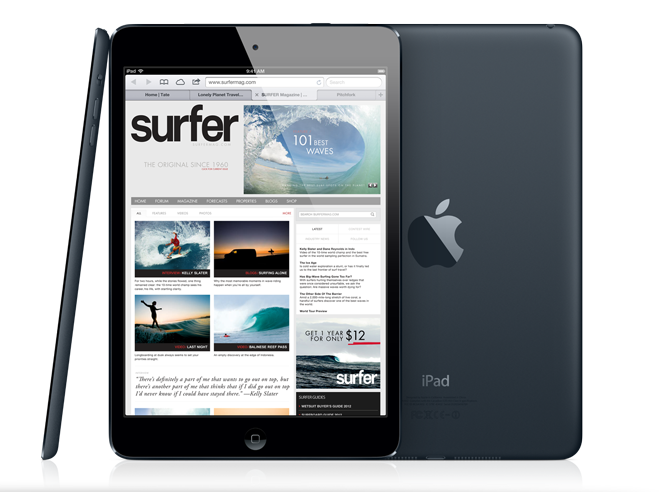
The iPad mini looks good. Perhaps not iPhone 5 nice, but certainly “good” in my opinion.
I’ve been reading and thinking about the iPad mini. Now I’ve got some questions. Read more
Access Extra Content and Perks
Founded in 2015, Club MacStories has delivered exclusive content every week for nearly a decade.
What started with weekly and monthly email newsletters has blossomed into a family of memberships designed for every MacStories fan.
Club MacStories: Weekly and monthly newsletters via email and the web that are brimming with apps, tips, automation workflows, longform writing, early access to the MacStories Unwind podcast, periodic giveaways, and more;
Club MacStories+: Everything that Club MacStories offers, plus an active Discord community, advanced search and custom RSS features for exploring the Club’s entire back catalog, bonus columns, and dozens of app discounts;
Club Premier: All of the above and AppStories+, an extended version of our flagship podcast that’s delivered early, ad-free, and in high-bitrate audio.
A Conversation With Loren Brichter

Following my review of Letterpress, I sat down with Loren Brichter to chat about his latest effort, developing for iOS, other mobile platforms, and spitting into microphones. In reality, I was still in Italy and our interview was conducted on Skype, but Loren says the part about spitting was real.
Federico: Hey Loren, thanks for chatting with me today. Firstly, so we can get this out of the way: why a game?
Loren Brichter: When I left Twitter I started working on a whole slew of projects that I hadn’t had time to work on since Tweetie took off.
One of them was a game (not Letterpress), which was a testbed for some graphics ideas I was kicking around. It was pretty close to finished, just needed some more polish and content. But around that time I went out to dinner with my wife, and while we were waiting for a table, we were both playing this other (totally awesome) word game called SpellTower. But it was single player only, and I figured I could try my hand at a multiplayer word game. So I dropped the first game, and made this instead. Read more
Access Extra Content and Perks
Founded in 2015, Club MacStories has delivered exclusive content every week for nearly a decade.
What started with weekly and monthly email newsletters has blossomed into a family of memberships designed for every MacStories fan.
Club MacStories: Weekly and monthly newsletters via email and the web that are brimming with apps, tips, automation workflows, longform writing, early access to the MacStories Unwind podcast, periodic giveaways, and more;
Club MacStories+: Everything that Club MacStories offers, plus an active Discord community, advanced search and custom RSS features for exploring the Club’s entire back catalog, bonus columns, and dozens of app discounts;
Club Premier: All of the above and AppStories+, an extended version of our flagship podcast that’s delivered early, ad-free, and in high-bitrate audio.
Loren Brichter’s Comeback: Letterpress
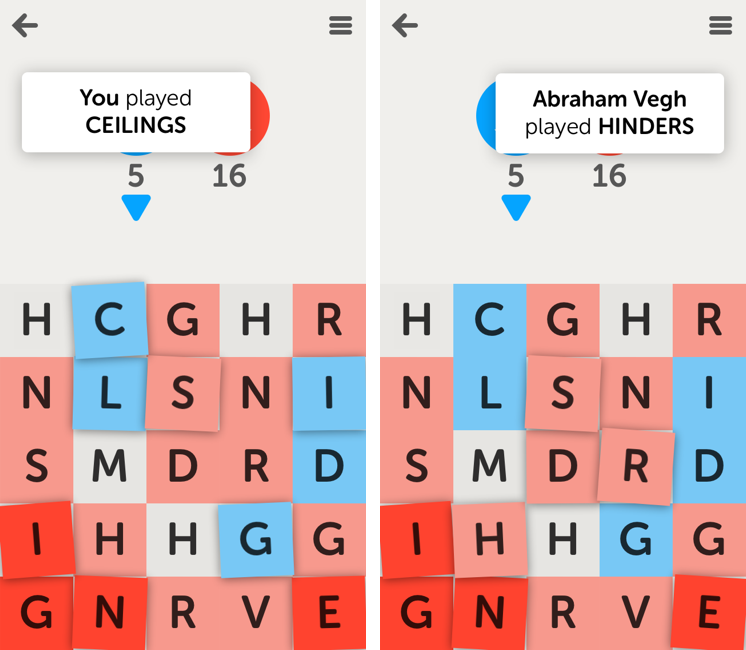
Loren Brichter’s comeback app isn’t a Twitter client, something that works with Tent.io, or a revolutionary implementation of multitouch on the iPad.
It’s a word game. It’s called Letterpress, and it’s available for free on the App Store. I’ve been able to beta test it for a while, and it’s quickly become one of my favorite games on iOS. One I instantly reach out to whenever I have 5 minutes to kill.
Letterpress is similar to SpellTower, but it’s focused on multiplayer and has deeply different rules when it comes to assembling words. Read more
Access Extra Content and Perks
Founded in 2015, Club MacStories has delivered exclusive content every week for nearly a decade.
What started with weekly and monthly email newsletters has blossomed into a family of memberships designed for every MacStories fan.
Club MacStories: Weekly and monthly newsletters via email and the web that are brimming with apps, tips, automation workflows, longform writing, early access to the MacStories Unwind podcast, periodic giveaways, and more;
Club MacStories+: Everything that Club MacStories offers, plus an active Discord community, advanced search and custom RSS features for exploring the Club’s entire back catalog, bonus columns, and dozens of app discounts;
Club Premier: All of the above and AppStories+, an extended version of our flagship podcast that’s delivered early, ad-free, and in high-bitrate audio.
iPad mini: Our Complete Overview
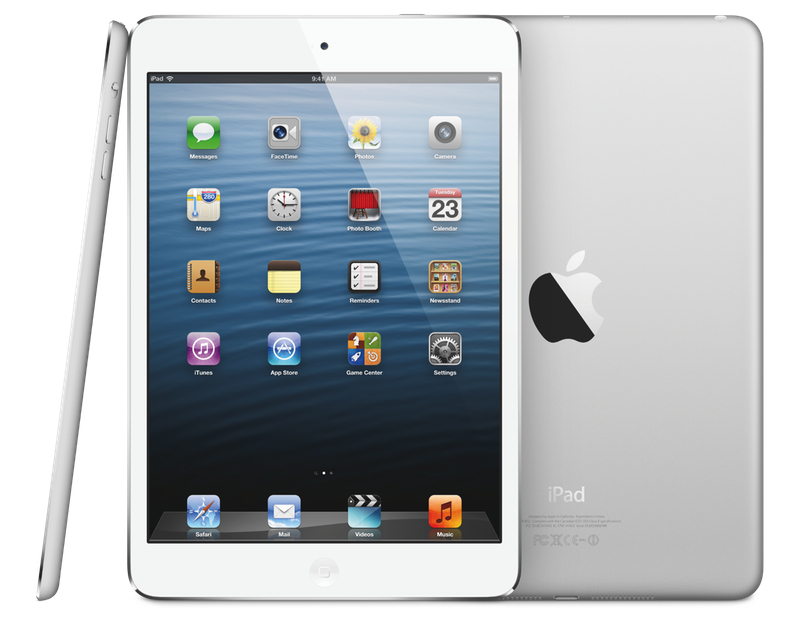
Phil Schiller took the stage today at Apple’s media event in San Jose to officially unveil the iPad mini, Apple’s latest entry in the iPad line-up.
As widely rumored, the iPad mini features the same 4:3 aspect ratio of the iPad with a smaller, 7.9” display carrying the same resolution of the original iPad and iPad 2 – 1024x768. The smaller display has allowed Apple to cut down the overall size of the device, which also features a lighter form factor and thinner design, as well as narrower borders. The iPad mini is, from a design standpoint, reminiscent of the iPad 2 and third-generation iPad, with a flat aluminum back, albeit with more rounded edges.
iPad mini is every inch an iPad. With its gorgeous 7.9-inch display, iPad mini features the same number of pixels as the original iPad and iPad 2, so you can run more than 275,000 apps designed specifically for iPad,” said Philip Schiller, Apple’s senior vice president of Worldwide Marketing.
Hardware
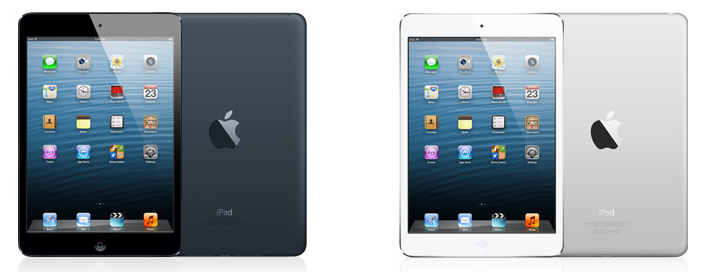
The iPad mini comes in two colors: white & silver and black & slate. The biggest feature, however, is its design, which is only 7.2mm thin and 53% lighter than the third generation iPad. Schiller compared the thinness of the iPad mini to a pencil. The iPad mini weighs 0.68lbs, making it as “light as a pad of paper”. Read more
Access Extra Content and Perks
Founded in 2015, Club MacStories has delivered exclusive content every week for nearly a decade.
What started with weekly and monthly email newsletters has blossomed into a family of memberships designed for every MacStories fan.
Club MacStories: Weekly and monthly newsletters via email and the web that are brimming with apps, tips, automation workflows, longform writing, early access to the MacStories Unwind podcast, periodic giveaways, and more;
Club MacStories+: Everything that Club MacStories offers, plus an active Discord community, advanced search and custom RSS features for exploring the Club’s entire back catalog, bonus columns, and dozens of app discounts;
Club Premier: All of the above and AppStories+, an extended version of our flagship podcast that’s delivered early, ad-free, and in high-bitrate audio.