Posts in reviews

Plain Text, Macros, Markdown, and Nebulous Notes

Nebulous Notes

Nebulous Notes

If there’s a category of iOS apps I’m always interested in checking out, that would be text editors. I write for a living, and while a better app won’t make me a better writer, a text editor that works for me can make me type and research more efficiently. Text editors are tools, and I’m always curious to see whether the market is offering new ones to get the job done with faster, smarter techniques. As Gabe said, fiddling often gets a bad rap, but my fiddling with text editors has actually allowed me to find apps that facilitate the only process that matters: typing words on a screen.

In the past year, I have taken a look at several text editors. I compared my favorite ones – picking Writing Kit as my go-to editor and research app – but I also kept WriteUp on my iPad’s Home screen, as the app received some interesting updates including iCloud support and swipe text selection. For the past two months, though, I have found myself coming back to another text editor that I had been previously recommended by various Internet pals: Nebulous Notes. And in spite of my publicly stated praise for Writing Kit, I have been getting lots of writing done with it – so much that I haven’t used any other app for my posts and notes. Read more
Flip’s Escape Offers Tons Of Pixel Fun For iOS

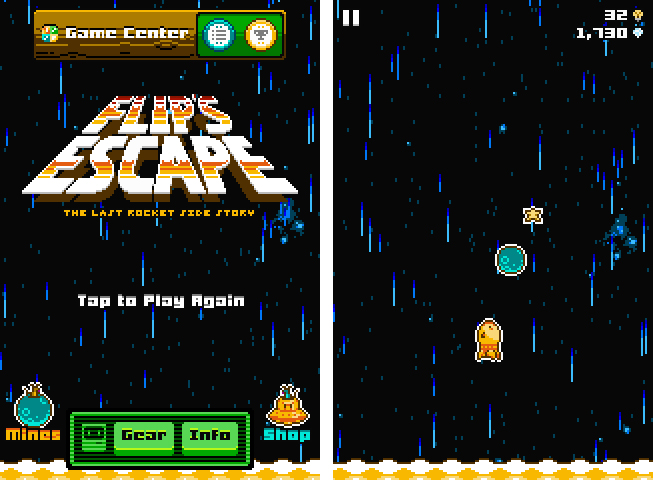
Last week, Shaun Inman (creator of the popular statistics and RSS server software Mint and Fever)’s newest game, Flip’s Escape, got approved by Apple. It ties in with the loose storyline of The Last Rocket after escaping from the collapsing factory. Flip, the rocket you play the game as, needs to flee from the shockwave which resulted from a large explosion. At the same time Flip has to avoid colliding with asteroids during his epic escape. Read more


Review: Things 2 With Cloud Sync

Things by Cultured Code, a developer company based in Stuttgart, Germany, has been around since the day the App Store and iOS 2.0 were unveiled. The app is famous for its minimalist, iconic interface and features which are a perfect mix of simplicity and serious business from the very first version on. It’s the perfect example for the ethos of “If 1.0 sucks, all other versions will suck as well”, it was done right the day it came out.

Yet, the first Things just didn’t work for me — I don’t know why, but it didn’t stick. I’ve never tried out other solutions, neither complex workhorse that is OmniFocus, nor have I tried a basic to-do app like Remember The Milk. The last three years, I was a Simplenote guy. I’m really into minimalism; in fact, that’s the reason why I initially desperately wanted to try out Things. But Simplenote worked better than Things for me. You could paste anything into it and the new content would be immediately available across all your devices, and on the web. My notes were always with me. And after I found Notational Velocity for Mac, a Simplenote desktop client, I completely stopped searching for other solutions.

But now, Things have changed. After over a year of beta testing, Things 2 with Cloud sync has finally arrived, and besides its big syncing feature, it’s got a bunch of other cool refinements and new possibilities along the way. Read more


Drafts 2.0: New Fonts, New Look, A Brand New Kind of Sync, And Now On iPad

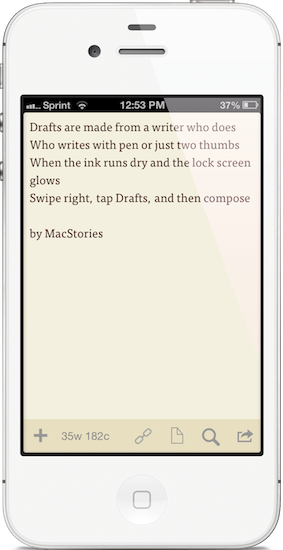
"Drafts are made for a writer who does. Who writes with pen or just two thumbs. When the ink runs dry and the lock screen glows. Swipe right, tap Drafts, and then compose."

“Drafts are made for a writer who does. Who writes with pen or just two thumbs. When the ink runs dry and the lock screen glows. Swipe right, tap Drafts, and then compose.”

I like to think of Drafts as the Field Notes of iOS. It’s inexpensive yet of high quality, unassuming but sharp, highly portable and convenient. While the icon, a simple white chiclet key, doesn’t emphasize Draft’s suave user interface, it is symbolic of the keyboard shortcut for Safari and other browsers, where ‘command + D’ adds the open webpage as a bookmark. The name Drafts itself may curtail ideas of long-form note-taking, although it’s not antagonistic towards writers feeling inspired to write more than a few sentences. Drafts is considerably the everyman’s notebook, unfraught with bindings and covers, instead fitted between two panes of glass in Apple’s iPhones.

Drafts, for those whom haven’t read the original review, is simply a digital notebook for capturing thoughts, lists, and ideas in plain text or Markdown. Those ideas can then be shared with social networks like Twitter or Facebook, your email or calendar, with friends on Messages, to a capturing tool like Evernote, or into a folder on Dropbox. If you’d like, you can use it like Birdhouse for drafting Tweets, or you can use it like Notes for grocery lists and reminders. No matter how you use it, your journal is held together in a simple list, organized by date last accessed, and is quickly searchable.

Read more


Shuffler.fm Is The Perfect Tool For Genre-Specific Music Discovery

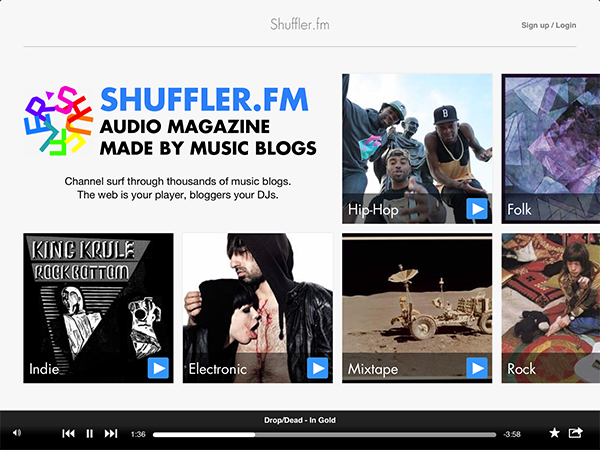
About a month and a half ago, I published a post about the current state of music making and discovery on the iPad. In the first part of that post I listed, described, and analyzed some prominent apps for discovering new music on the iPad. I concluded that these apps are state of the art when it comes to discovering music. Last week, while searching for music integration features for a music blog I run as a side project, I stumbled upon shuffler.fm. And after using it for some days now, I wish I could rewind time and add this service to the list in my music editorial, because it does something the other apps like Aweditorium or even radio apps like Tuner do not offer: it combines genre-specific music discovery with reviews and critical opinion. Read more


Ecoute Is The Best Music Player For iOS. Period.

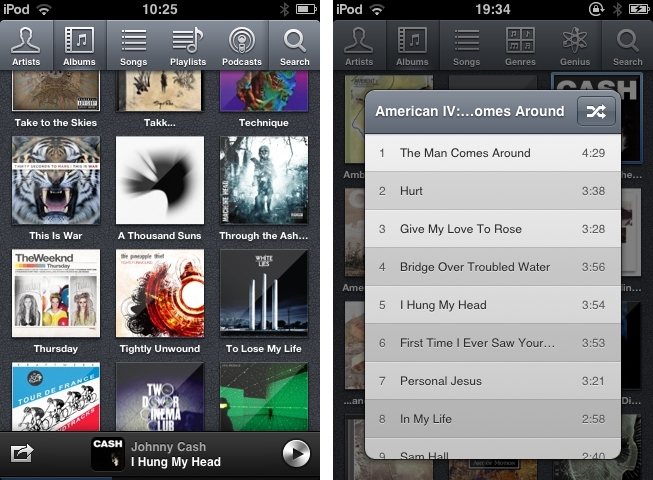
Since I started to write about UI design and iOS apps again 5 months ago, I became more and more disappointed with the native music player on my iPod touch. During my research, I found many innovative modifications of the iOS table view, and I often wished that Apple will integrate some of them into their system apps, especially their music player. But since Apple is a company that believes in radical minimalism and coherence throughout its ecosystem, this never happened and also won’t likely happen in the future. I tried out many alternatives like GoodMusic, but no app was able to satisfy both my design and usability needs on my iPod touch. Until yesterday. Yesterday, Pixiapps released Ecoute for iOS.

Ecoute for Mac has been the app Pixiapps focused on during the last years. It is a minimalist, easy to use iTunes replacement with iconic UI and many cool hotkey and playback features. I’m still an iTunes guy, because I need a reliable solution for managing my over-1100-record digital music collection. But Ecoute for Mac was the first app which really made me think about switching my desktop music player. And now, Ecoute debuts on the iPhone. Although the app is promoted as “Ecoute for iOS”, there is no iPad version available yet. For me this is not really a problem — I like the semi-skeuomorphic design of the iPad music player very much and was never seriously thinking about replacing it. But when I opened up Ecoute on my iPod for the first time, I immediately knew that this was exactly what I’ve been searching for. I basically want three things in a mobile music player: easy navigation, intelligent gesture integration for flawless in-app movement, and a focus on album artwork. Except for some flaws in terms of navigation, Ecoute measures up to all these requirements. Read more


Instagram 3.0: Maps. New User Profiles. Infinite Scrolling.

Instagram’s updates aren’t just about iterating on capturing — adding filters and giving you more ways to take photos is one thing, but the service has bigger aspirations than just sharing and socializing with friends in the moment. For the Instagramers (that’s okay to say right?) who are documenting their lives everyday through the iPhone or Android app, Instagram becomes a sort of timeline or memoir, i.e. a daily journal that can be dated back to when Instagram was first downloaded from the App Store. As new photos are added to the top of your profile, and as new photos bubble up through activity feeds, older photos may simply fade away. They’re forgotten. But old “polaroid” photos don’t simply have to disappear into the nether — every previous photo taken is likely to be just as special or just as important as the one taken moments ago.

Read more


It’s Getting Partly Cloudy On Your iPhone

Yes, here’s another weather app review for you. Instead of inventing new intros for these posts, I would like you to think about that special day when an iOS developer combines all of the single ideas of the new weather apps available - from minimalist UI elements over cool animations to perfectly displayed and visualized data - into one single application. We could finally purchase the perfect weather app for our iOS devices, and we no longer need weather app reviews like this one.

But we still desperately search for and find new, special, almost perfect weather apps with features every month, download them, try them out, and then what? We send them back into the black app hole of washed-out, used apps after some weeks, just because they do not fit our individual needs and style, and then the cycle starts again. If I’m right, this will always be the case, especially when it comes to iPhone weather apps. I believe that no UI concept in the world could visualize all important weather data possibly needed while still having a totally intuitive and simple UI on such a small screen size. On the iPad, the situation is a bit different. My personal weather app of choice for the iPad is now Weather HD 2, which I recently reviewed, because of its stunning animations, which make impressive use of the device’s Retina display. Although I won’t go away from Weather HD, there are also many other apps for people with a different taste in UI design, like minimeteo for lovers of minimalist UI or Aelios for fans of polished interfaces.

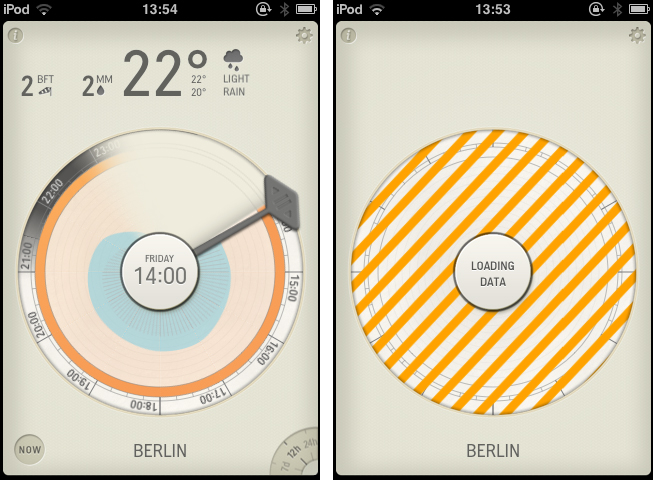
Today’s subject, Partly Cloudy, an iPhone app by German development cave Raureif, is perfectly suited for data visualization geeks. The app displays a rather limited set of weather information: temperature, wind speed (measured using the Beaufort wind force scale), precipitation and the overall current outlook. Its forecast view can be set to 12 hours, 24 hours and 7 days. All other imaginable features, like cloud movements or visibility range apps like WeatherSnitch advertise with, were completely left aside in order to provide space for Partly Cloudy’s most interesting feature: the radial clock visualization diagram.

Read more


Kuvva — Beautiful Art For Your Desktop. Automated.

Currently, in the San Francisco Museum Of Modern Art, you can visit an exhibition with works of Japanese photographer Naoya Hatekayama. He has a very extensive portfolio of stunning landscapes, buildings, and Tokyo underground photography, which reach very high auction prices. One of his underground photos really caught my eye, and I dreamed of having it as a homescreen wallpaper for my iPad. I desperately tried to find digital copies of his works, regardless of whether I could get them for free or had to spend some money. But usually, professional photographers, including Hatekayama, only show their work to the public through museum exhibitions and printed photo books, not digitally. This way of publishing art has both advantages and disadvantages: on one hand, printing is the only effective way of keeping the copyright handling of your pictures and piracy of digital copies somewhat under control. Yet, it also means that many people interested in photography, especially those who do not live in big cities with renowned museums exhibiting photography, don’t have access to it. And obviously they cannot be used as wallpapers (although this would be for private, non-commercial use).

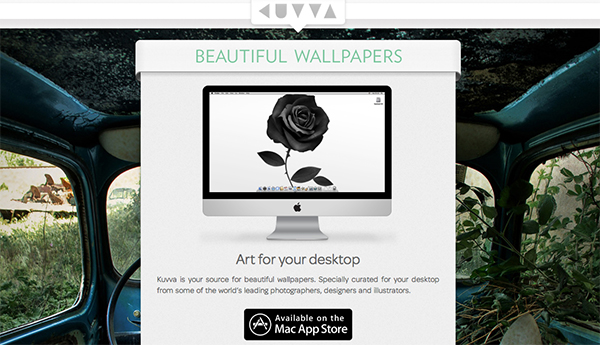
On the other hand, art which was created digitally is most of the time solely distributed digitally, hence it’s often available as a free download. However, when it comes to wallpapers for both OS X and iOS, I personally prefer photos over digital art. Of course, real pixel lovers need good resources for both kind of background images to ensure their displays are always a pleasure to look at. Websites like InterfaceLift or Poolga may completely satisfy your needs for photographic and digitally crafted backgrounds, but you always need to rely on multiple resources, which means you have to spend a lot time searching, saving, and organizing. Kuvva, founded by @djbradfield and @Nalden and based in Amsterdam, is a new web-based application project that tries to solve this problem by building up an extensive resource of handpicked photographs and digital wallpapers you have fast and easy access to. Read more