Federico Viticci

10779 posts on MacStories since April 2009

Federico is the founder and Editor-in-Chief of MacStories, where he writes about Apple with a focus on apps, developers, iPad, and iOS productivity. He founded MacStories in April 2009 and has been writing about Apple since. Federico is also the co-host of AppStories, a weekly podcast exploring the world of apps, Unwind, a fun exploration of media and more, and NPC: Next Portable Console, a show about portable gaming and the handheld revolution.

BBC Can’t Get Apples and Blackberries To Work

We know you’re all playing with Camera+ 2.0 now, but let’s put that iPhone away for a minute and enjoy a good BBC comedy skit, shall we? In the following video, two BBC comedians have fun trying to make apples and blackberries to work because you know, they can freeze or crash sometimes.

I won’t tell you what happens in the video, you’ve got to check it out by yourself. And yes, you can go back to shooting pictures with Camera+ after this. [via TUAW]


Camera+ 2.0 Is Live In The App Store

As announced by tap tap tap yesterday, here comes a new version of Camera +. Camera + 2.0 is a major update that contains a huge list of new features and interface improvements, such as a redesigned lightbox, faster start-up times, a timer shooting mode, lots of new modes and effects. From a first look at the app, it looks like one massive update – which is free for existing users.

I’m testing the app right now and I can already say the tap tap tap developers really did a great job in optimizing everything to make the app faster. The SLR screen has been removed to let Camera+ start up directly to the camera UI, just like Apple’s own Camera app. The various shooting modes are accessible from a popover menu next to the camera button, timer shooting mode will let you choose between different intervals before shooting a picture. It’s really nice. The lightbox animations are faster, each photo has its own details such as ISO and location, there are several new effects available under the in-app purchase “I love Analog” pack. You can adjust these effects with a slider, and preview them as demo.

Everything feels new and improved in Camera+ 2.0. From a first quick run, I’m seriously impressed by what tap tap tap has achieved with “just an iPhone app”. The interface design elements on screen sport some beautiful pixels, too. Most of all, Camera+ doesn’t “force you” to share anything, I see it more as a full-featured replacement of the default Camera app that allows me to edit and apply neat effects to my photos, or not. Camera+ 2.0 – but this was a strong selling point of the first version, too – lets you decide whether you want to shoot, edit and share, or just shoot better (thanks to its multiple modes) and forget about it. I like choices.

The app is available here. Expect a detailed review soon on MacStories. Full changelog and screenshots below. Read more


Apple Releases iPhoto 9.1.1

A few minutes ago Apple released an update to iPhoto ‘11, which adds new email features and improves the overall stability of the app. The new version is available now on Software Update or on Apple’s website.

Full changelog below.

- Adds a preference allowing photos to be emailed using an external email application

- Adds “Classic” and “Journal” themes to email.

- Photos attached to an email can now be sized to Small, Medium or Large

- Improves reliability when upgrading a library from an earlier version of iPhoto

- iPhoto now correctly preserves the sort order of Events after upgrading a library

- Event titles displayed in headers can now be edited in Photos view

- Addresses a problem that could cause duplicate photos to be added to a MobileMe album

- Scrolling overlay now correctly displays ratings when photos are sorted by rating

- Photos are now sorted correctly when a rating is changed and photos are sorted by rating

- Fixes a problem that could cause text formatting controls to become inaccessible when editing a calendar


SB 2 Cloud Now Out in Cydia: Automatically Upload Screenshots to Cloud App

SB 2 Cloud is a new tweak now available in the Cydia Store at $1,49 which allows you to easily share any screenshot you take on the iPhone through Cloud App. Really, it’s the simplest Cloud App client for the iPhone ever: once activated, every time you’ll take a screenshot by pressing the home and power buttons simultaneously the file will be automatically uploaded to Cloud App in the background. Just like on the Mac with Cloud set to automatic mode. The iPhone will also paste the short URL to your system’s clipboard for easy sharing.

The app doesn’t come with an actual interface or shortcuts to quickly modify the behavior of the upload. You can only enable or disable automatic upload of every single screenshots for now, and hopefully more options will be added in future updates. SB 2 Cloud shows you an upload in progress with a cloud icon in the iPhone’s status bar, and will play a sound notification once it’s complete.

SB 2 Cloud is simple, but does uploads in the background really well. Recommended for Cloud App users.


iPhone Apps and Custom Tab Bars

iPhone Apps and Custom Tab Bars

There’s been a new trend with iPhone apps to use more sophisticated custom tab bars. In case you don’t know what a “tab bar” is, it’s historically been the black bar at the bottom of the screen, which provides the main navigation for the iPhone app.

A trend started by Instagram (the first popular app to place an action button in the tab bar, not a view selector) is quickly expanding to other apps like Gowalla and Path. While I recognize this isn’t exactly ideal from a UI ecosystem standpoint (it break several of Apple’s interface guidelines), I do think that sometimes disruption is necessary as it leads to innovation. The problem is, many developers just wait for Apple to innovate.

Permalink

WordLens Founder On The Limitations Of Augmented Reality Apps

WordLens Founder On The Limitations Of AR Apps for iPhone

Interesting interview with Robert Scoble. Turns out on-the-fly video translations are a tricky thing to accomplish, the technology underlying the app is all custom and, hopefully, more European languages will be released in early 2011.

I’ve tested the app and it’s not perfect, but it sure looks impressive. I can’t wait for this to gain more languages and, as the founder says in the interview, the possibility to give “context” to words recognized by the camera.

That would be magical.

Permalink

NPR Calls Ping One of “The Worst Ideas Of 2010”

In spite of Apple’s numerous attempts to inject new features and 3rd party online integrations in it, Ping is struggling to take off. Not only does the service seem useless and too tied to iTunes to many, several publications are also calling it one of the biggest flops of 2010.

You can now add NPR to the list of Ping non-fans, as they have named Apple’s social network for music one of the “worst ideas of 2010”. Ouch.

The most popular services — the Facebooks, Twitters and MySpaces of the world — allow users to share links, thoughts, ideas, photos and music to connect with each other. Ping, run through iTunes, was supposed to be an evolution in musical connection. But iTunes, being a self-contained fortress requiring endless software upgrades and with more than a few frustrating quirks, isn’t conducive to the type of sharing Web-based networks enjoy across a variety of devices. I can access all three of the aforementioned sites from my Android phone, and I have a variety of apps that allow me to seamlessly integrate these applications into my life. To use Ping, I would have to be tethered to my iMac.

NPR also notes that Ping is a “weakened” version of Twitter only meant to drive sales to the iTunes Store. Looking at artists’ profiles and the messages they share on Ping, it’s not difficult to understand NPR’s position. Perhaps their hammer went down a little too hard on Apple’s new service, though? Sure Ping is not a massive hit, but it has room to grow.

As it stands right now, Apple wants its users to believe in Ping. The problem is, people sometimes don’t want to wait for things to get better. Here’s to hoping Ping will get insanely better in 2011.


Occipital Showcases Gyroscope Support In MobileSafari

360 Panorama is a neat iPhone app by Occipital which, thanks to some cool augmented reality features such as a real-time on screen grid view, allows you to take panoramic photos on your iPhone. We reviewed the app here, and you can go grab it here.

Today the Occipital developers are launching a brand new version of their panoramic browser for pictures shared online. The new browser, when used on MobileSafari for iPhone running on iOS 4.2, takes advantage of Apple’s gyroscope to let you move panoramas around by just holding your device upright. Once you load a link like this one, Occipital’s browser will detect the device running iOS 4.2 and will ask you to hold your iPhone upright if you want to use gyroscope. Otherwise, you’ll just be able to swipe to view the entire panorama.

Gyroscope support enables you to move the iPhone around to view the entire content of a webpage, and it works really well. When iOS 4.2 came out in November, developers noted that MobileSafari received new features such as improved HTML5 support and “accelerometer integration”. The benefits of augmented reality apps using the gyroscope instead of a compass were also showcased in July.


AirPlay Hacks: XBMC on Linux, AVI Live Conversion

Missed Erica Sadun’s latest AirPlay hack yesterday? It’s a new Mac app called AirFlick that allows to send video and URLs (say, from Youtube.com) from OS X to the Apple TV without needing to load a file from iTunes. It’s a standalone app that can send video files through AirPlay to an Apple TV 2nd gen running on your local network. Together with AirPlayer (which allows you to send videos and photos via AirPlay to a Mac), it’s another great hack from Erica Sadun.

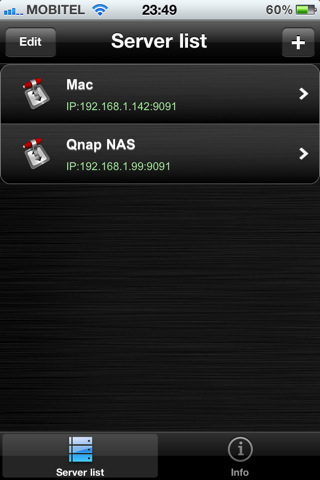
It turns out, anyway, that AirFlick can do a lot more than “simply” allowing you to send video from OS X to the Apple TV. First, TUAW reader BC managed to stream with AirPlay .avi files using Air Video Server’s live conversion system, by copying the URL of AVS’ m3u8 playlist and paste it in AirFlick. It requires some serious Terminal skills, but it’s possible. Read more