Federico Viticci

10779 posts on MacStories since April 2009

Federico is the founder and Editor-in-Chief of MacStories, where he writes about Apple with a focus on apps, developers, iPad, and iOS productivity. He founded MacStories in April 2009 and has been writing about Apple since. Federico is also the co-host of AppStories, a weekly podcast exploring the world of apps, Unwind, a fun exploration of media and more, and NPC: Next Portable Console, a show about portable gaming and the handheld revolution.

GoodReader for iPad Update: Remote Sync, Better Download Management

GoodReader, one of the most popular file & download managers / PDF reader apps for iPad, was updated two days ago to version 3.3, which adds a number of notable improvements and new features such as synchronization with remote services. GoodReader for iPad, in fact, can now sync files and folders with Dropbox, SugarSync (support for this service was added in this version) and any WebDAV or FTP server. Users can select which files and folders to sync, select different files to be synced with specific services and also set options to resolve sync conflicts such as priority for local files and duplicates.

Download management has been improved as well. SugarSync support aside, you can now lock the in-app web browser with a passcode and download entire folders from a server, not just individual files. Multiple downloads can happen at once, and you can set a download folder other than “My Documents”. On top of that, download of files can now run in the background for “several minutes” – we assume is the usual 10 minutes Apple allows developers to implement for task completion.

GoodReader for iPad is available at $2.99 in the App Store. Check out the full 3.3 changelog below. Read more


iOS Notifications: No More, No Less

With today’s rumors about Apple considering the purchase of a third-party developer to improve the notification system of iOS, I thought I should explain why, in my opinion, Apple really needs to focus on this, developer buyout or not. The problem: iOS notifications get in the way, interrupt one’s workflow or media consumption and once they’re gone, they’re gone. In my usual setup, these are the apps that send me notifications: Twitter (replies from users I follow, DMs), Messages, Facebook, Calendar, Skype / IM, Appshopper. I think most of these apps are used by several iPhone and iPad owners. Read more


Apple Launches First Mac App Store Section: “Personal Projects”

It’s Friday, which means Apple has refreshed the iOS and Mac App Store homepages to include new featured apps and fancy graphics to showcase products released this week. With today’s refresh, Apple has also launched the first Mac App Store section: Personal Projects, available here, aggregates apps to make your Mac “a creative hub” for professionals who want to organize their projects and ideas at home. It’s got apps for musicians, designers, photographers and video editors.

With the iOS App Store, Apple inaugurated this weekly trend of launching new sections to collect apps for a specific audience. We think the idea is very cool, but we would like to have a unified way to access all these sections Apple created in the past. Perhaps the Mac App Store will fix this.


Is Apple Buying A Third-Party App To Fix iOS Notifications?

Most iOS users agree that notifications on iPhones, iPod touches and iPads are nothing compared to what Google has implemented in Android, or what HP showed at the webOS event a few days ago. Personally, from what I’ve seen so far, I believe the notification system demoed on the HP TouchPad is the most intriguing one, with messages staying out of the way in the top menubar but still accessible with a single tap that opens a popup menu.

Last year, it was rumored that Apple might improve iOS notifications after hiring Rich Dellinger, creator of the webOS notification system. It didn’t happen with iOS 4 and 4.2 before that, but according to Cult of Mac Apple is now seeking to buy a “smaller” third-party developer to entirely rebuild iOS notifications. According to Cult of Mac, who cites a source that asked to remain anonymous, the smaller company already has an iPhone app in the Store.

Our source, who asked to remain anonymous, didn’t know the identity of the company, except it already has an iPhone app in the App Store.

One candidate is Boxcar, a free app from Appremix that enables push notifications for Twitter, Facebook, and email. Boxcar’s system has been highly praised, especially the new iPad version.

There’s no doubt that Boxcar offers an advanced and easy way to stay on top of updates coming from social networks, email and websites; Boxcar currently has a universal app in the App Store but the service also works on the web. The app of course doesn’t deploy its own notification system on top of iOS, but it aggregates notifications inside a single UI that’s easy to navigate and manage. I can see Apple wanting to build something like this in iOS 5, although they would still need to find a way to get rid (and thus redesign) the annoying alert boxes and unread badges that come with iOS now. Apple might as well ditch popup alerts altogether and take an approach similar to HP, aggregating everything into a central notification app as well.

It will be interesting to see what iOS 5 will bring to the table with notifications and social connections; Boxcar can be a great fit for Apple.


Space Gremlin Is A Simple App To Free Up Space On Your Mac

I stumbled upon Space Gremlin for Mac today when browsing new releases and top paid categories in the Mac App Store. Not as sexy and shiny as Daisy Disk, Space Gremlin can scan any drive connected to your Mac (external, internal Mac HD, network drive through AirPort Extreme station) and provide an easy solution to visualize files that are eating space on your computer.

Space Gremlin doesn’t allow you to delete files and folders in-app like Daisy Disk does with the recent 2.0 update, however it comes with a more standard grid view that reminds me of the popular cleaning tool WinDirStat for Windows. From this grid view (scan took a few seconds on my 120 GB SSD), you can select folders to reveal them in Finder, navigate to deeper levels, zoom back and hide free space / hidden files. What’s cool is that you can also add specific folders (like system ones) to an ignore list because you know they’re there and you can’t delete them. You can access and modify the ignore list at any time from the toolbar, which also happens to have buttons to refresh folders and perform a new scan. I really, really appreciate the fact that, together with my FireWire drive, the app also recognized the USB one attached to my AirPort extreme and shared on my local network. From the “begin a new scan” window, you also have shortcuts to popular Places like the Desktop, Documents and Applications folders.

Space Gremlin doesn’t have the most beautiful interface you’ve ever seen, but gets the job done. I would like to see the possibility to delete files within the app in a future update, and smoother animations when switching between folders in the filesystems. Overall, Space Gremlin is a well-realized utility that you can get at $3.99 in the Mac App Store.


Shocking Study Reveals: iPad Doesn’t Make You Attractive

Dear iPad owners, according to a recent study by Retrevo Gadgetology gadgets don’t make you attractive to the opposite sex. Most specifically, the iPad doesn’t make you any sexier. “How is that even possible?”, you may ask. Well it turns out, men and women surveyed by Retrevo Gadgetology think reading books, carrying a cool phone or laptop will make you more interesting and worth consideration. We can hear you: iBooks and the Kindle app are the future and there’s no way you’re going back to paper. Still, iPad owners and geeks alike: the tablet won’t get you another date. Perhaps a new MacBook Air will. It’s so thin, after all.

But hey, we’re pretty sure it’s still better to just use the iPad than carry it around like this. Because that would make you less masculine. [via TUAW]


Turn By Turn Voice Navigation Coming To iOS Maps via Jailbreak

A new Cydia tweak being developed by InfectionFX and TheZimm will add native turn-by-turn voice navigation to the Maps application for iPhone. A few alternatives like MapQuest offer turn-by-turn with voice today in the App Store; this tweak will plug directly into the native Google Maps software for iPhone. While not as full-featured as navigation system offered by Google on Android devices, this option will provide a relatively cheap and useful way to do turn-by-turn voice navigation on iOS without using multiple apps.

[iPhoneDownloadBlog via RazorianFly] Read more


Could Nokia - Microsoft Partnership Lead To A Patent Settlement with Apple?

Could Nokia - Microsoft Partnership Lead To A Patent Settlement with Apple?

Earlier today, Microsoft and Nokia announced a partnership to bring Windows Phone 7 to Nokia’s smartphones. Intellectual property activist Florian Mueller speculates this could facilitate the settlement of patent disputes between Apple and Nokia.

I can’t imagine that Apple would assert any of its patents against Windows Phone 7. Nokia is now covered by Microsoft as far as Windows Phone-based devices are concerned, and it’s been a long time since Apple and Microsoft had (and settled) a patent dispute. They need each other.

In the past months, the two companies fired back at each other with a series of lawsuits. I don’t know how much Apple “needs” Microsoft at the end of the day, but I do agree that resources would be better spent going after Android rather than Nokia’s alleged patent infringements.

Read the whole story here.

Permalink

New MacBook Airs In June with Sandy Bridge CPU?

According to CNET, who cites “a source familiar with Apple’s plans”, the MacBook Air might receive an update in June with the new Intel Sandy Bridge processor:

Apple is targeting a MacBook Air update for this summer that will include a move to Intel’s Sandy Bridge processors, CNET has learned.

The MacBook Air refresh is expected in June, according to a source familiar with Apple’s plans.

Intel’s Sandy Bridge chips were initially delayed due to a hardware bug, but the company confirmed earlier this week that shipments will start on February 20th. As CNET notes, the MacBook Air family is still carrying Intel’s Core 2 Duo processors which are two generations behind Sandy Bridge; the MacBook Airs were last updated in October, announced by Steve Jobs at the “Back to the Mac” event.

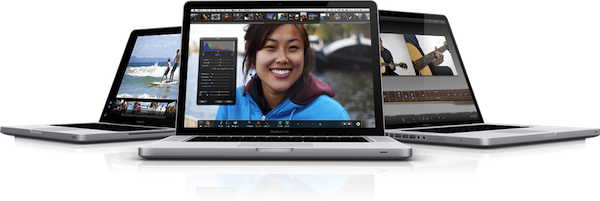
Recent rumors suggested the MacBook Pros, due a refresh, will soon receive an update, possibly featuring Sandy Bridge. A MacBook Air announcement in June would play well with the WWDC 2011 timeframe, where Apple is expected to unveil the next-generation iPhone.