
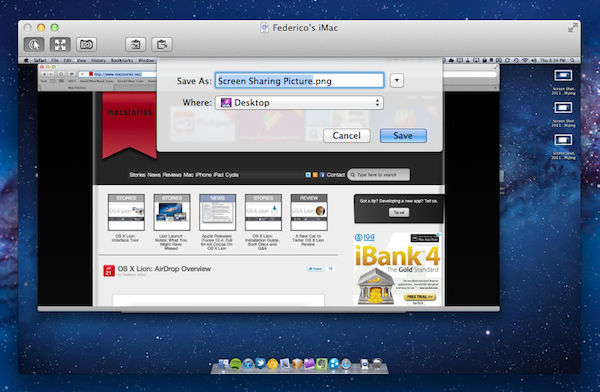
Since yesterday’s launch, we’ve detailed the biggest new features of OS X Lion in our review, covered the installation steps and took a quick tour across Aqua’s new interface elements; we’ve also listed the first five things we usually do when setting up Lion, and collected some of the best tips we received in the comments and via Twitter. After AirDrop, another app that I’ve been using daily on my Macs running Lion for the past few weeks is Screen Sharing, which gained some important improvements on the new OS and the possibility of logging into a user’s account even while it’s not being used, without disturbing who’s currently using a remote computer. Read more
OS X Lion: AirDrop Overview
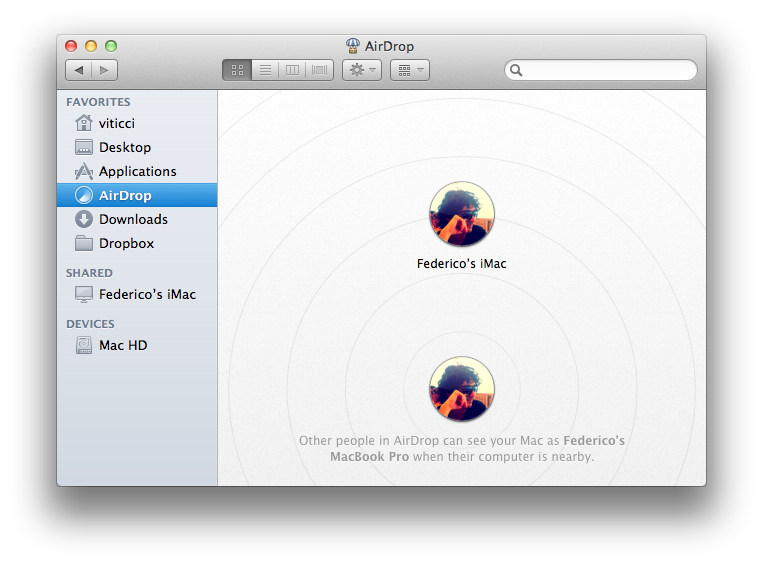
Among the new features of Lion that Apple touts on the Mac App Store and the OS’ official webpage, there is a new peer-to-peer file sharing functionality called AirDrop, which uses the Finder as a way to share files with Macs nearby through drag & drop. Acting as a replacement to the omnipresent USB stick and providing an easier approach to wireless file sharing than the Mac’s default “Drop box” feature, AirDrop wants to replace any physical media and alternative software solutions used to share documents with your friends, family, or colleagues that happen to have a Mac next to your machine. I can’t tell you how many times in the past I found myself using my MacBook next to a friend’s MacBook, and doing something as simple as sharing an .mp3 file required us to either go through the Mac’s Sharing settings in System Preferences, upload it online for a one-time usage, or rely on the typical USB thumb drive.
AirDrop is aimed at making file sharing easy, and secure at the same time. Before I delve deeper into its feature set though, here’s the list of computers Apple says are compatible with Lion’s AirDrop:
- MacBook Pro (Late 2008 or newer)
- MacBook Air (Late 2010 or newer)
- MacBook (Late 2008 or newer)
- iMac (Early 2009 or newer)
- Mac mini (Mid 2010 or newer)
- Mac Pro (Early 2009 with AirPort Extreme card, or Mid 2010)
Miscellaneous Lion Tips and Tricks

Lion is a solid update to OS X and it comes with several new features as we’ve outlined in our review, however there are so many little touches and minor features it is possible some of them will go unnoticed, leaving a user wondering whether something he thought would be possible was removed by Apple. In this post, we’ve collected some of the best tips and tricks we’ve received from our readers and Twitter followers since Lion came out yesterday, as well as stuff that didn’t make it to the review. More will follow throughout the next days, but in the meantime check them after the break.
Note: Part 2 is now online.
OS X Lion: Interface Tour

As we discussed in our OS X Lion review, Apple’s latest operating system is an evolutionary step forward, a milestone in the company’s desktop software history that innovates old concepts and user interactions by bringing some of the features and design schemes seen on iOS devices to the Mac’s bigger screen. There is a subtle difference though: whereas most people would think Apple is “stealing” from iOS, building on the success of the iPhone and iPad (now a bigger business than desktop computers) to sell more Macs, Lion does in fact prove that the roots of OS X are still strong, but looking for a cohesive integration with the seeds planted on mobile. As Cody wrote in his review “Apple weaved our working knowledge of gestures and interfaces into the Mac to capitalize on our intuition” – Lion isn’t a glamorous iOS. Lion is an evolution of the OS X we know and use, and the changes made to the operating system are immediately visible in the interface.
Lion doesn’t look like iOS. If anything, Apple has tweaked the Aqua interface to achieve the same elegance, minimalism and focus on content first conceptualized on the iPhone, but it’s far from being an iOS clone. With Lion, Apple hasn’t ported iOS’ design principles to the Mac – they took the best parts of a mobile interface that they thought would also make sense on the desktop, and managed to make it work. The changes in Lion – both design-wise and feature-wise – never feel like forced additions that are weird to use and be familiar with. Rather, they’re subtle improvements that will make you wonder why they weren’t implemented before. Read more
Apple’s B2B App Store Launches
As noted by The Loop, Apple launched its B2B App Store today, allowing business customers enrolled in the Volume Purchase Program to buy apps from iOS developers. The new Volume Purchase Program for business was first unveiled last week, when Apple announced the Volume Purchasing for Business would be available “soon”.
Streamline your purchasing process and put more power and productivity in the hands of your workforce. Every paid app in the App Store is available for businesses to buy in volume through the program website. Simply search for the apps you need, enter the quantity you want to buy, and complete the transaction with your corporate credit card. Apps are available for purchase at the same price listed in the App Store.
Custom B2B apps are built just for you by third-party developers and business partners to address a specific business process, integrate with a unique back-office environment, or deliver a custom interface for your users. Using the Volume Purchase Program, you can securely and privately purchase custom B2B apps for iPhone and iPad that make your business even more effective.
If you are a developer who is enrolled in the iOS Developer program you can create custom B2B apps for sale to your customers enrolled in the Volume Purchase Program.
Apple noted how B2B apps could address specific solutions and needs of business customers such as:
- A customized user interface including company logo or branding Unique features or capabilities specific to a business process or workflow
- Extra privacy protection to handle sensitive data
- A specific configuration to meet the customer’s server/back-office environment or IT environment
- Features targeted to a limited audience, such as a business partner, dealer, or franchise
To enroll in the program, business customers will need:
- Basic contact information to verify your business
- Dun & Bradstreet number (D-U-N-S) number
- Corporate credit card or PCard to purchase apps
A guide to the Volume Purchasing Program is available as .PDF here. According to Apple, any business in the US can partecipate to the Volume Purchasing program. Details on requirements and how to enroll can be viewed in our previous coverage, and the B2B App Store is accessible now at vpp.itunes.apple.com/us/store.
Apple Updates Remote Desktop with Per-User Remote Control
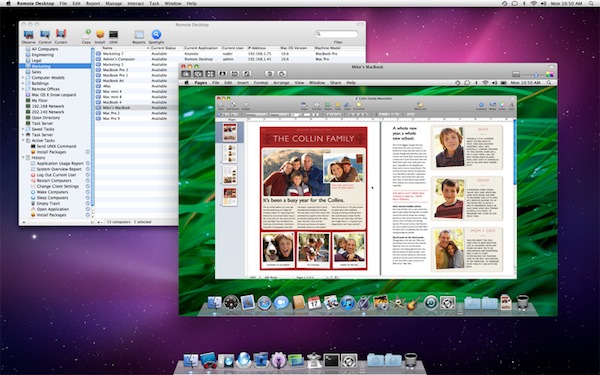
As part of the ongoing series of software updates that Apple is releasing today following the big debut of OS X Lion on the Mac App Store, Apple’s professional tool to access and manage computers on a network, Apple Remote Desktop, was updated as well to incorporate some of the new functionalities baked into Lion. The new version of OS X, in fact, allows users to log into a remote machine (or one on a local network) using a different account than the one currently in use by the second computer; so say your co-worker is logged into his personal account, you can still remotely access his Mac and log into, for instance, a shared work account. This is one of the big new features of Lion that was unveiled with the developer previews, and which works in conjunction with the possibility of remotely logging into a computer using an Apple ID.
The new Apple Remote Desktop isn’t exclusive to Lion (requirements accept OS X 10.6), but it includes Lion’s per-user remote control. Apple writes in the changelog:
You can remotely log in to a Mac with any user account on that computer and control it, without interrupting someone else who might be using the computer under a different login.
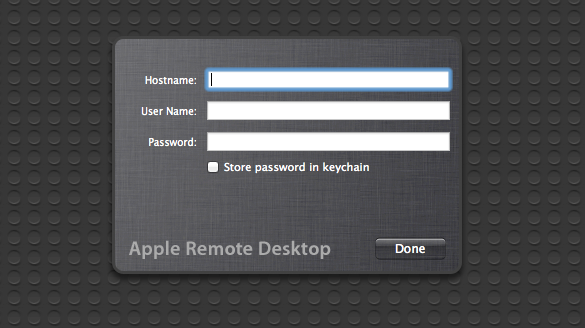
You can read more about all the features offered by Remote Desktop here, and buy the app from the Mac App Store. For those who didn’t purchase Remote Desktop on the Store, there are some updates available on Apple’s website as well:
Lion App Updates: GrowlMail, Pixelmator, Plex, Backblaze
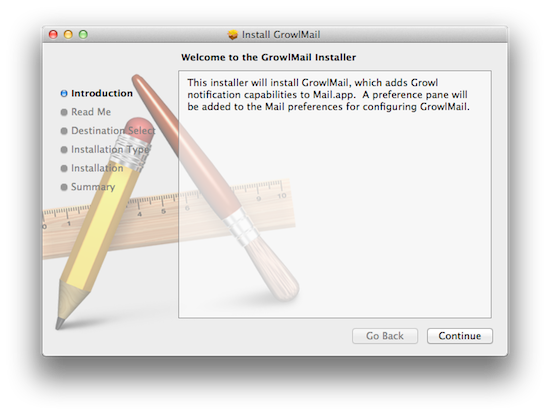
Earlier today, Apple released new hardware, OS X Lion, and a series of software updates to bring new OS compatibility to apps such as the iWork suite, Cocoa enhancements to iTunes, and new features to Safari. Apple also released several minor updates on its Support website, which we outlined in a separate Lion article here. But on the other hand, developers of third-party apps for the Mac haven’t missed the opportunity to update their software following the release of Lion, which is likely being installed and tested for the first time by hundreds of thousands of Mac users as we speak. In the past few hours, we’ve collected the most interesting app updates released today, so check them out after the break. Read more
Xcode 4.1 for Lion Released, Free On Mac App Store
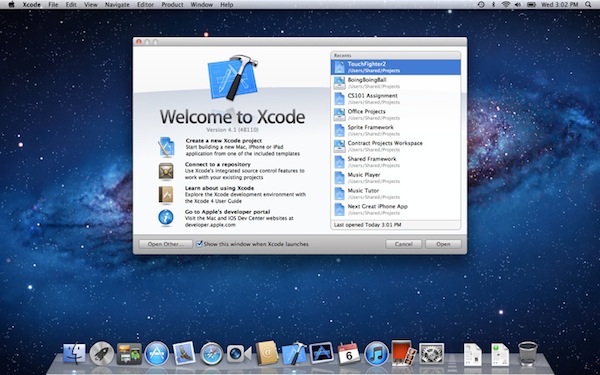
Among all the various software updates released today, Apple also just flipped the switch on a new version of Xcode. Xcode 4.1, after several developer previews, is now available for free on the Mac App Store. From the changelog:
- Includes SDKs for OS X Lion and iOS 4.3
- Interface Builder support for Auto Layout and new Aqua controls such as NSPopover
- Full screen support in workspace, project, and organizer windows
- Project modernization to identify and resolve out of date build settings
- Behaviors can be customized and assigned to unique key bindings
- Source control enhancements to pushing, pulling, and management of remote servers
- Assistant editor support for display of generated assembly and preprocessed output
- Additional bug fixes and stability improvements
Mac OS X Lion is a requirement to download this new version of Xcode. The new 4.1 version, however, shows up as free on older Snow Leopard machines as well. Download here.
Apple Releases iTunes 10.4: Full 64-bit Cocoa On OS X Lion
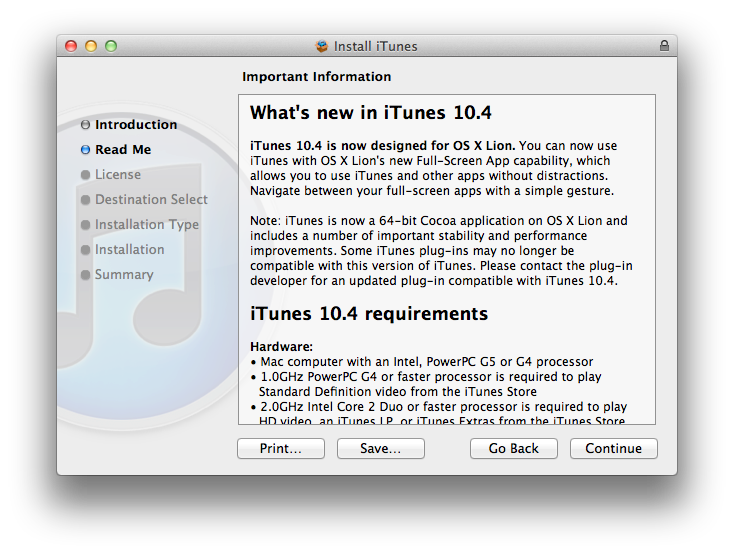
Apple just released an update for iTunes, which reaches version 10.4 and adds a number of important improvements in OS X Lion. The new iTunes does in fact support full-screen mode, but more importantly is a full 64-bit Cocoa application on OS X Lion. This should enable for speedier performances and a more stable app, though we haven’t been able to test it just yet. iTunes 10.4 comes ahead of iTunes 10.5, which has already been seeded to developers and will likely debut this Fall alongside iOS 5 and iCloud. The new iCloud-based features such as automatic downloads and iTunes in the Cloud, however, are available to iTunes 10.3, and now iTunes 10.4, users as well, without needing to get the developer preview.
iTunes 10.4 is now designed for OS X Lion. You can now use iTunes with OS X Lion’s new Full-Screen App capability, which allows you to use iTunes and other without distractions. Navigate between your full-screen apps with a simple gesture.
iTunes is now a 64-bit Cocoa application on OS X Lion and includes a number of important stability and performance improvements. Some iTunes plug-ins may no longer be compatible with this version of iTunes. Please contact the plug-in developer for an updated plug-in compatible with iTunes 10.4.
To enjoy the latest Cocoa enhancements and 64-bit support, you’ll need to have Lion installed on your machine. You can download iTunes 10.4 from Apple’s site or Software Update now.
Update: As far as performances go, if iTunes 10.5 beta is of any indication on my late-2008 MacBook Pro with SSD, the application does seem a little snappier and generally more responsive than older iTunes versions, though it’s not an immediately visible change. The trained eyes of developers will notice the performance improvements and technical changes, but to the average user it’s just the same iTunes, only slightly faster.