Federico Viticci

10766 posts on MacStories since April 2009

Federico is the founder and Editor-in-Chief of MacStories, where he writes about Apple with a focus on apps, developers, iPad, and iOS productivity. He founded MacStories in April 2009 and has been writing about Apple since. Federico is also the co-host of AppStories, a weekly podcast exploring the world of apps, Unwind, a fun exploration of media and more, and NPC: Next Portable Console, a show about portable gaming and the handheld revolution.

“Let’s talk iPhone” Keynote Video Now Available for Streaming [Update: Download Too]

As usual after every keynote, Apple has posted a first video of the event, available for streaming on Apple’s website. You can reach the video here, or by pasting this link in your browser’s address bar: apple.com/apple-events/october-2011. Apple notes “streaming video requires Safari 4 or 5 on Mac OS X Snow Leopard or Lion, Safari on iOS 3 or later, or QuickTime 7 on Windows.”.

A downloadable version of the keynote should be made available on iTunes in a few hours.

Update: The October 4th keynote is now available for download on iTunes through Apple Keynotes’ feed.


Apple Launches iPhone Micro USB Adapter

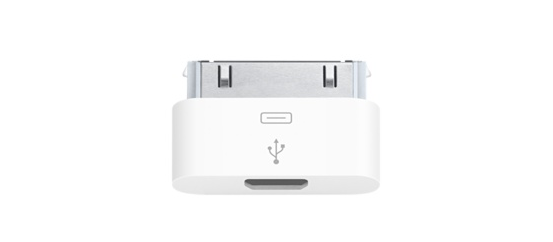
As part of today’s Apple announcements, the company has now updated its online Store with a new Micro USB adapter, which will allow you to use third-party micro USB cables to charge an iPhone 3G, 3GS, iPhone 4 or iPhone 4S.

The Apple iPhone Micro USB Adapter allows you to use third-party micro USB cables and chargers to sync or charge your iPhone. Simply connect your iPhone to the Micro USB Adapter, then connect a micro USB cable or charger to the Micro USB Adapter.

The iPhone Micro USB Adapter is available here and ships in 8 business days. The iPhone 4S will be released on October 14th, with pre-orders starting this Friday. The Micro USB Adapter has been made available on several European stores, presumably following a decision of the European Commission last year. This new little dongle is £8 in the UK, and €9 in other countries. Currently, the US Apple online Store hasn’t been updated with the iPhone Micro USB Adapter.


Apple to Developers: Submit Your iOS 5 and iCloud Apps Today

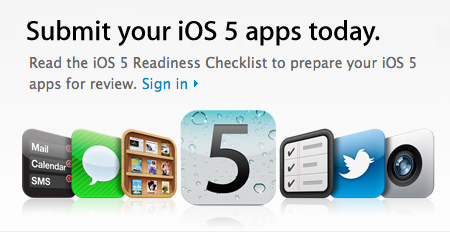
Following the release of the Golden Master seed of iOS 5, Apple has updated its developer portal with a new “iOS 5 Readiness Checklist”, asking developers to start submitting apps written specifically with the iOS 5 SDK. The checklist includes links to the iOS 5 SDK release notes, Xcode 4.2 for developers, and obviously detailed explanations of the various functionalities that will be introduced in iOS 5, such as Twitter integration, Newsstand, iCloud data storage, and more. Developers can head over this page to check out Apple’s resources for developing and submitting iOS 5 apps.

The next generation of the world’s most advanced mobile operating system will soon be in the hands of hundreds of millions of iPhone, iPad and iPod touch customers. Test your existing apps for compatibility and submit your new apps that take advantage of the exciting technologies in iOS 5 today.

The next generation of the world’s most advanced mobile operating system will soon be in the hands of hundreds of millions of iPhone, iPad and iPod touch customers. This major new release features more than 200 new features and an updated SDK with over 1,500 new APIs and developer tools.

Get your apps ready for the next generation of iOS. Install the GM seed of iOS 5 and build your apps with Xcode 4.2 GM seed. Test your existing apps for compatibility, review the iOS Data Storage Guidelines, and submit your new apps that take advantage of the exciting technologies in iOS 5 today.

iOS 5 and iCloud will be officially released on October 12th.

Update: Apple has sent two different email to iOS and Mac developers – the latter asking makers of software for OS X to submit iCloud-compatible apps today. Developers will be able to create apps that keep documents up to date across multiple machines thanks to iCloud, which automatically stores and pushes content to all your devices.

As a Mac Developer Program member you can now download the GM seeds of OS X Lion 10.7.2 and Xcode 4.2 and submit your iCloud enabled apps to the Mac App Store. With iCloud Storage APIs, your apps can store documents and key value data in iCloud. The documents are automatically kept up to date on all devices.


iCloud will be available on the next Lion software update, version 10.7.2, which has been seeded as GM today to developers for final testing.


Apple Releases iOS 5, OS X 10.7.2 GM Seeds

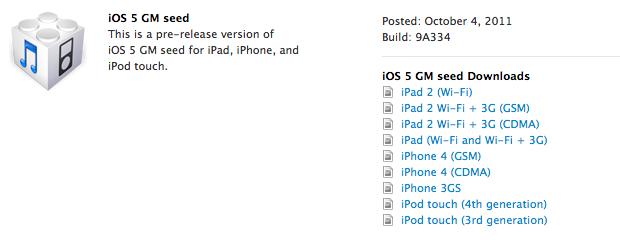
Apple has just released the Golden Master (GM) version of iOS 5 to developers. Build 9A334 is now available in the iOS Dev Center. A Golden Master seed of iOS is usually the same version that will ship to the public within a few weeks.

iOS 5 is the next major release of Apple’s mobile operating system for iPhone, iPad, and iPod touch, bringing new features like PC-Free setup, iCloud, Notification Center and direct Twitter integration to iOS devices. iOS 5 will be released on October 12th. Additionally, Apple has also released the GM seed of OS X 10.7.2, the next software update for OS X Lion that will bring minor features and optimizations and, more importantly, full iCloud support on the desktop.


Apple Officially Unveils Siri Voice Assistant - Supports English, French and German

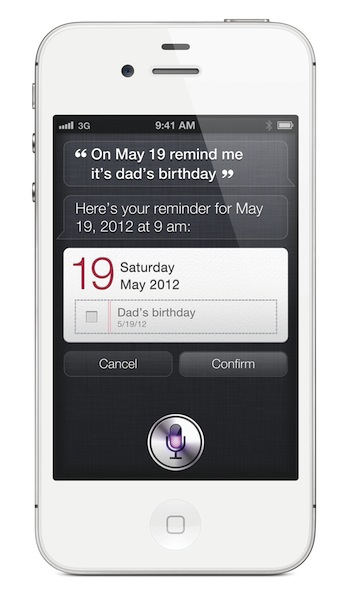
Following the iPhone 4S official announcement at its media event in Cupertino, Apple has formally taken the wraps off Siri, the new voice-based assistant Apple has been rumored to be building for quite some time. Phil Schiller kicked off the Siri demo saying he wished modern devices would understand the things we’re asking them. Natural language, normal questions like “Should I take an umbrella today?” or “Will it rain tomorrow in Cupertino’”. Siri will be able to respond to a user’s questions, and provide information and data in real-time in brand interface. The design looks largely similar to a mockup posted last week.

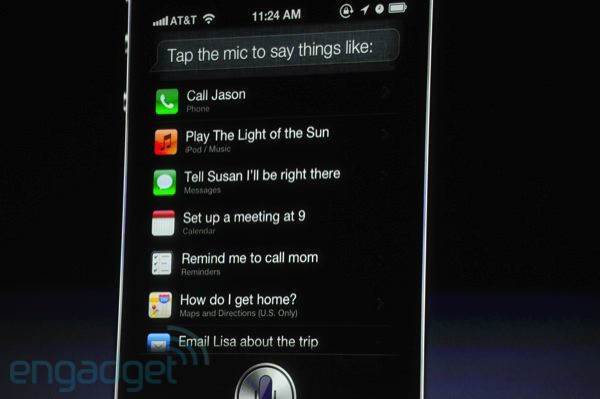
Siri will be able to check the weather, stocks information, find nearby restaurants and places, set alarms and even give you directions. Siri will also be able to send text messages and read them, which can be particularly useful if you have an iPhone in your pocket and using a Bluetooth headset.

Siri knows, and always remembers. For example, Apple gave a demo in which, upon receiving a text message, the user had to know whether he was busy on a specific day. From a single Assistant interface, which was brought up following the new text message, Scott Forstall had a “conversation” with Siri, asking it if he could schedule a meeting on Friday. Siri checked on the upcoming Calendar events, found a free spot, and “replied” a meeting at the previously specified time would indeed be possible. Siri then transcribed a text message, and sent it back in the original SMS conversation.

[images via]

Siri can look up words, currency conversions, email people, set reminders and calendar events, find addresses – it also integrated with Wolfram Alpha to check on information available on the popular online service. The interface uses a mix of linen – judging from some early screenshots – conversation bubbles, and textured paper objects. As previously rumored, systemwide dictation is also available through Siri.

Siri is a new feature of the iPhone 4S. The first “beta” period will support English (US, UK, and Australia), French, and German.

Here’s what Apple says about Siri in the official press release:

iPhone 4S also introduces Siri, an intelligent assistant that helps you get things done just by asking. Siri understands context allowing you to speak naturally when you ask it questions, for example, if you ask “Will I need an umbrella this weekend?” it understands you are looking for a weather forecast. Siri is also smart about using the personal information you allow it to access, for example, if you tell Siri “Remind me to call Mom when I get home” it can find “Mom” in your address book, or ask Siri “What’s the traffic like around here?” and it can figure out where “here” is based on your current location. Siri helps you make calls, send text messages or email, schedule meetings and reminders, make notes, search the Internet, find local businesses, get directions and more. You can also get answers, find facts and even perform complex calculations just by asking.

Read more


Apple Announces iPhone 4S: A5, 8 MP Camera, 1080p Video Recording - Available October 14th


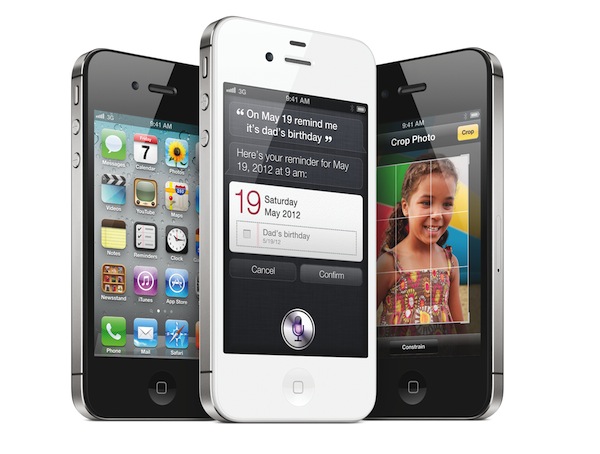
Apple’s Phil Schiller took the stage today at Apple’s media event in Cupertino to officially unveil the iPhone 4S, Apple’s latest entry in the iPhone family. As widely expected, the iPhone 4S looks exactly like the existing iPhone 4 model – industrial design with metal band in the middle, glass front and rear panels.

The iPhone 4S is powered by Apple’s dual-core A5 chip, which will allow for graphics up to 7 times faster. To demonstrate the 4S’ graphic capabilities, Apple invited Epic Games on stage to demo Infinity Blade 2, which will be available on December 1. In spite of the iPhone 4S’ faster processor and dual-core graphics, Apple is guaranteeing 8 hours of 3G talk time, 6 hours of 3G browsing, and up to 10 hours of video/40 hours of music.

The iPhone 4S comes with a new wireless system as well – downloads are faster over 3G with up to 14.4Mbps down. The iPhone 4S is a world-phone as previously rumored, integrating both GSM and CDMA technologies in a single, updated antenna design.

The camera has been improved: the 4S has an 8 megapixel sensor shooting pics at 3264 x 2448 resolution. That’s 60% more pixels that the old iPhone’s camera. The iPhone 4S’ camera has backside illumination, the new sensor will allow the camera to gather 73% more light, and it’s faster than the iPhone 4’s old camera. The new Image Signal Processor Apple designed will also enable face detection and 26% better white balance. Apple has compared the iPhone 4S’ camera loading times to other phones, and it turned out the iPhone 4S shoots the first photo in a second, with the second picture to follow in 0.5 seconds. Apple has touted the iPhone 4S’ camera as one advanced piece of technology producing beautiful shots, which can also be used for macro photography if the user wants.

The iPhone 4S does 1080p video recording with image stabilization and temporal noise reduction. Because the 4S is more powerful than the old iPhone 4, Apple has now enabled AirPlay Mirroring to mirror the display to an Apple TV (just like the iPad 2 already does), as well as video out. Read more


Apple Announces Location-based “Find My Friends”


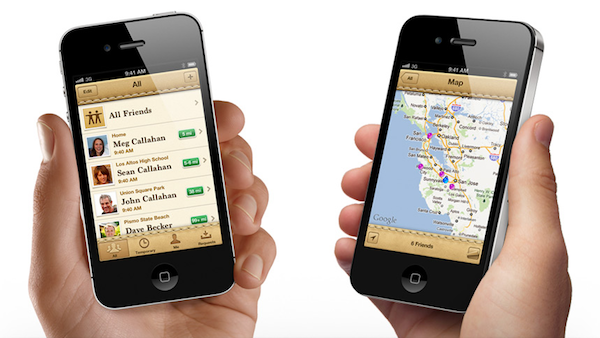
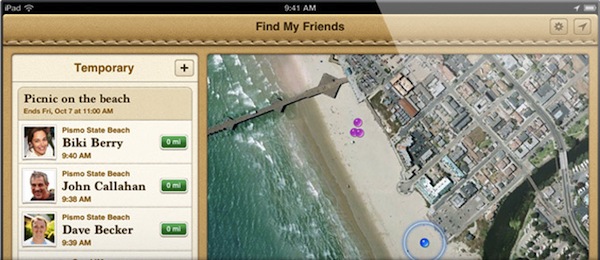
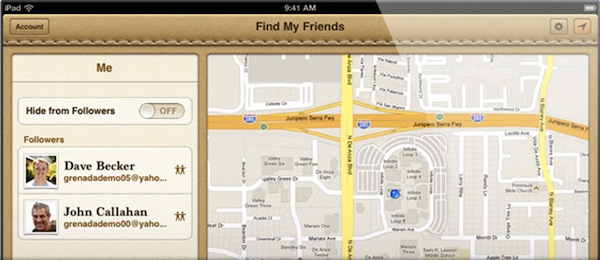
Previously rumored to be an upcoming feature of iOS 5 and iCloud, Apple has just formally introduced Find my Friends, a new service to “find” the people that have opted to share their location with you. According to the presentation, you’ll be able to invite friends to share their location with you for a limited time, so, for example, you’ll be able to see them in real-time as they’re driving to your house; there are privacy options and parental restrictions to make sure the user has control over what’s being shared and how location appears on a map.

Find my Friends will be available when iCloud launches – October 12th.

Update: Here’s a lot more information about Find my Friends available directly from Apple. First, the proper PR introduction:

Find My Friends is a new app available as a free download from the App Store that lets you easily share your location with people who are important to you. Friends and family appear on a map so you can quickly see where they are. Find My Friends also lets you temporarily share your location with a group of friends, whether it’s for a couple of hours for a dinner or a couple of days on a camping trip; when the time is up, the sharing ends. With Find My Friends, you get a notification every time you get a new friend request and if you give them permission, they can see your location. With a simple tap you can hide your location. Parental controls help you manage how your child uses Find My Friends.

Apple has also put up a dedicated webpage alongside Find my iPhone, detailing the features of Find my Friends. The new app is integrated with Contacts and Maps, has a preference panel inside Settings -> General, and will allow you to find friends on a map, but also control how your location is shared, and for how long. You can choose to “temporarily share your location with a group of people”, and when a notification for a new friend request appears, you can accept it to let the new friend see your location. Otherwise, flipping the switch to off will hide your location. And about the aforementioned parental restrictions:

Parental restrictions help you manage how your children use Find My Friends. Controls are quick and easy to set up and require a password to override your settings. That way your kids can have fun — and you can make sure they stay safe.


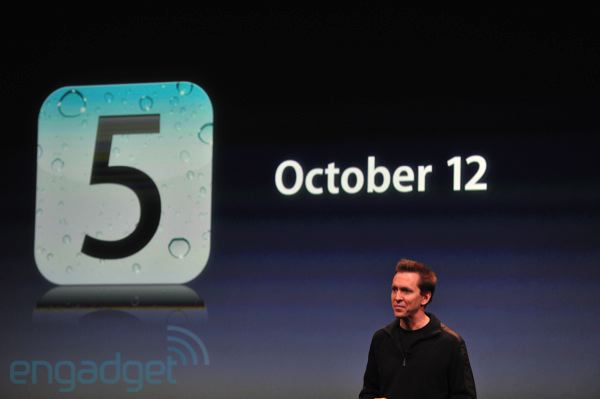
Apple Confirms: iOS 5 and iCloud Launch on October 12th

At its keynote in Cupertino, Apple has confirmed the next major version of iOS, iOS 5, will be available on October 12th for all customers.

iOS 5 is the next major release of Apple’s mobile operating system for iPhone, iPad, and iPod touch, bringing new features like PC-Free setup, iCloud, Notification Center and direct Twitter integration to iOS devices.

Update: Alongside iOS 5, Apple’s new suite of cloud services, iCloud, will be available for free on October 12th.

[image via]


Apple Announces New “Cards” iOS App

Apple’s Senior VP of iOS Software Scott Forstall took the stage today at Apple’s media event to announce Cards, a new iOS app to create a card on your phone, with Apple printing it, embossing it, and mailing to you. Users can choose between 21 different designs, and the app will support iOS 5’s new push notification system. The app will be available on the App Store on October 12th; Apple says mailing cost for cards will be $2.99 in the United States.

We’ll have a more detailed look at Cards for iPhone once it’s available on the App Store.

[image via]