
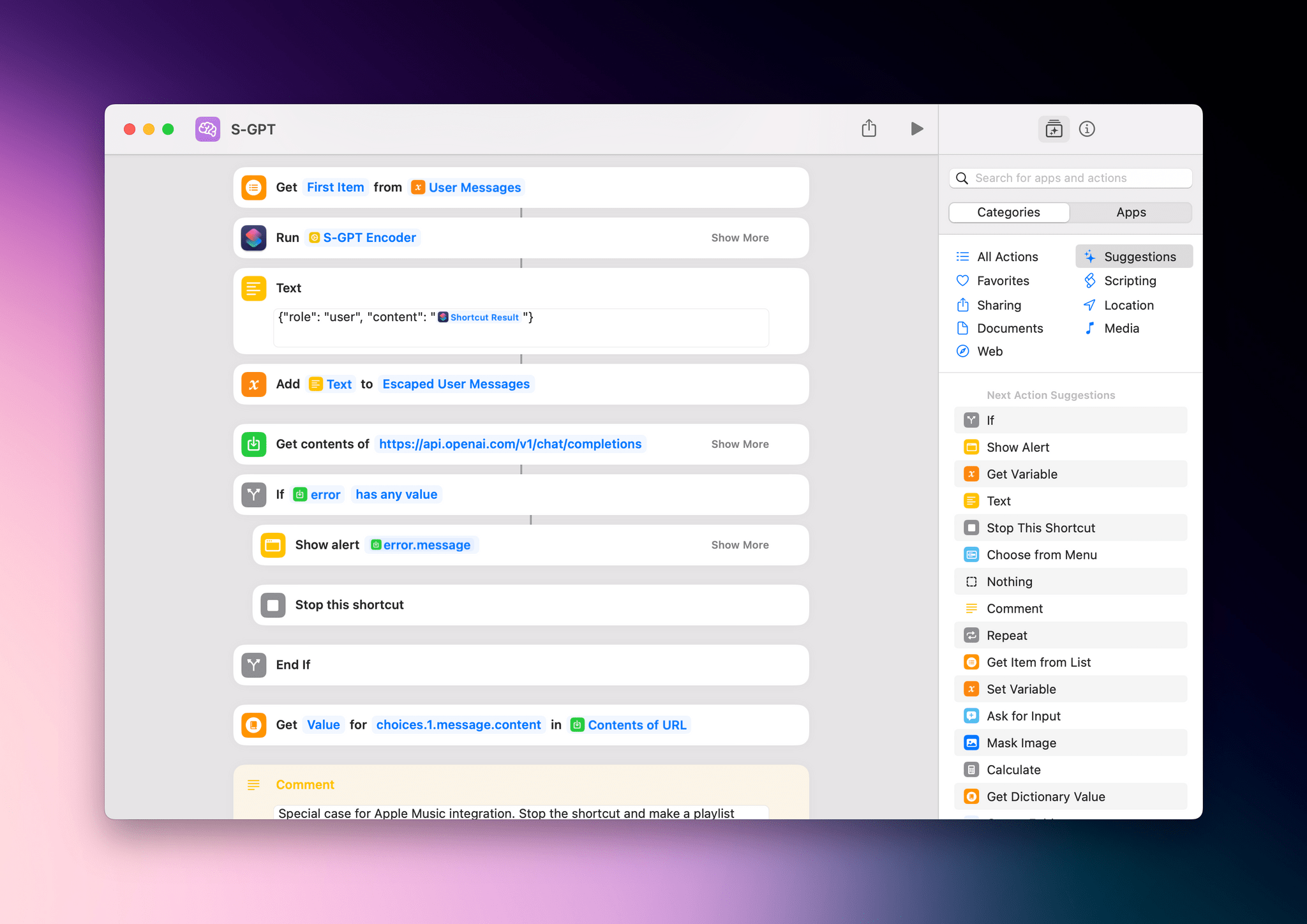
Last week on MacStories, I published S-GPT, an advanced shortcut for ChatGPT that lets you have conversations with OpenAI’s powerful assistant while also leveraging native integrations on Apple platforms. S-GPT supports native functionalities of iOS, iPadOS, watchOS, and macOS such as the system clipboard, Live Text, Reminders and Calendar, and even playlists in the Music...
Read moreS-GPT 1.0.2 Brings Date and Time Awareness, Integration with macOS Services Menu, Passthrough Mode, Better HomePod Support, and More
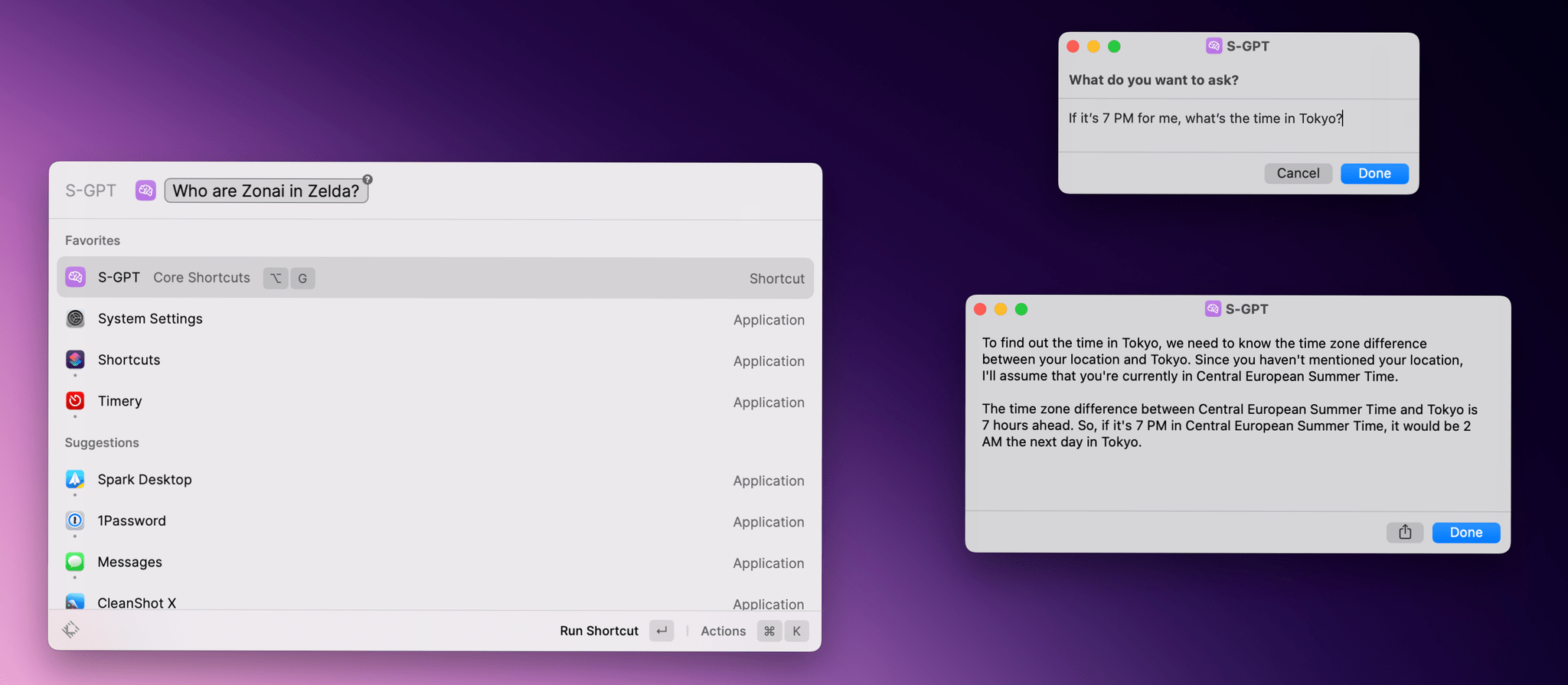
I just published version 1.0.2 of S-GPT, the shortcut I released last week to have conversations with OpenAI’s ChatGPT and integrate it directly with native features of Apple’s OSes. You can find the updated download link at the end of this post, in the original article, and in the MacStories Shortcuts Archive; before you replace version 1.0.1 of S-GPT, save your existing OpenAI API key somewhere as you’ll have to paste it again in the shortcut later.
I’m going to include the full changelog for S-GPT 1.0.2 below, but long story short: S-GPT is now aware of the current date and time, and I’ve heard all the requests about improving interactions with the HomePod and Siri, so I made that part much better. S-GPT can now perform a variety of date/time calculations with natural language, and you can end a conversation by saying “no” or “stop”.
 Automation April: A Link Management Workflow and S-GPT
 John
John
AppStories Episode 324 - Automation April: A Link Management Workflow and S-GPT
0:00
49:43
49:43
This week, John explains his new link management workflow, combining a series of apps and shortcuts, and Federico shares more about his S-GPT shortcut that integrates ChatGPT with Apple’s OSes.
 Customizing S-GPT with Different Personalities
Earlier this week on MacStories, I shared S-GPT, my shortcut to have conversations with OpenAI’s ChatGPT assistant from Apple devices and integrate it with native functionalities of iOS, iPadOS, macOS, and watchOS. Today on MacStories, I also released a small 1.0.1 update with some initial bug fixes and improvements for Apple Watch users. In the...
Making Dictation Input the Default Option in an Apple Watch Shortcut
I’ve already started working on updates to S-GPT, the shortcut for ChatGPT I released earlier this week on MacStories. Among the (many) features I wasn’t able to add in time for version 1.0, there is one that is surprisingly tricky to figure out in Shortcuts, and which deserves a mention here: how to ensure that...
S-GPT 1.0.1→
I just released a small bug fix update for S-GPT, my shortcut to integrate OpenAI’s ChatGPT large language model with the Shortcuts app on all Apple platforms.
Version 1.0.1 of S-GPT is a relatively minor update that comes with an initial round of improvements based on early feedback I’ve received for the shortcut, including:
- A proper error-checking alert that tells what went wrong with a request to the ChatGPT API;
- A better summarization of Safari webpages passed from the share sheet that no longer “hallucinates” results but actually summarizes text extracted via Safari’s Reader technology from any web article;
- A new behavior for text input on watchOS, which now defaults to dictation rather than keyboard input. I’ve covered this more in detail in today’s issue of MacStories Weekly for Club members.
Additionally, I also realized that the usage tips that S-GPT was displaying every time it asked you to enter some text may have been nice the first three times you used the shortcut, but became annoying very quickly. That was especially true when using S-GPT with Siri in a voice context since they would be read aloud every time. For these reasons, I removed tips and simplified the shortcut’s questions to “What do you want to ask?” and “Want to follow up?”.
In case you missed my introduction of S-GPT earlier this week, you can read the original story here and find out more about how the shortcut works and what it does. I updated the links to the S-GPT and S-GPT Encoder shortcuts in the story to the latest version; you can also find the updated shortcuts in MacStories Shortcuts Archive.
I just released a small bug fix update for S-GPT, my shortcut to integrate OpenAI’s ChatGPT large language model with the Shortcuts app on all Apple platforms.
Version 1.0.1 of S-GPT is a relatively minor update that comes with an initial round of improvements based on early feedback I’ve received for the shortcut, including:
- A proper error-checking alert that tells what went wrong with a request to the ChatGPT API;
- A better summarization of Safari webpages passed from the share sheet that no longer “hallucinates” results but actually summarizes text extracted via Safari’s Reader technology from any web article;
- A new behavior for text input on watchOS, which now defaults to dictation rather than keyboard input. I’ve covered this more in detail in today’s issue of MacStories Weekly for Club members.
Additionally, I also realized that the usage tips that S-GPT was displaying every time it asked you to enter some text may have been nice the first three times you used the shortcut, but became annoying very quickly. That was especially true when using S-GPT with Siri in a voice context since they would be read aloud every time. For these reasons, I removed tips and simplified the shortcut’s questions to “What do you want to ask?” and “Want to follow up?”.
In case you missed my introduction of S-GPT earlier this week, you can read the original story here and find out more about how the shortcut works and what it does. I updated the links to the S-GPT and S-GPT Encoder shortcuts in the story to the latest version; you can also find the updated shortcuts in MacStories Shortcuts Archive.
S-GPT
S-GPT is a shortcut to have conversations with OpenAI’s ChatGPT assistant on your iPhone, iPad, and Mac. The shortcut supports both text conversations as well as voice interactions when used inside Siri. S-GPT comes with native system integrations on Apple platforms including the ability to process text from your clipboard, summarize text found in photos, export conversations to Files and Finder, and even create playlists in the Music app. The shortcut requires an OpenAI API token and a helper shortcut called S-GPT Encoder that needs to be downloaded separately.

S-GPT Encoder
This is a helper shortcut for S-GPT that needs to be downloaded and installed separately. Without this shortcut, S-GPT won’t work.
Introducing S-GPT, A Shortcut to Connect OpenAI’s ChatGPT with Native Features of your iPhone, iPad, and Mac
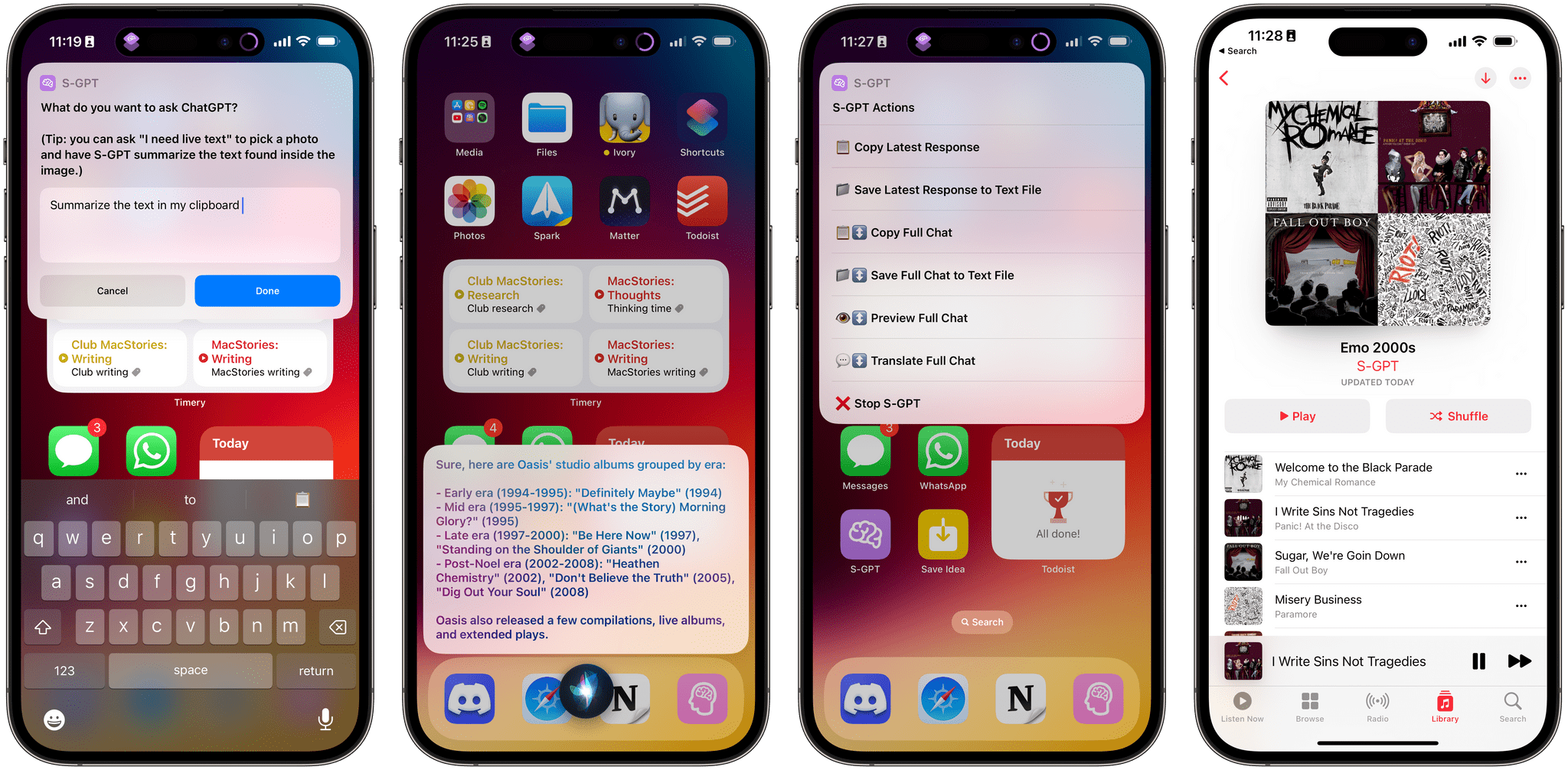
It’s the inaugural week of the second annual edition of Automation April, and to celebrate the occasion, I’ve been working on something special: today, I’m introducing S-GPT, an advanced conversational shortcut for ChatGPT that bridges OpenAI’s assistant to native system features of iOS, iPadOS, macOS, and watchOS.
S-GPT (which stands for Shortcuts-GPT) is free to use for everyone, but it requires an OpenAI account with an associated pay-as-you-go billing plan since it takes advantage of OpenAI’s developer API, which has a cost. S-GPT was built with the latest ChatGPT API, and it can be used both with the existing ChatGPT 3.5 model or – if you have access to it – the ChatGPT 4 API.
While the shortcut is free for MacStories readers, I will be publishing a detailed, in-depth Automation Academy class soon for Club MacStories Plus or Premier members to explain the techniques and strategies I used to build this shortcut. I genuinely think that S-GPT is, from a technical perspective, my best and most advanced work to date; I hope my Academy class will help others learn some useful tips for Shortcuts and, in return, make even better automations for our contest.
With that said, let’s look at what S-GPT is and what you can do with it.
Automation April: Shortcuts Check-In
Sending Custom Push Notifications with Alerty and Shortcuts
Earlier this week on MacStories, I mentioned Alerty, a relatively new web service that allows you to send push notifications to an API and have them delivered to all your devices signed into the Alerty website. What’s unique about Alerty, and the reason why I wanted to do something with it this Friday, is that...