Federico Viticci

10758 posts on MacStories since April 2009

Federico is the founder and Editor-in-Chief of MacStories, where he writes about Apple with a focus on apps, developers, iPad, and iOS productivity. He founded MacStories in April 2009 and has been writing about Apple since. Federico is also the co-host of AppStories, a weekly podcast exploring the world of apps, Unwind, a fun exploration of media and more, and NPC: Next Portable Console, a show about portable gaming and the handheld revolution.

The Everpix Shutdown

From the Everpix blog:

It’s frustrating (to say the least) that we cannot continue to work on Everpix. We were unable to secure sufficient funding in order to properly scale the business, and our endeavors to find a new home for Everpix did not come to pass. At this point, we have no other options but to discontinue the service.

I’m sad that Everpix is going away. For a very long time, I debated whether Everpix was worth trying out: the service looked good, and I was only hearing great things from happy customers. So after the discussion we had with Bradley on The Prompt, I signed up, imported seven years of photos, and then paid the annual membership to support Everpix and unlock all features.

I’m not disappointed about the money (Everpix says that all paying customers will be refunded) – I’m just sad that an amazing service is going away because they couldn’t figure out a business model. Everpix was fantastic: photos were grouped by year and pulled from a variety of sources like Instagram and even Messages for OS X automatically. The Flashback feature showed me each morning photos that I took on the same day years ago. They weren’t always the most pleasant memories, but they were my memories, and as such they were cherished. That part – the magic of this software going away – is what saddens me as a user, not just as a customer. I genuinely loved what Everpix was doing.

If there’s a lesson to be taken away, it’s that building great products doesn’t equal building solid businesses. It’s a harsh reality and it’s applicable to any kind of entrepreneurial endeavor – the product that you love crafting for yourself (as Everpix did) doesn’t necessarily mean you’ve created a sustainable business. The Verge has a good story about Everpix, and I’d like to highlight this bit:

The founders acknowledge they made mistakes along the way. They spent too much time on the product and not enough time on growth and distribution. The first pitch deck they put together for investors was mediocre. They began marketing too late. They failed to effectively position themselves against giants like Apple and Google, who offer fairly robust — and mostly free — Everpix alternatives. And while the product wasn’t particularly difficult to use, it did have a learning curve and required a commitment to entrust an unknown startup with your life’s memories — a hard sell that Everpix never got around to making much easier.

Rimer put it a bit differently: “Having a great product is not the only thing that ultimately makes a company successful.”

I loved my three weeks of Everpix. It would be great to see an open-source version of its engine, or perhaps Apple taking everything that made Everpix great (including its team) and using it for the ridiculous mess that is iPhoto (and Photo Stream).

I don’t know if I’ll have the energy to fall in love with another third-party photo service any time soon. I’m just glad that I never stopped backing up my JPEGs.

Permalink

Tweetbot Workflow: Upload and Share Dropbox Text Files

Tweetbot workflow

Tweetbot workflow

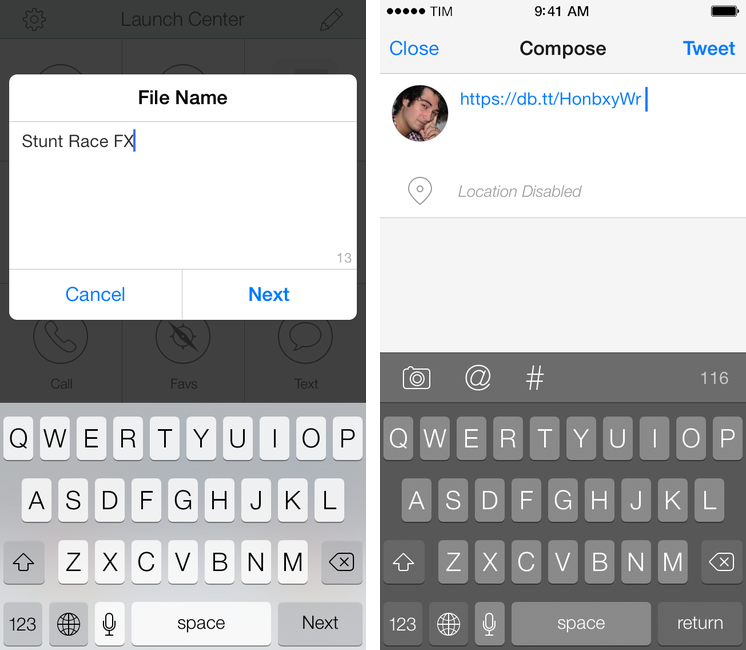
In Tweetbot 3, Tapbots removed the ability to post tweets longer than 140 characters using built-in services for text upload. While I understand that it wasn’t one of Tweetbot’s most used features, its removal got me thinking: would it be possible to replicate the feature using Dropbox and plain text files in an automated iOS workflow? I came up with a solution that requires Launch Center Pro and Drafts, and I’m quite happy with it.

Read more


Apple’s Remote and iOS 7 Design

Remote

Remote

Earlier today, Apple released an update to the official Remote app for iPhone and iPad that brings an iOS 7 redesign and support for the latest version of iTunes. While I wouldn’t consider myself a heavy user of Remote, I like to keep it on my iPhone for those times when I have friends over for dinner and my MacBook is playing music in the background. The new app doesn’t come with groundbreaking new features but it’s got some iOS 7 design decisions worth pointing out.

Read more


Interesting for iOS 7

Interesting 2.0

Interesting 2.0

Back in December 2012 I linked to Interesting, an iPhone news aggregator developed by Mike Rundle that was focused on providing simple access to tech and entertainment news in a delightful design. I wrote:

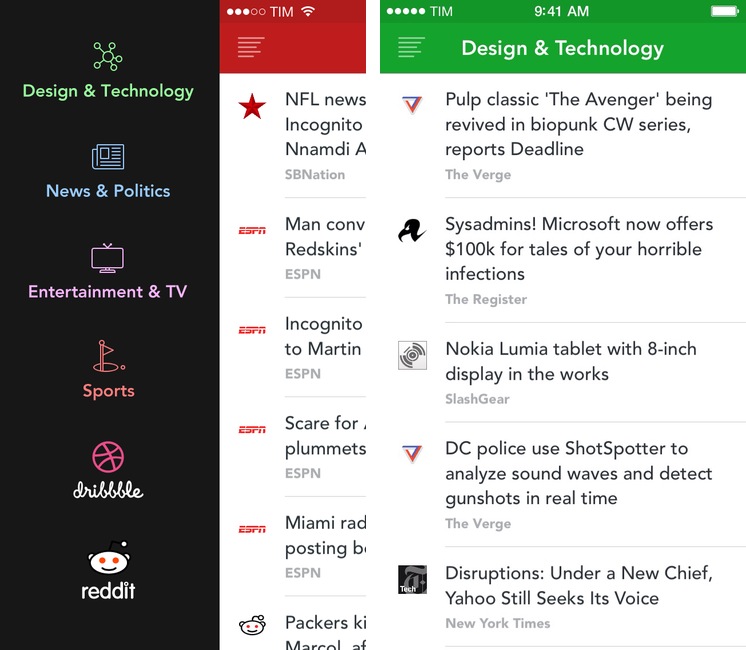
Interesting collects new articles from a variety of sources and displays a list of entries in reverse chronological order. Tapping on an item opens an embedded web view, which has a toolbar for navigation, refresh, and sharing options. Sharing includes Pocket and Twitter integration, Copy Link, Open in Safari, and Mail Link. Interesting has four sections: Design & Technology; News & Politics; Entertainment & TV; and Sports. The built-in list of sources includes websites like The Next Web, Wired, SBNation, CNN, SPIN, and various sub-reddits.

Released today, Interesting 2.0 is a major update to the original app that introduces a new interface for iOS 7 and adds more content sources to allow users to fetch even more articles to preview in the app or open in Safari.

Read more


Mavericks Tags with Alfred 2

I was really excited when Apple announced to add tag support to Finder with OS X 10.9 Mavericks. But after installing the OS update and playing with the new tag feature, I was a bit disappointed on how the feature was implemented. There was neither a command line utility to manage tags nor was there a way to do this with AppleScript. – At least, I did not find a proper solution. So, to add/remove tags to/from a file or folder one had to open the info dialog (⌘+I) and modify the tags in the new input field at the top.

Good work by Marko Kästner. Mavericks’ Finder can be slow at searching or adding tags for power users; Marko’s workflow is nicely integrated with Alfred and it can be activated with a keyboard shortcut.

Permalink

Fixing iOS Screenshot Status Bars with Python

Dr. Drang:

On last week’s episode of The Prompt, Federico went off on a rant about ugly iOS screenshots. He wasn’t complaining about the apps themselves being ugly, he was chastising those of us who post screenshots with status bars showing inconsistent times, signal strengths, and battery levels. And Lord help you if your battery icon is in the red.

His recommendation was Status Magic, a Mac app that cleans up the status bars in your iOS screenshots and makes them uniform. It looks like a nice app, but my thoughts gravitated toward a script using the Python Imaging Library. Why would I write a script when an inexpensive app is available?

Fixing iOS status bars is one of the reasons I need to use my Mac with Status Magic because there is no similar app on iOS. I am playing around with Dr. Drang’s script, which can be easily adapted to Pythonista and integrated with the app’s photos module for Camera Roll integration. Putting together status bar replacement images that match Apple’s ones is a bit of work (it’s tricky to get the fonts right, but now I’m trying this) and they won’t produce good results with blurred status bars, but those are the same inconveniences that iOS 7 brought to Status Magic anyway.

I’m looking forward to seeing what tweaks and improvements the Doctor will make to his script. Once I have a good solution for Pythonista (which I already use to combine screenshots on iOS), my iOS writing and editing workflow for text and screenshots will be largely similar to the OS X one (I still need a good uploader for Cloud Files and an iOS version of this).

Permalink


Retiring Fontcase

Bohemian Coding:

Fontcase saw its first light in 2009, and the Mac landscape has changed a lot since.

The App Store came along and we jumped in enthusiastically, but with the advent of enforced sandboxing, and the tightening up that every OS release brings, things have become rather difficult.

Fontcase was one of my first app reviews for MacStories in 2009 and we even had a “behind the scenes” look at Fontcase 1.0 with prototypes and mockups shared by lead developer Pieter Omvlee. Retiring Fontcase allows Omvlee and his team to focus on Sketch, which is great news.

Permalink

Poster Updated for iOS 7

Poster 3

Poster 3

In June, Automattic acquired Poster, a popular WordPress client for iPhone and iPad that featured Dropbox integration, Markdown support, and advanced actions for power users. Poster was, before Editorial, the app that I used to write articles from my iPad and iPhone, and I wasn’t thrilled when developer Tom Witkin announced the app would be discontinued.

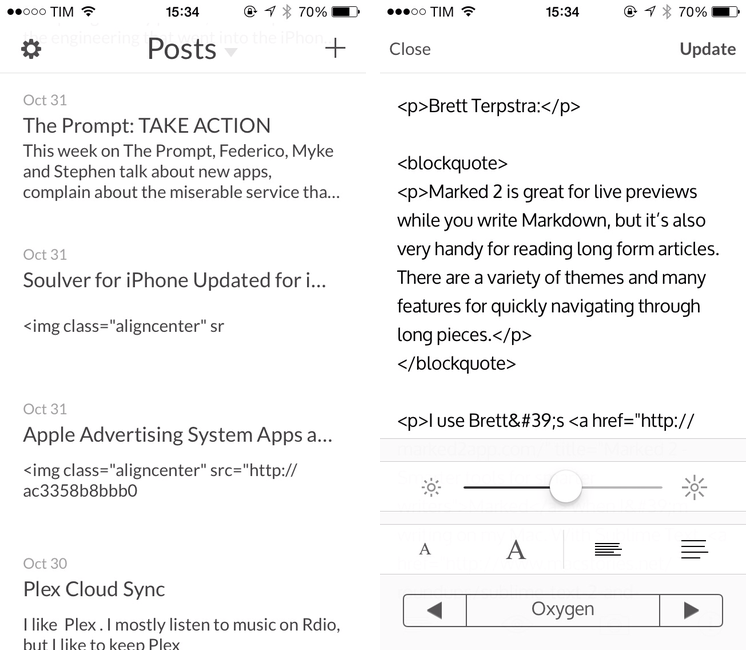
To my surprise, the app – which was pulled from the App Store after the acquisition – has been updated to version 3.0 this week, adding iOS 7 compatibility and fixes. There are no new notable additions, but the entire Poster UI has been updated for iOS 7 and there is a new line height option in the preview menu; Witkin got rid of textures and iOS 6-style buttons, adding subtle animations for navigation and other menus. It’s still the same Poster, only with an iOS 7 interface and less crashes.

However, the bad news is that, because the app isn’t available on the App Store anymore, only old customers can download the updated version. If you bought Poster in the past, open the App Store, find the Purchased section, and look for Poster; tap Open/Download, and the app should be reinstalled with the new version 3.0 that Witkin made for iOS 7.

Witkin figured out a way to update Poster for old customers who don’t want to switch to the official WordPress client, and I’m glad he did because some of Poster’s more advanced functionalities are still nowhere to be seen in WordPress for iOS or other text editors. I don’t know if Witkin will keep on releasing compatibility updates in this way, and, unless major changes are made, Poster will eventually stop working with future versions of iOS or WordPress – but until that day, you can enjoy Poster 3 for iOS 7. It’s still a great app.