Federico Viticci

10929 posts on MacStories since April 2009

Federico is the founder and Editor-in-Chief of MacStories, where he writes about Apple with a focus on apps, developers, iPad, and iOS productivity. He founded MacStories in April 2009 and has been writing about Apple since. Federico is also the co-host of AppStories, a weekly podcast exploring the world of apps, Unwind, a fun exploration of media and more, and NPC: Next Portable Console, a show about portable gaming and the handheld revolution.

This Week's Sponsor:

Crickets

The first alarm app for families.


Due Reminder and Timer App Refreshed for iOS 7

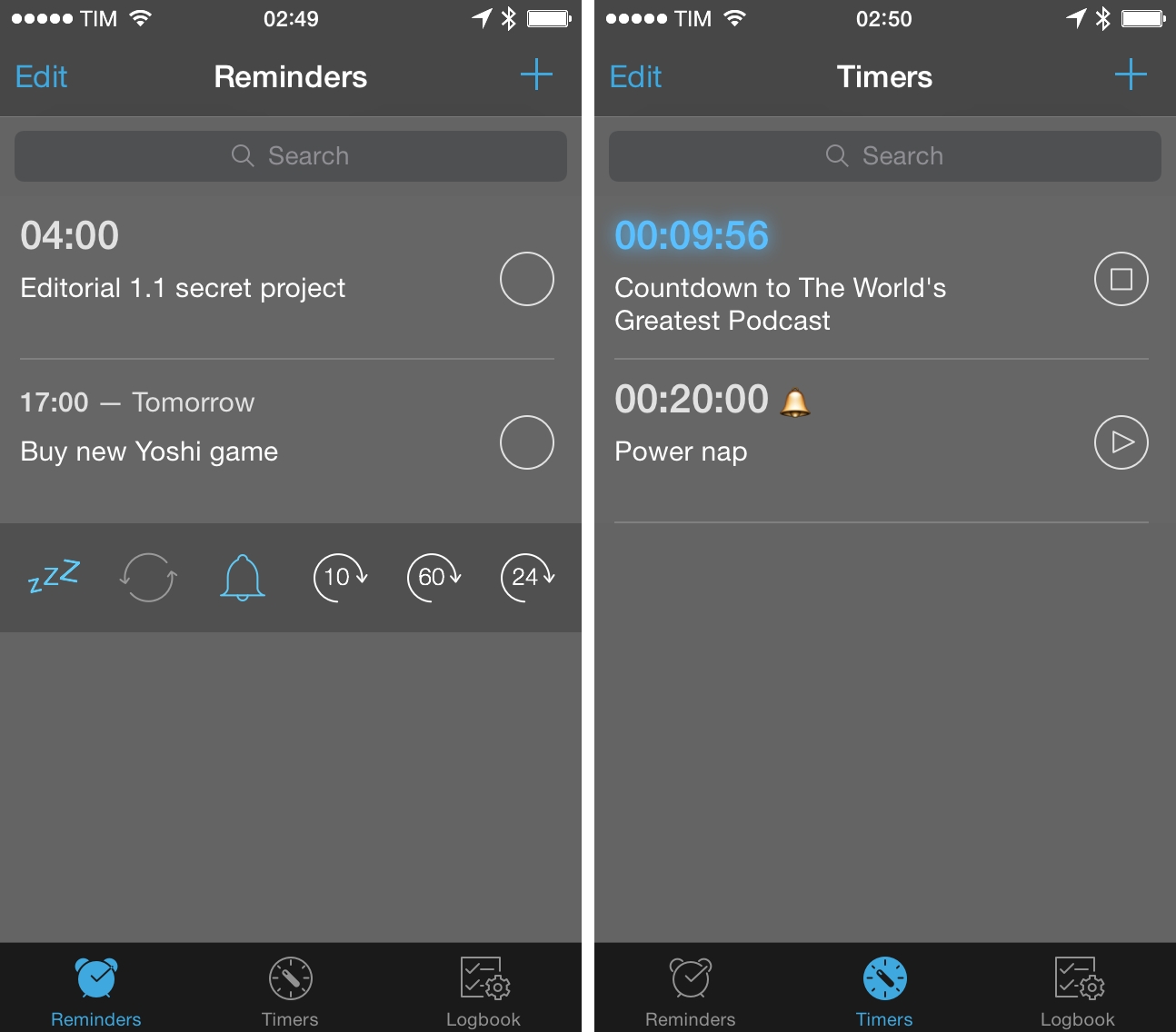
Due is a super fast reminder and timer app for iOS that I’ve been using on my devices for a long time. I’ve been following the development of the app through the years – Due is made by Lin Junjie, the same developer of the excellent Dispatch mail client for iPhone.

Due is highly customizable if you’re a power user, it syncs with Dropbox, and it’s also got a Mac app. Due provides more features for timers and time-based reminders than Apple’s Clock and Reminders apps, and it can be integrated with other apps in lots of cool ways.

Development of Due 2.0 is well underway, but in the meantime version 1.10 has been released with a refreshed interface for iOS 7. The UI update doesn’t change much about the app’s structure – everything still works the same – but it makes the app more pleasant to the eye on the new OS. Thankfully, the developer has kept a dark design so the app doesn’t have a plain white background like several other iOS 7 apps.

In terms of feature set, Due still has a lot to offer, especially for timers and snooze settings, but I’m looking forward to seeing how Due 2.0 will bring new functionalities to the almost four-year-old app. Due 1.10 fixes a few bugs, but there are no new features except for the updated interface.

Due is $4.99 on the App Store.

Next Angry Birds Game To Be Turn-Based RPG→

According to Kotaku, the next Angry Birds game is going to be a turn-based RPG called Angry Birds Epic. The game will soft-launch in Australia and Canada (so that Rovio will have time to gather feedback from a smaller audience and tweak the game before a general release) and it will have a crafting system.

Considering what Rovio did with another genre spin-off, Angry Birds Go, I wouldn’t be surprised to see a lot of In-App Purchases for casting spells, summons, or getting more powerful equipment and items for crafting. IAPs were overused in Go, so I’m a bit skeptical about Epic.

Permalink

1Password 4.2 for Mac Features Improvements To 1Password mini, Editing, and More

AgileBits, makers of 1Password, have today announced version 4.2 of the Mac app, which brings several improvements to 1Password mini, AutoSave, and item editing. Alongside the update, AgileBits has also released a spiffy new video realized by Sandwich Video, embedded above.

When 1Password 4 for Mac was released last year, I praised the addition of 1Password mini, a menu bar utility that allowed you to easily access your 1Password vault for logins, favorites, password generator, and other categories, making it extremely convenient to find logins and passwords without launching the full 1Password app. In 1Password 4.2, 1Password mini is getting a few extra capabilities, such as editing support, possibility to view secure notes, and fuzzy search. While the main 1Password app remains the place where all features are available, 1Password mini becoming more versatile is good news for those who like the ease of access of the menu bar app.

The editing experience in the app has been enhanced, allowing users to switch between vaults while editing and to resume editing an item if 1Password is closed. Alongside various tweaks and minor improvements (which include the ability to sort by Category in Security Audit and better URL matching for sub-domains), 1Password 4.2 brings a smarter AutoSave window that, by default, will offer to save new logins in the primary vault.

1Password 4.2 has been released on AgileBits’ website, and it will be available on the Mac App Store as a free update soon after Apple’s approval.


Directional: Platforms, Not Consoles→

This week Federico and Myke discuss some of the cool links and stories they’ve enjoyed over the last two weeks, before discussing why Myke thinks that ‘online’ is making games less fun and what’s happening to the Ouya.

This week on Directional, we also consider this month’s game release schedule and set up a discussion about multiplayer and online features that will certainly continue in the future. Get the episode here.

Permalink

How To Open iCloud Tabs In Editorial for iPad

Editorial iCloud Tabs

Editorial iCloud Tabs

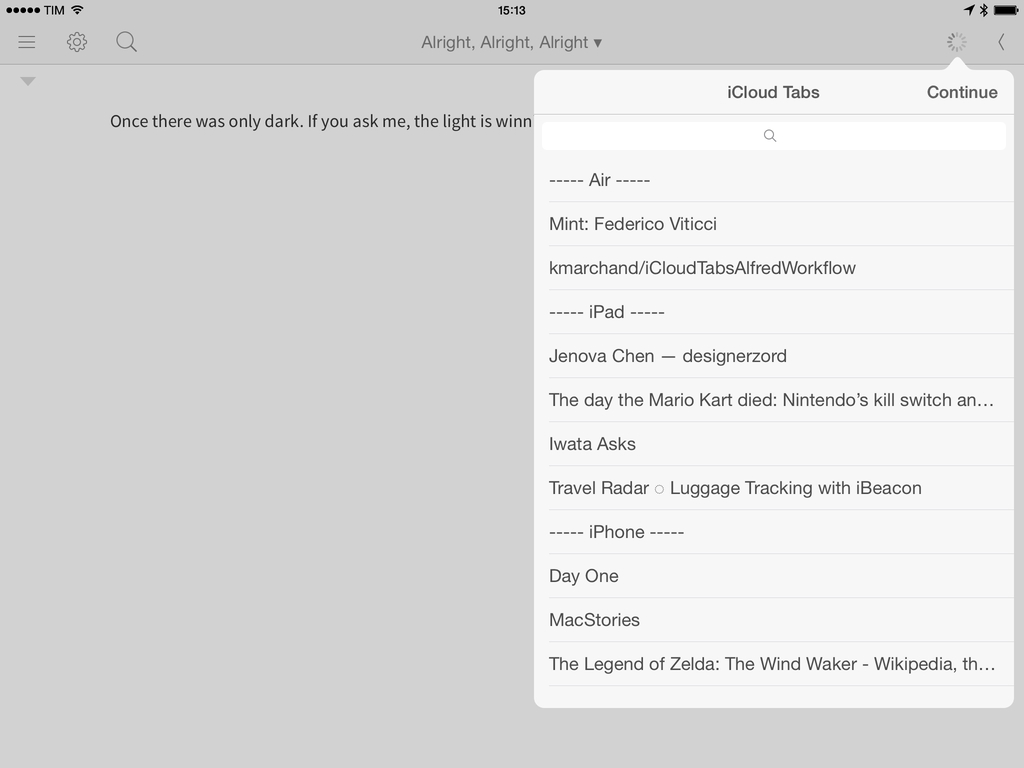
I’ve always wanted to be able to access my iCloud Tabs directly from Editorial, but, unfortunately, due to the lack of an iCloud Tabs API, that’s currently not possible. Last week, however, when I linked to the iCloudTabs for Alfred project by Kevin Marchand and saw that the workflow was based on a bit of Python code, I realized that I could modify his script to find a way to make Editorial read constantly-updated iCloud Tabs from a text file.

What follows is a combination of a server-side script and an Editorial workflow to read and open iCloud Tabs within the app. The system works and I’ve been using it every day for the past week with good results.

Read more


Fantastical 2.0.5→

Last night, Flexibits released version 2.0.5 of their Calendar and Reminders client Fantastical 2, and there are a lot of improvements worth noting. Search is much faster for me (I use the feature several times a day) and URLs in the title of events can now be tapped; you can send birthday or invitee text messages via WhatsApp, open links in the 1Password browser, and there are new sounds for events and reminders if you use Fantastical’s notifications. I like the addition of 1Password support because if you use Fantastical to remind yourself to pay bills, you can log into websites securely and easily with the 1Browser, launched from Fantastical.

Fantastical 2 remains my go-to app to manage my schedule and todos, and it’s only $3.99 on the App Store.

Permalink

Day One Launches “Publish” Sharing Service for Journal Entries

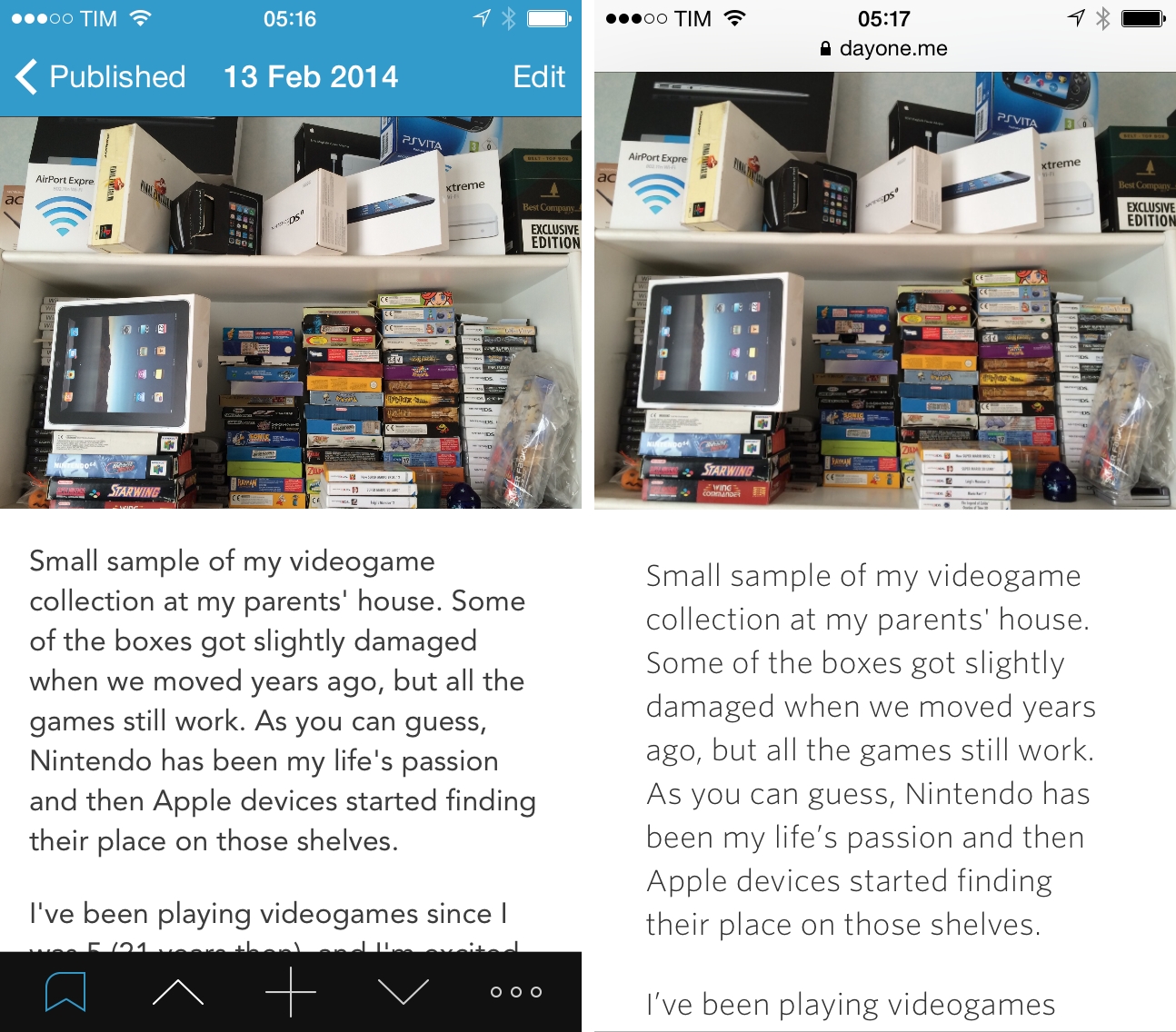
Day One, an award-winning and MacStories-favorite journaling app for iOS and OS X, has traditionally focused on private, personal journaling: through the years, the app has received support for external integrations such as weather and location info, inline photo previews, and, more recently, motion activity data captured from the iPhone 5s, but under all that, the app has always been private with limited options for sharing.

With Publish, launching today on Day One for iPhone, Bloom Built wants to allow Day One users to easily share individual journal entries publicly while retaining control of sharing options, stats, and privacy settings. I’ve been testing Day One Publish for the past few weeks, and while I don’t think it’ll revolutionize the way people journal on iOS devices – the act of journaling is, ultimately, private – it provides a convenient and good-looking way to turn private entries into public webpages anyone can read.

Read more


Flappy Bird Creator Speaks Out→

As we talk into the night, hordes of agile pedestrians deftly dodge the Hanoi traffic, screens flickering in their hands like fireflies. It’s no wonder the world’s hottest game came from here. “When you play game on a smartphone,” he says, with an ever-present cigarette dangling from his lip, “the simplest way is just tapping.”

David Kushner of Rolling Stone managed to interview Dong Nguyen, the creator of Flappy Bird, for the first time since he pulled the game from the App Store. The interview is particularly revealing for the motivations behind Nguyen’s decision to remove the game, and whether it may come back or not.

Make sure to get to the end of the piece to know about Nguyen’s next projects.

Permalink

Tuner for iPhone Turns YouTube Into A Music Player

Tuner

Tuner

Every time I go out with friends and we start talking about music, there’s always that one guy who wants to play a song and he does so…using YouTube. In spite of the relatively low barrier to entry for services like Spotify and Rdio (both available in Italy with free plans), the convenience of using YouTube as an audio source is indisputable (on top of that, add the fact that most people have a high tolerance for YouTube ads – or ads in general). Personally, I prefer a dedicated music streaming service or my iTunes Match library, but I do rely on YouTube for the occasional live performance or unreleased demo tape that I can’t obtain legally anywhere else.

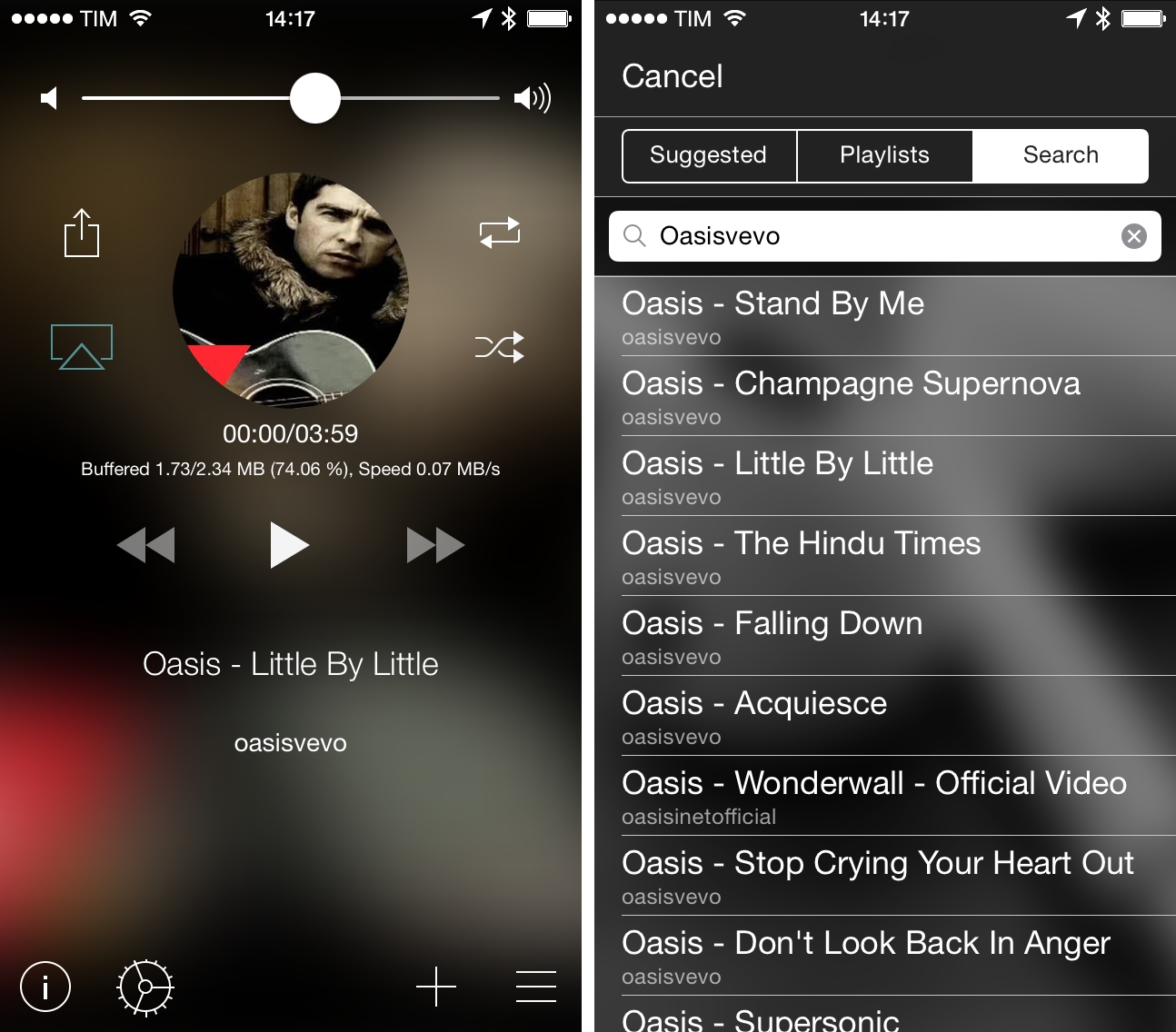
Tuner is a music player for YouTube videos: with a simple search feature, it uses YouTube as an audio source, turning videos into songs you can listen to on your iPhone.

Read more