
Federico Viticci

10763 posts on MacStories since April 2009

Federico is the founder and Editor-in-Chief of MacStories, where he writes about Apple with a focus on apps, developers, iPad, and iOS productivity. He founded MacStories in April 2009 and has been writing about Apple since. Federico is also the co-host of AppStories, a weekly podcast exploring the world of apps, Unwind, a fun exploration of media and more, and NPC: Next Portable Console, a show about portable gaming and the handheld revolution.

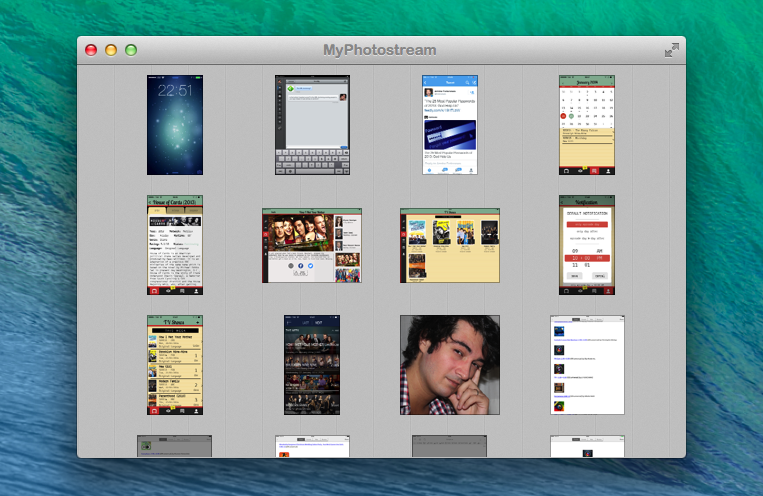
MyPhotostream: A Lightweight Photo Stream Viewer for OS X

Myphotostream

Myphotostream

When it works[1], Photo Stream is convenient. The underlying principle is simple enough: you take a picture on one device, it automatically transfers to all other devices with iCloud.

In practice, it’s a convoluted feature. Apple is using quantity and time-based limitations for Photo Stream, which comprises both your Photo Stream (called “My Photo Stream”) and Shared Photo Streams, which are all part of iCloud, but only your Photo Stream counts against storage. I wouldn’t be surprised to know it took Apple more time to come up with Photo Stream rules than to build the actual technology. It’s difficult to explain, and I suggest listening to this Mac Power Users episode to grasp how Photo Stream works and what it can do.

In my workflow, I have new solutions to quickly transfer photos from iOS to OS X or avoid my Mac entirely, but there are still times when I need/want to leave iPhoto running and drag photos out of it and into the Finder or another app[2]. MyPhotostream is a lightweight Photo Stream client that runs on your Mac and provides read-only access to your personal Photo Stream (not the shared ones). Read more

Panels, Popovers And iPad Pro

Good post by Benjamin Mayo. I don’t think that the idea of snapping sidebars is the best way to handle multitasking on a tablet, but he makes a great point I forgot to cover in my article last week:

Apps should also have the capability to be ‘faceless’, so that other apps can query for data without needing any intermediary UI. This would enable apps like to draw on information available in other apps without pushing additional UI. For example, GarageBand could import sound-clips from apps like djay or Animoog in addition to the Music app. Similarly, a word processor could retrieve definitions from the users’ preferred dictionary app rather than stick to whatever the developer bundled with the app.

In my case, that would be a list of synonyms from Terminology. But imagine if Editorial could provide its workflows as services to other apps, or if you could retrieve files from Dropbox without opening the Dropbox app. Android is far ahead of iOS in this field, and it’s time for iOS to grow up.

Permalink

Tracking TV Shows with TV Files

TV Files

TV Files

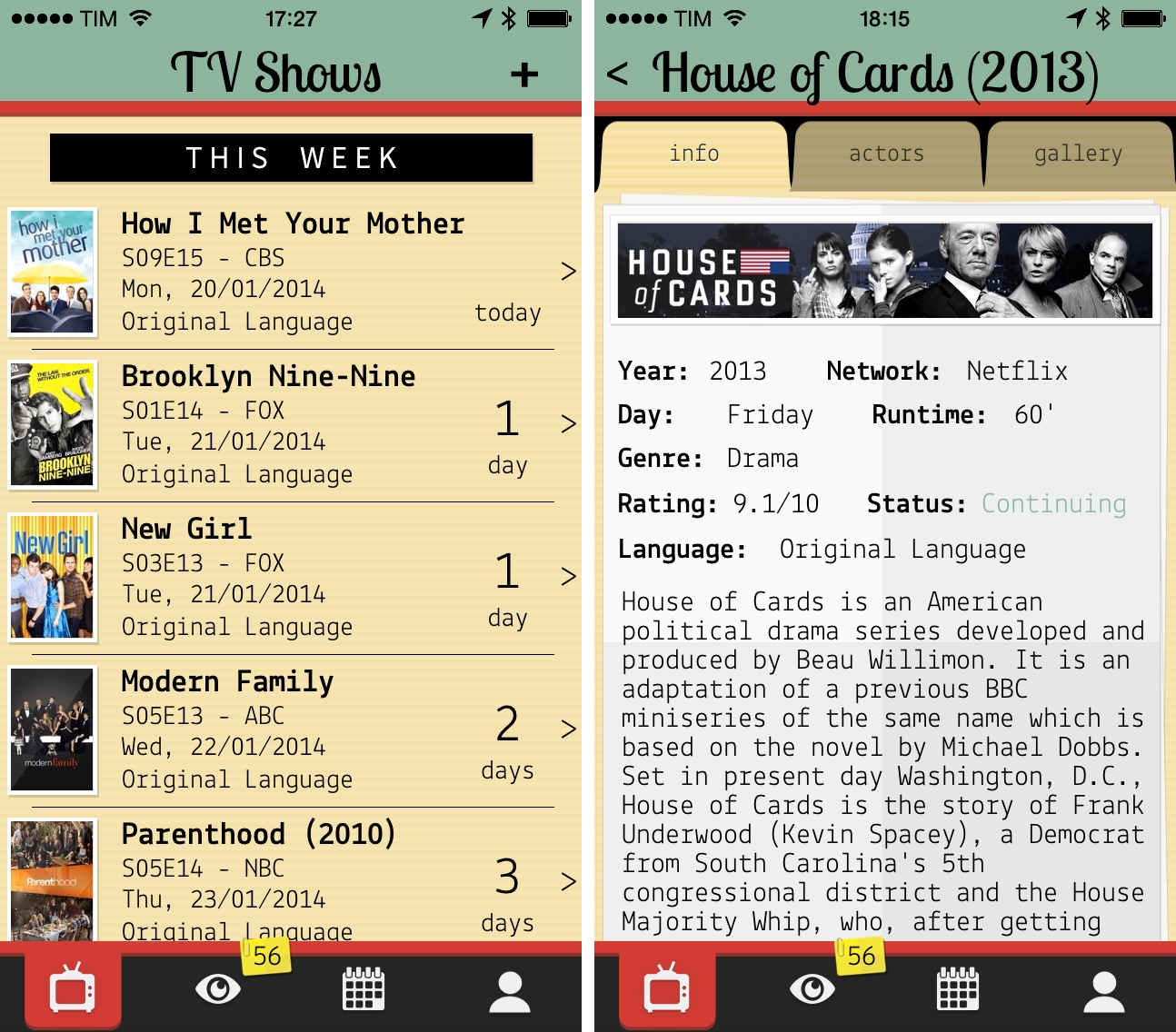
My experiment to add calendar events for TV shows I watch failed miserably. Because of programming schedules that change often and holiday breaks I can’t always predict, I ended up with a calendar full of repeating weekly events for episodes that had been delayed. Therefore, I started looking for a good TV show tracker app for my iPhone and iPad, and lately I’ve been using TV Files, developed by Italian team Whale True. Read more


The Prompt: Viticci Seal Of Quality

This week Myke and Federico explore the possibility of an iPad pro and the different routes Apple could take to build this mythical product. There’s also an ‘after show’ discussing Polygon’s Game of the Year awards and what games they have been playing recently.

We used my article about the rumors of an iPad Pro as a starting point to discuss multitasking in the age of touch and thinking of apps as features instead of windows. Get the episode here.

Permalink

MacStories Sponsorship Openings For 2014

I have updated the Sponsorships page to show openings for the new year. MacStories sponsorships are exclusive and they will help support the work we do for app reviews, editorials, tutorials, and more throughout the year. We have big plans for 2014, including a (long overdue) new design.

If you have an app, service, or product that you’d like to advertise to MacStories’ smart and loyal readership, check out the Sponsorships page for more information or get in touch directly.

Permalink

Storehouse: Visual Storytelling On iPad

I’ve been testing Storehouse, a new visual storytelling app for iPad released today, and I think it’s gorgeous. TechCrunch has more details on what Storehouse is and where it’s going, but, in short, it’s a service/app that lets you create stories with text, photos, and videos. Stories you publish can be read on the iPad or through a URL on the web, and you can follow other Storehouse users to read the stories they’ll share.

The Storehouse app is beautiful and technically impressive in my opinion. It reminds me of Push Pop Press in the way it uses physics and gestures to make content feel “alive” as you interact with the app – for instance, as you scroll a story vertically and you reach the bottom or top of a “page”, the view will slightly tilt in 3D to indicate that you’re going back to content behind the story. When you create a story, you can choose a photo or video as background content for the cover, and videos will auto-play in the story’s preview behind text overlays for titles and subtitles. It’s a really cool effect. Storehouse’s use of blurs, transitions, depth, and edge-to-edge photography make for a unique iOS 7 app that’s far from obvious or derivative.

Storehouse wants to enable everyone to create “beautiful” stories but, personally, I don’t think that my photos are good enough to create narratives worth sharing on services like Storehouse or Exposure. Still, it’s an impressive app, and the people behind it know what they’re doing, so I’m curious to see how it’ll grow. Storehouse is free on the App Store.

Permalink

Inside Apple’s MFi Game Controller Program

Great piece by Jordan Kahn on iOS 7 game controllers:

The launch for the first few controllers to hit the market was rushed, developers are disappointed and still trying to catch up, and manufacturers are limited in pricing, features, and quality due to Apple’s MFi program requirements. What does Apple have to do to overcome a rocky start to its game controller program which is supposed to control quality? And how are manufacturers limited by Apple in building better controllers at a fair price? We’ve dug into Apple’s MFi program and talked to developers and companies building the controllers to find out.

According to Kahn’s story, Apple rushed game controllers to market with dev kits that were made available to developers a month before public availability. There are several other issues of device fragmentation (why couldn’t Apple pick one controller spec instead of two?) and supplier requirements that suggest game controllers have been an afterthought for Apple thus far.

I had moderate hope for game controllers, but the launch has been disappointing. As I wrote in June:

Will Apple ever develop a culture and appreciation for gaming as a medium, not just an App Store category? While others (namely Microsoft) are trying to add more media and entertainment layers on top of existing game infrastructures, Apple is in the opposite situation — running the largest media store and selling devices that are increasingly used as gaming machines, but that still lack the catalog and support of dedicated home consoles.

Does Apple understand gaming? As a platform provider, do they need to?

Read the details in Kahn’s piece, and compare it to the development of a controller from a company that knows gaming – Valve. Apple sees iOS 7 game controllers as accessories and not an integral part of the experience, which, in a way, may be for the best after all.

Permalink

Sunlit

Manton Reece’s new iPhone app, Sunlit, is out today and available for free on the App Store (with an In-App Purchase to unlock the full version). I think it’s a nice idea: Sunlit is Manton’s take on iPhoto web journals, but built for App.net file storage and sharing.

You choose some photos that “tell a story” – could be a trip, a family gathering, anything you want to remember – and the app pulls in their metadata for date and location. You can add text comments to jot down memories, import photos from Dropbox if you don’t keep them in the Camera Roll, and even add check-ins manually, from Foursquare, or from Steve Streza’s Ohai app. When you’re done, you end up with a story that has full-res photos, text, GPS and time metadata, check-ins, and possibility to invite other App.net users to collaborate (here’s my sample story).

I don’t think that I’ll use Sunlit regularly because I’m not sure I could get my parents (essentially, the only people I share personal photos with) to sign up and use App.net. But I think that Sunlit is a good idea that shows how the App.net API can be used for more than social updates (Broadcasts being another good example). Manton knows the importance of preserving digital memories and I’m looking forward to future updates to Sunlit (there’s no iPad version or video support for now). Sunlit is available on the App Store.

Permalink

When Apple Reached Parity With Windows

Horace Dediu:

The decision making process for buying computers, which began with large companies IT departments making decisions with multi-year horizons, has changed to billions of individuals making decisions with no horizons. Companies have become the laggards and individuals the early adopters of technology.

The fundamental shift is therefore in the quantity of decision makers and the quality of those decisions. Those who buy are also those who use and their decisions will be perhaps whimsical, maybe impulsive and not calculated, but fundamentally, in the aggregate, wise.

Permalink