Federico Viticci

10763 posts on MacStories since April 2009

Federico is the founder and Editor-in-Chief of MacStories, where he writes about Apple with a focus on apps, developers, iPad, and iOS productivity. He founded MacStories in April 2009 and has been writing about Apple since. Federico is also the co-host of AppStories, a weekly podcast exploring the world of apps, Unwind, a fun exploration of media and more, and NPC: Next Portable Console, a show about portable gaming and the handheld revolution.

WhatsApp: The Inside Story

From an excerpt of David Rowan’s profile of WhatsApp, which was acquired today by Facebook:

We’re the most atypical Silicon Valley company you’ll come across,“ says Acton, a clean-cut, red-faced 42-year-old from Michigan, whose appearance contrasts markedly with Koum’s 188cm-tall, dark, unshaven look. “We were founded by thirtysomethings; we focused on business sustainability and revenue rather than getting big fast; we’ve been incognito almost all the time; we’re mobile first; and we’re global first.” He and Koum, he adds, are “the yin and yang – I’m the naïve optimist, he’s more paranoid. I pay attention to bills and taxes, he pays attention to our product. He’s CEO. I just make sure stuff gets done.

One of the reasons WhatsApp worked was its simplicity. There was no “bloat”, as the WhatsApp co-founders told Wired. That’s not a concept that’s usually associated with Facebook.

Permalink

Multiple Counters with Touch Counters

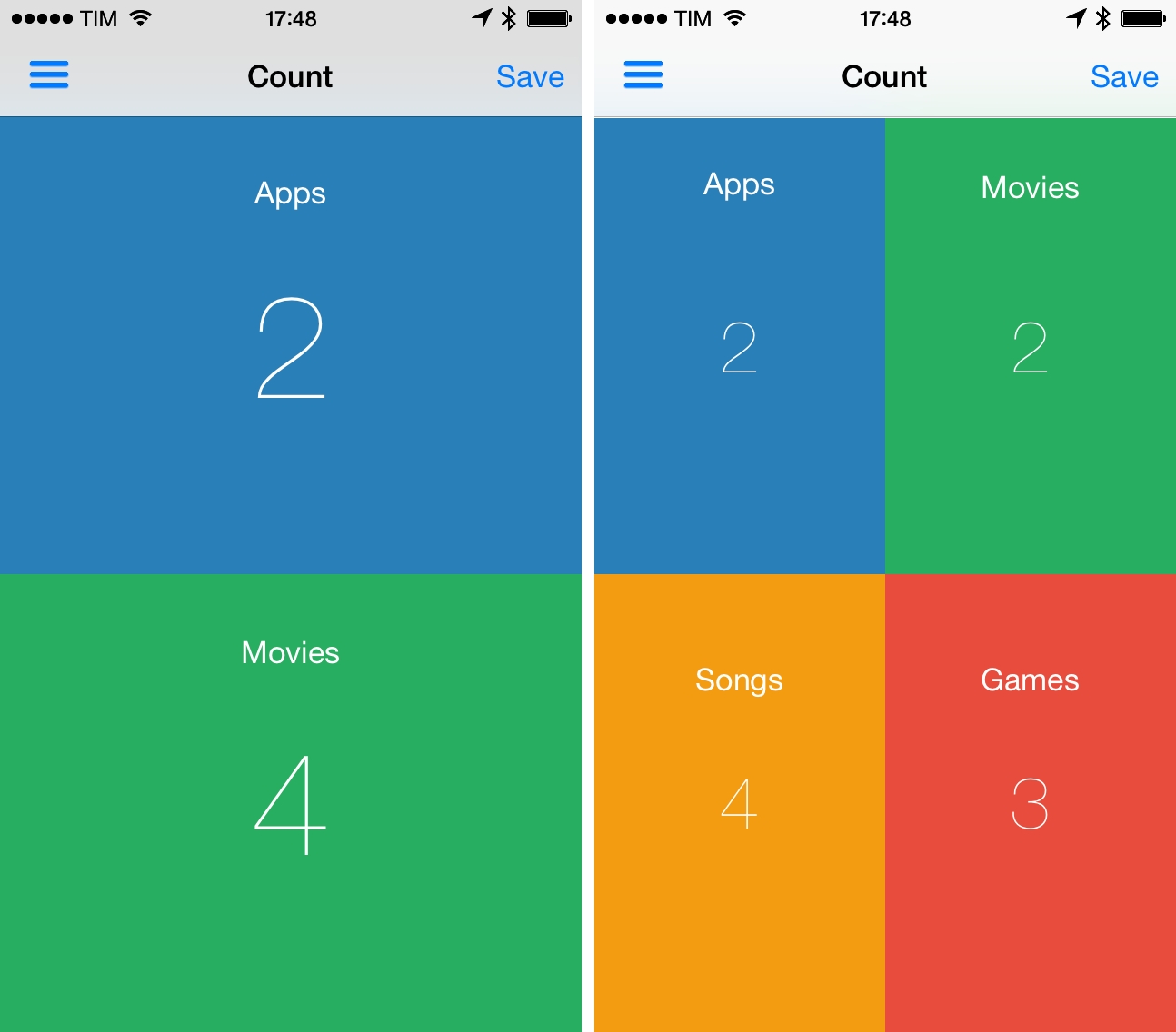
In episode 34 of The Prompt, I mentioned Touch Counters as my app pick. Touch Counters is a simple counter for iPhone that lets you display up to four counters simultaneously on screen, touching each corner to count up or down.

Touch Counters is the only iPhone app with support for multiple counters I could find on the App Store, and it could be improved in several ways. Some of the UI assets aren’t Retina-ready (seriously), there are typos in the interface, and sometimes the app plays the sound associated with taps when you just want to swipe the sidebar away. From a design perspective, it’s not great.

However, in spite of these flaws and general lack of polish, Touch Counters works as advertised: when I need to count different sets of items at the same time, I can create counters and tap on separate areas of the screen, which are visualized with different colors. Each counter can have a text label, and you can customize the background and font color in a counter’s settings; counters can be saved with totals and notes, but they can’t be exported from the app. You can even change the default increment or decrement of individual counters in the Settings.

There are probably other apps that do what Touch Counters does with a more refined UI, but Touch Counters works and I wish I used it when I had to compile posts like this. Touch Counters is $0.99 on the App Store, and I hope the developer will soon release an update.


Elevating The Expedition

Apple:

Mountaineers Adrian Ballinger and Emily Harrington have scaled many of the most renowned – and feared – mountains on Earth. In exploring frigid and unforgiving altitudes that most humans visit only in the comfort of a pressurized jet cabin, one piece of equipment has become essential to them: their iPad.

Earlier today, Apple posted the second profile of the Your Verse campaign for the iPad. The webpage has a neat layout and there are notes about the GPS app Ballinger and Harrington use, but I was hoping Apple would also specify whether or not 3G/LTE coverage is usually available and/or reliable at base camp. Overall, a good showcase of the iPad’s portability.

Permalink

Directional: The New Blue Ocean

Myke and Federico introduce Directional and discuss what they want the show to be, before going on to discuss Nintendo. They talk about Nintendo’s current position, investigate the idea of integrated hardware and software and look at some potential avenues for evolution.

In our inaugural episode of Directional, we talk about Nintendo. I thought that we could sum up our point of views and notes in a single episode, but I was wrong. Look for more Nintendo discussion (alongside follow-up, new picks, and more) next week.

I’m extremely grateful for the positive feedback, constructive criticism, and support we’ve received on Directional so far. You can follow the show on Twitter as @DirectionalShow (managed by Myke and I), and get Level 1 here.

Permalink

Realmac To Migrate Clear+ Customers Back To Original Clear App

Realmac Software, makers of Clear and Ember, today announced they will revert to a single, Universal version of Clear after the heavily criticized launch of Clear+ in September. Clear+ was a paid, separate version of Clear that added iPad support, but several existing Clear customers responded negatively to the launch as the original Clear app would no longer receive updates. Following feedback, Realmac then tried to keep two versions of Clear on the App Store – the original Clear app as an iPhone-only version, and Clear+ as a Universal app – but that only generated further confusion.

In a letter to customers published today, Realmac’s Dan Counsell explains the company’s new strategy for Clear:

We’re going to be returning to just one, universal version of Clear for iOS, with the original version of Clear gaining iPad support. If you already own a copy of Clear, you don’t need to do anything as we’ve just launched an updated version of Clear with iPad support.

As Apple doesn’t offer a way to migrate users between copies of an app, we’re going to make Clear free for 24 hours so owners of Clear+ can move to the correct version free of charge.

To make sure as many people as possible can move to Clear, we’re going to do this twice in the next few weeks. We know this is risky - we rely on the income from Clear to run our small, independent company - and so whilst this was by no means an easy decision for us to make, we simply want to do the right thing for you, our customers.

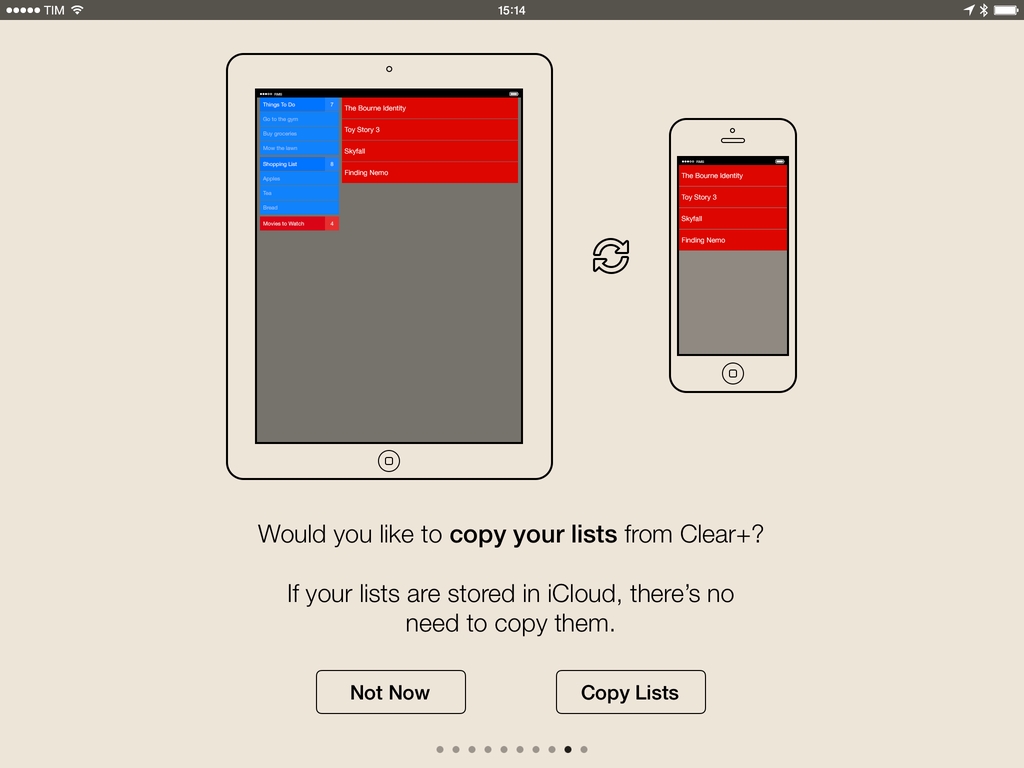
Realmac has also posted a FAQ page with details on how to migrate lists from Clear+ to Clear – the migration is handled locally on iOS upon launching the original Clear app, which was updated today.

As part of the transition from Clear+, Clear will be available for free on the App Store for a limited time as a Universal app for iOS 7; Realmac will communicate details of the 24-hour sale through the company’s newsletter.


Take Control Of Apple TV

Written by TidBITS managing editor Josh Centers, the ebook walks new owners through setup, and then dives into explaining how to best control the Apple TV with the included remote, Apple’s Remote app, or another TV remote. You’ll learn to customize the icon grid on the main screen, enable parental controls, and make your screen saver look awesome. Josh also covers uses of AirPlay, the Apple technology that lets you beam audio and video from an iPhone, iPad, or Mac to the Apple TV, and lets the Apple TV send audio to compatible speakers anywhere in your home.

Last December, I decided to connect my second-generation Apple TV to my television again because I wanted to check out the progress Apple had made with channels and the user interface. I ended up “using” the Apple TV a lot with Plex and Infuse, both set up to stream videos over AirPlay. Each weekend, my girlfriend and I watch a couple of movies on the big screen with our Apple TV, and I’m constantly impressed by the simplicity and reliability of AirPlay.

However, the Apple TV’s interface can be clunky and there are a variety of settings that aren’t immediately clear. That’s why I wish I had a copy of Josh Centers’ new book three months ago: from first setup to advanced tips such as installing PlexConnect, Josh covers every aspect of the Apple TV to get the most out of the device, AirPlay streaming, compatible iOS apps, and more. The book’s layout is easy to parse and navigate, there are handy illustrations and tooltips, and, in general, it has the usual degree of quality and care that you can expect from the Take Control eBooks.

A must-have for Apple TV owners interested in knowing everything about it, and well worth $10.

Permalink

Time Zone Conversions with TimeZlider

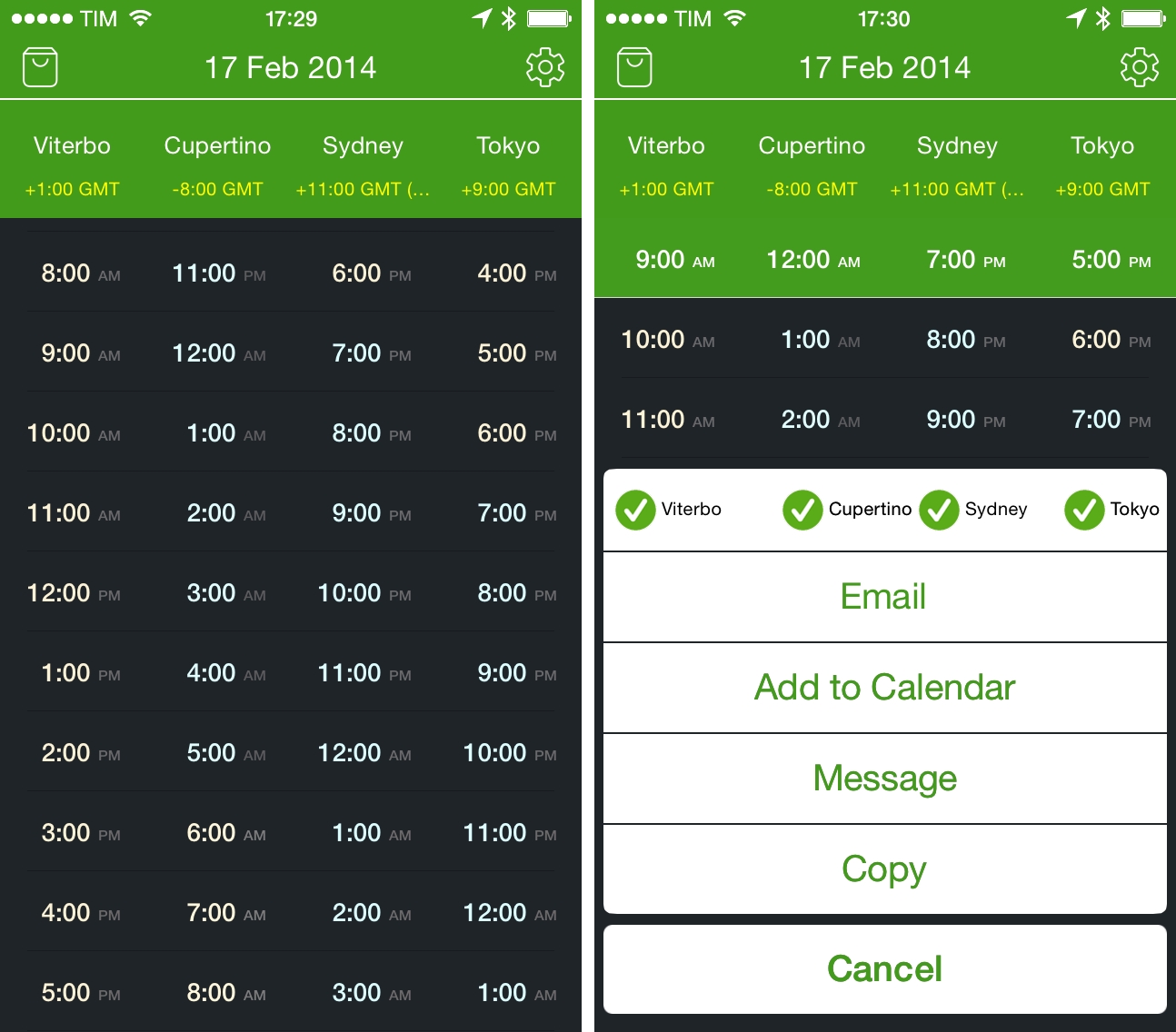
I previously wrote about my need for a time zone conversion utility for iOS when I covered Living Earth, an app that mixes global weather information with regular clock functionalities. I’ve been using Living Earth regularly, and I like it a lot, especially because I find its design polished and interesting. I’ve been wondering, though, whether a simpler approach to quick time zone conversions could work better for me, and I came across World TimeZlider, developed by Creo and available at $0.99 on the App Store.

Read more


ListBook 4.0 Brings iOS 7 Redesign, iCloud Sync

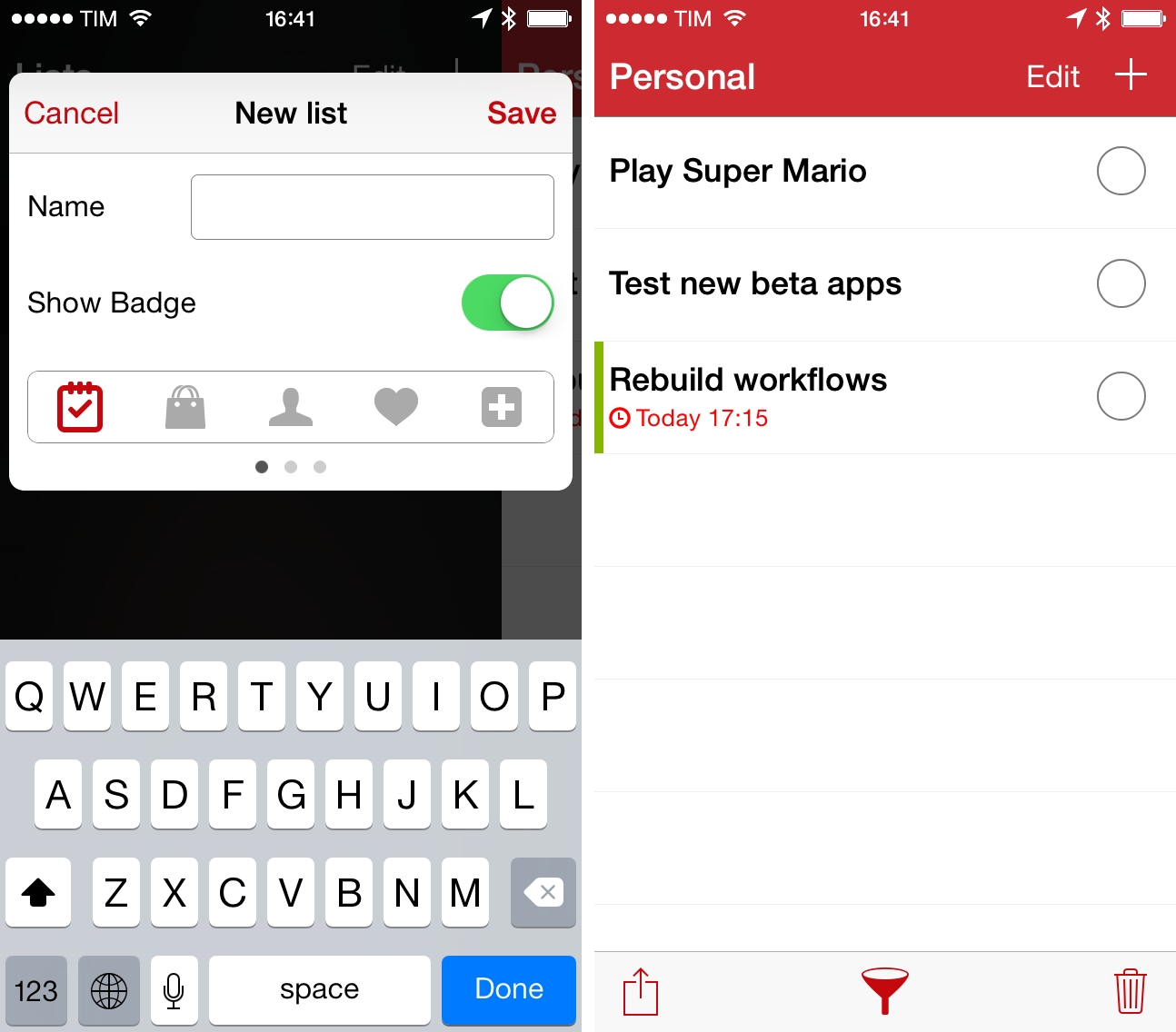
I first covered ListBook, a simple list-making app for iOS, when it came out on the iPhone in 2011 and, a year later, when an iPad version was released, making the app Universal. Since then, I’ve switched to Apple Reminders as my todo management system of choice, primarily because I can use Reminders with Fantastical, which I love both on the iPhone and Mac. I like the convenience of having my reminders synced with iCloud and available on iOS, OS X, and the web (with iCloud.com), and I like that I can move between different clients knowing that my todos will be handled by Apple in a central location. This is the reason why I’ve eschewed third-party, list-based todo apps like ListBook and Silo in the past two years – I prefer the flexibility given me by iCloud’s Reminders.

Read more


ReadKit 2.4 Brings Keyboard Shortcut and Navigation Improvements, Rewritten Sidebar, And More

ReadKit

ReadKit

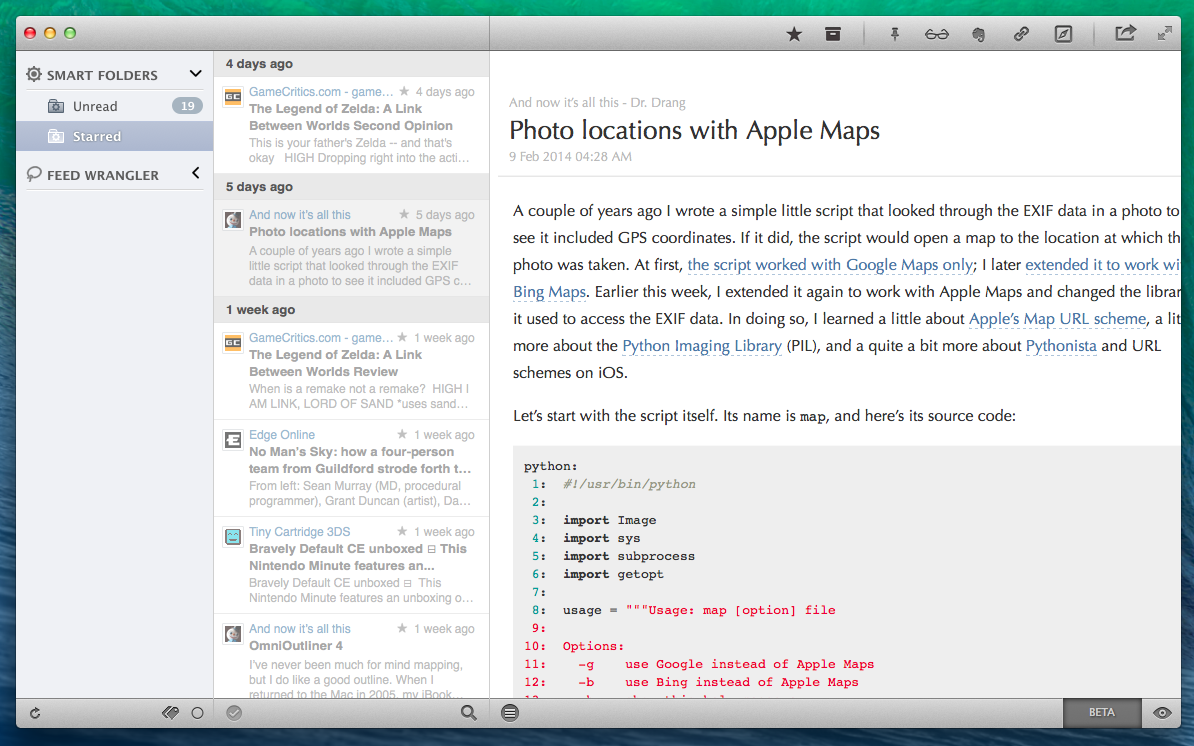
ReadKit 2.4 with syntax highlighting for code blocks.

ReadKit, my favorite RSS reader for OS X, has today been updated to version 2.4, which brings bug fixes and improvements, a rewritten sidebar, revamped keyboard navigation, and several other additions to sharing, sync, and more. ReadKit, which packs support for different RSS and bookmarking services such as Feedly, Feed Wrangler, and Pocket, has always been affected by a series of annoying bugs and animation issues, and, in my tests, ReadKit 2.4 has performed smoothly with snappier transitions and navigation than old versions.

For users who rely on ReadKit to sync with multiple services, the app can now keep separate sets of preferences for each account. These settings include refresh times, grouping, sorting, and dock badge, and they can be configured in the Account section of the app’s Preferences. While I tend to use ReadKit just as a desktop client for Feed Wrangler, this is a welcome change.

For sharing services, ReadKit can now assign custom keyboard shortcuts to each service as well as put icons in the top toolbar for easy access when reading. The feature is reminiscent of Reeder for Mac, and it’s just as useful: in my toolbar, I added icons to save to Evernote (the Mac app will be used to create a note if installed), send to Reading List, save to Pinboard, and open in the browser; each of these services has also a custom keyboard shortcut (mine are ⌘⌥B for Browser, ⌘⌥L for Reading List, etc) so you can share links without ever lifting your fingers from the keyboard.

The new keyboard shortcut options work well with the app’s new keyboard navigation. From the ReadKit blog:

There are several new shortcuts, and you can also navigate with the left, right, up and down arrow keys, so it is worth a little explanation. Left and right arrow keys allow you to jump between the sidebar and the article list, while up and down keys select the previous/next item in the actual list. ⌘+right expands, and ⌘+left collapses the selected folder on the sidebar. There is an option in shortcut preferences called “Right key behavior”. This option controls the behavior of the right arrow key when an article is actually selected.

These are convenient new features for users who like to move across feeds and articles without using the trackpad. In the Preferences, there’s also a new setting to change the default behavior of the → key – however, this can be ignored when using the key as a shortcut for a sharing service (in my case, → is associated to View In Browser).

ReadKit 2.4 is a solid update and ReadKit remains the best RSS reader for Mac. The app is $6.99 on the Mac App Store.