
Federico Viticci

10765 posts on MacStories since April 2009

Federico is the founder and Editor-in-Chief of MacStories, where he writes about Apple with a focus on apps, developers, iPad, and iOS productivity. He founded MacStories in April 2009 and has been writing about Apple since. Federico is also the co-host of AppStories, a weekly podcast exploring the world of apps, Unwind, a fun exploration of media and more, and NPC: Next Portable Console, a show about portable gaming and the handheld revolution.

1Password 4.2 for Mac Features Improvements To 1Password mini, Editing, and More

AgileBits, makers of 1Password, have today announced version 4.2 of the Mac app, which brings several improvements to 1Password mini, AutoSave, and item editing. Alongside the update, AgileBits has also released a spiffy new video realized by Sandwich Video, embedded above.

When 1Password 4 for Mac was released last year, I praised the addition of 1Password mini, a menu bar utility that allowed you to easily access your 1Password vault for logins, favorites, password generator, and other categories, making it extremely convenient to find logins and passwords without launching the full 1Password app. In 1Password 4.2, 1Password mini is getting a few extra capabilities, such as editing support, possibility to view secure notes, and fuzzy search. While the main 1Password app remains the place where all features are available, 1Password mini becoming more versatile is good news for those who like the ease of access of the menu bar app.

The editing experience in the app has been enhanced, allowing users to switch between vaults while editing and to resume editing an item if 1Password is closed. Alongside various tweaks and minor improvements (which include the ability to sort by Category in Security Audit and better URL matching for sub-domains), 1Password 4.2 brings a smarter AutoSave window that, by default, will offer to save new logins in the primary vault.

1Password 4.2 has been released on AgileBits’ website, and it will be available on the Mac App Store as a free update soon after Apple’s approval.
Directional: Platforms, Not Consoles

This week Federico and Myke discuss some of the cool links and stories they’ve enjoyed over the last two weeks, before discussing why Myke thinks that ‘online’ is making games less fun and what’s happening to the Ouya.

This week on Directional, we also consider this month’s game release schedule and set up a discussion about multiplayer and online features that will certainly continue in the future. Get the episode here.

Permalink

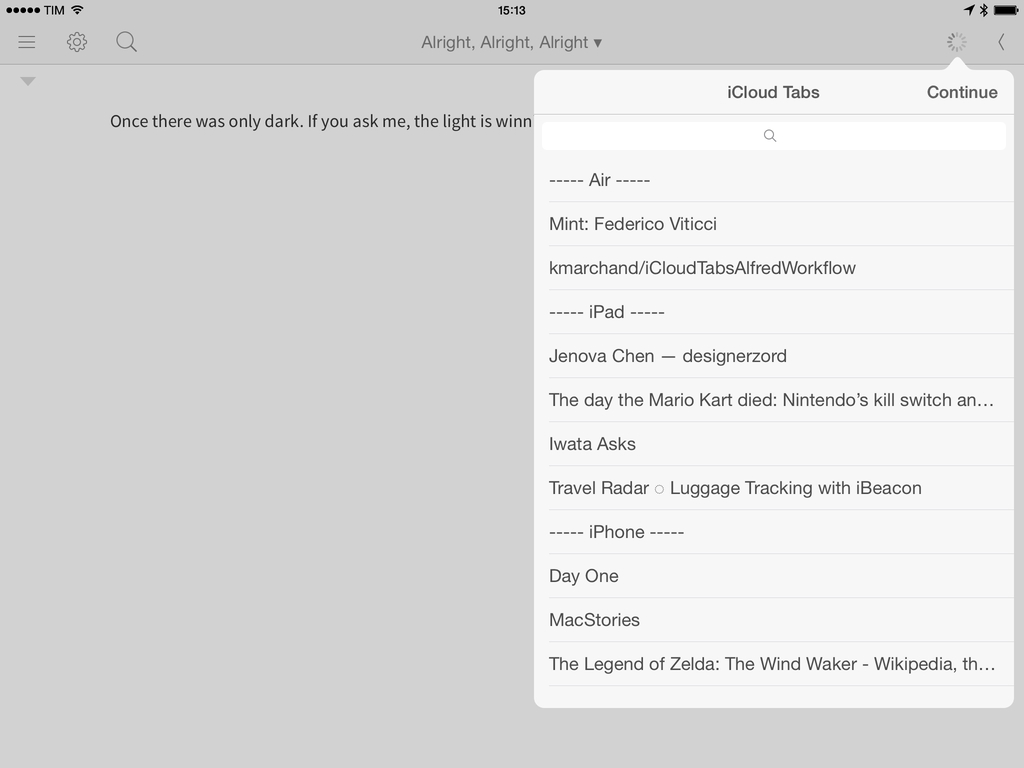
How To Open iCloud Tabs In Editorial for iPad

Editorial iCloud Tabs

Editorial iCloud Tabs

I’ve always wanted to be able to access my iCloud Tabs directly from Editorial, but, unfortunately, due to the lack of an iCloud Tabs API, that’s currently not possible. Last week, however, when I linked to the iCloudTabs for Alfred project by Kevin Marchand and saw that the workflow was based on a bit of Python code, I realized that I could modify his script to find a way to make Editorial read constantly-updated iCloud Tabs from a text file.

What follows is a combination of a server-side script and an Editorial workflow to read and open iCloud Tabs within the app. The system works and I’ve been using it every day for the past week with good results.

Read more


Fantastical 2.0.5

Last night, Flexibits released version 2.0.5 of their Calendar and Reminders client Fantastical 2, and there are a lot of improvements worth noting. Search is much faster for me (I use the feature several times a day) and URLs in the title of events can now be tapped; you can send birthday or invitee text messages via WhatsApp, open links in the 1Password browser, and there are new sounds for events and reminders if you use Fantastical’s notifications. I like the addition of 1Password support because if you use Fantastical to remind yourself to pay bills, you can log into websites securely and easily with the 1Browser, launched from Fantastical.

Fantastical 2 remains my go-to app to manage my schedule and todos, and it’s only $3.99 on the App Store.

Permalink

Day One Launches “Publish” Sharing Service for Journal Entries

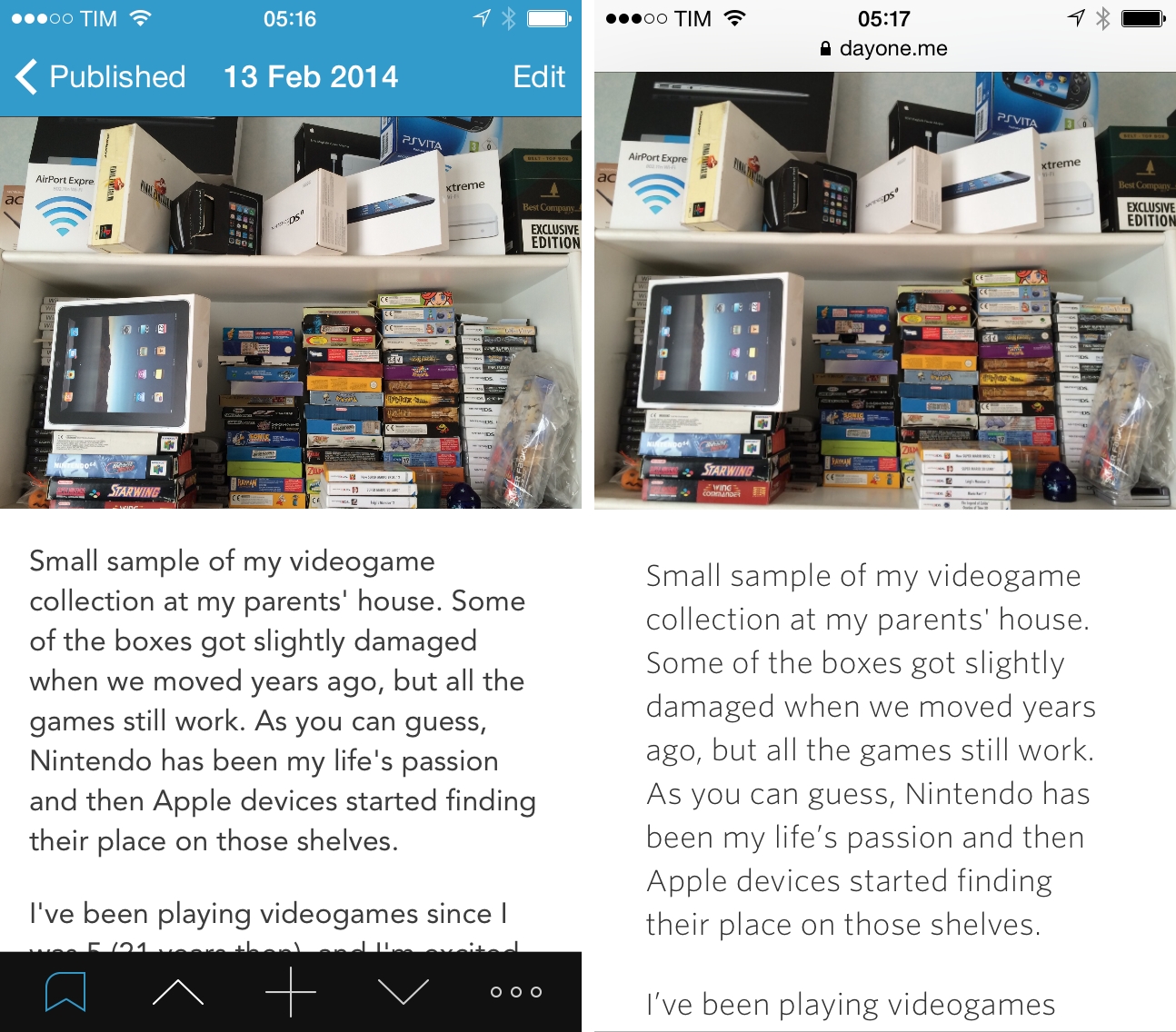
Day One, an award-winning and MacStories-favorite journaling app for iOS and OS X, has traditionally focused on private, personal journaling: through the years, the app has received support for external integrations such as weather and location info, inline photo previews, and, more recently, motion activity data captured from the iPhone 5s, but under all that, the app has always been private with limited options for sharing.

With Publish, launching today on Day One for iPhone, Bloom Built wants to allow Day One users to easily share individual journal entries publicly while retaining control of sharing options, stats, and privacy settings. I’ve been testing Day One Publish for the past few weeks, and while I don’t think it’ll revolutionize the way people journal on iOS devices – the act of journaling is, ultimately, private – it provides a convenient and good-looking way to turn private entries into public webpages anyone can read.

Read more


Flappy Bird Creator Speaks Out

As we talk into the night, hordes of agile pedestrians deftly dodge the Hanoi traffic, screens flickering in their hands like fireflies. It’s no wonder the world’s hottest game came from here. “When you play game on a smartphone,” he says, with an ever-present cigarette dangling from his lip, “the simplest way is just tapping.”

David Kushner of Rolling Stone managed to interview Dong Nguyen, the creator of Flappy Bird, for the first time since he pulled the game from the App Store. The interview is particularly revealing for the motivations behind Nguyen’s decision to remove the game, and whether it may come back or not.

Make sure to get to the end of the piece to know about Nguyen’s next projects.

Permalink

Tuner for iPhone Turns YouTube Into A Music Player

Tuner

Tuner

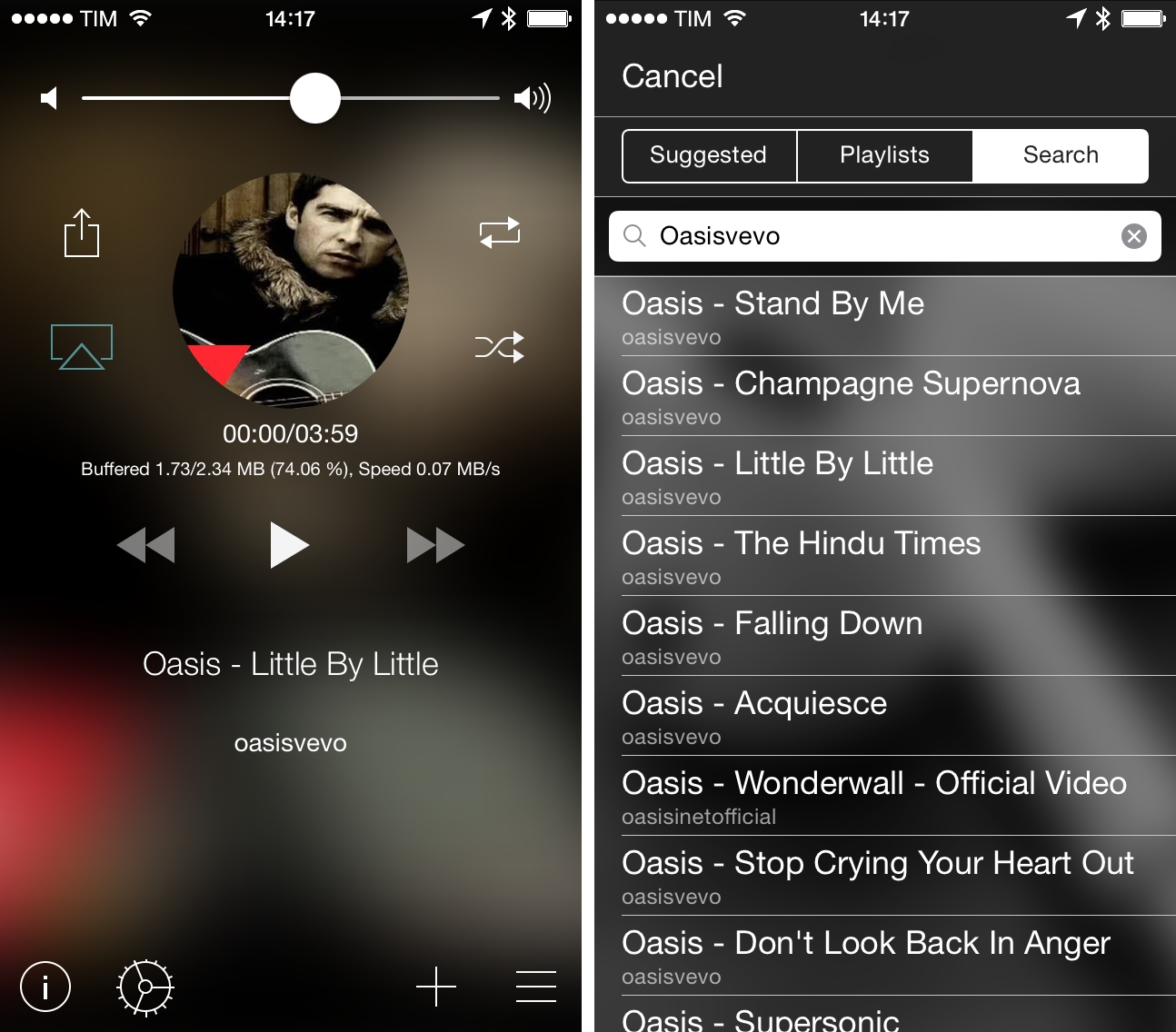
Every time I go out with friends and we start talking about music, there’s always that one guy who wants to play a song and he does so…using YouTube. In spite of the relatively low barrier to entry for services like Spotify and Rdio (both available in Italy with free plans), the convenience of using YouTube as an audio source is indisputable (on top of that, add the fact that most people have a high tolerance for YouTube ads – or ads in general). Personally, I prefer a dedicated music streaming service or my iTunes Match library, but I do rely on YouTube for the occasional live performance or unreleased demo tape that I can’t obtain legally anywhere else.

Tuner is a music player for YouTube videos: with a simple search feature, it uses YouTube as an audio source, turning videos into songs you can listen to on your iPhone.

Read more


iOS 7.1 On The iPhone 4

I was surprised when Apple announced that iOS 7 would run on 2010’s iPhone 4, mostly because the OS seemed to make use of graphical effects, transitions, and animations that looked like great candidates for poor performance and hiccups. Indeed, iOS 7 on the iPhone 4 (and to an extend, the iPad 3) was, in my experience, insufferable: animations were slow, scrolling would often drop frames and stutter, and everything felt generally sluggish.

Ars Technica’s Andew Cunningham has run tests to measure the speed improvements of iOS 7.1 on the iPhone 4. The changes are noticeable, but, more importantly, the update makes the OS fluid and snappy – usable, at least. iOS 7.1 cuts the execution time of animations on all iOS devices, but the difference for the iPhone 4 is even more apparent.

It is a good thing that Apple is still supporting a four year-old device with the latest version of iOS (albeit with missing features), and I’m glad that iOS 7’s possibly one and only major update focused on making performance acceptable on older devices for the future.

Permalink

iOS 7.1 Includes iBeacon Improvements

As reported by Doug Thompson, a change in iOS 7.1 now allows iBeacon-enabled apps to look for beacons and fire off notifications even when closed and after a device reboot:

After opening an iBeacon app we hard closed it: not just putting it into the background tray but swiping it closed entirely. The phone still detected beacons and sent a message through the lock screen, something which in the past was reserved for apps that were at minimum running in the background tray.

The functionality even works if you reboot your device: after you power down your phone and start it up again, it will continue listening for beacons even if you don’t open up the app again.

As Doug notes, this is an important change for how iBeacon works with iOS apps – it sounds like it’s now more stable and it should always work, removing the need to make sure an app is running.

For retailers, museums, and any other place with iBeacon support, this means that launching an app the first time should be enough to have it always ready to listen for beacons in the future (unless the app gets uninstalled of course). And because the technology is based on Bluetooth LE, the impact on battery life should be minimal to non-existent. This seems like a great change for iBeacon.

Permalink