


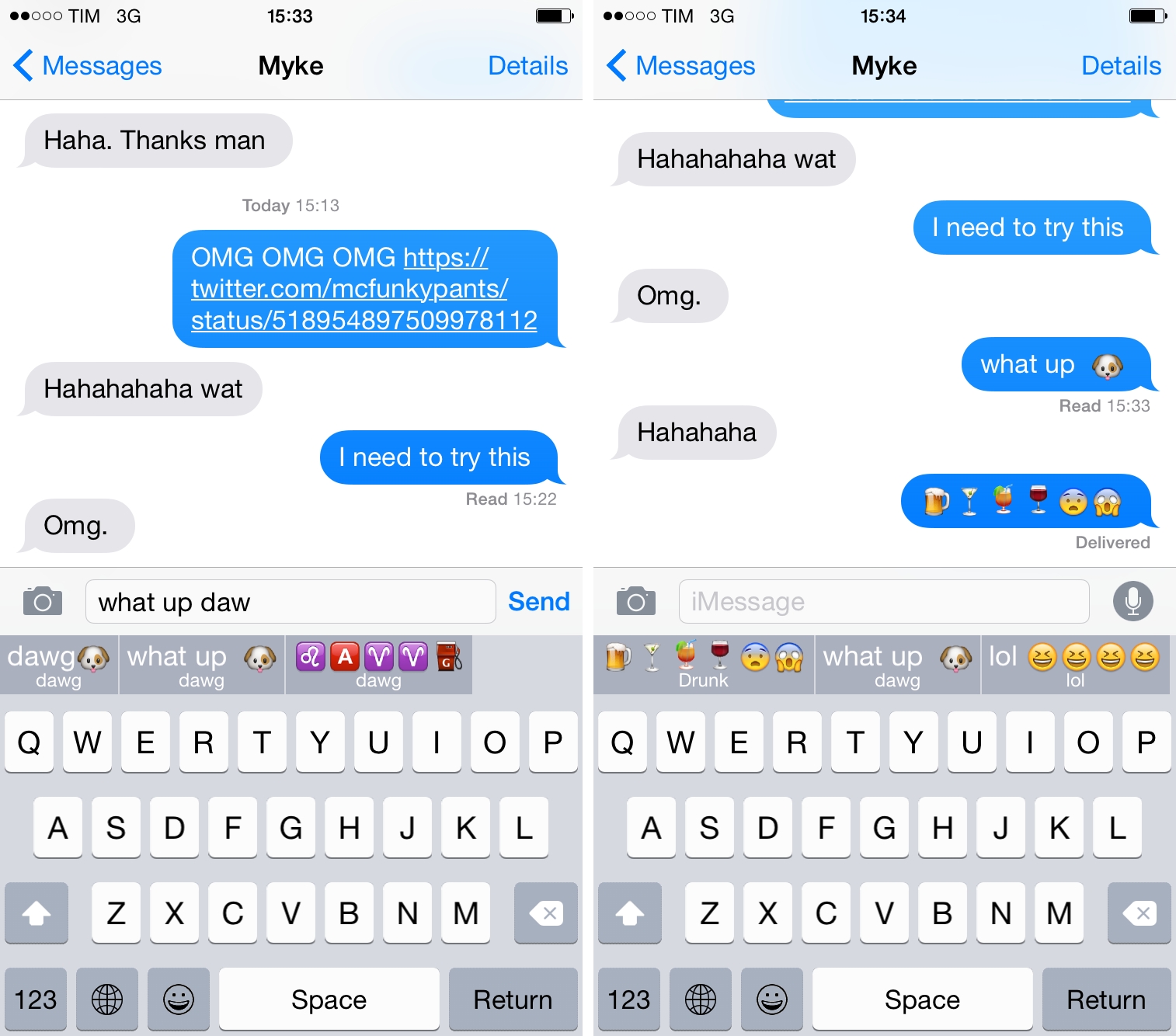
Emoji keyboards have become one of the most popular consequences to Apple offering third-party keyboard replacements in iOS 8. Apple’s default emoji keyboard leaves much to be desired, and developers are finding a new opportunity in being able to give users better input methods for the emoji millions of people use every day. Last week, I covered David Smith’s excellent Emoji++, but I’ve also been enjoying Keymoji, available for free on the App Store.
Virtual: Like Nothing I’ve Ever Experienced→
This week Federico and Myke discuss missing out on online gaming, the Tetris movie, brain training games, an upcoming indie game documentary and Myke’s experience ad the EGX Video Game Expo.
Some great links on last week’s Virtual, plus Myke’s first experience with Oculus at EGX. Get the episode here.
iOS 8 Automation on Mac Power Users→
Federico Viticci of MacStories joins us to talk about the state of automation with the new enhancements of iOS 8.
I was invited on Mac Power Users and I had lots of fun discussing iOS 8 apps, extensions, and new automation features with Katie and David. Some of the apps I mentioned have been covered here, others will be released soon.
You can get the episode here.
Apple Pay and Security→
Yoni Heisler has an in-depth overview of Apple Pay at TUAW today:
Remember that merchants in an Apple Pay transaction never have access to user credit card information and, as a result, users never have to worry about their information being compromised in a security breach. Further, security at the device level is effectively impenetrable as tokens, along with the encrypted keys responsible for the cryptogram, are all securely stored in the Secure Element.
And as an extra security precaution, iPhone owners will have the ability to unlink or temporarily suspend a token connected to a stolen device, thereby rendering Apple Pay inoperable until the device is retrieved.
I may be skeptical about Apple Pay in Europe, but the way it’s been built and will operate is fascinating. (I’m even more curious to know if integration with Safari will happen for web payments eventually).
Evernote Wants to Go Beyond Note-Taking→
At its conference in San Francisco today, Evernote announced a slew of updates for its core iOS and OS X experience as well as a redesigned web app (currently available as public beta), a redesign of Penultimate, a new scanner app, and new Market products.
Harry McCracken has an overview of the announcements at Fast Company. He concludes with a legitimate concern:
As a pretty committed Evernote user–I have more of my digital life stored there than any one other single place–all of these announcements leave me both excited and at least a tad concerned. Profoundly useful though the service is, it’s never quite felt like it’s nailed the best, simplest, most intuitive interface for what it does. (The fact that it has a habit of radically redoing its user interface on a regular basis is presumably an acknowledgement of that.) Adding more features will only make it tougher to keep Evernote coherent and approachable.
I’m curious to check out the updates to the iOS apps (I use Evernote for work every day) and the redesign of the Mac app for Yosemite looks nice. I’m a fan of the web app: by default, it lets you write a new note with just a few clicks, but it packs most of the features available in other versions of Evernote. It was a much needed change.
I have my doubts about the contextual and messaging features Evernote announced, but they also have potential and I’d rather wait until I can try them. I’m not sure I’d ever benefit from links pulled in from the WSJ or LinkedIn while I’m doing research, but other sources would be welcome. As for messaging, it is going to be hard for Evernote to beat the workplace integration that’s being built by Slack, but I imagine it could be a nice plus for businesses that rely heavily on Evernote internally.
I liked the tone and message of the keynote. Phil Libin is a good presenter and he genuinely seems to be invested in Evernote as a product. Evernote is often derided for their frequent redesigns, but they have struck a good balance with iOS 7 in the past year (both Evernote and Skitch are now highly polished and functional apps) and the Yosemite update looks like a moderate refresh rather than a ground-up redesign. Evernote has insanely high goals – software for “your life’s work” is the new slogan – and a willingness to adapt to people’s ever-changing needs can be a good thing. The partnership with News Corp. seems a little strange, but, overall, the event was solid.
Check out the Evernote blog for details on Context, the new web app, and Work Chat.
Working with Mac OS 9 Today→
Andrew Cunningham tried to work with Mac OS 9 and published an interesting account of his experience at Ars Technica. Make sure to reach the conclusion for some good points about software updates:
People love to complain about change. Those complaints aren’t always unwarranted. We live in an era of constant updates, where your browser changes every six weeks, and your operating system changes every 12 months. Who even knows how often they’re changing Gmail and Twitter and Facebook? The idea of supporting and using a single OS for 13 years seems completely absurd. Sometimes you just want everything to stand still for, like, a second.
Also, don’t miss Riccardo Mori’s counterpoints at System Folder.
Twitter for Mac Updated with Image Features→
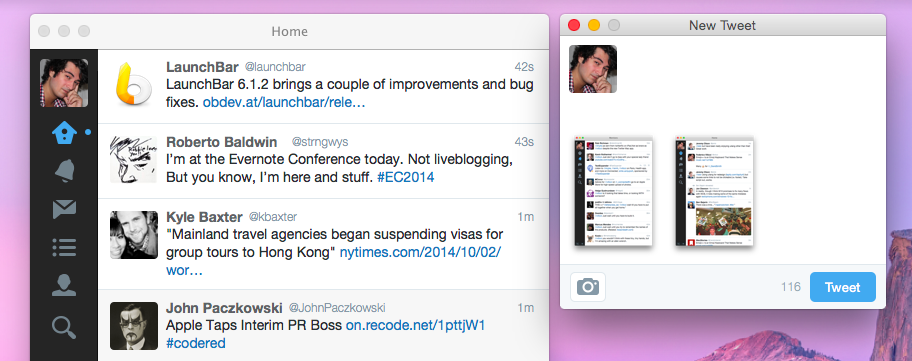
Speaking of Twitter apps, Twitter today released an update to their official app for Mac that brings support for images in direct messages and tweets with multiple images (first rolled out on the iPhone in December and March, respectively).
Progress on Twitter for Mac has been slow, but I’m glad the app isn’t completely abandoned. It would be nice to have all the recent features and design changes of the iOS app, though (particularly Cards and redesigned profiles).
Side note: you can use this Terminal command to enable circular avatars in the app.
Emoji++ Is an Emoji Keyboard That Makes Sense
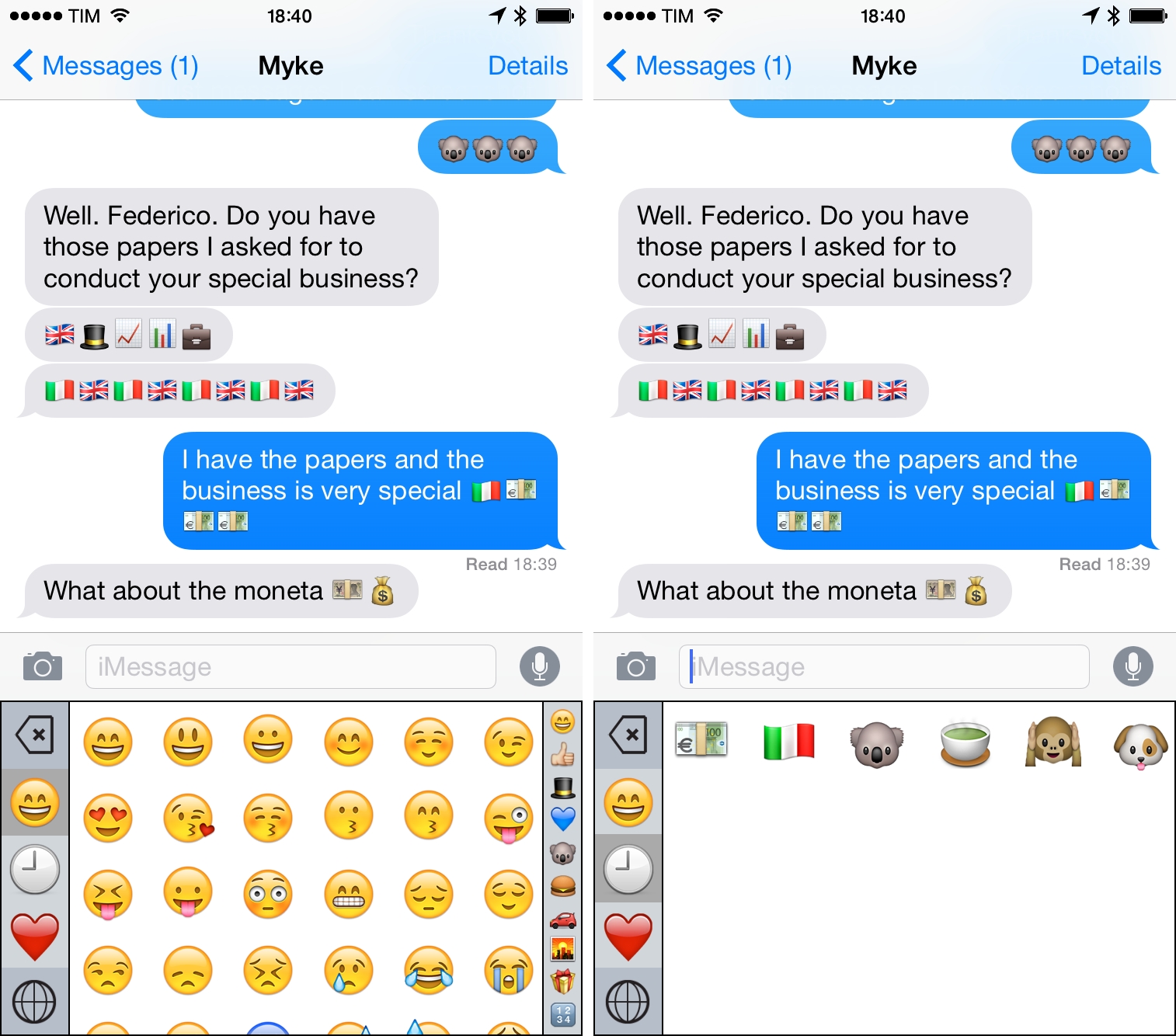
I wouldn’t consider myself a professional emoji user as Casey Liss, but, like many others, I do use emoji to enrich communications with friends and colleagues on a daily basis. Apple’s Emoji keyboard never made much sense to me: it’s hard to find the right emoji in the keyboard’s questionable category choices and characters are organized in pages that you need to swipe multiple times. I often want to use new emoji I haven’t sent before, and it always feels like I’m playing a guessing game against iOS to remember where the koala or the monkeys are.
Thankfully, Underscore David Smith has accepted the challenge of improving the emoji keyboard and released Emoji++ today, an iOS 8 custom keyboard that makes it easier to find and use emoji.
Connected: A Briefcase Full of Kbase→
This week, Stephen, Myke and Federico talk about Paris, Apple’s busted Health App, the death (and rebirth) of the Camera Roll and Twitter apps.
On this week’s Connected, a good addendum to Tweetbot 3.5 and my experience of using Twitter’s official app on a daily basis. Get the episode here.
Sponsored by: