

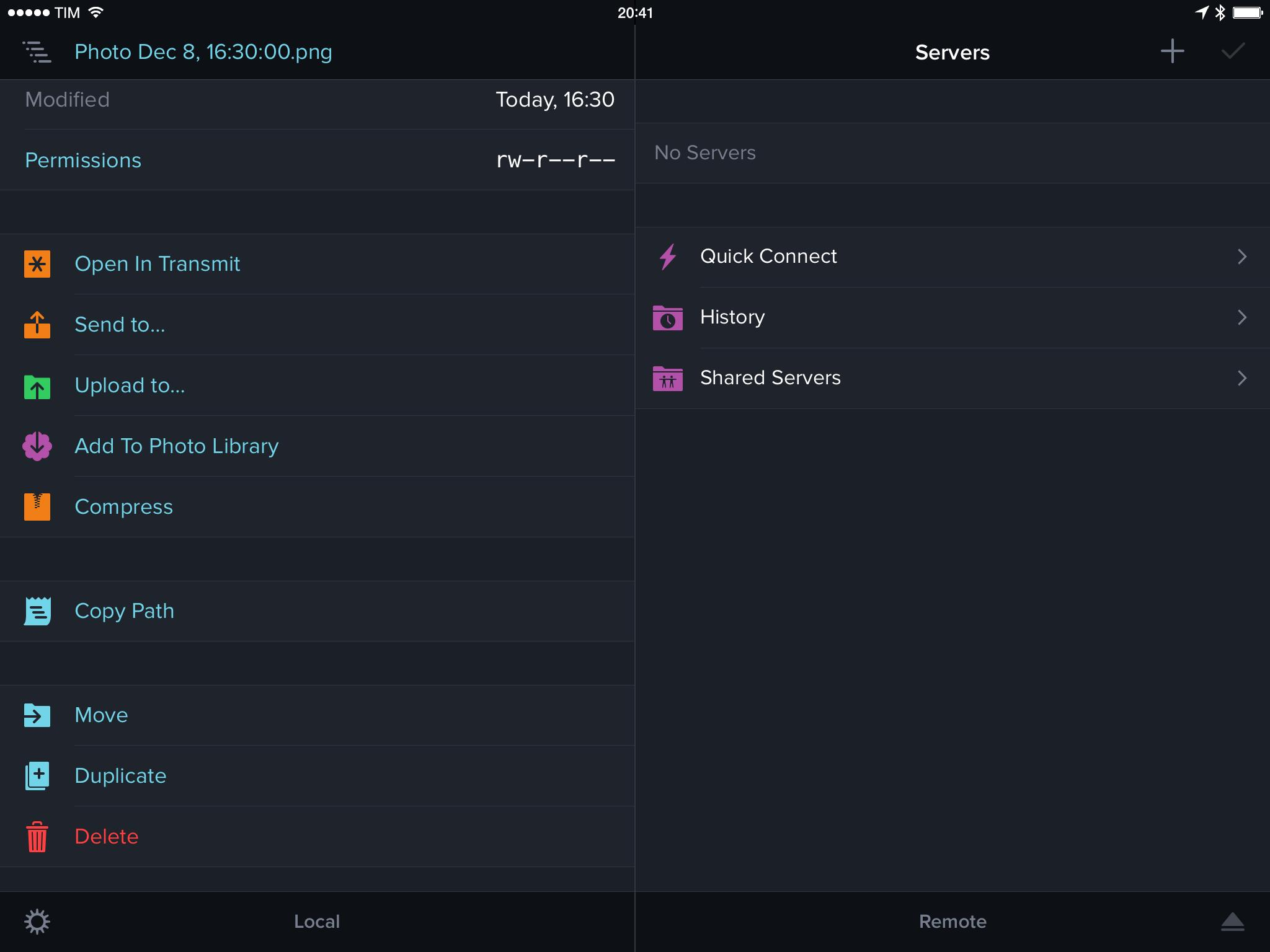
According to a notice added last week in the release notes of Panic’s Transmit, a popular file manager and FTP client released alongside iOS 8 in September, Apple has asked the company to remove the iCloud Drive “Send to” feature from the app. The removal of the feature was confirmed by Panic in a blog post today.
Virtual: Raichu’s Kind of a Bully→
This week Federico and Myke discuss music influenced by video games, revisit the Wii U as a viable platform, celebrate 20 years of PlayStation, give their first impressions of the new Pokemon games and bemoan what EA have done to Peggle.
Make sure to listen to the second Crying album I mentioned, and go check out USgamer’s retrospective on the original PlayStation. You can get the episode here.
Sponsored by:
Professional App Pricing→
Rob Rhyne, in response to Allen Pike’s post about the lack of a great app to record podcasts, has a few ideas about pricing professional software:
Professionals use your software to make money. If you can find a way for them to do their job faster or better, they will pay nearly any price. Did you purchase the maximum spec for your last computer or did you buy the cheapest you could find? Professionals always trade money for productivity. The real trick is building a product that makes them faster and better. Solve that problem and you can name your price.
I completely agree with Rob. Even on iOS, developers should consider creating professional software that’s aimed at a specific audience willing to pay what is a considered a “premium” on the App Store. There are examples of developers that understand this well, such as Teleprompt+, Numerics, Omni’s apps, and TrialPad.
If you can build a customer base that needs your app to get work done faster, there’s a good chance they’d be willing to pay higher prices and reward you with commitment to the product, constant suggestions and bug reports, and no inclination to be curious about competing products, even if they’re cheaper. I believe that’s true on any platform and digital marketplace.
For more on this topic, check out Michael Jurewitz’s blog posts from last year.
Instapaper 6.1 Brings Redesigned Share Extension
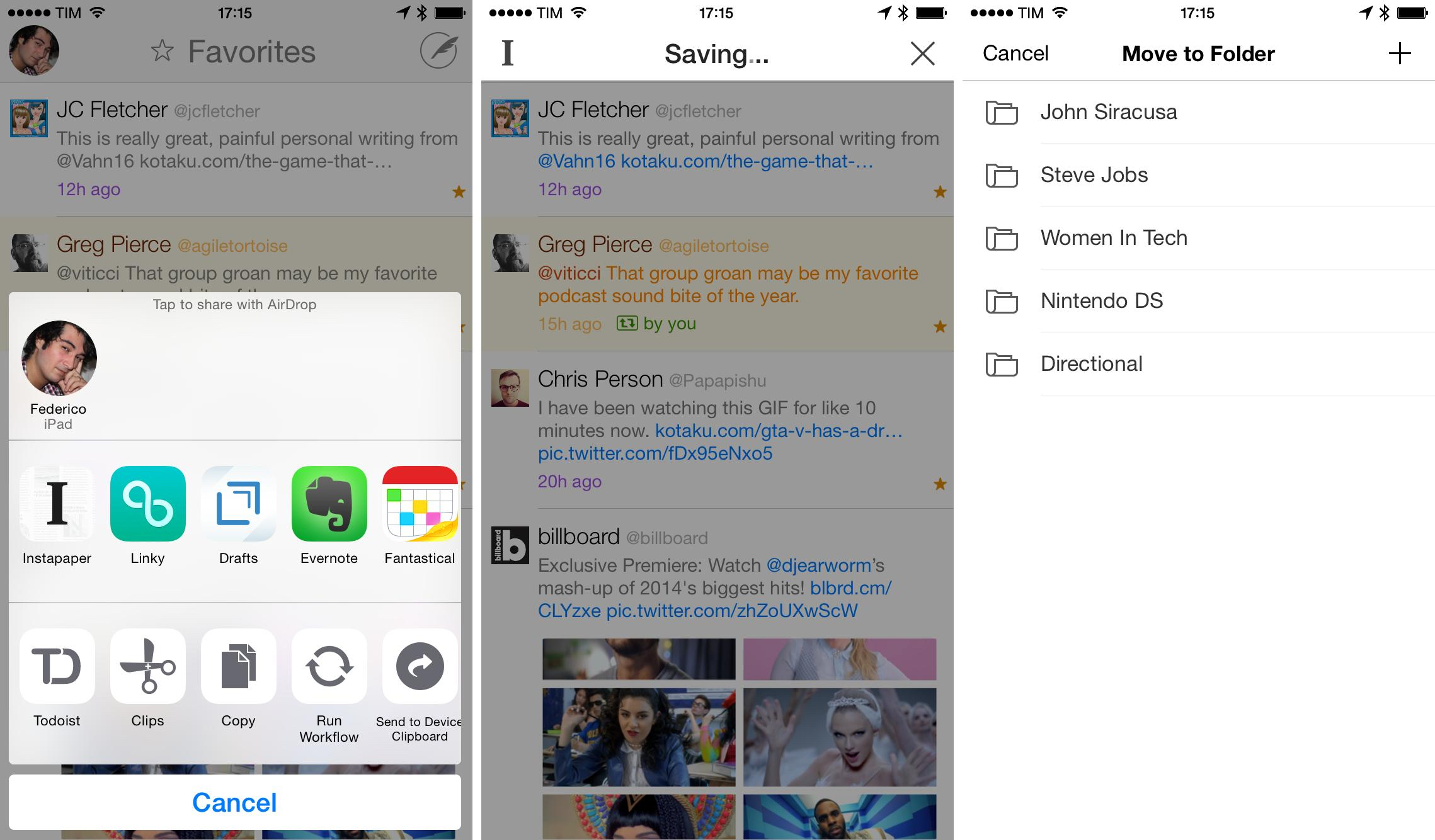
Launched in September alongside iOS 8, Instapaper 6.0 added a share extension to natively save links for later from any iOS app that supported the system share sheet. Today, betaworks has released Instapaper 6.1, which makes the extension less obtrusive by dropping the modal approach that was adopted from the popular Instapaper Bookmarklet and that also brings support for Handoff and a new unread count badge.
Connected: Spinning Down This Rolodex→
Stephen, Myke and Federico discuss accents, social networks, web browsers and the Today widget fiasco. Myke has a headache again.
Back from the Twitter discussion of last week, we talk about Apple’s confusing policies for Today widgets and our different setups for Safari and Chrome on iOS and OS X. You can get the episode here.
Sponsored by:
WhatFont iOS 8 Extension Identifies Fonts in Safari
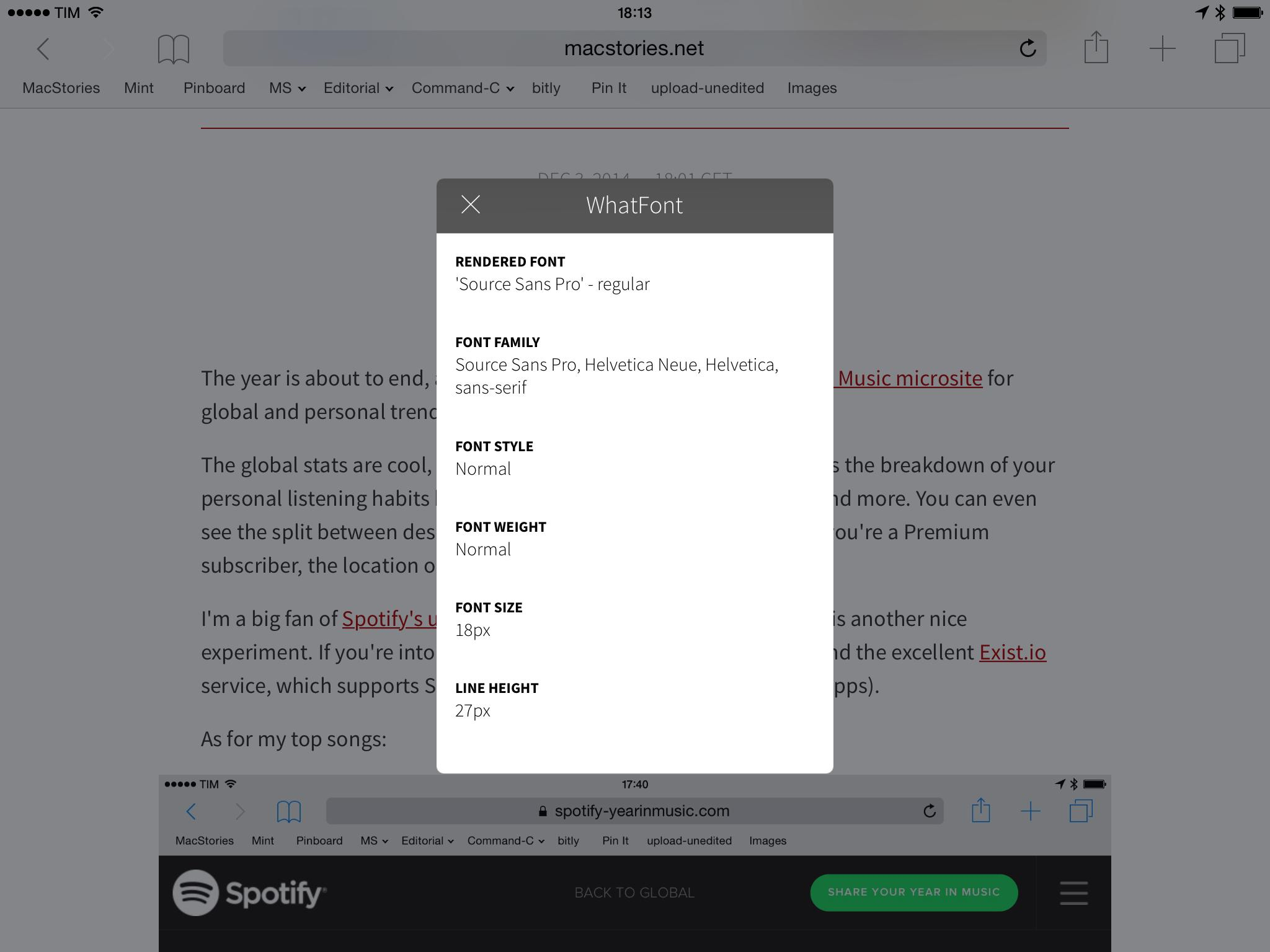
Continuing my exploration of iOS 8 technologies with a focus on extensions, a few days ago I came across WhatFont, the new iOS version of a popular desktop tool. As the name suggests, WhatFont lets you identify fonts in Safari easily and without having to go look at source code or style sheets.
Spotify Year in Music 2014→
The year is about to end, and as usual Spotify has launched a Year in Music microsite for global and personal trends.
The global stats are cool, but largely unsurprising. What I really like is the breakdown of your personal listening habits by genre, artist, day of the week, season, and more. You can even see the split between desktop and mobile device streaming, and, if you’re a Premium subscriber, the location of your favorite artists on a chart.
I’m a big fan of Spotify’s use of data to improve algorithms, and this is another nice experiment. If you’re into this kind of visualizations, I also recommend the excellent Exist.io service, which supports Spotify (and many other wearable devices/apps).
As for my top songs:

Death Cab for Cutie and Tegan and Sara? Looks about right.
Apple Watch Website Update→
I missed this update to the Apple Watch website when Apple refreshed it last week (via TUAW). The Watch microsite has been updated with more details for timekeeping and fitness features, revealing more details about customizable complications, watch faces, fitness and activity tracking, and more.
Many watches include a few specialized functions — known in watchmaking as complications — that go beyond telling the time. But Apple Watch comes with a full range that can be added to most faces. Some complications are traditional, such as moon phases or sunrises and sunsets. And some are unique to Apple Watch, like stock quotes, weather reports, your next calendar event, and a daily activity tracker. When you tap a complication, Apple Watch opens the corresponding app.
Use the built-in speaker and microphone for quick chats, or seamlessly transfer calls to your iPhone for longer conversations. To mute an incoming call, just cover Apple Watch with your hand.
Apple Watch shows your daily activity at a glance. To see your progress and trends over longer periods of time, there’s Fitness, an Apple Watch companion app on your iPhone. You can view your activity history, workouts, and achievements by the day, week, or month. And the Fitness app can share your activity and workout data with the Health app on your iPhone, where it can be accessed by your favorite third-party health and fitness apps.
You can read our original overview of the Apple Watch here.