Federico Viticci

10917 posts on MacStories since April 2009

Federico is the founder and Editor-in-Chief of MacStories, where he writes about Apple with a focus on apps, developers, iPad, and iOS productivity. He founded MacStories in April 2009 and has been writing about Apple since. Federico is also the co-host of AppStories, a weekly podcast exploring the world of apps, Unwind, a fun exploration of media and more, and NPC: Next Portable Console, a show about portable gaming and the handheld revolution.

Installing tvOS Betas Over-the-Air from iOS with iCab and Dropbox

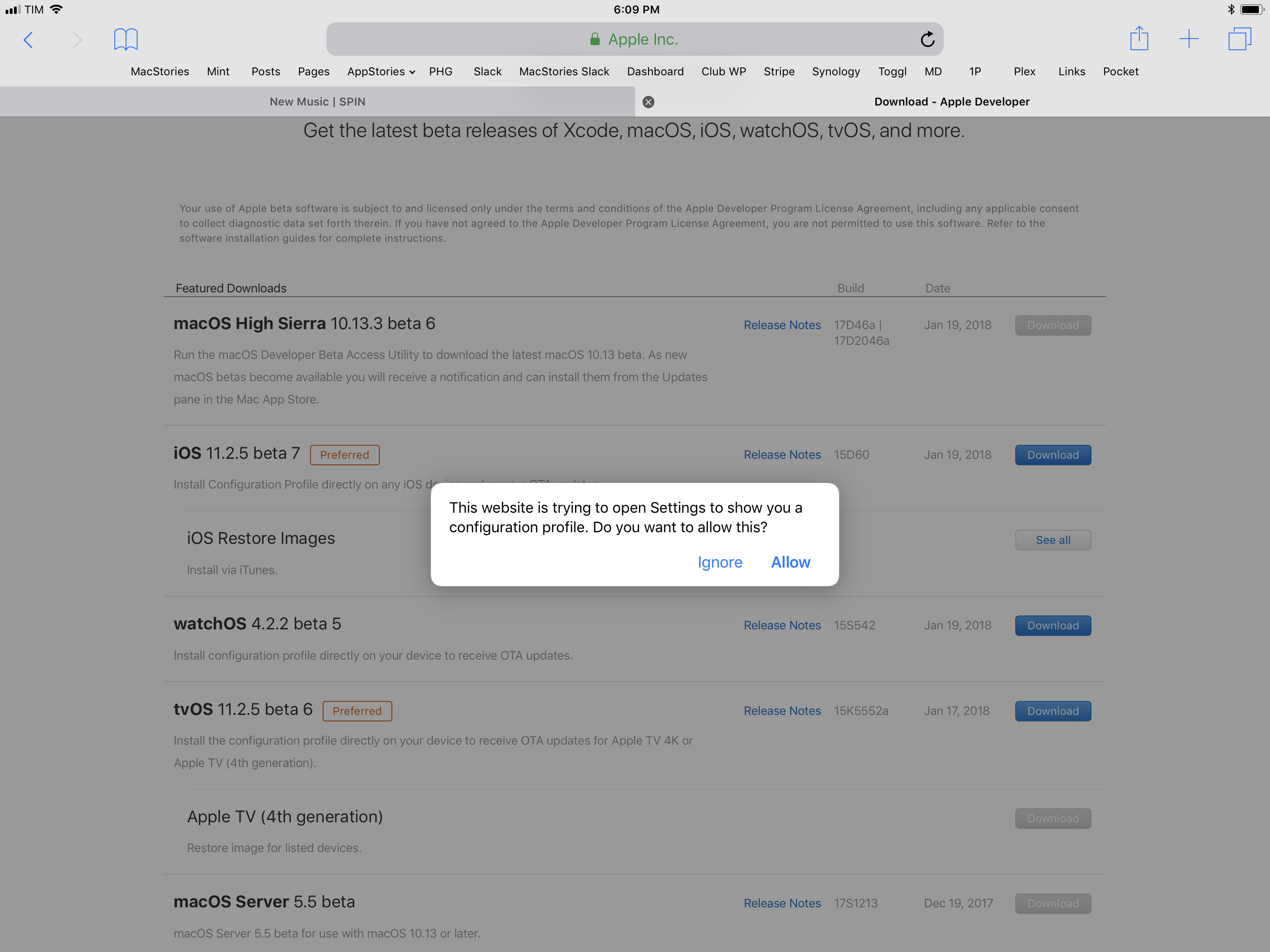
I was trying to update my two Apple TVs (a 4K model and a 4th generation one) to the latest tvOS 11.2.5 beta earlier today to test AirPlay 2 (more on this soon) and, because I remembered there was a way to install tvOS betas without a USB-C cable, I was attempting to download Apple’s tvOS beta configuration profile using Safari on iOS. However, as soon as I tapped the Download button on Apple’s developer website, I got this message instead of a new tab showing the downloaded configuration file:

I don’t know when Apple changed this behavior, but I recalled that Safari wouldn’t try to install tvOS configuration profiles on an iOS device. Without a way to manually fetch the .mobileconfig file and save it to my Dropbox, I was going to unplug my TVs and connect them to my MacBook Pro (which usually sits in the closet until it’s recording day for AppStories or Relay) to finish the process.

Read more


iOS 11’s Lower Adoption Rate→

Rene Ritchie shared a comparison of iOS adoption rates over the years (starting with iOS 7 in January 2014) and, so far, iOS 11 has the lowest adoption of all major updates, four months after their public release.

https://twitter.com/reneritchie/status/954442064539869184

Looking at the numbers, you can see a decline in the transition from iOS 7 to 8 (iOS 7’s troubled rollout affected millions of users for months), a stabilization with iOS 9 and iOS 10, and another decrease with iOS 11 this year.

I see two potential reasons for this. With iOS 11’s 32-bit cut-off, it’s very likely that a good percentage of users who would have updated simply couldn’t because they were on older hardware not supported by iOS 11. More importantly though, the widespread perception that software updates make Apple devices slower isn’t helping adoption rates. This time, Apple itself had to confirm that iOS 11 did, in fact, throttle iPhone performance to compensate for aging batteries (a perfectly fine motivation, terribly communicated to customers from a software design and PR perspective).

A couple of weeks ago in our 2018 Apple predictions episode on Connected, I mentioned that I believe iOS 12 will have a focus on speed and performance as a tentpole feature, specifically called out at WWDC as an important effort by Apple’s engineering teams. This is just my personal theory, but I don’t think new emoji and Animoji will be enough to convince reluctant users to update their iPhones later this year. If Apple wants to counter the narrative surrounding iOS 11 and see these adoption rates pick up again, I think they’ll have to demonstrate – not merely promise – that their next software update will have practical, tangible benefits on the everyday usage of an iOS device.

Permalink

Member Requests

Question: I want to get rid of Evernote and use Apple Notes instead. I miss how Evernote saves articles from the web though. Apple Notes only saves a link but sometimes I want to save the full article with images. (Laurent, @lorreruy)

We can replicate something similar to Evernote’s article extraction tool with Workflow,...


It’s Time for Apple to Build a Less Addictive iPhone→

Farhad Manjoo, writing for The New York Times on the topic of tech addiction, interviewed Tristan Harris, who runs the Time Well Spent organization:

Mr. Harris suggested several ideas for Apple to make a less-addictive smartphone. For starters, Apple could give people a lot more feedback about how they’re using their devices.

Imagine if, once a week, your phone gave you a report on how you spent your time, similar to how your activity tracker tells you how sedentary you were last week. It could also needle you: “Farhad, you spent half your week scrolling through Twitter. Do you really feel proud of that?” It could offer to help: “If I notice you spending too much time on Snapchat next week, would you like me to remind you?”

Another idea is to let you impose more fine-grained controls over notifications. Today, when you let an app send you mobile alerts, it’s usually an all-or-nothing proposition — you say yes to letting it buzz you, and suddenly it’s buzzing you all the time.

Mr. Harris suggested that Apple could require apps to assign a kind of priority level to their notifications. “Let’s say you had three notification levels — heavy users, regular users and lite, or Zen,” Mr. Harris said.

The first idea sounded terrible until I remembered that, for a while, I also used Moment on the iPhone to understand my app habits and curb my Facebook addiction (it worked). I wouldn’t want a tracking feature that shames users and makes them feel guilty (“Are you proud of that?” is precisely what should not happen), but something akin to RescueTime, discreetly integrated with iOS and built by Apple would be a welcome feature.

Deeper control over notifications is something iOS desperately needs at this point. I would be disappointed if a major overhaul of the notification framework and UI isn’t in the cards for iOS 12. Android has offered notification channels for a while now; Apple should borrow the feature and a) allow developers to set different tiers for their apps’ notifications and b) let users override them if a developer tries to be too clever about them. Notification levels on iOS would also be perfect for the Apple Watch: imagine if, without having to fiddle with Do Not Disturb, you could set some types of notifications to be displayed on the iPhone and only the most important ones on the Watch, with fine-grained controls in a unified, intuitive interface. I hope we see something similar this year.

Permalink

Tim Cook Says iOS Beta Due Next Month Will Include Setting to Disable Battery Performance Throttling→

In an interview with ABC News’ Rebecca Jarvis about Apple’s investments in the U.S. economy, CEO Tim Cook confirmed that an upcoming iOS developer beta, due to be released in February, will include, in addition to a previously announced battery health screen, a setting to disable iPhone performance throttling. Cook explained that, while Apple will recommend to keep throttling enabled to prevent unexpected shutdowns in emergency situations, iOS will also include an option to turn it off for users who don’t want their iPhone’s performance reduced by software.

As noted by Benjamin Mayo at 9to5Mac:

You can listen to Cook talk about this in the interview embedded below. Skip to around 4:30 to hear him talk about the iPhone slowdown debacle. His wording is not ambiguous, he states plainly that Apple will release the developer beta (presumably iOS 11.3) next month and that it will include the ability for users to disable performance throttling if they want to.

Given Cook’s comments, it sounds likely that iOS 11.2.5 (currently in beta) will be released by the end of the month, with iOS 11.3 beta following in February and a possible launch in March, as with other .3 releases in previous years.

Permalink

iPad Diaries: Transmit Replacements and FTP Clients

iPad Diaries is a regular series about using the iPad as a primary computer. You can find more installments here and subscribe to the dedicated RSS feed.

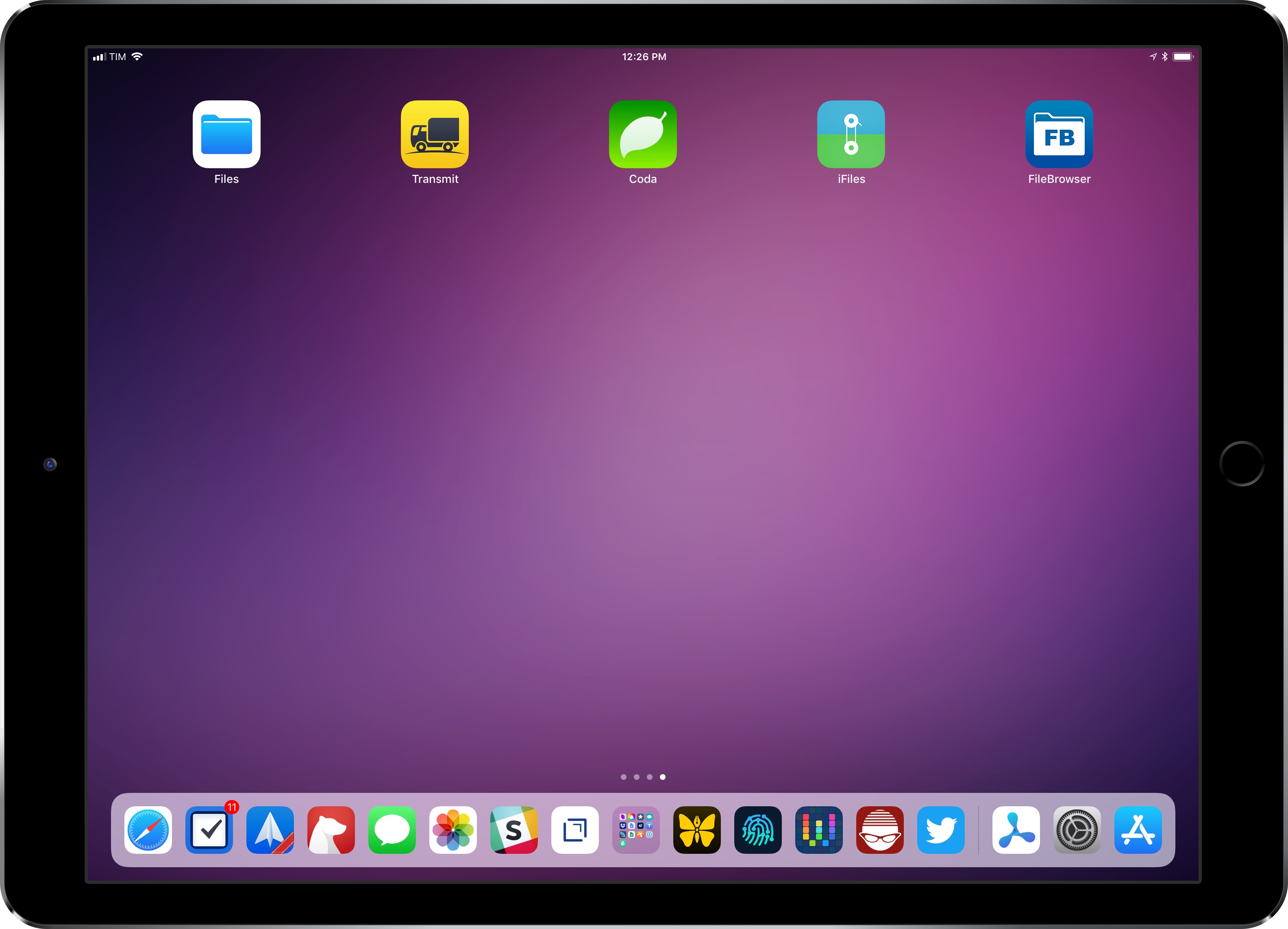
You can download my wallpaper here.

Even though I never depended on Transmit for my daily iPad file management needs, I was sad to read that Panic couldn’t find a market for it on the App Store. Thousands of iPad owners use Panic’s app to manage their FTP servers and Amazon S3 buckets; integration with the latter is particularly important as it’s hard to find apps that combine FTP access with S3 support and aren’t hindered by questionable interface choices or a lack of updates.

Transmit for iOS was (and, until it is removed from the App Store, still is) one of a kind. Its excellent Mac foundation was adapted to iOS with taste and elegance, leveraging a split-pane UI long before iPad users were comfortable with Apple’s native Split View; thanks to Panic’s penchant for beautiful and intuitive design married to power-user functionalities, the Mac-like approach worked surprisingly well on iPad too.

It’s difficult to pin down what, exactly, made Transmit for iOS unprofitable. The iOS counterpart always lagged behind the cloud integrations from the Mac app (Backblaze B2 and Rackspace Cloud Files, for instance, never made it to iOS); Panic didn’t update Transmit to take advantage of major additions to iOS 11 such as Files and drag and drop; perhaps more importantly, Transmit for iOS is a product of the pre-iOS 11 era, back when the concepts of desktop-like file management and drag and drop were alien to the platform. Ultimately, I think Transmit for iOS lived and (slowly) died because we had it too soon.

But this isn’t a post-mortem for Transmit on iOS, which, according to Panic, may even relaunch as a new app on the Store someday. Instead, I’d like to take a quick tour of some of the alternatives for Transmit available on iPad today. In case Panic decides to pull Transmit from the App Store, or if the app stops working in a future release of iOS, these FTP clients and file managers should compensate for the features of Panic’s app. Most of them don’t offer the same sophisticated and polished UI design, but some of them may even turn out to be more flexible and better integrated with iOS than Transmit.

Read more


Connected, Episode 176: A Kernel Panic at the Disco→

What does the death of Transmit mean for pro apps on the iPad? Should Apple make a laptop that runs iOS? Does Myke understand how hypothetical questions work?

I liked our discussion about pro apps on iPad and the idea of a laptop that runs iOS on this week’s episode of Connected. You can listen here.

Sponsored by:

  • Sanebox: Clean up your inbox in minutes. Sign up for a two-week free trial and a $25 credit.
  • Anchor: Radio, reinvented.
  • Ting: A smarter way to do mobile. Save $25 on selected devices or keep it as Ting credit.
Permalink

Smart Audio Report on Smart Speaker Adoption in the U.S.→

Thuy Ong, reporting for The Verge on new research about smart speaker adoption in the United States:

One in six US adults (or around 39 million people) now own a voice-activated smart speaker, according to research from NPR and Edison Research. The Smart Audio Report claims that uptake of these devices over the last three years is “outpacing the adoption rates of smartphones and tablets.” Users spent time using speakers to find restaurants and businesses, playing games, setting timers and alarms, controlling smart home devices, sending messages, ordering food, and listening to music and books. Over half of respondents keep their smart speaker in the living room, followed by the kitchen (21 percent), and master bedroom (19 percent).

The survey of just under 2,000 individuals found that the time people spend using their smart speaker replaces time spent with other devices including the radio, smart phone, TV, tablet, computer, and publications like magazines. Over half of respondents also said they use smart speakers even more after the first month of owning one. Around 66 percent of users said they use their speaker to entertain friends and family, mostly to play music but also to ask general questions and check the weather.

I’m a bit skeptical about adoption of smart speakers outpacing “smartphones and tablets” (it sounds like a vague statement), but this is what the numbers seem to show.

What stands out to me is the fact that, after cars, people who participated in this research study would like to have smart speaker functionality on their phones. However, a similar study conducted by Creative Strategies in 2017 showed that the most common actions owners of smart speakers invoke on a weekly basis include setting timers, checking the weather, playing music, and controlling lights; all these tasks can also be performed by the digital assistants on our smartphones. To me, this suggests that either owners of smart speakers aren’t familiar with smartphone assistants (I doubt it) or that there is indeed something useful about stationary speakers that smartphones can’t fully replicate.

Permalink

An Interview with James Thomson, Creator of PCalc and DragThing

AppStories+ Deeper into the world of apps

AppStories Episode 38 - An Interview with James Thomson, Creator of PCalc and DragThing

0:00
33:02

↓

AppStories+ Deeper into the world of apps

Federico and John interview James Thomson about the origins of PCalc and DragThing, life as an indie developer, selling apps on the App Store and Mac App Store, and more.

Read more