

Modern Atlas is the synthesis of multiple data sources into an easy-to-use resource for travelers. I first tried Modern Atlas this past summer. What grabbed me immediately was the excellent integration of so many different reference sources into its cleanly-designed map interface. Home base in Modern Atlas is its map view. From there, you...
 App Debuts
 Federico
Blocky Basketball - Endless Arcade Dunker Fun new iPhone game that feels like a mix of Crossy Road, classic endless runners, and a basketball game. You have a limited amount of time to pass the ball to other players before dunking, and the more you advance, the trickier passing becomes. A combination of genres...
Twelve South Introduces Fermata Wireless Headphone Charging Stand→
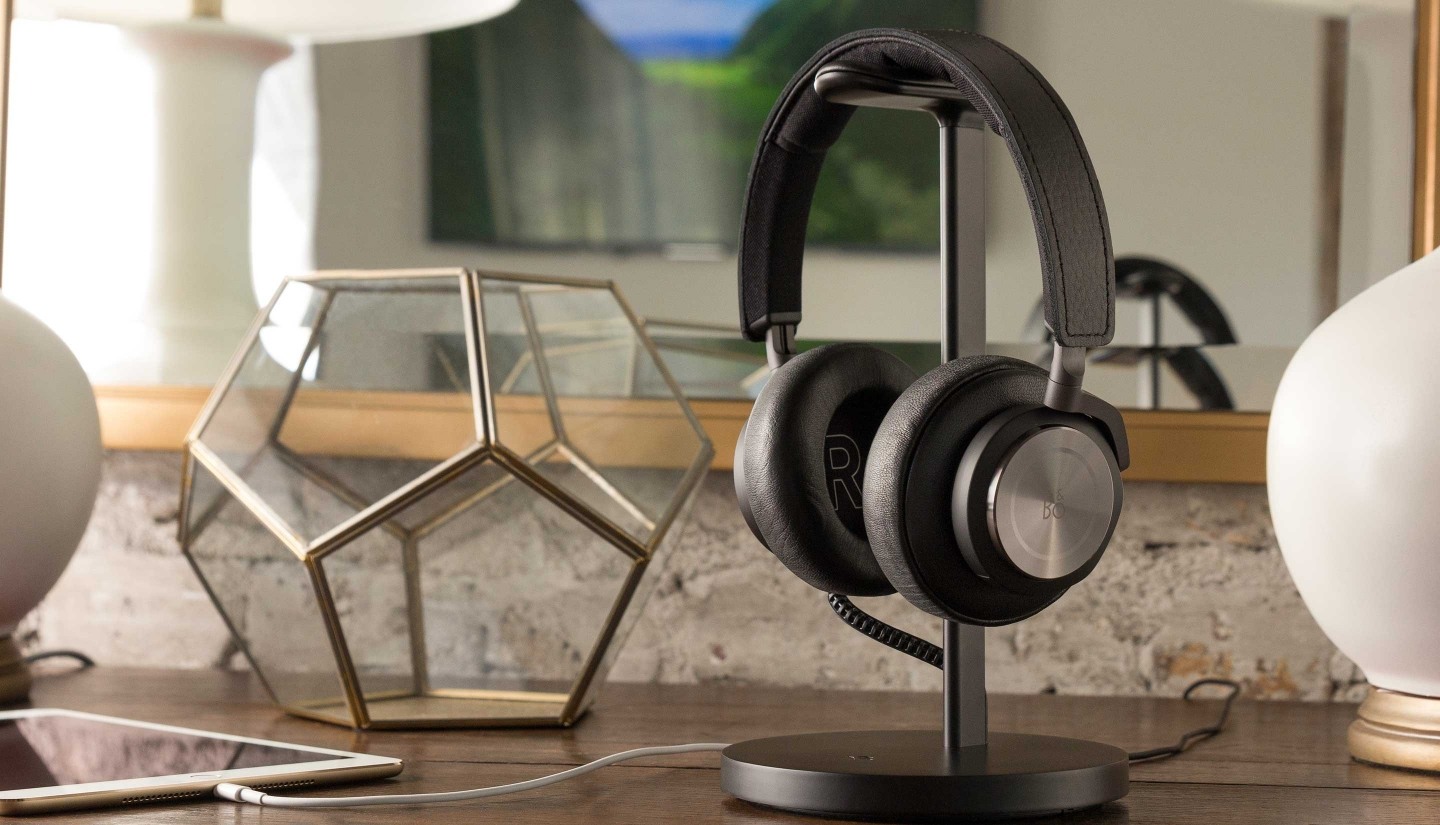
Mac and iOS accessory maker Twelve South debuted a headphone charging stand, which serves to display your high-end wireless headphones while they charge. The stand has a leather covered pedestal to hang your wireless headphones on and is available in black and silver. The Fermata can be plugged into a wall outlet, saving you from charging your headphones via a port on your Mac and charges via a micro-USB cable that is hidden in the post when not in use. The micro-USB connector is reversible, which should make it easy to plug in your headphones.
The Fermata is available for purchase from Twelve South’s website for $79.99 and ships internationally.
New Apple Ad: Dive→
Apple introduced a quirky iPhone 7 ad on YouTube today called Dive. The ad features an older gentleman lounging by a swimming pool at what looks like a resort. As La Virgen De La Macarena begins to play, he turns up the volume, props his iPhone 7 up in a puddle of water on a table, and heads to the diving platforms. He hands his sunglasses to a girl as he climbs to the highest platform, pauses to glance down at a young woman sunbathing by the pool, and executes a perfect dive that splashes his iPhone. The spot ends with the tag line ‘stereo speakers on iPhone 7’ followed by, ‘practically magic.’ The clothing and slightly washed out colors of the video, which highlights the iPhone 7’s stereo speakers and water resistance, give it a vaguely old-fashioned, eccentric feel.
Automation Service IFTTT Announces New Functionality and Apps→
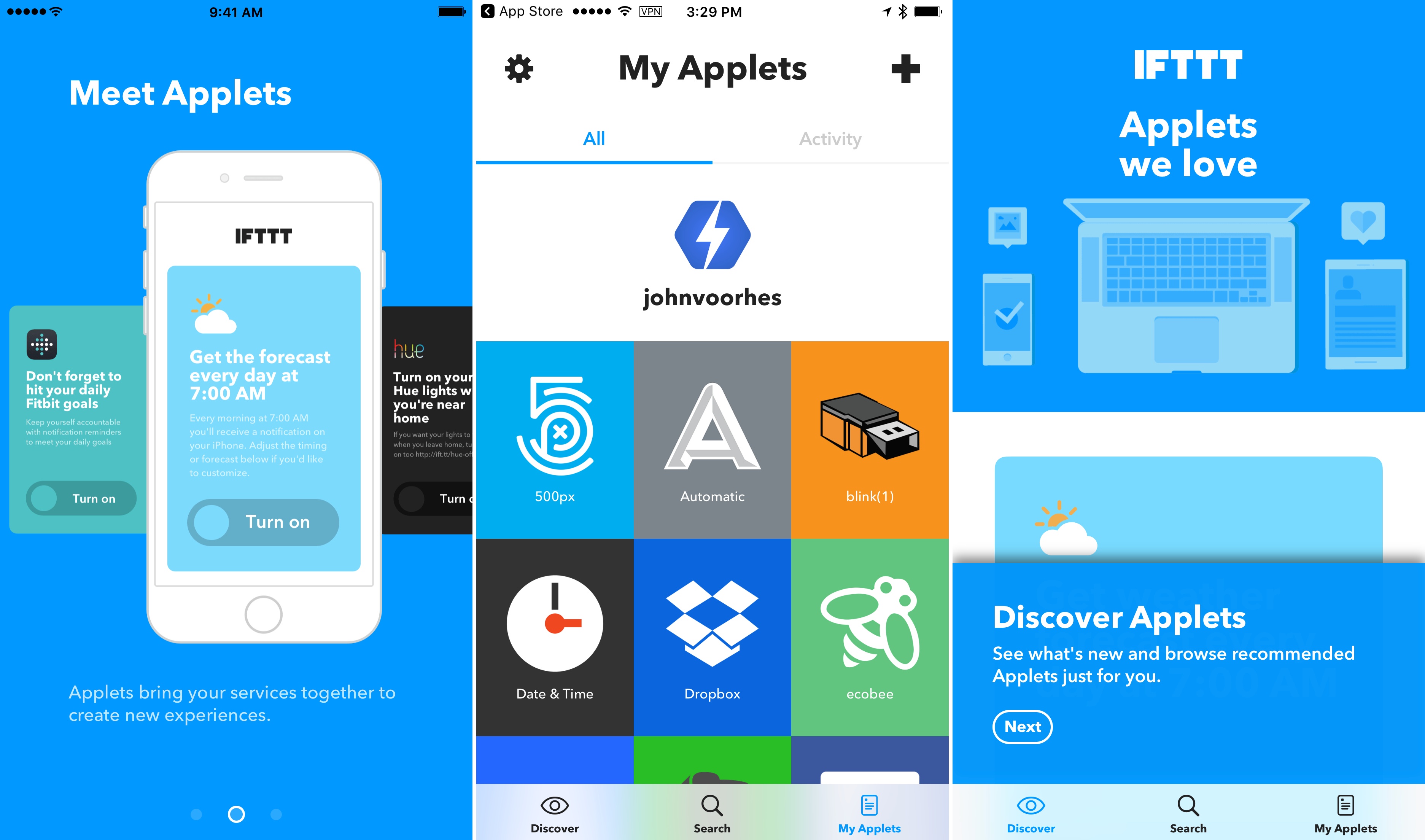
A big limitation of IFTTT has been that Recipes could only execute one action. Today, IFTTT launched Applets, which can do everything that Recipes could, but more. According to the IFTTT blog:
In the past, you used IFTTT by adding Recipes, which were “if this, then that” connections between two services. Today, Recipes have evolved into Applets. Applets can do everything that Recipes could — and much more. They bring your services together, creating new experiences that you can unlock with a single switch.
The introduction of Applets includes a redesign of IFTTT.com and the combination of IFTTT’s IF and DO apps into one app called IFTTT, which can be downloaded for free on the App Store.
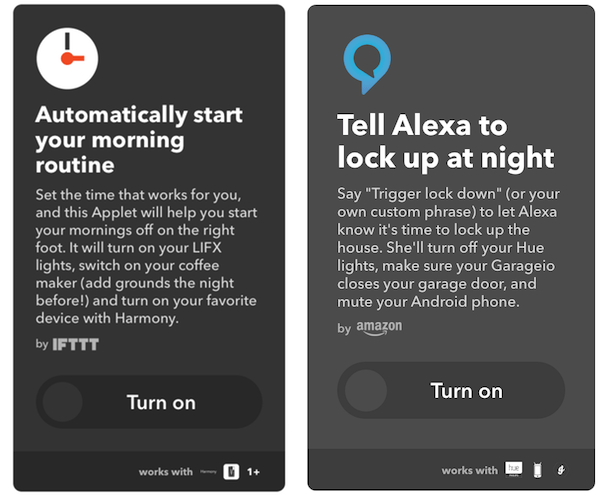
IFTTT is also adding tools for its partners to build services that take advantage of Applets’ multiple action and filtering capabilities and opening its partner platform to anyone with an API, which should help IFTTT add to its library of Applets quickly. Multiple action support is a big deal for IFTTT that opens up a wide array of possibilities. It will be interesting to see what integrations are built.
Uber Previews App Redesign that Adds Multiple Service Integrations→
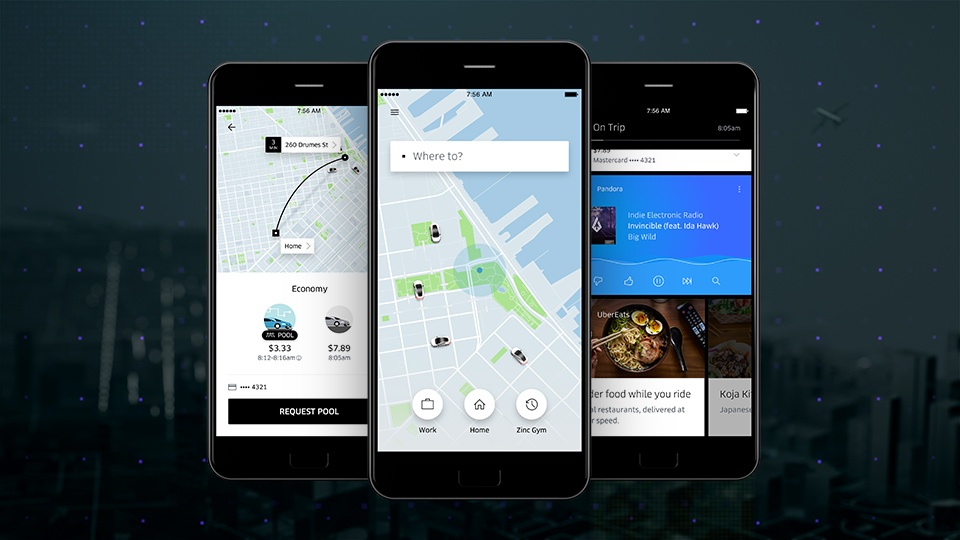
Over the next several weeks, Uber is rolling out a redesign of its ride-hailing app world-wide. The update integrates with your calendar and contacts allowing Uber to anticipate your destinations and locate your friends by allowing them to share their location through the app. According to Uber:
The new Uber app learns from your routines. So if you’re a frequent rider you’ll see “shortcuts” that predict where you could be headed. This means you can get moving with just one tap. Soon you’ll also be able to connect your calendar with Uber. Once you connect, your meetings and appointments will automatically appear as “shortcuts,” saving you the hassle of digging through another app to find the right address.
Uber has also redesigned how you pick your mode of transportation so you can price shop between uberX, uberPOOL, and UberBLACK. The app will integrate with several services too, so you can do things like check transit times and restaurant reviews, look up Foursquare tips for your destination, use exclusive Snapchat filters, order food from UberEATS, and play music in your car with Pandora.
Dropbox Adds Split View Support→
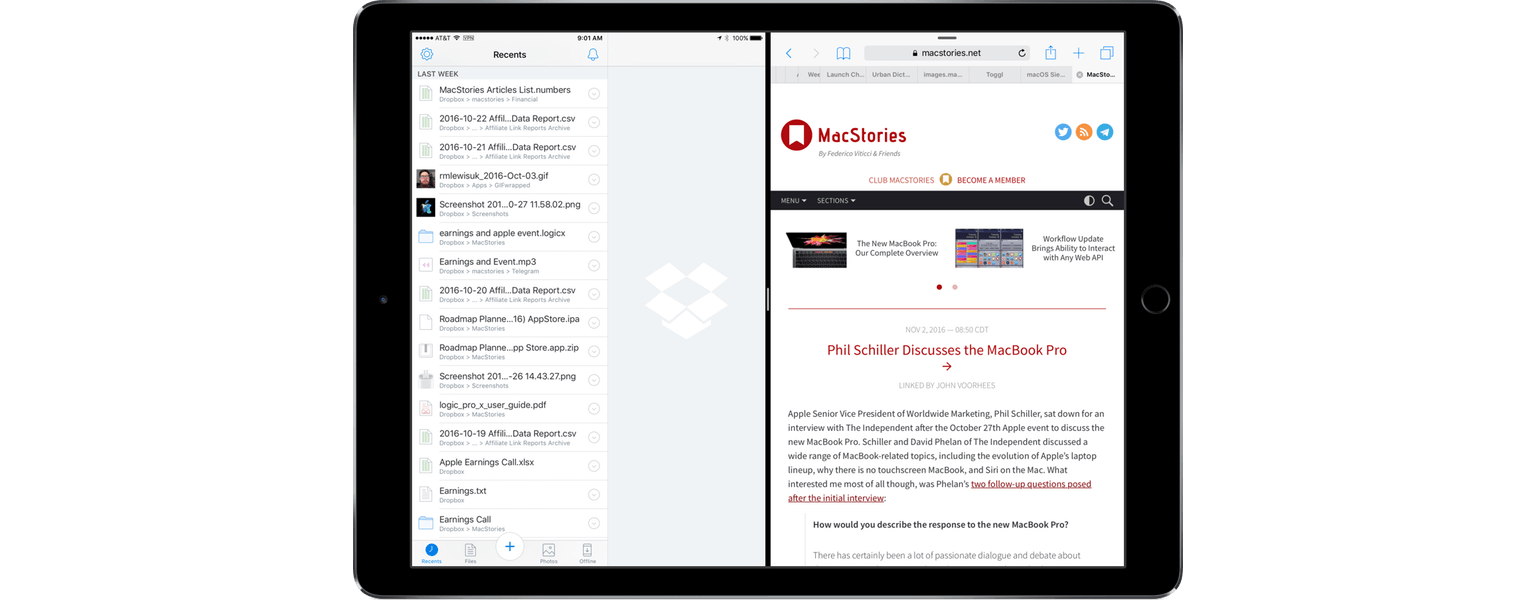
Dropbox received a major update a little over two weeks ago. At that time, Dropbox promised Split View support for the iPad in ‘the coming weeks.’ With no indication in the release notes, Dropbox’s most recent update adds Split View support, a feature which will make the app far more useful to many iPad users.
Phil Schiller Discusses the MacBook Pro→
Apple Senior Vice President of Worldwide Marketing, Phil Schiller, sat down for an interview with The Independent after the October 27th Apple event to discuss the new MacBook Pro. Schiller and David Phelan of The Independent discussed a wide range of MacBook-related topics, including the evolution of Apple’s laptop lineup, why there is no touchscreen MacBook, and Siri on the Mac. What interested me most of all though, was Phelan’s two follow-up questions posed after the initial interview:
How would you describe the response to the new MacBook Pro?
There has certainly been a lot of passionate dialogue and debate about the new MacBook Pro! Many things have impressed people about it, and some have caused some controversy. I hope everyone gets a chance to try it for themselves and see how great the MacBook Pro is. It is a really big step forward and an example of how much we continue to invest in the Mac. We love the Mac and are as committed to it, in both desktops and notebooks, as we ever have been.
And we are proud to tell you that so far our online store has had more orders for the new MacBook Pro than any other pro notebook before. So there certainly are a lot of people as excited as we are about it.
Are you surprised by how vocal the critics have been?
To be fair it has been a bit of a surprise to me. But then, it shouldn’t be. I have never seen a great new Apple product that didn’t have its share of early criticism and debate — and that’s cool. We took a bold risk, and of course with every step forward there is also some change to deal with. Our customers are so passionate, which is amazing.
We care about what they love and what they are worried about. And it’s our job to help people through these changes. We know we made good decisions about what to build into the new MacBook Pro and that the result is the best notebook ever made, but it might not be right for everyone on day one. That’s okay, some people felt that way about the first iMac and that turned out pretty good.
Schiller’s message is clear. Apple took a risk with its new MacBook Pros, is confident in its decision, is committed to both desktops and laptops, and cares about its critics’ concerns. That said, by emphasizing that the MacBook Pro has had record online sales, Schiller is also suggesting that the MacBook Pro’s critics are a vocal minority.
Talkshow Will Shut Down on December 1
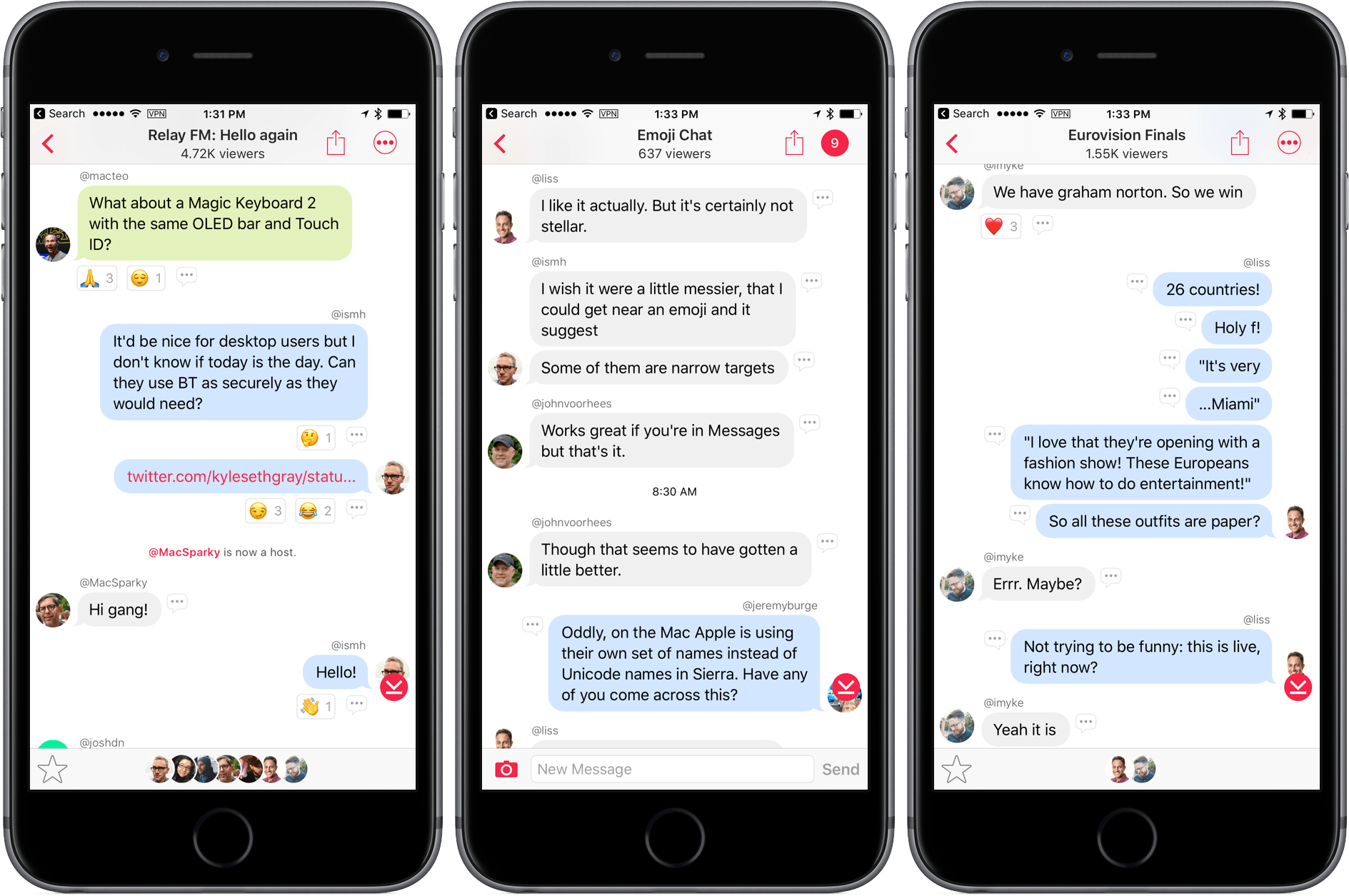
Talkshow, which launched about six months ago, will be shutting down effective December 1st. The service allowed groups to have text-based conversations in public. It quickly became a place to assemble panels to comment on live events or just discuss a particular topic. The discussion was limited to the host and guests, but people observing the Talkshow chat could submit questions.
In an email to users and post on Medium, Talkshow says:
While we have enjoyed the conversations that have happened on Talkshow, and are grateful for the community that has formed around the product, we don’t see it getting big enough to have the impact we had hoped for.
Talkshow’s shutdown is happening in stages over the next month. Talkshow is being removed from the App Store today. On November 8th, active Talkshows will end and tools will be made available to export existing shows. Finally, on December 1, the service will be turned off, which means the app will no longer show existing, inactive Talkshows, even in browsing mode.