
I’m a big fan of Phoebe Bridgers, and The New Yorker has a great review of her latest album, Lost Weekend. (Link) The Nintendo Switch 2’s dock is just too big to lug around with you. I’ve been using Genki’s Covert Dock 3, which I like a lot, but this inexpensive dock from GuliKit...
 Previously, On MacStories
NotesCTL: A Club MacStories Preview of Federico’s Advanced Apple Notes CLI Tool Relay Launches Its 2026 Campaign to Benefit St. Jude Children’s Research Hospital Anthropic Introduces an In-App Browser for Claude Cowork OpenAI Updates ChatGPT for iOS with Customizable Widgets for ChatGPT Work and Codex Remote Apple Announces September 9 Surprise and Shine Event Hands-On...
Mac Upgrade Math, Private Cloud Compute Experiments, and Cowork
Among the highlights on the Club MacStories+ Discord this week: The new Mac mini and Mac Studio announcements set off a lot of upgrade math, with members weighing longevity, local AI ambitions, gaming, and the challenge of talking themselves into (or out of) buying a new Mac. (Link) Saul shared an interesting personal app experiment...
Getting the Most Out of a Mac-Connected Mic for Dictation and Meeting Summaries
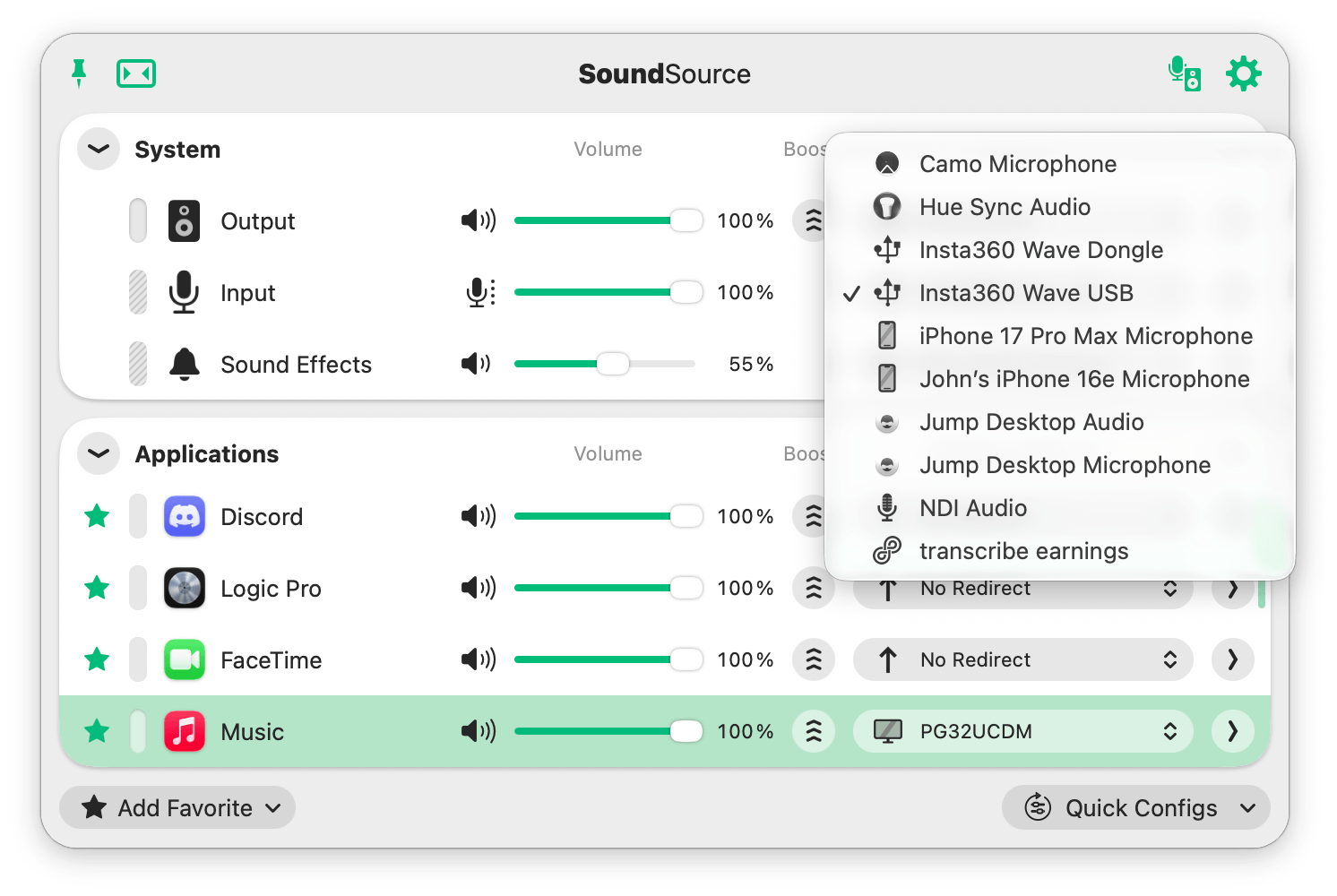
Speech-to-text transcription engines have meant that dictation and meeting-recording apps have become a big category. Whether you’re dictating using an app like Monologue, or summarizing meetings with Granola or Notion, it pays to spend a little time tidying up your app setup and considering your hardware. On the app side, every app is competing for...
Lessons of a Failed App Experiment
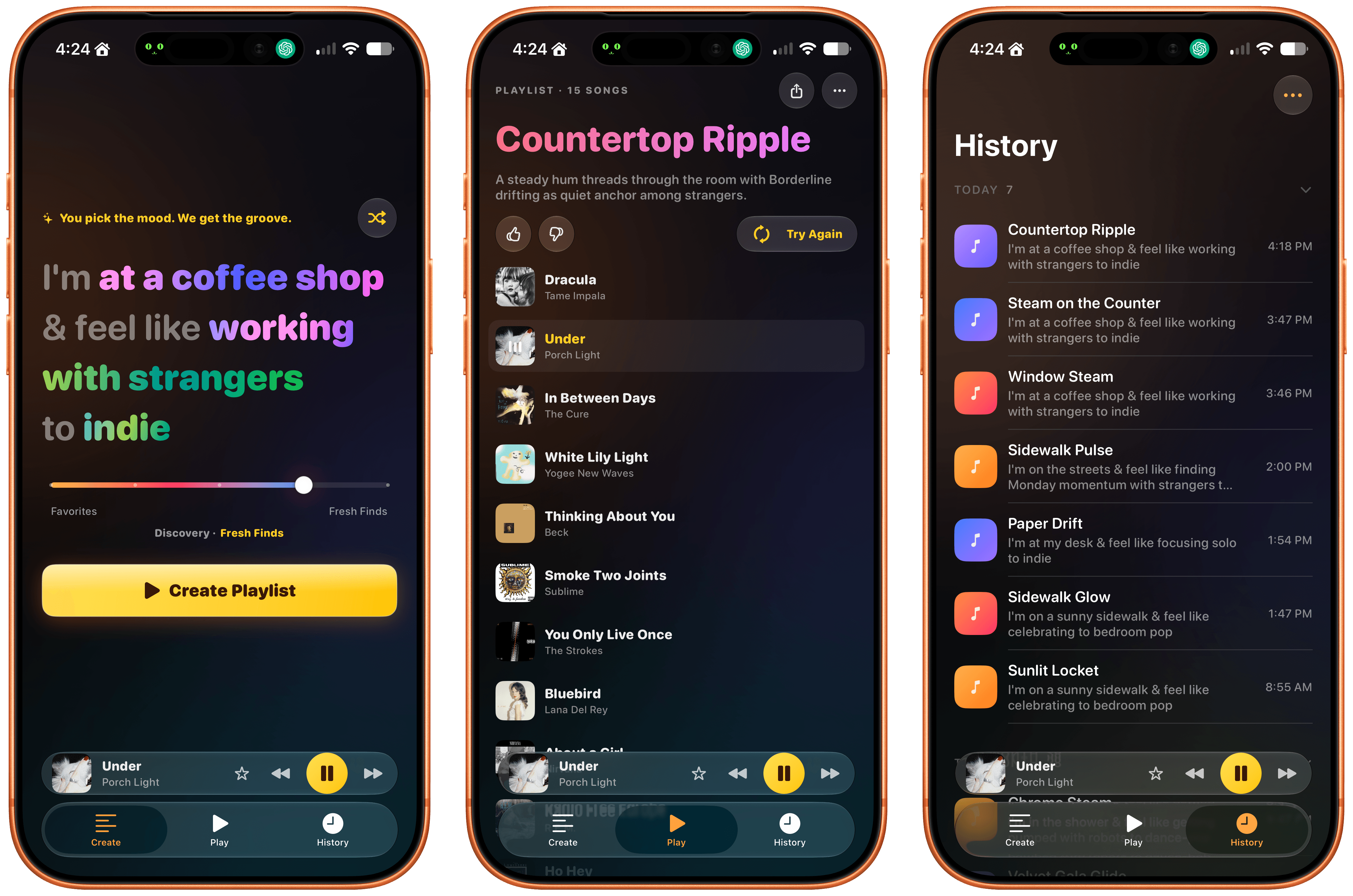
I really should know better. I do know better. And yet, it’s just so easy to start building whatever comes to mind with agents. But like anything, just because you can doesn’t mean you should. For me, the latest example started one morning when “the sentence” from Beats Music came to mind. It was a...
App Radar
MDash As much as I love Markdown, I realize that PDFs are still the beating heart of a lot of workplaces, which is why an app like MDash is so important. It’s a Mac app that takes your Markdown and turns it into a good-looking PDF. This is the sort of thing you can...
NotesCTL: A Club MacStories Preview of Federico’s Advanced Apple Notes CLI Tool
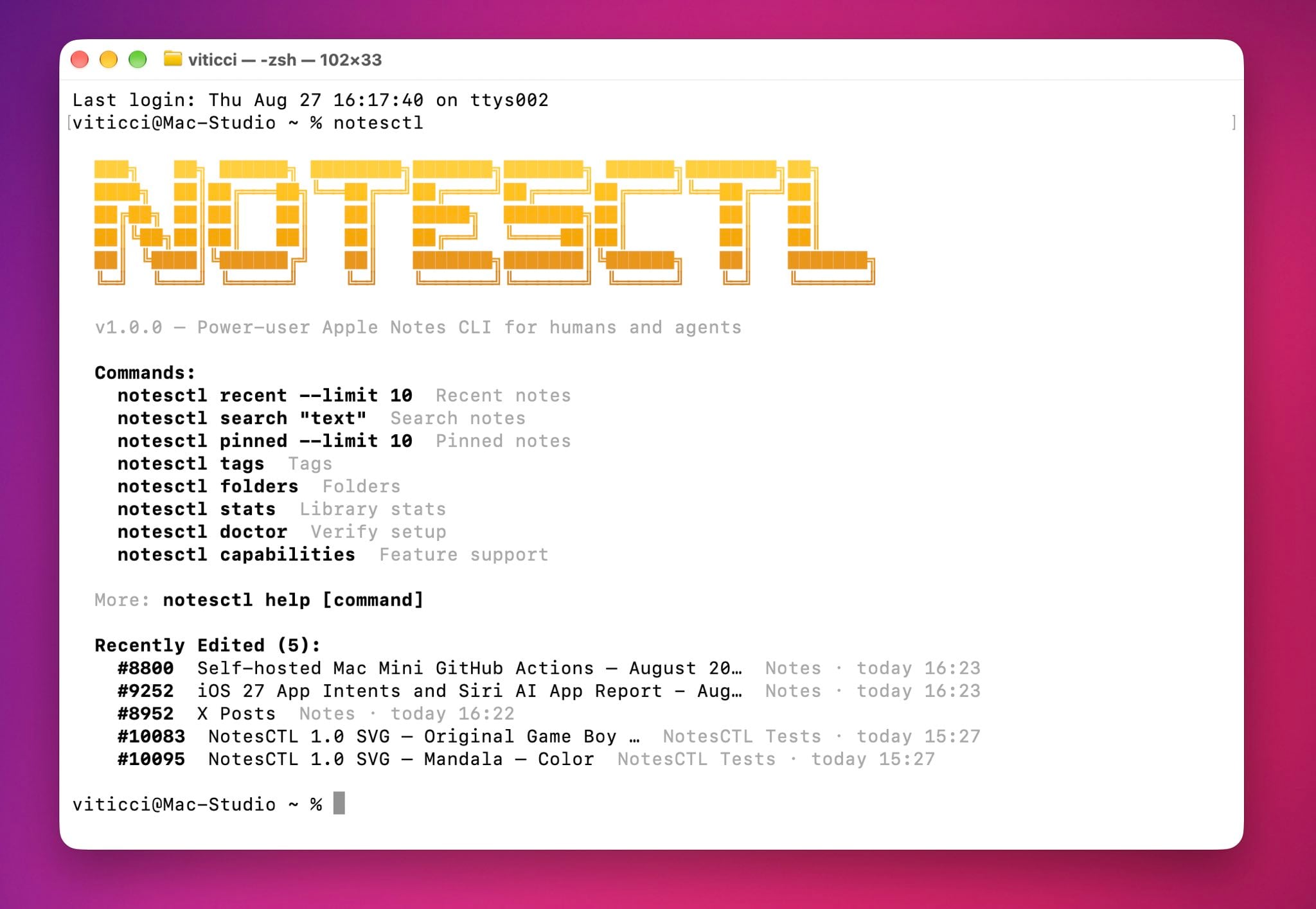
Throughout 2026, Federico and I have been working on a series of software projects and apps with the help of tools like Codex and Claude Code. Some of those are internal tools, but others are the sort of productivity apps from which anyone can benefit. It’s taken a while because we’re picky (and careful), but the time has come to start releasing the apps we’ve been working on.
Federico actually kicked things off earlier this year with RemCTL, an open-source command-line tool that makes every feature of Apple’s Reminders app available from a terminal. That makes it easy to integrate with automation workflows and agents. I’ve been using RemCTL since before it launched publicly, and it’s now deeply embedded in my everyday Codex workflow.
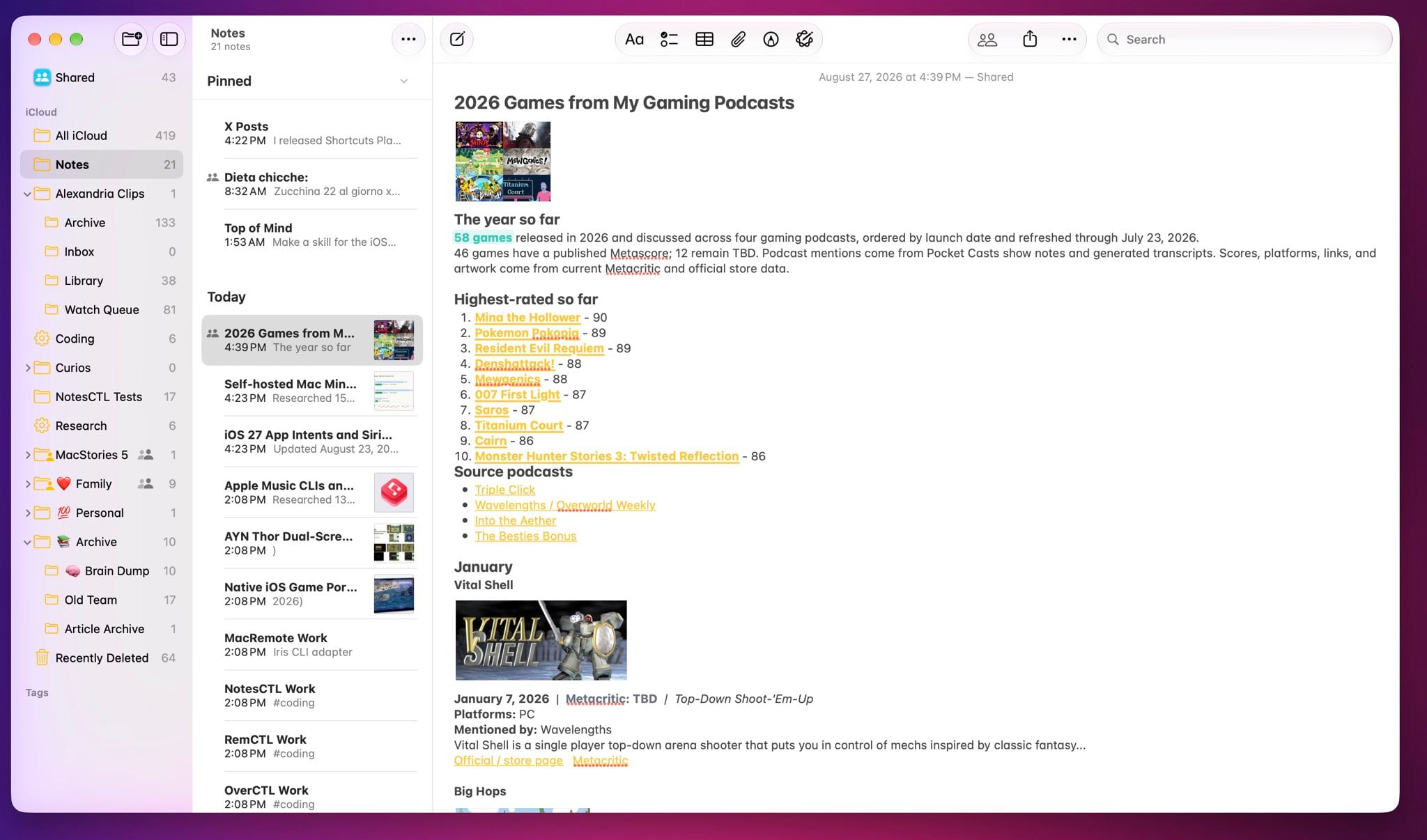
Today, Federico released a Club MacStories+ and Premier preview of NotesCTL, a command-line tool for Apple’s Notes app that is available in the Club Discord community and on the Club Downloads page. Over the past couple of months, he’s reverse-engineered every aspect of how Notes works from the ground up. The result is a command-line tool for power-users that exposes every Notes feature for use with scripts, Shortcuts, and, of course, agents, including:
- tags,
- subfolders,
- pinning,
- rich links,
- attachments,
- checklists,
- headings,
- tables,
- audio recordings, and
- highlights.
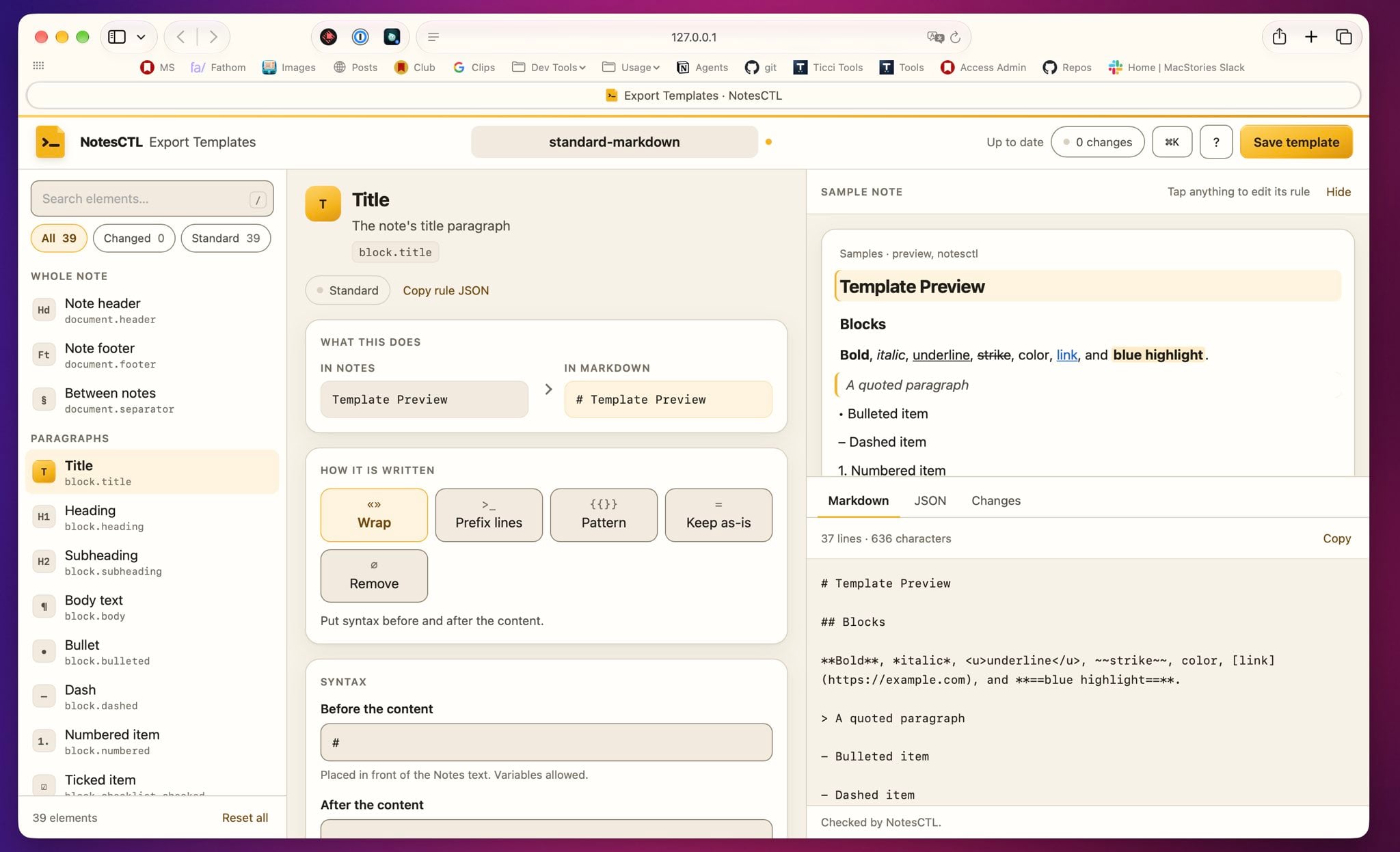
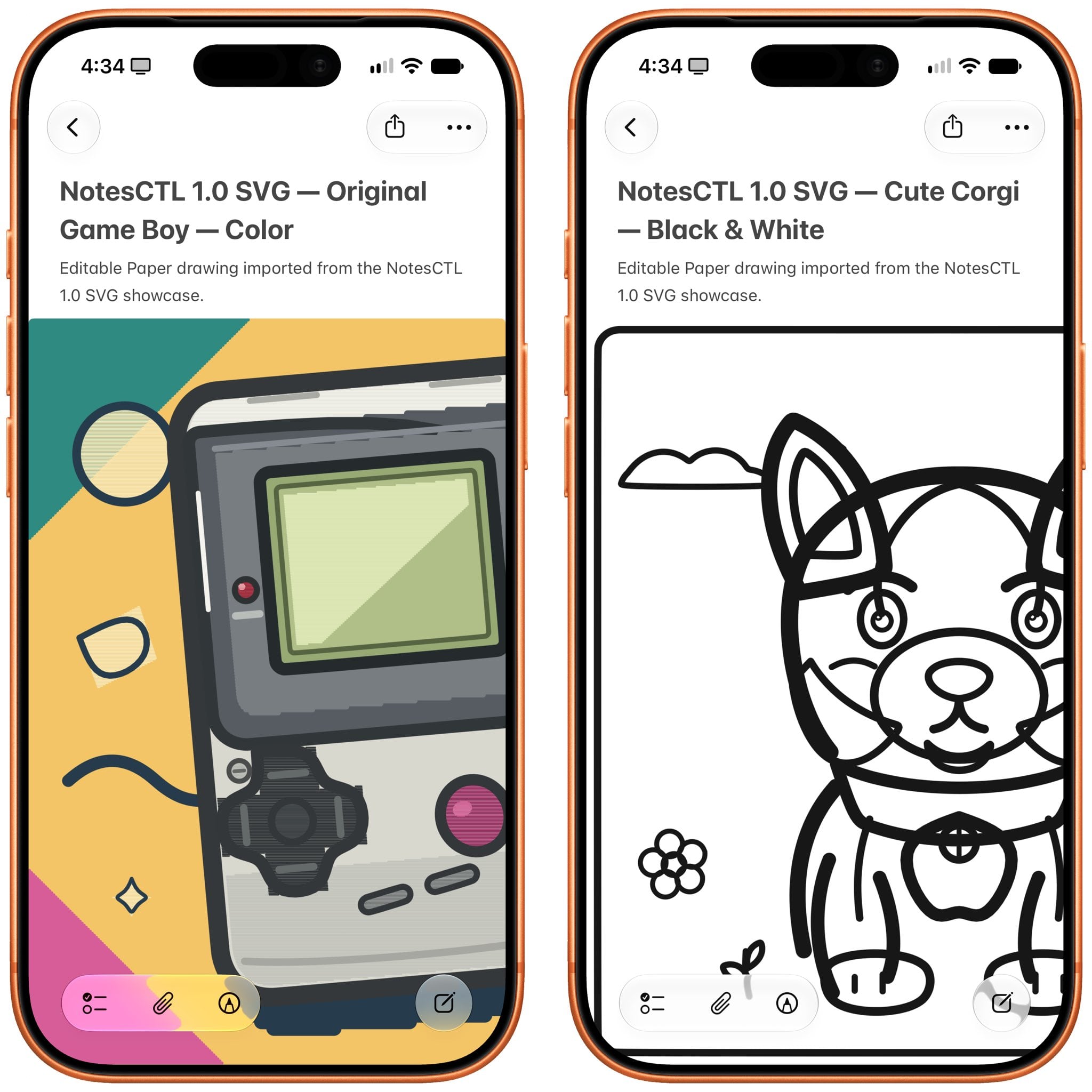
With the help of an agent, NotesCTL is great for assembling deep research reports. And with its PencilKit support, you can turn SVGs into native drawings that you can edit and color with an Apple Pencil. It’s great for simple mockups and coloring pages for kids. NotesCTL can also transcribe audio recordings from the Notes app and then search the results. Plus, writers will appreciate the app’s Markdown Exporter.
NotesCTL is nearly ready for public release, but if you don’t want to wait, you can access it today by joining Club MacStories+ or Premier. NotesCTL is the first software project that we’ll be releasing as a beta preview exclusively for Club members, but it won’t be the last. Software never seems ready to ship until, suddenly, it is, and we’ve been working on multiple parallel projects all year that are coming together nicely and will also be released early to Club MacStories+ and Premier members.
We’re excited to share everything we’ve been working on at MacStories for the past several months. NotesCTL is the perfect place to start, especially after RemCTL. Apple’s system apps are excellent, but for power users, they can sometimes feel limiting. Federico’s growing collection of CLIs is MacStories’ answer to those frustrations, one that lets power users enjoy the day-to-day elegance of Apple’s system apps, while extending the apps’ utility when you need it.
NotesCTL is currently available in the MacStories Software section of Discord and on the Club Downloads page where you’ll find it listed under “(2026) NotesCTL Beta Preview” for Club MacStories+ and Premier members and will be released publicly later this fall as an open-source project.
Relay Launches Its 2026 Campaign to Benefit St. Jude Children’s Research Hospital→

Today, Relay kicked off its annual fundraiser for St. Jude Children’s Research Hospital to help combat childhood cancer. In the seven years since the fundraiser began, Relay and its dedicated community of listeners have raised over $4.8 million; a truly amazing figure.
We’d love it if readers joined us in supporting this cause again this year. You can make a donation by visiting here.
The Podcastathon is a big part of the annual fundraiser as Myke Hurley explains on The Enthusiast:
Every year, the Podcastathon for St. Jude is a huge part of our fundraising mission, and we’ve decided that this year we want to turn it into a full-on celebration by having the 12-hour event close out our campaign. So this year we’ll be streaming live on Friday, October 2nd, from the campus of St. Jude.
Also, if you’re not familiar with the story behind Relay’s annual St. Jude Fundraiser, be sure to visit 512 Pixels for the details.
Thanks in advance for checking out Relay’s fundraiser for St. Jude and to all who donate.
Anthropic Introduces an In-App Browser for Claude Cowork
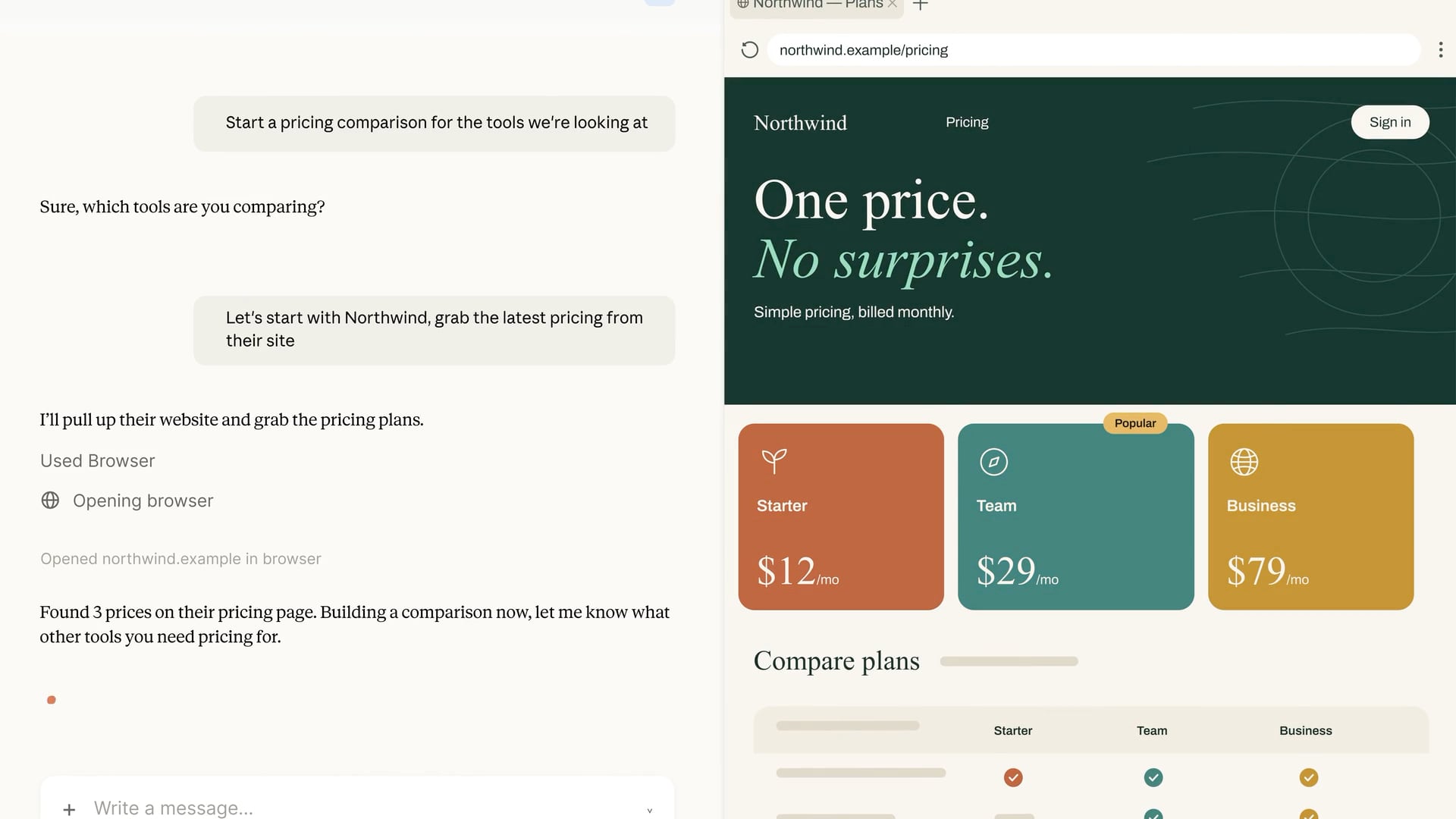
Hot on the heels of OpenAI’s addition of a cloud-based browser to ChatGPT Work, Anthropic has added an in-app browser to Claude Cowork in its desktop app. What’s interesting about the two browser implementations is that while both ChatGPT Work and Claude Cowork are meant to be used for general knowledge work, Claude Cowork’s browser is something of a hybrid that mixes aspects of OpenAI’s Codex built-in browser with its ChatGPT Work cloud-based browser.
First of all, I do not yet have access to Claude’s in-app browser, so the following is based solely on Anthropic’s announcement and other documentation. Still, the differences are worth understanding since the tools are aimed at different workflows.
Like Codex’s in-app browser, Claude Cowork’s in-app browser is built into the desktop app itself. That ties Claude’s browser to the instance of its app running on your Mac. Turn your Mac off or close the Claude app, and the browser becomes unavailable. Leave the Claude app running, and you’ll be able to control the browser session remotely through the Claude mobile app or the web.
From there, however, the browsers diverge. As you’d expect, the Codex implementation is developer-oriented, with tools to build, inspect, and annotate web pages along with access to a terminal, repos, and diffs. In contrast, Claude Cowork’s in-app browser opens automatically as needed for general-purpose web tasks instead of development tasks.
Also, while both ChatGPT Work’s and Claude Cowork’s browser implementations benefit from being isolated from your other day-to-day browser use outside those apps, their handling of login credentials is a little different. As I wrote in greater detail yesterday, ChatGPT separates the login process from the model’s activity and evaluates the login page for things like phishing schemes. Claude Cowork’s in-app browser offers two ways to log in: manually, or by importing cookies from logged-in sessions in another browser. Currently, Claude supports cookie imports on the Mac from Chrome, Edge, and Firefox, but not Safari. In addition to the security benefits that come with a browser that runs isolated from your everyday browser, Claude also requests permission before acting on a site for the first time, blocks high-risk sites, checks actions against the your requests, and uses the same prompt injection protections as its Chrome extension.
My first-run experience with ChatGPT Work’s cloud browser was a mixed bag but showed promise. Although I haven’t tried Claude Cowork’s browser yet, I’m glad to see Anthropic moving in the same direction as OpenAI here. Isolating agent browsing by bringing the browser into Claude and ChatGPT doesn’t solve every security issue, but it’s a good starting point. I expect we’ll see both Anthropic and OpenAI iterate quickly on this theme in the coming months.