John Voorhees

5812 posts on MacStories since November 2015

John is MacStories' Managing Editor, has been writing about Apple and apps since joining the team in 2015, and today, runs the site alongside Federico. John also co-hosts four MacStories podcasts: AppStories, which covers the world of apps, MacStories Unwind, which explores the fun differences between American and Italian culture and recommends media to listeners, Ruminate, a show about the weird web and unusual snacks, and NPC: Next Portable Console, a show about the games we take with us.

This Week's Sponsor:

Crickets

The first alarm app for families.


Super Mario Run Update Released A Day Early

A major update to Super Mario Run, which, according to a feature on the App Store, was scheduled for release tomorrow, debuted a day early. The update features a brand new mode called Remix 10, a new World Tour course, and more.

The goal in Remix 10 is to find Princess Daisy by navigating 10 short courses that change each time you play. Regardless of whether you complete a level, you move onto the next until you finish all ten. There are new items in Remix 10 that you can collect to decorate your Mushroom Kingdom. Princess Daisy, who features a double jump ability, is also a playable character who is unlocked after playing through enough Remix 10 levels. The new mode is an interesting twist on the existing game that works well on mobile for when you may not have as much time to play or just want to practice the game.

A new World Star level has been added to World Tour mode that is accessible after you complete the first six worlds. World Star features all new courses like a forest and ship packed with coins.

There are other small enhancements to Super Mario Run too. For example, if you listen to music while playing, the characters will appear wearing headphones. Also, new buildings are available for your Mushroom Kingdom by playing Bonus Games in Remix 10.

Super Mario Run is available on the App Store. Through October 12th, the price of Super Mario Run’s In-App Purchase has been reduced from $9.99 to $4.99.

1Writer Update Includes Open in Place and Drag and Drop Support

Before I moved to Ulysses for most of my writing, I used 1Writer. At first, it was how I accessed my large collection of NVAlt notes when I wasn’t at my Mac because its search is exceptionally fast. Over time though, it became my primary text editor because it syncs with iCloud and Dropbox, works with Markdown files, has excellent export options, is highly customizable, and supports URL schemes and JavaScript actions. I don’t use 1Writer as often these days, but it remains one of my favorite text editors, so I was glad to see it has been updated to take advantage of new iOS 11 features.

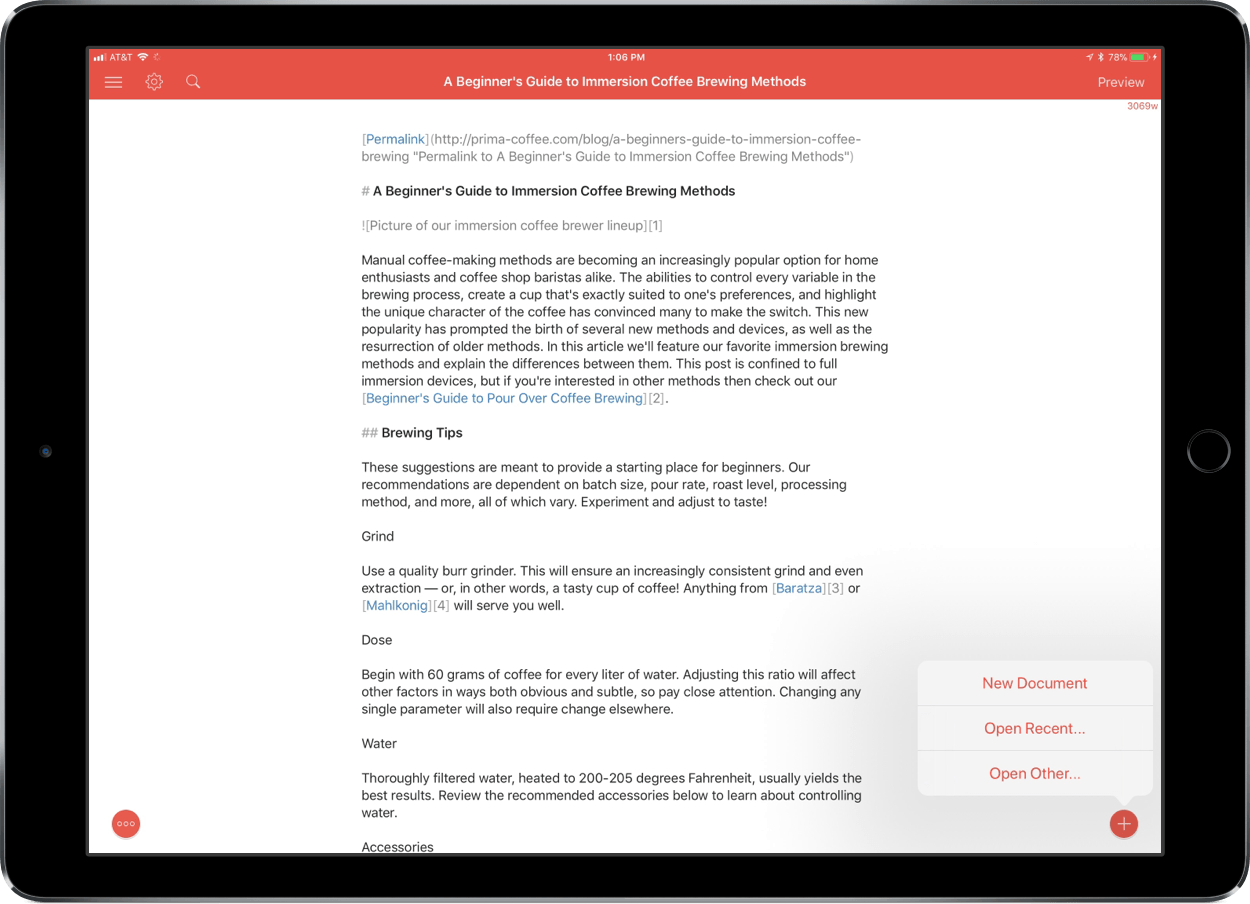
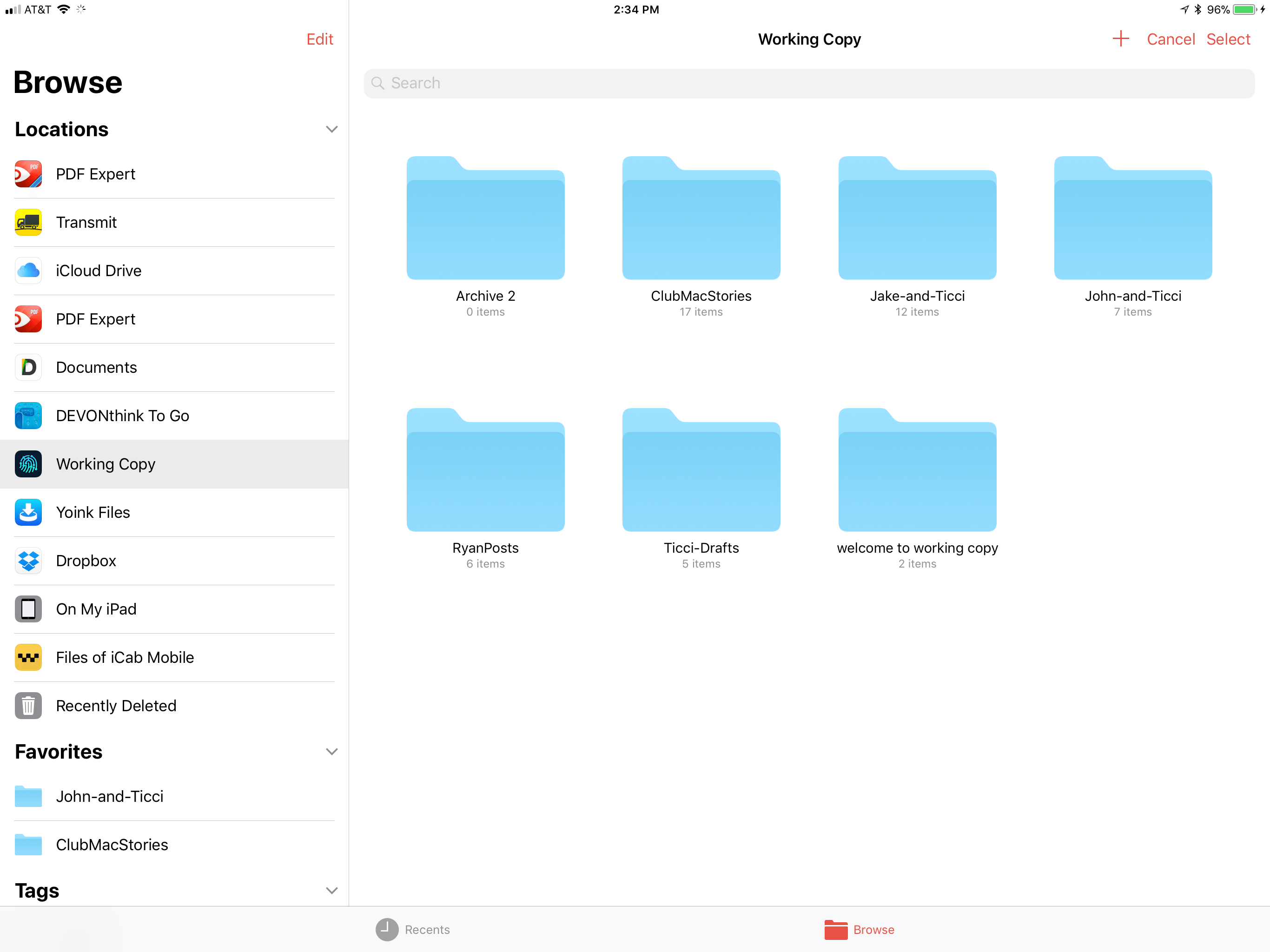
The latest version of 1Writer supports Open in Place via iOS 11’s new document browser. Tap the omnipresent plus button in the lower right-hand corner of 1Writer and choose ‘Open Other…’ to launch iOS 11’s document browser. 1Writer has tinted the navigation elements of the document browser, which helps remind users that they are still in 1Writer, which is a nice touch that not all apps bother to support. With Open in Place, 1Writer can edit the Markdown or plain-text files of any file provider. For example, that allows me to grab a draft from one of our MacStories GitHub repos via the Working Copy file provider to make edits to the original document without creating a local 1Writer copy of the file.

1Writer supports Open in Place.

1Writer supports Open in Place.

1Writer also supports two-way drag and drop. I can drag any document from 1Writer’s document browser and drop it into another compatible app that accepts text like iA Writer, Byword, or Notes. I was also able to attach a 1Writer file to a message using Apple Mail.

Dragging into 1Writer works too. 1Writer can handle text and URLs, so it disregards images included in something like a note from the Notes app, but will set up Markdown syntax for an image if you drag in just a photo. If you drag into an existing 1Writer document, the text and links are appended to the end of the document.

1Writer has also added support for smart punctuation, which, for example, replaces straight quotes with the curly variety, and is iPhone X-ready.

1Writer is one of the most versatile text editors available. The addition of Open in Place means the app can be used with a wider variety of apps than ever before and drag and drop eliminates the number of steps needed to get text into and out of 1Writer. If you’re looking for a text editor that is at the forefront of iOS 11 technologies, 1Writer is an excellent choice.

1Writer is available on the App Store.


AppStories, Episode 24 – Our Favorite iOS 11 Apps, Part 1→

On this week’s episode of AppStories, we give an update on the iOS 11 review and anniversary activities at MacStories and Club MacStories then talk about some of our favorite new apps and updates that show off the new capabilities of iOS 11.

Sponsored by:

  • Balance - A wallet for all the worlds currencies and tokens.
  • Readdle – Redefining productivity.
AppStories+ Deeper into the world of apps

AppStories Episode 24 - Our Favorite iOS 11 Apps, Part 1

0:00
34:07

↓

AppStories+ Deeper into the world of apps

Permalink

Why There Are No Standalone Apple Watch Podcast Players→

With watchOS 4 and the Series 3 Apple Watch, Apple has made several improvements to how the Watch handles music, untethering listeners from their iPhones. Apple Music subscribers can sync their My Favorites Mix, My Chill Mix, My New Music Mix and the Heavy Rotation section of Music to their watches, for example. In October, Apple will expand users’ options on the Watch by adding Apple Music streaming for subscribers. However, there’s a glaring omission in Apple’s iPhone-free audio strategy: podcasts.

There is no good way to listen to podcasts on an Apple Watch without bringing along an iPhone. As Marco Arment, the maker of Overcast, details on Marco.org,

The Apple Watch desperately needs standalone podcast playback, especially with the LTE-equipped Series 3, which was designed specifically for exercising without an iPhone.

Believe me, I’ve tried. But limitations in watchOS 4 make it impossible to deliver standalone podcast playback with the basic functionality and quality that people expect.

Arment’s article walks through each of several technical challenges in detail, the biggest being syncing progress between a Watch and an iPhone. The post outlines the minimum changes to the watchOS APIs that Arment believes are necessary to build a viable standalone podcast player for the Watch as well as detailing more ambitious changes to Apple’s APIs that would be nice to have.

During the watchOS 4 beta period, I began running without my iPhone. I enjoyed listening to the music synced overnight to my Watch, but it was a taste of untethered freedom that only made me want a standalone podcast player more. Audio playback and syncing undoubtedly pose battery life issues and other challenges, but with the advancements in the Series 3 hardware, I hope we see corresponding API changes that will allow Arment and others to build iPhone-free podcast players.

Permalink

iStat Menus 6 Released

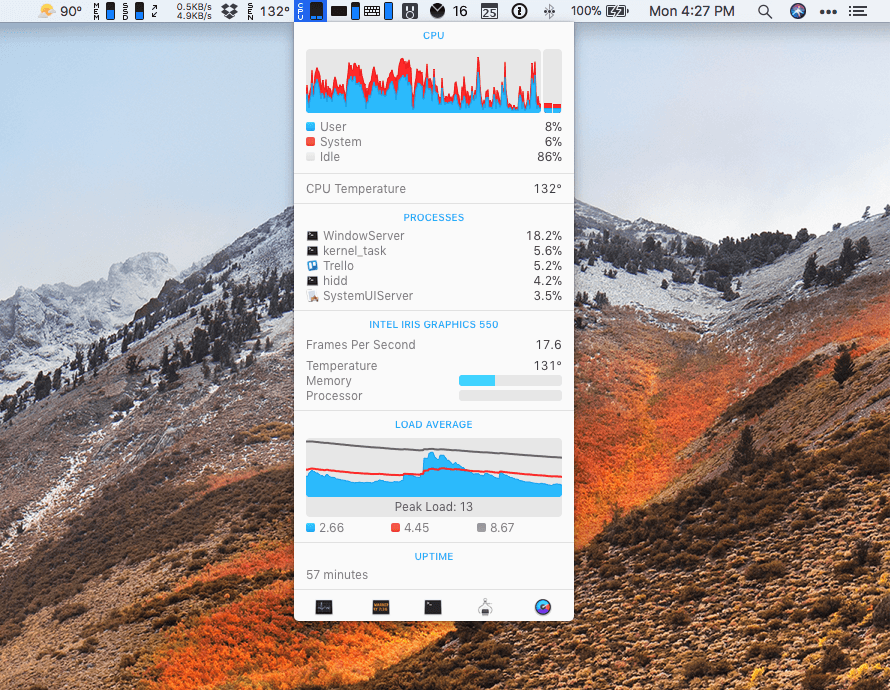
Just ahead of the macOS High Sierra update, Bjango released iStats Menus 6, an update to its comprehensive suite of tools that sit in your Mac’s menu bar and monitor its systems and now, even the weather. With highly customizable notifications, iStat Menus is an excellent way to know what’s going on with your Mac and to be alerted if a problem is on the horizon. I’ve only been trying iStat Menus 6 for a short time, but like what I’ve seen.

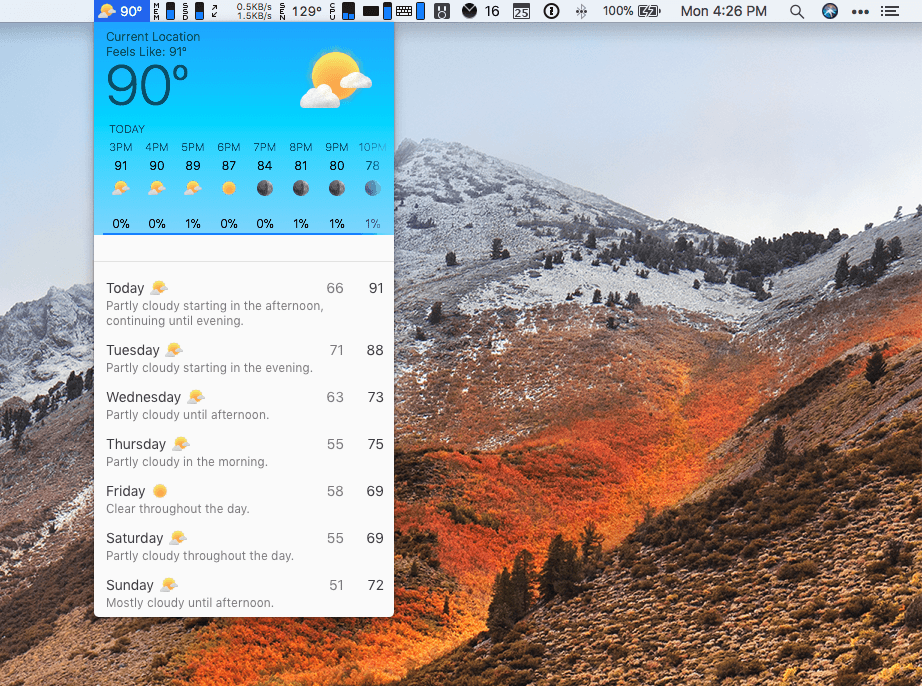
Adding a weather widget to iStat Menus is a departure for Bjango, which has previously stuck to system measurements, but I like it a lot. iStat Menus puts the temperature and an icon of current conditions in your menu bar. Clicking on the temperature reveals a wealth of additional information that will warm any weather geek’s heart and help everyone else plan their week.

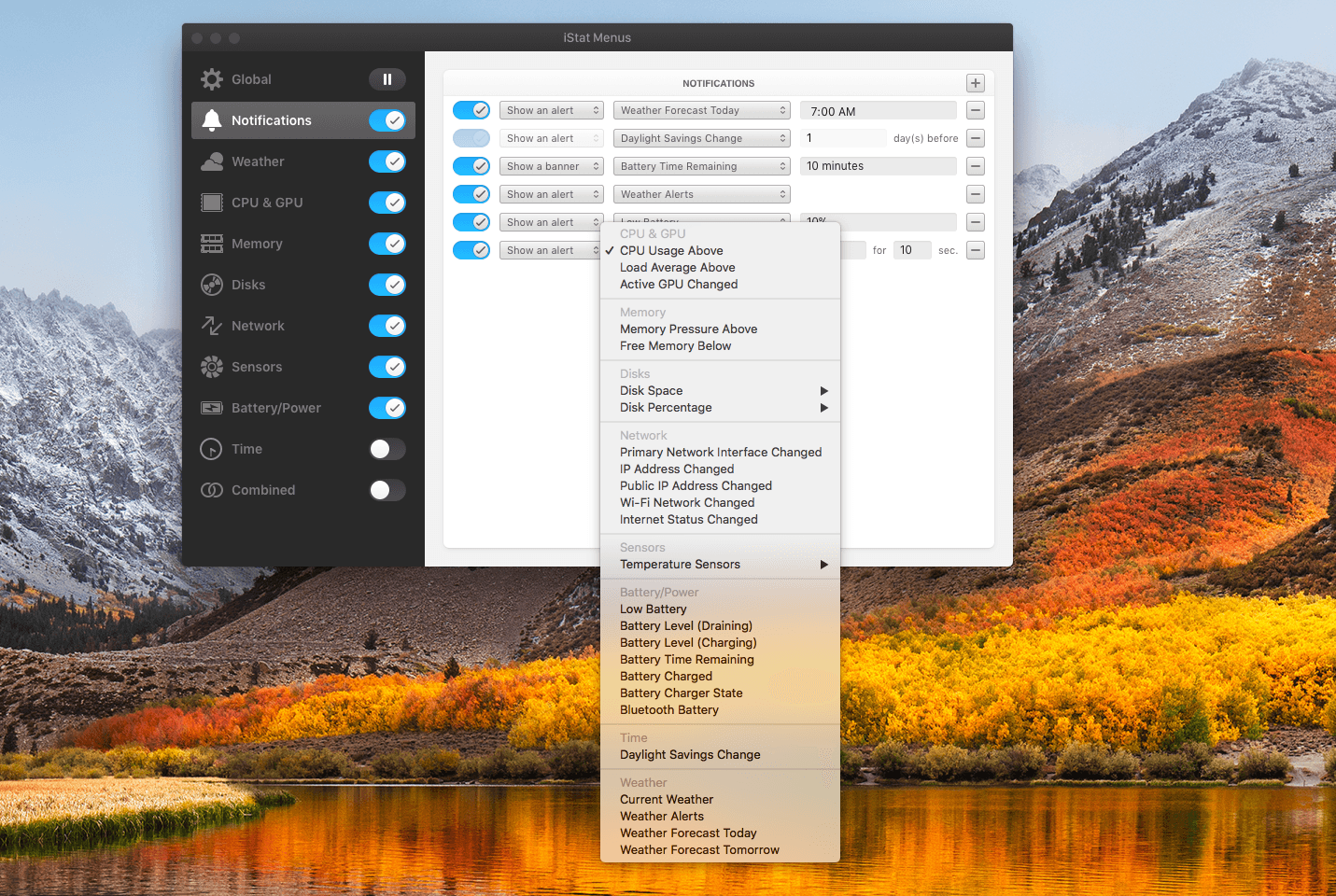
Notifications are highly customizable too. If there’s a statistic reported by iStat Menus, you can bet there’s a way to be notified of it. Already this morning it warned me of an air quality advisory issued for the unseasonably warm fall day we’re having in Chicago. I’ve also set it up to alert me if I run low on available storage and RAM.

iStat Menus has added a wide variety of additional features too including,

  • Additional theme and color options with light and dark menu options.
  • Hotkey support for opening and closing menus from the keyboard.
  • A new dual line clock option.
  • New ways to customize the menu items and their dropdowns.
  • A new Notification Center widget with the most popular statistics in one place.
  • Improved accessibility and localization.

People familiar with iStat Menus will be right at home with this new version. There are dozens of refinements and new features, but the mission of the app remains the same: to provide a wealth of information in a compact, cleanly-designed interface that keeps users informed. I’ve enjoyed tweaking iStats Menus’ settings today to suit my current setup as I test its new features. I’ve used the app on and off since version 2 or 3, but it’s been at least a couple of years since I last used it. I’m impressed with how far it’s come over the past couple of versions and plan to keep it up and running going forward.

iStat Menus 6 is available from Bjango’s website.


macOS High Sierra: The MacStories Review

Since Mac OS X 10.5 Leopard was released in 2007, Apple has periodically paused to release updates to what is now known as macOS that are more a refinement of their predecessors than major upgrades. Apple signals each refinement release by picking a name that relates to the one immediately before it. In 2009, that meant Leopard was followed by Snow Leopard; in 2012, Mountain Lion followed Lion. It’s been a while, and Apple has moved from big cats to California landmarks and adopted the macOS moniker, but the company is back with another operating system update that predominantly focuses on under-the-hood features by following last year’s macOS 10.12 Sierra with macOS 10.13 High Sierra.

For a foundational release, High Sierra goes about as low as you can go by introducing an entirely new filesystem for the first time in almost twenty years. Apple File System, also known as APFS, is a modern filesystem developed by Apple to accommodate the needs of each of its platforms in ways that HFS+ couldn’t manage. If there’s a theme to each of the core technologies introduced with High Sierra, it’s laying the groundwork for the future across Apple’s product line. New video compression technology, Metal 2, and VR are all part of a new bedrock being laid to prepare for the future.

That’s not to say that there are no goodies in High Sierra though. Photos has received several new features, and although not individually as significant, changes to Mail, Notes, Safari, Siri, Spotlight, and other apps all add up to a solid collection of refinements that make the Mac more efficient than before. Even so, High Sierra won’t be remembered for revolutionary user-facing features. Instead, along with new iMac Pros and Mac Pros on the horizon, it shows that Apple still cares about the Mac, but is also taking a broader view, building the infrastructure for the next chapter in computing across all of its present and future products.

Read more


Balance Is a Wallet For the World’s Currencies [Sponsor]

The world is on the cusp of a financial revolution fueled by crypto-currencies and Balance makes it easy for anyone to get involved. You’ve probably heard of Bitcoin, one of the earliest crypto-currencies, but there are others including Ethereum. Balance connects to the most popular crypto-currency exchanges like Coinbase along with traditional financial institutions bridging the legacy financial world with the future.

Balance is a macOS app that sits in your menu bar and is available on the Mac App Store that connects with crypto-currency exchanges as well as traditional bank accounts, investment accounts, credit cards, and online services like PayPal. It does this using Plaid, a super-secure platform that interfaces with financial institutions around the world.

Once you set up accounts in Balance, the app automatically updates them periodically with new transactions, so you’re always up to date. You can click through its tabs to view balances, transactions, notifications and gain insights about your spending. Soon, Balance will release an iOS version of their app too.

Balance is ready for the future too. The current financial system is based on outdated, legacy software. Blockchains are the bedrock of a more secure and open financial system based on cryptocurrencies, but not many people are using them yet. Balance is poised to change that by becoming a single destination for traditional financial accounts and crypto-currency exchanges.

Balance has a great offer for MacStories readers who want to see what crypto-currencies are all about. Just go to bal.money/macstories and you’ll get $2 worth of Ether in a Coinbase account that you can link to Balance and track with its menu bar app. It’s a great way to see for yourself what the financial world’s future looks like.

Our thanks to Balance for sponsoring MacStories this week.


Our Favorite iOS 11 Apps, Part 1

AppStories+ Deeper into the world of apps

AppStories Episode 24 - Our Favorite iOS 11 Apps, Part 1

0:00
34:07

↓

AppStories+ Deeper into the world of apps

Federico and John give an update on the iOS 11 review and anniversary activities at MacStories and Club MacStories then talk about some of their favorite new apps and updates that show off the new capabilities of iOS 11.

Read more


Album

Rag Tag If I only had one sticker I could take on a desert island, I think it would be Rag Tag’s dancing bacon. This was one of the first sticker packs I fell in love with and remains a favorite. With an update this week, Rag Tag Classic, Halloween, and Christmas stickers are...